

Shreya Mattoo
Shreya Mattoo is a former Content Marketing Specialist at G2. She completed her Bachelor's in Computer Applications and is now pursuing Master's in Strategy and Leadership from Deakin University. She also holds an Advance Diploma in Business Analytics from NSDC. Her expertise lies in developing content around Augmented Reality, Virtual Reality, Artificial intelligence, Machine Learning, Peer Review Code, and Development Software. She wants to spread awareness for self-assist technologies in the tech community. When not working, she is either jamming out to rock music, reading crime fiction, or channeling her inner chef in the kitchen.
I evaluated 20+ free text-to-speech tools using G2 Data and reviews to finalize the 9 best free text-to-speech apps. These are AI Studios, Colossyan Creator, Creatify AI, ElevenLabs, HeyGen, Murf.ai, Synthesia, VEED, and Vyond.
The first time I needed a voiceover for a product demo, I did what most people still do by default: recorded it myself on a laptop mic, in a room with a ceiling fan I forgot to switch off, and redid the whole thing four times because I stumbled over the same sentence every take. Hiring a voice actor for a 90-second clip would have meant a week of back-and-forth over a script that was still changing. Neither option matches how fast most of us actually need to move, whether that's a course module, a product walkthrough, or a training video that needs to go out in a different language by Friday.
That gap is exactly what free text-to-speech now fill: type a script, pick a voice, and get audio that sounds like a person rather than a machine, without booking a studio or a freelancer. Free plans cover a real range of that work: reading a blog post aloud, narrating a training video, dubbing a script into another language, or giving a product demo a voiceover without hiring anyone.
The catch is that "free" means very different things depending on the tool. Some free plans are permanently capped at a small number of minutes or projects a month. Others are full-featured but tag every export with a watermark until you upgrade. A few quietly restrict what you're allowed to do with the audio commercially.
Knowing exactly where each free plan stops, not just that a free plan exists, is the actual skill here, so that's what this list is built around.
What are the best free text-to-speech apps in 2026?
-
AI Studios: Best for quick AI avatar videos with built-in narration
A lightweight way for solo creators to turn a script into a talking-avatar video. (Free forever; paid from $24/mo) -
Colossyan Creator: Best for avatar-led training videos
For L&D teams turning scripts and slides into narrated course content. (Free forever; paid from $59/mo) -
Creatify AI: Best for turning a product link into a ready-to-run video ad
For marketers and small ecommerce teams turning a URL into a scripted, narrated ad in minutes. (Free forever; paid from $39/mo) -
ElevenLabs: Best for realistic AI voice generation and cloning
For anyone who needs the most natural-sounding raw voice output. (Free forever; paid from $6/mo) -
HeyGen: Best for multilingual AI avatar videos
For marketing and training teams localizing video at speed. (Free forever; paid from $29/mo) -
Murf.ai: Best for professional voiceovers and narration
For creators who need a large voice library for scripted narration. (Free forever; paid from $19/mo) -
Synthesia: Best for corporate training and explainer videos
For teams making talking-head videos without a camera or crew. (Free forever; paid from $18/mo) -
VEED: Best for text-to-speech inside a full video editor
For creators who want narration alongside captions and editing in one tool. (Free forever; paid from $20/mo) - Vyond: Best for enterprise-grade animated training and compliance videos
*Tools are listed alphabetically. These tools offer free trials, free forever options, or freemium models.
Comparison of the best free text-to-speech apps
Free plans can vary significantly from one tool to another. This comparison highlights the key differences at a glance.
| Tool | G2 Rating | What does the free plan or free trial cover | Paid starts at |
| AI Studios | 4.3/5 ⭐ |
|
$24/mo |
| Colossyan Creator | 4.7/5 ⭐ |
|
$59/mo (billed annually) |
| Creatify AI | 4.8/5 ⭐ |
|
$39/mo |
| ElevenLabs | 4.5/5 ⭐ |
|
$6/mo |
| HeyGen | 4.8/5 ⭐ |
|
$29/mo ($24/mo billed annually) |
| Murf.ai | 4.7/5 ⭐ |
|
$19/mo |
| Synthesia | 4.6/5 ⭐ |
|
$18/mo (billed annually) |
| VEED | 4.6/5 ⭐ |
|
$20/mo |
| Vyond | 4.7/5 ⭐ |
|
$99/mo ($58/mo billed annually) |
*All pricing details mentioned in this article are based on publicly available data at the time of publication and are subject to change. Verify current pricing on each vendor's pricing page. Vyond offers a free trial; all other tools offer free-forever plans.
2026 market estimate puts the text-to-speech software market at roughly $4.36 billion this year, growing at a 12.66% CAGR through 2031, driven largely by accessibility mandates and multilingual content demand. That growth means a free stack of these tools isn't a stopgap; for a lot of small teams, it's a legitimate way to cover narration, training video, and localization work before ever paying for a seat.
How did I find and evaluate these free text-to-speech tools?
I built this list from G2's free text-to-speech software category page, taking the top products from there and then cross-referenced each one against the Grid® Report for Text to Speech (Summer 2026) for its G2 Score, satisfaction breakdown, and feature ratings. I evaluated each tool's live pricing page, product documentation, and recent verified G2 reviews to assess voice quality, language support, customization, and how usable each free tier actually is.
Because I am looking for the best free TTS tool, I paid particular attention to what each free plan includes today and where it stops, rather than just confirming a free tier exists. Screenshots in this article come from vendor pricing pages and G2 product profiles.
Any screenshots in this article may come from vendor G2 profiles or publicly available product resources.
What I look for in free text-to-speech tools
When testing free text-to-speech and AI avatar video tools, I focused less on raw feature counts and more on whether a solo creator or small team could get usable output before hitting a wall.
- Exactly what's free: The specific number of minutes, projects, credits, or exports included, not a vague "generous free tier" claim.
- Free-forever vs. trial: Whether the free tier renews every month or expires after a set number of days.
- Where it stops: The wall reviewers hit most often, a watermark, a resolution cap, a commercial-use restriction, or a minutes ceiling.
- Coverage across the actual jobs TTS gets used for, from raw narration to avatar video to caption-and-dub workflows.
- Whether it's usable without a production team, since most free-tier users are solo creators or small teams.
- AI features that earn their place, like voice cloning or auto-translation, rather than existing just to pad a feature list.
To be included in this category, a solution must:
- Convert written text to natural-sounding speech
- Integrate with applications and websites via a connector such as an application programming interface (API)
- Control aspects of the synthesized voice, such as volume, pitch, and emotion
Want the full picture beyond the free tier? Explore the best text-to-speech software on G2, including paid-only platforms not covered here.
Want to learn more about Text to Speech Software? Explore Text to Speech products.
1. AI Studios: Best for quick AI avatar videos with built-in narration
I opened AI Studios expecting a niche avatar tool, and instead found it sits squarely in G2's Text to Speech category as an AI avatar video generator: pair a talking avatar with synthesized narration, and a script becomes a finished video without recording anything yourself.
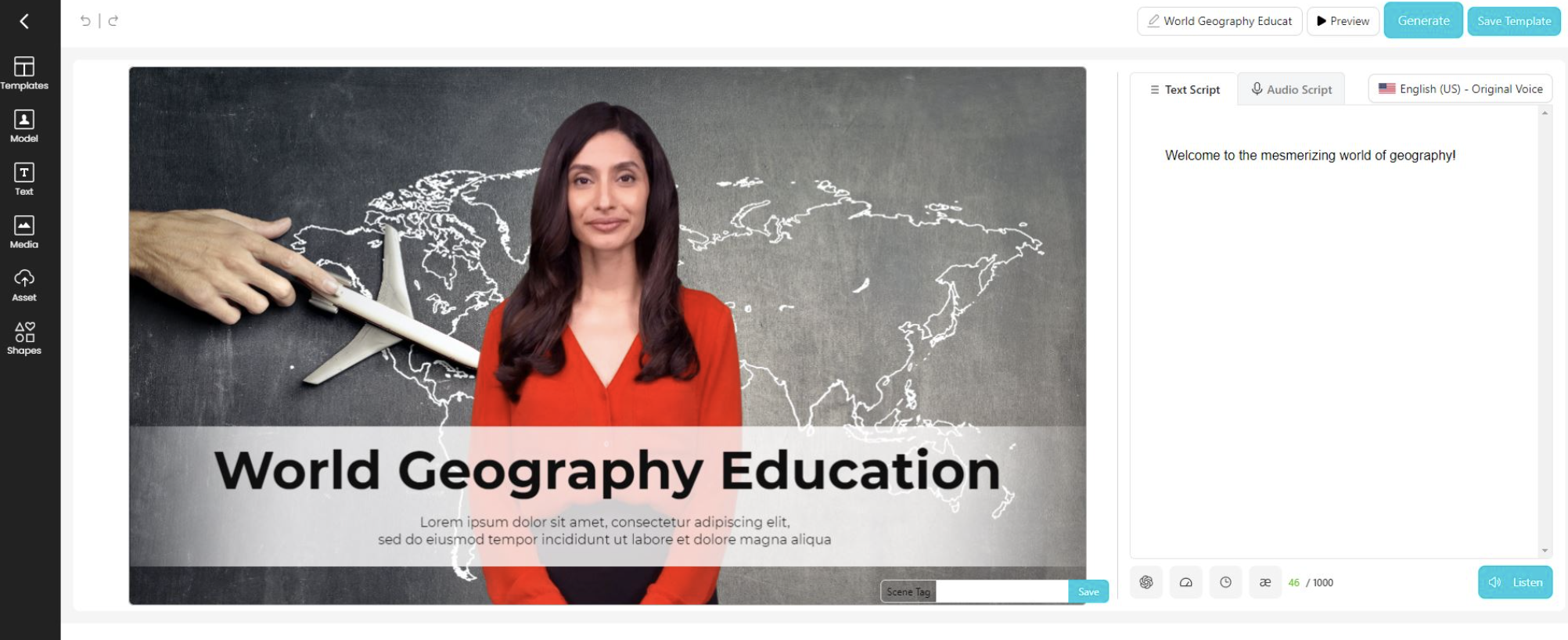
On the free plan, you get 3 AI videos a month, each capped at 3 minutes, with 1 custom avatar and 720p export. What's easy to miss is that AI Studios doesn't gate commercial use or its core voice library behind a paywall: full commercial rights and the same 1,000+-voice library are included free; it's the number of videos, resolution, and language count (30+ vs. 150+ on paid) that are capped.
AI Studios' G2 Data suggests its "quick and simple" positioning holds up with reviewers: it carries a Leader-quadrant G2 Score of 65, built on an 89% ease-of-use rating, one of the more consistent things reviewers praise here, which lines up with a free tier built around getting a first video out the door fast, without a tutorial or setup process getting in the way.
What does AI Studios' free plan include?
- Monthly quota: 3 AI videos/month, plus 16 one-time generative credits
- Max length: up to 3 minutes per video
- Export quality: 720p
- Watermark: yes, per reviewer reports (not explicitly stated on the vendor's own pricing page)
- Commercial use rights: yes, included free
- Voices & languages: 1,000+ stock voices (same library as paid tiers), 30+ languages (vs. 150+ on paid), limited voice cloning, 1 custom avatar
When should you upgrade your AI Studios free plan?
Once you need more than 3 videos a month, longer than 3-minute run times, 1080p export, or the full 150+ language library instead of 30+, the wall shows up fast. Personal, the first paid tier, starts at $24/mo and removes those caps entirely (unlimited videos, up to 30 minutes each, 1080p, 150+ languages).
Where AI Studios genuinely stands out:
- Reviewers consistently note how little setup it takes to go from a written script to a finished talking-avatar video, with several calling out the time saved versus filming.
- The avatars come across as more natural than reviewers expected going in, which matters for a free tier aimed at people who've never used avatar video software before.
What G2 users like about AI Studios:
"This tool is very useful! I was thinking video-making is a very complicated thing, but AI Studios made it so simple. You just type your script avatar will speak everything. No need for a camera, no need for an actor, nothing. I used it to make a presentation video, and it turned out really well. The avatars look very realistic, not like some robot faces. Time-saving is too good; what normally takes one full day here gets done in one hour. Really happy with this"
- AI Studios review, Jojo p.
Is AI Studios right for you?
Best for: Solo creators and small teams who need an occasional short avatar video and don't want to learn a complex editor first.
Not ideal for: Teams publishing video regularly, or anyone who needs longer-than-3-minute cuts without upgrading immediately.
What I dislike about AI Studios:
- The voice and lip-sync can read as noticeably synthetic on longer or more emotional lines, which is the most common complaint in recent reviews. That said, for short, script-driven clips like the free tier is built for, the naturalness gap is far less noticeable than it is on longer-form content.
- The free tier's 3-video, 3-minute cap is tight even for occasional use, and there's no way to top it up without subscribing. On the plus side, the 16 one-time generative credits give new users enough runway to genuinely test the avatar and voice quality before deciding whether to upgrade.
What G2 users dislike about AI Studios:
"Only one thing is a little bit irritating: the free plan has too many limitations. Export quality is not that great, and the watermark will also come"
- AI Studios review, Jojo p.
Want more avatar options before committing? Browse G2's AI video generators category.
2. Colossyan Creator: Best for avatar-led training videos
I evaluated Colossyan Creator, expecting another basic avatar generator, and found it built specifically around turning written training content, including PowerPoint decks, into a narrated video with an AI avatar reading the script aloud.
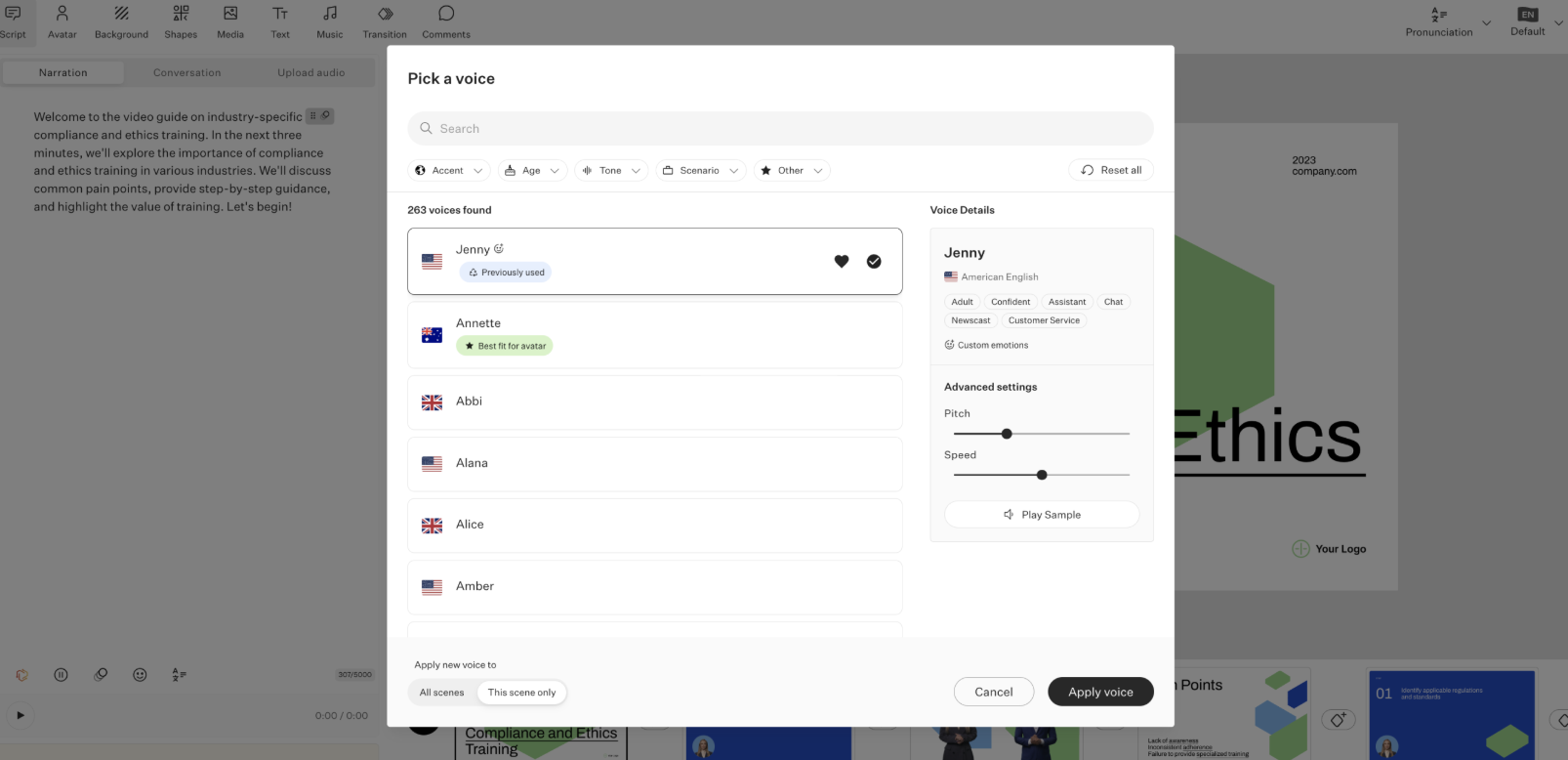
The free Starter plan gives you 20 minutes a month of avatar video, 15 custom avatars, 3 voices, 10 interactive videos, and 15 auto-translations, with unlimited course creation and 1080p export already included. It's a genuinely usable tier for a single course creator, not just a demo sandbox, though exports carry a watermark until you upgrade.
For a training-video tool specifically, avatar quality is the metric that should carry the most weight, and that's exactly where Colossyan Creator scores well with reviewers: it sits in the High Performer quadrant with a G2 Score of 55 and a 92% ease-of-use rating, suggesting the avatar-led workflow itself lands well with reviewers even though its market presence still trails the category's largest players.
What does Colossyan Creator's free plan include?
- Monthly quota: 20 minutes/month of avatar video (NEO)
- Max length: not specified as a separate per-video cap; governed by the monthly minute pool
- Export quality: up to 1080p
- Watermark: yes
- Commercial use rights: not specified by vendor
- Voices & languages: 15 custom avatars + 3 stock voices; 120+ supported languages platform-wide, capped at 15 auto-translations/month free
- Editor seats: 1
When should you upgrade your Colossyan Creator free plan?
Once you need watermark-free exports, SCORM output for an LMS, or more than 20 minutes of video a month, Professional starts at $59/mo (billed annually) and adds those, plus more custom avatars and auto-translations.
Where Colossyan Creator genuinely stands out:
- Reviewers repeatedly point to how quickly a script and a PowerPoint deck become a finished, narrated training video, with several specifically praising the PDF-to-video and PPT-to-video workflows.
- Auto-translation into 120+ languages comes up often as the reason teams pick Colossyan over a plain video editor, since it localizes narration and on-screen text in the same pass.
What G2 users like about Colossyan Creator:
"Colossyan makes it easy to turn a single script into engaging videos featuring realistic, expressive AI avatars and voices that sound natural. By combining text-to-video conversion with instant auto-translation, it significantly cuts down the time and costs usually involved in expanding training, onboarding, and internal communications in different organizational settings. The platform delivers professional results quickly and is straightforward to use."
- Colossyan Creator review, Jonathan M.
Is Colossyan Creator right for you?
Best for: L&D teams and solo course creators who need narrated, localized training video without production overhead.
Not ideal for: Teams that need watermark-free output or SCORM export without paying, or anyone wanting fully custom avatar body language.
What I dislike about Colossyan Creator:
- The free Starter plan caps how many times you can preview a video before changes stop showing up without upgrading, which reviewers say becomes a real friction point once you're iterating on a script rather than just testing once. On the plus side, the free tier's 15 avatars and 3 voices are enough range that most first projects don't run into a customization ceiling before that preview cap becomes the bigger blocker.
- Avatar movement still reads as less lifelike than the voice quality does, particularly in hand and body gestures. Even so, reviewers consistently rate the avatar's speech and lip-sync as strong, so the gap is more about physical realism than about how the narration itself sounds.
What G2 users dislike about Colossyan Creator:
"I also tried to use the free account to create a sample video, but I guess that I hit preview too many times, and it would no longer let me preview the free video without paying for a subscription. Every time I changed or updated something I wanted to see the end result but would find more minor things to change, but apparently you can only do that so many times without it pushing you to pay for a subscription."
- Colossyan Creator review, Cathi F.
Building out a full course library? Browse G2's E-Learning category.
3. Creatify AI: Best for turning a product link into a ready-to-run video ad
Using Creatify AI, I could see exactly who it's built for: feed it a product URL, image, or brief, and it turns that into a scripted, narrated video or image ad, complete with an AI actor reading the script, aimed at teams that need to test a lot of ad variations fast rather than produce one polished video.
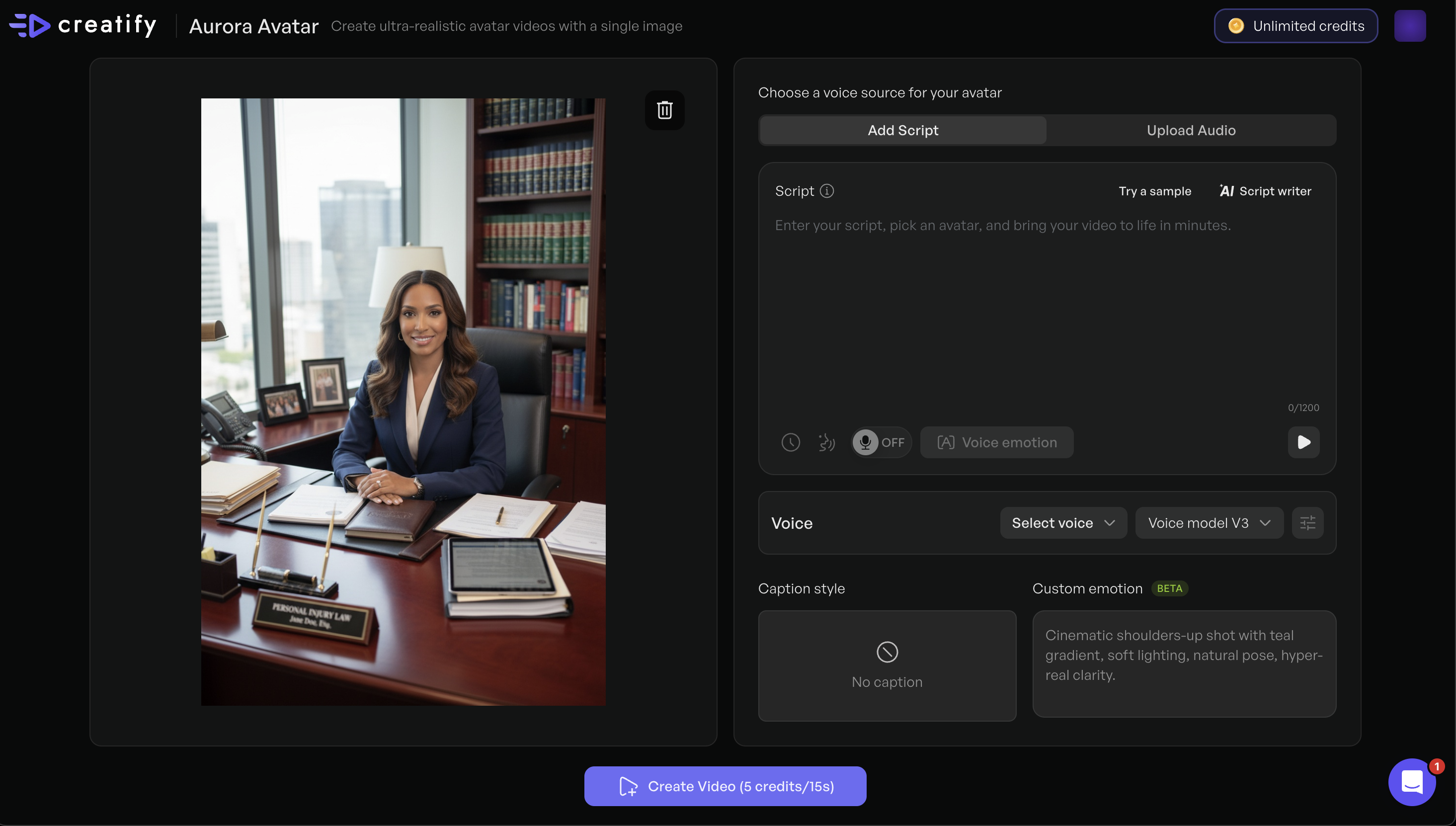
The free plan includes 10 credits a month, enough for roughly 2 video ads or 20 image ads, with access to 300 AI actors, 10 premium AI models, and 40 ad templates. Exports carry a watermark until you upgrade, and it's really a way to test the URL-to-video workflow rather than a tier built for ongoing ad production.
Creatify AI's G2 Data suggests its ad-focused positioning resonates with reviewers: it posts the strongest reviewer sentiment of anyone in this lineup, a 95 NPS, the highest of all the tools here, and Speech Output feature ratings that lead the category (98% on volume, 95% on pronunciation), the kind of polish that matters when a generated voiceover often ships straight into a live ad rather than getting a full audio edit first.
What does Creatify AI's free plan include?
- Monthly quota: 10 credits/month (~2 video ads or 20 image ads)
- Max length: not specified by vendor for Free (Starter caps video length at up to 2 minutes)
- Export quality: not specified by vendor
- Watermark: yes
- Commercial use rights: not specified by vendor
- Voices & languages: 300 AI actors, 10 premium AI/audio models included; free-tier-specific language count not disclosed (platform markets 75+ languages on paid tiers)
When should you upgrade your Creatify AI free plan?
Once 10 credits a month or 300 AI actors stop covering real production, Starter begins at $39/mo and raises the allowance to 100 credits, adds watermark removal, and unlocks 75+ languages and 200+ ad templates.
Where Creatify AI genuinely stands out:
- The URL-to-video workflow is the most repeated praise in reviews: reviewers describe pasting a Shopify or Amazon product link and getting a scripted ad back in minutes, without sourcing footage or hiring a UGC creator.
- Customer support responsiveness comes up unusually often, with reviewers naming specific support reps who resolved issues within minutes of a chat message.
What G2 users like about Creatify AI:
"I appreciate how Creatify AI managed to replicate my logo from specific product images accurately, especially in creating user-generated content (UGC) videos. The very first video from their free offer closely matched my original product photo and captured the logo far better than I expected, which prompted me to sign up for more. I like the quality of the videos; they feel more natural and polished compared to many other AI video tools I've tested."
- Creatify AI review, Fit T.
Is Creatify AI right for you?
Best for: Marketers and small ecommerce teams who want to turn a product link into several ad variations without hiring a UGC creator or editor.
Not ideal for: Anyone who needs more than a couple of test videos a month without paying, since the free tier's 10 credits go quickly.
What I dislike about Creatify AI:
- Credits burn through faster than expected, especially on longer or higher-quality generations, and a failed or unsatisfying render still costs you the credits it used. The free tier's 10 monthly credits are still enough, per reviewers, to fully test the URL-to-video workflow before deciding whether to pay.
- Fine-tuning a video after it's generated, things like adjusting scene timing, swapping a single clip, or getting more control over avatar voice and emotion, takes more manual work than reviewers expect going in. Even so, the same reviewers note the first-pass output is usually close enough to use with only minor touch-ups.
What G2 users dislike about Creatify AI:
"I tried to create a video using a free account, but I was short by 7 credits when it came time to generate it. The tool wouldn't let me finish without adding those extra credits, which I understand."
- Creatify AI review, Razvan G.
Need a dedicated ad-creative platform beyond text-to-speech? Browse G2's Advertising software category.
4. ElevenLabs: Best for realistic AI voice generation and cloning
I went into ElevenLabs expecting another all-in-one avatar tool, and found the opposite: it focuses specifically on voice, text-to-speech, voice cloning, dubbing, and sound effects, without bundling in avatar video the way several other tools on this list do.
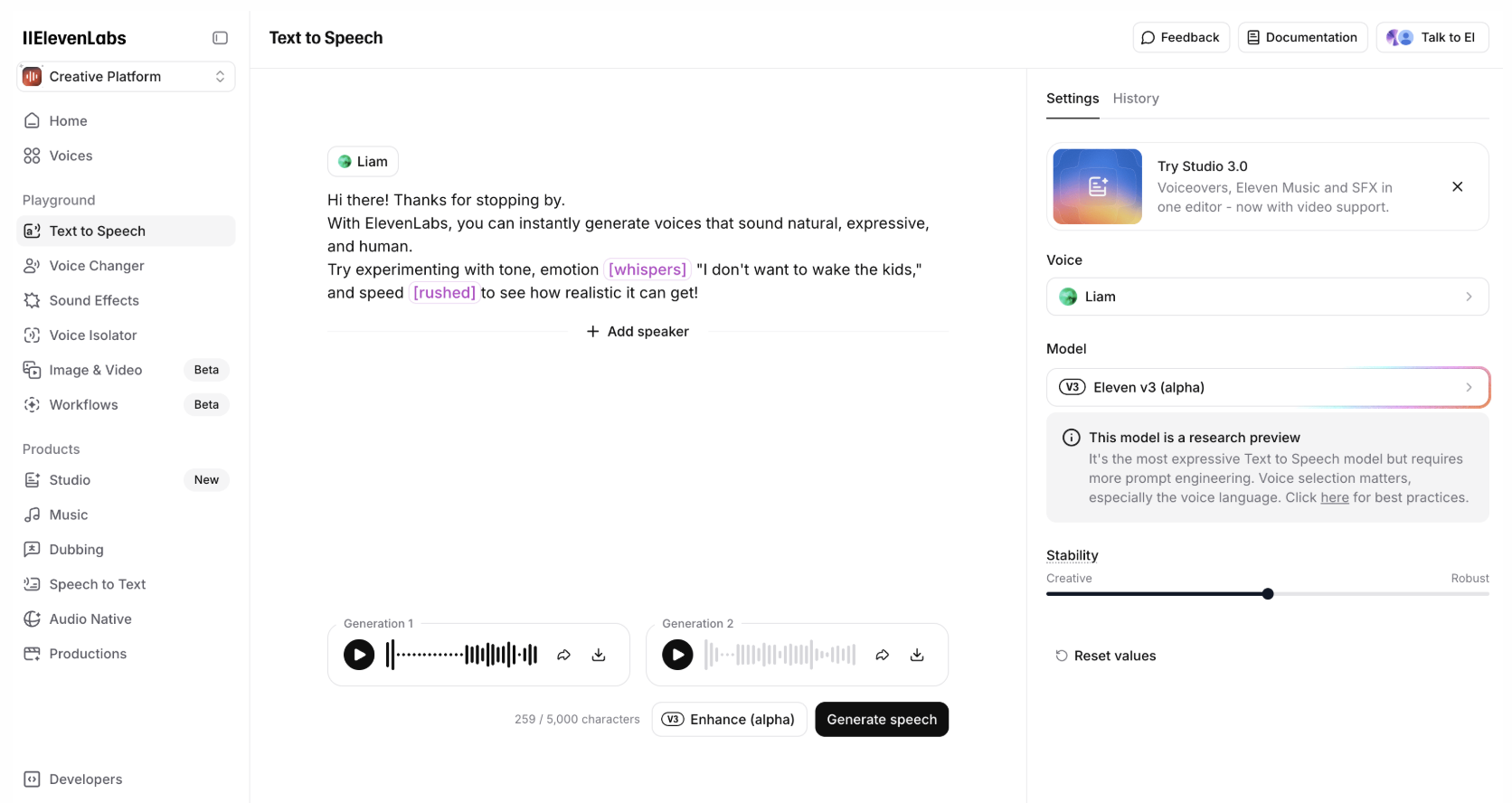 The free plan includes 10,000 credits a month (roughly 10 minutes of speech), 3 Studio projects, and access to Text to Speech, Speech to Text, Sound Effects, Voice Design, Music, Productions, and Image tools. There's no commercial license on the free tier, so output is for personal or evaluation use until you upgrade.
ElevenLabs holds the highest G2 Score in this entire lineup (93, Leader), and that scale is earned on the exact claim this section is built around: an 87% feature rating on natural-sounding voices and 89% on voice cloning, both scores of the audio itself rather than general satisfaction, which is the distinction that matters for a tool positioned on realism first.
What does ElevenLabs' free plan include?
- Monthly quota: 10,000 credits/month (~10 minutes of audio)
- Max length: not specified as a separate per-clip cap; governed by the monthly credit pool
- Export quality: 128kbps, 44.1kHz audio
- Watermark: not applicable (audio-only output)
- Commercial use rights: no, added at Starter ($6/mo)
- Voices & languages: not specified by vendor as a free-tier-specific language count; voice cloning not included free (Starter adds Instant Voice Cloning)
When should you upgrade your ElevenLabs free plan?
Once you need a commercial license, instant voice cloning, or more than 10 minutes of audio a month, Starter starts at $6/mo and adds all three, along with 30,000 credits.
Where ElevenLabs genuinely stands out:
- Voice cloning quality is the theme reviewers return to most, with several describing it as close enough to their own voice to use professionally.
- Setup speed comes up constantly: reviewers consistently say they were generating usable audio within minutes, with no tutorial needed.
What G2 users like about ElevenLabs:
"The simple text-to-speech is incredible. The pricing is very affordable. It's easy to use. Lots of voices to pick from, there are clear licensing paths, and the credit system is fairly generous. It performs fast, and the AI reads it fairly intelligently. Very intuitive onboarding for an account, whether paid or free."
- ElevenLabs review, Curran M.
Is ElevenLabs right for you?
Best for: Anyone who needs the most natural raw voice output for narration, dubbing, or voice cloning, and can work inside a 10-minute monthly cap.
Not ideal for: Anyone needing commercial usage rights or avatar video, since neither is available on the free plan.
What I dislike about ElevenLabs:
- The free tier's 10,000 monthly credits (about 10 minutes of audio) get consumed even when a generation comes out wrong, and reviewers note that scaling much past casual use quickly runs into that ceiling. Even so, most users report enough runway within that free allotment to iterate a few times and get a real read on voice quality before hitting the wall.
- Finding the exact right voice and settings for a specific tone takes some trial and error on a free account with limited generations to spare. Once you land on a voice that works, though, reviewers say it's reusable in seconds for every future project.
What G2 users dislike about ElevenLabs:
"One downside of ElevenLabs is that the pricing can become expensive, especially if you're working on larger projects or generating a lot of audio. The free tier is quite limited, so scaling up isn't always budget-friendly."
- ElevenLabs review, Mi S.
Need dubbing across more languages at scale? Browse G2's video translation software category.
5. HeyGen: Best for multilingual AI avatar videos
I delved into HeyGen curious how far a free tier could stretch on languages, and found it generates avatar-led video with synthesized narration in 30+ languages, aimed at teams that need to localize video content without re-shooting it for every market.
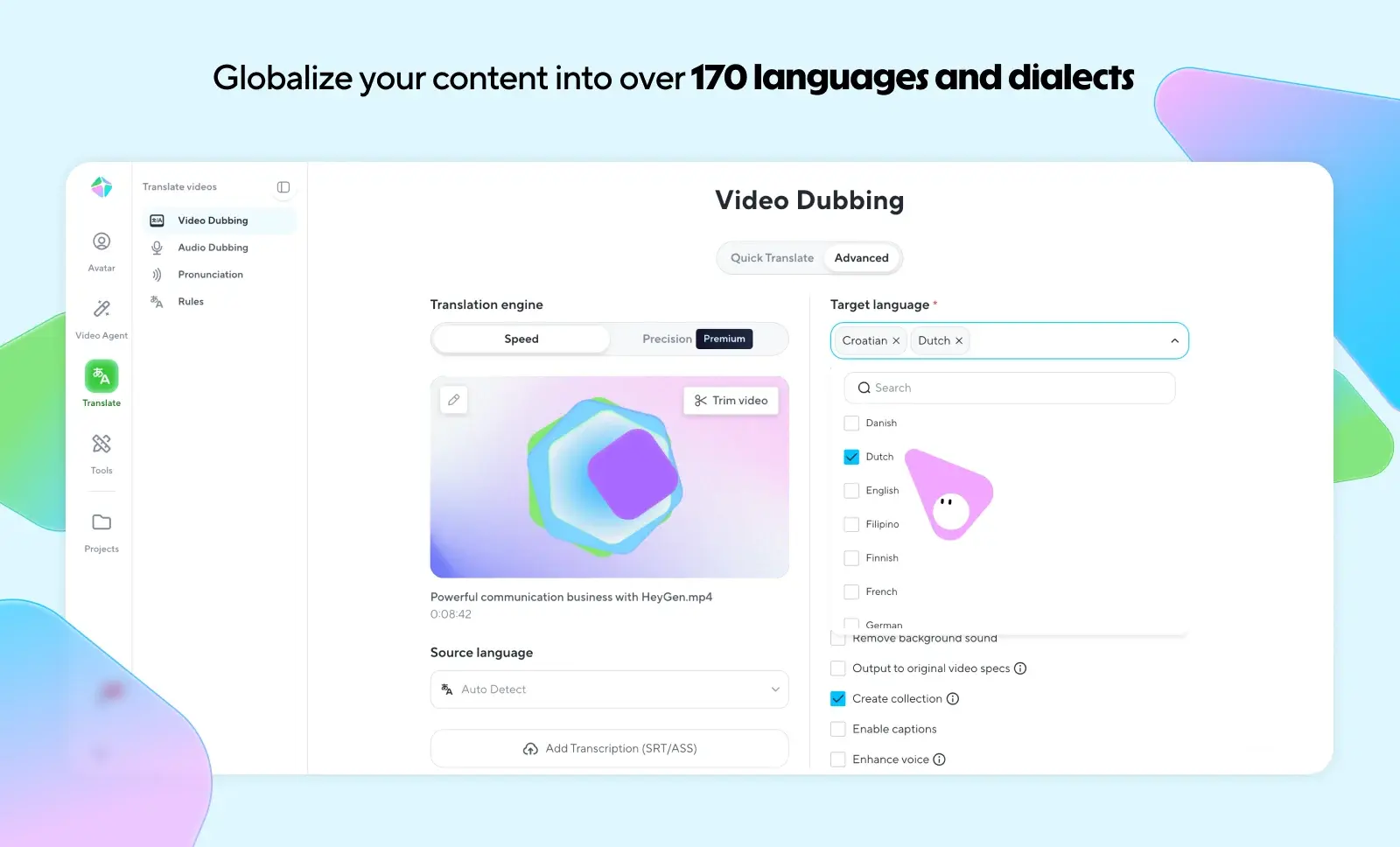
The free plan allows 3 videos a month, up to 1 minute each, with access to Avatar IV and Video Agent at standard processing speed, 500+ stock avatars, and 1 custom digital twin. It's enough to evaluate voice and avatar quality, but not enough for a regular publishing schedule.
HeyGen posts a 92 NPS, second only to Creatify AI's 95 in this lineup and still a stronger signal for a multilingual tool than the satisfaction score alone, since it means reviewers are actively recommending it to peers handling the same avatar-plus-voice-across-languages problem, not just rating a single experience. That NPS holds even though its 82% overall satisfaction still trails its own 95% ease-of-use score, a reminder that "easy to use" and "fully satisfied" aren't the same thing, and it's the recommend-to-a-peer number that matters most for a localization use case.
What does HeyGen's free plan include?
- Monthly quota: 3 videos/month
- Max length: up to 1 minute per video
- Export quality: not specified by vendor for Free (1080p starts at Creator)
- Watermark: yes
- Commercial use rights: not specified by vendor
- Voices & languages: 500+ stock avatars, 1 custom digital twin, 1,000+ AI voices, 1 free voice clone, 30+ languages (vs. 175+ on Creator+)
- Editor seats: 1
When should you upgrade your HeyGen free plan?
Once 1-minute videos or 3 a month stop covering your needs, or you need 175+ languages instead of 30+, Creator starts at $29/mo ($24/mo billed annually) and raises the cap to 30-minute videos with 1080p export.
Where HeyGen genuinely stands out:
- Avatar and voice quality together are the most consistently praised combination in recent reviews, with reviewers specifically calling out how natural both the visual and audio come across.
- Multiple reviewers highlight pairing their own cloned voice with a custom digital twin on the free tier, a combination few avatar tools on this list offer for free.
What G2 users like about HeyGen:
"I love how HeyGen has an all-in-one concept where they animate, do voiceovers, create avatars, and more. These features are precisely what is most helpful for my use case. I love their animation capacity; it's far more versatile than other platforms in this field. Their free tier helped me explore the platform and decide whether I wanted to continue, and it was surprisingly better than expected."
- HeyGen review, Verified User in Small Business.
Is HeyGen right for you?
Best for: Marketing and training teams that need multilingual avatar video and can work within a 1-minute, 3-video monthly cap while evaluating.
Not ideal for: Anyone needing longer cuts or heavier monthly volume without upgrading almost immediately.
What I dislike about HeyGen:
- Rendering sometimes shows no progress indicator, so it's hard to tell whether a video is processing normally or stuck. On the occasions it does stall, reviewers note that HeyGen's processing is still fast overall once it completes, which keeps the wait tolerable.
- The free plan's 1-minute video cap and single voice option per avatar are restrictive for anything beyond a quick test, and reviewers specifically flag being locked into one voice per character during that trial window. That said, it's enough runway to judge avatar realism and voice quality before deciding whether to commit to a paid plan.
What G2 users dislike about HeyGen:
"I used the free version, and there was only one voice for the characters inside my videos! I wish there were no limit!"
- HeyGen review, Agha P.
Need avatars specifically, not just voice? Browse G2's AI avatar generators category.
6. Murf.ai: Best for professional voiceovers and narration
Murf.ai is the narration specialist I reached for when I wanted a large voice library with real editing control: pitch and emphasis adjustments, plus a timeline editor for syncing voiceover to video or slides.
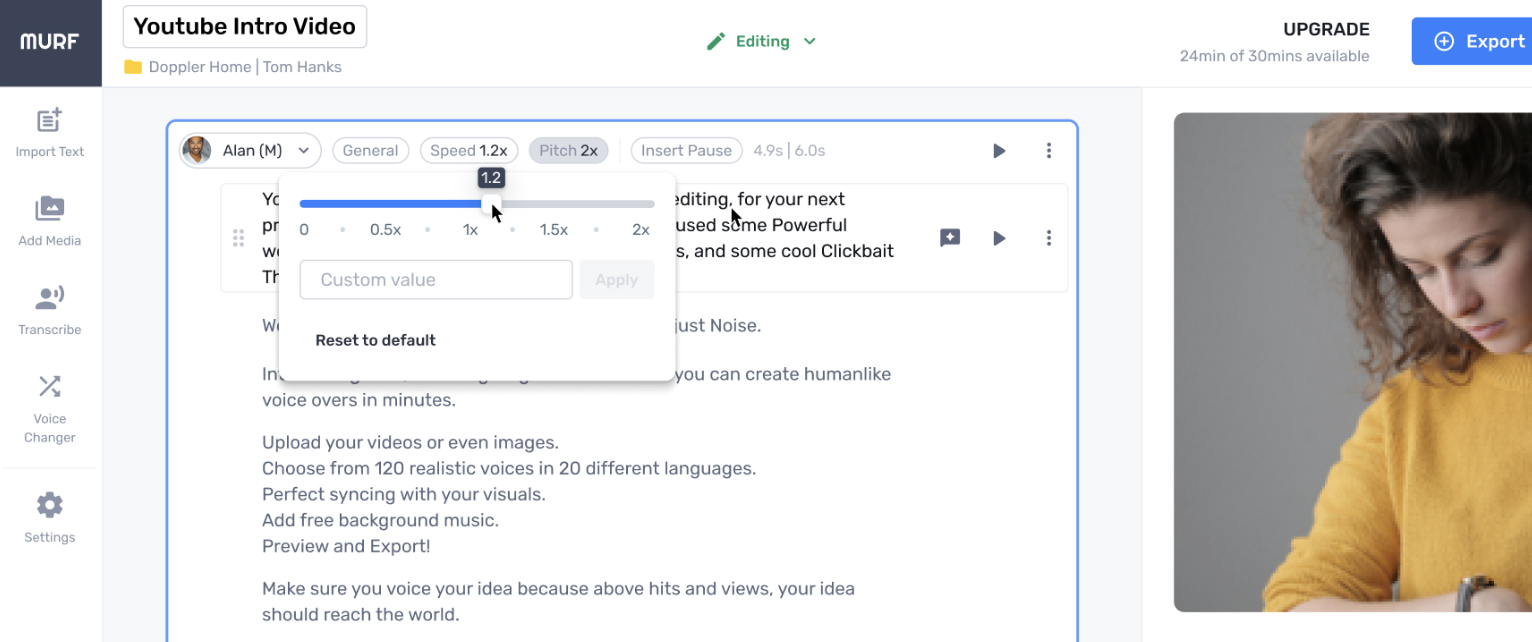
Source: Murf.ai
The free plan gives you 10 projects and 10 minutes of voice generation with 1 editor seat. It's the tightest free allowance in this lineup, and Murf is explicit that free-tier output carries no commercial rights and can't be downloaded, so it's really a test drive rather than a working tier.
Murf.ai's Leader-quadrant standing (G2 Score 72) is backed by feature scores that matter most for a narration-first tool: 91% on speed of speech and 88% on speaking styles, both above the category average and both specific things reviewers cite when they describe Murf as tuned for scripted voiceover rather than general-purpose TTS.
What does Murf.ai's free plan include?
- Monthly quota: 10 projects, 10 minutes of voice generation
- Max length: not specified as a separate per-clip cap; governed by the monthly minutes pool
- Export quality: not specified by vendor for Free
- Watermark: not specified by vendor
- Commercial use rights: no, explicitly excluded on Free; downloads also blocked
- Voices & languages: not specified by vendor as a free-tier-specific count (Murf markets 200+ voices across 20+ languages platform-wide)
- Editor seats: 1
When should you upgrade your Murf.ai free plan?
Once you need to actually download and use the audio commercially, or need more than 10 minutes of generation, Creator starts at $19/mo and adds unlimited downloads, commercial rights, and 200+ voices with 24 hours/year of voice generation.
Where Murf.ai genuinely stands out:
- Voice naturalness for scripted narration is the strongest and most repeated theme, with reviewers specifically contrasting Murf's voices against "robotic" TTS they'd used before.
- The breadth of accents and languages (200+ voices across 20+ languages) comes up constantly as the reason teams pick Murf over a single-voice tool.
What G2 users like about Murf.ai:
"I have been using Murf AI for about two years, and it has been impressive from the beginning. What I like best is how easy it is to convert text into realistic voiceovers without needing advanced technical skills. The variety of voices and accents makes it suitable for different types of projects. The platform is simple, fast, and saves a lot of time, especially for content creation."
- Murf.ai review, Muzammil M.
Is Murf.ai right for you?
Best for: Teams that need a large, natural-sounding voice library for scripted narration and can commit to a paid plan once testing is done.
Not ideal for: Anyone who needs to actually use or download free-tier audio, since the free plan blocks both commercial use and downloads.
What I dislike about Murf.ai:
- Several of the more expressive voice controls and the full voice library stay behind the paid tiers, so free-plan testing only shows you a slice of what Murf can do. That slice is still enough, per reviewers, to judge whether the core voice quality fits before paying anything.
- Voice tone can occasionally sound flat or slightly robotic on more conversational scripts. Reviewers who've stuck with Murf note that the platform has been steadily improving on exactly this point release over release.
What G2 users dislike about Murf.ai:
"The free plan is very limited, and most advanced features require payment. Sometimes I notice the voices sound robotic and not natural. It needs a high-speed internet connection, otherwise, the connection breaks. Customer support is not good."
- Murf.ai review, Pooja K.
Looking for a broader voiceover comparison, including paid-only platforms? Read G2's best text-to-speech software guide.
7. Synthesia: Best for corporate training and explainer videos
I turned to Synthesia for corporate training content, and it delivers exactly that: a script becomes a talking-head video using a stock AI avatar and synthesized narration, aimed squarely at training, onboarding, and explainer content.
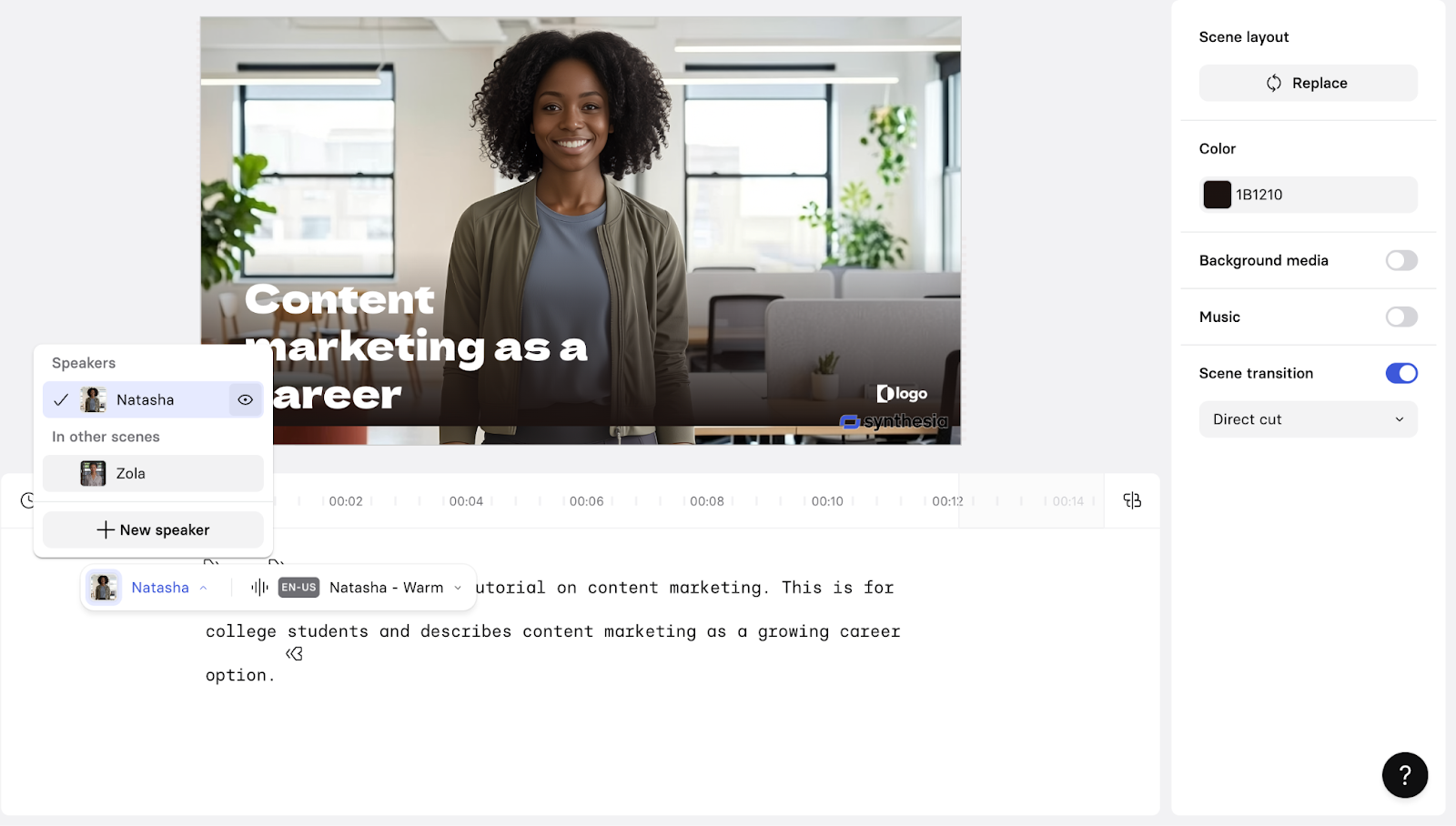
The free Basic plan includes 10 minutes of video a month, 1,200 credits, and 25 AI-generated video assets, using 9 ready-made avatars (no custom avatar, no downloads). What doesn't get cut down on Basic is language range: Synthesia gives every tier, including free, the full 160+-language and voice library, so the limitation is video minutes and avatar choice, not what the voice can say or in what language. No credit card is required to start.
Synthesia's case for corporate training rests on scale as much as quality: with 1,004 reviews feeding its G2 Score, its Leader-quadrant placement (83, second only to ElevenLabs in this lineup) reflects one of the largest and most consistently reviewed products in the category, and an 83 NPS points the same direction, suggesting its training-video approach has worked well for more teams over a longer stretch than all but one other tool here, not just a handful of early adopters.
What does Synthesia's free plan include?
- Monthly quota: 10 minutes of video/month, 1,200 credits/month, 25 AI-generated video assets/month
- Max length: not specified as a separate per-video cap; governed by the 10-minute pool
- Export quality: not specified by vendor for Free (downloads aren't included until Starter)
- Watermark: yes
- Commercial use rights: not specified by vendor
- Voices & languages: 9 stock avatars (vs. 125+ on Starter), 160+ languages & voices, the same library as every paid tier
When should you upgrade your Synthesia free plan?
Once you need to download videos, remove the Synthesia watermark, or use a personal avatar, Starter begins at $18/mo (billed annually; $29/mo monthly) and adds all three.
Where Synthesia genuinely stands out:
- Speed of production is the most repeated praise: reviewers describe turning a script into a finished training video in a fraction of the time a filmed shoot would take.
- Customer support responsiveness comes up unusually often for a product at this scale, with reviewers specifically noting fast turnaround on support tickets.
What G2 users like about Synthesia:
"I love that Synthesia offers a limited free trial, which allowed me to create and edit a five-minute video multiple times. The system is intuitive and produces the best seven-minute and smaller lifelike avatar videos. I also appreciate that it's an industry-leading platform with ongoing features development, including creating custom avatars that look like you."
- Synthesia review, Richard K.
Is Synthesia right for you?
Best for: Teams making training or explainer videos regularly enough to justify moving past the free plan's ready-made avatars and 10-minute cap.
Not ideal for: Anyone who needs a custom avatar or downloadable output without paying, since neither exists on Basic.
What I dislike about Synthesia:
- Avatar hand gestures and some synthesized sounds still read as less than fully natural, particularly on longer scripts. Reviewers consistently rate the actual speech quality and lip-sync well above that gesture-level nitpick, so it reads more as a polish gap than a core quality problem.
- The free plan's ready-made-avatars-only restriction means you can't test the custom-avatar experience before paying. The 25 AI-generated video assets a month is still enough to properly evaluate voice and stock-avatar quality first.
What G2 users dislike about Synthesia:
"The free recording option lets you get through the entire recording before alerting you that you have to pay in order to use it."
- Synthesia review, Christopher Millspaugh
Want a broader video generation comparison first? Browse G2's best AI video generators.
8. VEED: Best for text-to-speech inside a full video editor
I hadn't expected to find real text-to-speech this deep inside a video editor, but VEED bundles it into a full browser-based editor, so narration sits alongside subtitles, b-roll, and background-noise removal in the same project.
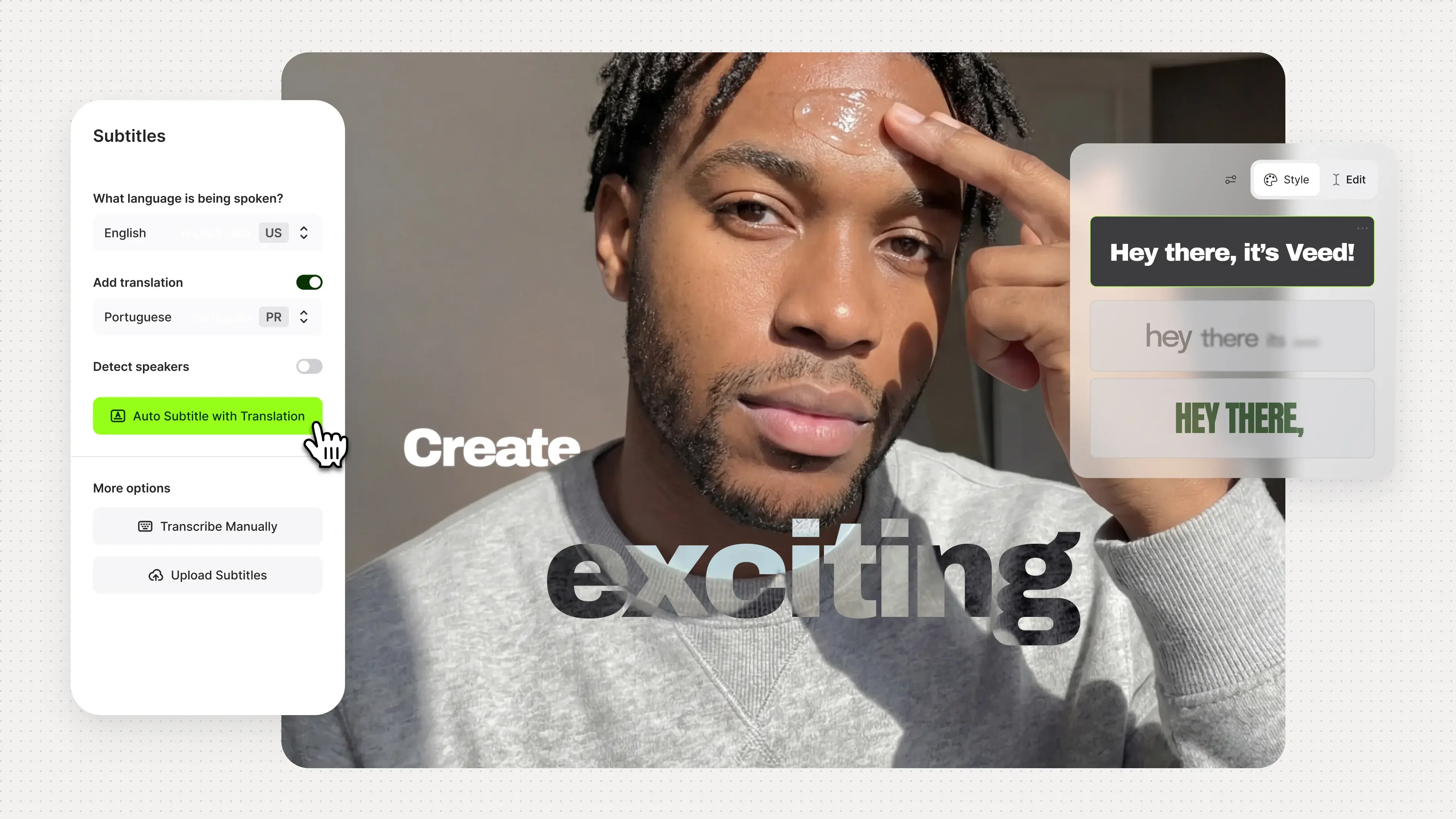
The free plan allows up to 10-minute video exports at 720p, with a VEED watermark, 2GB of cloud storage, and up to 3 editors per workspace. Auto subtitles and Gen-AI Studio access are both capped at just a couple of minutes a month on the free tier.
VEED's Leader-quadrant standing (G2 Score 75) is driven by ease of use (93%) and reviewer loyalty (an 80 NPS) more than by TTS specialization: its 84% rating on audio format flexibility, solid but not category-leading, is the honest tell that VEED earns its place here as an editor with narration built in, not as a dedicated voice tool.
What does VEED's free plan include?
- Monthly quota: Gen-AI Studio (12 sec/mo), auto subtitles (2 min/mo)
- Max length: up to 10-minute video exports
- Export quality: 720p
- Watermark: yes
- Commercial use rights: not specified by vendor
- Voices & languages: voice clone included; dedicated translation minutes not specified for Free (Pro adds 30 min/mo)
- Storage: 2GB cloud storage
- Editor seats: up to 3 per workspace
When should you upgrade your VEED free plan?
Once the watermark or the 10-minute export cap becomes a problem, or you need more subtitle minutes, Creator starts at $20/mo and removes the watermark with unlimited subtitle minutes.
Where VEED genuinely stands out:
- Auto-subtitle and caption quality is the most repeated praise in reviews, often mentioned alongside the AI background-noise and filler-word removal as a combination that speeds up editing significantly.
- Reviewers frequently describe VEED as replacing a freelance video editor entirely for straightforward social and marketing video work.
What G2 users like about VEED:
"It's very user-friendly, and it's free. Unlike other apps where you pay to get premium, there's no premium needed for VEED because it already feels premium."
- VEED review, hafsah s.
Is VEED right for you?
Best for: Creators who want text-to-speech as one part of a broader video editor rather than a standalone voice tool.
Not ideal for: Solo operators on a tight budget, since several core AI editing features sit behind paid tiers once the free minutes run out.
What I dislike about VEED:
- Several editing controls stay locked to paid tiers, which reviewers say nudges free users toward upgrading faster than tools with a more generous free feature set. On the plus side, VEED's paid entry point, at $20/mo, still lands below several other tools in this list once you actually need those features.
- Solo operators in particular flag the jump from free to paid as steep relative to how much they use the product. Reviewers who do upgrade, though, consistently say the watermark removal and unlimited subtitles alone justify the cost for regular use.
What G2 users dislike about VEED:
"The free plan is quite limited, which means you quickly need to upgrade to access the features that matter. Also, rendering time can occasionally be slow when working with longer videos. Minor inconveniences overall, but worth mentioning."
- VEED review, Victor L.
9. Vyond: Best for enterprise-grade animated training and compliance videos
I came to Vyond looking for a free-forever tier and found something different: a free trial that gives full access to the editor before requiring a paid plan. That distinction matters for this list, since Vyond's trial expires, while every other tool here resets monthly. What you get in the free trial is meaningfully different from the competition, though — a full animated video studio built specifically around enterprise L&D, compliance training, and internal communications, not general-purpose TTS.
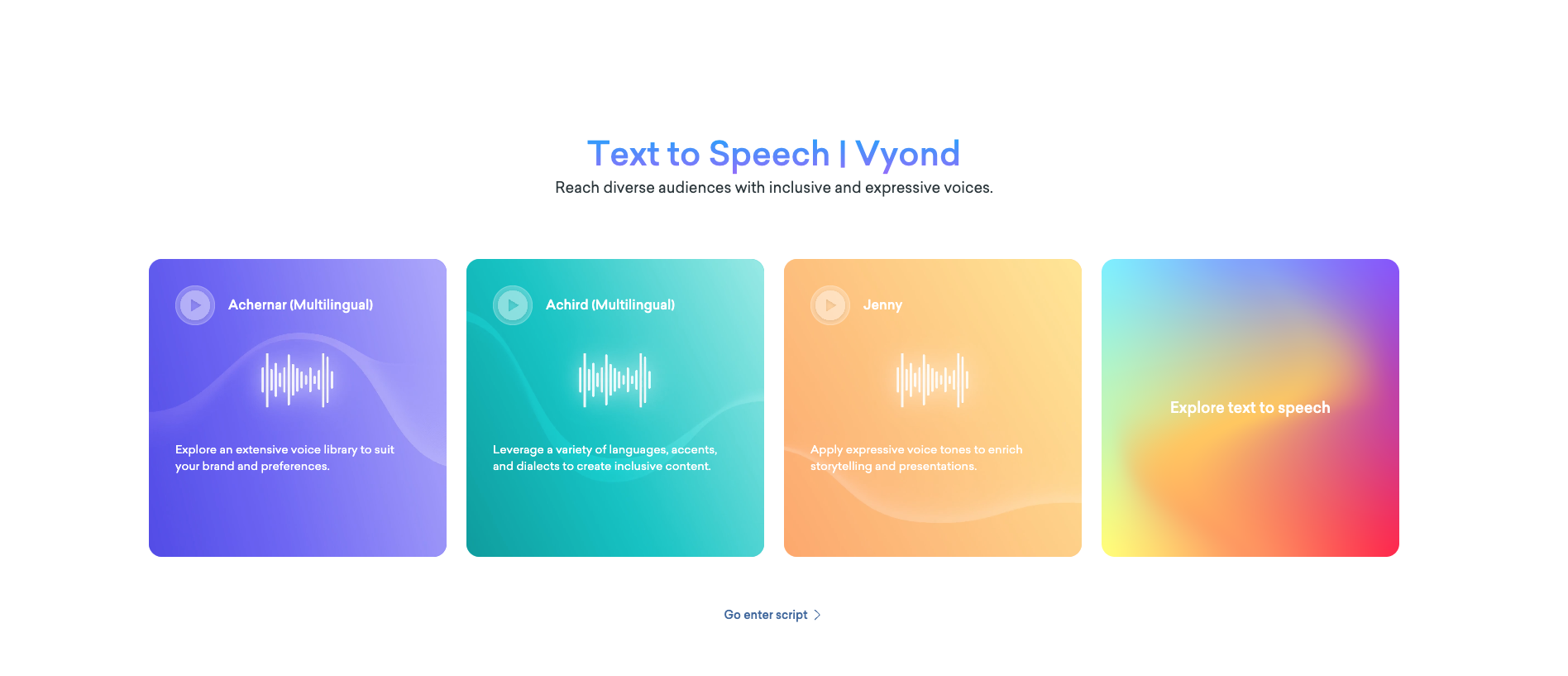
The trial includes access to core animation tools, customizable characters, a template library, built-in text-to-speech voices, and AI-assisted scripting. Each TTS required 10 credits for high-quality and 2 more credits if I wanted to try a new voice.
Vyond's G2 Data reflects a tool that has genuinely earned its place with large organizations: 52% of its 500 reviews come from Enterprise users, the highest enterprise skew in this lineup by a wide margin. Its 4.7/5 star rating is built on a reviewer base concentrated in e-learning, hospital and health care, and financial services — exactly the compliance-heavy sectors where Vyond's SCORM integration and brand governance matter most.
What does Vyond's free trial include?
- Free trial credits: 2000
- Free trial quote: Upto 3 videos
- Watermark: yes and no downloads allowed
- Commercial use rights: not specified by the vendor for trial
- Voices & languages: built-in text-to-speech voices; instant translation into 70+ languages gated to Professional tier and above
- Animation styles: animated, photorealistic, mixed-media, and live-action formats
When should you upgrade your Vyond free trial?
If the trial convinces you, paid plans start at $99/mo (Starter) and scale to $199/mo (Professional, which adds team collaboration and instant translation into 70+ languages). Upgrade when you need watermark-free exports, SCORM output for your LMS, brand management tools, or the full WellSaid AI voice library. Enterprise pricing is custom.
Where Vyond genuinely stands out:
- The breadth of animation styles — animated, photorealistic, mixed-media, and live-action — in a single editor is the most consistent differentiator reviewers point to, since it lets one person switch the visual register of a training video to match different audience contexts without leaving the platform.
- Reviewers working in L&D specifically call out the AI conversation and script features as the biggest time-saver for scenario-based training content, describing it as a usable rough draft rather than a starting-from-scratch build.
What G2 users like about Vyond:
"What I like most about Vyond is how easy it is to create professional animated videos without requiring animation expertise. Its drag-and-drop interface, customizable characters, and extensive template library make it simple to produce engaging business, training, and marketing videos in a short amount of time. Built-in voiceover, lip-sync, and text-to-speech capabilities. Suitable for training, product demos, presentations, and marketing videos. For me, the most valuable feature is the ready-to-use templates and character animations. They allow me to create polished animated videos quickly without starting from scratch or having professional animation skills. The biggest benefit is increased productivity. Vyond dramatically reduces the time and effort needed to create engaging animated content, making it an excellent tool for business communication, education, and marketing."
- Vyond review, Ravindra N
Is Vyond right for you?
Best for: Enterprise L&D and compliance teams that need animated scenario-based training with SCORM output and brand governance, and have a budget for a paid plan after the trial.
Not ideal for: Anyone looking for a free-forever working tier, or solo creators and small teams for whom $99/mo is hard to justify for occasional use.
What I dislike about Vyond:
- Based on recent G2 reviews, teams with a high revision cadence will want to plan around the credit-based export model and pricing. Enterprise L&D teams tend to absorb this comfortably; smaller teams and solo creators may want to map out usage before committing.
- Some G2 reviewers note that the character and asset library has a ceiling for specialized scenario work. Vyond adds assets incrementally and covers standard training formats well, but teams needing diversity-representative poses and broad scene variety may find themselves working around gaps more often than they'd like.
What G2 users dislike about Vyond:
"To get the best AI voices and avatars, you are required to purchase the more expensive subscriptions."
- Vyond review, Donna W.
Planning and storyboarding a video project with a team before you record? Browse G2's best collaborative whiteboard software.
How to choose the right free text-to-speech tool
The right free tool depends on the job in front of you. Here's the pick for each scenario, and the G2 Data behind it.
| If you're... | Free stack | Why this fits (G2 Data) |
| Turning a product link into several ad variations fast, without hiring a UGC creator | Creatify AI | 98% on Speech Output volume and 95% on pronunciation — the strongest audio quality ratings. |
| After the single most natural raw TTS voice for narration or dubbing | ElevenLabs | 87% on natural-sounding voices and 89% on voice cloning |
| Recording narration or voiceover on a fixed script (podcasts, e-learning, ads) | Murf.ai | 91% on speed of speech and 88% on speaking styles |
| Making a talking-head training or explainer video without a camera | Synthesia | One of the largest review bases in this lineup, concentrated in training and corporate use cases. |
| Localizing marketing or training video into multiple languages fast | HeyGen | 90% on natural-sounding voices — reviewers most often cite multilingual avatar quality as the reason they recommend it. |
| Editing video generally and want narration bundled with captions and cleanup | VEED | 93% ease of use, one of the highest ease-of-use scores in this lineup. |
| Building narrated, localized training content for a small team | Colossyan Creator | 92% ease of use; reviewers specifically call out auto-translation and avatar quality for L&D work. |
| Just testing whether AI avatar video is worth adopting at all | AI Studios | 89% ease of use; reviewers cite the simplest free-tier onboarding in this lineup. |
| Running enterprise L&D or compliance training at scale | Vyond | 58% of reviewers come from enterprise — the highest enterprise skew in this lineup. |
Picks are matched to what each tool is best positioned for, with the "why" grounded in G2 Data: G2 Score, satisfaction, feature ratings, and NPS, where a metric applies.
Who should use free text-to-speech software?
Free plans work best for:
- Solo creators and small teams testing synthesized narration before committing budget
- Podcasters patching a bad take, course creators narrating a first module, or marketers piloting a localized video
- Anyone who needs real, usable output to evaluate a tool — not just a demo
When does free stop being enough?
The blockers tend to cluster around three things:
- Volume caps: AI Studios and HeyGen allow 3 videos a month, Creatify AI gives 10 credits, Synthesia and Murf.ai cap at 10 minutes
- Watermarks or resolution limits: VEED exports at 720p with a watermark, Synthesia doesn't allow downloads on the free tier
- Commercial-use restrictions: Murf.ai's free tier explicitly disallows commercial use
Once any of those becomes a regular obstacle, paid plans start at $6/mo for ElevenLabs, with most others between $18 and $29/mo.
Free text-to-speech apps: Frequently asked questions (FAQs)
Have more questions? Find more answers below.
Q1. Which free text-to-speech tool is best for a production team scaling voice creation across hundreds of videos?
No free plan here is built for that volume — every tool caps out between 3 videos and 10 minutes a month. For a team planning to scale, ElevenLabs is the strongest starting point: highest G2 Score in the category (93, Leader) and the most reviews in this lineup, both signals of a tool that holds up at production scale.
Q2. Which free text-to-speech solutions are most reliable for high-volume content?
Murf.ai and ElevenLabs. Both sit in the Leader quadrant, both score 95% on ease of use, and both draw consistent reliability praise from reviewers in media and marketing roles. Their free tiers (10 minutes each) are enough to evaluate, not enough to produce at volume.
Q3. Which free text-to-speech tool do content creators trust most?
Murf.ai and ElevenLabs, based on G2 Data. Both are Leader-quadrant tools with a strong small-business reviewer base — 77% small business for Murf.ai, 73% for ElevenLabs.
Q4. Which free text-to-speech platforms produce the most natural-sounding audio?
HeyGen leads this lineup with a 90% natural-sounding-voices rating, followed by Murf.ai at 88% and ElevenLabs at 87%, all per the G2 Summer 2026 Grid Report. Even the strongest performers here draw occasional complaints on longer or conversational scripts, so treat these as directional, not guaranteed.
Q5. Which free text-to-speech tools are best for a mid-market team balancing cost and voice quality?
HeyGen and ElevenLabs. HeyGen scores 90% on natural-sounding voices with a 92 NPS; ElevenLabs scores 87% on the same metric with 95% overall satisfaction. Both are minutes-capped on the free tier, so factor in some regeneration time when testing a real script.
Q6. Which free tools support 15+ languages for a freelance animator?
Three options, in increasing language range: HeyGen (30+ languages), Colossyan Creator (120+ via auto-translation), and Synthesia (160+, the same library as its paid tiers). Synthesia's free-tier limit is avatar count, not language range.
Q7. Which free text-to-speech platforms are best for multilingual video without hiring voice actors?
HeyGen, Colossyan Creator, and Synthesia all pair an AI avatar with multilingual narration. HeyGen covers 30+ languages, Colossyan 120+ via auto-translation, and Synthesia's full 160+ language library is available even on the free tier.
Q8. Which free text-to-speech platforms include voice cloning?
HeyGen (1 free voice clone), VEED (voice clone included on free tier), and AI Studios (limited voice cloning free). ElevenLabs is the strongest voice cloning tool in this lineup but the feature requires a paid plan ($6/mo). For a quick free test, HeyGen is the most straightforward starting point.
Q9. Which free tools let you preview voice tone and pronunciation before exporting?
Murf.ai and ElevenLabs both use a script-then-generate workflow, so you can listen before committing to a final export. The caveat: each generation draws from your monthly credit or minute allowance, so previewing isn't unlimited on a free plan.
Build your free text-to-speech stack
Testing all tools side by side made one thing clear: no single free plan is built to carry every job text-to-speech gets used for, and picking a "winner" misses the point. The better move is to match the tool to the job in front of you. Reach for ElevenLabs or Murf.ai when you need the cleanest raw narration to edit elsewhere, VEED when that narration has to live inside a finished cut with captions and cleanup already built in, and Synthesia, HeyGen, Colossyan Creator, Vyond or Creatify AI whenever the work calls for a face on screen instead of just a voice, whether that's a training module or a ready-to-run ad.
Start with whatever free tier fits today's script, not the one with the longest feature list, and let actual use, not a comparison table, tell you when it's time to pay for more room to work.
Building your own AI-powered voice or video product instead of buying one off the shelf? Explore G2's best generative AI infrastructure software to see what's powering tools like these.