AI-Generated Results
Finding matches…
Not seeing what you're looking for?
Dive deeper into "Workapp" on G2 AI

The zLinkFM™ CAFM/IWMS/CMMS platform technology tightly couples As-Built architectural plans and various other building systems infrastructure (HVAC, Electrical, Plumbing, etc.) drawings with functional databases to provide a space-centric view of all facility information. All drawings are referenced to the As-Built floor plans to maintain the spatial context for the location of infrastructure equipment and employee use assets (space, furniture, computers, etc.). This provides the leverage for using common information base for operational and maintenance requirements, and the business use of the facility

WOV is an AI-powered no-code platform for creating eCommerce applications effortlessly.

ThinScale provides zero-trust endpoint security solutions for BYOD, corporate, and VDI environments. Our software creates secure and compliant endpoints for any deployment type.

Servv is a creator-focused platform designed to help influencers, coaches, and educators turn their audience into a sustainable business. With Servv, creators can host and sell paid events such as workshops, masterclasses, and live sessions directly from their own website.
It allows full control over audience relationships while enabling seamless event management, scheduling, and ticket sales. Unlike traditional platforms, Servv focuses on helping creators build their own community and monetize it effectively without relying heavily on brand deals or external platforms.

JobPixel is a web-based, video-first hiring experience that is transforming the way companies identify, evaluate and hire the best candidates. It's time to go beyond the resume and get to know your candidates better through video; hear from them in their own words why they would be the perfect fit for your company. Recruiters and Hiring Managers can create unlimited jobs and screen unlimited candidates, then review, rate and collaborate with their teams to quickly identify the best-fit candidates.
Bluecoin Digital Twin is an interactive facility visualization module that brings real-time occupancy data to life through intuitive 2D/3D floor plan representations. Built within Bluecoin's unified facility intelligence platform, it transforms complex workplace analytics into spatial insights that enable faster, data-driven facility decisions.
Visualize occupancy patterns, desk availability, and meeting room status across all your locations instantly. Digital Twin overlays live utilization data onto your facility layouts, revealing underutilized zones and optimization opportunities at a glance. Historical trends map to physical space, making it easy to justify real estate decisions and resource allocation.
Key Features:
Interactive floor plan visualization with real-time occupancy heatmaps
Multi-site portfolio view with drill-down analytics by floor and building
Live desk and meeting room status integration
Custom space nomenclature support
Automated compliance reporting and data export
Partial sensor coverage handled transparently
Enterprise facilities teams managing multiple locations who need visual clarity on space utilization, CFOs evaluating real estate ROI, and facility managers optimizing occupancy patterns.
Instead of spreadsheet analysis, see exactly where your space is being used and where it's not. Digital Twin connects visual insights to operational action—revealing consolidation opportunities, HVAC optimization zones, and strategic real estate decisions instantly across your entire portfolio.

Room Display X is a room booking solution that offers an unprecedented level of user-friendliness and functionality. Experience a truly flexible booking experience where reservations can be made through your calendar system, our mobile app, a web reservation dashboard, or a map view of your office workspaces.
With features to reclaim no-show bookings, Room Display X will help you increase the utilization of your meeting rooms. Through our powerful data insights, you can gain a deeper understanding of how your meeting rooms are being used and make informed decisions about workspace usage.
Get a complete solution with the GOGET One, which combines professional-grade hardware with a built-in wall mount, Ethernet/PoE, and the Room Display X app.
As Room Display X is developed with ephemeral data processing (privacy by design) and robust security protocols, including MFA, SSO, and more, you can be fully confident in the safety and security of your data.
Room Display X supports integration with Microsoft 365/Exchange and Google Workspace.
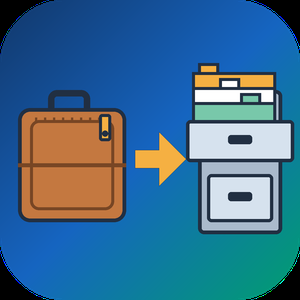
Convert OLM File to PST is an OLM to PST converter that runs on a Windows PC. Give it the archive Outlook for Mac produced with File, Export, and it writes a Unicode PST that Windows Outlook loads through its usual menu. Windows Outlook cannot import such an archive, and the free workaround pushes the entire mailbox through an online account before syncing it down again. This OLM to PST converter takes the short route: it reads the export locally and builds the PST in one pass, folder tree included.
🛠️ How to use
1. In Outlook for Mac choose File, Export and save the mailbox archive.
2. Move that archive to the Windows computer and add it with Open OLM.
3. Pick a destination folder and press Start. If a PST with that name already exists, choose Overwrite, Rename or Skip.
4. When the summary shows the message count, attach the new PST in Windows Outlook with the Open Outlook Data File command under the File menu.
💼 Why IT and office teams pick it
All the work happens on the local machine, so there is nothing to upload and no borrowed account to sync through for hours.
You can run the OLM to PST converter on a PC where Outlook is closed or was never installed.
The mailbox hierarchy stays as it was on the Mac, so nobody has to sort hundreds of messages back into folders by hand.
Each message keeps its subject, HTML or plain body, sender, To and Cc recipients, sent date and read flag. Attachments come out byte-identical.
Korean, Hebrew and other non-Latin subjects are kept exactly.
The result is a standard Outlook data file, verified in Outlook 2016, which help desk staff can attach in a few clicks.
Going from OLM to PST this way also avoids the second copy of the mailbox that a cloud detour leaves behind on someone else's server.
👥 Who uses it
IT admins retiring Mac workstations and giving staff Windows PCs, one exported mailbox per person.
People who traded a MacBook for a Windows laptop and miss their old correspondence.
Office managers handed an archive that a former colleague left on a shared drive.
Small IT service shops that keep an OLM to PST converter in the toolkit for clients who change platforms.
❓ FAQ
Can you convert OLM to PST without a Mac?
Yes. Once the archive is exported, the Mac is no longer needed. Everything after that runs on Windows.
Which Outlook for Mac versions does it read?
Exports from Outlook for Mac 2011, 2016, 2019 and Microsoft 365 for Mac. They all write the same archive format.
Can I process several archives at once?
Each run takes one archive and produces one PST, so a team's exports are handled one after another, each in a couple of clicks.
Is my mailbox uploaded anywhere?
No. Reading the archive and writing the PST both happen on your local disk.
💻 Free trial with no sign-up. Runs on Windows 11, 10, 8.1, 8 and 7 (32 or 64 bit), 4 GB of RAM and 1 GB of free disk space.



Our no-code platform, Innoveo Skye reinvents the way enterprise applications are created. Without having to write a single line of code, we are much faster than traditional development methods.

Opisense is the ultimate IoT & Data Analytics Platform to make quality data available to all your data driven processes and easily generate various types of reports, dashboards and alerts
Q Ware Building Maintenance is cloud-based solutions make building maintenance simple for small to mid-sized organizations.


Zapfloor offers an all-in-one solution for managing flexible workspaces. Zapfloor digitalizes your entire office - or offices - giving your employees access to a vast amount of functionalities. With zapfloor, you can book facilities on the go, stay connected with your community, make use of cost accounting features, use deep integrations with both hardware and software tech, and take advantage of powerful insights and analytics. The software is available as a web platform and as a mobile app.

DEIN RAUM is the most easiest way to manage hybrid work and automatically provides your company with insights on resource optimation. The desksharing software comes with your own ground floor virtually rebuild! That way every desk, conference room, chair and printer will be display right where its originally placed. DEIN Raum is integrateable with most Calendars and E-Mail-Clients such as Outlook or MS-Office.