AI-Generated Results
Finding matches…
A software solution that has been transforming agencies for over 40 years, right across the globe to be more productive, more efficient and more profitable.
Paprika’s the ultimate all-in-one agency management software, built from the ground up for creative types. Think PR, digital marketing, advertising, and design agencies. Forget juggling a dozen tools, we pack everything you need into one slick platform. From tracking time to nailing budgets, sorting invoices, and dishing out real-time insights, Paprika’s here to make your agency hum.
With 1000s of users worldwide, including big names like Uncommon Creative Studio M&C Saatchi, Dentsu & Seven C3 , we’re the trusted choice for agencies that want to level up.
Why Choose Paprika?
40+ Years of Know-How: We’ve been at this longer than most, so we get the ins and outs of creative agencies like nobody else.
Global Reach, Local Vibe: Supporting 20 countries and 6 languages, we’re perfect for Aussie agencies with big dreams or global clients.
All-in-One Powerhouse: No need for endless integrations – Paprika’s got client management, time tracking, invoicing, reporting, and more, all in one spot.
Top-Notch Support: Our hands-on training and 24/7 helpline mean you’re never left in the lurch.
Real-Time Insights: Get crystal-clear dashboards and reports to make data-driven calls and boost profitability.
Features That’ll Make You Say “Ah!”
Client & Project Management: Keep tabs on clients, projects, tasks, and deadlines in one central hub.
Time & Expense Tracking: Log time and expenses by client or project, with easy approvals.r.
Budgeting & Forecasting: Stay on top of budgets with real-time forecasts and margin tracking.
Invoicing & Billing: Streamline client billing, track payments, and manage cash flow like a pro.
Resource Planning: Schedule your team’s workload and allocate hours to keep everyone humming.
Collaboration Tools: Stay connected with comments, notes, tags, and email alerts, perfect for remote teams.
Real-Time Reporting: Get instant insights with dashboards and reports on agency performance, project margins, and client billing.
Accounting & Job Costing: Handle finances with multi-company and multi-currency support, plus robust job costing.
Training & Support: From onboarding to ongoing help, our crew’s here to make sure you nail it.
Who’s Paprika For?
Creative agencies of all sizes, from small APAC startups to global heavyweights. Whether you’re in PR, digital marketing, advertising, creative, or design, Paprika’s built to fit your workflow. If you’re keen to streamline operations, boost profits, and keep clients stoked, we’re your kind of mob.
Pricing
Pricing’s tailored to your agency’s needs, give us a call for a custom quote or book a free demo to see how Paprika can work for you. No lock-in contracts, just amazing value.
What Our Clients Are Saying
“Paprika’s transformed how we run our agency. The real-time insights and all-in-one platform have saved us hours and helped us make smarter calls.” – Seven C3
“From time tracking to invoicing, Paprika’s made our workflow a breeze. The support team’s bloody brilliant too!” – Uncommon Creative Studio
Check out more success stories from clients like PromoVeritas and Outlook Creative Group on our website. Got a Paprika story? Leave us a review and join the crew!
Ready to Take Paprika for a Spin?
Book a free demo today and see why 900+ agencies trust Paprika to run their show. Visit our marketing hub at paprika-software.com for case studies, webinars, and more. Let’s make your agency the talk of the town!
Book a demo to get a hands-on look at how we can supercharge your agency.
Get in Touch
Website: paprika-software.com
UK: +44 (0)1732 811600
France: +44 (0)1732 811600
Italy: +39 02 2941 9080
Spain: +34 91 411 61 34
USA: +1 (866) 995-0379
Singapore: +65 6859 0149
Australia: +61 2 7227 8665
Support: 24/7 helpline for all your questions
Not seeing what you're looking for?
Dive deeper into "Readdy" on G2 AI

Yaeris MCP is a smart, cloud-based platform that acts as a safe, secure bridge between your favorite AI models (like Anthropic’s Claude) and your daily marketing and e-commerce tools.
Right now, if you want an AI to analyze your live data or update a campaign, you have to manually download and upload spreadsheets, write complicated code, or set up a personal server on your computer. Yaeris completely removes that headache. It gives your AI immediate, safe, "read-and-write" access to your entire business tech stack through one simple, unified connection.
Key Benefits
- One Connection for Your Entire Stack: Instead of managing 15 separate setups, you give your AI a single Yaeris link. Instantly, your AI can interact with Google Ads, Meta Ads, TikTok Shop, GA4, Google Search Console, WordPress, Shopify, and more.
- Bank-Level Security & Privacy: You never have to copy and paste sensitive client passwords or API keys into an AI chat window where they could leak. Yaeris safely encrypts and locks your credentials in a digital vault. We act as a blind pipeline—we never read, store, or use your business data to train AI models.
- Built-In Safety Guardrails: Yaeris keeps your AI from making costly mistakes. If you instruct your AI to update a campaign, our system checks the data behind the scenes to ensure it matches strict platform rules—such as automatically ensuring Google Ads text descriptions stay under the official 90-character limit—stopping errors before they go live.
- Fair, Pay-Per-Use Pricing: Say goodbye to expensive monthly software subscriptions. Yaeris uses a transparent digital wallet system. You only pay tiny fractions of a cent when your AI actually runs a tool. If your wallet balance runs out, the system safely pauses until you choose to top it up.
- Built for Teams and Agencies: Managing multiple client brands? Yaeris is built on a multi-user framework, allowing agency administrators to easily set up team workspaces, share credit wallets, and monitor activity across multiple accounts from one central dashboard.
How It Works in 3 Easy Steps
1. Get Your Link: Sign up for a free Yaeris account and instantly get your unique, secure AI connection link.
2. Turn On Your Tools: Browse your clean dashboard and toggle on the apps you want to connect (like Google Analytics, Shopify, or Meta Ads) with a couple of secure clicks.
3. Talk to Your Data: Paste your Yaeris link into Claude and start working. You can instantly type things like: "Look at my top-performing products on Shopify this week, write a promotional blog post, and publish it directly to my WordPress site." > Get Started For Free: Every new account is automatically credited with 100 free execution requests, allowing you to connect your stack and experience the power of autonomous marketing completely risk-free.

MBOX to PDF Converter Software is a Windows desktop program that opens .mbox mailboxes from Thunderbird, Apple Mail or a Gmail Takeout export and saves the messages as PDF documents. No mail client has to be installed: as an mbox to pdf converter it fills the gap Windows leaves, since the system cannot open an .mbox on its own. The conversion runs on your own PC, so private correspondence is never uploaded to a web service, and the HTML layout and inline images of each email carry over into the PDF.
🔰 How to use it
1. Click Add File and multi-select one or more .mbox files, or drag them into the window.
2. Use Add Folder to pick up every .mbox in a Thunderbird profile, including the .sbd subfolders.
3. Tick the mailboxes you need in the tree. Click one to list its messages with Subject, From, To, Date and Size.
4. Type in the filter to narrow the list by sender, recipient, subject or body text, and read any message in the preview pane.
5. Choose a destination folder and press Start. Progress is shown message by message.
6. Open the destination folder, where each mailbox has its own subfolder of PDF files.
👍 Why IT and office teams pick it
- Nothing leaves the workstation, which matters for legal, HR and finance mail.
- A mailbox too large for a browser upload is processed locally, with no size cap.
- Old .mbox files stay readable after the account or the mail program is gone.
- Every PDF opens with From, Date, To and Subject above the body, so each record is easy to file.
- Several mailboxes go through in one batch run, and each one gets its own output subfolder, so file names never collide.
- A PDF is a fixed record that cannot be casually edited, which is why auditors and courts ask for mail in this form rather than as a raw mailbox.
✅ Who uses it
- Legal and compliance staff answering a litigation hold or an audit request.
- People moving off Thunderbird or Apple Mail who want old folders kept as documents.
- Gmail users who downloaded one large Takeout .mbox and need to read it on Windows.
- Paralegals who collect mbox to pdf exhibits for a case file and want sender and date on each record.
- IT admins asked to hand mail from a departed employee to a manager who has no mail client.
❓ FAQ
Do I need Thunderbird installed to convert MBOX to PDF? No. The program parses the saved file itself, so the client that created it can be missing from the PC.
Is my email sent to a server? No. Reading and rendering run on your PC.
Can it read Apple Mail exports? Yes, .mbox files from Apple Mail open fine, but the program itself runs on Windows only.
Does it convert EML, MSG or PST files too? No. This mbox to pdf converter reads .mbox only, and live IMAP accounts are not supported either.
ℹ️ Free trial: the MBOX to PDF converter handles up to 3 emails per day, so you can check the output on your own mail before buying. Lifetime, one-year and business licenses are offered. Runs on Windows 10 and 11.
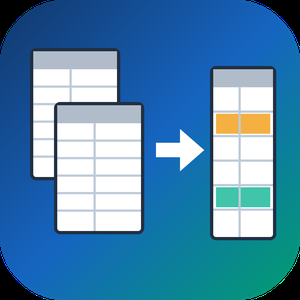
Spreadsheet Compare & Merge Tool for Excel is a Windows program that lets you merge Excel files from a whole folder into one workbook and then check two versions of a table cell by cell. It reads XLSX, XLSM, CSV and TSV on its own, so Microsoft Excel does not need to be installed on the PC that runs the job.
🔰 How to use it
1. Click Add files or Add folder. Workbooks and CSV exports can share one batch.
2. Pick Into a single sheet, or One sheet per file to keep every source on its own tab.
3. Line columns up By column name or By position, then set the output name and press Combine to merge Excel files.
4. To compare Excel files, load the old version on the left, the new one on the right and click Compare two files.
5. Walk through the highlighted cells with Next difference and export the result.
👍 Why IT and office teams pick it
- Branch exports with columns in a different order still land in the right columns. A missing column leaves blank cells instead of shifting data sideways.
- Payroll and client price lists stay on the local disk. Nothing is uploaded and no account is needed.
- The compare view tells apart nine kinds of change, from edited values and formulas to added or removed rows, columns and worksheets.
- Rows can be paired by a key column, which keeps a diff readable after someone sorts or inserts lines.
- One unreadable workbook is reported on its own line while the remaining files keep going.
- You can merge Excel files and CSV exports in the same run, and the output format follows the extension you type.
- In our own tests fifty workbooks of 10,000 rows were joined in under nine seconds.
✅ Who uses it
- Accountants who merge Excel files from a dozen branch reports when closing the month.
- Purchasing staff checking a new supplier price list against the previous one.
- Warehouse and CRM admins who receive data as dozens of separate CSV pieces.
- Analysts and IT staff matching a test configuration workbook with production.
❓ FAQ
How do I combine Excel files into one without copying and pasting? Add the files or the folder, choose a merge type and press Combine. The program will merge Excel files into a new XLSX or CSV next to your sources.
Can I compare two Excel files for differences without Office? Yes. The tool reads both workbooks directly and colors each change, so it works on a machine with any Office edition or none.
What if the files have different columns? Choose By column name. Columns are matched by their titles, and the output keeps every column found in any of the files.
Does it open old XLS files? No. Resave them as XLSX in any spreadsheet program first.
ℹ️ Free trial with no sign-up: the merged file and the difference list are capped to a limited number of rows until you buy a license. Runs on Windows 11, 10, 8.1, 8 and 7, 32 and 64 bit.
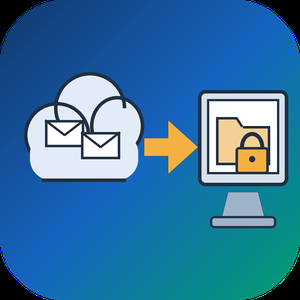
Email Backup Tool for Microsoft 365 and Outlook is an Office 365 backup app for Windows that signs in to a live mailbox and writes its mail into a PST file on your own disk. Subfolder nesting, sent and received times, HTML formatting, files attached to letters and unread flags are kept. Nothing passes through a vendor cloud, and the sign-in token is kept only in memory while the program is open.
🔰 How to use it
1. Start the program and click Sign in. The Microsoft login page opens inside the window, and no Azure app registration is required.
2. Review the list of folders. All of them are ticked after login, and a Size column reveals which ones are large.
3. Untick folders you do not need and set the From and To dates. The mailbox applies this filter on the server side.
4. Click a message to check it in the preview pane. Remote images stay unloaded.
5. Choose a folder under Save to and click Export messages. The finished file opens in desktop Outlook.
👍 Why IT and office teams pick this Office 365 backup tool
- Access is read only. The app asks Microsoft Graph for permission to read mail and never writes to the mailbox.
- Before sign-in it shows a page that explains what it reads, which helps when an administrator has to approve the app for a work account.
- A dropped connection does not restart the job. The next run picks up from a resume point stored next to the PST.
- In our test, a mailbox of 200,000 messages came down in 3.5 hours with no losses. Speed is limited by Microsoft request quotas, not by the PC.
- Attachments land in the file byte for byte, checked up to 224 MiB each.
- Before an Office 365 backup starts, the program checks free disk space and warns if it is short. Plan for roughly the size of the mailbox.
✅ Who uses it
- Staff leaving a company who want an Office 365 backup of their own correspondence, or an Outlook email backup, before the last day.
- Freelancers and small firm owners who keep a local archive of their own business account.
- Graduates whose university account is about to close.
- Owners of old Outlook.com or Hotmail accounts that are close to the storage limit.
❓ FAQ
How do I export an Office 365 mailbox to PST without admin tools? Sign in to the mailbox in this program, pick folders and dates, and save. No PowerShell or eDiscovery role is involved.
Does Microsoft 365 backup my email for me? Microsoft keeps the mailbox online, but it does not hand you a local copy. An Office 365 backup in PST form fills that gap. A PST on your disk stays readable after the account is closed.
Can it back up contacts and calendars? Not in this version. It copies mail only, and Gmail accounts are not supported.
Can I revoke access afterwards? Yes. Remove the app in the app permissions of your Microsoft account.
ℹ️ Free trial writes a real PST with the 25 newest messages from each folder. Lifetime, 1-year, monthly and business licenses are offered. Runs on Windows 10 and 11.
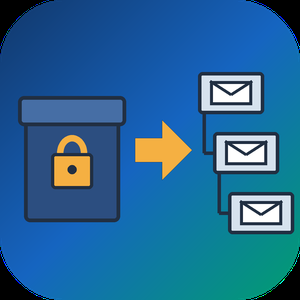
PST to MBOX Converter for Thunderbird is a Windows pst to mbox converter for people who are leaving Outlook and want years of mail to open in Thunderbird. It reads a .pst or .ost archive straight from disk, with no Outlook installed and no Exchange profile, and writes MBOX mailboxes in the layout Thunderbird keeps on its own disk. Each Outlook folder gets its own file, and its children go into a matching .sbd directory, so the hierarchy you had is still there after import.
🛠️ How to use
1. Open the PST or OST file. Its folders show up on the left, and any message can be previewed.
2. Tick the folders you need. Skip empty ones, leave out Deleted Items or narrow the date range.
3. Pick MBOX or EML on the Convert tab and choose an output folder.
4. Run the conversion, then import PST to Thunderbird by handing it the output directory through ImportExportTools NG or the profile folder.
💼 Why IT and office teams pick it
- Original SMTP headers (Received chain, DKIM, Return-Path) are copied word for word for delivered mail.
- To and Cc carry real addresses, not display names.
- Read, replied and flagged marks travel in X-Mozilla-Status, which Thunderbird reads.
- Attachments are written byte for byte, and inline pictures stay in the HTML body.
- Fresh mail can be added later into a file left by an earlier run.
- A per-folder text report lists what went through and what failed.
- Nothing leaves the PC. The log holds counts only, never subjects or addresses.
- Cyrillic, CJK and emoji in subjects and folder names come through readable.
- Existing output is never wiped silently. You pick rename, overwrite or append each time.
👥 Who uses it
People whose Microsoft 365 plan ran out and who now keep their mail in Thunderbird for free. Admins moving a team off Outlook, who trim each archive with date filters before the run and check the report afterwards. Anyone handed an old archive by a colleague who left, with no Outlook on the machine to open it. Apple Mail, Postbox and mutt users can open the same MBOX output, while the .sbd directories matter to Thunderbird only. For most of them this pst to mbox converter is a one-off job on a single PC.
❓ FAQ
Can I convert PST to MBOX without Outlook installed?
Yes. The program reads the archive itself, so neither Outlook nor a mail account is needed on the PC.
Can Thunderbird open a PST file by itself?
No. It has no PST reader, and its Outlook import only works through a configured Outlook on the same computer.
Do read and flagged marks survive?
Thunderbird shows them, because they ride in a header it understands. Most other clients skip that header.
Can it process several PST files in one run?
Not in this version. One archive is converted per session.
🆓 The free trial of this pst to mbox converter handles a sample of the messages, enough to judge the result in Thunderbird. Runs on Windows 11, 10, 8.1, 8 and 7, 32 or 64 bit.
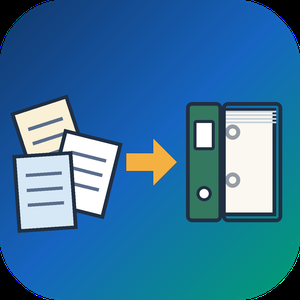
MSG to PST Converter Software for Outlook is a Windows msg to pst converter for anyone sitting on a folder of single Outlook messages that were dragged out to the desktop over the years. The program goes through those MSG files on your own PC and builds one Unicode PST archive, which you then attach in Outlook like any data file. Outlook can stay closed, or be missing from the machine entirely, and no mail is sent to a web service along the way.
🛠️ How to use
1. Start the msg to pst converter and drop the MSG files onto its window, or use Add File to select the folder that contains them.
2. Choose PST as the target format. Everything in the list is written into a single archive.
3. Press Start and let the run finish. Your source files are not changed.
4. Attach the new archive in Outlook through File, Open, Outlook Data File.
💼 Why IT and office teams pick it
Each MSG file is a small OLE container with Outlook's MAPI properties and its attachments packed inside. The tool reads those properties directly and moves them over: subject, HTML or plain text body, sender, to and cc recipients, dates, plus whether a message was read. Every attachment stays with its parent message in the archive. Subjects and names written in Cyrillic or another non-Latin script come through readable, so a mixed-language mailbox stays searchable. The whole MSG to PST job happens offline, so client correspondence never touches someone else's server.
👥 Who uses it
Office staff with years of project mail sitting in desktop folders who want to search it from Outlook again.
Support and records desks that file ticket replies and case notes one message at a time and need a single archive per client.
People switching to a new computer with a stack of messages copied from the old one, before an Outlook profile is even configured.
IT admins asked to collect what a departing employee saved locally and hand it over as one file.
❓ FAQ
Do I need Outlook installed to read MSG files?
No. The msg to pst converter has its own reader, so the PC does not need Outlook. The output PST can be opened in Outlook later or simply kept as an archive.
What is the difference between an MSG file and a PST?
An MSG file carries one message. A PST stores many messages in folders inside one file, and this tool builds that archive out of your loose messages.
Can I add a large batch of files in one go?
Yes. When you convert msg to pst here, every file you add lands in the same PST during a single run, so there is no need to split the work.
Does it work with EML, MBOX or OST files?
No. This program reads MSG files only, and it does not connect to a live mailbox or an Exchange or IMAP server. Separate SoftOrbits tools handle EML, MBOX and OST conversion to PST.
✅ Free trial for Windows 10 and 11 with no sign-up. The finished PST opens in Outlook 2016 and later.
QFX to PDF Converter Tool is a Windows program that reads the .qfx or .ofx file your bank or broker lets you download and turns it into a paginated PDF statement. You need no Quicken and no online service. If you went looking for a QFX file viewer because the download opened as a wall of tags, this program does the reading and gives you pages you can print, file or email. QFX to PDF conversion happens on your own PC, so the statement never leaves it. The bank wrote that file for an importer, and the QFX to PDF route turns it into something a person can actually read.
📋 How to use
1. Install the program on Windows. The PDF engine ships inside the installer.
2. Add a .qfx or .ofx file, or a whole folder of them, to the queue.
3. Check the text preview: it shows how many transactions were found, the encoding and the first rows.
4. Pick how dates should be printed and press Convert.
5. Open the saved PDF in any reader.
🏢 Why IT and office teams pick it
- It works offline, with no upload and no account.
- One parser reads OFX 1.x SGML files and OFX 2.x XML files.
- The table header repeats on every page, rows never split across a page break, and the footer carries page numbers.
- Negative amounts get brackets and color, so they survive black and white printing and faxing.
- Cyrillic, CJK and Latin-1 payee names print without damage.
- Several files can be merged into one PDF with a single checkbox.
- A preview before any file is written catches a wrong encoding early.
- Portrait or landscape is picked from the width of the table.
👥 Who uses it
- Account holders who pressed Download at the bank and have no Quicken.
- Investors whose broker only offers a Web Connect file.
- Bookkeepers and tax preparers who want a printed record from a client.
- Paralegals who need numbered pages to cite a single line.
- Office staff who must forward card statements to an outside accountant.
❓ FAQ
How do I open a QFX file without Quicken?
Add it to this QFX to PDF converter, press Convert and save the result as a PDF. To open QFX file content as a readable table, no accounting software is required.
Can I open a QFX file in Excel?
Excel has no QFX import filter, and renaming the file only shows the tags. This tool writes PDF only and does not export spreadsheets, so check that a PDF is the output you need.
Does it handle investment accounts?
Yes. Checking, credit card and investment statement blocks are all read, including records that move share counts instead of cash.
Is there a running balance?
An optional Running total column can be switched on. It sums the printed rows and is not the balance your bank recorded.
💻 The free trial converts 20 transactions and prints a trial notice in the PDF. System requirements: Windows 11, 10, 8.1, 8 or 7 (32 or 64 bit), 4 GB of RAM, 1 GB of free disk space.

CheckSprint - Check Printing Software is a Windows program that prints business, payroll and personal checks on an ordinary laser printer. On blank stock, this check printing software lays down the whole check, with the bank name and MICR line. On computer checks from your bank, it fills in only the empty fields. You type the account in once, and any plain sheet can carry it after that.
🧾 How to use
1. Install it, then enter the routing and account numbers from a current check and compare the live MICR sample with that check.
2. Open Write Check, choose a payee and type the amount. The words line fills itself in US style.
3. In Print Checks, pick blank stock or pre-printed paper and one of seven layouts. Print the alignment page on plain paper first.
4. For a batch, import a CSV or XLSX file, match its columns to payee and amount, and review flagged rows before they reach the queue.
💼 Why IT and office teams pick it
- The MICR line uses a built-in E-13B font, and the clear band under it stays locked.
- Before each run, the program compares printer margins with the layout and warns if the MICR line would be cut.
- Checks sent from QuickBooks Desktop or Sage 50 get your bank numbers added. QuickBooks Online users can open a saved PDF.
- Bank details sit in one encrypted database file on the PC. Nothing goes to a cloud.
- As check writing software, it keeps a register with running and cleared balances.
- On import, the check printing software flags broken rows and possible duplicates, so one bill is not paid twice.
👥 Who uses it
Small-business owners who pay vendors and staff from one or two company accounts. Bookkeepers switching between client companies, each with its own numbering and signature. Church and club treasurers who pass a searchable register of past years to the next person in the role. For all of them, check printing at the desk replaces the wait for a box from the bank.
❓ FAQ
Can I print my own checks at home, and is it legal?
Yes, for your own accounts. Your bank needs a readable, signed check. Some banks set rules for office-printed checks, so ask yours before the first payroll.
Do I need MICR toner?
On blank stock it is recommended, because some banks still read the bottom line magnetically. Pre-printed bank checks already carry that line, so regular toner works there.
Can I print payroll checks with check printing software?
Yes, on voucher checks with a pay stub. Import the CSV export from your payroll service. The program prints the figures it receives and does not work out taxes.
Does CheckSprint run on a Mac?
No. It is built for Windows 10 and 11, 64-bit.
✅ Free trial of the check printing software with no time limit and no cap on checks, though printed checks carry a watermark until you add a license key. Requires Windows 10 or 11 (64-bit) and a laser printer.

AlarmFront - Central Station Alarm Monitoring Software is alarm monitoring software for a security company or utility that runs its own central station on a Windows PC. It takes signals from GSM security systems as SMS, voice calls and DTMF tones, from hardware panels on a COM port, and from devices that report over TCP/IP. Every event lands on the operator's screen against the card of the object that sent it.
🛠️ How to use
1. Install the central station software on the duty PC and connect GSM modems that accept standard AT commands.
2. Add objects with address, phone numbers, client details and the panel type.
3. Choose how each link is checked: test SMS, control voice call, or a timeout since the last message.
4. Operators accept alarms, note what was done and close each event.
5. Turn on the built-in web server if clients need to view their own objects from a browser.
🏢 Why monitoring teams pick it
- One install covers GSM alarm monitoring, radio channel systems and GPS/GLONASS trackers at once.
- Flexible message settings fit almost any panel, so you are not tied to one hardware vendor.
- As alarm management software it keeps event reports and false alarm statistics per object.
- Parameter monitoring puts temperature, pressure, relay state or SIM balance on the object card, with graphs and Excel export.
- Operator control shows a check message every 30 minutes and logs every action for shift review.
- Data stays on your own PC or database server, because the alarm monitoring software runs locally rather than as a hosted service.
👥 Who uses it
Private security firms that need monitoring station software, bank security departments, heating and water utilities watching boiler rooms and wells, fleet owners tracking vehicles, and guard posts in cottage villages. Larger operators run it as alarm monitoring center software on a second level that collects summary messages from regional stations.
❓ FAQ
What is central station monitoring software?
It sits at the receiving end of an alarm system. It decodes incoming signals, shows them to an operator and keeps an event history per object. This alarm monitoring software does that for GSM, serial and TCP/IP channels.
Can it work as Contact ID receiver software?
Yes, for panels and receivers wired through RS-232/RS-485. Import the Contact ID code list once and events show readable descriptions.
How many modems can one station use?
Windows allows up to 256. A dependable alarm receiving center software setup needs at least two, one of them for calling objects during link checks.
Is it security alarm monitoring software only?
No. Utilities also use this alarm monitoring software to read meters and supervise generators, wells and heating stations.
✅ The free trial has full functions for 30 days and up to 10 objects. AlarmFront runs on a Windows PC with a GSM modem for SMS and voice channels.

SACT – Self Assessment Compliance Toolkit by SwiftSafe
In today’s digital landscape, compliance is no longer optional—it’s essential. Organizations of every size, from startups to multinational enterprises, are under constant pressure to meet stringent regulations such as GDPR, ISO 27001, HIPAA, and PCI DSS. Traditionally, compliance has been an expensive, consultant-driven process, requiring weeks of manual audits, endless documentation, and high costs. But with SACT (Self Assessment Compliance Toolkit), SwiftSafe has redefined how businesses achieve, monitor, and maintain compliance.
SACT is an AI-powered compliance automation platform designed to put control back into the hands of organizations. Instead of relying on costly middlemen or complex external audit cycles, SACT enables businesses to conduct self-assessments, generate instant reports, and continuously monitor compliance readiness. Built with scalability and simplicity in mind, SACT is ideal for startups, mid-scale companies, and enterprise-level organizations looking to streamline their regulatory journey without overspending.
✨ Why SACT?
Cost-Effective Compliance: With pricing starting as low as $5/month, even startups and small businesses can now access world-class compliance tools that were once only affordable to enterprises.
Automation at Scale: SACT automates compliance checks, documentation, and scoring—removing human error and accelerating audit readiness.
Multi-Framework Support: From GDPR data privacy requirements to HIPAA healthcare standards, ISO 27001 security frameworks, and PCI DSS financial compliance, SACT provides a single unified platform to manage them all.
Unlimited Report Generation: No limits, no hidden fees. Run as many self-assessments as needed and generate professional, audit-ready reports in seconds.
Continuous Monitoring: Stay ahead of evolving regulations with real-time alerts, reminders, and updates that help organizations remain compliant year-round.
24/7 Support: Compliance can be stressful, but with SwiftSafe’s support, organizations have experts ready to assist anytime.
🚀 How It Works
Select Your Framework
Choose the compliance standard that matches your business requirements (e.g., GDPR, HIPAA, ISO 27001, PCI DSS).
Create Your Account
Securely register your organization on the platform to unlock access to assessment tools and dashboards.
Run Your Assessment
Answer guided questions powered by AI/ML and instantly measure your compliance readiness score.
Generate Reports
Produce comprehensive, audit-ready reports that can be shared internally or with external auditors.
Close Gaps & Reassess
Identify weaknesses, fix them, and rerun assessments to ensure continuous improvement.
Stay Compliant
Receive automated alerts when new compliance updates are released or when reassessment is due.
🔑 Core Modules
GDPR (General Data Protection Regulation) – Ensure lawful data handling, user consent management, and privacy compliance for EU and global businesses.
ISO 27001 (Information Security Management) – Implement industry-standard information security practices with structured controls.
HIPAA (Health Insurance Portability and Accountability Act) – Safeguard patient data in healthcare organizations with secure frameworks.
PCI DSS (Payment Card Industry Data Security Standard) – Protect financial data, transactions, and prevent breaches in businesses handling card payments.
Future roadmap includes expanding into SOC 2, NIST frameworks, and additional global privacy standards.
📊 Pricing Plans
SACT is built for everyone—from solopreneurs to large enterprises.
Starter Plan – $5/month
Perfect for individuals, freelancers, and startups. Includes self-managed workflows, basic templates, real-time scoring, and unlimited assessments.
Growth Plan – $49/month
Designed for growing teams. Adds team collaboration tools, automated document generation, multi-framework support, priority updates, and faster support response.
Enterprise Plan – Custom Pricing
Tailored for large organizations needing advanced compliance support. Includes a dedicated compliance manager, role-based access controls, advanced integrations, and ongoing audit assistance.
💡 Every plan comes with a 30-day free trial—allowing organizations to explore the platform before committing.
🛡️ Benefits of SACT
Independence – No dependency on external consultants. Businesses take control of their compliance journey.
Scalability – From 1 employee to 10,000+, SACT grows with your organization.
Audit-Readiness – Be prepared for audits anytime with professional-grade reports.
Transparency – Clear scoring, actionable insights, and simple workflows.
Security First – Built on SwiftSafe’s cybersecurity expertise, ensuring your data stays protected.
📝 Real-World Applications
Startups can demonstrate compliance maturity early, winning client trust and investor confidence.
Healthcare providers can safeguard patient records while avoiding HIPAA penalties.
Financial companies can protect transactions, reduce risk, and pass PCI DSS audits without high costs.
Enterprises can manage multiple frameworks across global operations in a single dashboard.
🌍 Recognition
Slashdot describes SACT as an intelligent, user-friendly compliance platform that automates self-assessments and reduces dependence on manual consultants.
SoftwareSuggest highlights SACT as a cost-effective solution that empowers organizations to independently maintain cybersecurity and compliance.
✅ Conclusion
SACT is not just a tool—it’s a compliance revolution. By cutting out middlemen, automating assessments, and offering flexible pricing, SwiftSafe has made regulatory compliance accessible for everyone. Whether you’re a startup founder, a mid-scale IT team, or an enterprise compliance officer, SACT provides the automation, scalability, and reliability you need to stay compliant in an ever-changing regulatory world.
With AI-powered insights, unlimited reports, continuous monitoring, and 24/7 support, SACT transforms compliance from a burden into a business advantage.
👉 Get started today with a 30-day free trial and experience how SwiftSafe’s SACT makes compliance smarter, faster, and more affordable than ever before.

Magento 2 Multi-Vendor Marketplace Extension is all you need if you’re looking to transform your default Magento 2 store into a complete multi-seller e-commerce marketplace with multiple sellers, products, and payout settings. This helpful Extension offers many exciting features like a Vendor Dashboard, Vendor Panel, Set Product Approval, Vendor Management, Product Management, Commission Management, Order Management, and more.
Magento 2 Multi-Vendor Marketplace works for any theme and template. For more details, kindly contact our support team.
Features
1) Product Management: Approve, add, remove, or edit products with preset parameters from the admin panel.
2) Order Management: View, approve, add, remove, or edit orders by setting parameters from the admin panel.
3) Vendor Management: Add, remove, or edit vendors from the back end.
4) Commission Management: Ability to manually set the seller’s commission from the admin panel.
5) SEO Management: Comes with SEO friendly system to make pages easily readable for web crawlers.
6) Vendor Dashboard: Vendors can view and manage their dashboards.
7) Customizable: Ability to customize the template as per your unique needs.
8) Report system: Receive detailed insights with Extension’s advanced reporting system.
Admin Features
1) Add/edit vendor information: Admin can add or remove a vendor and edit vendor information from the back end.
2) Set product approval: In case of admin approval is required before a vendor’s product appears in the store, the admin can set a parameter to enable it. The admin can set ON/OFF this approval requirement.
3) Set registration approval: Vendor can register from the front end. The admin can set ON/OFF this approval requirement.
4) View vendor orders from the admin panel: This Extension adds the vendor name as a filter in the order listing page. Admin can use that to filter orders based on vendor names.
5) Manage vendor orders: While vendors can manage their orders from the vendor panel, the admin can also manage them if required.
6) Manage product commission: Commission payable to admin, which is some percentage of the product price, can be set on a global level applying to the whole store, as well as on vendor level and a category level.
Customer Features
1) Review for a vendor: Customers can give reviews and ratings to vendors. But a customer should have bought something from that vendor.
2) View vendor store page: Users can view the store page for a particular vendor by clicking on the vendor name from the product listing page.
3) Become a vendor: A regular user can apply to become a vendor using the options provided on the dashboard.
Vendor Features
1) Vendor Panel: Vendors can manage products, orders, and their profile information from the vendor panel. This panel is shown on the user dashboard after login.
2) Register from the front end: The vendor can register from the front end of the website using vendor registration links given on the header and footer.
3) Manage profile: The vendor can modify their profile information during or after registration.
4) Manage store: Vendors can manage their information on the store page, which is created on the website for each vendor.
5) Add/delete/edit products: Vendors can manage products from the vendor panel. The following types of products can be added/edited by vendors:
a) Simple products
b) Configurable products
c) Virtual product
d) Downloadable products
6) After adding a product, approval is sought from the admin if the admin has enabled product approvals.
7) View orders: Vendors can see all their orders in a list view in the vendor panel, with filter options available.
8) Invoicing and Shipping functions: Vendors can process their orders. Usual Magento features for order processing, like "Invoice" and "Ship," are available in the vendor panel.
9) View store reviews: Customers can review vendors, and the vendor can view the reviews and ratings from customers.
10) View commission: For every order, the admin deducts a portion of the order amount, and the rest is passed on to the vendor. In this option, the vendor can see how much funds have been received from orders and how much the commission is payable to the admin. When the admin initiates a settlement, the vendor can view those details also in the vendor panel.

Best HR Software in Bangladesh – Complete HRM, Payroll, and Attendance Solution
Looking for the Best HR Software in Bangladesh to simplify and automate your human resources operations?
Our all-in-one HR management platform is built to streamline every step of the employee lifecycle—from hiring to retirement—while ensuring full compliance with local labor laws.
This comprehensive HR system integrates Time Attendance, HRM, and Payroll into one seamless solution. Whether you're managing a factory floor or an office-based team, our software adapts to your organizational needs, supporting both compliance and non-compliance setups.
Core Modules
Hiring & Recruiting
Dynamic onboarding for new employees with detailed info capture
Zoning and departmental assignments
Resume tracking, background checks, nominee details
Retaining & HR Planning
Promotion & increment management
Training and learning module
Performance tracking and appraisal support
Earn Leave calculation and automation
Administration
Department, designation, and zone setup
Dynamic relations and positions management
Centralized data for employee lifecycle
Payroll Management
Automated monthly salary process (single & batch)
Allowance, bonus, PF, EOT, and OT integration
Bank payment reports, payslips, salary sheets
Festival and maternity bonus modules
Attendance & Scheduling
Shift creation & management
Daily, weekly, and monthly attendance tracking
OT, late arrival, out punch, and early leave reports
Gate pass, lunch punch, and manual entry support
Absence Management
Leave setup and approval workflow
Leave balance reports and deletion history
Earned leave and short leave tracking
Performance Records
Increment, promotion, and performance history
Length of service reports
Appraisal documents and NOC letter generation
Main Sub-Modules
1. Time Attendance
Daily attendance, punch reports, out punch missing
OT, EOT, and lunch break tracking
Actual present vs reported present reports
Gate pass, short leave, holiday/weekend delete
2. HRM
Employee information with complete history
Dynamic setups for zone, floor, shift, designation
Manual attendance entries, resignation and separation records
Filtering & searching across all employee records
3. Payroll
Single & multiple salary processing
Grade-wise summary, staff & worker sheets
Envelope, payslip, and actual salary reports
PF interest entry, advance salary, loan deduction
Festival bonus and maternity benefit tracking
Reporting System
Our HR software offers over 50+ dynamic reports for better visibility and decision-making:
Daily Reports: Present, absent, late, OT, IN/OUT, lunch punch
Monthly Reports: Salary, attendance, EOT, increment/promotion letters
Continuous Reports: Cross-period trends on performance and attendance
Special Reports: ID Cards, NOC Letters, App Letters, Job Cards, Zone-based reports
All reports come with advanced filtering and export options to ensure you get the insights you need—fast.
Security & Maintenance
User Access Control (ACL): Assign specific roles to each user
Database Backup: Regular and on-demand backups ensure data integrity
Maintenance Tools: Easily maintain system data and configurations
Why This is the Best HR Software in Bangladesh
Covers complete employee lifecycle
Supports both compliant and non-compliant payroll
Built with factory and corporate HR needs in mind
Highly customizable and dynamic
Robust data security and user management
50+ detailed reports & analytics
Proven to save time, reduce errors, and boost HR efficiency
If you're searching for the Best HR Software in Bangladesh, this solution offers the perfect balance of flexibility, compliance, and automation to meet your organization’s growing HR and payroll needs.
Frequently Asked Questions (FAQ)
1. What makes this the Best HR Software in Bangladesh?
Our HR software stands out for its comprehensive coverage of HRM, Time Attendance, and Payroll—all in one system. It’s fully customizable, supports both compliance and non-compliance environments, and offers 50+ reports to help businesses make data-driven HR decisions.
2. What industries is this HR software suitable for?
It’s designed to serve both factory-based and corporate organizations, including garments/textiles, manufacturing, logistics, and service-based sectors. The dynamic setup options (e.g., zoning, shifts, floors) make it highly flexible.
3. Does the software support attendance with biometric devices?
Yes, the system can be integrated with biometric or RFID attendance devices to automate employee attendance tracking. It also supports manual entries for adjustments when needed.
4. Can we manage payroll and bonuses automatically?
Absolutely. Our payroll module includes:
Auto salary processing (single or multiple)
Festival bonus, maternity benefit, and advance salary
Full bank payment and payslip generation
Grade-wise salary sheets and EOT/OT tracking
5. Is this HR software compliant with Bangladeshi labor laws?
Yes. The system is built to handle both compliant and non-compliant HR practices, so it can adapt to your internal policy and meet legal and regulatory standards in Bangladesh.
6. How does Earned Leave calculation work?
Earned Leave is calculated using a dynamic rule:
Earned Leave = (Total working days in a year ÷ 18) × (Monthly salary ÷ 30)
This can be customized per company policy and is reflected in both leave balance and payroll.
7. Can I track employee performance and promotions?
Yes. The system allows:
Increment and promotion entries
Performance history tracking
Monthly letters and reports for both activities
8. Is there any report filtering option?
Yes. Every report (daily, monthly, attendance, payroll, etc.) has advanced filtering based on department, zone, designation, employee status, and more.
9. Is the system cloud-based or on-premise?
We support both cloud-hosted and on-premise deployments based on your infrastructure preference and data security requirements.
10. How is data backed up and secured?
The system includes:
Automatic and manual database backup
Role-based access control (ACL)
User management to control who sees what
Secure login and data encryption (optional for cloud)
11. Can I create ID cards, NOC letters, and job cards?
Yes. The system includes ready templates to generate:
ID cards (Bangla & English)
Job cards, appointment letters, and NOC documents
Nominee reports and resume tracking
12. How many users can access the system?
There’s no limit to the number of users. Admins can define roles and permissions through the ACL (Access Control List) module.

Marquee Chauffeur: Portland’s #1 Luxury Chauffeur & Black Car Service
Looking for the best luxury chauffeur service in Portland, Oregon? Marquee Chauffeur is your premier choice for first-class transportation. Renowned for top-tier professionalism, a world-class fleet of luxury vehicles, and outstanding customer care, Marquee Chauffeur guarantees a stress-free, stylish ride every time. Their specialized services include Portland Airport transfers (PDX), black car service, corporate transportation, wedding transportation, executive car service, and luxury limousine rentals. Whether you’re heading to a business meeting, your wedding day, or a special event, Marquee Chauffeur ensures every moment of your journey is comfortable, elegant, and hassle-free.
Portland Airport Transfers (PDX) – Punctual, Reliable, and Stress-Free
Arrive at Portland International Airport (PDX) with ease using Marquee Chauffeur’s trusted Portland airport transportation. Their chauffeurs track real-time flight information, ensuring timely pickups and smooth drop-offs at PDX airport or other local airports. With door-to-door service and luggage assistance, you can count on stress-free, seamless, and efficient airport transfers. If you’re looking for a Portland airport shuttle or a Portland airport limo service, Marquee Chauffeur is your go-to provider for a premium travel experience.
Corporate Transportation & Executive Car Service – On-Time, Every Time
Business professionals value punctuality — and so does Marquee Chauffeur. Their Portland corporate transportation and executive car service Portland cater to the unique needs of CEOs, executives, and business travelers. With a focus on professionalism, discretion, and efficiency, Marquee Chauffeur offers seamless rides to corporate meetings, conferences, and airports. If you’re searching for a Portland corporate car service or reliable business transportation Portland, their team will ensure you always arrive on time and in style.
Wedding Transportation – Elegance and Sophistication on Your Special Day
Make your wedding day unforgettable with Marquee Chauffeur’s elegant Portland wedding transportation services. From stunning black cars to elegant limousines, they offer stylish transport for brides, grooms, and wedding parties. Whether you need a wedding limo service Portland or a reliable Portland wedding shuttle, Marquee Chauffeur delivers a seamless, luxury experience. Their fleet ensures a grand arrival on your big day, while their professional chauffeurs handle every detail so you can focus on creating lasting memories.
Luxury Limo Service – Celebrate in Style and Comfort
Turn any occasion into a celebration with Marquee Chauffeur’s Portland limo service. Their luxury limousine Portland options are ideal for proms, birthdays, anniversaries, and bachelor/bachelorette parties. Each limo is designed with plush leather seating, ambient lighting, and modern amenities. Searching for a Portland party bus rental? Marquee Chauffeur offers premium options that guarantee a fun, stylish, and unforgettable ride for any celebration. Ride in luxury and arrive in style with Portland’s most sought-after special event limo service.
Event Transportation – On-Time Rides for Concerts, Sports, and Special Events
Get to your next big event on time with Marquee Chauffeur’s reliable Portland event transportation. From corporate events to concerts, sporting events, and large family reunions, Marquee Chauffeur ensures smooth group transportation Portland for every occasion. If you’re attending a major concert or heading to a family reunion, trust Marquee Chauffeur to provide the most reliable Portland shuttle service. Their professional chauffeurs handle all the logistics, ensuring you arrive stress-free and ready for the event. Need a ride to a concert? Their Portland concert transportation options offer a smooth, comfortable experience, so you can enjoy the show from start to finish.
Group Transportation Services – Spacious Rides for Large Parties
Traveling with a group? Marquee Chauffeur offers Portland group transportation for corporate events, weddings, conferences, and social gatherings. Their spacious and luxurious fleet includes options for Portland charter bus service and group shuttle Portland. Whether you need a large vehicle for a family reunion or a business retreat, their Portland bus rental options offer comfort, space, and safety for your entire group. For smaller groups, opt for their executive SUVs or luxury vans. No matter the size of your party, Marquee Chauffeur ensures everyone enjoys a first-class travel experience.
Luxury Fleet of Vehicles
Marquee Chauffeur offers an extensive fleet of luxury black cars, executive SUVs, and high-end limousines to meet your unique travel needs. From elegant Portland wedding transportation to modern Portland airport limo service, they have a vehicle to match every occasion.
Always On Time
From last-minute PDX airport pickups to time-sensitive corporate car service Portland, Marquee Chauffeur prioritizes punctuality and precision scheduling. Their real-time tracking technology ensures that you’ll never miss a flight or an important meeting.
Professional, Experienced Chauffeurs
Enjoy white-glove service from courteous, experienced chauffeurs who prioritize safety, discretion, and excellence in every ride. Their Portland corporate transportation and Portland executive car service options are known for professionalism and client satisfaction.
Tailored Travel Experiences
Every ride is tailored to your unique preferences. Whether you need privacy, luxury, or a festive atmosphere, Marquee Chauffeur provides a fully customized experience. From wedding limo service Portland to Portland party bus rental, every service is designed to meet the specific needs of the client.
Wide Service Area
Marquee Chauffeur proudly serves Portland, Beaverton, Lake Oswego, Hillsboro, Salem, and Eugene, Oregon, as well as parts of Washington, including Vancouver, Camas, and Battle Ground. If you’re searching for Portland airport transportation, Portland charter bus service, or Portland limousine rental, Marquee Chauffeur is the trusted local leader.
Luxury Transportation Services for Portland, Oregon, and Beyond
Marquee Chauffeur’s luxury car services are designed for those who demand the best. Whether you’re booking an airport transfer, corporate ride, wedding transportation, or event transportation, they provide a luxury experience with world-class customer service.
Don’t settle for ordinary. Experience luxury, elegance, and reliability with Marquee Chauffeur.
For Portland Airport transfers, black car service, executive travel, wedding transportation, and group event rides, book with Marquee Chauffeur — Portland’s trusted choice for premium transportation. Schedule your ride today and experience the gold standard in Portland chauffeur service.

A full-service marketing agency based in Dallas, specializing in commercial real estate, e-commerce, B2B Lead Gen, and just about everything in between. We Make Your Marketing Dollars Work Smarter and here's how:
STRATEGY
Full Digital Strategy
Genius creates a comprehensive plan that outlines how the agency will leverage digital
channels and technologies to achieve its clients' business objectives. This strategy will
serve as a roadmap for planning out budgets and utilizing online platforms and tools to
reach, engage, and convert the target audience effectively.
Industry Insights
Genius is always performing research to keep up with industry insights. It is crucial in
order to provide effective and tailored strategies for our clients. Industry insights help
both Genius and our clients stay informed on market trends, consumer behavior, and
new technologies.
ACCOUNT/PROJECT MANAGEMENT
Budget Management
Managing our clients’ budgets is a critical aspect of a our responsibilities. Effectively
allocating and optimizing budgets ensures that our clients get the most value from their
marketing investments. Budget planning involves a transparent discussion about the
scope of work, the level of competition in the industry, and the specific digital marketing
channels to be utilized.
Performance Reporting
Sharing results effectively is crucial for Genius to demonstrate the value of our clients'
marketing investments. We value clear and transparent communication and strive to
build trust and strengthen relationships. We focus on goal-based reporting using
interactive dashboards that clients have open access to. Genius schedules regular
meetings to discuss results and provide an opportunity for real-time discussion,
clarification of any questions, and collaborative planning for future initiatives.
Project Management
Genius will delegate an Account Director to manage the planning, execution, and
oversight of your strategy. The Account Director maintains the various elements of a
digital marketing campaign, from managing budgets, to setting timelines, sharing
reporting, and communicating with internal and external colleagues.
CREATIVE
Branding
Genius now offers full logo design and branding services. Creating a cohesive brand
identity is pertinent to appealing to potential new residents. We take your goals and
vision for the property and bring it to life in intricate graphic design.
Graphic Design
Genius can create branded collateral for digital ads, social media, email marketing,
mailers, business cards and more.
Content Creation
Content creation can include videography, photography, graphic design work, UGC, or a
combination of multiple of these crafts. Genius can create content and utilize it across
social media platforms, websites, digital advertising platforms, print advertising, and
more.
Copywriting
Our copywriting specialist and creative director take time to learn your brand voice and
can create copy for your website, ads, social media, or print materials.
DIGITAL ADVERTISING
Search Engine Marketing
Display Advertising
Programmatic Advertising
Social Media Advertising
Genius reaches top of funnel audiences with prospecting and retargeting campaigns
and creates brand awareness through Facebook (Meta), Instagram, LinkedIn, Youtube,
and more.
SOCIAL MEDIA
Social Media Management
Genius establishes consistency in voice design and shares scheduled posts with clients
using monthly content calendars. We also offer community management and
engagement to make sure potential leads are communicated with efficiently. Platforms
we operate on include Instagram, TikTok, Facebook, LinkedIn, and more.
Influencer & Ambassador Management
Organic social for companies is only shown to followers around 4% of the time. To
increase visibility, either promoting content, or engaging users with similar audiences to
create content should be conducted. Genius works with influencers in a variety of ways.
MACRO Influencers - Top of funnel, great for brand awareness in larger markets, usually
expensive engagements.
MICRO Influencers - Larger engagement from audiences, more tailored to specific
niches, generally strong content creators
SEO/WEBSITE OPTIMIZATION
SEO
We utilize technical, on-page, off-page, and local SEO techniques to help your website
run efficiently for users, close leads, and rank your website.
Digital Audits
All engagements begin with reviewing legacy channel and performance data and deep
diving into areas of opportunity.
Website Development
The way users interact with your website is extremely important to closing the
marketing funnel. With years of expertise in driving leads to conversions, our oversight
in the web design process adds value to your marketing strategy. Genius has the
capability to explore layouts, collect content, and provide engaging copy that will keep
users on your website and will drive them to book tours.
EMAIL ADVERTISING
Email Marketing
Genius builds audiences and email lists through lead generating channels to then
strategize, create, and run email marketing campaigns to close those leads.
PRINT ADVERTISING
● Direct Mailers
● Billboards
● Flyers
● Business Cards
MULTIFAMILY LEAD GENERATION
Genius Lead Pro AI is a sophisticated system designed to revolutionize the multifamily
leasing process by enhancing lead management, streamlining leasing processes, and
ensuring higher lead conversion rates.
A Lead Nurturing Sales Team is a group of human sales professionals who play a
crucial role in the lead management process, working in tandem with AI technology.
Their primary responsibilities include:
● Lead Engagement: They engage with leads identified by the AI, offering a human
touch to the communication process.
● Personalization: They tailor their interactions to the unique needs and
preferences of each lead building rapport.
● Conversion Optimization: The team uses their expertise to recognize when a
lead is ready to take the next steps.
● Human Assistance: When a lead reaches a point where human interaction is
essential, the team provides expert guidance.
The synergy between AI technology and human sales professionals optimizes the lead
management and leasing process, resulting in higher conversion rates and overall
customer satisfaction. Lead nurturing and management gives your leasing team more
time to take tours and meet with potential clients! Less Administrative work and time in
front of a computer means more tours and more signed leases.
ILS management services focus on elevating property visibility, lead generation, and
pricing strategies to improve the online presence of properties and drive revenue
growth.
Genius specializes in ILS management on platforms like Zillow, Apartments.com, and
Rent.com, including:
● Optimizing property listings
● Content: crafting compelling descriptions and selecting high-quality images
● Conducting keyword research to enhance discoverability
Our multifamily expert team manages reviews and online reputation, ensuring
professional responses to feedback and enhanced property ratings. Staying informed
about ILS algorithms and conducting competitive analysis are integral components of
our services.
Multifamily Content Creation
Now more than ever, good quality content is extremely important in social advertising
and within social profiles. Not only that, but potential leases want to explore videos and
high-quality photos before even committing to a tour. This is why Genius has made it
possible for our team of content creators to create the following:
● Youtube videos
● Voiceovers
● Unit walk-through videos
● Neighborhood walk-through videos
● Real estate photography
● Drone photography/videography
● Full brand/lifestyle production & videography

Callgoose SQIBS – The Future of IT Automation & Incident Management
What is Callgoose SQIBS?
Callgoose SQIBS is a powerful, next-generation automation platform designed to optimize IT operations, streamline incident management, and enhance system reliability. It combines real-time alerts, automated incident remediation, on-call scheduling, and seamless integrations, making it the ultimate solution for reducing downtime, increasing efficiency, and cutting IT costs.
What is Callgoose SQIBS used for?
Callgoose SQIBS is used for automating and orchestrating IT workflows, providing businesses with an intelligent, automated approach to incident management, on-call scheduling, incident auto-remediation, event-driven remediation and IT request automation. It eliminates manual inefficiencies, reduces response times, and ensures critical systems remain operational 24/7.
✅ Use Cases Include:
Incident Auto-Remediation – Automatically detect, diagnose, and resolve IT issues.
On-Call Scheduling & Alerting – Intelligent escalation through Phone Calls, SMS, Email, Slack, Microsoft Teams
Multilingual Alerts - Supports 30+ languages in 200+ countries.
Process & Runbook Automation – Automate repetitive IT tasks and workflows.
IT Request Automation – Empower teams with self-service options.
Event-Driven Automation – Trigger automation workflows based on system alerts.
Infrastructure & Cloud Automation – Integrate with DevOps tools, CI/CD pipelines, cloud platforms or any software or tools.
Who uses Callgoose SQIBS?
Callgoose SQIBS is trusted by enterprises, IT operations teams, DevOps engineers, cybersecurity teams, MSPs (Managed Service Providers), and cloud architects worldwide. It caters to businesses of all sizes, from startups to large enterprises, seeking to reduce downtime, enhance automation, and improve IT response times.
💼 Industries Benefiting from Callgoose SQIBS:
IT & SaaS – Automate IT operations and streamline workflows.
Financial Services – Ensure compliance and rapid response to system failures.
E-commerce & Retail – Prevent downtime, improve customer experience.
Telecommunications – Automate network monitoring and troubleshooting.
Healthcare – Maintain compliance and ensure uptime for critical systems.
any other industry or sectors
Callgoose SQIBS Pros and Cons
✅ Pros:
✔ Powerful Automation – Incident auto-remediation, runbook automation, and self-healing systems.
✔ Multi-Channel Alerts – Phone calls, SMS, Email, Slack, Microsoft Teams, Mobile Apps Push.
✔ Seamless Integrations – Works with any ITSM, DevOps, cloud, monitoring tool or any software or tools.
✔ Self-Hosted or SaaS – Deploy as per business needs.
✔ Scalable & Cost-Effective – Flexible pricing plans for businesses of all sizes.
✔ Automation in Every Paid Plan – Unlike competitors that charge extra for automation, all paid Callgoose SQIBS plans include automation at no additional cost.
✔ Global Coverage – Supports 30+ languages in 200+ countries.
✔ No Vendor Lock-in – Transparent pricing, full customization.
❌ Cons:
❌ Learning Curve for Advanced Automation – Users new to automation may require initial training.
❌ More Features than Competitors – Some users may not need all automation capabilities.
Callgoose SQIBS Features
🚀 Key Features that Set Callgoose SQIBS Apart:
Incident Management – Real-time alerts, automated ticketing, and remediation.
On-Call Scheduling & Escalations – Customizable schedules, intelligent escalations.
Process & Runbook Automation – Automate complex workflows with ease.
Incident Auto-Remediation – Detect and fix issues before they cause downtime.
Event-Driven Automation – Trigger workflows based on system alerts.
IT Request Automation – Self-service options for common IT requests.
Multi-Channel Notifications – Phone Calls, SMS, Email, Slack, Microsoft Teams, Mobile Apps.
Seamless Integrations – Compatible with any software or tool, including CI/CD, ITSM, cloud, security, and DevOps platforms.
Callgoose SQIBS Pricing
Callgoose SQIBS offers transparent and cost-effective pricing designed to accommodate businesses of all sizes. Unlike competitors that charge per user, our pricing plans are structured to cover your entire team or organization, no hidden fees or unexpected costs as your team grows.
Why We’re Cost-Effective?
No Per-User Fees – Our plans are plan-based, ensuring scalability without additional costs per user.
Transparent Pricing – No surprises or extra charges—just simple, scalable plans that grow with your business.
Automation in Every Paid Plan – Unlike competitors that charge extra for automation, all paid Callgoose SQIBS plans include automation at no additional cost.
Callgoose SQIBS Pricing Plans
Freemium Plan ($0/month) – Perfect for individuals or small teams, this plan supports up to 2 users. However, automation is not included in this plan.
Basic Plan ($10/month) – Designed for small teams, this plan supports up to 5 users with a maximum of 3 teams. Automation is included at no extra charge.
Standard Plan ($90/month) – Ideal for mid-sized businesses, this plan supports up to 100 users, ensuring seamless automation for incident response and IT operations.
Enterprise Plan ($500/month) – Built for larger organizations, this plan accommodates up to 500 users, providing enterprise-level automation, security, and real-time incident management capabilities.
Dedicated Plan ($1000/month) – Best suited for large-scale enterprises, this plan supports up to 1000 users, offering comprehensive automation, priority support, and enhanced scalability.
For organizations requiring support for more than 1000 users, custom pricing is available, please contact us to discuss enterprise-level solutions.
Callgoose SQIBS Integrations
🔗 Seamlessly integrate Callgoose SQIBS with:
Monitoring & Observability – Prometheus, Datadog, Splunk, Zabbix, New Relic, AppDynamics.
DevOps & CI/CD – Jenkins, GitHub Actions, GitLab, Ansible, Terraform, Kubernetes.
ITSM & Ticketing – ServiceNow, Jira or any other software or tools
Communication & Collaboration – Slack, Microsoft Teams or any others.
Cloud Providers – AWS, Azure, Google Cloud or any others.
Callgoose SQIBS Ease of Use
⚡ Simple Yet Powerful Interface – Callgoose SQIBS offers a clean, intuitive dashboard designed for ease of use.
🔧 No-Code & Low-Code Automation – Built-in Ready to use Free task based automation templates, Code transparency and complete customization in task based automation
📊 Advanced Customization – Full API access and scripting for complex automation scenarios. Any program or tool can run as an automation workflow
Callgoose SQIBS Support and Training Options
📞 Customer Support Channels:
24/7 Support – Available via Email, Live Chat, and Ticketing.
Phone Support – Available in premium plans.
Global Coverage – 30+ languages, 200+ countries.
🎓 Training & Documentation:
Extensive Knowledge Base – Guides, tutorials, and FAQs.
Training options - Instructor-led training & Recorded training videos
Live Webinars & Demos – Get hands-on experience with experts.
Dedicated Customer Success Managers – For enterprise & dedicated plans.
💡 Final Verdict: Callgoose SQIBS is the all-in-one solution for IT incident management, automation, Incident auto-remediation, event-driven remediation and IT request automation. Whether you’re a startup, enterprise, or IT service provider, it offers the most comprehensive, cost-effective, and future-ready automation platform in the industry.
🚀 Migrate to Callgoose SQIBS Today!

Marketplace / Seller / Multivendor
• Custom configuration of commission percentage per sale
• Automatic alert if the seller does not provide the tracking code after X days
• Definition of accepted payment methods for fund transfers
• Configuration of the transfer deadline after the seller enters the tracking code
• Customization of the marketplace’s official email
• Order status management: payment confirmed, canceled, shipped, exchange, and return
• Editing the text of the Terms and Conditions for selling on the marketplace
• Integrated system for buyers to request exchanges or returns directly through the platform
• Integrations with major systems and platforms: mFormula, Bling ERP, Tiny ERP, Loja Integrada, Tray, Shopify, BigCommerce, SquareSpace, Wix, and WooCommerce – easy import and export of products and orders
• Support for selling digital products
• and much more...
Administrator
• Confirmation and control of fund transfers to sellers
• Centralized management of orders from the online store and the marketplace
• Configuration of rules for payment transfers: when and how to transfer payments to sellers
• Bulk activation or deactivation of seller accounts
• Batch approval of products registered by sellers
• and much more...
Seller
• Respond to questions from customers interested in your products directly through the marketplace
• Manage returns and exchanges requested by buyers easily and in a centralized way
• Add, edit, or delete products with ease
• Create and manage your seller account to start selling on the marketplace
• Track all your sales in real time
• Enter and update order tracking codes
• Update prices of multiple products at once
• Change stock levels for multiple products at the same time
• and much more...
Resell without Stock / Virtual Stock / DropShipping / Drop Shipping
• Automatic integration with systems of major distributors, wholesalers, and manufacturers, facilitating bulk registration and updating of thousands of products (name, description, price, weight, photos, and other information), as well as categorization by categories and subcategories
• Automatic profit margin calculation for resale, based on the desired percentage over the cost price
• With just one click, your customers can create a complete online store to resell your products, with daily or weekly catalog updates
• Large-scale import, update, and synchronization of products via API with major suppliers, including:
• LUXJOIAS.com, SquidFacil.com.br, AllNations.com.br, Hayamax.com.br, KoleImports.com, NovaTechWholesale.com, RCJewelry.com, FragranceNet.com, ScentsWorld.com, VidaXL.com, BigBuy.eu, Wholesale2b.com, FashionDropShippers.com, Griffati.com, DropShippingXL.com, Songmics (various domains), SammyDress.com
• Import and synchronization of products via URL (simply copy and paste the product URL to automatically import product information) from sites such as:
• AliExpress, FocalPrice, TVC Mall, ChinaVasion, DX.com, Banggood, PierceBody, B&H Photo Video, Book Depository, Sunsky Online, Tomtop, ChinaBrands, among others from Brazil such as:
• MiraoInformatica.com.br, ContoDeFadasDistribuidora.com.br, ShekinahDistribuidora.com.br, TodoLivro.com.br, Amend.com.br, CompDistribuidora.com.br, Castro.com.br, LojaSerraf.com.br, BijuTotal.com.br, DiamanterosaShop.com.br, BolsasParaRevenda.com.br, FeiraDaMadrugadaSP.com.br
• Want to become a partner supplier? Contact us and join our distribution network
• and much more...
Turn your e-commerce into a DropShipping / Drop Shipping platform
• Create free or paid subscription plans with recurring monthly, quarterly, semi-annual, or annual billing — fully integrated with PayPal and PagSeguro
• Allow Dropshippers/Resellers to create complete online stores in minutes, with product feed integration for various platforms, such as:
• mformula, Bling, Loja Integrada, CartX, Jumpseller, Ecwid, SquareSpace, Swell, Wix, eBay, WooCommerce/WordPress, OpenCart, Shop-Script, Webasyst, Yampi, Nuvemshop, Shopify, Shopee, and others
• Provide a robust API for product and order integration with external systems and platforms
• Choose to offer your products with or without discounts to dropshipping resellers, in a flexible and customizable way
• Support new entrepreneurs by offering your products for resale, encouraging the growth of micro and small businesses
• Have stagnant inventory? Let Dropshippers sell for you with no additional investment
• Increase your brand visibility: your products will be promoted across multiple sales and marketing channels by the resellers themselves
• and much more...
B2B
• Direct “Where to Buy” link: redirects to the product page on the reseller’s store, with automatic stock control
• Promotion of partner stores with filters by country and state, making it easier to find resellers
• Simplified purchasing via WhatsApp, with direct integration for customer service and order completion
• Option to show or hide product prices according to your commercial strategy
• Price access control: enable or disable the requirement for customer registration to view prices
• Creation of customer groups with personalized discount settings by profile or volume
• and much more...
Collaboration Influencers
• Full dashboard for account setup and follower management
• Customized Terms and Conditions for participation in the affiliate program and product promotion
• Request exclusive discount coupons to share on social media and earn commissions per sale
• Detailed reports to track used coupons and generated commissions
• Easy sharing: add your promotional link to social media, blogs, websites, and publications
• Featured placement on the homepage with photo, name, social media links, and follower count
• Exclusive page listing all registered influencers, with filters by photo, name, social networks, and followers
• Advanced search tools and filters by category, country, state, social network, and follower count
• Influencers can register as sellers on the marketplace to also offer their own services
• and much more...
Administrator
• Full administration of collaboration settings with influencers
• Management of specific Terms and Conditions for partnerships and promotions
• Easily enable or disable the featured box on the homepage, displaying photo, name, social media links, and follower count of participating influencers
• and much more...
Sales
• Reseller registration with full commission control per sale
• Shopping Club with recurring subscriptions (monthly, quarterly, semi-annual, or annual)
• Sale of digital products with automatic delivery
• Integration with Facebook Store to expand your social media presence
• Online Seller Panel with management and customer service tools
• One-click quick purchase to boost conversion rates
• Quick product view without leaving the current page
• “Buy together”: increase average ticket by suggesting complementary products
• Related products by item or category
• Purchase suggestions based on other customers’ behavior
• Customer product viewing history
• Product customization with fields for image upload, text, or option selection (ideal for gifts, personalized items, corporate products, etc.)
• Online PDF Catalog Generator, updated with your products
• “Notify me when available” module for out-of-stock items
• Integrated telesales system
• Full inventory control with automatic stock deduction upon sale
• If stock runs out, configure one of the following options:
• Allow purchase even without stock
• Hide purchase button and price
• Automatically deactivate the product
• Show custom message (e.g., “Available in X days”)
• Integrated Dropshipping, Resale, and Triangulation system
• Minimum or maximum purchase limit per product
• Pre-sale of products with scheduled availability date
• Customizable gift lists (weddings, baby showers, anniversaries, etc.)
• Products with price upon request
• Product listing under multiple categories
• List mode for bulk purchases: customers add multiple items to cart at once
• Price alert or stock notification via email
• Integrated SMS notifications via API with partners like: textbelt.com, clockworksms.com, smsapi.com, txtlocal.com, paposms.com, zenvia.com.br
• and much more...
Store
�� Languages and Accessibility
• Store available in: Portuguese (Brazil), Spanish, English, German, French, Italian, and Japanese
��️ Browsing Experience
• Personalized sections: Best Sellers, New Arrivals, Launches, Promotions, and Featured Products
• Creation of promotional Hot Sites and special campaigns
• Organization by Brands/Manufacturers, with unlimited Categories and Subcategories
• Viewing in list or gallery mode
• Product sorting by: price, best sellers, new arrivals, name, brand
• Advanced filters by attributes (e.g., size, color, type)
�� Detailed Product Page
• Multiple images with zoom and YouTube video support
• Complete product details: installment options, shipping calculator, promotions, wish list
• Social features: share on social media, like, recommend to a friend
• Smart tools:
• Related products, buy together, and recommendations based on other purchases
• Customer reviews and ratings
• FAQ and questions for the seller
• Custom fields for uploads, text input, or option selection
• Email notifications for promotional pricing or stock availability
�� Smart Search
• Simple or advanced search by name, description, price, categories, or manufacturer
• Search by title, code, or description
�� Cart and Checkout
• Cart with quantity update, delete, and shipping calculation
• Checkout includes:
• Selection of delivery method and payment option
• Application of promo codes, discount vouchers, or gift cards
• Optional mandatory registration to view prices or complete purchase
• Terms and conditions acceptance checkbox
�� Product and Order Management
• Batch updates and product registration via CSV or XML
• Stock control, including automatic return for unpaid orders
• Import/export of products, customers, orders, and emails
• Tools for simultaneous order management:
• Automatic email notifications
• Invoice, label, and packing slip printing
• Export formats: XML NFE, TXT NFE
• Batch status updates and inventory restocking
�� Programs and B2B/B2C Sales
• Support for B2B or B2C operations
• Discount modules:
• By quantity
• By payment method
• On shipping, depending on the delivery method
• Complete Affiliate Program:
• Informational page, FAQ, banners, click/sales/commission reports
• Abandoned cart recovery page with automatic email reminders
�� Security and Control
• Blocking of malicious users by IP, CPF, or email
• Customizable taxes and fees by State or Country
�� Additional Features
• Real-time online user monitoring
• Creation of unlimited additional pages
• Floating chat icons integrated with WhatsApp and Facebook Messenger (left or right)
• Image CDN or external hosting with FTP upload
Customer
• Quick account registration and editing
• Secure password change
• Automatic access notifications via email
• Registration of multiple shipping addresses
• "My Wishlist" to save favorite products
• Subscriptions with recurring payments for products and services
• Viewing and managing discount coupons and vouchers
• Simple newsletter subscription and cancellation
• Complete purchase and order history
• Repay or change the payment method of completed orders
• One-click reorders — streamlining your shopping experience
• Easy printing of orders and receipts
• Customer testimonials to build trust
• Creation of customer groups with discounts, minimum purchase rules, and exclusive access
• Integrated return and exchange system directly linked to the order
• Digital wallet for balance management
• Cash-back program to reward your purchases
• and much more...
Layout
• Full support for any type of custom option (color, size, type, etc.)
• Easy and intuitive WYSIWYG HTML editor for advanced customization
• A variety of modern templates and design themes, plus options for custom web design
• Complete customization of layout, colors, and text to reflect your brand identity
• Flexibility to choose the structure of the header, footer, and sidebars
• Layouts optimized for desktop, smartphone, tablet, and Facebook app
• Layout editing directly from the Control Panel — no complications
• Open source code with file editor for full customization
• Multiple menu styles available: dropdown, mega menu, full menu, and more
• Full control over font sizes via the Control Panel
• Easy color configuration directly in the Control Panel
• and much more...
SEO
• Friendly URLs that improve navigation and search engine ranking
• Support for RSS/XML feeds for automatic content updates
• Full search engine optimization (SEO)
• Automatic Sitemap generation for Google, Yahoo, Bing, and other search engines
• Integrated submission to over 19 national and 70 international search engines
• Implementation of microformats ("rich snippets") to highlight your content in search results
• Advanced customization of page titles and meta tags for improved SEO performance
• Custom robots.txt configuration for indexing control
• Optimized URLs for greater relevance and readability ("friendly URLs")
• and much more...
Advertising and Marketing
• Send up to 5,000 emails per month using the powerful MFormulaMail email marketing tool (www.mformulamail.com)
• Full integration with E-bit for store rating and reputation management
• Free advertising on MFORMULA Shopping, increasing your visibility and reach
• Automatic XML Feed with all your products for promotion across hundreds of marketplaces and comparison sites, including: Buscapé, Bondfaro, Cota Cota, Economiza, Shop Fácil, Shopping UOL, Google Shopping, Shop Mania, BizRate, Yahoo, Bing Shopping, OLX, Facebook Products, and many more national and international platforms
• Complete tool for creating and sending newsletters to your customers
• and much more...
Reporting and Metrics
• Full support for integration with Google Analytics for detailed monitoring of traffic and customer behavior
• Detailed and customized reports on store performance
• Comprehensive statistics, including:
• Sales by date, channel (online and phone), manufacturer, and supplier
• Daily analysis of best-selling products and most searched keywords
• Monitoring of product and stock notifications at critical levels
• Control of discount coupons, promotional codes, and gift vouchers used
• Most frequently searched products
• Sales segmented by customer
• Low stock broken down by attributes (such as size, color, etc.)
• History of products purchased by customers
• and much more...
Payment Methods
- Cielo, PayU, Moip, PagSeguro, PayPal, Mercado Pago, Dinheiro Mail, Koin Pos Pago, Bank Billet, Wire Transfer
- Visa, Visa Electron, MasterCard, Maestro, Amex, Diners, Hipercad, Elo, Aura, Discover, JCB, Cabal, Grancard, Sorocred, ValeCard, BrasilCard, Mais!, FortBrasil, PersonalCard, BaneseCard, Up Policard
- Amazon, Nochex, Authorize.net, iPayment, PSI Gate, Skrikk Money Bookers, Chronopay, Inpay, Paypoint SecPay, Paytm, Bitcoin, PayPay, PagHiper
- and more ...
Shipping Methods
- Integration with WebService Post Sigep
- Automatic label generator for sending the goods
- Automatic calculation of shipping and delivery charge
- Correios, Exporta Facil, Sedex, PAC, Sedex 10, Sedex Hoje, eSedex, EMS, Braspress, Jamef, Motoboy, Retirar na loja, USPS, FedEx, UPS, Japan Post, Kuroneko, Sagawa, SkyNet, Loggi, Rapiddo, AuPost, MelhorEnvio, Chronopost, AnPost, Motoboy.com, Frenet
- and more ...
Integrations
• ERP Integration: Full support for Bling and Tiny systems, plus integration via API and WebService to streamline business management
• Data Export: Exportable products and customers for NF-e invoicing systems
• Dropshipping System: Automatic import, update, and removal of supplier products via integrated feeds
• Marketplace Integration via API:
• Cnova Marketplace: Import, registration, editing, and simultaneous management of products and orders
• Netshoes Marketplace: Complete catalog and order management
• Buscapé Marketplace: Synchronization and management of products and orders
• B2W Marketplace: Advanced control of integrated products and orders
• SKYHUB Marketplace: Integrated import and management of products and orders
• Magazine Luiza / IntegraCommerce: Full catalog and order management on both platforms
• Wish: Relationship and management of products, tickets, and orders
• Rakuten: Import of products, orders, and status synchronization via feed
• Mercado Livre: Integrated management of products, questions, and orders
• Channel Advisor: Synchronization and management of products and orders
• Large-scale import and synchronization of stock and products via API with various national and international suppliers, such as Luxjoias, SquidFacil, BigBuy, Wholesale2b, Songmics, SammyDress, and many others
• Import by URL: Simply copy and paste the product URL to automatically import data from marketplaces and suppliers like AliExpress, Banggood, B&H Photo Video, and various Brazilian distributors
• Virtual currency exchange store: Automatic exchange rate updates via API, with customizable additional fees for cash or travel card sales
• Integration with ERP/CRM systems for full workflow synchronization
• and much more...