AI-Generated Results
Finding matches…
Magnet is an AI-driven audience engagement tool designed for online media companies, aiming to automate content delivery processes and enhance user experiences. By leveraging Klangoo's advanced Natural Language Processing (NLP engine, Magnet offers a suite of features that personalize and streamline news dissemination.
Key Features and Functionality:
- Auto Tagging and Topic Pages: Automatically assigns relevant tags to content and generates topic-specific pages, facilitating organized and accessible information.
- Personalized Newsletters: Delivers customized newsletters tailored to individual user preferences, increasing reader engagement.
- Follow Specific Topics: Allows users to follow particular topics of interest, ensuring they receive updates on content that matters to them.
- Topically Related Articles: Suggests articles related to the current content, encouraging deeper exploration and prolonged site visits.
- Personalized Recommendations: Utilizes AI to recommend content based on user behavior and interests, enhancing the relevance of the information presented.
- In-text Links: Integrates smart in-text links that connect readers to related content seamlessly within articles.
Magnet's primary value lies in its ability to transform the way news is delivered by automating processes and providing a personalized storytelling experience. It addresses the challenge of engaging diverse audiences by offering content that aligns with individual interests, thereby increasing reader retention and satisfaction. Supporting over 100 languages, Magnet ensures a broad reach, making it a versatile solution for publishers aiming to enhance their digital presence and audience engagement.
Not seeing what you're looking for?
Dive deeper into "Folk" on G2 AI

DeepPy is a MIT licensed deep learning framework that tries to add a touch of zen to deep learning as it allows for Pythonic programming based on NumPy's ndarray,has a small and easily extensible codebase, runs on CPU or Nvidia GPUs and implements the following network architectures feedforward networks, convnets, siamese networks and autoencoders.
Upfront activates patients before, after and between each visit with your health system to ensure every patient gets the care they need.
Personalization is the key to the superior outcomes Upfront produces. Using advanced analytics, Upfront uniquely adapts communication channel and content to the individual, eliminating common barriers to patient engagement. And there’s no application to download or login to remember. Meet patients where they are while providing a frictionless patient experience, digitally guiding them to the services that they need while driving a significant return on investment for the health system and improving patient outcomes.
With Upfront, you can deliver a differentiated patient experience that proactively engages each patient to:
• Close care gaps (AWV, mammogram, colonoscopy etc.)
• Schedule and attend visits prepped and ready to go
• Reschedule rather than no show or cancel
• Enroll patients in necessary services (care management or Medicare Advantage)
• Improve medication adherence
• Follow up after a transition of care
• Prepare for an episode of care
• Schedule open referrals

Link Coworking is a grown-up space for grown-up folks.

DxArchive is a cloud-based, document management solution, designed to ease the management and storage of documents of your automated processes, securely and compliantly, even with the strictest of regulations. Smart folders, customized automated workflows and data mapping mean that, no matter the size and complexity of your business, you can find the right document at the right time with our simple interface. Upload, download, find and share any type of document anytime, anywhere with DxArchive.

atEvent is a sales intelligence solution helps companies generate qualified leads, measure and monetize their event activity, and accelerate sales velocity after events. It is fully integrated with used Marketing Automation and CRM systems and provides a user- and account-level view of prospect activity that drives automated, rapid follow-up and personalized prospect nurturing.

DriveUploader is a user-friendly application that enables individuals and businesses to receive large files directly into their Google Drive™ accounts without requiring the sender to have a Google account or install any software. By simply sharing a unique upload link, recipients can collect files from clients, colleagues, or partners seamlessly. This service is particularly beneficial for those who need to manage substantial data transfers efficiently and securely.
Key Features and Functionality:
- Simple File Uploads: Senders can easily drag and drop files into a web browser, which are then saved directly to the recipient's Google Drive™.
- No File Size Limits: DriveUploader supports the transfer of very large files, up to hundreds of gigabytes each, as long as they fit within the storage capacity of the recipient's Google Drive™.
- No Login Required for Senders: Individuals sending files do not need to create accounts or log in, streamlining the upload process.
- Secure Transfers: Utilizing HTTPS, DriveUploader ensures that all file transfers are secure, with data stored directly in the recipient's Google Drive™ account.
- QR Code Generation: Users can generate unique QR codes for their uploaders, allowing senders to access the upload page instantly without the need for links or typing.
- Folder Uploads: The service supports the transfer of single files, multiple files, and entire folders, including all subfolders.
- Custom Branding: Paid plans offer the ability to customize the uploader page with a logo, providing a branded experience for clients and web visitors.
- Website Integration: DriveUploader can be easily embedded into existing websites, blogs, or Facebook pages, enhancing user engagement.
- Password Protection: Users can set unique passwords for uploader links, adding an extra layer of privacy and ensuring that only authorized individuals can access the files.
- Email Notifications: The service can send updates about new file uploads to multiple email addresses, with personalized subjects and messages, facilitating team collaborations.
- Form Builder: DriveUploader offers a form builder that allows users to design custom forms within each uploader, collecting specific data needed alongside the files.
- API Integration: For developers, DriveUploader provides an API and webhooks to integrate file uploads into online services that process images, videos, or other large files with custom logic.
Primary Value and User Solutions:
DriveUploader addresses the common challenges associated with receiving large files, such as email attachment size limits and the need for sender accounts. By offering a straightforward, secure, and efficient method for file transfers directly into Google Drive™, it simplifies workflows for professionals, educators, and businesses. The service's flexibility, including features like QR code access, custom branding, and website integration, ensures that users can tailor the experience to their specific needs, enhancing productivity and collaboration.

GroupMail is a comprehensive email marketing software designed to facilitate the creation, management, and delivery of personalized email campaigns. It offers a user-friendly interface that enables businesses and individuals to efficiently manage mailing lists, design professional emails, and track campaign performance without incurring monthly fees or per-email charges.
Key Features and Functionality:
- Personalized Email Campaigns: Send individualized emails to each recipient, ensuring privacy and a personal touch.
- Autoresponders: Automate welcome emails, reminders, and other follow-up messages to engage your audience effectively.
- Social Media Integration: Incorporate social media profiles and sharing buttons into your emails to enhance engagement and reach.
- Advanced List Management: Easily import contacts from various sources, manage multiple email lists, and segment audiences for targeted messaging.
- Scheduling and Automation: Plan and schedule email deliveries in advance, even when you're away, to maintain consistent communication.
- Spam Testing: Evaluate your emails for spam-related content before sending to improve deliverability.
- Direct Sending Capability: Send emails directly from your PC without relying on external SMTP servers, offering greater control over the sending process.
- Cloud Integration: Sync and access your messages and groups across devices using Microsoft OneDrive integration.
- Real-Time Reporting: Track opens, clicks, and other engagement metrics with integrated email tracking and reporting tools.
Primary Value and Solutions Provided:
GroupMail addresses the need for an efficient, cost-effective email marketing solution that empowers users to manage and execute email campaigns without recurring costs. By offering a one-time purchase model, it eliminates monthly fees and per-email charges, making it an economical choice for businesses of all sizes. The software's robust features, including personalization, automation, and detailed reporting, enable users to enhance audience engagement, streamline communication processes, and make data-driven decisions to optimize their email marketing strategies.
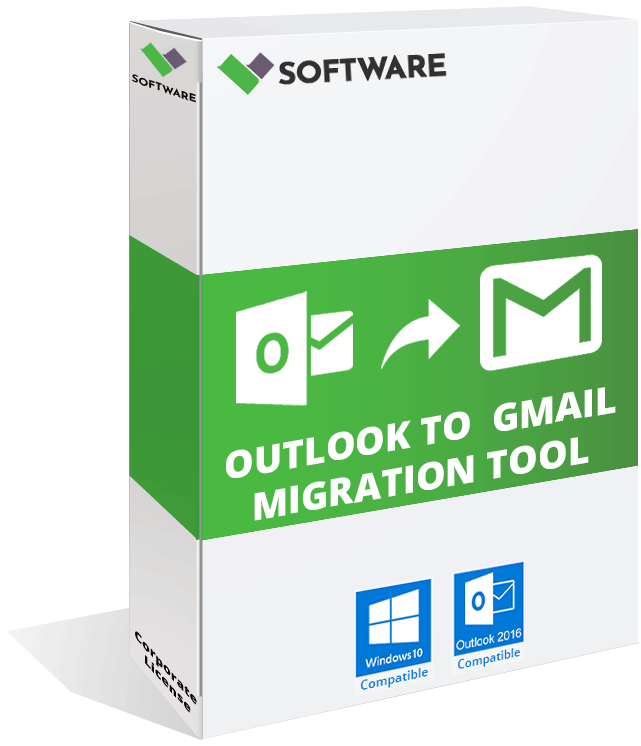
vMail Outlook PST to Gmail / G Suite Migration Tool restores all your mailboxes, contacts, calendar, tasks, notes, etc from PST file and export all data to your Gmail account. This software supports UNICODE / ANSI / Encrypted / Corrupted PST file. This Outlook Migration tool to Gmail maintains original folder structure from PST file and retains all email meta-properties like To, CC, BCC, Date-Time, Subject & Attachments. This Outlook Converter to G Suite allows you to preview each email with all attachments before conversion. If you have a G Suite subscription than you can also use this software to import your Outlook database to G Suite. There is no PST file size limit with this tool. You can open unlimited size of PST file data to export to Gmail or G Suite. With selective conversion feature this software offers you to exclude or include any email or folder like junk/deleted items before migration. This PST to Gmail converter supports Compatible with MS Outlook 2016, 2013, 2010, 2007 & older versions of PST file.
Constructor Groups is an engagement-first collaboration tool designed for seamless teamwork in any setting—be it remote work, virtual classrooms, or training sessions. Groups keeps teams organized, engaged, and productive by consolidating meetings, interactive whiteboards, breakout rooms, and AI-generated quizzes in one place.
Key Features
- Session Planning & Post-Session Resources: Pre-plan activities and provide follow-up materials for ongoing learning.
- Interactive Tools: Use an online whiteboard, word clouds, and the Guestimate feature to spark dynamic participation.
- Breakout Rooms: Facilitate focused group tasks and allow instructors or moderators to monitor progress easily.
- Analytics & Reporting: Gain insights on engagement and session effectiveness to refine future sessions.
- AI-Generated Questions: Automatically create quizzes or discussion prompts to deepen participant understanding.

Grow your LinkedIn audience with this free software. This tool will allow you to discover the follower count of any hashtag on LinkedIn instantly so that you can optimise your content for wider reach.
imDocShare is a comprehensive solution designed to seamlessly integrate iManage Work Server 10.2+ and iManage Cloud content into Microsoft platforms such as Teams, SharePoint, and OneDrive for Business. This integration enables users to live view, edit, add, attach, sync, search, and provision iManage content directly within these Microsoft environments, enhancing collaboration and productivity.
Key Features and Functionality:
- Live View and Edit: Access and modify iManage documents in real-time within Microsoft Teams and SharePoint.
- Synchronization: Automatically perform bi-directional or one-way synchronization of selected folders and files, including metadata, between SharePoint, Teams Files, OneDrive Libraries, and iManage content.
- Co-Authoring: Collaborate on Office documents (version 2013 or above) saved in iManage directly within SharePoint and Teams using Office Client applications like Word or Excel.
- Hybrid Search: Conduct integrated searches across multiple iManage and SharePoint content sources from a single interface in SharePoint.
- Provisioning: Enable Microsoft Teams administrators and knowledge managers to bulk create, edit, and update Teams, Channels, and Tabs with iManage content using imDocShare Tab and Sync.
- Content Actions: Perform various actions on iManage content, including editing profiles, previewing documents, viewing in browser, adding to favorites, checking out, renaming files, downloading, deleting, starting co-authoring sessions, and posting.
Primary Value and User Solutions:
imDocShare addresses the challenge of integrating iManage's document management capabilities with Microsoft's collaboration tools, providing a unified platform for managing legal and professional documents. By embedding iManage content within Microsoft Teams, SharePoint, and OneDrive, it streamlines workflows, reduces the need to switch between applications, and enhances team collaboration. The solution's synchronization and co-authoring features ensure that teams can work on the most up-to-date documents simultaneously, improving efficiency and reducing errors. Additionally, the hybrid search functionality allows users to quickly locate relevant documents across multiple repositories, saving time and enhancing productivity.
Public Folder Migration and Synchronization Manager provides seamless Public Folder migrations for diverse scenarios, including Office 365 Tenant-to-Tenant, On-Premises to Office 365, and Cross-Forest migrations for Exchange 2007, 2010, 2013, 2016, and beyond.

Reminder for Jira - Follow Up Issues is a Jira add-on designed to enhance task management by enabling users to set reminders for issues, ensuring timely follow-ups and improved project tracking.
Key Features and Functionality:
- Customizable Reminders: Set personalized reminders for specific Jira issues to stay on top of tasks.
- Integration with Jira Workflows: Seamlessly integrates with existing Jira workflows, allowing for efficient task management.
- User-Friendly Interface: Provides an intuitive interface for setting and managing reminders without disrupting existing processes.
Primary Value and User Benefits:
This add-on addresses the common challenge of overlooking tasks within complex projects by providing a reliable system for setting and receiving reminders. It enhances productivity by ensuring that critical issues are followed up on time, reducing the risk of missed deadlines and improving overall project efficiency.

Genesis PFU allows you to plan an intervention by designing a new activity sequence based on historical data. The intervention plan is followed up with actual times from executed operations.
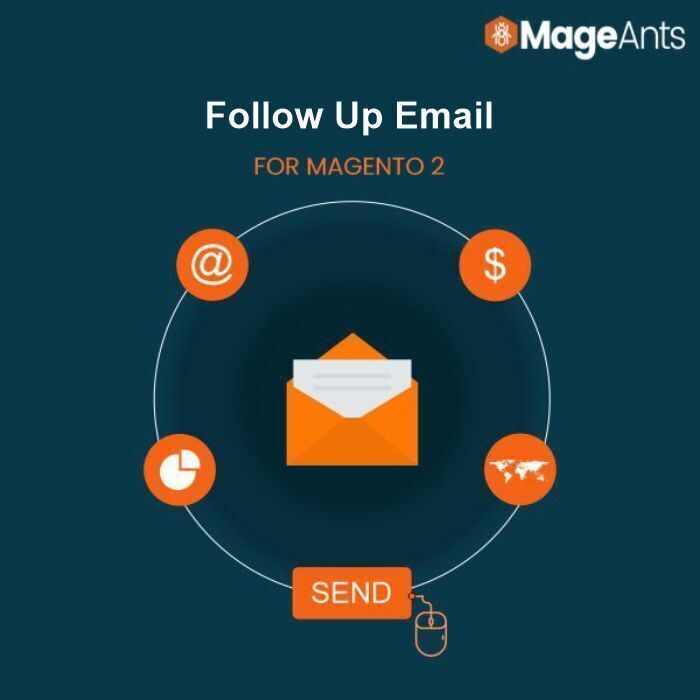
Magento 2 Follow-Up Email extension helps store owners limit the number of sent emails per address within a mentioned time. To allow a store admin to create a chain of emails sent to customers dynamically based on their activities, buy this today.


The Speak Easy is a place for Indianapolis-based entrepreneurs, startups, and the folks who support them to work, play, and collaborate.

500px is a global online photography community and marketplace that enables photographers to showcase, discover, and license high-quality images. Founded in 2009, it has grown into a platform where both amateur and professional photographers can share their work, gain exposure, and connect with a worldwide audience.
Key Features and Functionality:
- Photo Sharing and Discovery: Users can upload their photographs and explore a vast collection of images across various categories, including landscapes, portraits, and fine art.
- Community Engagement: The platform fosters interaction through features like commenting, liking, and following, allowing photographers to receive feedback and build a network.
- Licensing Opportunities: 500px offers photographers the chance to monetize their work by licensing images through partnerships with agencies like Getty Images.
- Pulse Algorithm: An algorithm evaluates recently uploaded photos based on views, likes, and comments, assigning a 'Pulse' score that determines a photo's visibility on the platform.
- Mobile Accessibility: Dedicated mobile applications for iOS and Android devices enable users to upload, browse, and engage with the community on the go.
Primary Value and User Solutions:
500px addresses the needs of photographers seeking a platform to display their work in high resolution without compression, ensuring that every detail is preserved. It provides a space for creative expression, learning, and professional growth by connecting photographers with peers and potential clients. The licensing feature offers a pathway for photographers to earn income from their images, transforming passion into profit. Additionally, the community-driven environment encourages feedback and inspiration, helping users to refine their skills and gain recognition in the photography world.

Cordis' Document Management System (DMS) is a comprehensive digital solution designed to streamline the creation, storage, and management of business documents. By digitizing document handling processes, it reduces reliance on paper, minimizes costs, and enhances operational efficiency. The system ensures secure access to documents from any location, facilitating seamless collaboration and real-time updates.
Key Features:
- Version Control: Maintains and updates archive files, ensuring that the most recent versions are always accessible.
- Electronic Signature: Enables users to sign documents electronically, allowing for approvals and authorizations from any location.
- Data Security: Implements robust security measures to protect sensitive information, mitigating risks associated with digital operations.
- Sharing and Collaboration: Facilitates effortless sharing of project files among team members, promoting collaborative work environments.
- Scanning and OCR: Converts physical documents into digital formats using Optical Character Recognition, making archived materials easily searchable.
- Workflow Automation: Automates document routing through organizational hierarchies, ensuring timely reviews and approvals.
- Manage and Direct: Offers configurable options to organize documents into sections and folders, simplifying navigation for users.
Primary Value and Solutions:
The Document Management System addresses common challenges in document handling by digitizing and automating processes, leading to significant time and cost savings. It enhances productivity by reducing manual search efforts and streamlining workflows. The system's robust security features ensure data integrity, while its collaborative tools foster teamwork. By transitioning to a paperless environment, businesses can operate more efficiently and adapt to the fast-paced digital landscape.