AI-Generated Results
Finding matches…
Teamsly is all-in-one workforce management software built for shift-based, deskless, and field-service teams. It combines employee scheduling, time tracking, time clocks and timesheets, task management, digital forms and audits, employee training, job scheduling, crew dispatch, team communication, and workforce reporting in one connected web and mobile system.
Teamsly helps businesses replace spreadsheets, paper time cards, printed checklists, group texts, and disconnected apps with a central place to plan work, coordinate employees, verify completion, and monitor day-to-day operations across departments, crews, and locations.
* Employee scheduling and shift management: Create and publish schedules with drag-and-drop tools, reusable shift types, staffing needs, schedule templates, multiple schedules, and AI auto-scheduling. Manage availability, PTO, open shifts, shift swaps, emergency shift alerts, on-call coverage, conflicts, overtime, and estimated labor costs.
* Time clock, attendance, and GPS tracking: Let employees clock in from mobile devices, tablets, or web browsers. Use geofenced clock-ins, live GPS location and route tracking during working hours, breaks, early clock-in controls, automatic clock-outs, reminders, overtime rules, tip tracking, job codes, editable timecards, and payroll-ready timesheet exports.
* Task, form, audit, and job management: Assign recurring tasks, one-time work, and shift checklists to employees, roles, or teams. Require photo proof, signatures, file or image uploads, GPS data, and scored responses. Track deadlines, reminders, completion history, jobs, customer and worksite details, crew assignments, and job-based labor.
* Employee training and communication: Build courses, lessons, and quizzes from scratch, templates, or AI-generated drafts. Assign content, set due dates, and track completion and scores. Keep teams aligned through direct and group chat, announcements, attachments, read receipts, shift notes, notifications, and post-shift feedback.
* Reporting, mobile access, and bilingual support: View dashboards and reports for scheduled versus worked hours, labor, overtime, timesheets, tasks, forms, audits, training, and employee activity. Administrators, managers, and employees can work from the web or iOS and Android apps, with an English and Spanish experience that follows each employee’s language preference.
Teamsly is designed for businesses with hourly, deskless, mobile, or multi-location workforces, including restaurants, retail, hospitality, cleaning services, healthcare, dental, construction, field services, beauty and wellness, education, and caregiving. Paid plans use per-location pricing with unlimited employees, helping growing teams add staff without adding a separate per-user charge. A free plan and live interactive demo are available.
Not seeing what you're looking for?
Dive deeper into "OwnTime" on G2 AI

APIPark is an open-source AI gateway and API developer portal designed to help developers and enterprises efficiently manage, integrate, and deploy AI services. By supporting over 100 AI models, APIPark simplifies the complexities associated with AI integration, offering a unified platform for seamless operations. Its open-source nature, under the Apache 2.0 license, ensures that it is free for commercial use, making it accessible to a wide range of users.
Key Features and Functionality:
- Quick Integration of AI Models: APIPark enables rapid connection to over 100 AI models, supporting all mainstream AI companies, thereby accelerating the development process.
- Unified API Format: It standardizes the data format of all AI API requests, ensuring that switching AI models or modifying prompts does not affect applications or microservices, thus simplifying AI usage and maintenance.
- Prompt Encapsulation into REST APIs: Developers can combine AI models with custom prompts to create new APIs, such as sentiment analysis, translation, or data analysis APIs, enhancing the versatility of AI applications.
- End-to-End API Lifecycle Management: APIPark covers the entire API lifecycle, including design, release, operation, and decommissioning, ensuring high-quality and stable API management.
- Multi-Tenant Management: It supports multi-tenant management, allowing different business units to have independent configurations while sharing underlying applications and infrastructure, enhancing resource utilization and reducing operational costs.
- Comprehensive Logging and Data Analysis: APIPark provides detailed call logs and rich statistical reports, enabling real-time monitoring and tracking of API usage, which aids in troubleshooting and performance optimization.
Primary Value and Problem Solving:
APIPark addresses several challenges faced by enterprises in API and AI service management:
- Simplified AI Integration: By offering a unified platform that supports numerous AI models, APIPark reduces the complexity and time required for AI integration, allowing businesses to focus on innovation rather than infrastructure.
- Enhanced Operational Efficiency: The platform's standardized API formats and comprehensive lifecycle management streamline operations, reducing redundant development efforts and improving overall efficiency.
- Improved Compliance and Security: With features like fine-grained access control and detailed logging, APIPark ensures that API calls are secure and compliant with enterprise policies, mitigating risks associated with unauthorized access and data breaches.
- Cost Optimization: The multi-tenant management and flexible subscription processes allow for better resource allocation and cost management, enabling enterprises to scale their API usage according to business needs.
In summary, APIPark empowers organizations to effectively manage their API and AI services, enhancing productivity, ensuring security, and fostering innovation in a cost-effective manner.

Teckinfo’s ActivDesk Help Desk Software is designed to help businesses deliver fast, consistent, and high-quality customer support in today’s experience-driven environment. As customer expectations continue to rise, organizations need a solution that ensures prompt responses, well-informed service desk agents, and faster resolution of issues. ActivDesk brings these critical service elements together on a unified, intelligent, and AI-enabled platform that empowers support teams to perform at their best.
ActivDesk centralizes customer interactions from multiple channels such as voice, email, chat, WhatsApp, SMS, and social media into a single interface. This omnichannel approach ensures that no customer query is missed and every interaction is tracked from start to resolution. With intuitive ticket management, automatic ticket creation, and intelligent routing, issues are assigned to the most suitable agents in real time, reducing response times and improving resolution efficiency. The unified agent view allows access to complete interaction history including calls, emails, and chats, enabling customer service representatives to deliver consistent and personalized service.
Built with modern service demands in mind, ActivDesk leverages AI-powered capabilities to enhance support operations. AI-enabled voice bots and chatbots help automate routine inquiries, provide instant responses, and support customers 24×7. Natural language processing and sentiment analysis assist agents in understanding customer intent better, improving interaction quality and decision-making. These intelligent tools help reduce service team workload while maintaining high service standards.
The platform also includes robust SLA and escalation management to ensure service commitments are met consistently. Predefined SLAs set clear response and resolution timelines, while automated escalations ensure critical issues are routed promptly to supervisors or higher-level support. Real-time alerts and notifications keep teams informed, helping organizations maintain accountability and customer trust.
ActivDesk further strengthens support efficiency with comprehensive knowledge base management. Centralized repositories of FAQs, guides, and tutorials enable faster issue resolution through self-service, improve first-contact resolution rates, and support employee training. Seamless integration with Teckinfo’s ID Cloud contact center software, and other third-party dialers and call center solutions, or in-house applications through flexible APIs ensures smooth data flow, eliminates silos, and enhances overall productivity.
With advanced analytics and reporting, businesses gain actionable insights into agent performance, ticket trends, and operational efficiency. Designed for scalability, remote access, and cloud deployment, ActivDesk offers a cost-effective, secure, and future-ready help desk solution that adapts to growing business needs while delivering superior customer experiences.

SaaSykit is a comprehensive Laravel-based starter kit designed to accelerate the development and launch of modern SaaS applications. It offers a robust foundation by integrating essential components such as subscription and one-time purchase management, multi-tenancy support, customizable styles, user authentication, and a ready-to-use blog system. With support for payment providers like Stripe, Paddle, and Lemon Squeezy, and email services including Mailgun, Postmark, and Amazon SES, SaaSykit streamlines the setup process, allowing developers to focus on core functionalities. Its developer-friendly architecture, built with the TALL stack (TailwindCSS, Alpine.js, Laravel, and Livewire), ensures best coding practices and includes automated tests covering critical components. By providing a solid foundation, SaaSykit enables developers to save months of development time, facilitating a faster and more efficient launch of SaaS products.
Key Features and Functionality:
- Multi-Tenancy Support: Build applications with multi-tenancy capabilities, including seat-based subscriptions and seamless checkout experiences.
- Customizable Styles: Tailor the application's appearance, including styles, colors, and error pages, to align with your brand identity.
- Product, Plans & Pricing Management: Effortlessly create and manage products, plans, and pricing through an intuitive admin panel.
- User Authentication: Implement user authentication with options for classic email/password and social logins (Google, Facebook, Twitter, GitHub, LinkedIn, etc.).
- Discounts and Referrals: Create and manage discounts to reward customers and enable referral programs to encourage user growth.
- SaaS Metrics Dashboard: Monitor key metrics such as Monthly Recurring Revenue (MRR), churn rates, and Average Revenue Per User (ARPU) within the admin panel.
- Multiple Payment and Email Providers: Integrate with payment providers like Stripe, Paddle, and Lemon Squeezy, and email services such as Mailgun, Postmark, and Amazon SES.
- Built-in Blog System: Publish articles and tutorials to enhance SEO and engage with your audience.
- User & Role Management: Manage users, create roles, and assign permissions to control access within the application.
- Fully Translatable and SEO Optimized: Translate the application into any language and benefit from built-in SEO optimization features.
Primary Value and User Solutions:
SaaSykit addresses the common challenges developers face when building SaaS applications by providing a pre-configured, feature-rich foundation. It eliminates the need to develop essential components from scratch, thereby reducing development time and effort. By offering a customizable and scalable architecture, SaaSykit enables developers to focus on implementing unique features and functionalities specific to their product, ensuring a faster time-to-market and a more efficient development process.

Product name: Mister Marketing
Tagline
Ready-to-publish content for SMEs, written in your company’s voice.
Short description
Mister Marketing is a content marketing platform from Vienna that writes ready-to-publish posts for LinkedIn, Instagram, Facebook, newsletters and blogs. Every post follows your company’s own voice, picks up timely moments, and goes live only after you approve it.
Full description
Most small and mid-sized companies know they should post regularly. What they don’t have is the time, or someone on the team whose job it is. Mister Marketing closes that gap.
It starts with onboarding. We analyze your website and channels and interview you for about 45 minutes. From that we build your Governance Model: your tone of voice, form of address, target audiences, content pillars, banned words and style examples. Every post the platform creates follows these rules, so it sounds like your company and not like generic AI.
From there, the work takes minutes. Pick a topic, or let the Concepter plan a full month of content in about 10 minutes. The Content Generator writes the post. The Moment Engine weaves in what’s happening right now, such as weather, public holidays, school breaks or industry news. A built-in quality check rates each draft for clarity, conciseness, substance, readability and wording. You review, approve and publish directly, at about 2–4 minutes per post.
Nothing is published without your approval. Data is processed within the EU, the platform is GDPR-compliant, and your content is never used to train AI models. Onboarding, training and support come from real people on our team in Vienna, not a chatbot.
Key features
Governance Model: your brand voice and rules, applied to every post
Moment Engine: timely, local moments built into your content automatically
Content Generator: posts for LinkedIn, Instagram, Facebook, newsletters and blogs
Concepter: a full month of content planned in about 10 minutes
Quality check: every draft scored on five criteria
Content reuse: adapt one piece of content for several channels
Approval workflow: including four-eyes approval (Advanced plan)
Direct publishing: posts go live on connected channels once approved
Media assets: your own photos and videos plus stock images in one place
Who it’s for
Small and mid-sized companies in Austria, Germany and Switzerland, roughly €1–50M in annual revenue, that want to stay visible consistently without an in-house marketing team or an expensive agency.
Pricing
Plans start at €299/month (net) for 30 content units. One content unit equals one ready-to-publish post for one channel. One-time onboarding fee and a 3-month minimum term, then cancellable quarterly.

Vizible AI – Track and Improve Your Brand Visibility Across AI Search Engines
When buyers search for solutions today, they don't just use Google. They ask ChatGPT, Claude, Gemini, Perplexity, DeepSeek, Mistral, and other AI assistants. These models recommend specific brands, compare products, and influence purchasing decisions every single day. If your competitors get mentioned and you don't, you lose deals without even knowing it.
Vizible AI is a B2B SaaS platform for Generative Engine Optimization (GEO). It monitors how AI models talk about your brand, tracks your competitors, and gives you the tools to improve your visibility where it matters most: inside AI-generated answers.
How it works
You start by adding your company, your competitors, and the prompts that matter to your business. For example, "Best project management software for small teams" or "Top CRM for startups in Europe." Vizible AI sends these prompts to multiple large language models every day and records exactly which brands get mentioned, in what position, with what sentiment, and which sources are cited.
Everything is displayed in a single dashboard. You see your visibility score, your market position relative to competitors, which AI models favor your brand and which ones ignore you, and what topics you own versus where you're invisible. The insights update daily so you can track progress over time.
From tracking to action
Vizible AI doesn't stop at monitoring. The Action Center generates content ideas based on the exact prompts where competitors appear and you don't. You can create AI-optimized articles directly inside the platform, repurpose content for LinkedIn, X, and Reddit, and run a full GEO audit on your website to check how ready it is for AI citation.
What makes Vizible AI different
Most SEO tools measure Google rankings. Vizible AI measures something entirely new: your presence inside AI conversations. The platform queries LLMs through their actual interfaces rather than through APIs, which means results reflect what real users see when they ask for recommendations. This is the difference between tracking what an API returns and tracking the real user experience.
Who is it for
Marketing directors, CMOs, SaaS founders, SEO managers, content teams, and marketing agencies who want to understand and control how AI recommends their brand. If AI search is part of your market's buying journey, Vizible AI shows you the gaps and tells you exactly what to do next.

RewriteBar is a lightweight macOS menu bar application designed to enhance your writing by providing instant access to AI-powered tools directly within your favorite applications. With a focus on efficiency and user-friendliness, RewriteBar offers a suite of features that streamline the writing process, making it an essential tool for professionals, students, and anyone looking to improve their written communication.
Key Features and Functionality:
- Comprehensive Writing Tools: Access a complete suite of writing tools, including grammar correction, language simplification, tone adjustment, translation, text summarization, and ChatGPT prompt enhancement—all in one place.
- Custom Actions: Create personalized rewrite actions tailored to your needs. Build templates for emails, social media posts, or any writing task you frequently do.
- Distraction-Free Interface: Experience a clean, minimal interface that focuses on results. No cluttered windows—just select text and watch it transform instantly.
- Quick Access Shortcuts: Boost your productivity with customizable keyboard shortcuts for instant access to any feature.
- Lightweight Performance: At just 20 MB, RewriteBar is incredibly lightweight yet powerful. Enjoy smooth performance without impacting your Mac's resources.
- Cutting-Edge AI Models: Leverage the latest AI technology, including GPT-4 and GPT-4-mini, for superior writing assistance and more accurate suggestions.
- Multiple AI Providers: Choose from leading AI providers, including OpenAI, Anthropic, and DeepSeek. Select the service that best fits your needs.
- Enhanced Grammar Checking: Complement your existing grammar tools. RewriteBar works alongside other checkers to provide comprehensive writing improvement.
- Multilingual Support: Write confidently in multiple languages, including German, English, and Spanish. Unlike Apple Intelligence (as of Oct. 2024), RewriteBar supports a wide range of languages for global communication.
- Direct AI Integration: Enjoy secure, direct communication with AI providers. Your text and API keys remain private—nothing is stored on our servers.
- Local AI Support: Choose complete privacy with local AI models through Ollama integration. Keep your writing assistance entirely on your machine.
Primary Value and User Solutions:
RewriteBar addresses the common challenges of writing by integrating advanced AI tools directly into your workflow, eliminating the need to switch between applications or platforms. Its intuitive interface and customizable features allow users to enhance their writing quality effortlessly, whether it's correcting grammar, adjusting tone, translating text, or summarizing content. By offering both subscription and one-time purchase options, RewriteBar provides flexibility to suit various user preferences and needs, making it a valuable asset for anyone seeking to improve their writing efficiency and effectiveness.

Lantern is designed to help businesses understand, track, and improve their presence across emerging AI search engines like ChatGPT, Perplexity, and Google AI Overviews. As AI becomes the starting point for brand discovery, Lantern helps your brand dominate AI-generated recommendations.
Key Features:
Lantern provides everything you need to win AI search.
Real-time monitoring:🔍See exactly what today's leading AI models are saying about your brand. We give you real-time data on your mentions, sentiment and share of voice across AI models.
Citations:🔗Uncover the websites AI pulls from when mentioning your company, giving you visibility into the sources influencing how customers, partners, and investors hear about you.
Competitor tracking:🆚Track brand mentions side-by-side with others. We highlight where you're winning, where you're losing visibility to competitors.
Traffic & conversions:📊Measure the exact number of customers that originate from AI-driven search.
Content optimization: ✍️Turn insight to impact. Lantern spots the gaps in how AI platforms understand your brand — then helps you close them with content optimized for AI search.
Use Cases
For the Brand Strategist:
You discover that when users ask ChatGPT for “the best tools for customer analytics,” a competitor’s name surfaces — not yours. Using Lantern, you uncover which articles, product reviews, and domains AI models reference to make those recommendations. Armed with that insight, you refine your messaging and partner with the right publishers to strengthen your brand’s presence in AI search results.
For the Communications Team:
You notice inconsistencies in how AI platforms describe your brand — some call you a “reporting tool,” others a “marketing analytics platform.” With Lantern’s AI visibility tracking, you can identify where those descriptions come from, address outdated or inaccurate sources, and ensure your brand voice stays consistent across AI-generated answers and summaries.
For the Marketing Team:
As you plan your next campaign, you want content that not only ranks on Google but also appears in AI-driven answers. Lantern highlights the topics and prompts where AI models give incomplete or generic responses. You use these insights to craft content that fills those gaps — improving your chances of being cited or recommended by AI engines like ChatGPT and Perplexity.
As AI reshapes how people discover products and brands, visibility in this new layer of search is non-negotiable. Lantern helps you track, understand, and influence how your brand is represented across AI.
Get started free and own your visibility in AI search.

Smarsh Call Recording & Analytics (CRA) is the single platform that enables organizations to capture voice
across every communications channel — Microsoft Teams, Zoom, Cisco Webex, Avaya, RingCentral,
carrier networks, on-premises telephony, and mobile. From video calls to SMS and MMS, one platform
eliminates multi-vendor fragmentation, ensures compliant data handling throughout the full data lifecycle,
and transforms recorded voice data into actionable business intelligence.
Core capabilities include:
• Compliant capture: AES-256 encryption, tamper-proof secure storage, time-stamped audit logs,
compliant call sharing, and legal hold — foundational compliance infrastructure purpose-built for
regulated industries.
• Contextual redaction: Automatic detection and redaction of PCI DSS, PHI (Protected Health
Information), and PII (Personally Identifiable Information) data preserves recordings while
eliminating sensitive data exposure — no manual intervention required.
• Granular policy control: Per-user, per-department, and per-regulation retention and access
policies adapting to FCA, SEC, FINRA, HIPAA, MiFID II (Markets in Financial Instruments Directive
II), GDPR, Dodd-Frank, and CCPA obligations.
• Multi-tenancy & data sovereignty: Flexible cloud, on-premises, or hybrid deployment with data-
residency controls and multi-tenant architecture ideal for enterprise, contact centre, and BPO
(Business Process Outsourcing) environments.
• Screen Capture or Screen Recording: Full desktop capture synchronised with voice provides
complete interaction context — critical for compliance review and quality assurance in regulated
and customer-facing roles.
• AI conversation intelligence: Automated transcription, sentiment analysis, keyword spotting, topic
clustering, and multilingual support scale AI-driven review from random call data sampling to a
complete dataset picture — exponentially increasing the intelligence value of every recorded call.
• QA automation & dashboards: Automated QA (Quality Assurance) scorecards with customisable
evaluation rubrics, agent coaching workflows, full-text search, and out-of-the-box dashboards
spanning agent performance, customer experience, and business risk.
• Agentic AI: Query the full call library in plain English — compliance summaries, coaching trends,
and business insights returned in seconds without a single query to write.
Every conversation captured and understood.
Backed by more than 20 years of communications compliance expertise, Smarsh is recognized as a
Leader in the Gartner® Magic QuadrantTM for Digital Communications Governance and Archiving Solutions.
Customers also benefit from award-winning support, training, and professional and managed services that
help maximize adoption and long-term success.

Mobeera Office: Docs, Sheets, Slides and PDF for Mac, iPhone and iPad. Pay once and keep it for life.
Download it on the App Store: https://apps.apple.com/us/app/mobeera-office/id6785192468
Give your AI an office
Turn notes into a client proposal, build a financial model with real formulas, prepare an investor deck,
or fill in and redact a PDF. On Mac, one AI agent can carry a job across all four editors. Open and save
Word, Excel, PowerPoint and PDF files.
Review the work before you use it
Your AI previews pages and checks the layout as it works. In Docs, its edits appear as tracked
changes under its name, so you accept or reject each one. The finished files are yours to approve.
Bring your own AI
Use AI Chat in any document with your own API key from Anthropic, OpenAI or OpenRouter, or with a
local model. On Mac, you can also let Claude, ChatGPT and other AI apps work in your files through
MCP. Your AI provider bills you directly for its usage.
Pay once. No subscription.
One purchase covers every Mac, iPhone and iPad signed in to your Apple account, with no device limit
and nothing to renew or cancel. The Mac app needs Apple silicon and macOS 14 or later.
Early customer offer
Lifetime access is US$9.99 in launch week, then rises each Thursday: US$19.99, US$29.99,
US$39.99 and US$49.99 in weeks 2 to 5. From week 6 it is US$99, still paid once. Whichever week
you buy, you get the same lifetime access. Prices in other countries: https://mobeera.io/pricing
Watch
Meet Mobeera Office: https://www.youtube.com/watch?v=GAcDSY2DrGE
Every AI agent needs an office: https://www.youtube.com/watch?v=3proWVo2dBE
Copilot vs Mobeera Office + MCP: https://www.youtube.com/watch?v=LHiToXbfQ4U
Features:
• Bring AI to documents: You can use AI to help write and edit documents.
• Create proposals and models: Easily make client proposals and financial models.
• Work with different file types: Open and save Word, Excel, PowerPoint and PDF files.
• Preview changes: You can see edits made by AI and decide to keep or reject them.
• One-time payment: Pay once and use it on all your Apple devices without subscriptions.
• Use your own AI: Connect your own AI from various providers to assist in documents.
• Compatible with Apple silicon: Works on newer Macs with Apple silicon and the latest macOS.

OpenFang is an open-source Agent Operating System developed in Rust, designed to facilitate the deployment and management of autonomous AI agents. Unlike traditional frameworks that require constant user input, OpenFang enables agents to operate independently on predefined schedules, perform tasks such as building knowledge graphs, monitoring targets, generating leads, and managing social media accounts, all while reporting results to a centralized dashboard. The entire system compiles into a single, approximately 32MB binary, ensuring a streamlined and efficient setup.
Key Features and Functionality:
- Autonomous Hands: OpenFang includes seven pre-built autonomous agents, known as "Hands," each tailored for specific tasks:
- Clip: Converts long-form videos into short clips with captions and thumbnails.
- Lead: Conducts daily lead generation with Ideal Customer Profile (ICP) scoring.
- Collector: Performs Open Source Intelligence (OSINT) monitoring with sentiment analysis.
- Predictor: Provides superforecasting with calibrated probability estimates.
- Researcher: Conducts fact-checking with multi-language support and structured reporting.
- Twitter: Manages X (formerly Twitter) accounts with content scheduling and engagement tracking.
- Browser: Automates web interactions, including form submissions and multi-step workflows.
- Security Systems: The platform is fortified with 16 security layers, including a WebAssembly (WASM) dual-metered sandbox, Ed25519 manifest signing, Merkle audit trails, taint tracking, Server-Side Request Forgery (SSRF) protection, and secret zeroization, ensuring robust security and integrity.
- Channel Adapters: OpenFang supports integration with 40 communication platforms, such as Telegram, Discord, Slack, WhatsApp, Microsoft Teams, IRC, and Matrix, allowing agents to operate seamlessly across multiple channels.
- Built-In Tools and Protocols: The system offers 38 native tools, including web search, browser automation, image generation, text-to-speech, Docker management, and knowledge graph construction. It also supports the Model Context Protocol (MCP) and Agent-to-Agent (A2A) communication, facilitating inter-agent interactions and external integrations.
- Memory Management: Utilizing SQLite-backed storage with vector embeddings, OpenFang ensures persistent memory, cross-channel canonical sessions, automatic LLM-based compaction, and JSONL session mirroring, enabling agents to maintain context across conversations and platforms.
Primary Value and User Solutions:
OpenFang addresses the need for truly autonomous AI agents capable of performing complex tasks without continuous user intervention. By providing a comprehensive, secure, and efficient operating system, it empowers developers and organizations to deploy AI agents that can:
- Automate repetitive and time-consuming tasks, enhancing productivity.
- Maintain consistent and accurate data collection and analysis through scheduled operations.
- Ensure secure and isolated execution environments, mitigating potential security risks.
- Seamlessly integrate with various communication platforms, ensuring broad accessibility and interaction capabilities.
By consolidating these functionalities into a single, lightweight binary, OpenFang simplifies the deployment process, reduces system overhead, and provides a scalable solution for managing autonomous AI agents in production environments.

SheetDiff is a schema-agnostic Google Sheets add-on for spreadsheet comparison, structural diffing, duplicate detection, and QA reporting — directly inside Google Sheets.
Designed for localization, transcription QA, financial reconciliation, data auditing, and spreadsheet review workflows, SheetDiff analyzes changes between sheets and generates professional, color-coded reports in seconds.
=== COMPARISON MODES ===
🔍 STRUCTURAL DIFF
Compare an original snapshot against an edited version with advanced change detection:
• Unchanged, Modified, Added, Deleted rows
• Split and Merge detection
• Inline text highlighting (green additions / red removals)
• Simple Mode for lightweight diffs
• Positional Mode for strict row-by-row comparison
• Unified Output across multiple sheets
• Batch Comparison support
📊 CELL-BY-CELL COMPARISON
Audit sheets at cell level:
• Exact, Normalized, and Fuzzy comparison modes
• Positional, Key-based, or Content-based row alignment
• Header-aware column matching even when order differs
• Compare formulas, notes, and data validation rules
• Per-sheet statistics and aggregate scoring
• Multi-sheet comparison support
🔎 DUPLICATE FINDER
Detect duplicates within or across sheets:
• Self-compare or cross-sheet duplicate detection
• Composite key matching
• Column-specific duplicate scans
• Positional cell-level duplicate detection
• Color-coded duplicate reports
• One-click duplicate merge/removal with undo snapshots
=== KEY FEATURES ===
✅ Schema-agnostic — works with any spreadsheet layout
✅ Auto-detect speaker, timestamp, transcript, and event columns
✅ Visual color-coded Diff Viewer with inline changes
✅ 9 QA metrics including CER, WER, SER, SegER, SACR, and Composite Quality Score
✅ Exportable QA reports for audits and reviews
✅ Snapshot workflow for version tracking
✅ Saved comparison scenarios and presets
✅ Custom regex/text transform rules per comparison mode
✅ Ignore specific columns during comparisons
✅ Cross-spreadsheet import from Google Drive
✅ Compare Picker with runtime estimation and sheet previews
✅ Chunked execution with progress tracking and resume support
✅ Unicode normalization across multiple numeral systems
✅ Optional accent/diacritics-insensitive comparison
✅ Optimized rendering for large datasets
✅ Automatic backup snapshots for undo support
✅ Fully configurable thresholds, mappings, visibility rules, and comparison behaviors
=== USE CASES ===
• Localization and transcript QA
• Translation review and post-editing
• Spreadsheet auditing and reconciliation
• Financial report comparison
• Duplicate detection and cleanup
• Formula and metadata validation
• Deliverable version tracking
• General spreadsheet change analysis
=== GETTING STARTED ===
1. Install the add-on
2. Open Google Sheets → Extensions → SheetDiff
3. Configure comparison settings
4. Commit a snapshot (optional for Structural Diff)
5. Run comparison and select sheets
6. Review results and export reports

AccBrain is a mobile companion for businesses that keep their books in TallyPrime or Tally.ERP A Windows agent on the accounting computer reads the company and keeps a secure cloud copy current, so ledgers, vouchers, stock and reports open on an Android phone — and can be questioned in plain language.
ASK YOUR BOOKS
Type "who owes me the most?", "how were sales last quarter?" or "what is sitting in dead stock?" and get a table, chart or short answer back, with follow-up pills that open the screen the answer came from, already filtered. The assistant does not do the arithmetic — it selects a registered report tool, and that tool returns the same figure the report on screen shows, so an answer and a report cannot disagree. Tools cover receivables, cash position, profit and loss, balance sheet, tax summary, stock, profitability, cost centres, compliance, anomalies and cash forecast. Conversations and the narration search index stay on the device. A monthly question allowance is included, with top-ups.
REPORTING AND ANALYSIS
Profit and loss, balance sheet, tax summary by rate and by HSN/HS code, receivables and payables aging, profitability by item, customer or stock group, cost-centre performance, stock intelligence covering dead stock, ABC contribution, FSN class and velocity, financial ratios compared with a year earlier, an exceptions audit that scans for probable errors, and regional compliance reporting. Most export to PDF and Excel. Every figure is computed on the phone from a local mirror, so reports open offline.
RECEIVABLES AND COLLECTIONS
Bill-wise outstanding and aging buckets of 0-30, 31-60, 61-90 and 90+ days, on both sides of the ledger. AccBrain writes each reminder bill by bill — every open bill with its age, the total due and the overdue portion — and opens your own WhatsApp or SMS composer, so the message goes out from your number. Batch chase works the overdue list one party at a time. A payment QR renders your own UPI ID. Overdue nudges run daily, weekly, monthly or off.
ENTRY AND WRITE-BACK
Raise a sales invoice with items, quantities, rates, tax legs and storage location, or a receipt, payment or expense. The phone queues the entry and the desktop agent posts it into Tally in your own voucher numbering series. A sent-entries list shows each one as pending, posted or failed with the reason. Tally stays the single source of truth; nothing is written without your action.
DASHBOARD AND SEARCH
Cash and bank, receivables, payables and month sales with trend sparklines, a health score with explainable factors, a cash-flow waterfall and a 13-week cash forecast. One search box spans parties, vouchers and stock. Owner, accountant and manager modes reorder the app around each role.
Licensing is a one-time one, three or five-year term rather than an auto-renewing subscription, after a seven-day trial. One licence covers one desktop computer and any number of phones.

Sealby is a private, account-free encrypted vault for your photos, videos, documents and notes. Everything is encrypted on your iPhone or iPad with AES-256 there is no account, no server, and no backdoor. What syncs to iCloud is an unreadable blob that only you can open. Not even we can read your data.
A DIFFERENT PIN OPENS A DIFFERENT VAULT
Sealby doesn't hide one vault behind one password. Every PIN opens its own independent vault an everyday vault, a work vault, and hidden vaults nobody can prove exist. Vaults are stored as identical encrypted blocks, and no list of them is kept anywhere. Hand someone your unlocked phone: your private vault stays invisible, and its existence stays yours to deny. An optional duress PIN opens a harmless decoy and removes your other vaults from the device.
WHAT YOU CAN KEEP IN IT
• Photos and videos encrypted on import
• Documents, PDFs, scans and any file type
• Rich-text notes journals, recovery codes, seed phrases
• Folders, tags and search inside every vault
SERIOUS CRYPTOGRAPHY, HONESTLY EXPLAINED
• AES-256-GCM with a separate key for every file
• Keys protected by the Secure Enclave, unlocked by your PIN, pattern or passphrase
• No account, no sign-up nothing to phish, reset or breach
• Each vault has its own recovery phrase, held only by you
Because there is no backdoor, there is also no "forgot password." If you lose both your PIN and a vault's recovery phrase, that vault cannot be recovered by anyone. That trade-off is what makes Sealby readable by no one but you.
Free to use on one device with up to 100 files per vault. Premium adds encrypted iCloud backup, sync across your devices, and vault sharing as a subscription or a one-time lifetime purchase.
Built for iPhone and iPad (iOS 17+). No ads, no tracking, ever.
Features:
• Private Vaults: Keeps your photos, videos, notes, and documents fully encrypted so only you can see them.
• Multi Vault PINs: Allows you to create different vaults with separate PINs, letting you keep specific content hidden or separated.
• Zero Knowledge: Uses top-tier encryption where not even the developers can access your data or see what you have saved.
• Decoy Mode: Includes a duress PIN that opens a harmless vault while hiding your real ones if you're ever forced to open the app.
• No Accounts: Works without needing to sign up or create an account, which keeps your personal info off any servers.
• Device Security: Stores your encryption keys in your phone's Secure Enclave so your data stays locked to your specific device.
• Cloud Sync: Offers optional, encrypted iCloud backups so you can securely sync your files across your own devices.

Rulebricks is a no-code platform that empowers teams to integrate sophisticated decision-making capabilities into automated business processes. By providing an intuitive, spreadsheet-like interface, it enables users to model complex, multi-variable decisions and deploy them as API endpoints without writing any code. This approach allows domain experts and process owners to manage and update critical business rules directly, reducing reliance on developers and accelerating time to market. Rulebricks is designed to enhance operational efficiency by streamlining workflows and providing clear visibility into decision logic.
Key Features and Functionality:
- No-Code Decision Modeling: Users can model critical decisions and publish powerful API endpoints using a familiar, no-code interface that's easy for every stakeholder to understand, update, and share.
- Real-Time Rule Execution: The platform offers microsecond-tier execution speed, capable of processing billions of records within a single day.
- Visual No-Code Orchestration: Integrate rules with data from other sources, like databases, APIs, and more using a visual editor.
- One-Click Quizzes & Calculators: Turn rules into shareable forms that can collect data from users and display results.
- Powerful Version Control: Visualize differences, assign reviewers, target older versions of rules, and rollback with ease.
- Built-in Continuous Testing: Build, save, and automate rich test suites to ensure rules handle critical outcomes effectively.
- Intelligent Data Import: Instantly generate accurate rules from Excel models, facilitating seamless integration with existing data sources.
- Advanced Orchestration: Process large records in maintainable, modular chunks, enhancing scalability and maintainability.
- Impact Analysis: Simulate changes to rules and understand their business impacts through "what-if" backtests.
- Decision Lifecycle Hooks: Receive real-time, multi-channel notifications when decisions change, ensuring stakeholders are always informed.
- Embeddable Form Builder: Create embeddable calculators using decision tables, allowing for interactive customer experiences.
- Customizable Interface: Application-wide branding and embedding options enable businesses to tailor the platform to their specific needs.
Primary Value and Solutions Provided:
Rulebricks addresses the challenge of managing complex decision-making processes within automated workflows. By separating decision logic from runtime environments, it provides a clear, visual interface for teams to manage and audit the dynamic rules that drive their business. This separation allows for greater agility, as domain experts can make changes without needing to write code or navigate complicated workflow UIs. The platform's real-time collaboration and AI features enable teams to model complex decisions quickly, while built-in impact analysis tools help understand the effects of rule changes on business outcomes. By streamlining decision management, Rulebricks enhances operational efficiency, reduces time to market, and provides valuable insights into business logic, ultimately leading to smarter workflows and increased visibility.

Corvera is an AI-native operating system designed specifically for consumer packaged goods (CPG) brands, aiming to automate back-office and supply chain workflows that traditionally scale linearly with headcount as a brand grows. By integrating with existing Enterprise Resource Planning (ERP) and operational tools, Corvera deploys autonomous AI agents to execute end-to-end processes such as order processing, fulfillment coordination, invoicing, demand forecasting, and logistics tracking. This approach addresses the structural challenges in the CPG sector, where increasing order volumes often lead to a disproportionate amount of time spent on repetitive, low-value tasks across various platforms. With Corvera, brands gain real-time visibility into financial performance, cash flow, and logistics, enabling more efficient operations and strategic decision-making.
Key Features and Functionality:
- Data Integration: Seamlessly connects with existing systems and data sources, including orders, inventory, sales, and suppliers, to create a unified and governed source of truth.
- AI Deployment: Enables rapid deployment of AI agents through tools like Claude and ChatGPT, facilitating hands-free automation of repetitive tasks.
- Dashboard and App Creation: Allows users to build dashboards and applications using platforms such as Cursor and Lovable, enhancing data visualization and accessibility.
- Workflow Automation: Automates complex workflows across the entire business, from category management to supply chain operations, without the need for a dedicated team of data engineers or AI specialists.
- Real-Time Analytics: Provides real-time insights into various business aspects, including category management, pricing and promotional ROI, demand forecasting, inventory management, marketing mix ROI, and brand health and sentiment analysis.
Primary Value and Solutions Provided:
Corvera empowers CPG brands to unlock the full potential of AI by making unified data accessible to any AI tool via the Model Context Protocol (MCP). This capability enables brands to:
- Enhance Operational Efficiency: By automating manual and repetitive tasks, Corvera reduces the time and resources spent on back-office operations, allowing teams to focus on strategic initiatives.
- Improve Decision-Making: With real-time data and analytics, brands can make informed decisions regarding inventory management, demand forecasting, and promotional strategies, leading to optimized performance and profitability.
- Scale AI Across the Organization: Corvera's unified data layer ensures that every AI tool can read and utilize the data, enabling seamless integration and scalability of AI applications across the entire organization.
- Unlock New Revenue Opportunities: By leveraging existing data, Corvera helps brands identify market opportunities, optimize pricing and promotions, and enhance category management, ultimately driving revenue growth.
In summary, Corvera serves as a comprehensive solution for CPG brands seeking to integrate AI into their operations, offering a plug-and-play platform that simplifies data management, automates workflows, and provides actionable insights to drive business growth.

CamStreamer App turns any compatible Axis IP camera into a professional live-streaming encoder – no extra hardware, public IP, or complex network setup required. Running directly inside the camera as an ACAP application, it pushes live video to YouTube, Facebook, Vimeo and any RTMP/HLS/SRT/MPEG-TS destination with enterprise reliability and simple, browser-based control.
Why buyers choose CamStreamer App
✅ Zero external encoders: Stream straight from the camera to public platforms or your CDN – reduce points of failure and footprint at the edge.
✅ Deep platform integrations: Native support for YouTube and Facebook including scheduling, status control, and a built-in “stream keeper” that prevents YouTube from closing a stream if a camera temporarily drops offline.
✅ Standards-rich delivery: RTMP/RTMPS, HLS (push/pull), SRT (push/pull/rendezvous), plus MPEG-TS—deploy into almost any workflow.
✅ Set-and-forget reliability: After camera restarts or reconnects, streams resume automatically; optional cloud watchdog monitoring available.
✅ Operates anywhere: Axis cameras’ low power and rugged design + CamStreamer’s on-camera app make remote and outdoor installations practical.
Key capabilities
👍 One-click streaming to major platforms (YouTube, Facebook, Vimeo, and more RTMP endpoints).
👍 Flexible automation: Manual start, hardware button, API, or scheduled events (one-time or recurring).
👍 Multi-source support: Stream any camera channel or view area; works with CamSwitcher App to combine up to five cameras/clips into a single output.
👍Audio options: Use the camera mic, RTSP audio from other Axis devices, or audio files.
👍 Remote management: Configure locally via the camera UI or manage remotely via CamStreamer Cloud and the mobile app.
👍 Overlay graphics (optional): Pair with CamOverlay App to add logos, weather, scoreboards, PiP, tickers, and custom graphics right in-camera.
Ideal use cases
➡️ 24/7 city, tourism, nature, sport, traffic or venue livestreams.
➡️ Events, worship, education and corporate communications where simplicity and uptime matter.
➡️Remote locations (rooftops, towers, parks) where running PCs/encoders is impractical.
Technical details
👉 Deployment: In-camera ACAP app; upload via Axis camera web UI; optional remote control via CamStreamer Cloud.
👉 Compatibility: Axis cameras across generations (advanced features require newer ARTPEC/AMBarella chipsets; use compatibility checker).
👉 Protocols: RTMP/RTMPS, HLS push/pull, SRT (all modes), MPEG-TS.
👉 Triggers & control: UI, scheduling, hardware button, or REST API.
👉 Languages (UI): English, French, Japanese, Portuguese, Spanish, German, Korean, Chinese.
Integrations & ecosystem
🌍 YouTube & Facebook: Auth, scheduling, persistent links/players, latency settings, DVR control.

LumoAuth handles sign-in and access control for your product. It covers your human users and the AI agents that act for them, in one platform with a single audit log.
Passwordless sign-in for your users. The hosted sign-in page offers passkeys (Face ID, Touch ID, Windows Hello, security keys), magic links, one-time codes, and push approval through the Lumo Authenticator app for iPhone and Android. It also supports social logins and customer SSO through Okta, Entra ID and others. A second factor is asked for only when something looks unusual, such as a new device, a new country or impossible travel. You switch methods on in the portal, so your application code doesn’t change. The page runs on your own domain with your branding.
Identity and guardrails for AI agents. Each agent is registered with a name, an owner, its own credentials and a fixed list of what it may do. When an agent needs a permission it doesn’t have, it sends a request with a reason. A person approves or denies it from the portal, the Lumo Authenticator app, Slack, Teams, ServiceNow or Jira. An approved request returns a token that works for that one task and expires within minutes. Budgets cap an agent’s steps, time and spend, and a kill switch cuts off its access at once. Every action goes to the audit log, with trace IDs you can open in Langfuse or LangSmith.
MCP server authorization. Register your MCP servers so agents can find them through standard discovery. Agents get one token per tool, and you can revoke any token.
Enterprise and B2B features. Organizations, customer SSO, a SAML identity provider, SCIM and HR directory sync, and a portal where your customers’ admins manage their own users. Access control combines roles, attribute rules and relationships behind one check endpoint, and you can write policies in plain English.
Security and compliance. Breached-password checks, CAPTCHA, risk scoring, threat detection and lockout. Consent management, data-subject requests, processing records, a breach clock, and audit logs you can stream to your SIEM.
Built for developers. SDKs for JavaScript/TypeScript, Python, Go, PHP, Java and .NET, plus packages for Next.js, React, FastAPI, Spring Boot, Laravel and other frameworks. You also get an Admin API, a CLI with sandboxes and webhook tunnels, Terraform and Kubernetes support, and more than 180 integrations. LumoAuth works with any OpenID Connect library.
Open standards, no lock-in. OpenID Connect, OAuth 2.1, FIDO2 passkeys, SAML 2.0, SCIM 2.0, FAPI 2.0, DPoP, CAEP and AuthZEN.
Pricing. The free plan covers 10,000 monthly active users and 10 agents, with no credit card. Passkeys, MFA, attack protection and agent identity are included on every plan.
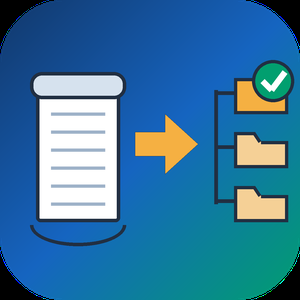
Bulk MBOX to PST Converter Software is a Windows mbox to pst converter for people moving their mail from Thunderbird to Outlook. Outlook has no way to read an mbox mailbox on its own: the import wizard knows PST and CSV, nothing else. The program takes the mailboxes you exported and writes a standard Unicode PST that Outlook mounts as a regular data file. All of the work happens offline on your PC, and Outlook can stay closed the whole time.
🛠️ How to use
1. Launch the program and load one mbox file or a whole batch. Thunderbird saves every mail folder as a separate file, most often without any extension.
2. Decide on the output. By default you get a separate PST for every mailbox. Tick the merge box to combine them, and each source lands in a top-level folder of its own, so two folders called Inbox stay apart.
3. Choose where the result should go and press start.
4. Back in Outlook, attach the file through the Open Outlook Data File command and browse your mail.
✅ Why IT and office teams pick it
- Mail never leaves the workstation. There is no upload step and no third-party server.
- Message subjects, both HTML and text versions of the body, sender and recipient fields, dates, the read or unread state and every attachment come across byte for byte.
- This mbox to pst converter parses the raw mailbox stream and skips the .msf index that Thunderbird keeps, so an archive with a broken index or a few manual edits still converts.
- A dozen mailboxes can go through in a single mbox to pst run instead of one at a time.
- The output follows the Unicode PST layout, and we checked it by opening the files in Outlook 2016.
👥 Who uses it
- Home users switching from Thunderbird who want ten years of family mail available in Outlook.
- Small offices that standardize on Outlook and need a PST for each employee's old mailbox.
- Anyone who inherited an archive from Eudora, Pine or mutt, Postbox, or an Apple Mail export and no longer has the original client.
- IT staff who want a plain mbox to pst converter for a one-time office migration.
❓ FAQ
Is there a way to open an mbox mailbox in Outlook without converting it?
No. Outlook reads PST and CSV only, so you convert mbox to pst first and then attach the PST.
What is the easiest way to get Thunderbird mail into Outlook?
Load the mailbox files from your Thunderbird profile, choose merged or separate output, save the PST and attach it in Outlook.
Does the PST open in Outlook for Microsoft 365?
It is a Unicode PST, the same kind of data file every desktop Outlook since version 2010 uses. Our own test ran in Outlook 2016.
Can several mailboxes be processed together?
Yes. Load them all at once and pick a single merged PST or one PST per mailbox.
💻 Free trial, no sign-up or account. Works on Windows 11, 10, 8.1, 8 and 7, both 32 and 64 bit, with 4 GB of RAM.

Batch HTML to PDF Converter Software is an HTML to PDF converter for Windows that takes a whole directory of saved .html, .htm and .xhtml pages and writes PDF files on your own PC. Each page travels with the resources folder the browser saved next to it, so pictures and style sheets end up in the document instead of blank boxes.
🔰 How to use it
1. Drag saved pages or a whole folder into the window and leave the resources folders where they are.
2. Pick PDF or TXT as the output format.
3. Tick Combine all pages into one PDF if you want a single document, and type its name under Combined file name.
4. Choose the output folder and press Start.
5. Read the summary when the queue finishes. Pages that failed to render are marked and counted there.
👍 Why IT and office teams pick this HTML to PDF converter
- Nothing is uploaded. The renderer starts with networking switched off, so internal reports and wiki dumps stay on the workstation.
- One press of Start handles the full list. The program does not stop to ask about each file.
- Resource folders named page_files, page.files, _fichiers or _dateien are recognised and copied along with their pages.
- Rendering goes through WebView2, the Chromium runtime that ships with Windows 11, so Grid and Flexbox layouts come out right.
- XHTML exported from Word or a content system goes into the same queue as .html and .htm files.
- A page that hangs gets 120 seconds, then the queue moves on without it.
- Very deep folder paths are staged in a short temporary location, so a long path does not turn into an empty sheet.
✅ Who uses it
- Finance and back-office staff who receive invoices, statements and period reports as HTML exports and file them as PDF.
- Web and documentation teams sending page proofs or a static docs build to reviewers as one PDF instead of a ZIP.
- Analysts who keep saved research pages and want dated copies that survive a reimaged drive.
- Support staff who need plain text from exported tickets for searching.
❓ FAQ
How do I batch convert HTML to PDF with this tool? Add the pages, choose PDF, set the output folder and press Start once. Every file in the queue is processed in turn.
Can several HTML files go into a single PDF? Yes. With the combine box ticked, pages are rendered one by one and joined in the order of the list on screen. Merging works for PDF output only.
Does it need an internet connection? No, it can convert HTML to PDF offline. Style sheets or fonts that a page loads from a remote server stay unresolved, so save pages with their folders.
Can it open a live URL? No. This HTML to PDF converter works with files already on your disk and does not download pages from the web.
ℹ️ Free trial converts three pages per day with no watermark, and the counter resets at midnight. Lifetime, one-year and business licenses remove the limit. The HTML to PDF converter runs on Windows 10 and 11.