AI-Generated Results
Finding matches…
DoorDesk Visitor Management System is a sophisticated and comprehensive solution designed to streamline the visitor management process for businesses of all sizes. With its user-friendly interface and powerful features, DoorDesk simplifies the check-in process, enhances security, and improves overall efficiency.
One of the key highlights of DoorDesk is its seamless check-in experience. Visitors can quickly and effortlessly register themselves upon arrival, eliminating the need for traditional paper-based logbooks and minimizing wait times. This not only improves the visitor experience but also reduces administrative burdens for staff.
Security is paramount, and DoorDesk ensures that businesses can maintain a safe environment. The system allows for the capture of visitor photos, enabling accurate identification and enhancing security protocols. Additionally, DoorDesk enables the printing of visitor badges, complete with custom branding, providing a professional and visually appealing representation of the company.
DoorDesk also offers advanced features to further enhance security measures. It allows visitors to sign non-disclosure agreements (NDAs) digitally, ensuring the protection of sensitive information. This feature is particularly valuable for businesses dealing with confidential data and intellectual property.
Effective communication is facilitated through DoorDesk's host notification feature. Upon a visitor's arrival, designated hosts receive real-time alerts, allowing them to promptly welcome and assist their guests. This feature ensures a warm reception and seamless coordination between hosts and visitors.
To simplify record-keeping and compliance, DoorDesk enables the scanning and storage of visitor IDs. This feature helps businesses maintain accurate visitor records while adhering to security and data privacy regulations.
DoorDesk's functionality extends beyond visitor management. It also includes mail and delivery management, enabling businesses to efficiently handle incoming mail and packages. This feature ensures proper tracking and notifications, enabling smooth logistics within the organization.
With its user-friendly interface and robust features, DoorDesk Visitor Management System offers a comprehensive solution to businesses seeking to optimize their visitor management processes. From streamlining check-in procedures to enhancing security and communication, DoorDesk empowers organizations to create a seamless and professional experience for their guests.
Not seeing what you're looking for?
Dive deeper into "Merlin Project" on G2 AI

The **FalconX XML Editor** is the ideal tool for anyone working with XML files. With its intuitive interface and powerful features, it offers an excellent user experience for both beginners and advanced developers.
### Intuitive and User-Friendly
Thanks to the clear and user-friendly interface of the FalconX XML Editor, users can work quickly and efficiently. Navigation through the various features is simple and logically structured, allowing even newcomers to get up to speed quickly.
### Lightweight and Fast
The FalconX XML Editor is designed to be lightweight, resulting in a quick installation and low system requirements. Even with large XML files, the performance remains high, ensuring smooth operation without delays.
### Powerful Features
#### Syntax Highlighting
The editor provides precise syntax highlighting, which significantly improves readability and error detection. Different tags and attributes are color-coded, making it easier to structure complex documents.
#### Bookmarks
With the bookmarking feature, users can mark important sections in their XML files and easily return to them. This is particularly useful when working with extensive documents.
#### Modified Line Marking
Track changes in real-time! Each modified line is marked, allowing you to keep track of your edits effortlessly.
#### Import and Export with Parameters
The FalconX XML Editor allows for easy XML data import and offers flexible export options with customizable parameters to meet the specific needs of your project.
#### Editing in the XML Document Object Model (DOM)
Edit your XML documents directly in the DOM to have precise control over the structure and contents of your files. This feature is especially useful for advanced users who need deeper manipulation of their XML data.
#### Node Navigation and Search
Navigate through the nodes of your XML document effortlessly. The search function allows you to find nodes based on specific parameters, and contextual search based on the currently selected node makes locating and editing specific data significantly easier.
### Easy Editing of Node Parameters
The FalconX XML Editor makes editing node parameters a breeze. With just a few clicks, you can adjust attributes and values without having to navigate through complex menus.
### Switch Between "RAW" Text and DOM Editing Modes
Easily switch between the "RAW" text editing mode and the DOM data model mode. The RAW mode is exceptionally robust against structural errors, providing flexibility and resilience when dealing with malformed XML data.
### Continuous Development and User Feedback
Our team continuously works on improving the FalconX XML Editor and adding new features. We highly value user feedback and regularly incorporate suggestions and improvements to make the editor even more powerful and user-friendly.
Discover the efficiency and minimalistic design of the **FalconX XML Editor** and optimize your work with XML files. Your feedback is important to us to continually develop the product and tailor it to your needs.
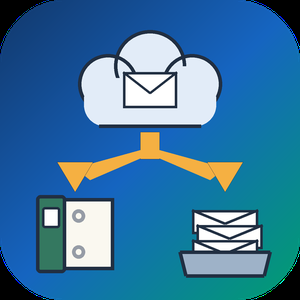
Gmail Backup & Export Software to PST and MBOX is a Windows desktop program for people who want a Gmail backup on their own disk and not only in the cloud. It connects to the mailbox over IMAP, shows each folder and label together with how many messages it holds, and writes whatever you tick as EML, MBOX or PST files. That makes it a practical route for Gmail backup export to PST and MBOX. Run it again later and it fetches only the messages that arrived since the previous pass, without downloading the rest again.
🛠️ How to use
1. Install the program and click Connect Gmail account.
2. Enter your address and a Google app password. Google issues one only after 2-Step Verification is switched on.
3. Tick the folders and labels to save, then pick EML, MBOX or PST and a target folder on any drive.
4. Click Start backup. Next time, open the same mailbox and click Download new emails.
💼 Why IT and office teams pick it
• The program writes the PST itself, so the machine doing the export to PST does not need Outlook installed.
• Access is read-only. Nothing in the account gets erased, moved or flagged as read, and messages come down to the PC directly, with no stop on third-party servers.
• A stopped or dropped run picks up at the same message. The program retries a lost connection several times and checks free disk space before it starts.
• Every Gmail label turns into a folder in the backup, so sorting by client or project carries over to disk.
• Presets cover Yahoo Mail and iCloud Mail, and any other IMAP server can be added by host, port and encryption.
👥 Who uses it
Home users keeping ten or more years of personal mail, freelancers whose client threads are sorted by Gmail labels, and the person who maintains PCs for family or a small office and runs a Gmail backup for several mailboxes one after another.
❓ FAQ
Does Gmail support PST files?
No. Gmail neither opens nor creates PST. This tool reads your mail over IMAP and builds the Outlook data file locally during the Gmail backup.
How do I backup my entire Gmail?
Tick every folder and label you use. All Mail is unticked by default so labeled messages are not stored twice, and you can tick it as well if you archive mail without labels.
How do I back up a very large Gmail mailbox?
Google sets a daily ceiling on IMAP downloads per account. When a run reaches it, the program stops and says so, and clicking Continue backup on another day resumes from that point.
Can I keep a Gmail backup on an external drive?
Yes. Any folder works as the target, including one on a USB disk, and later runs keep adding new messages to that same copy.
🆓 Free trial and system requirements
The free trial keeps the 25 most recent messages per folder, with no time limit. You need Windows 10 or 11, 64-bit, and a personal Google account with an app password to sign in.

An AI-powered assistant that integrates ChatGPT directly into your browser, automating daily tasks and workflows with advanced AI and agent capabilities. Boost productivity effortlessly with intelligent automation tailored to your needs.

Kai is an always-on AI executive assistant for founders, freelancers and solopreneurs. It watches your inbox, calendar and calls, and comes to you when something needs you. An investor wants to move your 2:00? Kai moves it on your yes and drafts the reply. On a call, what you promise becomes a task, with no bot joining. Workflows run chores like a morning brief, even with Kai closed. Nothing is sent without your OK. Web, Mac, iPhone, Android. Free trial, no card, then from $20/mo.





Genpire is the world’s first AI-to-Factory platform built for professionals, brands, and manufacturing teams. It transforms product ideas into factory-ready designs, tech packs, and sourcing connections — all in one place.
Genpire enables design and production teams to generate and refine product concepts using AI, create detailed technical documentation, and connect directly with vetted suppliers for production. The platform eliminates costly iterations, accelerates go-to-market timelines, and allows teams to explore new product categories without expanding design resources.
Built for brands, design agencies, OEMs, and factories, Genpire supports eight core categories — Apparel & Fashion, Accessories & Jewelry, Home Goods & Décor, Footwear, Furniture, Beauty Products, Sports & Fitness, and Toys & Gadgets — and delivers outputs that meet real-world manufacturing standards.
With integrated collaboration tools, credits-based scalability, and continuous AI optimization, Genpire serves as a central workspace for product innovation, collaboration, and supplier engagement, making it a powerful solution for companies seeking to streamline their entire product-development lifecycle — from idea to production.

Reepl is a free Chrome extension that acts as your native LinkedIn co-pilot and helps you create, engage & prospect better - without ever leaving LinkedIn.