

Compare this with other toolsSave it to your board and evaluate your options side by side.
Save to board

YakChat Reviews & Product Details

Profile Status

This profile is currently managed by YakChat but has limited features.

Are you part of the YakChat team? Upgrade your plan to enhance your branding and engage with visitors to your profile!

Pricing

Pricing provided by YakChat.

Starter

$4.95
1 Users Per Month

Standard

$9.95
1 Users Per Month

YakChat Media

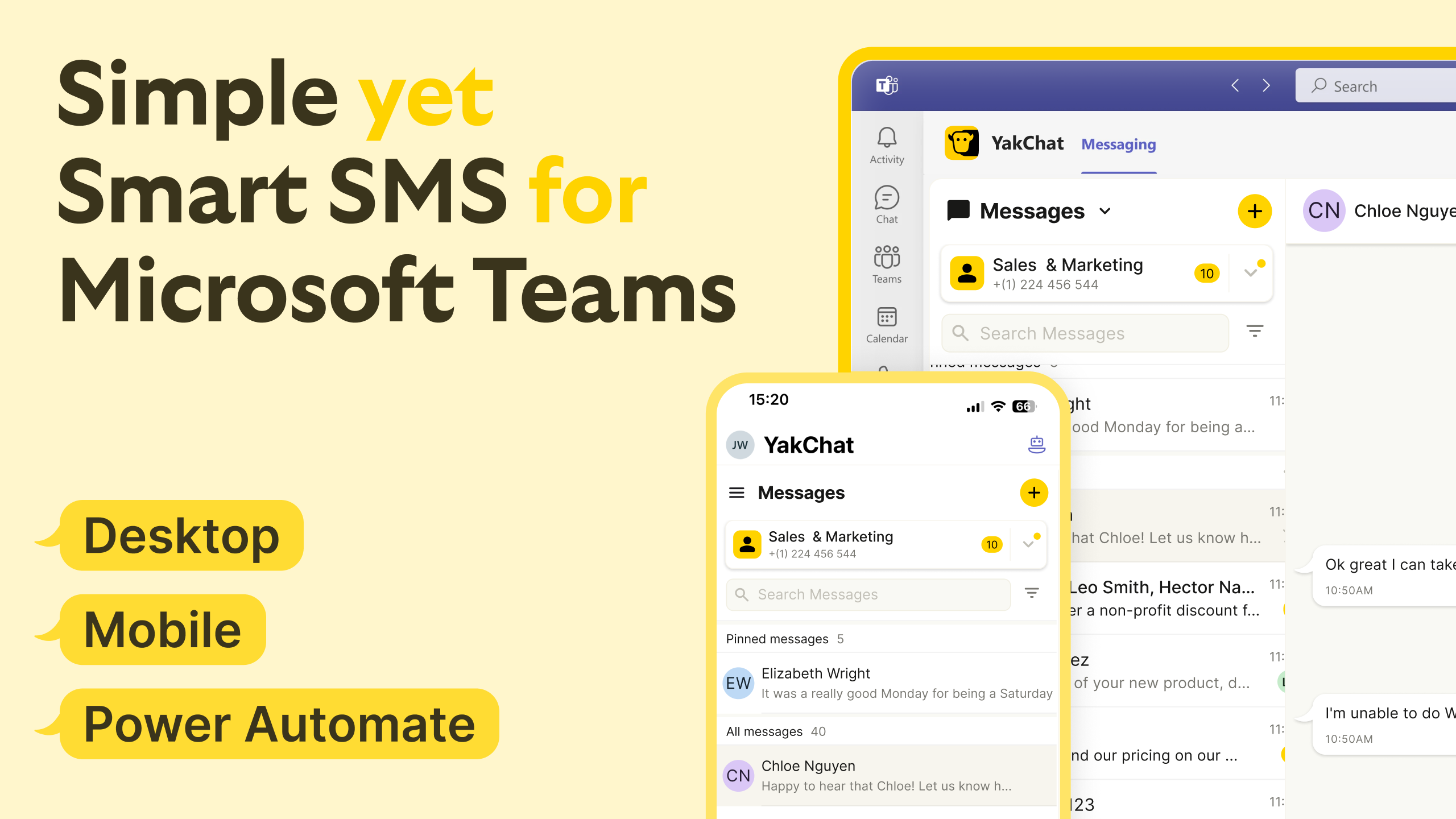
YakChat Demo - Simple yet Smart SMS for Microsoft Teams
YakChat brings simple yet smart SMS/RCS & WhatsApp to Microsoft Teams. Manage conversations on desktop, mobile, or via Power Automate, with shared inboxes, text translation, and many more cutting-edge features. Send and receive texts directly in Teams to streamline sales, support, and notific...
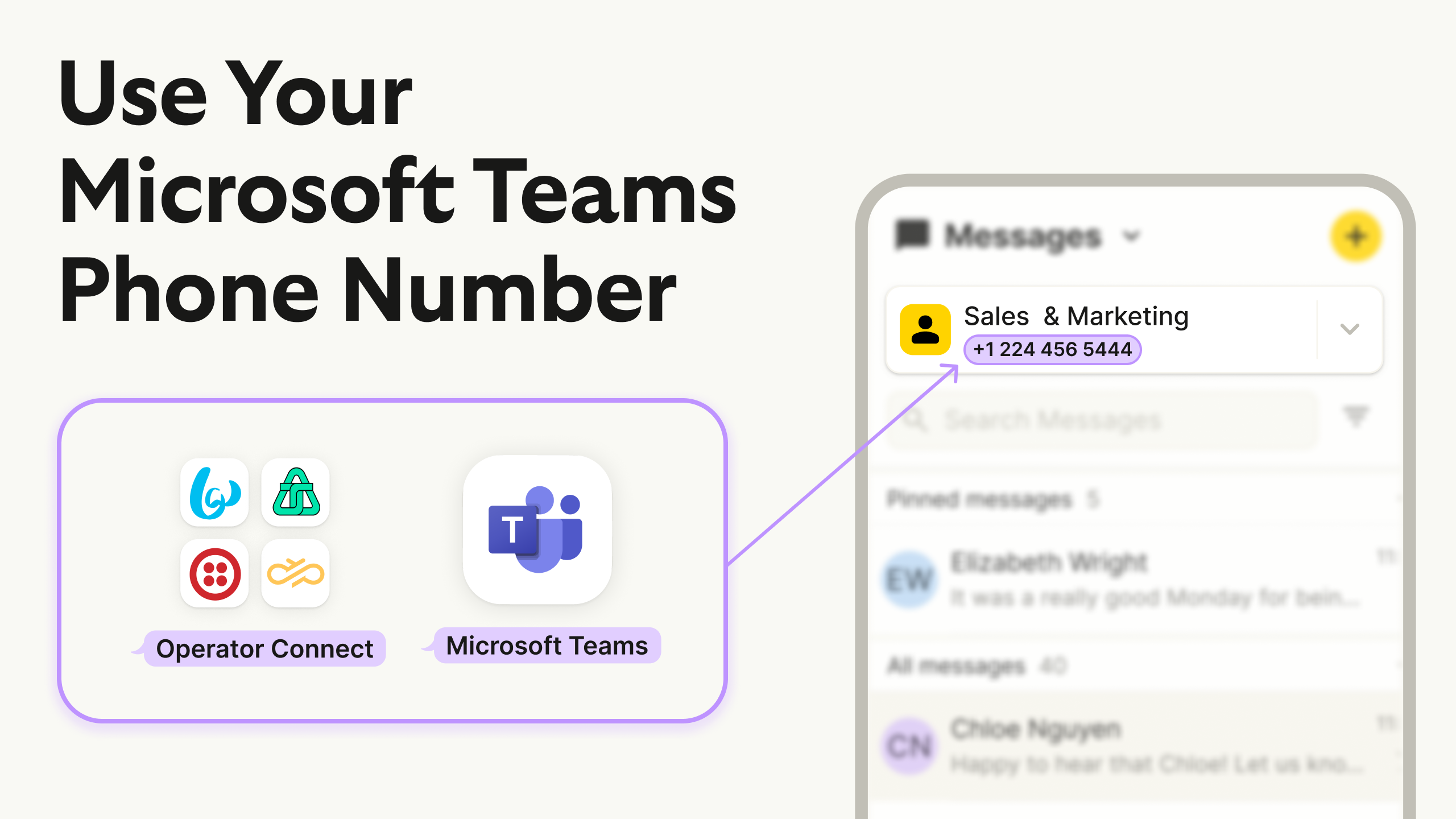
YakChat Demo - Use your Microsoft Teams Phone Number
With YakChat, text from your existing Microsoft Teams phone number or any other supported carrier. Connect it and start sending/receiving SMS/RCS in Teams—no new numbers or apps.
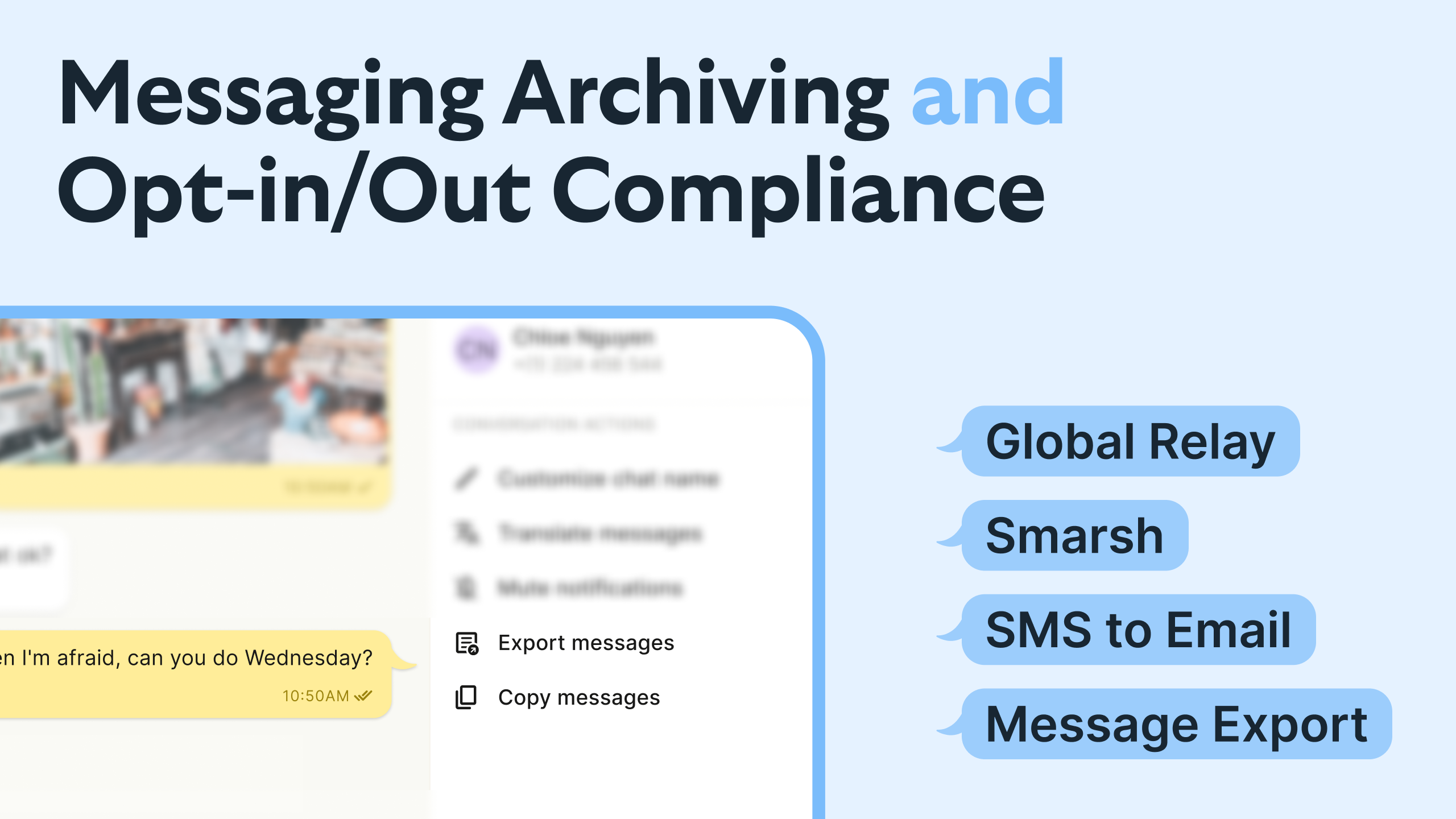
YakChat Demo - Messaging Archiving and Opt-In/Out Compliance
YakChat helps Teams stay compliant with SMS. Capture and archive conversations with Global Relay or Smarsh, or forward SMS/RCS & WhatsApp messages to email. Respect opt-in/opt-out with built-in controls, and export message histories for audits or retention policies. Keep regulated communicati...
Product Avatar Image

Have you used YakChat before?

Answer a few questions to help the YakChat community

YakChat Reviews (16)

Reviews

YakChat Reviews (16)

4.3
16 reviews

Review Summary

Generated using AI from real user reviews
Users consistently praise the easy setup and convenience of YakChat, allowing seamless communication within Microsoft Teams. The integration helps streamline workflows, making it easier to manage SMS without switching apps. However, some users note that the reporting tools could be improved for better message tracking.

Pros & Cons

Generated from real user reviews
View All Pros and Cons
Search reviews
Filter Reviews
Clear Results
G2 reviews are authentic and verified.
EM
Small-Business (50 or fewer emp.)
"Streamlined Business Messaging with Reliable Shared Inboxes"
What do you like best about YakChat?

I mainly use YakChat for business-style messaging, especially to send and receive SMS directly from platforms like Microsoft Teams without switching apps. It's super useful for keeping everything in one place. I like that it offers all-in-one messaging, including SMS, MMS, and even WhatsApp integration in one place. One of my favorite features is that it works inside Teams, so there's no need to leave my workflow. The shared inbox is a great help for teams handling customers, preventing confusion over who has replied and fostering faster response times. This makes the team more efficient and helps provide quick, reliable service to customers. The shared knowledge aspect is also fantastic, as everyone can see the full conversation history, learn from responses, and maintain consistency. I appreciate the cross-device syncing for smooth transitions between desktop and mobile, and it's crucial that YakChat is secure and compliant, allowing messages to be archived and audited. Setup was quite easy and reliable, which is great. Review collected by and hosted on G2.com.

What do you dislike about YakChat?

More business-focused: Not really for casual chatting. Requires setup/account: Not plug-and-play like normal messaging apps. Limited availability: Only supported in certain countries. Review collected by and hosted on G2.com.


Alman L.
AL
Head of Marketing Automation & CRM Strateg
Computer Software
Mid-Market (51-1000 emp.)
"Seamless CRM Integration with Solid Compliance Features"
What do you like best about YakChat?

What stands out most to me is how seamlessly YakChat integrates compliant business SMS directly into our existing CRM and marketing automation workflows—without forcing our team to learn a whole new platform. The GDPR and BDSG compliance built into every messaging feature saves us countless hours on manual consent management and data governance, which is critical for our German B2B operations. I also really value its reliable automation capabilities; we trigger personalized follow-ups, meeting reminders, and transactional alerts automatically, keeping leads engaged while reducing repetitive work. The delivery reliability is consistently strong, and having all customer messaging logged centrally in our CRM gives us full visibility and keeps sales and marketing aligned. Review collected by and hosted on G2.com.

What do you dislike about YakChat?

What I find could be improved mainly lies in localization and advanced automation flexibility. First, the platform lacks more granular customization options for GDPR/BDSG compliance workflows specific to German market requirements, such as tailored consent logs and data deletion processes that align fully with local regulatory expectations. Second, its advanced marketing automation builder is less robust compared to dedicated martech tools; creating complex, multi-branch SMS nurture sequences tied to CRM lead scoring requires extra workarounds. Third, reporting and analytics are somewhat basic—we’d benefit from more detailed metrics around SMS engagement in the DACH region and better native reporting exports for compliance audits. And while integrations with core CRM tools work well, support for smaller, regional European martech tools is limited, which creates minor workflow gaps for our team. Review collected by and hosted on G2.com.

Harshul S.
HS
Sr tech support
Enterprise (> 1000 emp.)
"Makes SMS Easy Inside Teams Just Needs Better Reporting"
What do you like best about YakChat?

It’s super convenient. I can send and receive texts right inside Microsoft Teams without switching apps. Setup was quick, and it just works. Great for staying in touch with people who prefer texting over email.It saves time. I don’t have to juggle between my phone and computer to manage SMS. It’s especially useful for team coordination and client updates. Review collected by and hosted on G2.com.

What do you dislike about YakChat?

The reporting tools could be better, I wish I could track message delivery and replies more easily. Also, the mobile experience isn’t as smooth as desktop. It could use more customization options for auto-replies and message templates. Review collected by and hosted on G2.com.

PJ
Software Developer
Computer Software
Enterprise (> 1000 emp.)
"Simple and Reliable Messaging Tool"
What do you like best about YakChat?

Honestly, the best thing about YakChat is how effortlessly it lets me text customers from my desktop. It just works smoothly and makes communication much quicker Review collected by and hosted on G2.com.

What do you dislike about YakChat?

The only thing I dislike about YakChat is that the interface can feel a bit basic at times. Review collected by and hosted on G2.com.

Sangam M.
SM
Associate
Automotive
Enterprise (> 1000 emp.)
"User-Friendly Design: Designed for immediate"
What do you like best about YakChat?

Instead of switching apps, users can send and receive text messages directly within their familiar Microsoft Teams, Outlook, or Webex interfaces. Review collected by and hosted on G2.com.

What do you dislike about YakChat?

For users who prefer the Activity Feed, notifications do not currently work on the Teams mobile app. Review collected by and hosted on G2.com.

Rahul  k.
RK
Student of B.tech computer science
Computer Software
Small-Business (50 or fewer emp.)
"Yakchat"
What do you like best about YakChat?

Ease of Use: YakChat is designed for ease of use, allowing users to manage and respond to conversations from a familiar interface within Teams or Webex.

Security: Access to YakChat is secure through Microsoft Teams SSO and Entra ID, eliminating the need for separate credentials.

Affordability: YakChat is noted for its competitive pricing, often undercutting competitors, making it a budget-friendly option. Review collected by and hosted on G2.com.

What do you dislike about YakChat?

I am using this since 3 month,

I never faced any problems that's why I say nothing. Review collected by and hosted on G2.com.

Earl D.
ED
L3 Engineer
Information Technology and Services
Mid-Market (51-1000 emp.)
"One Place for All Our 2FA/OTP Codes Across Accounts"
What do you like best about YakChat?

We used it for all our 2FA/ OTP codes, for all our different accounts. Review collected by and hosted on G2.com.

What do you dislike about YakChat?

Quite a few outages, which affects the abillity for logging into sites. Review collected by and hosted on G2.com.

RAVI S.
RS
Software Engineer
Computer Software
Small-Business (50 or fewer emp.)
"Convenience inside Teams/Webex"
What do you like best about YakChat?

No need to juggle phones or open a separate texting platform. Messages pop up where I already work.If I’m on leave, a teammate can pick up replies without losing track. Very useful for customer support. Review collected by and hosted on G2.com.

What do you dislike about YakChat?

It works, but compared to modern messaging apps, the interface looks clunky and isn’t as smooth and sometimes messages don’t refresh immediately — I had to reload or wait before seeing incoming SMS. Review collected by and hosted on G2.com.

RC
Operations manager
Small-Business (50 or fewer emp.)
"Great option to benefit your business"
What do you like best about YakChat?

It was very quick and easy to get set up and implemented on our app. Review collected by and hosted on G2.com.

What do you dislike about YakChat?

Sometimes when we need specific request to the user interface being made it can take some time to action Review collected by and hosted on G2.com.

Sachin Kumar M.
SM
MERN Stack Developer
Mid-Market (51-1000 emp.)
"Very Simple and smart messaging tool"
What do you like best about YakChat?

Its integration with Microsoft Teams is excellent. I find it very easy to use and extremely helpful. I use it daily, and I’ve also found the customer support to be very helpful. Review collected by and hosted on G2.com.

What do you dislike about YakChat?

There’s really nothing to dislike here; I found it very useful. Review collected by and hosted on G2.com.

People Icons

Start a Discussion about YakChat

Have a software question? Get answers from real users and experts.

Start a Discussion

Pricing Options

Pricing provided by YakChat.

Starter

$4.95
1 Users Per Month

Standard

$9.95
1 Users Per Month

Professional

$17.95
1 Users Per Month
YakChat Features
Notifications
Search
Mobile Application
Video Conferencing
Text Summarization
Smart Notifications
Product Avatar Image
YakChat