


CourseEval HQ

By Etudes

Unclaimed Profile

Claim CourseEval HQ profile for Free

Your G2 page is often the first place buyers evaluate you. Take control of how your brand shows up.

WHAT YOU UNLOCK

Control your profile

Update logo, screenshots, pricing info

Engage with customers

Respond to reviews, build trust with prospects

See buyer activity

Track who’s viewing, understand engagement

Collect reviews

Create landing page and collect reviews

Sellers who actively manage their G2 profile build more trust and convert more buyers

4.0 out of 5 stars
5 star
0%
3 star
0%
2 star
0%
1 star
0%

How would you rate your experience with CourseEval HQ?

This product hasn't been reviewed yet! Be the first to share your experience.
Leave a Review
Compare this with other toolsSave it to your board and evaluate your options side by side.
Save to board

CourseEval HQ Reviews & Product Details

CourseEval HQ Media

CourseEval HQ Demo - Etudes
Etudes
CourseEval HQ Demo - Etudes
Etudes
CourseEval HQ Demo - Etudes
Etudes
Product Avatar Image

Have you used CourseEval HQ before?

Answer a few questions to help the CourseEval HQ community

CourseEval HQ Reviews (1)

Reviews

CourseEval HQ Reviews (1)

4.0
1 reviews
Search reviews
Filter Reviews
Clear Results
G2 reviews are authentic and verified.
Verified User in Higher Education
UH
Small-Business (50 or fewer emp.)
"Online Learning w. Etudes"
What do you like best about CourseEval HQ?

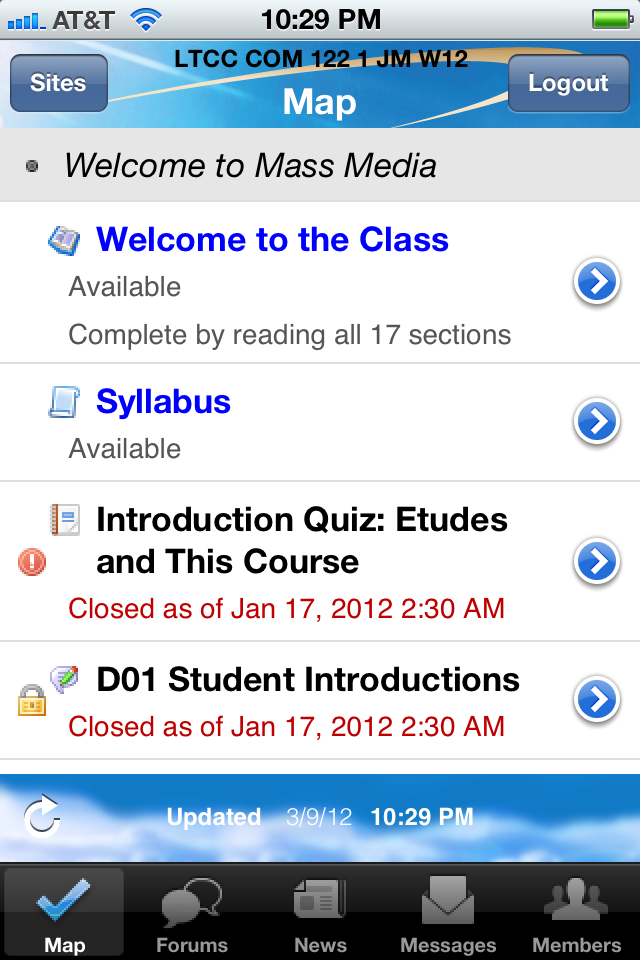
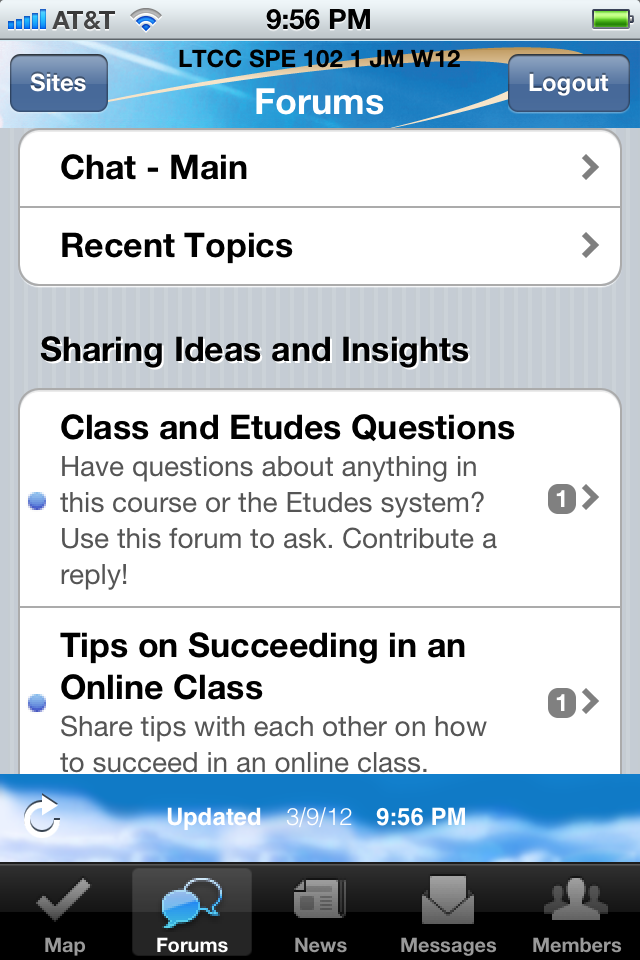
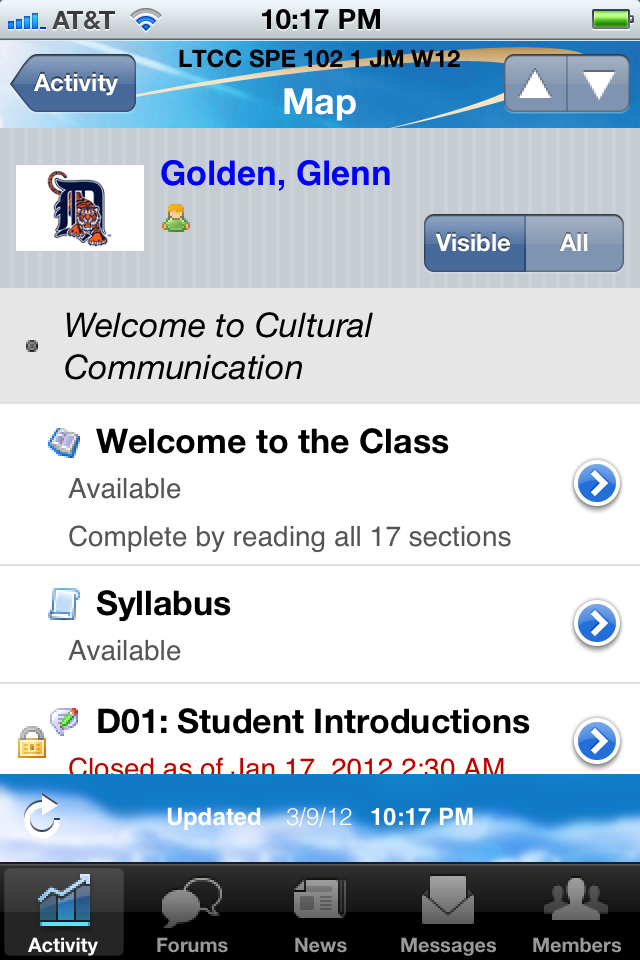
I used Etudes for the first time in community college. It was easy to navigate and served multiple tools for an online course. There's the usual course map and annoucements, uploading homework and checking your grades, but there was also a discussion forum (in which my instructor required us to post and comment for credits) and private messaging (esp. useful for contacting your different professors when you don't want to remember or confuse them). I mean everything is very straightforward. No hidden functions, at least not for my online classes. Review collected by and hosted on G2.com.

What do you dislike about CourseEval HQ?

I don't think there was an email notification function. Meaning if there is a course announcement or if the professor replies to your PM, you have to login to your Etudes account to find out. Which also means it is easy to miss a course updated if you don't read the updates page. Or you have to stay logged in and wait by your PM for your professor's reply. Review collected by and hosted on G2.com.

There are not enough reviews of CourseEval HQ for G2 to provide buying insight. Below are some alternatives with more reviews:

1
Blackboard Logo
Blackboard
4.0
(1,064)
Blackboard is a scalable, reliable foundation for a world-class learning experience. Our flexible learning platform enables you to extend online learning, increase engagement and optimize learning outcomes.
2
Canvas LMS Logo
Canvas LMS
4.4
(1,831)
Canvas LMS is built to make teaching and learning easier for everyone, from the littlest learners to college faculty to business leaders. Learn more about how Canvas works with your institution.
3
iSpring Suite Logo
iSpring Suite
4.6
(792)
iSpring Suite combines everything needed to create professional training content. Available both as a PowerPoint add-in and a cloud workspace, it offers an intuitive layout, flexible plans, and a full set of tools for designing modern courses, while making the process faster and more cost-effective.
4
Mentimeter Logo
Mentimeter
4.7
(783)
Mentimeter is a powerful collaboration and presentation software featuring unlimited votes, polls, word clouds, multiple choice questions, quiz and more.
5
Vevox Logo
Vevox
4.7
(426)
Vevox brings out the best in presenters and audiences, giving everyone an equal chance to be heard. Honest uninhibited feedback is received through intuitive live polling, text Q&A and self-paced surveys on any mobile device.
6
Kahoot! Logo
Kahoot!
4.6
(402)
Create a fun learning game in minutes (we call these kahoots), made from a series of multiple choice questions.
7
PowerSchool Schoology Learning Logo
PowerSchool Schoology Learning
4.4
(394)
Schoology Learning is a leading Learning Management System (LMS) supporting curriculum delivery and collaboration between teachers, students, and parents.
8
GoReact Logo
GoReact
4.7
(339)
GoReact is an easy-to-use skill mastery and assessment solution that combines cloud-based video recording and sharing, feedback and content, and analytics tools to humanize and simplify skills-based learning for learners and educators everywhere.
9
AhaSlides Logo
AhaSlides
4.7
(329)
AhaSlides is an interactive presentation software for your class, meetings and events. We make it easy to add polls, live charts, fun quizzes, engaging Q&A sessions to your presentation. So you can be a real star on stage
10
Google for Education Logo
Google for Education
4.7
(321)
Google for Education is a comprehensive suite of tools and services designed to enhance teaching and learning experiences for educators and students worldwide. By integrating Google's powerful applications with educational methodologies, it fosters collaboration, creativity, and critical thinking in classrooms. The platform offers a range of resources tailored to meet the diverse needs of educational institutions, from primary schools to universities. Key features and functionalities include: - Google Classroom: A centralized platform that streamlines assignment creation, distribution, and grading, facilitating seamless communication between teachers and students. - G Suite for Education: A collection of productivity tools such as Gmail, Docs, Sheets, Slides, and Drive, enabling real-time collaboration and efficient document management. - Google Meet: Secure video conferencing capabilities that support virtual classrooms and remote learning sessions. - Chromebooks: Affordable, durable laptops optimized for educational use, providing quick access to learning resources and applications. - Google Forms and Quizzes: Tools for creating surveys, quizzes, and assessments to monitor student progress and gather feedback. - Google Sites: A platform for building websites to share information, resources, and student projects. The primary value of Google for Education lies in its ability to create an interactive and inclusive learning environment. It addresses challenges such as limited access to resources, the need for personalized learning experiences, and the demand for efficient communication channels. By leveraging cloud-based technology, it ensures that educational content is accessible anytime, anywhere, promoting equity and continuous learning opportunities for all students.
Show More

Questions about CourseEval HQ? Ask real users or explore answers from the community

Get practical answers, real workflows, and honest pros and cons from the G2 community or share your insights.

GU
Guest User

What is CourseEval HQ used for?

Pricing

Pricing details for this product isn’t currently available. Visit the vendor’s website to learn more.

Product Avatar Image
CourseEval HQ