

Amita Jain
Amita Jain is a Senior Writer at G2, where she tests and evaluates software to help buyers make sense of the technologies businesses rely on. She brings over five years of technology writing experience, more than a decade as an editor, and a journalism background covering business and education policy. Her interests span finance, data, and marketing technologies. Away from the keyboard, she’s happiest with a philosophical mystery or a blank canvas.
I evaluated 20+ tools to find the 8 best vector database software. These are Elasticsearch, Zilliz, Supabase, Weaviate, Pinecone, TiDB, PG Vector, and CrateDB.
Struggling to find the best vector database?
You're not alone. Whether you're building semantic search or a retrieval-augmented generation (RAG) pipeline for large language models, the category is crowded, and I found the vendor claims hard to separate on a first read.
At G2, we know what that feels like. Traditional relational databases weren't designed for high-dimensional vector data, and performance drops as embedding volumes grow, whether that data comes from natural language processing (NLP) workloads or internet of things (IoT) sensors.
We believe it shouldn't take days to find a vector database that delivers fast similarity search and integrates with your existing systems.
I teamed up with Shalaka Joshi, our resident expert on vector databases, and analyzed G2 review data on 23 vector database solutions. My read comes from what reviewers report, G2 Data, and product documentation. The goal is to match a database to your use case, whether that's personalized recommendations, anomaly detection, grouping similar documents or images, or similarity search over unstructured data.
Based on that analysis, here are the eight best vector database software options for 2026.
8 best vector databases in 2026: my top picks
-
Elasticsearch: Best for combining vector, full-text, and log search
A distributed search and analytics engine that runs vector queries alongside enterprise full-text and log workloads. (Paid plans start at $99/month for hosted)
-
Zilliz: Best for large-scale managed similarity search
A managed cloud service on the open-source Milvus engine, built for vector counts in the hundreds of millions. (Usage-based pricing; dedicated clusters start at $197/month) -
Supabase: Best for full app backends on Postgres
An open-source platform bundling a Postgres database, authentication, auto-generated APIs, and pgvector storage. (Paid plans start at $25/month)
-
Weaviate: Best for hybrid vector and keyword search
An open-source AI database that runs vector and keyword queries together, with built-in vectorization. (Paid plans start at $45/month) -
Pinecone: Best for zero-ops serverless RAG
A serverless vector database that manages indexing, scaling, and infrastructure automatically for RAG and semantic search. (Paid plans start at $20/month) -
TiDB: Best for relational data and embeddings in one database
A distributed SQL database that stores tables and vector embeddings side by side in one system. (Free tier; usage-based pricing) -
PG Vector: Best for adding vector search to existing PostgreSQL
An open-source Postgres extension for vector storage with exact and approximate nearest-neighbor search. (Free and open source) -
CrateDB: Best for real-time SQL on time-series data
A distributed SQL database querying time-series, JSON, full-text, and vector data in real time. (Paid plans start at $0.073/hour)
My top 8 vector database recommendations for 2026
A vector database is where AI applications keep their sense of similarity. Instead of matching exact keywords the way a relational database matches rows, it stores text, images, and audio as embeddings, long strings of numbers that capture meaning, and retrieves whatever sits closest to the question. That single capability is the machinery behind semantic search, recommendation engines, and RAG pipelines.
Across the reviews I analyzed, the same jobs came up repeatedly: feeding context to large language models, matching products to shoppers, and finding the near-duplicate document in a pile of millions.
The pile is the problem. In a recent study, 74% of enterprise IT leaders said they store more than five petabytes of unstructured data, and 61% ranked preparing that data for AI among their top priorities for the year.
Keyword search doesn't rank petabytes of documents by meaning; that workload is what this category was built for. My read of the reviews is that buyers reach for a vector database at the moment search stops finding what they know is in there.
How did we select and evaluate the best vector databases?
At G2, we rank software solutions using a proprietary algorithm that considers customer satisfaction and market presence based on authentic user reviews. The leading tools are featured in G2 Grid reports.
Our market research analysts and writers (Shalaka and me in this case) spent weeks reviewing each solution against the criteria set for the vector database category.
I shortlisted the top tools using G2 Grid Reports for Vector Database Software, then went through G2 reviews for each tool, examining how reviewers rate it on essential tasks like semantic search, data indexing, search accuracy, and filtering.
I also used AI to analyze hundreds of verified user reviews across the eight tools, gathering insights from what reviewers like best, what they dislike, and the business problems they solve with each database. These reviews clarified each software's strengths, weaknesses, and best-fit use cases.
Where a pattern looked strong, I cross-referenced it against G2 Data and each vendor's official product pages and pricing.
The reviewers behind them include the AI engineers, developers, and data teams who build semantic search, RAG pipelines, and recommendation systems, so the patterns I traced show how each tool holds up in production workloads.
The product screenshot I've included comes from official vendor pages, their G2 listings, and publicly available materials.
What I looked for in the best vector database this year (2026)
If I were choosing a vector database solution, here’s what I’d keep in mind:
- Search accuracy and relevance: Most vector databases use approximate nearest-neighbor search, which means they return very close matches quickly instead of checking every record for the perfect match. That speed comes at a small cost in precision, so I checked how well each product keeps results correct and consistent. I also looked at whether you can filter results by attributes like date or category without hurting the quality of the matches.
- Query latency: Latency is the time between sending a query and getting an answer. Recommendation engines and chat applications need answers in well under 100 milliseconds to feel instant, so I gave weight to products reviewers describe as fast on real workloads, and I noted where reviewers report response times becoming inconsistent as their data grows.
- Scale: These products range from free tiers for prototypes to platforms built for billions of embeddings. Vendors publish the maximum scale they support, but I compared those claims against the data volumes reviewers say they actually run in production, because the second number tells you more.
- Indexing and data management: Loading vectors is the easy part; keeping them current is harder. When your data changes, some products update the search index automatically, while others make you rebuild it or migrate your data structure by hand. Both chores show up repeatedly in the reviews I analyzed, so I favored products where routine updates don't interrupt the work.
- Fit with your AI stack: I checked which programming languages each product supports, whether it connects to the embedding models and LLM tools teams already use, and how it fits your existing setup. Some products here are standalone vector databases; others add vector search to a general-purpose database you may already run, such as PostgreSQL. That difference decides whether you're adopting a new system or extending one you have.
- Deployment and operations: A managed cloud service runs the database for you; self-hosted software gives you control but makes your team responsible for setup, scaling, and maintenance. I weighed that workload alongside the features. G2 Data shows most of these products go live in under a month with an in-house team, while Elasticsearch averages about three and a half months.
- Security and compliance: For customer-facing applications I looked for SOC 2 and HIPAA compliance, access controls that limit who can see or change data, and private networking. I also checked where each product can physically store your data, because companies in regulated industries often must keep data in a specific country or region; one reviewer in banking couldn't use a product's trial because it only stored data in the US.
The list below contains genuine user reviews from our best Vector Databases category page. To qualify for inclusion in the category, a product must:
- Provide semantic search capabilities
- Offer metadata filtering to improve the relevance of search results
- Provide data sharding for faster and more scalable results
*This data was pulled from G2 in 2026. Some reviews may have been edited for clarity.
Want to learn more about Vector Database Software? Explore Vector Database products.
1. Elasticsearch: Best for combining vector, full-text, and log search
Elasticsearch is a distributed search and analytics engine that runs vector similarity, full-text search, and log analytics on the same platform, self-hosted or on Elastic Cloud.
On G2, it has the largest Market Presence of any product here (97 on 100) and nearly 300 reviews behind it rate 4.5 out of 5. The reviewer mix skews bigger than the rest of the list too: financial services and telecom names sit alongside the usual software companies, and we weighed that when reading the praise.
Most teams don't adopt Elasticsearch for vector search alone, and the reviews show why that's its advantage. Reviewers describe collecting logs and metrics from many systems into one searchable platform, then adding vector search, machine learning, and alerting inside the same tool. A few reviewers piped metrics and logs from several clusters into a central deployment; another called it the tool that spares multiple teams from running separate systems. If you're already consolidating observability and search, vectors arrive nearly free.
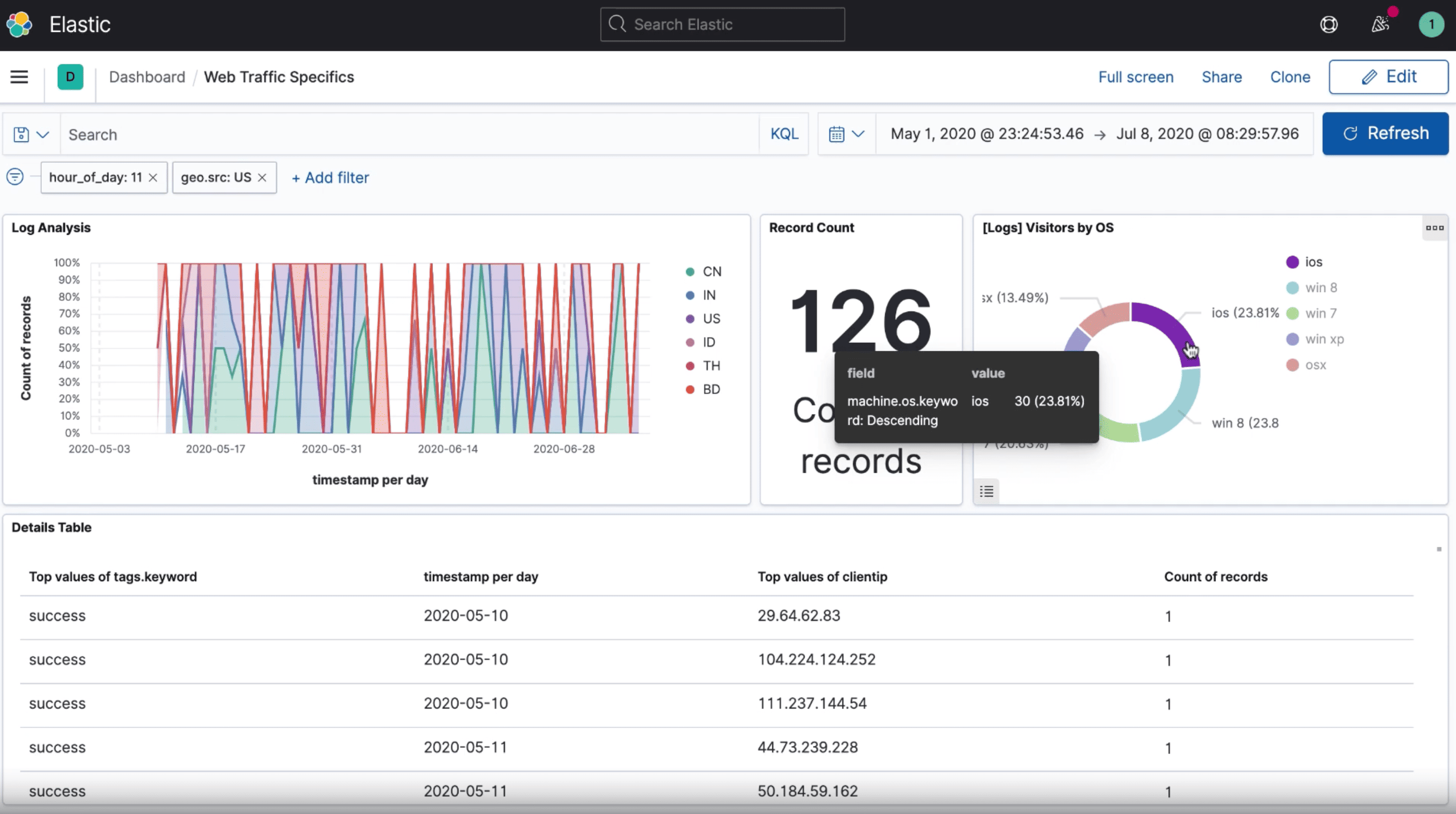
Performance on big data holds its reputation. Reviewers report fast, accurate results on very large volumes, finding an error in the logs within a minute, and near real-time queries under production load. G2 Data agrees: accurate search is its highest-rated feature at 95%. The query language handles the complex filtering and aggregation work that simpler engines push back to your application code.
The ecosystem is the third pillar: built-in integrations reviewers describe as compatible with most of their stack, Kibana dashboards for visualization and reporting, and a large community. In the reviews I analyzed, this is what turns the engine into a working platform: ingest, explore, visualize, and alert live in one place.
The power has a price, and reviewers are candid about it. Some users note the learning curve and mention getting the most out of it means understanding mappings, indexing strategies, and performance tuning. For a staffed platform or DevOps team, this is a known cost, and reviewers who've made the investment report years of dependable service; for a small team with one simple search need, it may be more machine than the job requires.
Elasticsearch is the pick I'd defend for an organization consolidating search, logging, and AI retrieval into one platform with enterprise controls. Teams that want only vector similarity, and nothing else, have lighter options on this list.
What we like about Elasticsearch:
- The consolidation story is the draw I'd cite first. G2 reviewers run logs, metrics, full-text, and vector search in one platform instead of three or four separate systems.
- Speed at volume keeps recurring in the reviews I analyzed, with reviewers reporting accurate results in near real time on production-scale datasets.
What G2 users like about Elasticsearch:
“It’s one of the best NoSQL databases on the market. It makes it easier to collect logs from many different sources and to define integrations for them. It provides many features within one tool like vector search, machine learning, alerting and a lot."
- Elasticsearch review, Vikas Kumar C.
What we dislike about Elasticsearch:
- Elasticsearch has a real learning curve before teams get the best out of it. Reviewers point to mappings, indexing strategy, query tuning, and performance optimization as areas that take time and search expertise. It's less suited to teams looking for a plug-and-play database, but a strong fit for technical teams that want fine-grained control over search relevance, scale, and performance.
What G2 users dislike about Elasticsearch:
“So far, we do not use many advanced features in Elastic at this moment. When we have to use a certain feature in Elastic. We have to study the methodology and check with the community for case reference."
- Elasticsearch review, Wayne S.
Want to see how Elasticsearch stacks up to the competition? Check out the top 10 Elasticsearch alternatives.
2. Zilliz: Best for large-scale managed similarity search
Zilliz is a cloud-native vector database built on Milvus, the open-source engine Zilliz created, sold as a managed service that handles cluster operations, indexing, and scaling for you.
It earned the highest Satisfaction score (97 on 100) in G2's vector database category, holding 4.7 out of 5 stars, with 98% of reviewers rating it 4 or 5 stars. When I cross-referenced that with its G2 Data, the standout was quality of support at 96%, well above the category average, which is not the score you expect from a product built for billion-vector workloads.
The theme running through the reviews I analyzed is speed that survives scale. Reviewers describe low-latency search on massive datasets, production environments serving millions of concurrent requests, and one team storing about 50 million vectors that calls the platform stable over a full year. If your embedding count has another zero or two coming, this is the headroom the rest of the lineup mostly promises rather than demonstrates.
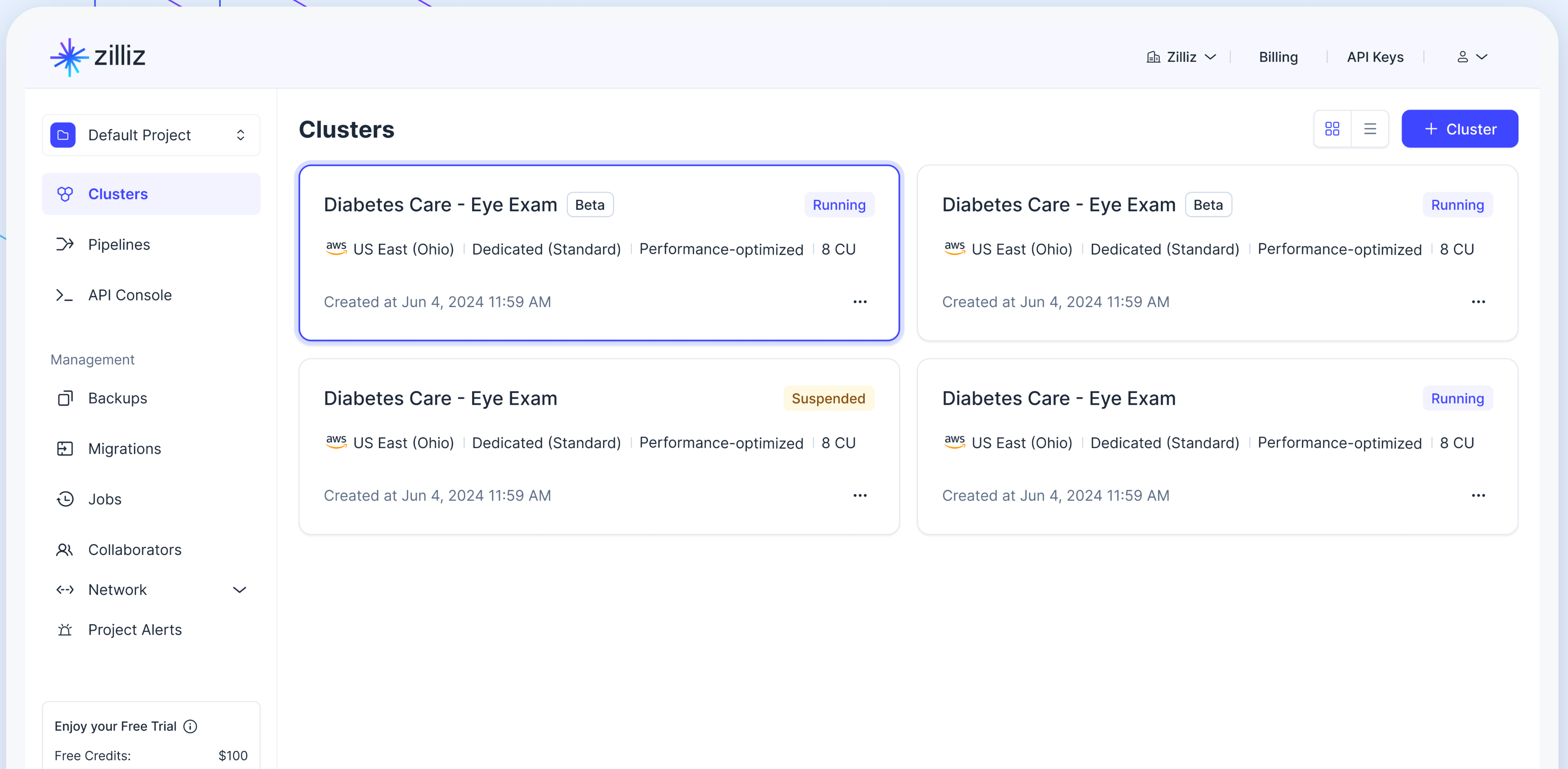
Hybrid retrieval is the feature reviewers single out next. Vector and keyword search combined in one query, so semantically similar results don't crowd out exact matches. Reviewers apply it to workloads as different as video-frame retrieval and knowledge-graph queries, and I'd weigh it heavily if your users search for part numbers and product names, not just concepts.
The support operation deserves its score. Reviewers describe responsive help during initial integration, a team that stays on an issue until it's resolved, and an active open-source community inherited from Milvus. I noticed the pattern across company sizes: teams get unstuck quickly, which matters for a product category where most buyers are setting one up for the first time.
Daily use draws almost no complaints. G2 reviewers call the platform straightforward. The friction I found sits past the basics: some users note that advanced configuration leans on thin documentation, asking for real-world examples, parameter explanations, and tuning guidance for large hybrid-retrieval workloads, and a few describe schema migrations and cluster sizing as slow, involved work. If your team runs standard managed workloads you may never open that part of the manual; teams planning heavy customization should expect some trial and error.
Zilliz is the product I'd shortlist when the roadmap says the vector collection will keep growing. It runs across AWS, GCP, and Azure, adds enterprise controls like RBAC and private networking on higher tiers, and because Milvus is open source, teams that ever want to self-host have a path that doesn't start over.
What we like about Zilliz:
- The scale story is what I'd lead with: reviewers report fast search on datasets from tens of millions of vectors up, and the year-over-year stability backs it up.
- Hybrid vector-plus-keyword retrieval keeps exact matches in the results, a capability reviewers use for everything from video search to compliance data, and one I found praised in multiple reviews.
What G2 users like about Zilliz:
“This product is quick, affordable, straightforward, and gets the job done. It's user-friendly and can easily scale to meet growing needs."
- Zilliz review, Issa M.
What we dislike about Zilliz:
- Routine operations are easy, but I kept finding reviewers who wanted deeper documentation once they pushed into advanced territory: performance tuning, schema changes, and large hybrid-retrieval setups take more trial and error than the getting-started experience suggests.
What G2 users dislike about Zilliz:
“I find that sometimes the documentation could be more detailed, especially for advanced configurations and performance tuning. They could include more real-world configuration examples, detailed parameter explanations, and best practices for optimizing performance with large-scale hybrid retrieval workloads."
- Zilliz review, Harold Y.
Want to compare Pinecone and Zilliz? Check out our detailed comparison of Pinecone vs. Zilliz to find what’s best for your business.
3. Supabase: Best for full app backends on Postgres
Supabase is an open-source backend platform built on PostgreSQL that bundles a database, authentication, file storage, and auto-generated APIs into one project, with vector search through the pgvector extension so embeddings sit next to your application data.
It holds a 4.7 out of 5 rating on G2, and 100% of its reviewers rate it 4 or 5 stars. The figure I kept returning to in the G2 Data is user adoption at 74%, the highest in this lineup. Plenty of software gets bought and then ignored; this number shows Supase is among the ones users keep using.
The core promise, repeated across the G2 reviews I analyzed, is a working backend in minutes instead of days. Reviewers describe starting a project and getting a real Postgres database, authentication, storage, and auto-generated REST APIs together, rather than stitching those services from separate vendors. For a small team validating an idea, that collapses the slowest phase of building a product into the first afternoon.
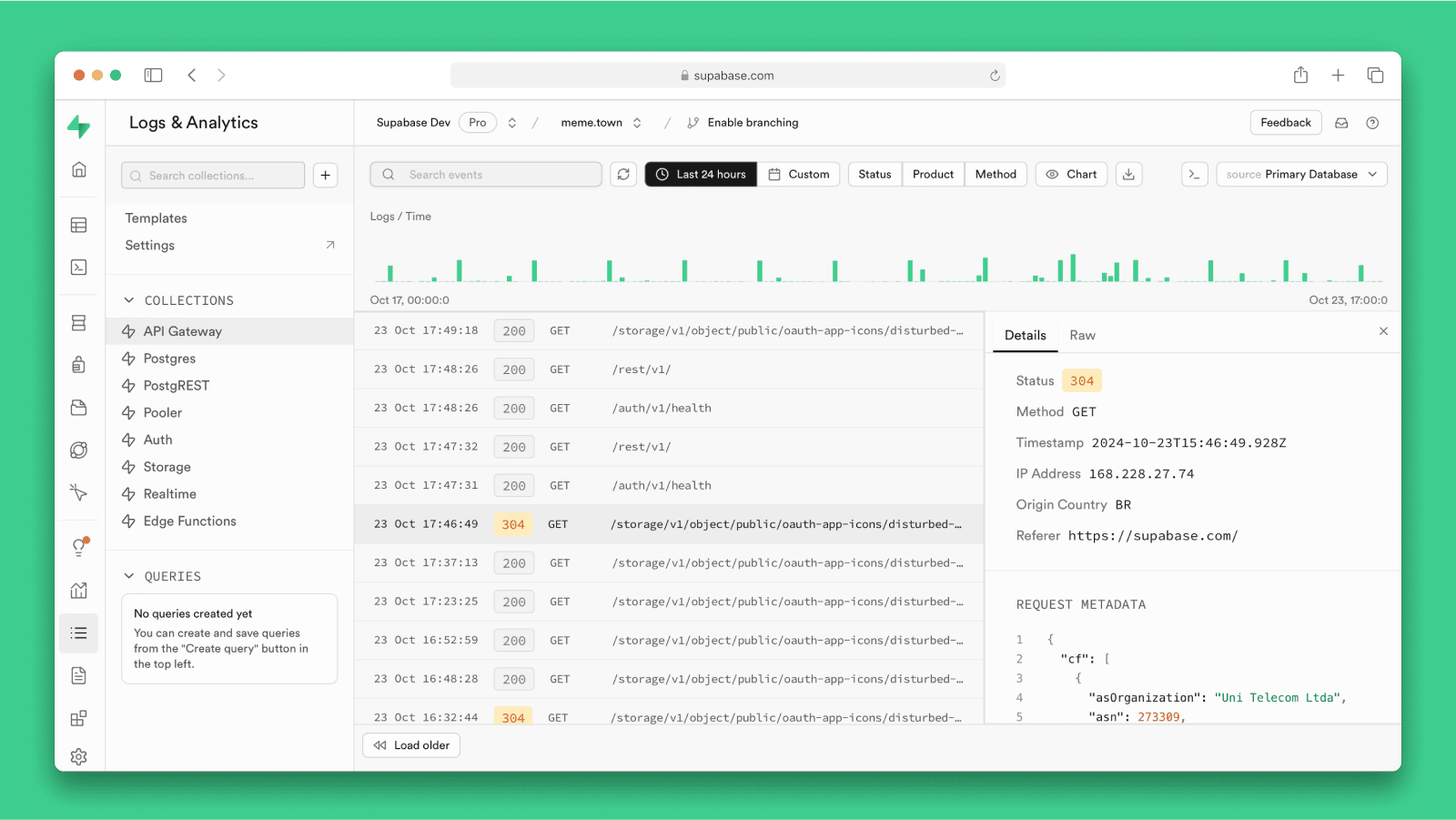
It also carries non-specialists further than most products here. A pattern I found across recent reviews is people shipping real applications without deep backend knowledge: mobile developers handling sign-ins with built-in two-step verification, and founders standing up prototypes without pulling a developer off other work. G2 Data agrees, putting ease of doing business with at 98%.
The free tier is a genuine workspace, not a trial. Reviewers call it unbeatable, and several mention running two projects without entering a card. I'd treat it as the evaluation environment: you can build the actual prototype, vectors included, before the first invoice conversation.
Prototypes and small tools run without complaint, and most reviewers report exactly that. As projects grow, though, some users note rough edges at scale: the dashboard's table editor lags on larger tables, and a few reviewers describe query slowdowns that needed manual indexing they didn't expect. Teams heading for bigger production workloads should plan to work in SQL directly; if you're building small internal tools, I saw no sign you'd ever notice.
For a small team that wants the entire backend, embeddings included, from one platform, Supabase is where I'd start. Because the platform is open source, outgrowing the hosted free tier doesn't mean abandoning the stack: you can move up a plan or self-host the same tooling.
What we like about Supabase:
- The all-in-one backend is the draw I'd cite first: reviewers get Postgres, authentication, storage, and APIs from a single project instead of stitching services together.
- Reviewers without backend experience ship real products on it, and that pattern showed up in recent reviews more often here than for any other product I analyzed.
What G2 users like about Supabase:
“What I like most about Supabase is how it brings so many backend essentials into one place. You get a full Postgres database along with Auth, Storage, Realtime, auto-generated REST APIs, Edge Functions, and vector support, which means you don’t have to stitch together a bunch of separate services just to get a product off the ground. That’s a big win when you want to move fast while still building on top of Postgres."
- Supabase review, Himanshu J.
What we dislike about Supabase:
- The dashboard can lag on larger tables, and some reviewers say growing workloads sometimes need manual indexing. For small projects, Supabase stays easy to work with; for teams comfortable in SQL, its Postgres base gives them room to tune performance as they scale.
What G2 users dislike about Supabase:
“"The dashboard gets slow to work in once a project grows. Larger tables lag in the table editor, and I end up dropping to SQL for things the UI should handle comfortably."
- Supabase review, Frederico M.
Want to compare Supabase and Zilliz? Check out our in-depth Supabase vs. Zilliz comparison to determine which is best for your business.
4. Weaviate: Best for hybrid vector and keyword search
Weaviate is an open-source AI database that runs semantic and keyword search together, with managed cloud, self-hosted, and local deployment options.
On G2, it holds a 4.6 out of 5 rating with 97% of its reviewers rating it 4 or 5 stars. What I'd flag first from my read of the reviews is who those people are: mostly software developers, and the praise concentrates on exactly the capability this entry is tagged for.
Weaviate's case starts with a hybrid search. Several G2 reviewers describe combining vector similarity with traditional keyword matching in one query, tuning the balance to fit the workload, and getting results that catch both meaning and exact terms. A few credit it with making retrieval-augmented applications faster to build and better in practice. If your search results need to respect precise vocabulary, product names, legal terms, and error codes, this is the entry I'd start with.
.png)
Its support and community are the strongest I found in this lineup. Recent reviewers describe a support team that takes ownership of tickets, an active Slack community, and in one account, four engineers assigned to a single cloud issue until it was resolved. For an open-source product, where support quality often depends on forum luck, that pattern stood out in review after review.
Setup runs short. Reviewers say they spin up a cluster and push data in quickly, and the built-in vectorization means you don't have to precompute embeddings elsewhere first; the platform's modules connect to models from OpenAI, Cohere, and Hugging Face and handle it inline. That cuts a whole integration step out of a first build.
While getting it running is fast; getting fluent takes longer. Some users note a learning curve around vector-search concepts and advanced configuration like schema design and sharding, and a few of those same reviewers makes the fair point that much of it comes with the category rather than the product. The strong documentation and support shorten the climb, and experienced ML teams won't feel it, but if this is your team's first vector database, budget learning time into the rollout.
For a developer team that wants hybrid search done properly, with the freedom to run the same database locally, self-hosted, or managed, Weaviate is the pick I'd defend in this lineup. The support behind it means choosing the open-source route won't mean you're on your own.
What we like about Weaviate:
- Hybrid search is the headline for me: reviewers combine semantic and keyword matching in one query and say it noticeably improves real-world retrieval.
- The support pattern in recent reviews is unusual for open source. Reviewers name responsive engineers and an active Slack community as reasons they stayed.
What G2 users like about Weaviate:
“I like Weaviate's ability to combine semantic vector search with traditional search capabilities in a scalable, developer-friendly platform. It makes building AI and retrieval-augmented applications much faster and more effective."
- Weaviate review, Nanthakumar M.
What we dislike about Weaviate:
- Standing up a cluster is quick, but I found repeated notes that mastering the concepts, embeddings, schema design, and sharding takes new teams some time. The documentation and support help, and the curve belongs partly to the category itself.
What G2 users dislike about Weaviate:
“The cloud pricing can scale up quickly if you’re handling large datasets, and the learning curve for more advanced features (like sharding or schema design) can be a bit steep for beginners."
- Weaviate review, Satvik K.
Want to compare Weaviate and Zilliz? Check out our detailed comparison of Weaviate vs. Zilliz to find what’s best for your business.
5. Pinecone: Best for zero-ops serverless RAG
Pinecone is a fully managed, serverless vector database for teams that want production-grade semantic search and RAG without running any infrastructure themselves.
It holds a 4.6 out of 5 rating on G2 and what stood out when I examined its G2 Data is how the scores cluster around effortlessness: ease of admin sits at 94%, above the category average, and data indexing is its highest-rated feature at 95%. That matches the story the reviews tell; this is the database you pick so nobody on your team has to become its operator.
The first problem Pinecone solves is operational. Reviewers describe a "zero-ops" experience: no servers to provision, no indexing algorithms to tune, and no re-sharding as datasets grow, because the serverless architecture scales on its own. Reading the recent reviews, I noticed even the praise is operational. What reviewers value most is the work they no longer do. For a small team, that's the difference between shipping an AI feature and staffing a database.
Speed holds up as data grows. Reviewers consistently report low-latency similarity search that stays steady as collections climb into the tens of millions of vectors, with some running millions of queries a day. Accounts of upserts and searches returning in milliseconds recur across the years of reviews I analyzed. If you're serving recommendations or chat responses in real time, this is the number that matters.
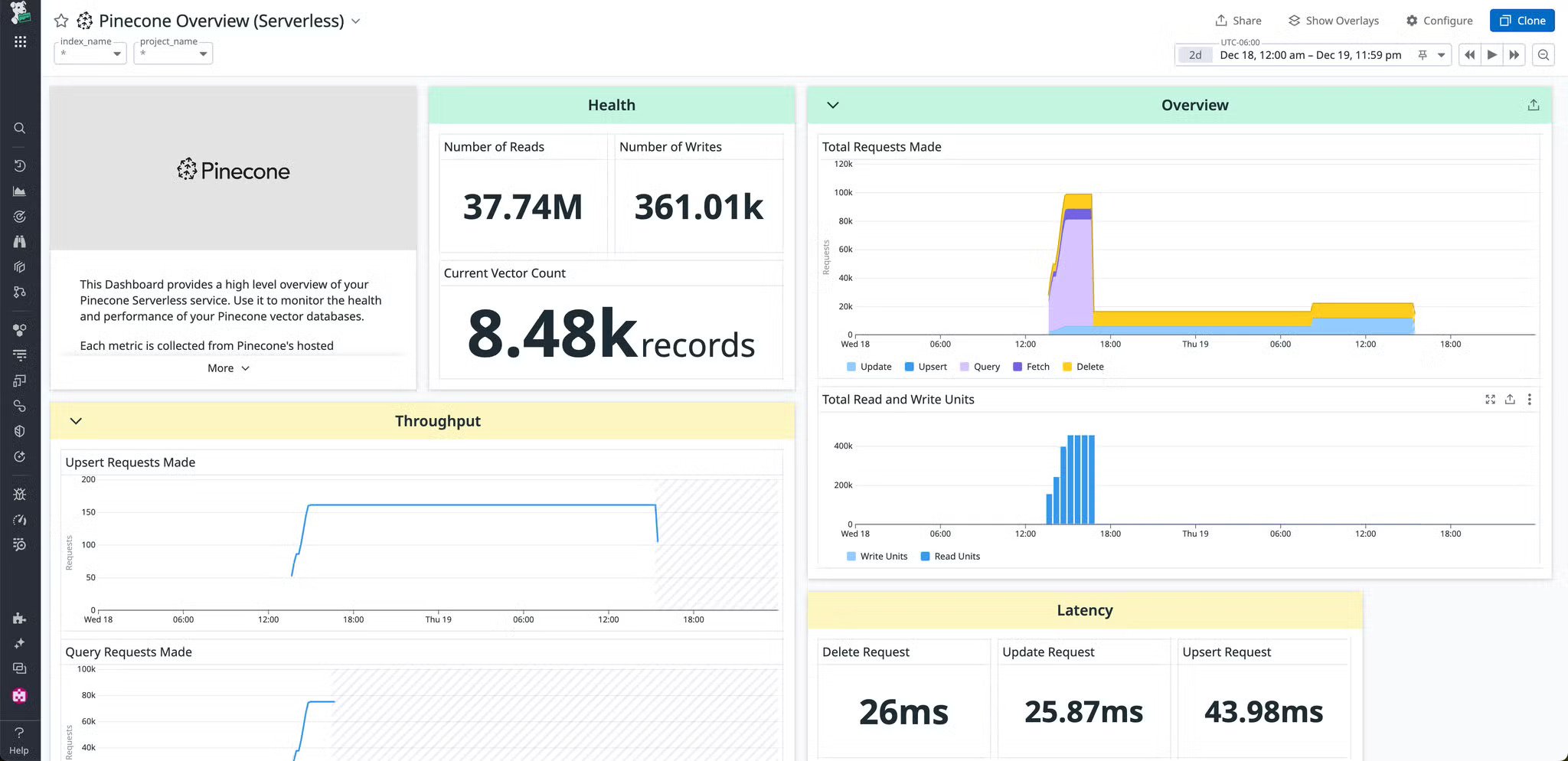
The on-ramp is short. With the free tier, Python and Node software development kits (SDKs), and integrations with artificial intelligence (AI) models from OpenAI, Anthropic, Cohere, and Hugging Face, reviewers describe standing up a working RAG pipeline and separating projects with namespaces before paying anything. I'd point any team validating an AI use case here first: the free tier is a real evaluation environment, not a demo.
Usage-based billing is part of what keeps Pinecone easy to start with, but it can make production costs harder to predict. Reviewers like the serverless model for keeping entry costs low, but some mention difficulty forecasting spend once workloads grow, especially when they need to price usage for clients or fixed-budget projects. That matters most for larger collections or customer-facing deployments with strict budget expectations. For teams prototyping, testing retrieval workflows, or scaling usage gradually, the same serverless model keeps Pinecone flexible without forcing a large upfront commitment.
If your team measures success by how fast an AI feature reaches users, Pinecone is the cleanest zero-ops route in this lineup. Small businesses are the bulk (85%) of its G2 reviewer base, but it leaves room to grow with SOC 2 and HIPAA compliance, deployment across AWS, GCP, and Azure with marketplace billing, and a bring-your-own-cloud option.
What we like about Pinecone:
- The zero-ops serverless design is what I'd lead with. Several reviewers say scaling, tuning, and re-sharding simply stop being their job.
- Reviewers get a RAG prototype running on the free tier with the Python SDK in a sitting, and that short on-ramp is the pattern I found most often in recent reviews.
What G2 users like about Pinecone:
“Pinecone’s biggest advantage is its “zero-ops” fully managed infrastructure, which lets developers build semantic search, RAG, and AI applications without needing to manually manage servers, tune indexing algorithms, or re-shard databases as their datasets grow."
- Pinecone review, Subham A.
What we dislike about Pinecone:
- Serverless keeps the entry price close to zero, but some reviewers mention struggling to forecast what a production workload will cost, particularly when they have to justify the spend to clients. That matters most for fixed-budget or client-facing projects; for teams prototyping and scaling gradually, the low-entry usage model remains a major advantage.
What G2 users dislike about Pinecone:
“The pricing is a little confusing. It’s hard to convince clients because the cost calculation feels overly complex. I also wish it offered self-hosting, due to privacy and data sovereignty concerns."
- Pinecone review, Verified G2 User in IT
Curious to see how Pinecone stacks up to the competition? Check out the top 10 Pinecone alternatives.
6. TiDB: Best for relational data and embeddings in one database
TiDB is an open-source distributed SQL database from PingCAP that stores relational tables and vector embeddings side by side, with MySQL compatibility and both serverless and dedicated cloud options.
On G2, it holds a 4.6 out of 5 rating across 60+ reviews, and none of them rate it below 4 stars. G2 Data adds a specific profile behind that number: 80% of its reviewers are small businesses, and in the reviews I analyzed they're typically small teams building AI products end to end, with TiDB as the single database behind the application.
The reviews repeat one architecture decision almost verbatim: structured data and embeddings in the same database, queried together. Some reviewers match resumes against candidate records, run semantic search over shelter listings while filtering on capacity and distance, and process telemedicine data without standing up a separate vector system. If your embeddings describe rows you already store, this is the consolidation the tag promises, and the reviews I read back it up.
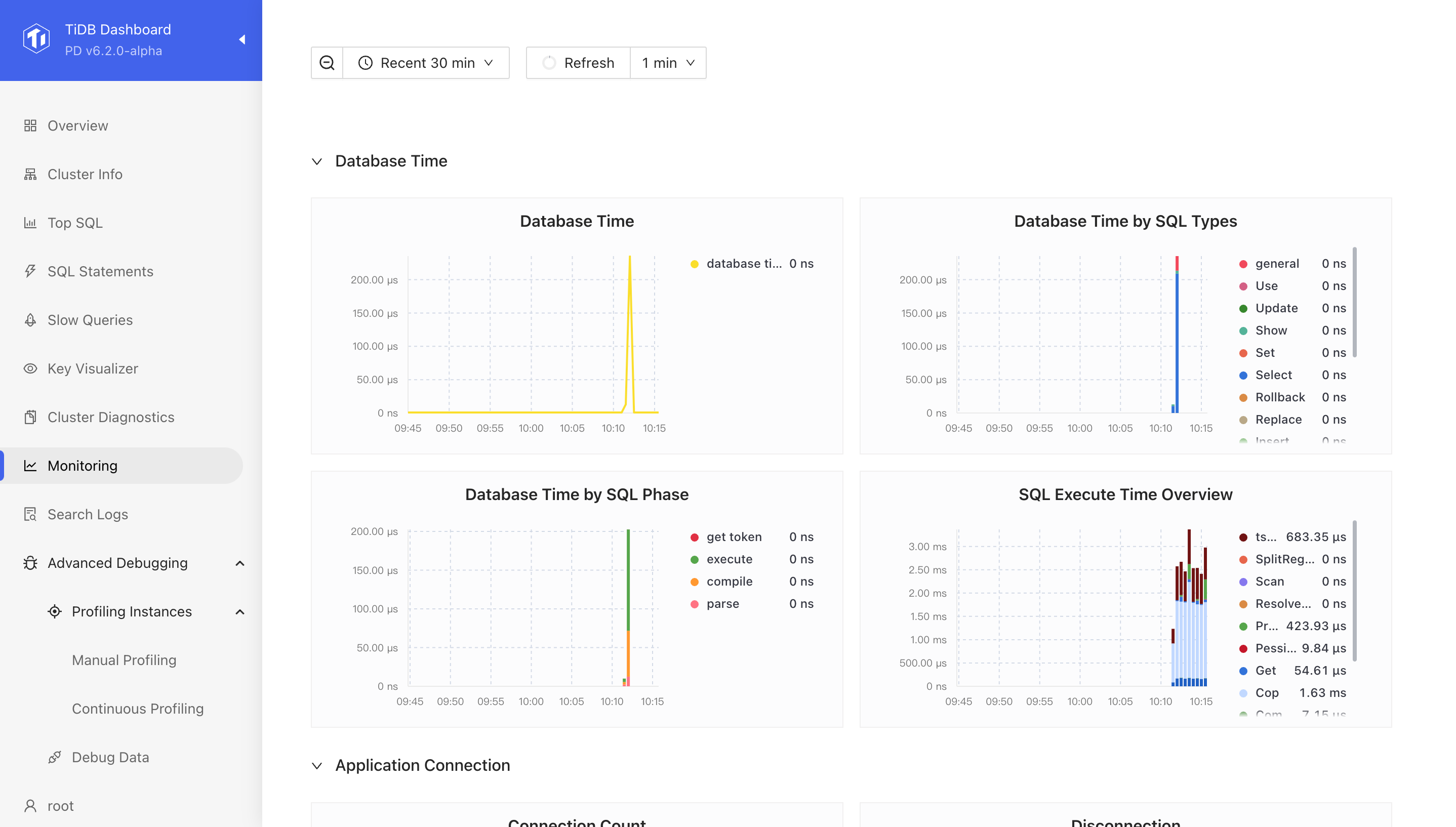
MySQL compatibility shortens the path in. Many reviewers say most MySQL syntax works as-is, existing applications and DBA skills carry over, and the migration tooling moves data without drama. A few picked it as their first-choice database specifically because there was no new query language to learn; for a team with a MySQL-shaped stack, that's the difference between a migration and a rewrite.
It's built to scale without giving up correctness. Reviewers describe distributed scaling with strong consistency, serverless deployments that handle load spikes automatically, and stable performance under concurrent workloads. I'd point teams here who need transactional guarantees alongside their similarity search, a combination most dedicated vector stores don't offer.
The core vector features work; G2 reviewers say so plainly. What several of them wanted was more guidance for vector search at scale. They mention that schema design, index selection, and similarity-threshold tuning took trial and error because documentation and real-world examples are still catching up to the feature. The responsive support team and community fill some of the gap. If your team is comfortable experimenting, this is a speed bump; if you need a paved path for a production RAG build, budget extra time for it.
For a team that wants one database to answer both "find records like this" and "show me this customer's orders," TiDB is the most complete two-in-one I found in this lineup.
What we like about TiDB:
- The one-database architecture is the draw I'd cite first: reviewers run semantic search and relational queries against the same tables instead of syncing two systems.
- MySQL compatibility keeps showing up in the reviews I analyzed as the reason adoption was painless; existing syntax, tools, and skills carry straight over.
What G2 users like about TiDB:
“I like that TiDB has native support for vectors along with full compatibility with SQL. It allows us to seamlessly use semantic similarity search while managing structured candidate data and compliance processes. Its built-in vector support means we can store embeddings and conduct cosine similarity searches directly with relational data without needing to maintain separate systems. I also value TiDB's scalability and serverless approach, which helps us handle an increasing number of resume uploads and recruiter searches without infrastructure setup or maintenance."
- TiDB review, Vamsi C.
What we dislike about TiDB:
- TiDB’s vector search can be tuned at a larger scale. Reviewers describe some trial and error with similarity-search performance when documentation does not cover their exact setup, but for technical teams, the upside is keeping vector, transactional, and analytical workloads in one distributed SQL system.
What G2 users dislike about TiDB:
“One part of TiDB Serverless that could use improvement is its documentation and examples, especially those related to vector search and AI applications. As a developer working on MindVector AI, I found it difficult at first to understand how to design a good vector schema, choose the right indexing methods, and fine-tuning performance because there weren't enough simple, practical examples."
- TiDB review, Prasanth
Want to compare TiDB and YugabyteDB? Check out our in-depth TiDB vs YugabyteDB comparison to see which is best for your business.
7. PG Vector: Best for adding vector search to existing PostgreSQL
PG Vector is an open-source extension that adds vector storage and similarity search to a standard PostgreSQL database, so embeddings live in the same tables, transactions, and backups as the rest of your application data.
On G2, it has a 3.8 out of 5 rating, and its reviewer base is the only one here with a mid-market majority, and 100% of its reviewers say it's headed in the right direction. For a team already running Postgres, it's the shortest path to vector search that exists.
The pitch is one sentence long: keep your stack. Reviewers describe unlocking semantic search without breaking their existing data setup, building recommendations from purchase history, and powering applications built on top of LLMs, all inside the database they already operate. There's no second system to sync, secure, or pay for, and I'd weigh that simplicity before adding new infrastructure.
From my analysis of G2 reviews, many mention that PG Vector runs exact nearest-neighbor search, which checks every record for perfect recall, or approximate search for speed, with L2, inner product, and cosine distance metrics. Reviewers note it works from any language with a Postgres client. That flexibility means you can start exact on small data and switch to approximate indexes as volume grows.
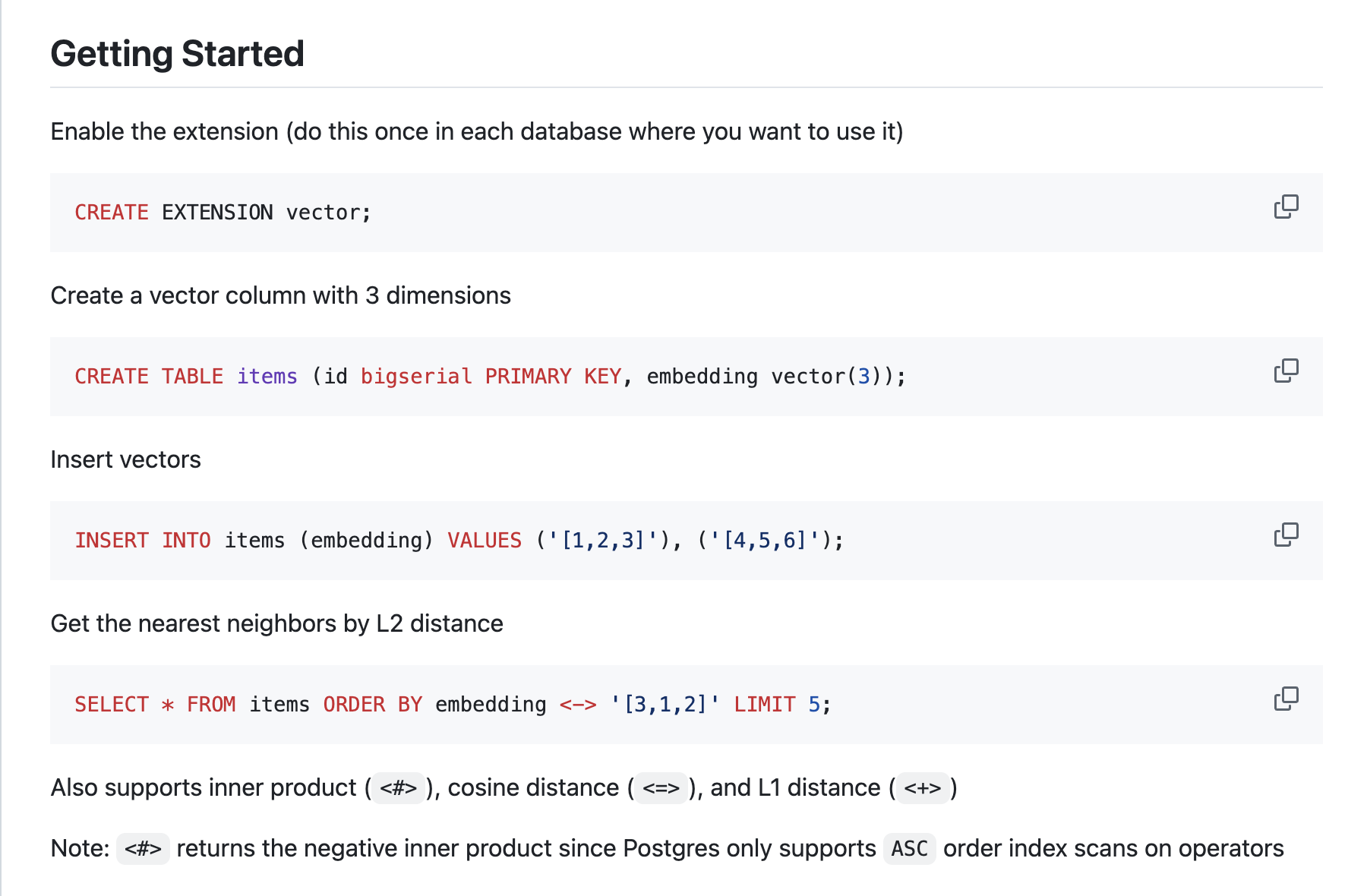
Plus, it's free and open source. No tiers, no usage meters, no procurement conversation. Several users call the open-source licensing part of the appeal, and it installs wherever Postgres runs, from a laptop to a managed cloud service. As an evaluation risk, I'd rank it the lowest in this article: the cost of trying it is an afternoon.
Setup and tuning are the main friction points with PG Vector. Reviewers who struggled mention manual installation, prerequisites that can trip up Windows users, and more configuration work as datasets grow. That makes it less natural for teams without Postgres experience or for heavy standalone vector workloads. For a team with a DBA adding vector search to an existing Postgres application, the work feels more like familiar database tuning than a separate infrastructure project.
PG Vector is the entry I'd recommend to the team whose reaction to this article is "we just need similarity search on data we already have in Postgres."
What we like about PG Vector:
- The keep-your-stack approach is what I'd point to first: reviewers add semantic search to data already in Postgres without standing up or paying for a second system.
- Exact and approximate search with a choice of distance metrics gives real flexibility, and reviewers note it works from any language that speaks Postgres.
What G2 users like about PG Vector:
“It helps me to store and query the SQL. The implemention of PG vector is perfect, means the UI and the it is easy to use. It has a number of features, and so many people frequently use this software for SQL storing and for vector search. The integration uses AI to manage the data and so much more. In this, the support is good, and the vector extension for SQL is the best."
- PG Vector review, Nishant M.
What we dislike about PG Vector:
- PG Vector takes database expertise once you move beyond simple use cases. Reviewers without a Postgres background describe that the manual installation and tuning take time, especially as data grows. For teams already comfortable with Postgres, it remains a practical option to add vector search without introducing a separate database.
What G2 users dislike about PG Vector:
“What I like least about PGVector is that it can be complicated to set up correctly at first, which could be an obstacle if trying to scale to larger datasets. Additionally, as the data becomes more complex, adjusting PGVector to obtain accurate results can take more time and resources, which could make it difficult to use in situations where rapid growth is needed without having deep technical knowledge.
- PG Vector review, Miguel Angel C.
Want to compare PG Vector with Weaviate? Check out our detailed PG Vector vs. Weaviate comparison to find what’s best for your business.
8. CrateDB: Best for real-time SQL on time-series data
CrateDB is a distributed SQL database for real-time analytics that queries time-series, JSON, full-text, and vector data with standard SQL, deployable in the cloud, on-premises, or at the edge.
With a 4.4 out of 5 rating from 80+ G2 reviews, what caught my attention in its G2 Data is the consistency. It sits above the category average on every satisfaction measure G2 tracks, from ease of setup through ease of doing business with. Products this specialized usually spike somewhere and sag somewhere else; this one doesn't sag.
Time-series data is the workload CrateDB was shaped around. Reviewers run large-scale telemetry and observability on it, streaming sensor and machine data into the cluster and querying it in real time with standard SQL. A few reviewers credit the combination of horizontal scalability and plain SQL with keeping exactly that setup practical. If your data arrives as a feed rather than a form, this is the entry built for you.
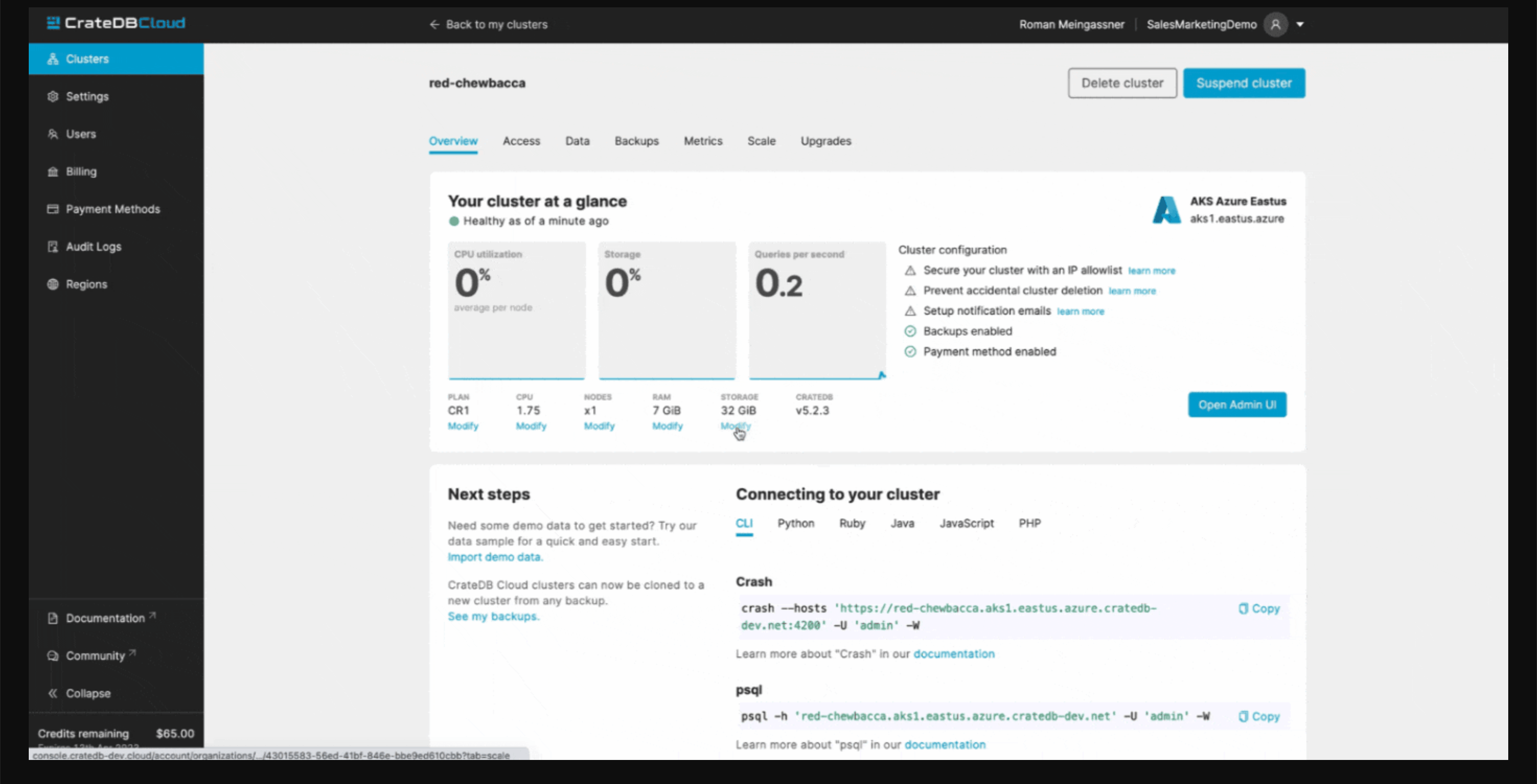
The second draw is breadth in one engine. Reviewers describe full-text, vector, JSON, and time-series data queried side by side, including joins across keyword and vector searches with the same filter behavior for both. For an industrial or analytics team, that means the sensor readings, the maintenance logs, and the embeddings that describe them live in one database instead of three.
There's no new query language to hire for. Standard SQL is the interface, and reviewers repeatedly credit it with removing the barrier to entry: setup is simple, integration into existing systems is smooth, and the ease-of-use scores in its G2 Data run above the category average across the board. I'd weigh that heavily if your analysts and engineers already think in SQL.
The product satisfies but the ecosystem around it is still growing. Some users note a smaller community than Postgres or Elasticsearch, and reviewers have asked for more production-scale benchmarks, architectural guidance, and ready-made integrations. CrateDB's own team draws consistent praise, with training resources and responsive experts filling much of that gap. If your team expects to find every answer on a forum, plan on leaning on the vendor instead; teams comfortable with that trade-off lose little.
CrateDB is the pick I'd defend for industrial analytics, IoT telemetry, and observability workloads where SQL skills are already in the building.
What we like about CrateDB:
- The time-series and SQL pairing is the draw I'd cite first: reviewers stream telemetry in and query it in real time without learning a new language.
- One engine covering full-text, vector, and time-series data means fewer systems to run, and that consolidation theme recurs across the reviews I analyzed.
What G2 users like about CrateDB:
“Its combination of horizontal scalability and standard SQL for real-time time-series data. It feels practical for large-scale telemetry and observability use cases without adding unnecessary complexity."
- CrateDB review, Cristian M.
What we dislike about CrateDB:
- CrateDB’s third-party ecosystem is smaller than Postgres or Elasticsearch, so edge cases may have fewer community guides or outside experts to lean on. For technical teams comfortable using vendor docs and support, though, the tradeoff is easier to accept because the database itself is built for scalable search and analytics workloads.
What G2 users dislike about CrateDB:
“I find the lack of comparative information to other database solutions on the market to be a limitation. It would be beneficial if CrateDB provided more detailed comparisons, which would help in understanding its unique value propositions relative to other databases. Besides this aspect, I do not currently see any issues with the product itself, though I plan to explore it further to gain a deeper understanding."
- CrateDB review, Marcin G.
Want to compare CrateDB and Oracle Database? Check out our in-depth CrateDB vs. Oracle Database comparison to see which is best for your business.
Shalaka and I also really liked the following solutions while testing vector databases.
Bonus: Other best vector databases you can consider
- Qdrant: Best known for pairing vector search with rich metadata filtering, an open-source engine teams pick when every query carries conditions
- Milvus: Best known as the open-source engine behind Zilliz Cloud, for teams that want the same billion-vector architecture, self-hosted
- Relevance AI: Best known for building AI agents and workflows on top of vector search, for buyers who want the application layer, not just the database
- KX: Best known for high-frequency time-series analytics in quantitative finance, now paired with vector search
Vector database software: Frequently asked questions (FAQs)
Have more questions? Find more answers below.
Q1. Which vector database supports 10 billion or more embeddings for semantic search at scale?
Zilliz is the lineup's proven choice at extreme scale. It runs on Milvus, an engine built for billion-vector collections, and scales through dedicated clusters that shard indexes across nodes. At 10 billion embeddings, infrastructure design matters as much as the database: plan dedicated capacity, compress vectors where possible, and expect cost to become the main engineering constraint.
Q2. Which vector database do AI engineers trust most, based on user reviews?
Zilliz is the most trusted per G2 reviews, holding the category's highest satisfaction score, and its reviewer base is dominated by developers and AI engineers. Trust in this category tracks operational history: engineers stay with databases that survive production incidents, and Zilliz reviews repeatedly describe stable performance over a year or more of heavy use.
Q3. What is the highest-rated vector database for recommendation systems?
Pinecone is the highest-rated vector database used mainly for recommendation work, at 4.6 on G2. Recommendation systems reward their strengths: fully managed serverless infrastructure absorbs traffic spikes, and low-latency search keeps suggestions inside page-load budgets. Teams running catalog-scale recommendations also rate Zilliz highly for holding speed as collections grow.
Q4. How do vector databases ensure consistency and correctness in approximate similarity search results?
Approximate search stays trustworthy when you control the speed-accuracy trade deliberately: tune index parameters for higher recall, validate results against exact search on samples, and anchor semantic matches with keyword or metadata filters. Weaviate and Zilliz support hybrid queries for exactly this, and PG Vector can run exact nearest-neighbor search when perfect recall matters more than speed.
Q5. How do you prevent latency degradation as vector datasets grow?
Latency degrades when an index outgrows its architecture, so choose one that scales ahead of your data. Serverless platforms like Pinecone rescale automatically; distributed engines like Zilliz and Elasticsearch add nodes. Just as important: benchmark at your target volume before committing, and re-test after major data growth, because tuning that worked at one scale rarely survives ten times that.
Q6. Which semantic search infrastructure scales to enterprise workloads and volume?
Elasticsearch is the strongest enterprise semantic search infrastructure in this lineup: it consolidates full-text, log, and vector search on one platform, deploys self-hosted or in the cloud, and carries the governance controls large organizations need. Enterprise scale is about more than volume; expect requirements like role-based access, private networking, and compliance certifications to shorten your shortlist quickly.
Q7. Which recommendation engine database delivers query latency under 100 milliseconds?
Pinecone and Zilliz both return similarity queries in single-digit to low double-digit milliseconds, per reviewer accounts, well inside a 100-millisecond budget. Hitting that number in production depends on more than the engine: keep the database in the same region as your application and pre-filter with metadata so each query scans less. Both practices protect latency as traffic grows.
Q8. Which vector storage system supports millions of high-dimensional embeddings for a business?
Millions of embeddings is comfortable territory for nearly every product in this lineup, so decide on workflow instead. Supabase suits teams that want vectors beside a full app backend; PG Vector adds them to Postgres you already run; Pinecone's free tier handles prototypes without a card. All three reach production-scale millions on entry-level or free plans.
Q9. Which AI database optimizes nearest-neighbor queries at enterprise scale?
Optimizing nearest-neighbor queries at enterprise scale comes down to index strategy: approximate indexes like HNSW trade memory for speed, and the right choice shifts with collection size and update frequency. Zilliz automates that selection with its AUTOINDEX tuning, while Elasticsearch gives platform teams manual control. Either way, filter before you search so every query touches fewer vectors.
Q10. Which similarity search platform enables accurate real-time AI recommendations?
Accurate real-time recommendations need two things: fresh vectors and filtered results. Pinecone applies upserts in real time, so new user behavior shows up in the next query, and Zilliz's hybrid retrieval keeps exact product matches from being crowded out by look-alikes. TiDB earns a mention when recommendations must respect live inventory or other relational data in the same query.
Finding the best vector database for your use case
When choosing a vector database, Shalaka and I agree the decision comes down to a handful of parameters: search accuracy, query speed at your real data volume, how many operations work your team can absorb, pricing you can forecast, and the security and compliance controls your industry requires.
Just as important is the deployment question: a managed cloud service that runs the database for you, or open-source software your team hosts and controls. Neither is better in the abstract; the right answer follows from your team's skills and your data's residency requirements.
Across the reviews I analyzed, the buyers were happiest with their choice, benchmarked with their own data at their target scale before committing, so I'd make that step non-negotiable. We hope this list takes you one step closer to the right pick.
Picking the database is half the decision; the models that fill it still need somewhere to train and run. Compare the best generative AI infrastructure systems that vector database users rely on to train and deploy generative models.