AI-Generated Results
Finding matches…
The Apache HTTP Server, commonly known as Apache, is a free and open-source web server software that has been a cornerstone of the internet since its inception in 1995. Developed and maintained by the Apache Software Foundation, Apache is designed to provide a secure, efficient, and extensible server that adheres to current HTTP standards. Its modular architecture allows for a wide range of functionalities, making it suitable for various web hosting needs, from serving static content to handling dynamic web applications.
Key Features and Functionality:
- Modular Architecture: Apache's design enables the addition of modules to extend its capabilities, such as authentication, URL rewriting, and proxying.
- Cross-Platform Compatibility: It operates on numerous operating systems, including UNIX-like systems and Windows, ensuring flexibility across different environments.
- Support for Multiple Protocols: Apache supports HTTP/1.1 and HTTP/2 protocols, facilitating efficient communication between clients and servers.
- Security Features: With modules like mod_ssl, Apache provides robust support for TLS/SSL encryption, ensuring secure data transmission.
- Virtual Hosting: This feature allows a single Apache instance to serve multiple websites, each with its own domain and configuration.
- Integration with Programming Languages: Apache seamlessly integrates with languages such as PHP, Python, and Perl, enabling dynamic content generation.
- Comprehensive Logging and Monitoring: It offers detailed logging capabilities, aiding in monitoring server performance and diagnosing issues.
Primary Value and User Solutions:
Apache's primary value lies in its reliability, flexibility, and extensive community support. It addresses the needs of web administrators and developers by providing a customizable and scalable platform for hosting websites and applications. Its open-source nature ensures continuous improvement and adaptation to emerging web technologies, making it a preferred choice for both small-scale personal projects and large-scale enterprise deployments.
Not seeing what you're looking for?
Dive deeper into "Wix" on G2 AI
Galgus unleashes the value that Wi-Fi technology can bring to your business with user experience as its core, equipping you with cloud, intelligent and self-optimized networks.
Galgus bring you a robust, secure and high-performance Internet access that unlocks location analytics capabilities that will enable your team with smart decision making.

TensorFlow is an open-source machine learning library developed by the Google Brain Team, designed to facilitate the creation, training, and deployment of machine learning models across various platforms. It provides a comprehensive ecosystem that supports tasks ranging from simple data flow graphs to complex neural networks, enabling developers and researchers to build and deploy machine learning applications efficiently.
Key Features and Functionality:
- Flexible Architecture: TensorFlow's architecture allows for deployment across multiple platforms, including CPUs, GPUs, and TPUs, and supports various operating systems such as Linux, macOS, Windows, Android, and JavaScript.
- Multiple Language Support: While primarily offering a Python API, TensorFlow also provides support for other languages, including C++, Java, and JavaScript, catering to a diverse developer community.
- High-Level APIs: TensorFlow includes high-level APIs like Keras, which simplify the process of building and training models, making machine learning more accessible to beginners and efficient for experts.
- Eager Execution: This feature allows for immediate evaluation of operations, facilitating intuitive debugging and dynamic graph building.
- Distributed Computing: TensorFlow supports distributed training, enabling the scaling of machine learning models across multiple devices and servers without significant code modifications.
Primary Value and Solutions Provided:
TensorFlow addresses the challenges of developing and deploying machine learning models by offering a unified, scalable, and flexible platform. It streamlines the workflow from model conception to deployment, reducing the complexity associated with machine learning projects. By supporting a wide range of platforms and languages, TensorFlow empowers users to implement machine learning solutions in diverse environments, from research labs to production systems. Its comprehensive suite of tools and libraries accelerates the development process, fosters innovation, and enables the creation of sophisticated models that can tackle real-world problems effectively.

Teamcenter is a widely used PLM software. More than a just a PDM solution, Teamcenter is a comprehensive end-to-end PLM solution that optimizes processes throughout the product lifecycle.
Harnessing the vast expanse of the internet, WebHades.com offers a comprehensive suite of tools designed to check market share across various sectors, including your competition, CMS, SaaS (like wix.com), plugins, payment operators, domain registers, hosting providers and more. Analyzing data sourced from the depths of the internet, our platform provides you with insights derived from a database of over 500 million websites. Whether you're seeking market trends or building a database of potential customers, WebHades.com empowers you to explore limitless possibilities in data analysis

GIMP is a cross-platform image editor available for GNU/Linux, macOS, Windows and more operating systems. It is free software, you can change its source code and distribute your changes.
ConnectWise ScreenConnect's universal remote access software provides an all-inclusive solution for remote support, remote access, and remote meetings.

Azure Cloud Services is a comprehensive cloud computing platform developed by Microsoft, offering a wide array of services designed to help organizations build, deploy, and manage applications efficiently. With over 200 products and services, Azure provides solutions for computing, storage, networking, databases, analytics, artificial intelligence, and more, enabling businesses to address current challenges and innovate for the future.
Key Features and Functionality:
- Compute Services: Azure offers virtual machines for both Windows and Linux, enabling users to run applications in the cloud with scalability and flexibility.
- Storage Solutions: Secure and scalable storage options are available, including Blob Storage for unstructured data and Azure Files for managed file shares.
- Networking: Azure provides virtual networks, load balancers, and a content delivery network (CDN) to ensure reliable and fast connectivity.
- Databases: Managed database services such as Azure SQL Database and Cosmos DB support various data models and ensure high availability.
- AI and Machine Learning: Azure AI services and Azure Machine Learning enable the development of intelligent applications with capabilities like natural language processing and computer vision.
- Security and Compliance: Azure offers built-in security controls, threat intelligence, and compliance certifications to protect data and applications.
Primary Value and Solutions:
Azure Cloud Services empowers organizations to accelerate digital transformation by providing a flexible and scalable platform that supports a wide range of workloads. It addresses challenges such as infrastructure management, data storage, and application development, allowing businesses to focus on innovation and delivering value to their customers. With its global presence and commitment to security, Azure ensures that applications are reliable, performant, and compliant with industry standards.

CS WinOMS provides what you need to manage your OMS practice from medical and dental insurance billing with automatic cross-coding to scheduling and referral management.
WINDEV Mobile allows you to create powerful applications for Smartphone and Tablet (Android, iOS, Windows 10 Mobile, CE, ...) in just a few hours: embedded or remote databases, GPS, IoT, bar codes, ...
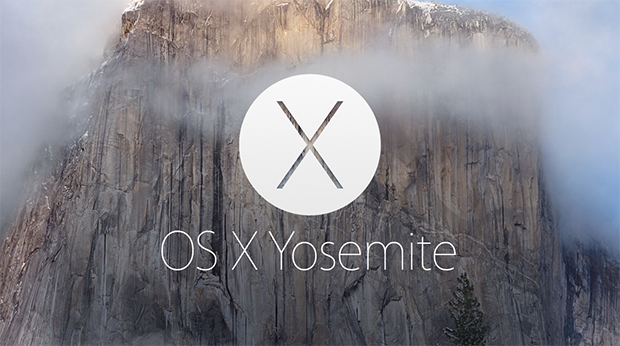
OS X Yosemite, released in October 2014, is the eleventh major version of Apple's desktop operating system for Mac computers. This update introduced a comprehensive redesign, aligning the Mac interface more closely with the aesthetics of iOS, featuring a flatter, more modern look with translucent elements and a refreshed color palette. Yosemite also emphasized enhanced integration between Mac and iOS devices, offering users a more seamless and connected experience across their Apple products.
Key Features and Functionality:
- Redesigned User Interface: Yosemite introduced a flatter, more modern design with translucent elements and a refreshed color palette, aligning the Mac interface more closely with iOS aesthetics.
- Continuity: This suite of features enhances integration between Mac and iOS devices. Handoff allows users to start tasks on one device and continue them on another, while Instant Hotspot enables easy tethering to an iPhone's internet connection.
- Phone and SMS Integration: Users can make and receive iPhone calls and send SMS messages directly from their Mac, provided both devices are connected to the same Wi-Fi network.
- AirDrop Between Mac and iOS: Yosemite enables file sharing between Mac and iOS devices using AirDrop, facilitating quick and easy transfers without the need for cables or external drives.
- Enhanced Spotlight Search: Spotlight received significant improvements, offering a more prominent search bar and the ability to pull in results from various sources, including Wikipedia, Maps, and news, providing a more comprehensive search experience.
- Updated Native Applications: Core apps like Safari, Mail, and Messages were updated with new features and improved performance. For instance, Safari introduced a new tab view and improved sharing options, while Mail added functionalities like Mail Drop for sending large attachments.
Primary Value and User Solutions:
OS X Yosemite's primary value lies in its enhanced continuity and integration features, bridging the gap between Mac and iOS devices. By enabling seamless transitions between devices, users can maintain productivity without interruption, whether they're composing emails, browsing the web, or managing files. The redesigned interface offers a more intuitive and visually appealing experience, while the updated native applications and improved search capabilities streamline daily tasks. Overall, Yosemite addresses the need for a cohesive and interconnected ecosystem, enhancing user efficiency and satisfaction across Apple's hardware and software platforms.

RawTherapee is a free, cross-platform raw image processing program designed to develop raw files from a wide range of digital cameras. It caters to users from enthusiastic newcomers seeking to understand digital imaging to professional photographers aiming to enhance their workflow.
Key Features and Functionality:
- High Image Quality: Utilizes a non-destructive, 32-bit floating point processing engine, modern demosaicing algorithms, and advanced color and detail editing tools to produce high-quality images.
- Extensive Raw Support: Supports numerous raw formats, including those from Pentax Pixel Shift, Canon Dual-Pixel, Foveon, and X-Trans sensors, as well as common image formats like JPEG, PNG, and TIFF.
- Advanced Editing Tools: Offers exposure control, tone mapping, color correction, noise reduction, sharpening, and various demosaicing algorithms.
- Non-Destructive Editing: Allows users to make adjustments without altering the original image, with changes saved in separate sidecar files.
- Batch Processing: Facilitates handling large numbers of images efficiently through batch processing capabilities.
Primary Value and User Solutions:
RawTherapee enhances photographers' workflows by providing a comprehensive suite of tools for high-quality image development. Its non-destructive editing approach ensures the original files remain unaltered, preserving image integrity. The software's extensive raw format support and advanced editing capabilities make it a versatile choice for photographers seeking a free, open-source alternative to proprietary raw processing programs.

Microsoft Word is a comprehensive word processing application developed by Microsoft, first introduced in 1983. It enables users to create, edit, format, and share text documents efficiently. Over the years, Word has evolved into a versatile tool, offering a wide range of features that cater to both personal and professional document creation needs.
Key Features and Functionality:
- Text Editing and Formatting: Provides a rich set of tools for text manipulation, including font selection, size adjustment, color customization, and paragraph alignment.
- Templates: Offers a variety of pre-designed templates for resumes, reports, letters, and more, streamlining the document creation process.
- Collaboration Tools: Supports real-time co-authoring, allowing multiple users to work on the same document simultaneously.
- Review and Commenting: Includes features for tracking changes, adding comments, and comparing document versions to facilitate collaborative editing.
- Integration with Other Microsoft Office Applications: Seamlessly integrates with Excel, PowerPoint, and Outlook, enhancing productivity across the Office suite.
- Advanced Formatting: Supports the creation of tables, charts, and graphs, as well as the insertion of images and hyperlinks to enrich documents.
- Macros and Automation: Allows users to automate repetitive tasks through the use of macros, improving efficiency.
- File Compatibility: Supports various file formats, including its native DOCX, as well as PDF and ODF, ensuring compatibility across different platforms.
Primary Value and User Solutions:
Microsoft Word addresses the need for a reliable and user-friendly word processing tool that caters to a wide range of document creation and editing tasks. Its intuitive interface and robust feature set make it suitable for drafting simple letters, creating complex reports, designing newsletters, and more. The application's collaboration capabilities enhance teamwork by allowing multiple users to edit documents in real-time, while its integration with other Microsoft Office applications streamlines workflows. By offering extensive formatting options and support for various file formats, Word ensures that users can produce professional-quality documents that meet diverse requirements.

ThingWorx Navigate is a suite of role- and task-based applications designed to provide stakeholders across an organization with seamless access to product lifecycle management (PLM data and other enterprise information. By offering intuitive, out-of-the-box (OOTB apps that require minimal training, ThingWorx Navigate enables users to retrieve and interact with up-to-date product information efficiently, thereby enhancing collaboration and decision-making processes.
Key Features and Functionality:
- View and Download PLM Content: Users can access and download drawings, design files, part structures, and documents, ensuring they have the latest product information at their fingertips.
- 3D Model Interaction: The platform allows for interactive engagement with part models in 3D, including cross-selection capabilities using attributes, facilitating a comprehensive understanding of product designs.
- Change Management Participation: Stakeholders can review, approve, comment on, and provide feedback on change management tasks, streamlining the change approval process.
- Custom App Development: Organizations have the flexibility to build custom applications using reusable components, enabling tailored solutions for specific use cases such as supplier collaboration, production planning, and quality reporting.
- Flexible Deployment Options: ThingWorx Navigate supports both on-premises and cloud-based deployments, including Software as a Service (SaaS, offering adaptability to various IT infrastructures.
Primary Value and Problem Solved:
ThingWorx Navigate addresses the challenge of providing non-expert users with simplified access to complex PLM systems and other enterprise data sources. By delivering role-based, intuitive applications, it democratizes data access, enabling stakeholders from manufacturing, procurement, service, sales, marketing, and quality engineering to make informed decisions without extensive training. This approach reduces the time spent searching for information, minimizes reliance on specialized personnel for data retrieval, and fosters a collaborative environment where accurate, real-time product data is readily available throughout the product lifecycle.

Pixtel Capture is a comprehensive screen capture and visual management platform designed to replace the fragmented "capture-save-upload" workflow. By combining high-performance screen recording, an infinite virtual canvas, and advanced organizational tools into a single tabbed interface, Pixtel turns static screenshots into actionable visual assets.
Key Features at a Glance
The Virtual Canvas: Break free from image boundaries. Annotate anywhere—on or beyond the image—without manually resizing. Modifications remain editable forever, so you never have to "flatten" and lose your work.
Browser-Style Tabbed Management: Navigate multiple captures as easily as web pages. Open unlimited tabs, view them in a grid, or run instant slideshows without leaving the app.
Intelligent Capture Modes: Beyond standard region snips, Pixtel supports Scrolling Capture for full-page web layouts, Periodic Snapshots for webinars, and Advanced OCR to extract text directly from your screen.
Direct Ecosystem Integrations:
Jira: Create or update issues with annotated screenshots in seconds using autofill and direct attachments.
Cloud & Office: Seamlessly switch between multiple accounts for Google Drive, OneDrive, and Dropbox.
PowerPoint Templates: Convert a series of captures into a ready-to-use presentation with a single click.
Smart Annotation Toolkit: Access over 20,000 vector icons and a Smart Pencil that automatically converts hand-drawn sketches into perfect geometric shapes—ideal for touch-screen users and rapid wireframing.
Why Professionals Choose Pixtel
For Developers & QA Engineers:
Eliminate the friction of bug reporting. Use the high-performance screen and audio recorder to document issues, then push them directly to Jira or your team's cloud storage without managing local file clutter.
For Product Managers & Designers:
Use the Virtual Bookmarking feature to save more than just a link. Capture the visual state of a page and return to the live URL whenever you need context. Manage entire project boards within the app using the multi-image sharing and grid view features.
For Productivity Power Users:
Stop hunting through "Untitled" folders. Pixtel’s integrated Visual Dashboard and keyword-based search allow you to organize, categorize, and retrieve your visual data in a flash.

Wise Tradr provides a way for stock market traders to easily track and manage trading performance. Stock traders use our platform to gain insights on risk, organize trades, view trading stats, discover new strategies within their trading activity and more. Wise Tradr is an easy-to-use web app with a simple and quick user interface.

Cryo Mix is an innovative online platform that leverages advanced artificial intelligence to revolutionize the music production process. Designed by platinum-certified mixing and mastering engineer Craig McAllister, Cryo Mix offers a suite of AI-powered tools tailored for artists, producers, and audio engineers seeking professional-quality results with efficiency and precision.
Key Features and Functionality:
- AI Mixing & Mastering: Utilizes machine learning to adapt to your unique sound, providing personalized mixing and mastering that emulates the touch of a seasoned audio engineer.
- DynamicMix Technology: Learns your mixing habits and preferences, offering intelligent suggestions and automating tedious aspects of the mixing process to streamline your workflow.
- Unlimited Project Storage: Allows you to store an unlimited number of projects in the cloud, enabling easy access and modification without starting from scratch.
- AI Audio Separator: Extracts individual audio stems, such as vocals, drums, and instruments, from a single audio file with unparalleled accuracy, enhancing creativity and workflow in music production.
- AI Mastering Tool: Applies final mastering touches to your tracks, adjusting dynamics and balancing EQ to align your sound with industry standards seamlessly.
- AI Beat Optimizer: Enhances the quality of instrumental tracks by dissecting music into separate stems and applying detailed adjustments to each for superior sound.
- AI Artwork Generator: Creates artwork that mirrors the essence of your lyrics, providing a seamless fusion of sound and sight to complement your track's unique vibe.
Primary Value and Solutions:
Cryo Mix addresses the challenges of achieving professional-grade audio production by automating complex processes through AI. It empowers users to produce high-quality mixes and masters efficiently, regardless of their technical expertise. By learning individual styles and preferences, Cryo Mix delivers personalized results, allowing artists to focus more on creativity and less on the technicalities of audio engineering. The platform's comprehensive suite of tools ensures that every aspect of music production, from mixing and mastering to stem extraction and artwork creation, is accessible and streamlined, making it an invaluable resource for modern music creators.

Vysor is a application that enables users to mirror and control their iOS or Android devices directly from their desktop computers. Compatible with Windows, macOS, Linux, and web browsers, Vysor offers a seamless integration between mobile devices and desktops, allowing users to interact with their mobile apps, play games, and manage their devices using a keyboard and mouse. This functionality is particularly beneficial for developers, IT professionals, and general users seeking enhanced productivity and convenience.
Key Features and Functionality:
- Device Mirroring and Control: View and operate your iOS or Android device on your desktop, facilitating easy access to mobile applications and content.
- Keyboard and Mouse Integration: Utilize your desktop's keyboard for efficient typing and your mouse for navigation, enhancing the user experience.
- High-Quality Mirroring: Experience clear and responsive screen mirroring, ensuring a smooth interaction with your mobile device.
- Fullscreen Mode: Expand the mirrored display to fullscreen for an immersive experience.
- Wireless Connectivity: Connect to your device wirelessly, eliminating the need for USB cables and providing greater flexibility.
- Vysor Share: Share your device screen and ADB (Android Debug Bridge) access with others, enabling remote collaboration and support.
- Drag and Drop Files: Easily transfer files between your desktop and mobile device using a simple drag-and-drop interface.
Primary Value and User Solutions:
Vysor addresses the need for efficient and integrated control of mobile devices from desktop environments. For developers, it offers a practical alternative to emulators by providing real-time interaction with physical devices, streamlining the development and testing process. IT professionals can leverage Vysor for remote device management and troubleshooting, enhancing support capabilities. General users benefit from the convenience of managing their mobile devices through a larger screen and more precise input devices, improving productivity and ease of use.
By bridging the gap between mobile and desktop platforms, Vysor enhances user experience, facilitates efficient workflows, and supports a wide range of applications across various industries.

Mistral AI is a French artificial intelligence company specializing in developing open-source large language models (LLMs) and AI solutions tailored for diverse applications. Founded in 2023, Mistral AI focuses on creating efficient, high-performance models that empower developers and enterprises to build intelligent applications across various domains.
Key Features and Functionality:
- Diverse Model Offerings: Mistral AI provides a range of models, including:
- Mistral Large 2: A top-tier reasoning model designed for complex tasks, supporting multiple languages and a large context window of 128K tokens.
- Codestral: A specialized model optimized for coding tasks, trained on over 80 programming languages, and featuring a 32K token context window.
- Pixtral Large: A multimodal model capable of analyzing and understanding both text and images.
- Developer Platform (La Plateforme): Offers APIs for accessing and customizing Mistral's models, enabling deployment in various environments such as on-premises or cloud.
- Le Chat: A multilingual AI assistant available on mobile platforms, known for its speed and functionalities like web search, document understanding, and code assistance.
Primary Value and Solutions:
Mistral AI addresses the growing demand for customizable and efficient AI models by providing open-source solutions that offer greater flexibility and control to users. Their models are designed to be deployed across various platforms, ensuring privacy and adaptability to specific enterprise needs. By focusing on open and efficient AI models, Mistral AI empowers developers and businesses to integrate advanced AI capabilities into their applications, enhancing productivity and innovation.

Platform - Fixure operates above security tools to reconcile conflicting signals, uncover root causes, and explain which actions actually matter.