AI-Generated Results
Finding matches…
Sparklink is a technology solutions provider specializing in developing innovative business applications on the Salesforce Platform. Established in 2012 and headquartered in Antwerp, Belgium, Sparklink focuses on reshaping how work is done by creating digital solutions that simplify processes, enhance productivity, and deliver lasting impacts for both clients and employees.
Key Features and Functionality:
- Sales, Service, and Marketing Cloud Applications: Custom-built apps that extend Salesforce's standard CRM capabilities to meet specific business needs.
- Planning Applications: Advanced tools for job, resource, and material planning to optimize operational efficiency.
- Human Resources Applications: Solutions for recruitment, onboarding, training, leave requests, time tracking, salary calculations, and contract management.
- Finance Applications: Systems for invoicing, managing complex remuneration schemes, and budget management.
- Warehouse Management Application: Comprehensive tools featuring mobile terminals and label printing to streamline warehouse operations.
- Custom ERP Applications: Integrated enterprise resource planning solutions tailored for the manufacturing industry.
- Einstein Analytics Applications and Dashboards: Data-driven insights and visualizations to support informed decision-making.
Primary Value and Solutions Provided:
Sparklink's primary value lies in its ability to help companies stand out and meet evolving customer expectations by rethinking and transforming how work is done. By leveraging the Salesforce Platform, Sparklink delivers tailored applications that go beyond standard CRM functionalities, enabling businesses to simplify complex processes, increase productivity, and achieve more rewarding outcomes. Their mission is to make work simpler, more productive, and more rewarding, thereby assisting clients in maximizing their Salesforce investment and driving digital transformation across various industries.
Not seeing what you're looking for?
Dive deeper into "Simular" on G2 AI
WarpSend is a high-speed file transfer platform built for teams that need to move, share, and synchronize large files directly from computers, servers, and NAS devices.
WarpSend works with files where they are already stored. Teams can connect supported NAS environments and transfer files directly without first uploading them to a separate cloud storage platform, copying them to a local computer, or changing their existing storage workflow.
Key features include:
* **NAS compatibility:** Access and transfer files directly from connected NAS storage, making WarpSend suitable for teams with centralized media libraries, project archives, shared folders, and on-premises storage.
* **WarpDirect:** Transfer large files and folders directly between connected devices and storage locations at full available network speed.
* **WarpShare:** Upload once and create a secure download link that can be shared with multiple recipients without requiring an account or app.
* **WarpSync:** Synchronize files across team members, offices, computers, and NAS locations.
* **Background transfers:** The WarpSend Agent manages transfers independently from the browser.
* **Reliable delivery:** Interrupted transfers can resume without restarting from the beginning.
* **Secure transfers:** Files are encrypted during transfer, with encryption keys remaining on the connected endpoints.
* **Large-file support:** Transfer individual large files or folders containing thousands of smaller assets without traditional file-size restrictions.
WarpSend is designed for media, creative, engineering, and distributed teams that rely on NAS storage and need a faster, simpler, and more reliable way to move files between people, devices, and locations.

Reduce Cost and Complexity for Azure Virtual Desktop and Windows 365 Cloud PC Operations
Hydra is the practical management layer for Windows in the Cloud
Designed for Azure Virtual Desktop (both cloud and on-premises) and Windows 365, Hydra gives enterprise IT teams a simpler, more cost-efficient way to run Microsoft virtual desktops day to day, at scale.
Instead of managing multiple native Azure portals, scripts, and tools, teams operate everything through a single, familiar operational layer.
What Hydra Does
One Management Layer Across AVD and Windows 365
- Single dashboard for host pools, machines, and live user sessions
- Familiar workflows teams already know, no retraining required
- Replace manual scripts and scattered Azure portals with one focused workspace
Real-time Visibility and Control
- Lightweight Hydra agent provides real-time performance insights directly from the VM, no lag from Azure tools
- Built-in self-service portal reduces tickets and escalations
- Take immediate action with centralized session controls, image lifecycle management, and automation
Live in Under 30 Minutes
- Deploy directly from Azure Marketplace
- Attach to existing AVD and/or Windows 365 environments
- No re-architecture, re-imaging, migration projects, or setup fees
- Operational and cost savings from day one
Pricing Aligned to Real Usage
Hydra aligns pricing with how AVD and Windows 365 workspaces are actually used.
- Pay only for peak concurrent sessions, not total monthly logins
- Unlimited tenants included by default (no per-tenant fees)
- Built-in autoscaling to prevent paying for idle capacity
Customers reduce infrastructure and operational costs by

SeeknWander Teleport is a digital storefront and business platform built for local main-street businesses, brick-and-mortar shops, independent retailers, tradespeople, and service providers. It provides a ready-to-use online storefront where businesses can showcase their products and services, business information, social content, and customer reviews in one searchable profile.
Teleport is designed as a simpler and more cost-effective alternative to building and maintaining a traditional website or paying for complex ecommerce platforms. Businesses can create and manage their storefront from a phone or web browser without requiring web development skills or drag and drop hassle. The free-forever core tier allows a business to establish its digital storefront without a monthly website subscription.
Unlike marketplace platforms that take commissions or place a middleman between a business and its customers, Teleport is designed for direct-to-customer commerce. It charges 0% commission on merchant sales and lets customers contact businesses directly through supported channels such as WhatsApp, phone, SMS, and email. Businesses retain their direct customer relationship rather than relying on a marketplace checkout or lead-generation intermediary.
Teleport also centralizes supported business information, social content, and reviews in the business profile, while allowing businesses to collect reviews directly through QR-based review functionality.
Teleport is particularly suited to businesses that want an online presence, product or service catalog, local discoverability, and direct customer communication without the cost, technical complexity, maintenance burden, or marketplace commissions associated with traditional website development, website builders, ecommerce platforms, and marketplace-based selling.
Running a coworking space or service-based business comes with a lot to manage — from handling leads and memberships to managing bookings, invoices, and customer relationships. Coworkly CRM brings everything together in one place, making your daily work easier and more organized.
🔹 What Can You Do with Coworkly CRM?
Manage leads and turn them into customers.
Keep track of memberships and subscriptions.
Handle desk and meeting room bookings with ease.
Create invoices and track payments.
Keep all your customer information and interactions in one place.
Monitor your business performance through easy-to-understand dashboards.
🔹 Why Choose Coworkly CRM?
We built Coworkly to make business management simpler. Instead of juggling spreadsheets, messages, and different tools, you can manage your daily operations from one platform.
Whether you're running a coworking space, managing memberships, or handling customer bookings, Coworkly helps you stay organized, save time, and focus on what really matters — growing your business and building better customer relationships.
🔹 How Coworkly Makes a Difference
✔ Keep all your customer information organized in one place.
✔ Manage bookings and schedules more efficiently.
✔ Reduce repetitive tasks with automated workflows.
✔ Keep your business information secure and your operations ready to scale.
✔ Give your team the tools they need to work smarter.
With Coworkly CRM, spend less time managing tasks and more time growing your business.

Planur is an intuitive event layout and floor plan platform designed for venues, planners, caterers, and event professionals. Built by venue operators with real-world event experience, Planur helps teams create accurate, to-scale event layouts quickly and efficiently without the complexity of traditional diagramming software.
Users can design floor plans with drag-and-drop tools, manage tables, chairs, staging, bars, lounge furniture, and décor, and automatically generate counts for setup and ordering. Multiple layouts can be created for a single event, allowing teams to manage ceremony, cocktail hour, reception, rain plans, and other event configurations in one place.
Planur improves communication between venues, clients, planners, caterers, and event teams by providing a shared visual source of truth. Shareable layouts, client collaboration, seating and meal planning capabilities, and event-specific approvals help reduce mistakes and streamline event execution.
Whether planning weddings, galas, fundraisers, corporate events, or social celebrations, Planur helps event professionals save time, improve accuracy, and deliver exceptional guest experiences.
Key Features
Accurate to-scale event layouts
Drag-and-drop floor plan designer
Automatic table, chair, and linen counts
Multiple layouts per event
Client and vendor collaboration
Seating charts and guest management
Meal tracking and assignments
Venue and event space management
Shareable event layouts
Event approval workflows
Wedding and social event planning
Corporate and nonprofit event layouts
Venue operations support
Planur is built for the event industry and designed to make event planning, communication, and execution simpler, faster, and more accurate.
Kinective Receipts Plus™ (formerly eReceipts Plus) is your advanced digital receipt solution that create a seamless, modern solution for customers and members. Enable consumers to sign receipts from their mobile device and deliver completed receipts through email, SMS text, or print.
• Say goodbye to pneumatic tube-based challenges. Drive-thru clients can get a text of their receipt to their smartphone, review and sign the receipt directly from their device, and return the completed receipt back to the teller
• Embedded signature capture enables call centers to complete transactions remotely during a phone call, creating better client touchpoints
• Mitigate touch contact by allowing clients to use their own personal devices to sign receipts instead of public signature pads, reducing the spread of germs
Old-school receipt processes holding you back? Kinective’s modern eReceipts technology takes the client experience out of the stone age and into an easy-to-use, cloud-based platform.
Generate digital receipts in real-time, making the client experience simpler and safer than ever. Kinective Receipts™ (formerly eReceipts) removes the dependency on receipt printers and all of their associated costs by enabling clients to receive and sign through digital signature pads, electronically, or conveniently from their smartphone. Elevate your client experience with Receipts.
The retail banking landscape is shifting fully digital. With almost 1,700 banks and credit unions using our digital transaction solution suite, our customers are able to elevate the client experience while streamlining back-office processes (we call that a win-win).
Builtraa — Construction Management, Without the Complexity
Managing construction projects shouldn't mean jumping between spreadsheets, emails, chat apps, and multiple disconnected tools.
Builtraa brings your construction operations together in one simple, powerful platform helping teams plan projects, manage tasks, coordinate people, track materials, monitor finances, and keep everything organized from one place.
🏗️ Everything You Need to Manage Construction
With Builtraa, construction teams can manage:
Project Management — Keep projects organized from planning to completion.
Scheduling & Tasks— Assign work, track progress, and stay on schedule.
Team Management— Manage teams, responsibilities, and project activities.
Material Management — Keep track of materials and project requirements.
Project Financials — Monitor project-related financial information in one place.
AI-Powered Features— Use AI to make construction management more efficient.
Centralized Information — Keep important project data accessible instead of scattered across different tools.
⚡ Built for Simpler Construction Management
Builtraa is designed for small and mid-sized construction teams that want powerful project management without unnecessary complexity.
Instead of spending time managing multiple systems, your team can use one platform to stay organized, improve coordination, and keep projects moving forward.
🚀 Why Builtraa?
One platform. Fewer disconnected tools. Better project visibility.
Whether you're managing a single project or multiple construction operations, Builtraa gives your team the tools to work smarter and stay in control.
Build smarter. Manage better. Grow with Builtraa.

**WisoBooks** is a modern cloud-based accounting and business management software designed to help small and growing businesses manage their finances, sales, purchasing, inventory, expenses, banking, and day-to-day operations from one platform.
With WisoBooks, businesses can create professional invoices and bills, manage customers and suppliers, track products and inventory across warehouses, record expenses, manage purchase orders, handle payments and refunds, and maintain accurate accounting records.
The platform combines essential accounting and business management tools in one easy-to-use system, helping businesses reduce manual work and keep their financial and operational information organized.
### Key Features
* Invoicing and sales management
* Estimates and quotations
* Bills and purchase management
* Purchase orders
* Expense management
* Customer and supplier management
* Inventory and warehouse management
* Product variants and units of measurement
* Stock transfers and adjustments
* Payments, refunds, credit notes, and debit notes
* Banking and bank reconciliation
* Double-entry accounting and journal entries
* Accounts payable and accounts receivable
* Fixed asset management
* Multi-currency support
* Tax and VAT management
* Financial and business reports
* Projects and budgeting
* User roles and permissions
* Approval workflows
* Multi-user and multi-warehouse support
* Document and transaction tracking
* Audit and activity history
WisoBooks is built for businesses that want a single platform to manage accounting and core business operations without the complexity or cost of traditional enterprise software.
Whether you need to manage sales, purchases, inventory, expenses, banking, or accounting, WisoBooks provides the tools to manage your business from one centralized platform.
**WisoBooks — accounting and business management made simpler.**

👑 1st Mail Merge add-ons on Google workspace which allows you to send Limited number of emails on each Run (Like. N emails on every X hr)
👑 1st Mail Merge add-ons on Google workspace which give you all inside HTML codes.
👑 1st Mail Merge add-ons on Google workspace which allows you to use the design of received email by providing HTML code of that design.
👑 1st Mail Merge add-ons on Google workspace which allows you to create drafts in Gmail from sheet data with a merge field which you send manually. (Special feature)
✔️ Send your campaign from Gmail using Google Sheets.
✔️ Check if your recipient opened the email, How many times. When was the email opened? Get all the details.
✔️ Design your email in Gmail directly or use Received email or write manually.
✔️ Allow users to unsubscribe you. Automatic Skip sending email to the person who unsubscribed you.
✔️ Set automatic sending on a scheduled date with a specific time or every x hours.
-----------------------------------------
❓ NEW IN LATEST UPDATE !!!
Now, You can set the limit on the number of emails to be sent on each run. Like. If BulkMail Hourly Run is set to run every 1 hr and Limit per Run is 10 then it will send only 10 emails in 1hr
————————————————————————————————
❓ WHAT IS BULKMAIL?
With Gmail™ you can manually send hundreds of emails to different recipients.
If you need to send a similar email with a variable field or image to many recipients, BulkMail can automate that task. Like. sending Certificate, Greeting, Notification, Update, Results etc
You write your message, as usual, in a Gmail™ draft, add the list of recipients in sheet and BulkMail will send your message to all of them.
————————————————————————————————
🤔 Why use BulkMail and not others?
BulkMail is using only google sheet based function for all tasks, No any external API or other thing. It is a pure Google Sheet based add-on with Full Customization, Security, Flexibility, Transparency and Privacy.
👇 Read more about pricing, quota, features, support,.
————————————————————————————————
🎯 6-STEPS TUTORIAL:
After Installation Go to Sheet and from Add-ons menu Go To BulkMail and Click refresh. It is required to enable BulkMail for that sheet.
1️⃣ Prepare Design
Option-1: Create a new draft in Gmail™
Option-2: Use Design of Received Email
Option-3: Write HTML code
optionally add merge fields like {First Name} for the merge field to personalize your email. You can also use {Image} to place a variable image for each email from Google Drive.
👉 Then Open Sheet Go to BulkMail> Configure and go to 1st option. Choose suitable option and click save to save HTML code in sheet
2️⃣ Select Design (HTML): Select Design which you saved in the sheet in the 1st step which will be used for email sending.
3️⃣ (Optional) You can Send Test email to yourself for any row
4️⃣ (Optional) Set Email Tracking ,
5️⃣ (Optional) Unsubcribe setting,
6️⃣ Click Run: BulkMail will automatically send your message to each recipient and track your email campaign (opens, unsubscribes etc)
————————————————————————————————
🔒SECURITY/Privacy
BulkMail is completely running on Google. 100% data will remain in Google Sheets. No data will be shared outside Google. Your list of recipients stays in your spreadsheets, your email content stays in Gmail™.
————————————————————————————————
🆘 Support
Email us admin@clinchscript.com and our team will get back to you shortly!
Or visit our help center: https://www.clinchscript.com/bulk-mail/faq-solutions
————————————————————————————————
🤔 USE CASES
💓 BulkMail is currently being used by organizations to quickly send email updates to employees who are working from home during the Coronavirus (COVID-19) crisis.
📢 Send holiday greetings (with emoji),
✉️event invites,
📖school assignments,
📰press releases,
🎈schedule birthday messages in advance,
create 😎rich email newsletters or reach existing 🤝customers with any upcoming 🛍️offers in your store.
🎓Email Certificated/results
And whatnot ❓
————————————————————————————————
🕵️ FEATURES
• Send Personalized Emails from Gmail with Google Sheet
• Unique Subject, Unique multiple attachment, Unique Admin Name, Unique Message, Unique Inline Variable image with resize option, Unique To email ids, Unique CC email ids, Unique BCC email ids, Unique Reply to email ids etc.. All this for each email id.
• Email Tracking:
o Track, Who opens your email?
o How Many times has he/she opened your Email?
o Date and time when email opened?
• Manage Unsubscribe. Allow users to unsubscribe you, Skip sending who unsubscribed you.
• Schedule sending: Send email on specified date and Time.
• Hourly running: Check new entry in sheet on hourly basis and send email accordingly.
• Get HTML of Gmail draft and use as a template
• Get HTML of Received Email and use as a template
• Write custom HTML for template
• Check Campaign Report
• Find Potential Clients
• Send Email as a you
• Generate Draft in Gmail from Sheet Data.
• The Recipient will receive each email in his/her primary inbox*, not in the promotional tab. She/he will feel this email was sent to them personally by you.
Note: Due to a recent update in Policy. Try to skip adding sender name and reply To email addresses while using BulkMail. (or any other mail merge tool). Leave those columns blank Otherwise your email may go to spam or not deliver.
• And Many more
➤ BulkMail works with Gmail and GSuite accounts. You can send merged emails immediately or use the built-in scheduler and send emails at a later date and time.
➤ You can compose email templates inside Gmail or use the built-in visual HTML editor to create rich text emails using HTML and CSS. Gmail now supports media CSS queries in addition to inline CSS styles
————————————————————————————————
💰 QUOTA AND PRICING:
➤ Basic (Default-Free) Plan: Sending Limit 100/Day ✔️Email Tracking ✔️Unsubscribe setting ❌Draft Creation ✔️Email Signature
➤ Premium: ✔️No Sending Limit ✔️Email Tracking ✔️Unsubscribe setting ✔️Draft Creation ✔️ No Email Signature
Premium price is Just 💲29/Year/User (For Bulk license email us)
For Offer Visit:
https://www.clinchscript.com/bulk-mail/get-premium
• In rear case it went to spam it may because for 1. Google flagged you as a spammer 2. You entered Sender name and reply to value in BulkMail template sheet 3. Many receiver reported you as a Spammer 4. Your Google work space account is recently created or total billing to Google is not more than $100.

Qi Screen is a touchscreen-based software designed for smart factories, enabling shop floor teams to capture valuable data quickly and intuitively. Whether you're conducting quality inspections, floor audits, Gemba walks, repair validations, or tracking Six Sigma project phases, Qi Screen helps digitize and standardize your input process—driving faster results in quality improvement and continuous improvement initiatives.
It's built for high-visibility, real-time use on industrial monitors, tablets, or PCs, making it a powerful tool for data-driven decision-making right from the shop floor.
🔑 Key Features
✔️ Visual Data Capture via Touchscreen or Mouse
Operators can upload part images (up to 9 per screen), then tap on defects to record issues instantly. This reduces manual data entry errors and increases inspection accuracy.
✔️ Text‑to‑Speech & Voice‑to‑Text Comments
Users can type or speak inspection notes. Voice input is converted to text in real time—enabling detailed, qualitative feedback that supports richer problem definitions.
✔️ Live Dashboards & Historical Data Export
View live graphics showing defect trends and inspection stats. Download full history for audits, root cause analysis, or KPI tracking.
✔️ Role-Based Access & Remote Management
Admins control who can access and configure screens, group related screens by department or area, and manage configurations remotely across the plant.
✔️ Stationary or Portable Deployment
Install Qi Screen on touchscreen monitors or use it on tablets and PCs. Ideal for fixed inspection stations or mobile audit needs.
✔️ AI Enabled Insights (Optional Module)
An AI assistant helps identify patterns in defect data—e.g., “Water leaks are your 3rd largest issue, up 15% in 3 months”—supporting faster problem-solving and predictive actions.
✔️ Surface Inspection Mode
With the “Surface” version, users define inspection touchpoints on part images, configure defect types and shifts, and capture structured surface defect data efficiently.
✅ Core Benefits
👉🏻 Increase Inspection Accuracy: Touch-based inputs and voice annotations provide precise and detailed defect capture.
👉🏻 Accelerate Problem Solving: Real-time dashboards and AI insights enable faster root cause detection and trend identification.
👉🏻 Enhance Efficiency: Reduces cycle time by eliminating manual entry and consolidating audit and inspection workflows.
👉🏻 Scale Flexibly: Deploy on any screen or device; scales across shifts and inspection points with role-based admins.
👉🏻 Support Lean & CI: Enables data-driven Gemba walks, shifts comparisons, and Six Sigma DMAIC project support.
💫 Best For:
Manufacturers with manual or visual inspection needs—especially in stamping, plastics, paint, BIW, or similar operations. Ideal for Quality Managers, Production Engineers, and frontline inspectors seeking to digitize inspections, reduce errors, and improve first-pass yield.
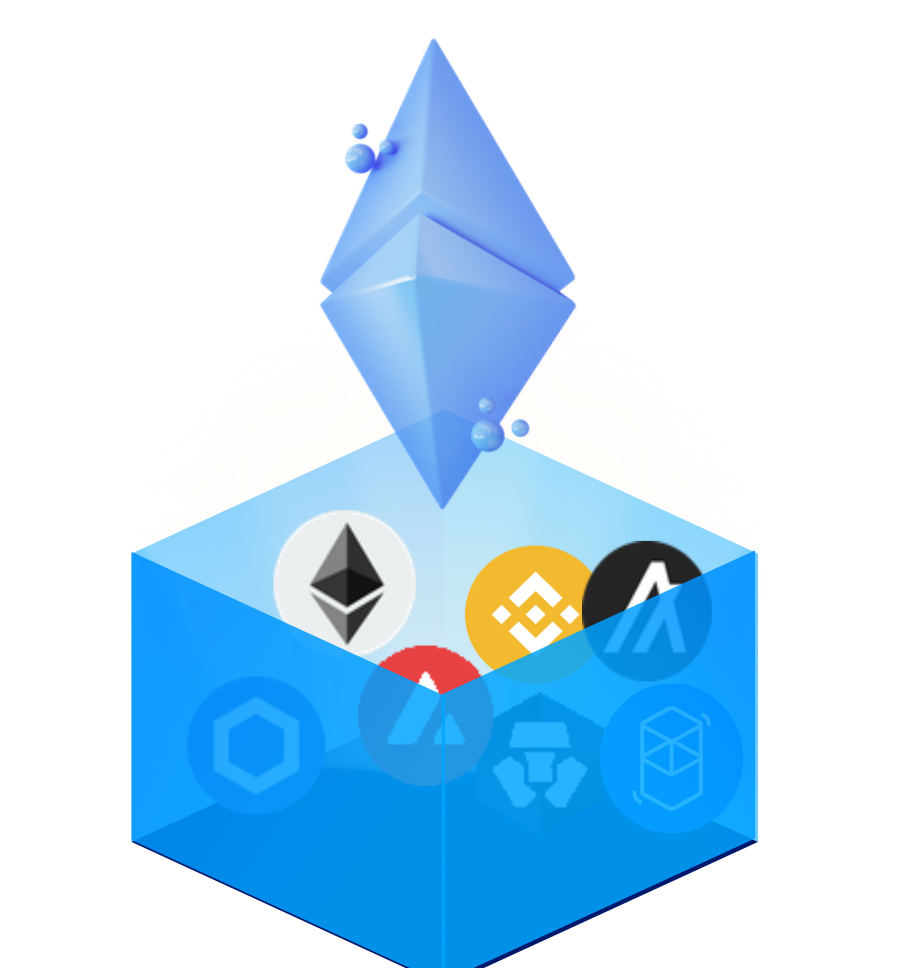
Blockgum comes to the rescue as it is Hybrid Solution to serve both purposes that GETH and Moralis Alternative do. Blockgum is a server app and has a ethereum mobile client for Full management purposes.
Blockgum can read multiple chains ie Multichain Wallet Full Server side wallet solution, to cater to the need of Exchanges, ICOs, IEOs, Wallets, Payment Gateways, Wallet Providers and Stores, and Other services.
Blockgum is a Geth alternative as It supports HDWallet, which can generate billions of addresses. It uses Single Master Public and Private keys. No need to maintain Millions of Private keys. Backup once and you are good forever.
Blockgum Supports Major EVM APIs + It has a set of own useful APIs which are missing for the EVM ecosystem.
Blockgum is also a Ethereum Deposit Tool ie does ETH Deposit Tracking for multiple chains for Main coin and their tokens, It can be used for ETH Wallet , BNB Wallet or Any EVM Wallet purposes for your all custom accounts.
EVM stands for Ethereum Virtual Machine, and there are over 600+ Known EVM chains including ETH, BNB, MATIC, FTM, and many more.
These networks support smart contracts like ERC20, ERC721, and ERC1155. Here ERC stands for Ethereum Request for Comment. These standards have especially ERC20 been dominant & helpful in Creating Tokens in Cryptocurrency networks. Tokens have been quite popular in There have been an increasing number of tokens in multiples of thousands.
ICOs stands for Initial Coin Offering or IEO ie Initial Exchange Offerings have used tokens in their ECO system.
Most exchanges nowadays support EVM Wallet and their tokens. To support tokens Developer use Either GETH [ Go Ethereum Client], Or use Hdwallet+ [Moralis or Other Public APIs]
Known Issues with Geth.
1. Security: Geth itself isn't protected by nature, Additional security like NGINX or a firewall is required.
2. Multichain : Geth /Parity does not have More than one chain.
3. HDWallet: Geth creates a random Private key every time a new address is generated. Thus developer needs to maintain and backup Multiple private keys.
4. Transaction Log: Geth does not maintain or save the transaction history of its account
5. Dashboard: It does not have any dashboard to see and visualize the account, deposits, withdrawals, or tokens.
6. Funds movement: Funds can not be auto-moved to a specific account.
7. Private keys need backup: A regular backup is required.[ Almost every new account is created ]
Known Issues with Moralis or Similar Solutions [ Infura, Etherscan].
1. Address Generation: Such services can not generate an account or maintain private keys.
2. Server App: Does not have any private app running on a server.
3. Signing Transaction: Transactions can not be signed.
4. Funds movement: Funds can not be auto-moved to a specific account.
Nostradamus.cloud gives you e-commerce store performance audit and 360º operations reports, including benchmarks and critical KPIs metrics, in just one click. On top of that, all benefits of award-winning AI analytics & sales forecasting algorithms in simple&daily, updated dashboards.
Audit your business with an e-commerce health check.
Forget about spreadsheets and keep all your store details in one place. Automatically audit your store with Nostradamus.cloud e-commerce health check and know the performance of your finance, stock, sales, and operations. Learn how your store performs and find the weak spots of your business. Find out:
Which products are running out of stock?
Which are my superstar products or customers?
Which products should be discontinued?
Which customers are returning most products?
...and more.
Right after the health check scan, you'll get suggestions for improving each section. :) Don't be afraid in-app commerce coach will always help you understand all critical KPI metrics.
Easy to understand Business Performance Analytics
Nostradamus.cloud provides important metrics benchmarking against similar shops in the same industry so you can straight away see how you are doing against your peers.
With Nostradamus.cloud, you have a bird' eye view into
SALES & FINANCIALS,
OPERATIONS INCLUDING STOCK MANAGEMENT &. RETURN PRODUCTS,
CUSTOMERS
SALES FORECASTING
Learn more about your Gross Profit Margin, Customer Retention Rate, Return rations, New vs Return Customers, and more from the easy-to-understand dashboards of your e-commerce business. It's effortless :)
Sales forecast engine
And last but not least, our award-winning artificial intelligence sales forecast engine provides information about your future selling quantity and validates if the store has a satisfactory inventory to fulfill all future customer orders. Our AI algorithm identifies trends in future consumption and customer behavior, ultimately saving costs and increasing revenue with better inventory planning and customer retention.
All these are helping to increase revenue and reduce costs for your store.
Ready to Start?
Scan your store with a Freemium eCommerce health check tool and learn more about your stock management with Nostradamus.cloud store performance insights, and sales forecast. No credit card is required.
Less than a minute of integration
Nostradamus platform can be linked with your Shopify account using just three clicks.
After your agreement, Nostradamus.cloud will synchronize all your Shopify data and train AI prediction algorithms. Then, you get easy-to-understand dashboards and BI analytics and four months' prediction of your customers' behavior. But, of course, your privacy is A-1 for us, so don't be afraid General Data Protection Regulation (GDRP) is applied.
Use Nostradamus.cloud and see how you can push your business to the next level!

SciMatch is an innovative AI-driven dating application that leverages facial analysis to uncover deep-rooted personality traits, facilitating authentic and lasting connections. By analyzing a single selfie, SciMatch's advanced AI matchmaker, Ruby, provides personalized match insights akin to those offered by relationship psychologists, making the search for love both simpler and more accessible. This approach transcends superficial commonalities, focusing instead on fundamental compatibility reflected through facial features.
Key Features:
- Facial Analysis Matching: Utilizes AI to analyze facial features, revealing personality traits and suggesting partners more likely to lead to healthy, lasting relationships.
- Celebrity Lookalike Matching: Allows users to upload a photo of their celebrity crush to find nearby individuals who resemble them, adding an element of excitement to the dating experience.
- Virtual Speed Dating: Offers five-minute video dates from the comfort of home, with AI assistance to break the ice and maintain engaging conversations, enabling users to quickly assess compatibility.
- Innovative Messaging System: Unlocks chat features based on mutual interest and high compatibility, fostering meaningful connections without the limitations of traditional mutual "likes."
- AI-Powered Dating Tools: Provides features like a dating bio generator and chat assistant to enhance user profiles and conversations, increasing the likelihood of successful matches.
Primary Value and User Solutions:
SciMatch addresses the common pitfalls of modern online dating by focusing on deep compatibility rather than superficial traits. By analyzing facial features to uncover personality alignments, it helps users avoid mismatched relationships and the frustration of endless swiping. The app's AI-driven approach ensures that users are connected with individuals who truly complement their personalities, leading to more fulfilling and enduring relationships.

Our Story
In 2014, two friends, Kirby Gonzaga and Dwight Santos, took on a challenge – to create solutions for real-world problems using digital.
From years of working for different media companies, ad agencies, and publishers, Dwight and Kirby knew well the challenges that these companies encounter online. Frequently, digital was treated as a “budget” way to get results, or as an afterthought, not as a way to solve problems. They wanted to make digital a simpler, and solutions-oriented process that aims to solve problems, not create new ones. With that vision in mind, Kirby and Dwight, joined by a few brave souls, started Thirty One Digital Media Solutions, Inc.
In the years since, Thirty One Digital grew from a small 5-man team which started out banner ads and websites, into a group of passionate solutions-finders 40+ strong. Together, they worked on a wide array of projects as they encountered clients with different problems that can be solved creatively through digital. Through analyzing the data and providing real solutions, 31D has made exceptional growth with its relatively young team.
Our Culture
With the mission of creating genuine digital solutions to real-world client problems, Thirty One Digital fosters a culture of solutions-finding. Instead of finding someone to blame, we deal in solutions, not problems.
Thirty One Digital works to create a company culture that gives room for our team members to grow. We want every person on the team to be able to think outside of their role and identify real solutions. By giving them opportunities to be real solutions-finders, we were able to help them find ways to expand their skills, build their own passions, and help out causes that matter.

At Serein, we design engaging learning solutions that help organisations stay compliant, strengthen teamwork, and build future-ready workplaces. Our work is grounded in data, behavioural economics, and social science research, enabling learning that drives real behaviour change.
Traditional learning solutions are often dull and slow to create impact. Today’s workforce needs modern, relevant approaches that address real workplace challenges. Serein partners with startups and corporations to build learning ecosystems that make compliance simpler, collaboration stronger, and emerging capabilities like AI more accessible and responsible.
Our approach draws on research across multiple dimensions of diversity and inclusion, including gender, age, disability, LGBTQIA+ identities, and other social factors that shape workplace experiences. We focus on fostering openness, psychological safety, and effective teamwork, helping organisations build cultures where people feel respected and supported.
Serein is also an end-to-end partner for Prevention of Sexual Harassment (PoSH) compliance. We support organisations with policy design, Internal Committee support, case redressal, and audit-ready implementation frameworks. Our PoSH trainings in India are delivered through engaging e-learning, interactive formats, and expert-led online and in-person sessions, ensuring both legal compliance and cultural impact.
From bespoke e-learning and gamified experiences to live sessions and expert support, we make learning stick. Our solutions help organisations comply with regulations, foster collaborative cultures that attract and retain Gen Z and multi-generational talent, and ignite AI readiness through ethical, practical training.
Learn more about our work in AI, generational inclusion, and compliance at https://serein.inc/ or reach out to us at hello@serein.in

Cartwheel is a specialized accounts receivable automation platform designed exclusively for staffing agencies, funding companies, and employers of record . By automating the entire invoice-to-payment process, Cartwheel enables organizations to accelerate cash flow, reduce manual tasks, and gain actionable financial insights. Its configurable solutions integrate seamlessly with existing systems, ensuring a smooth transition without the need for extensive change management.
Key Features and Functionality:
- Automated Invoice-to-Payment Process: Streamlines AR operations, allowing faster and more efficient payment cycles.
- Seamless Integration: Connects with various technologies such as ATS, ERP, CRM, HCM, accounting, payroll, timekeeping, and VMS systems to ensure a cohesive workflow.
- Real-Time Financial Insights: Provides clear visibility into Days Sales Outstanding by client, facilitating informed business decisions and accurate forecasting.
- Process Simplification: Automates existing AR processes, rules, and tech integrations, making them simpler and more efficient.
- High-Quality Integrations: Ensures robust and secure connections with existing tools, minimizing downtime and maintaining data integrity.
Primary Value and Solutions Provided:
Cartwheel addresses the unique challenges faced by staffing organizations in managing accounts receivable. By automating AR processes, it helps businesses:
- Improve Cash Flow: Accelerates the payment process, ensuring that organizations receive funds more quickly.
- Save Time: Eliminates manual tasks, allowing teams to focus on revenue-generating activities.
- Gain Clear Insights: Offers real-time data on financial metrics, enabling better strategic planning and decision-making.
By integrating with existing systems and automating complex processes, Cartwheel empowers staffing agencies to enhance operational efficiency, reduce errors, and achieve financial stability.
Swapste is workforce and rota software built specifically for independent hospitality businesses.
It gives pubs, bars, restaurants and cafés one place to manage the day-to-day problems around staffing: rotas, cover, swaps, time off, attendance, payroll preparation and labour costs.
Managers can create and manage weekly rotas, upload existing rota information, advertise shifts needing cover, approve staff swaps and direct swaps, manage holiday requests and track attendance issues such as lateness, sickness, no-shows and missing clock records.
Staff can see their rota, view available shifts, request cover or swaps and receive notifications when changes are made.
Swapste also includes GPS-assisted clock-in and clock-out verification. Location is checked when the employee clocks in or out; Swapste does not continuously track staff.
For payroll preparation, managers can review confirmed hours, corrections and paid holiday information and export payroll-ready Excel reports.
Smart Labour adds labour-cost planning. Managers can enter expected weekly sales and a target labour percentage, compare these against scheduled wage costs, and then enter actual sales to see confirmed labour performance once shifts have been resolved.
Swapste is designed to remain simple enough for independent venues without stripping away the features managers actually need.
Pricing is £24.99 per venue per month with unlimited staff. The first 30 days are free, there is no long-term contract, and initial rota setup and training are included.
Target customer
Best fit:
Independent hospitality venues with roughly 5–50+ staff that want something more capable than spreadsheets and WhatsApp but simpler and more predictable than enterprise workforce software

A Modern way to Capture, Report, Debug and fix bugs in web applications.
1. Bug reporting
With Session Recording, you now have visual evidence of the bug. Rather than relying solely on textual descriptions, the developers responsible for resolving the issue can see the issue for themselves, providing them with a more complete understanding of the problem.
2. Replay Session
Developers can see the exact steps the user took leading up to the bug, making it far simpler to reproduce and identify the problem.
3. Debugging
Session Recording can record network logs. This can help developers identify any network-related issues that may be contributing to bugs, such as failed requests or delayed responses.
Console logs often provide detailed error messages or trace logs. Requestly Session Recording's ability to capture these logs can give developers extra context for the bug, aiding in pinpointing the root cause.
Details about the user's environment (e.g., browser version, operating system, etc.) can also be captured. These details can be crucial in cases where bugs are environment-specific. Session recording provides developers log of network requests which can help developers resolve issues using HTTP modifications.
4. Demonstrating User Flow
Companies like Intercom and Crisp can use session replay to capture an ideal user journey through their web product, highlighting its features and capabilities in a real-world scenario. This recorded journey can then be shared with potential clients to give them a clear idea of what using the product looks like.
5. Collaboration
The recorded session can be easily shared with team members, enabling collaborative debugging and problem-solving. Developers can discuss the bug and potential solutions while viewing the same recorded information together.

Flux AI Image Generator, developed by Black Forest Labs, is an advanced AI-powered platform that transforms text prompts into high-quality images within approximately 30 seconds. Utilizing a hybrid architecture of multimodal and parallel diffusion transformer blocks scaled to 12 billion parameters, it offers a seamless and efficient image creation experience.
Key Features and Functionality:
- AI-Powered Creation: Employs a sophisticated hybrid architecture trained using latent adversarial diffusion distillation to generate diverse and high-quality images.
- Excellent Image Quality: Supports image resolutions ranging from 0.1 to 2.0 megapixels with various aspect ratios and artistic styles, catering to both casual users and professionals.
- Faster Generation: Capable of producing high-quality images in just 1 to 4 steps, offering competitive prompt adherence and output quality comparable to leading alternatives.
- Multiple Models: Offers three distinct versions: FLUX.1 Pro for professional art design, Schnell for rapid generation, and Dev for a balance between image quality and speed.
- Shorter Prompts: Extensive data training allows users to input simpler prompts to generate higher-quality images, enhancing user efficiency.
- Flexible Access: Provides efficient access through collaborative platforms like Replicate, fal.ai, and mystic, along with dedicated and customized enterprise solutions.
Primary Value and User Solutions:
Flux AI Image Generator addresses the need for rapid, high-quality image creation from textual descriptions, serving a wide range of users from hobbyists to professional artists. It streamlines the creative process by reducing the time and complexity involved in generating images, enabling users to focus more on their artistic vision. The platform's diverse models and flexible access options ensure that it meets various user requirements, from quick drafts to detailed professional designs. Additionally, its commitment to content safety by prohibiting NSFW material ensures a secure and appropriate environment for all users.