AI-Generated Results
Finding matches…
This Windows program handles Outlook mail merge from start to finish, including mail merge for Outlook and Excel with attachments. Every person on your spreadsheet gets a letter carrying a personal subject line and a personal file. Mail Merge with Attachments for Outlook reads an XLSX or CSV list, fills merge fields row by row, adds the document named in that row and sends from your own mailbox. No Word step, nothing to install inside Outlook.
📋 How to use
1. Open the Excel workbook or CSV file. Address and name columns are picked out for you, and a wrong pick takes one click to change.
2. Type the subject and text once and click merge fields into place. Point the program at the column with each person's file path.
3. Open the preview. Read each finished letter and fix whatever it flags by row number, from an absent file to an address listed twice.
4. Connect the mailbox with browser sign-in for Outlook and Microsoft 365, or enter SMTP host and port. Set the pace and press Start.
🏢 Why IT and office teams pick it
It runs as its own Windows application, so this Outlook mail merge keeps working after a switch to the new Outlook app, which no longer loads COM or VSTO add-ins. Messages travel from the PC straight to the mail provider and never touch a SoftOrbits server. The sign-in token is held in memory only for as long as the program runs. A journal tracks every addressee as waiting, in flight or done, so a run cut short picks up again without mailing anyone twice. Copy and blind copy addresses may come from a column as well, which the Word and Outlook merge cannot do.
👥 Who uses it
Accounting staff send monthly invoices and statements. HR and payroll send payslips, where each file must reach one person only. Office managers run it as an Outlook mail merge for contracts, renewal notices and course certificates, and as plain mail merge for Outlook and Excel when a letter needs no file. A saved project keeps the setup, so next month you swap the spreadsheet and press Start on the same mail merge for Outlook and Excel with attachments.
❓ FAQ
Can you attach a PDF to a mail merge?
Yes. A PDF goes in like any other file on your disk. Put its location in one column, and the program matches every person to the right document.
How do I turn an Excel spreadsheet into a mail merge?
Load the workbook on step one. Its columns turn into fields you can drop into the subject and text, with no renaming or moving sheets.
Do I need Outlook installed?
No. Our Outlook mail merge sends over Microsoft account sign-in or any SMTP server. Classic Outlook, the new Outlook or no Outlook at all will do.
Can I schedule the mailing for later?
Yes. Pick a start time and leave the program running, and it begins on its own at the pace you set.
✅ The free trial sends each mailing of your Outlook mail merge to 25 addresses at most and adds no promotional line to the letters. Runs on Windows 11 and 10.
Not seeing what you're looking for?
Dive deeper into "Preview App" on G2 AI
Digital photo suite is the plain name for what this bundle is: ten small Windows programs for photo work, sold as one package. SoftOrbits Digital Photo Suite - Photo Editing Bundle skips the single giant editor approach on purpose. Each tool does one job, so you open the resizer to resize a folder, the retoucher to repair an old print and the background remover to cut out a subject. The set costs about 70% less than buying the same programs one at a time.
🛠️ How to use it
1. Download the installer and run it on Windows 11 or 10 (7 and 8 are also listed).
2. Open the tool that matches the task, for example Batch Picture Resizer for a folder of shots.
3. Add your photos by file or by folder.
4. Pick the settings or a preset, check the preview and save the result.
5. Move to the next tool when a picture needs another step, such as a watermark.
💼 Why IT and office teams pick it
One purchase answers several everyday requests that tend to land on the help desk: shrink images for email, put a company watermark on them, cut a product out of its background, get pictures back from a wiped memory card. Staff learn one narrow tool quickly instead of training on a heavy editor. Home and business licences exist, so a company can license the digital photo suite for work use.
🎨 What is inside
AI Photo Editor changes images from short text prompts. Photo Retoucher removes scratches and noise and colorizes black and white pictures. SoftSkin Photo Makeup evens skin tone and hides small blemishes. Batch Picture Protector stamps text or logo watermarks, and Photo Stamp Remover takes unwanted ones off. Sketch Drawer and Picture to Painting Converter turn shots into pencil drawings or oil paintings. Flash Drive Recovery brings back deleted files from USB sticks, cards and cameras.
👥 Who uses it
Hobby photographers who want quick fixes without a long learning curve. Small shops preparing product images for a catalog. Families restoring scanned prints from old family albums. Office staff who need a picture resized or branded before it goes out.
❓ FAQ
Is this photo editing software or a set of separate apps?
It is a set. Each program installs and runs on its own, and together they cover retouching, resizing, protection and creative effects.
Do I need design skills?
No. Most tools work in a few clicks with presets, and the AI Photo Editor takes plain text instructions.
Can it recover photos I deleted by mistake?
Flash Drive Recovery scans USB sticks, memory cards and cameras and restores deleted or corrupted files after quick formatting, with FAT32 and NTFS support.
Is the photo editing bundle cheaper than single licences?
Yes. The bundle is priced around 70% below the total of the separate programs.
🧪 Free trial of the digital photo suite, no sign-up needed. Runs on Windows 11, 10, 8 and 7.
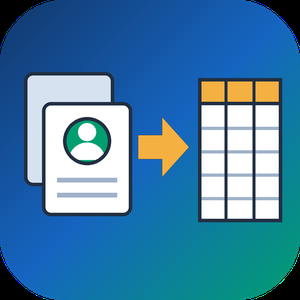
VCF to CSV Converter for CRM Import is a Windows program for one job: turning a pile of vCard files into a single vcf to csv export your CRM can read. Staff phones, Outlook address books and card scanner apps all hand out contacts as .vcf, while Salesforce, HubSpot, Zoho CRM and Excel want rows and columns. Point the program at a folder and the vcf to csv pass writes one UTF-8 CSV with every card in it.
📋 How to use it
1. Click Add folder or Add files. Subfolders are scanned and files holding many cards are split.
2. Pick an output template: Google Contacts, Outlook, Yahoo or Plain CSV.
3. Decide whether extra phones and emails go into numbered columns or share one cell.
4. Open Column mapping, untick what the import does not need and set the order with Up and Down.
5. Click Convert and load the file through the import page of your CRM.
🛠️ Why IT and office teams pick it
Many vcf to csv tools stumble on old Android and Nokia exports, where names arrive as quoted-printable codes like =C3=BC. This one decodes quoted-printable and reads each card's charset (UTF-8, UTF-16, windows-1251, windows-1252, GBK), so Cyrillic, Chinese and accented names survive. The CSV carries a BOM, which lets Excel open it correctly on a double-click. Duplicate people from overlapping exports are merged by name plus main contact detail. Custom X- fields become extra columns, photos are saved as image files with the path in the row, and birthdays are written as YYYY-MM-DD. Click any file in the queue and a text preview shows its parsed cards, which helps when checking a tricky export before you commit. Everything runs on the PC with no upload and no account.
👥 Who uses it
CRM admins loading leads that sales reps exported from their phones. Office managers combining address books after a staff change. IT staff moving a team to Google Workspace or Outlook, international names included. Recruiters and event organizers who collect cards from scanner apps every week. Marketers turning a stack of contact cards into a vcf to csv mailing list.
❓ FAQ
How do I convert a VCF file to CSV?
Add the file or its folder, choose a template and click Convert. Every card in the queue lands in one CSV, and the encoding is detected for you.
Can I open the result in Excel?
Yes. The file is UTF-8 with a BOM, so Excel shows non-Latin letters properly. Google Sheets and LibreOffice open it as well.
Why do names come out garbled in other converters?
They skip quoted-printable decoding, so letters stay as codes like =F6. This program decodes them and writes plain UTF-8.
Are VCF and CSV the same thing?
No. A vCard holds contact cards for address books. A CSV is a table that spreadsheets and import wizards read row by row.
The free trial needs no sign-up and converts the first 10 contacts of each run, enough to test a vcard to csv import. Windows 10 and 11, works offline.

Submittal.app is AI-powered construction submittal software. Its Submittal Builder agent assembles complete submittal packages from a plain-English prompt — finding products, pulling manufacturer cut sheets, checking them against the project specification, placing review comments, and turning approved packages into quotes and purchase orders.

Meridian is an AI-powered month-end close automation platform built by Pilot, used by accounting firms to close books end-to-end without manual intervention. Meridian can handle categorization, reconciliation, exception handling, and financial statements, delivered as finished books. Your accountants review and approve. Their role changes from production to oversight.
BoringSec is an application security platform that helps developers, founders, product teams, and agencies identify, understand, fix, and verify security issues across code and production environments. It combines code review, live application scanning, evidence-backed findings, AI-ready remediation, re-testing, continuous monitoring, alerts, professional reporting, and compliance evidence mapping in one workflow. BoringSec also supports REST API, MCP, CLI, GitHub, Slack, and webhook integrations, making it easier to embed security into modern development processes without the complexity of traditional enterprise security tooling.

BugBrain is an AI-powered quality assurance (QA) platform that tests web applications autonomously. Instead of writing and maintaining brittle test scripts, teams point BugBrain at their app and AI agents explore it like a real user — logging in, navigating flows, and surfacing bugs that human testers and scripted suites miss. Every finding is verified and reported with evidence (root cause, severity, reproduction steps, and screenshots) and an honest PASS / FAIL / INCONCLUSIVE verdict, so engineers review real issues instead of a wall of false positives.

Enterprise teams need realistic content for testing, research and AI workflows while limiting unnecessary exposure of sensitive information. GritRedact detects personal, health and custom entities in documents, images and audio. Users apply policies, review detections, and approve removal or replacement while retaining useful layout and surrounding content. Sanitized exports include records of detections, actions and operator decisions. Batch processing and API integration support repeatable workflows. Teams can use GritRedact through fully offline enterprise deployment or a sales-assisted SaaS subscription.

DocDraft is an AI-powered legal document creation platform designed to streamline the drafting process for individuals and businesses. By combining advanced artificial intelligence with expert legal oversight, DocDraft enables users to generate attorney-grade documents efficiently and affordably. The platform offers a guided intake process to capture essential details, ensuring each document is tailored to specific needs. Users can access a network of licensed attorneys for personalized reviews, strategic advice, and custom edits, providing confidence in the final product. DocDraft's commitment to data security ensures that all information is protected with bank-level encryption, maintaining user privacy and compliance.
Key Features and Functionality:
- AI-Powered Document Drafting: Utilizes artificial intelligence to create professional-grade legal documents based on user input.
- Guided Intake Process: Step-by-step guidance to capture relevant information, ensuring documents are accurate and comprehensive.
- Attorney Review and Support: Access to licensed attorneys for document review, strategic advice, and custom edits.
- Data Security: Implements bank-level encryption to protect sensitive user information.
- Ongoing Support: Provides continuous assistance for document adjustments, questions, and additional legal needs.
Primary Value and User Solutions:
DocDraft addresses the challenge of creating reliable legal documents without the high costs associated with traditional legal services. By integrating AI technology with human expertise, the platform offers a cost-effective solution that saves users time and money. It bridges the gap between expensive attorney services and risky do-it-yourself approaches, providing a secure and user-friendly experience. Whether drafting contracts, agreements, or other legal documents, DocDraft empowers users to handle their legal needs confidently and efficiently.

Most teams preparing for SOC 2 or ISO 27001 run access reviews in a spreadsheet: export users, email managers, chase replies, and hope the auditor accepts the result. Reviewers see names without context, so nearly everything gets approved.
Certia runs the review inside Jira Cloud.
- Complete scope. Certia finds everyone with access through groups, and also people who hold a Jira project role or Confluence space permission directly, which a group-only review misses.
- Context for every decision. Reviewers see each person's groups, roles, last activity, how each piece of access was granted, and what else a group controls before they revoke it.
- AI pre-sort. Each person is tagged "likely safe" or "needs review" with a one-line reason, using Atlassian's own Forge LLMs. Names, emails and account IDs are never sent to the model.
- A reason for every decision. Keep, revoke and escalate each require a written note, so the record shows a person actually looked.
- Reminders and escalation. Certia reminds reviewers with pending items daily and alerts the admin when a campaign is overdue.
- Auditor-ready report. A certified report built from an append-only audit log, mapped to SOC 2 CC6.1-CC6.3, with an integrity fingerprint and CSV and PDF export.
Certia runs entirely on Atlassian Forge. Data stays inside Atlassian's cloud, and the app carries the Runs on Atlassian badge.
Certia produces evidence that an access review was performed. It doesn't make an organization compliant on its own, and it records revoke decisions; removing the access is done in Jira.
Free for up to 10 users. Install from the Atlassian Marketplace.

CogniLab is an enterprise-grade data annotation platform designed to transform raw data into high-quality training datasets for AI applications. Trusted by Fortune 500 companies, it offers a comprehensive infrastructure that ensures accuracy, speed, and security in data labeling processes.
Key Features and Functionality:
- AI-Assisted Labeling: Utilizes smart pre-labeling to reduce manual effort by 90%, enhancing efficiency.
- Custom Workflows: Provides multi-stage review pipelines with role-based access, allowing tailored annotation processes.
- API & Integrations: Offers REST API, Python SDK, and native integrations with AWS, GCP, and Azure for seamless connectivity.
- Global Workforce: Access to over 50,000 expert annotators proficient in more than 235 languages, ensuring diverse and accurate annotations.
- Quality Assurance: Implements multi-level validation with automated consensus rules to maintain high-quality standards.
- Enterprise Security: Compliant with SOC 2 Type II, ISO 27001, GDPR, and HIPAA standards, ensuring data security and privacy.
Primary Value and Solutions:
CogniLab addresses the critical need for reliable training data in AI development. By providing a robust annotation infrastructure, it ensures consistent, high-quality data labeling, which is essential for the accuracy and reliability of AI models. The platform's emphasis on speed, with 10x faster annotation capabilities, and its commitment to security through stringent compliance measures, make it a valuable solution for enterprises aiming to scale their AI initiatives efficiently and securely.

CatDoes is an AI agent that builds, deploys, and maintains mobile apps and websites from natural language. Users can start from scratch or bring an existing GitHub repo, then let the agent handle everything from design to Producton ready apps and websited, no coding required, though developers get full code access when they want it. Key Features and Functionality: - AI Agent Development: Describe what you want to build in plain language and CatDoes generates working mobile apps and websites, running in the cloud and spinning up specialized subagents to handle complex, multi-step tasks. - Full Distribution: Ship directly to the Apple App Store, Google Play, and the web, with custom domain support and multi-domain projects. - App Store Review Simulation: Catch rejection risks before you submit with a built-in review simulation that checks your app against store guidelines. - GitHub Integration: Import existing repositories, work with monorepos, and export your code, you own it. - CatDoes Cloud: A complete backend included on every plan, providing database, authentication, storage, edge functions, and realtime, hosted in US and EU regions. - Website-to-App: Turn existing websites into apps, and design across a multi-page visual canvas. - File Browser & Code Editor: Inspect, edit, and refine every file in your project for full control over functionality and design. - Flexible Plans: Choose from a free tier through team plans, with credit-based pricing that scales to your needs. Primary Value and Problem Solved: CatDoes collapses the entire app and website lifecycle, building, backend, deployment, and app store distribution, into a single AI-driven platform. Traditional development requires stitching together designers, developers, backend services, and complex store submission processes. CatDoes removes that friction, letting solo founders, businesses, and developers go from idea to a live, published product without managing infrastructure or wrestling with deployment. Whether you're launching your first app or maintaining a portfolio of projects, CatDoes adapts to your workflow, abstracting away complexity for non-technical users while giving developers the code-level control and integrations they expect.

Billfree (Billfree Labs Pvt. Ltd.) is a Customer Experience Management (CEM) and retail CRM platform built to help retailers turn one-time buyers into repeat customers.
Unlike billing or POS software, Billfree integrates with your existing POS and adds customer intelligence, engagement, and retention on top of every sale. Its PRIO (Post Purchase Revenue Intelligence OS) turns transaction data into actionable opportunities to drive future sales.
Key features include:
Smart Digital Bills that double as engagement touchpoints
Smart CRM to capture and manage customer data
WhatsApp Marketing Automation for personalised communication
Loyalty & Offers to drive repeat purchases
Google Review & Reputation Management
Analytics & Customer Insights
Built for Indian retail across apparel, footwear, electronics, automotive, QSRs, jewellery, home & living, salons, and D2C, Billfree combines technology with dedicated Retail Growth Consultants.
Revinsta is an AI Agent that manages hotel reputation, built for hospitality only. It brings every guest review from Google, Booking.com, Tripadvisor, Expedia, Airbnb, Agoda, Yelp and Hotels.com into one inbox, answers each one in your hotel's own voice, analyses what guests are saying, and tells you what is happening and where to improve.
The problem it solves is simple. Reviews pile up across several platforms, replies get pushed to the weekend, and travellers reading a listing can see that nobody answered. An unanswered complaint is not neutral. It reads as agreement.
Revinsta drafts a reply for every review, written in your property's personality and in the guest's own language, with an English version alongside so you always know what is being sent. More than 30 languages are supported. Nothing is published under your hotel's name until a person approves it, unless you switch automation on yourself. Even then, reviews with a real complaint in them are held back for a human by default. Routine reviews, such as a four-star with no comment, can be answered automatically by rules you set by star rating and platform.
Beyond replies, Revinsta gives you hotel reputation intelligence. The Agent reads everything guests write and ranks what is costing you stars, with the guest comments behind each issue. Competitor benchmarking shows how your rating and review volume compare with the hotels you compete with for bookings. Guest intelligence lets you ask questions about your own feedback in plain language and get an answer with the comments it came from. Properties with more than one location get a Portfolio View that ranks every property on one screen.
Revinsta is designed for hotels and resorts, B&Bs and guesthouses, vacation rentals, hostels, motels, serviced apartments, boutique properties, and groups and chains. Setup takes about ten minutes, with no software to install, no PMS integration and no onboarding fee. Revinsta is GDPR compliant, with a Data Processing Agreement available and data deleted on request.

Apivom Mars is marketing automation across WhatsApp, social media, and blog content. Teams can build WhatsApp audiences from Iris filters or CSV/XLSX lists of up to 50,000 recipients, track delivery per recipient, and manage conversations (including bot hand-off) from a shared inbox. A weekly content engine drafts blog articles in English, Turkish, and French with a cover image, and schedules social posts - everything waits in a review queue until approved, after which Facebook, Instagram, and Threads publish automatically (LinkedIn gets a ready-to-post kit with copy and a PDF carousel). Website contact/newsletter forms also feed directly into segments with automatic confirmation emails in the visitor's language.

Burhan (Burhan QA) is an AI QA testing tool for web apps. Give it your product docs (PRDs, user stories or specs) and a staging link: it writes the user journeys module by module, your team reviews them, and it tests each one in a real browser on your test accounts. Every failure comes with the failing step, a video, API calls, console errors and a bug report your developers can act on, with one-click tickets in Jira and ClickUp. No docs? Burhan explores the app read-only and writes the documentation first. No test code to write or maintain. Works in English and Arabic, including right-to-left apps. Starter is free; Growth is $99 and Pro $249 per project per month.

Accurate.Video Validate runs in your web browser, enabling remote users to easily playback and verify professional media content (frame accurate video with multiple audio and subtitle tracks), alongside time-based metadata, such as manual markers (for collaboration or review & approval), Auto-QC report information, or Machine Learning data.

Smart Contract Auditor audits Solidity contracts for vulnerabilities, logic bugs, gas inefficiencies, and compliance issues. Trained on audit history, exploits, and best practices, it delivers fast dev-phase checks plus deeper production-ready reviews. Use it in the web app or integrate via REST API and Node.js SDK to harden contracts before deployment.

ReputAI is review management software that automates personalized replies to Google Business Profile reviews. The software generates contextually appropriate responses that reflect the business owner's communication style while incorporating product names, supplier references, and local keywords. During setup, the business owner specifies tone, signature, and offerings to ensure replies feel authentic. Flexible automation settings allow star-rating thresholds for automatic publishing, with lower-rated reviews held for manual review. ReputAI integrates directly with Google Business Profiles, importing reviews instantly. The platform offers centralized management for multi-location operations with location-specific customization. Mobile-optimized workflows enable quick approvals, ensuring responses are published within minutes to maintain customer engagement and online presence.

workBYLiNE is an AI-assisted hiring decision platform for recruiters, hiring managers and engineering teams. It organizes role requirements and candidate documents into a structured review workflow.
The platform links extracted candidate claims to source excerpts, distinguishes self-reported information from corroborated evidence, and identifies missing evidence against approved role requirements. Candidate review packets present evidence, gaps and assessment details for human review.
Hiring teams can approve role requirements, inspect citations and record decisions with a written rationale. Versioned records track changes to evaluations and flag decisions that require renewed review. Final hiring decisions remain with authorized human reviewers.
workBYLiNE is currently being prepared for private pilot use.