






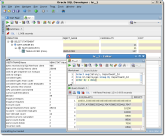


Somewhat intuitive layout and the ability to store and easily access multiple different connections that have been previously setup easily and fast. Review collected by and hosted on G2.com.
Overall it's a clunky and often slow interface. There's no way to really get into the tables to edit data without right clicking on the table name IF it's in a select statement and going to "Open Declaration". It also handles unexpected disconnects poorly. The "Reconnect" menu item does not always work when the database has been unexpectedly disconnected and when it does work it sits for several seconds (maybe closer to 10) before it seems to realize the connection was already dropped and then it finally reconnects. Also, I believe it's when you disconnect then reconnect that it opens a new SQL window instead of allowing you to automatically start executing SQLs in the one you previously had open. You can use that window that was previously open, but you need to point it at the connection again. The execution plan is also not very intuitive. SQL Server Management Studio was designed much better. Toad, I hear, is a good replacement for SQL Developer. Review collected by and hosted on G2.com.
The reviewer uploaded a screenshot or submitted the review in-app verifying them as current user.
Validated through LinkedIn
This reviewer was offered a nominal gift card as thank you for completing this review.
Invitation from G2. This reviewer was offered a nominal gift card as thank you for completing this review.


