AI-Generated Results
Finding matches…
QwikFile bankruptcy software was designed by seasoned bankruptcy professionals to simplify the preparation of Chapter 7 and Chapter 13 Official Bankruptcy Forms.
Not seeing what you're looking for?
Dive deeper into "UFile" on G2 AI
DynaFile is a cloud-based document management system designed to streamline Human Resources operations by transitioning from paper-based to electronic personnel files. It offers a comprehensive solution for managing the entire employee file lifecycle, from recruitment through record retention, enhancing efficiency, compliance, and security within HR departments.
Key Features and Functionality:
- Electronic Employee Files: DynaFile enables rapid digitization of paper records through scanning automation tools like barcode recognition and batch processing, facilitating a swift transition to a paperless environment.
- Cloud-Based Storage: Secure, bank-grade online storage allows HR teams to access and manage employee documents from anywhere, ensuring flexibility and remote accessibility.
- Automated Onboarding: Seamless integration with e-signature platforms such as DocuSign, Adobe Sign, and PandaDoc enables fully electronic employee onboarding processes, reducing paperwork and administrative overhead.
- Compliance and Audit Readiness: DynaFile offers audit reports to ensure all employee folders are up-to-date with required documents, helping HR teams stay compliant with labor laws and audit requirements.
- Secure File Sharing: Encrypted document links allow HR professionals to share files securely with staff or auditors, maintaining confidentiality and data protection.
Primary Value and Problem Solved:
DynaFile addresses the inefficiencies and security concerns associated with traditional paper-based HR document management. By digitizing and centralizing employee records, it reduces administrative tasks, minimizes errors, and ensures compliance with regulatory standards. The platform's cloud-based nature supports remote work environments, providing HR teams with secure, instant access to necessary documents from any location. This transformation leads to significant time and cost savings, allowing HR professionals to focus on strategic initiatives rather than manual paperwork.
MediaFiler is a cross-platform, web-based, Digital Asset Management (DAM) system with the ability to manage and display numerous file types.

Inspection Files is a mobile ready solution for inspections and code enforcement with tools to schedule, complete and follow up on inspections while delivering customer satisfaction through reports.

paraFile helps users capture, author, edit, distribute, retrieve, and manage electronic documents globally.

Managing your contract workflow with tractFile is a breeze! Never miss another expiration date, rate increase, billing, or payment.

Designed to simplify drawing distribution and improve supply chain management.

File Fortress is a DLP platform that provides user-based security securing all files across your organization.
Active Cypher’s intelligent, zero-trust file security operates invisibly to users and provides seamless governance.
The Benefits of Active Cypher’s File Fortress:
End-To-End Encryption - Encryption is done at the file level and not the directory or volume. They are only available for viewing and editing by authorized users
Crypto-Agile Architecture - encryption in 256-bit AES or Active Cypher’s Quantum Encryption Standard (QES).
Hybrid & Multi-Cloud Security - Centralized management and governance of file security across all cloud storage endpoints. Whether your data is stored in Azure, OneDrive, SharePoint, AWS, Dropbox, GoogleDrive, and more, File Fortress provides universal protection throughout your data domain.
Simplifies and Expands protection - Integrates Microsoft services and infrastructure, such as Microsoft Security Center and Azure Active Directory, to ensure ease of implementation and broaden file security.
Zero-Trust File Security - Never trust, always verify. Identity-centric access through Azure Active Directory and file specific meta-data focused provides risk-based file privileges.
Complies with GDPR, CCPA, HIPAA, and other consumer protection laws. Covers more than half of NIST 800-53 specifications.
Simple, Fast and Secure
Easily deployed enterprise-wide in about an hour
No additional hardware or staffing required
No impact on system administration or user workflow
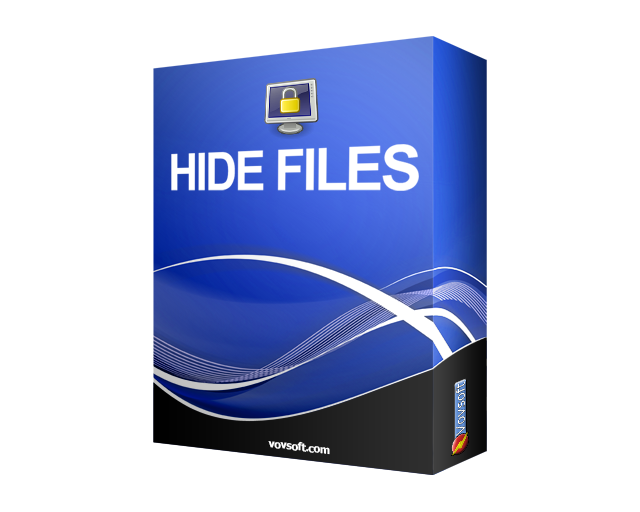
Secure your confidential files and folders. Hide Files is a folder-locker utility. You can encrypt and decrypt your sensitive documents, photo albums, videos, emails and any kind of data. You can password protect any secret or embarrassing files. Hide your files and folders from prying eyes. Set your master password and lock your files. No one can access your files without your master password.
Hide Files supports NTFS, exFAT, FAT32 and FAT16 file system types, local hard drives, external hard drives, SSD drives, SD/MMC memory cards and USB flash disks. The ability to hide and encrypt on bulk files and open them in a few seconds is the expertise of this software. Hide Files can lock and unlock your gigabytes of data within seconds. Hide Files supports drag and drop from Windows Explorer and supports lost password recovery. Hide Files stops locking process if any file or disk error occurs and helps you not to lose your important data. However it is always a good idea to backup your important files and folders first.
End to end business effeciency, enabling full transparency
Fuddle allows you to map your onboarding, and enable step by step self onboarding for each of you staff.

Activate your product content across every digital channel with a single integrated platform.
Marketing, eCommerce, and Influencer software that helps your business grow without compromise. Because “good for the business” should also mean “good for the customer.”
PuriFile is a data loss prevention software developed by Peraton, designed to safeguard sensitive information by detecting and neutralizing malicious software threats such as viruses, worms, Trojan horses, and spyware. It offers comprehensive protection for computers and networks, ensuring the integrity and confidentiality of critical data.
Key Features and Functionality:
- Malware Detection and Identification: PuriFile effectively identifies and mitigates various forms of malicious software, including viruses, worms, Trojan horses, and spyware, thereby protecting systems from potential threats.
- Data Loss Prevention: The software prevents unauthorized access and potential data breaches by monitoring and controlling data transfers, ensuring that sensitive information remains secure.
- Intelligence Gathering: PuriFile assists in collecting and assessing information from the internet to detect indicators of online data breaches, enabling organizations to determine the extent of any security incidents.
- Compliance Support: By enforcing security policies and monitoring data usage, PuriFile helps organizations comply with regulatory requirements related to data protection and privacy.
Primary Value and Problem Solved:
PuriFile addresses the critical need for robust data security by providing organizations with the tools to detect, prevent, and respond to malware threats and data breaches. By ensuring the protection of sensitive information, it helps maintain operational integrity, supports compliance with regulatory standards, and safeguards against the financial and reputational damage associated with data loss incidents.
File ZIPO: A native Salesforce application designed for developers & admins to sync files to external cloud storage accounts, viz. OneDrive, Amazon S3, Google Drive, Dropbox & Box.com, or ZIP Files to save/share. It facilitates easy file management with Filter & Overwrite features. It reduces the manual effort of users & increases their productivity.

The Company File is a provider of company records and registry documents.
To understand a customer, supplier or competitor, very often we need to look at its registration records. Instead of second-hand information, we can choose to read the registration documents from the local corporate registry, which would tell us a lot about the firm.
Knowledge increases. Risk decreases.
FileRecall is a simple, secure way to take back control of shared files — even after you’ve sent them.
It solves the most common (and most embarrassing) problem in modern file sharing: sending the wrong file, sharing the wrong link, or giving access you can’t undo.
With FileRecall, you can instantly revoke access, replace a file, or expire a link, without needing the recipient to delete anything on their side. No complicated setup, no enterprise IT, no learning curve — just clean, reliable control over your shared content.
Whether you’re sending documents to clients, sharing folders with teams, or sending sensitive files to someone outside your organisation, FileRecall gives you the confidence that you can always undo a mistake.
Key capabilities:
Instantly revoke access to any shared file
Replace a file without changing the link
Set automatic expiry for shared content
Track when files are opened
Prevent resharing or forwarding
Works with your existing workflow — no new storage system required
Who it’s for:
Professionals, freelancers, agencies, consultants, and teams who need a simple, reliable way to control what happens after they share a file.
The result:
Fewer mistakes, fewer “wrong file” moments, and complete peace of mind every time you hit send.
File X-Ray is a browser-first metadata inspector supporting 20+ file formats including images such as JPEG, PNG, WebP, TIFF, HEIC, AVIF, and GIF, documents including PDF, DOCX, XLSX, and PPTX, video formats MP4 and MOV, and audio formats MP3, FLAC, WAV, M4A, OGG, and AIFF. Features GPS coordinate mapping on an interactive map, per-field privacy risk classification, AI-powered metadata summaries via Gemini, byte-level PDF forensics, metadata stripping with strip-diff reports, and a 9-section field guide. All processing happens in the browser with no server uploads.


