AI-Generated Results
Finding matches…
Comprehensive Digital Ergonomic Care: Through self-assessments and one on one assessments led by ergonomic experts, PostureHealth teaches your people good ergonomic health. Everything from setting up workstations to learning how to sit comfortably on a couch, we got your back. PostureHealth then guides daily ergonomic health through proprietary posture correction software that measures and corrects posture while using the computer. When a user slouches, PostueHealth gently alerts them and guides them back to a comfortable position. All through downloadable software on the computer. The app runs securely (HIPPA, SOC2) in the background. Throughout the day, PostureHealth users receive walk break reminders and are instructed to complete quick exercises that are personalized to each user for back and joint care. Employees track their ergo wellness goals on an interactive dashboard and employers can see anonymous, employee ergonomics data. PostureHealth offers monthly live events like ergonomic-focused yoga and ergonomic-focused webinars to keep people engaged, informed, and healthy. Traditional ergonomic companies provide one-off experiences, like a once-a-year assessment. PostureHealth delivers continuous value and goes great alongside other MSK solutions (Hinge, Kaia)
Not seeing what you're looking for?
Dive deeper into "Worksection" on G2 AI
A simple 5S app for manufacturing companies, built for the part of 5S that usually fails: keeping order after the implementation project. A workstation standard is a photo, a few lines of text and a checklist, made from ready-made 5S audit templates or from scratch, and changed in a minute without printing anything. Every workstation gets a QR label. Workers scan it with their own phone and see the standard, their open fixes and the status of their improvement ideas, with no account and no password. Audits run on a phone, one workstation at a time or as an audit round across a whole unit, with several auditors working at once. Auditors without an account join with the company's audit PIN. Every finding becomes an improvement task for that workstation, with the audit photo and a due date. A later audit closes fixed items automatically, and items that fail again are flagged as repeat issues, so the cause gets fixed instead of the person being blamed. Managers see open and overdue tasks for their own area, recurring audits and their deadlines, and results and trends by plant, department and workstation. The structure follows the factory at any depth: plants, departments, lines and workstations, and unit managers see only their own branches. There are no e-mail notifications: findings stay in the app and at the workstation. Data is stored in the EU. Pricing is per company, not per user, and workers using the QR view are always free. A free plan covers one unit and five workstations with no time limit.

Celemony is renowned for its flagship software, Melodyne, a revolutionary audio editing tool that allows users to manipulate audio recordings with exceptional precision and musicality. Utilized daily in major studios worldwide, Melodyne enables the correction, perfection, reshaping, and restructuring of vocals, samples, and recordings across various genres, maintaining the highest sound quality. Its intuitive interface and powerful features have made it an integral part of modern music production.
Key Features and Functionality:
- Direct Note Access : Edit individual notes within polyphonic audio, allowing for precise correction and creative manipulation of chords and harmonies.
- Comprehensive Editing Tools: Adjust pitch, timing, vibrato, formants, and dynamics of each note, providing detailed control over every aspect of the audio.
- Multitrack Editing: Simultaneously edit multiple tracks within a single window, streamlining the workflow for complex projects.
- Chord Track and Recognition: Automatically detect and modify chords, facilitating seamless integration of recordings and samples into the harmonic structure of a song.
- ARA Integration: Utilize Audio Random Access technology for deep integration with digital audio workstations , enabling real-time editing without the need for exporting or importing audio files.
Primary Value and User Solutions:
Melodyne addresses the challenges of audio editing by offering unparalleled control over the nuances of musical performances. It empowers users to correct pitch and timing inaccuracies, enhance expressiveness, and creatively transform recordings while preserving their natural character. This capability is invaluable for producers, engineers, and musicians aiming to achieve polished, professional-quality results in their projects.
Asytra Trace is digital assembly instruction software that gives manufacturers full traceability on every step of every unit they build.
It replaces paper work instructions with step-by-step digital guides that include images, video, and rich media. Operators follow the instructions on screen and run jobs by serial number, so every step completion, measurement, and sign-off is recorded automatically with a timestamp and operator ID. When engineering changes an instruction, every workstation sees the updated version instantly, so there are no outdated copies on the floor.
Built-in quality checkpoints let you add mandatory quality gates at critical steps, requiring photo evidence, measurements, or supervisor approval before an operator can continue. This means defects are caught during assembly rather than at final inspection or by the customer.
Because every action is captured per serial number, build documentation generates itself as operators work. When a customer asks for a build record, you export a complete PDF or Excel report per unit in seconds, rather than compiling paper sign-off sheets by hand. You can also share read-only views with clients through guest access, and control who does what with team roles and permissions.
Trace is built for small and mid-sized manufacturers doing high-mix assembly, contract manufacturers, electronics and electromechanical assemblers, medical device makers, and industrial OEMs, who need per-unit traceability but find enterprise MES platforms too complex and too expensive. It is made by people who run a manufacturing operation, and simple enough for a production team to adopt in a day, without an IT project or a consultant.

Linux Mint Serena Desktop HVM is a pre-configured Amazon Machine Image that delivers Linux Mint 18.1 with the Cinnamon desktop environment on Amazon Web Services . This AMI is designed to provide users with a modern, elegant, and comfortable operating system experience, accessible remotely via the Remote Desktop Protocol . It offers a comprehensive suite of applications, including LibreOffice and Firefox, catering to a wide range of productivity needs.
Key Features and Functionality:
- Cinnamon Desktop Environment: Provides a user-friendly and customizable interface, enhancing navigation and accessibility.
- Remote Desktop Access: Integrated with XRDP v0.9.1, allowing secure RDP connectivity from various devices, including PCs, phones, and tablets.
- Comprehensive Software Suite: Pre-installed with essential applications like LibreOffice for document processing and Firefox for web browsing.
- Optimized Performance: Tailored to function efficiently on cost-effective t2.small and t2.medium EC2 instance types, ensuring a balance between performance and cost.
- Extensive Package Repository: Based on Debian and Ubuntu, offering access to approximately 30,000 software packages through a robust software manager.
Primary Value and User Solutions:
Linux Mint Serena Desktop HVM addresses the need for a reliable and accessible desktop environment in the cloud. By leveraging AWS infrastructure, users can deploy a full-featured Linux desktop that is remotely accessible, facilitating centralized access to important software and files from virtually any device. This solution is particularly beneficial for professionals and organizations seeking a cost-effective, scalable, and secure remote workstation setup without compromising on functionality or user experience.
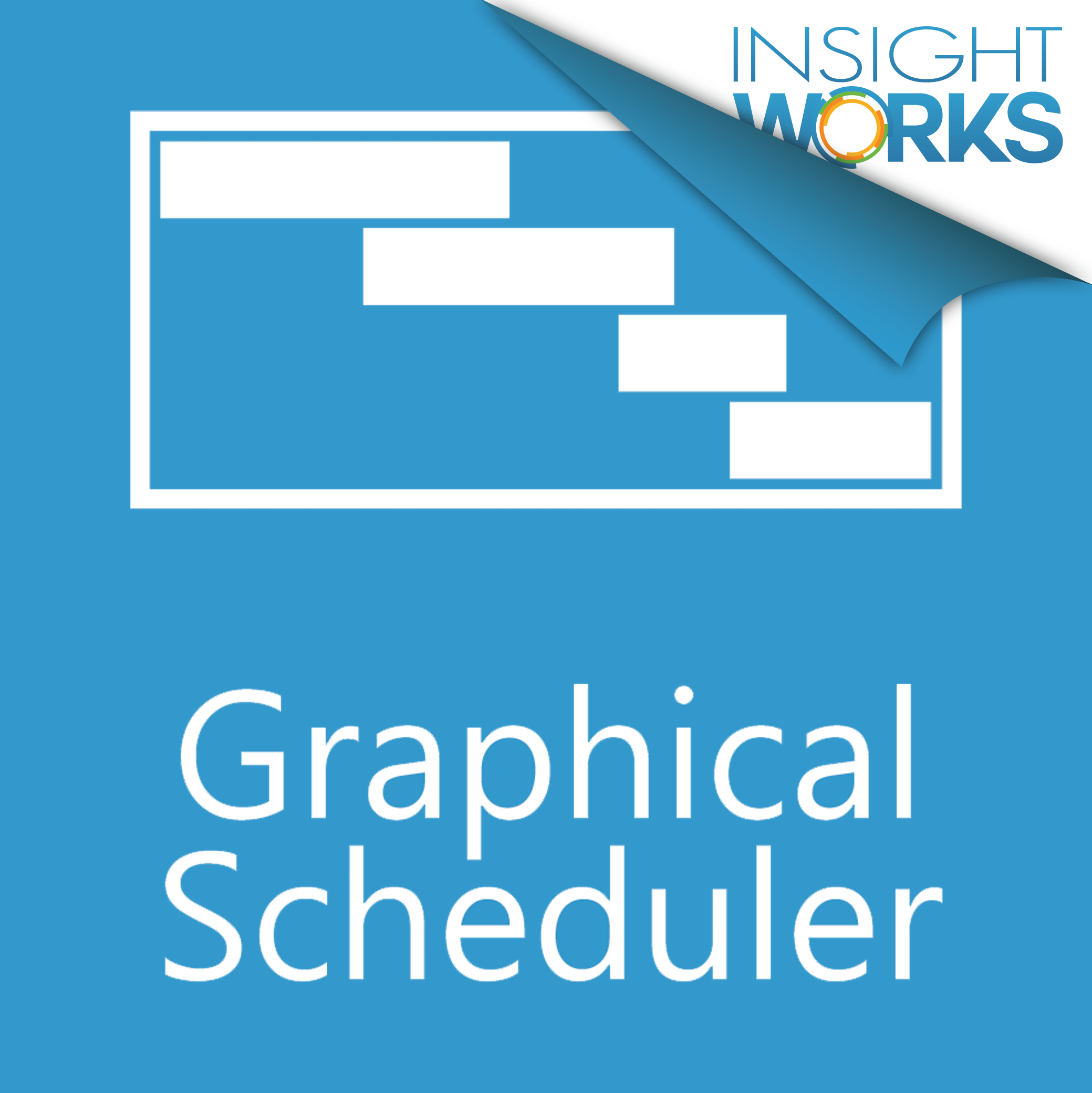
Manage production loading more effectively with Graphical Scheduler.
With Graphical Scheduler from Insight Works, you’ll easily visualize exactly what work is scheduled at each workstation enabling production managers and employees to view and manage production loading more effectively.
Optimize Your Scheduling with Drag-and-Drop
Graphical Scheduler is more than just visualization. Users can easily drag-and-drop an operation on a production order to a new work center and time. As work is rearranged, associated operations will automatically update to reflect a new production schedule.
One-Click Access to Details
Getting the details of a particular operation is as easy as highlighting the operation. You’ll see the production order number, routing number, descriptions, and more. Drill-down directly from the scheduler into the Production Order for more detail or to make changes.
Easily View Associated Operations
Highlighting a single operation will automatically identify all related operations so users can easily get a complete picture — all within a single screen.
Quickly Find Operations with the Built-In Filter
Graphical Scheduler includes a built-in filter that enables users to quickly identify specific operations. For example, users can filter on keywords like “wheel” or filter on a production order number to display only related operations.
Use Color Coding to Identify the Status of Operations
Color coding rules can be easily configured making it easier to quickly identify the specific state of jobs. Rules are based on data within Microsoft Dynamics 365 Business Central. For example, if a job has passed its start time or date and as not begun, the job can be set to a specific color like red.

Ebb3 specialise in bringing the power, performance and productivity of physical workstations to virtual remote working.
Through the use of NVIDIA vGPUs, ebb3 virtualises the power of a business's IT infrastructure. This brings users the performance of a physical workstation to remote working, workstations and apps, enabling remote access to complex graphic and data intensive workloads.

FreeBSD 10 is a robust, open-source Unix-like operating system renowned for its advanced networking, security, and storage capabilities. Building upon the Berkeley Software Distribution lineage, FreeBSD 10 introduces significant enhancements, including a native hypervisor, improved file system support, and a modern package management system. These features make it an ideal choice for servers, workstations, and embedded systems, offering a versatile and high-performance platform for a wide range of applications.
Key Features and Functionality:
- bhyve Hypervisor: A lightweight, BSD-licensed hypervisor enabling efficient virtualization of FreeBSD and other operating systems.
- OpenZFS Integration: Enhanced support for the OpenZFS file system, including LZ4 compression and TRIM support, providing improved performance and data integrity.
- pkg Package Management: Introduction of 'pkg', a modern package management system that simplifies software installation and management with support for signed packages and multiple repositories.
- Clang Compiler: Adoption of the Clang compiler as the default, offering faster compilation times and a more permissive licensing model compared to GCC.
- Kernel Mode Setting : Improved graphics support with KMS, enhancing performance and stability for AMD and Intel GPUs.
- Jails: Enhanced lightweight virtualization through Jails, allowing for secure, isolated environments within a single FreeBSD instance.
Primary Value and User Solutions:
FreeBSD 10 addresses the needs of system administrators and developers seeking a stable, high-performance operating system with advanced features. Its native virtualization through bhyve allows for efficient resource utilization, while OpenZFS integration ensures data integrity and storage efficiency. The modern 'pkg' system streamlines software management, and the adoption of Clang enhances development workflows. These improvements collectively provide a secure, scalable, and versatile platform suitable for a wide array of computing environments.

Fadr is an innovative platform that leverages artificial intelligence to empower musicians and producers in creating, remixing, and enhancing music. By offering a suite of web applications, mobile apps, and plugins, Fadr simplifies complex music production tasks, making them accessible to users of all skill levels. Whether you're looking to extract stems from a song, remix tracks effortlessly, or generate unique instruments and drum kits using AI, Fadr provides the tools to bring your musical ideas to life.
Key Features and Functionality:
- Stems Extraction: Upload any song to extract vocals, bass, drums, and melodies as separate audio and MIDI files. The platform also detects tempo, key, and chord progressions, facilitating seamless integration into your projects.
- Remix Maker: Produce remixes and mashups by adjusting key and tempo. Fadr's AI ensures synchronization, allowing you to focus on creative decisions without technical constraints.
- DJ Performance: Create live DJ performances with real-time transitions and mashups. The AI handles synchronization, enabling smooth and professional sets.
- SynthGPT and DrumGPT Plugins: Generate playable instruments and drum kits using text prompts, expanding your sound palette with AI-crafted sounds.
- Stems Plugin: Integrate stem separation directly into your Digital Audio Workstation (DAW), streamlining your workflow and enhancing production efficiency.
Primary Value and User Solutions:
Fadr addresses common challenges in music production by automating intricate processes such as stem separation, remix creation, and instrument design. This automation reduces the technical barriers for users, allowing them to focus on creativity and experimentation. By providing AI-driven tools, Fadr enables musicians to explore new sounds, remix existing tracks with ease, and produce professional-quality music without extensive technical knowledge. The platform's user-friendly interface and advanced features make it a valuable resource for both aspiring and experienced music creators.

The AVG Cloud Management Console is a centralized platform designed to streamline the management of security services across multiple devices within an organization. It offers a user-friendly interface that allows IT administrators to monitor device health, manage security policies, and deploy antivirus solutions remotely. By consolidating these tasks into a single dashboard, the console enhances operational efficiency and ensures consistent protection across all endpoints.
Key Features and Functionality:
- Intuitive Dashboard: Provides a comprehensive overview of all connected devices, displaying alerts, device statuses, and recent threats, enabling quick identification and resolution of issues.
- Device and Policy Management: Allows for the organization of devices into groups, creation of setting templates, and scheduling of tasks such as scans and updates. Policy changes are automatically applied to all managed devices in real time.
- Remote Deployment: Facilitates the remote installation of antivirus software across all devices, reducing the time and effort required for manual installations.
- Bandwidth Optimization: Utilizes a master agent to download updates once and distribute them to all devices, conserving bandwidth and ensuring timely updates.
- Comprehensive Reporting: Generates detailed activity reports, including information on blocked threats, task statuses, device health, and patch updates, aiding in informed decision-making.
- Alerts and Notifications: Delivers in-app alerts and instant email notifications regarding security threats or network issues, such as outdated antivirus applications or extended device inactivity.
- Network Discovery: Identifies all devices connected to the network and enables the deployment of security services to unprotected workstations and servers.
Primary Value and Problem Solved:
The AVG Cloud Management Console addresses the challenge of managing and securing multiple devices within an organization by providing a centralized, cloud-based solution. It simplifies the deployment and management of security services, ensures consistent policy enforcement, and offers real-time monitoring and reporting. This comprehensive approach not only enhances the organization's security posture but also reduces the administrative burden on IT staff, allowing them to focus on strategic initiatives.

The HCS Gadget is a real-time, rules-driven, desktop notification system that alerts caregivers when certain thresholds are triggered. The HCS Gadget is unique in that it operates unobtrusively across workstations, whether or not all workstations are part of the health system’s electronic medical record (EMR).

Summary and Relevance for Covid-19
Desk Sharing is a solution for desk reservations. It has become more and more relevant during the Covid-19 pandemic with its regulations like safety distances. Office administrators can comply with latest policies by increasing or decreasing the number of available desks.
Some companies expanded during the pandemic, hiring home office workers. The new workers didn’t get a dedicated desk and there is simply not enough space for everybody. Plus, everybody says: “Home office is here to stay”. Why bother about creating more office space? Just make sure to avoid overbooking on popular days and monitor desk utilization.
Another case for many companies around the globe is: 2020-2021 did not go as planned. If you need to downsize the office space due to cost reduction, desk sharing is the perfect solution to support hybrid work.
With the Desk Sharing solution, users easily see available desks in real time on the browser or via dedicated displays on site. The booking covers the walk-in situation for the next hours and supports those users who like to plan the next weeks from home. The latter can do convenient multi-bookings for the days they’re planning to visit the office.
The solution can be deployed based on programs like O635, Microsoft Exchange or Google Workspace (formerly GSuite). But it’s capable of running without calendar integrations.
Functionality
The main view gives a visual orientation on the floor plan including custom orientation objects like doors, walls, copy machines. This view shows red and green elements, giving the reservation status of desks or workstations.
On each floor, customers can choose to operate big overview displays or tablets. All users can access the floor plans also on their PCs/smartphones. Users are in the situation of asking “Which desk is free for how many hours?” or “Where is the desk I booked yesterday?”. In a walk-in booking, users can check for availability based on time slots or check the layout plan. This is a visual search for free space. Another use case supported here is: “26 of 40 desks are free but I want to sit close to my team leader whom I can see over there”. The booking is done by pressing on the desk.
The booking for future days usually works in a way that users specify the location and day. The free tables can be recognized by their green coloring. Through additional color coding, it is apparent whether a desk is occupied for the full day, booked only for the morning or for the afternoon. The bookings of the colleagues are listed with their names. Select and confirm - done. If there are special requirements for the workplace, these can be called up via additional information (e.g. two monitors or specific equipment). Pictures can also be stored. Accepted reservations are confirmed by email and include links to import calendar entries for Outlook, Google calendar or other client programs.
Advanced Upgrade Options
If one has arrived at the last meters, there are further concepts to support wayfinding or to display the status. Optional mini-displays showing the booking status on each desk - similar to a digital meeting room door sign. Some customers prefer to have one tablet display for a group of desks inside the open office. To save hardware costs for tablets, android boxes could be implemented as well. Those are connected to the existing monitors as a 2nd HDMI input source. Another option is to integrate 3rd party standalone programmable LEDs to give visibility from distance. Depending on the customer’s requirements, occupancy can be processed using sensors. The solution can be deployed within a day. In big office environments with hundreds of desks it needs a project approach to satisfy individual requirements like advanced integrations.
Ordanto helps small manufacturers (10–50 people) see where every order is, without walking the floor or calling the foreman. It replaces the whiteboard and the office Excel sheet with one live board.
You name your stages (Cutting → Welding → Painting → Done) and add your orders. Floor workers scan a QR code at their workstation and tap "Done" to move an order on. They don't need accounts, passwords or an app. The office, the owner and a TV on the shop floor see the change right away.
Key features: live board, orders list and shop-floor TV view; time in stage on every order; urgent and blocked flags; email alerts when an order goes late; drawings and photos at the workstation; export to Excel.
Pricing: €29, €59 or €99 per month, with unlimited users and workstations. 14-day free trial, no credit card. Built for machine shops, metal fabrication, furniture, plastics and print shops.

AgentStation is a serverless platform that provides virtual workstations for AI agents, enabling them to perform tasks traditionally executed by humans on computers. These virtual environments allow AI agents to use browsers, participate in online meetings, execute code, and more, effectively bridging the gap between AI models and real-world applications.
Key Features and Functionality:
- Browser Automation: Agents can control multiple browser tabs, execute complex web interactions, capture screenshots, and navigate websites autonomously.
- Voice Capabilities: The platform offers natural-sounding text-to-speech, real-time speech recognition, and support for interactive voice conversations, enabling agents to engage in voice interactions seamlessly.
- Online Meeting Integration: Agents can join and host Zoom meetings, manage participants, share screens, and record sessions, facilitating AI participation in virtual meetings.
- Code Execution: Agents can write and run scripts in languages like Python, Golang, and NodeJS, allowing for dynamic code execution within the virtual workstation.
- Recording and Livestreaming: The platform supports recording and livestreaming of workstation sessions, capturing both audio and video activities for later review or real-time sharing.
Primary Value and Problem Solved:
AgentStation addresses the challenge of translating AI model intelligence into actionable tasks by providing virtual workstations that AI agents can control via a simple API. This infrastructure enables developers to build AI agents capable of performing complex tasks such as web automation, voice interactions, and online meeting participation without the need for extensive custom development. By offering a scalable and flexible environment, AgentStation empowers developers to create sophisticated AI-driven applications that can operate autonomously in real-world scenarios.

Tracks all printing activity. OP Cloud is designed to manage print jobs from workstations that are spooled to a Windows server or workstation. Using specifically installed software OP Cloud can track and control printing for shared and local printers on local or remote print servers/workstations. OP Cloud supports printers, users, computers, and groups.

Mixbus32C is a digital audio workstation (DAW developed by Harrison Consoles, designed to emulate the sound and workflow of their renowned 32-series analog mixing consoles. It offers a comprehensive mixing environment with a "knob per function" layout, providing users with an intuitive and efficient interface for music production. By integrating precise emulations of Harrison's analog circuitry, Mixbus32C delivers a true analog mixing experience within a digital platform.
Key Features and Functionality:
- Analog Console Emulation: Accurate modeling of Harrison's 32C analog console circuit designs, including a sweepable 4-band parametric EQ with high-pass and low-pass filters on each channel.
- Comprehensive Mixing Tools: Each channel strip features input trim, polarity control, compression, and 12 mix bus sends, facilitating detailed sound shaping and routing.
- Extensive Bus System: Provides 12 stereo mix buses, each equipped with tone controls, compression, sidechaining, and analog tape saturation simulation, allowing for complex mix configurations.
- Unlimited Tracks and Plugins: Supports unlimited stereo or mono input channels and MIDI tracks, each capable of hosting unlimited plugins, sends, and hardware inserts, limited only by system resources.
- Advanced Metering and Monitoring: Offers comprehensive metering with peak, peak hold, and compressor gain reduction indicators on every track and bus, ensuring precise monitoring of audio levels.
- Industry Standard Compatibility: Supports VST plugins on Windows, AudioUnit (AU plugins on macOS, and LV2 plugins across all platforms, along with standard audio I/O support, ensuring seamless integration into various production environments.
Primary Value and User Solutions:
Mixbus32C addresses the need for a DAW that combines the sonic qualities and tactile workflow of analog consoles with the flexibility and convenience of digital recording. By providing an authentic analog mixing experience, it enables users to achieve warm, rich, and dynamic mixes without the need for external hardware. The intuitive interface and comprehensive feature set streamline the production process, making it an ideal solution for audio engineers and producers seeking high-quality sound and efficient workflow in a digital environment.

TGX is more than a remote desktop, it is a low-latency remote desktop workstation. This solution allows you to eliminate disruptions in workflow by delivering an “in-office” experience from anywhere. Our remote workstation solution supports workplace mobility, remote team collaboration, and enables business continuity. TGX delivers an experience so impressive you won’t realize the team is working remotely.
Intensive graphics applications up to 4K resolution
Like-local responsiveness
Connect multiple collaborators

Our main focus is in providing server, data storage, workstation, networking, edge computing, and IOT solutions. From designing IT infrastructure to deployment of the solution we cover the whole journey for our customers. We have been known traditionally to provide Supermicro servers, but in recent years we have expanded our partnership to include servers, storage, and workstation from Intel, Seagate, DDN, Western Digital, Chenbro, and ASUS which you can configure some of their products on our website.

Promic Speech AI is a Windows application for documenting meetings with AI that runs on the user's own workstation. It transcribes in-person meetings from a room microphone or USB audio interface, captures audio from a selected call window (Teams, Zoom, Meet) without adding a bot to the meeting, and also processes recorded audio and video files.
Speech is separated by voice, so you can rename participants, correct assignments and keep the voices of frequent participants. A local language model drafts summaries in styles such as executive minutes, detailed, action-focused or chronological, and the reviewed document can be exported as DOCX or PDF. With fact analysis enabled, the app suggests decisions, disagreements and commitments, and a chat answers questions about past meetings with references to the source meeting.
In the Professional edition, transcription, summaries and the meeting archive stay on the Windows workstation: meeting content is not sent to a cloud AI service or to the developer. After activation and model download, the app works offline. There is no transcription-hour quota and no per-token charge.
Requirements: 64-bit Windows and an NVIDIA RTX GPU with at least 8 GB of VRAM. Professional costs US$20 per month per workstation, with a free 15-day trial. Enterprise (shared archive with users, groups and permissions) and Government editions are offered by proposal.

SupaStock is an AI-powered stock research workstation for A-share, Hong Kong, and US markets (with additional Japan, Korea, and Taiwan coverage). Its screening models include PEG, CANSLIM, and high-dividend approaches, and its research reports are produced by multiple specialised AI agents — macro, technical, and fundamental — with a risk-officer fact-check pass before delivery. The workstation also includes strategy backtesting, a paper-trading strategy arena, a stock Q&A agent, alerts, and portfolio risk tools. SupaStock provides research tooling and information only; it does not provide investment advice.