AI-Generated Results
Finding matches…
DotImage is a comprehensive .NET imaging SDK designed to empower developers to seamlessly integrate advanced document imaging functionalities into their applications. It facilitates efficient viewing, scanning, converting, editing, and annotating of various document formats, including TIFF, PDF, DICOM, JPEG2000, and more. With its robust set of features, DotImage enhances document management workflows across web, mobile, and desktop platforms.
Key Features and Functionality:
- HTML5 Web & Mobile Viewing: Provides controls for viewing and interacting with documents directly in modern browsers without the need for plugins. Supports a wide range of formats and offers functionalities like page manipulation and document cleanup.
- Image Processing: Offers tools for image manipulation, including cropping, rotating, resizing, and advanced cleanup operations such as deskewing and despeckling, which are essential for preparing documents for OCR processing.
- Multi-Page Document Support: Enables reordering, adding, removing, and combining pages within multi-page documents like TIFF and PDF, streamlining document organization and management.
- Annotations: Allows users to add, edit, and manage annotations such as highlights, text notes, and redactions, facilitating collaboration and information emphasis within documents.
- Format Conversion: Supports reading and writing a variety of image formats and converting between them, including specialized formats like DICOM and Office documents, enhancing interoperability.
- TWAIN Scanning: Includes DotTwain for desktop scanning, enabling interaction with scanners on Windows machines and supporting document separation using barcodes.
- Barcode Reading & Writing: Provides robust support for reading and writing a wide range of industry-standard 1D and 2D barcode symbologies, enabling seamless integration of barcode functionality into applications.
- OCR Integration: Offers add-ons for Optical Character Recognition (OCR), allowing conversion of images into searchable and editable text, enhancing document accessibility and searchability.
Primary Value and User Solutions:
DotImage addresses the complexities of document imaging by offering a unified SDK that simplifies the integration of comprehensive imaging functionalities into applications. It eliminates the need for multiple disparate tools, reducing development time and costs. By supporting a wide array of document formats and providing advanced processing capabilities, DotImage enhances document workflows, improves data accuracy through features like OCR and barcode recognition, and ensures a seamless user experience across various platforms. Its robust support and continuous updates make it a reliable choice for developers aiming to deliver high-quality document imaging solutions.
Not seeing what you're looking for?
Dive deeper into "PDF2DOC" on G2 AI
PDF2TEXT is an AI-powered document processing platform that converts bank statements, invoices, and financial documents to Excel with 99% accuracy. It features intelligent table detection, OCR for scanned and handwritten documents, and AI verification. Built for accountants, mortgage brokers, and auditors, it exports to QuickBooks, Xero, CSV, and JSON with a zero-retention security policy.

ChatPDF is an AI-powered tool that enables users to interact with PDF documents by asking questions, summarizing content, and extracting valuable insights effortlessly. Designed to enhance productivity and understanding, it places information at your fingertips, making it an invaluable assistant for students, researchers, and professionals alike.
Key Features and Functionality:
- Interactive PDF Conversations: Engage in natural language dialogues with your PDF files, allowing for intuitive information retrieval.
- Multilingual Support: ChatPDF accommodates PDFs in any language and responds to queries in diverse linguistic contexts, facilitating global accessibility.
- User-Friendly Interface: With quick Google login and a straightforward upload process (supporting files up to 2 MB), users can start interacting with their documents seamlessly.
- Versatile Applications: Whether it's assisting students with exam preparation and homework, aiding researchers in extracting essential information from academic materials, or helping professionals navigate complex documents like legal contracts and financial reports, ChatPDF serves a wide range of needs.
Primary Value and Problem Solved:
ChatPDF addresses the challenge of efficiently extracting and comprehending information from PDF documents. By enabling users to interact with their files through conversational AI, it reduces the time and effort required to locate specific information, summarize content, and gain insights. This leads to enhanced productivity and a deeper understanding of complex materials, making it an essential tool for anyone dealing with extensive or intricate PDF documents.
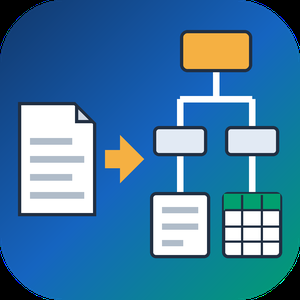
PDF to XML Converter Software is a pdf to xml converter for Windows that turns stacks of PDF reports into structured XML your scripts can parse. Every output file follows one documented schema with document, page, heading, paragraph and table elements, and tables are broken into rows and cells. All work happens on your own PC, so no report leaves the machine.
🛠️ How to use
1. Install the program and drag PDF files or a whole folder into the list.
2. Decide whether you need positions and fonts. Tick the coordinates option for block boxes, or leave it off for a lighter text-only file.
3. Press Convert. You get one XML per PDF, named after its source.
4. Point XSLT, Python or your database loader at the output folder.
💼 Why IT and office teams pick it
Imports break when every department sends a different layout. This pdf to xml converter keeps the same element names for every file, so a loader written once keeps working. Headings get a level from 1 to 6 based on font size. Each table carries a source attribute that tells you how its grid was found: PDF tags, ruling lines or text alignment. Merged cells keep colspan or rowspan. Text follows reading order, left column before right, and right-to-left lines stay right-to-left. Pages without a text layer are marked scanned="1", so a script can send them to a person.
👥 Who uses it
Data engineers and ETL developers feeding report figures into databases. Systems integrators who need to convert PDF to XML for another application. BI analysts, search-index developers and QA testers who check document pipelines. Procurement teams use it to pull supplier price tables into purchasing systems, and layout analysts switch on coordinates to study where each block sits on the page.
❓ FAQ
How does the pdf to xml step handle two-column pages?
The left column is written first, then the right one. Hebrew and Arabic lines keep their right-to-left order and carry a direction attribute.
Can I stop a long batch halfway?
Yes. Stop ends the job between two files, and every XML finished before that point stays on disk.
Can I convert PDF to XML without uploading files?
Yes. The program works offline, and your PDFs stay on your disk.
What does the XML look like?
A document root with page elements inside. Each page holds headings, paragraphs and tables in reading order, saved as UTF-8 without a byte order mark.
Can this pdf to xml converter fill an invoice or XBRL schema?
No. It writes its own fixed schema. Mapping to another schema is a job for your XSLT or import script.
Is there a command line or API?
No. Batches are started by hand in the desktop window, so it cannot run as a server service.
🎁 Free trial: every PDF in a batch gets its first 10 lines or table rows, and the file still passes an XML parser. Runs on Windows desktop and laptop PCs.

PDF9.Ai is a free, AI-powered PDF workspace that consolidates 68 PDF tools into a single browser-based platform. It combines a fast PDF reader, full-featured editor, file conversion suite, electronic and digital signature tools, and enterprise governance controls.
Most tools run entirely in the browser, meaning files never leave the user's device unless a server-side conversion or AI feature is selected. Nine integrated AI models enable document chat with cited answers, summarization, and translation into 50+ languages. Additional capabilities include OCR for scanned documents, smart PII redaction, form filling for official U.S. government forms, document comparison, and batch processing.
For teams and enterprises, PDF9.Ai provides SSO, role-based access control, audit trails, and compliance infrastructure aligned with ISO/IEC 27001, SOC 2 Type II, and HIPAA requirements. The platform serves students, freelancers, legal professionals, accountants, HR teams, government agencies, and large organizations. It is available on web, Windows, macOS, and via API.
PDFExcel turns any PDF into a clean spreadsheet — built specifically for finance and accounting workflows.
Most "AI PDF extractors" send your document to a generic chatbot and hope for the best. PDFExcel uses purpose-trained extraction models that understand document structure, not just text. That's why it hits 99%+ accuracy on real-world accounting documents where other tools fall apart.
Use cases: AP invoice processing, bank statement reconciliation, 1099/K-1/W-2 batch extraction, expense report digitization, audit workpaper preparation, brokerage statement parsing.
Features: OCR for scanned documents, batch upload, automated pipelines from Google Drive/SharePoint/Outlook, custom field extraction, QuickBooks/Xero export, encrypted-in-transit, files deleted after processing, no AI training on user data.
Free tier: 10 documents/month, no credit card. Paid plans from $69/month.
The Magento 2 Order Attachment extension by MageAnts enhances the functionality of your Magento 2 store by allowing customers to attach various files—such as PDFs, images, and documents—to their orders during the checkout process. This feature is particularly beneficial for businesses that require additional documentation, like prescriptions or licenses, to process certain orders.
Key Features and Functionality:
- File Upload Capability: Customers can upload multiple file types, including PDFs, images, and Word documents, during the checkout process.
- Admin Configuration: Store administrators can set parameters such as maximum file size, allowed file types, and the number of attachments per order.
- Order Management: Both customers and administrators can view, manage, and download attached files from the order view section.
- Email Notifications: The extension supports email notifications to inform administrators when customers add or edit attachments.
- Commenting System: Customers and administrators can add comments to uploaded attachments, facilitating better communication.
Primary Value and Problem Solved:
This extension streamlines the order process for products or services that require supplementary documentation, ensuring that all necessary information is collected efficiently. By integrating file attachment capabilities directly into the checkout process, it reduces the need for follow-up communications and enhances customer satisfaction. Additionally, the ability to manage and review attachments within the Magento 2 admin panel simplifies order management for store owners.
StackExtract is an AI-powered financial document extraction platform that converts PDF bank statements, invoices, pay stubs, W-2s, and 1099 forms into structured, editable spreadsheets.
Supporting financial documents in both English and Spanish, StackExtract allows users to upload up to 50 PDFs at once, automatically extract data, review and correct flagged information, and export results to Excel or CSV, including QuickBooks-ready bank transaction files.
The platform includes document-specific validation, bank balance reconciliation, duplicate detection, invoice calculations, scanned PDF processing, saved document history, and English and Spanish language support.
Designed for bookkeepers, accountants, tax professionals, financial teams, and small businesses, StackExtract reduces manual data entry and simplifies financial document processing.
Flexible pricing includes free previews, individual document exports, monthly subscriptions, and optional assisted review.
FieldBinder AI is a field documentation and reporting app for project managers, facility and maintenance leaders, engineering consultants, contractors, and owner's reps. It keeps everything from a site walk in one project instead of a camera roll, a notebook, and text messages. Capture photos, short videos, voice notes, measurements, punch items, RFIs, safety observations, and customer decisions, with or without signal. The app then drafts a daily report, punch list, RFI list, or executive summary from what you captured. Every report is an editable draft you review before exporting it as a PDF with your company logo. It is built for the solo PM or small team that needs fast field documentation without a full construction management platform. Available on iPhone and Android. Free for 2 projects; Basic is $9.99/month and Pro is $29/month with a 7-day free trial.

ViewCompanion Premium is a powerful Windows application for viewing, printing, converting, annotating and measuring technical drawings and documents.
The software supports AutoCAD DWG and DXF files together with PDF, PLT, HPGL/2, DWF, CGM, TIFF, CALS, Gerber, Excellon, ODB++ and many other engineering and raster formats. Files can be opened individually or processed in batches, making ViewCompanion Premium suitable for both everyday viewing and automated document workflows.
Users can convert drawings and documents to PDF, PDF/A, DXF, TIFF, PNG and several other output formats. Batch conversion and batch printing tools make it easy to process large collections of files, while command-line support can be used for integration with scripts and scheduled tasks.
ViewCompanion Premium also includes markup and measurement tools. Add text, symbols, stamps, barcodes, images, dimensions and other annotations directly to supported files. Measurement functions can be used for distances, areas, perimeters and digital takeoff work.
A wide range of PDF tools is included, such as PDF merge and split, page rotation, watermarking, encryption, optimization, comparison, OCR, searchable PDF creation and PDF/A conversion.
ViewCompanion Premium is designed for engineers, manufacturers, architects, construction professionals and other users who need a practical way to work with CAD drawings, technical documents, PDF files and scanned images without requiring a full CAD system.
SignlyPDF — Free E-Signature & PDF Signing Tool
SignlyPDF is a simple, secure e-signature platform for freelancers, HR teams, and small businesses. Upload any document, add signature fields, and collect legally binding signatures in seconds — no downloads, no subscriptions required.
Key features:
Sign and send PDFs online in seconds
Add signature fields, dates, and initials
Send via secure link or email
Pre-filled IRS forms library (W-9, 1040, W-2, and more)
Full audit trail on every signed document
256-bit AES encryption
ESIGN Act & eIDAS compliant
Works on any device — no app needed

Capitol AI is an advanced artificial intelligence platform designed to streamline content creation by transforming complex data into compelling, media-rich narratives. It integrates research, image and text generation, and AI-assisted editing into a single, intuitive interface, enabling users to produce high-quality content efficiently.
Key Features and Functionality:
- Agentic AI Integration: Utilizes multi-agent reasoning to generate reliable and high-quality content in various formats, including structured documents and editorial stories.
- Customizable Content Generation: Allows users to configure the tone, format, visual style, and information sources of their content, ensuring alignment with specific needs and preferences.
- Seamless Data Integration: Connects effortlessly with internal data, APIs, PDFs, and databases, facilitating the creation of comprehensive and accurate content.
- Flexible Output Formats: Supports multiple output formats such as PDF, HTML, and Markdown, catering to diverse publishing requirements.
- Security and Compliance: Ensures data privacy with SOC 2 compliance, private hosting options, and a commitment to not using client data for external model training.
Primary Value and User Solutions:
Capitol AI addresses the challenges of time-consuming and fragmented content creation processes by automating research and document generation. It empowers enterprises, publishers, and analysts to produce professional-grade content rapidly, enhancing productivity and enabling teams to focus on strategic initiatives. By integrating advanced AI capabilities with user-friendly customization, Capitol AI transforms data into actionable insights, facilitating informed decision-making and effective communication.

editplussign is a web-based PDF management and electronic signature platform that streamlines document workflows within a single browser interface. It eliminates the need for installations or printing by integrating editing, organization, signing, sending, and tracking tools. Users can edit PDFs, merge files, perform find-and-replace operations, and convert formats into professional PDFs. Integrated drive storage ensures centralized access to documents. Security features include password encryption, permission controls, and compliance with SOC 2, ISO 27001, HIPAA, GDPR, and eIDAS standards. End-to-end encryption secures documents during signing, and electronic signatures are legally valid across jurisdictions. Recipients can sign without creating accounts or downloading software, using drawn, typed, or uploaded signatures. Real-time tracking shows document status, while automated reminders prompt timely completion, reducing manual follow-ups and speeding up workflows.

Batch HTML to PDF Converter Software is an HTML to PDF converter for Windows that takes a whole directory of saved .html, .htm and .xhtml pages and writes PDF files on your own PC. Each page travels with the resources folder the browser saved next to it, so pictures and style sheets end up in the document instead of blank boxes.
🔰 How to use it
1. Drag saved pages or a whole folder into the window and leave the resources folders where they are.
2. Pick PDF or TXT as the output format.
3. Tick Combine all pages into one PDF if you want a single document, and type its name under Combined file name.
4. Choose the output folder and press Start.
5. Read the summary when the queue finishes. Pages that failed to render are marked and counted there.
👍 Why IT and office teams pick this HTML to PDF converter
- Nothing is uploaded. The renderer starts with networking switched off, so internal reports and wiki dumps stay on the workstation.
- One press of Start handles the full list. The program does not stop to ask about each file.
- Resource folders named page_files, page.files, _fichiers or _dateien are recognised and copied along with their pages.
- Rendering goes through WebView2, the Chromium runtime that ships with Windows 11, so Grid and Flexbox layouts come out right.
- XHTML exported from Word or a content system goes into the same queue as .html and .htm files.
- A page that hangs gets 120 seconds, then the queue moves on without it.
- Very deep folder paths are staged in a short temporary location, so a long path does not turn into an empty sheet.
✅ Who uses it
- Finance and back-office staff who receive invoices, statements and period reports as HTML exports and file them as PDF.
- Web and documentation teams sending page proofs or a static docs build to reviewers as one PDF instead of a ZIP.
- Analysts who keep saved research pages and want dated copies that survive a reimaged drive.
- Support staff who need plain text from exported tickets for searching.
❓ FAQ
How do I batch convert HTML to PDF with this tool? Add the pages, choose PDF, set the output folder and press Start once. Every file in the queue is processed in turn.
Can several HTML files go into a single PDF? Yes. With the combine box ticked, pages are rendered one by one and joined in the order of the list on screen. Merging works for PDF output only.
Does it need an internet connection? No, it can convert HTML to PDF offline. Style sheets or fonts that a page loads from a remote server stay unresolved, so save pages with their folders.
Can it open a live URL? No. This HTML to PDF converter works with files already on your disk and does not download pages from the web.
ℹ️ Free trial converts three pages per day with no watermark, and the counter resets at midnight. Lifetime, one-year and business licenses remove the limit. The HTML to PDF converter runs on Windows 10 and 11.

Sysinfo Hotmail Backup Tool is an advanced and reliable utility to save Hotmail emails on PC and local storage in different formats like PDF, PST, HTML, MBOX, EMLX, DOC, DOCM, PNG, TIFF, JPG, GIF, MSG, MHTML, CSV, etc. The most pleasing thing about this tool is that it can back up emails from Live.com, MSN.com, Outlook.com, & Hotmail.com web email accounts.
Key Features of the Hotmail Backup Tool:-
1. This software has a feature that excludes duplicate emails from Hotmail account folders.
2. Option to migrate Hotmail mailbox data to numerous web & cloud-based email clients like Gmail, Office 365, etc.
3. Equips a date range filter option to convert selective emails.
4. Its powerful GUI makes the backup process of this tool easy.
5. The Free version of Hotmail Backup Tool allows users to backup 50 Hotmail emails per folder.

Chunkr is an advanced document intelligence platform designed to transform complex documents—including PDFs, spreadsheets, and images—into structured, machine-readable data with exceptional accuracy and speed. By leveraging state-of-the-art Vision Language Models (VLMs) and computer vision technologies, Chunkr enables seamless integration of document processing into AI applications and automated workflows.
Key Features and Functionality:
- Parse: Converts intricate documents into clean HTML and Markdown formats, preserving the natural reading order and providing precise bounding boxes for elements, facilitating AI applications and workflow automation.
- Extract: Transforms parsed documents into structured data based on user-defined schemas, offering granular citations and confidence scores for each extracted value, ensuring data reliability.
- Task System: Employs a scalable, task-based API that supports asynchronous processing of large volumes of files, with features like webhook support for real-time notifications and customizable data retention policies.
- Chunking: Intelligently segments documents into smaller, semantically meaningful chunks, optimizing them for semantic search and enhancing Large Language Model (LLM) performance.
- Optical Character Recognition (OCR): Utilizes advanced OCR strategies to accurately extract text from various document types, including scanned images and PDFs, ensuring high-quality data conversion.
Primary Value and User Solutions:
Chunkr addresses the challenges associated with processing complex, unstructured documents by providing tools that convert them into structured, AI-ready data. This capability is invaluable for AI and development teams working with large-scale document processing, enabling:
- Enhanced AI Applications: Facilitates the development of intelligent Retrieval-Augmented Generation (RAG) systems by supplying perfectly chunked, application-ready content from any document.
- Workflow Automation: Automates critical processes across various industries, such as finance, legal, and supply chain, by digitizing and processing documents like invoices, contracts, and purchase orders, thereby reducing manual errors and increasing operational efficiency.
- Security and Compliance: Ensures data security with SOC 2 and HIPAA-compliant services, offering on-premise solutions for maximum control and maintaining backward compatibility for a stable, reliable platform.
By transforming unstructured documents into structured data, Chunkr empowers organizations to build sophisticated AI agents, automate critical workflows, and enhance data-driven decision-making processes.

SysInfo EPUB Converter is a safe and reliable software for converting EPUB files to PDF. With its advanced features, this tool ensures 100% accuracy in converting EPUB files to a range of document and image formats, including PDF, DOC, DOCX, XPS, JPEG, BMP, GIF, and PNG.
1. Export EPUB files to a variety of Document and Image formats.
2. Allow performing the bulk EPUB file conversion into desired file formats such as DOC, TXT, DOCX, XPS, etc.
3. Equips feature to transfer eBooks and other types of content into JPEG, BMP, GIF, and PNG.
4. Perform conversion of any size of EPUB files.
5. Permits you to set a password on the new resultant files.
TweakPDF changes existing text in a PDF in the document's own font. It is built for freelancers, small businesses and office teams who need to correct a figure, date, name or typo in an invoice, contract, quote or report without the original source file.
Upload a PDF, click the text you want to change and type. TweakPDF removes the original glyphs (no white box drawn over them) and writes the new text with the same embedded font, size, colour and baseline, so the page stays clean and the text remains selectable and searchable. Scanned PDFs are supported through OCR, and you can add a drawn or typed signature.
Key features:
- Edit existing PDF text in the original font
- Works with scanned documents
- Preview every change before download
- Sign PDFs
- Interface in 11 languages
- Files are deleted automatically after 2 hours
Runs in the browser on Windows, macOS, iPhone and Android with no install. Free plan: 3 downloads per month, no account needed to edit or preview. Pro: $6 per month.
BatchPrint is batch print software for Windows offices that need a stack of documents on paper without opening each file. Point it at a folder, pick the printer and press Print once. PDFs, scans, Word and Excel files and saved emails go out in list order, and each one keeps its own copies and page range. If you regularly have to print all files in a folder, this is the tool for that one job.
🖨️ How to use it
1. Click Add folder or Add files. Subfolders are picked up too.
2. Choose the device, then the paper source and size.
3. Open Settings for duplex, pages per sheet, scale or a watermark for the run.
4. Double-click a row when one document needs a different paper source or range.
5. Check the paper estimate under the button and press Print.
⚙️ Why office and IT teams pick it
Explorer drops its Print command once more than 15 items are selected. This batch print software takes a queue of thousands. It works as a PDF batch printer with its own rendering engine, so Acrobat never opens. DOCX and XLSX go through Microsoft Office when it is installed, and through LibreOffice or a built-in reader when it is not. A damaged or password-locked file is skipped with the reason written down, and the remaining documents keep printing. Nothing is uploaded and there is no account to create.
👥 Who uses it
Accounts staff who batch print PDF invoices at month end. Legal assistants who need exhibits in a fixed order. Dispatch clerks with packing lists, school offices with class sets, and the IT person who sets up the shared print PC. Teams that buy batch print software usually do so after the third afternoon lost to Ctrl+P, and keep it for the weekly runs that follow.
❓ FAQ
How do I print multiple PDFs at once without opening each one?
Add the folder, leave every row ticked and press Print. Each PDF becomes its own print job, and no viewer window appears.
Can I put 4 PDF pages on one sheet?
Yes. Choose 4 under pages per sheet, or 2, 6 or 9. The pages of one document share a sheet, and the next document starts on a fresh one.
Is Microsoft Office required for Word and Excel files?
No. With Office the layout matches the screen. Without it, text, tables and images still print, but headers and footers inside the document are dropped.
Should I merge everything into one PDF first?
No need. Separate files keep separate copies, ranges and paper sources, and the end report lists them one by one.
Will the order of the stack match the list?
Yes. Rows can be dragged into any sequence, and pages leave the tray in that order, so a bundle comes out ready for the binder.
💡 Free trial and requirements
The free trial of this batch print software prints up to 10 files per batch and adds a report page at the end, while your documents come out clean. After 100 printed files it moves to one file at a time. Runs on Windows 10 and 11, in 20 interface languages.

OpenFilz is an open-source document management system (DMS / ECM) for organisations that need to keep control of their documents. It runs on your own servers, in your own cloud, or as a dedicated managed instance hosted in Europe.
Teams store, organise and find documents with virtual folders, versioning, metadata and full-text search with OCR. They edit Office files together in the browser (OnlyOffice), send documents for electronic signature, run approval workflows, and merge, split or reorganise PDFs. An AI assistant answers questions about documents using the customer's own model, and a built-in MCP server lets AI agents work with documents under each user's permissions.
The Community edition is free under the AGPL-3.0 licence. The Enterprise edition adds secure internal and external sharing, archival e-signatures (PDF/A-2b, trusted seal, timestamping), migration connectors (SharePoint, OneDrive, Google Drive, SMB, CMIS), document scanning, webhooks, customer-managed encryption keys and a Windows desktop sync client.
OpenFilz is typically used by SMEs, public organisations and regulated industries as a sovereign alternative to SharePoint, Google Drive or Alfresco.