AI-Generated Results
Finding matches…
When you forgot the passcode of your iPhone/iPad after several months or you get a second-hand iOS device without lock screen password, it is annoying. Under such situation, AnyMP4 iPhone Unlocker for Mac can do you a great favor. Whats more, if you forgot the password connected to your Apple ID, or you want to remove the restrictions/passcode in Screen Time, AnyMP4 iPhone Unlocker for Mac can also help you a lot. Key features: 1. Wipe iPhone passcode. If your iOS devices are locked because you forgot the 4-digit/ 6-digit password, Touch ID and Face ID, AnyMP4 iPhone Unlocker for Mac enables you to remove the passcode and unlock iOS devices easily. 2. Remove Apple ID. As is known to all, Apple ID is important for you to access to many Apple services. When you forgot the Apple ID passcode, it is rather embarrassing. Dont worry about that. AnyMP4 iPhone Unlocker for Mac software allows you to remove the forgotten Apple ID and help you change a new Apple ID account to activate your iPhone as long as your iOS device is configured well. 3. Remove Screen Time passcode. When you received a pop-up message that you have reached your limit on your iPhone, you should enter the Screen Time passcode to change the settings. If you forgot the passcode, under such situation, you can use AnyMP4 iPhone Unlocker for Mac to recover the passcode and remove passcode without data loss on iPhone or iPad.
Not seeing what you're looking for?
Dive deeper into "Import2" on G2 AI

Gallowglass Consulting is a boutique Revenue Operations consulting firm dedicated to helping B2B companies build scalable revenue. Our team comprises experienced founders, executives, marketers, sales leaders, and technologists who collaborate closely with clients to provide both strategic and tactical support in growing their businesses.
Key Features and Functionality:
- Sales Planning: We assist clients in sales forecasting within their customer segments, breaking down targets into territories, accounts, and quotas to optimize sales performance.
- Demand Planning: Our team helps allocate resources effectively to build brand presence, scale successful channels, and experiment with new potential channels, ensuring sustained growth.
- Tool Enablement: We ensure clients have the right tools set up to enable their teams to efficiently perform their jobs and gain a comprehensive view of their customers.
- Process Improvement: Implementing continuous process improvement frameworks, we ensure the maturity of the sales cycle is captured by supporting processes, enhancing overall efficiency.
- Software Development: Our services include customizing CRMs and other tools, as well as building marketing sites to increase conversion rates and streamline operations.
- Team Building: Recognizing the importance of the right team, we help clients identify necessary talent and leverage our extensive network to recruit them, ensuring a strong foundation for growth.
Primary Value and Solutions Provided:
Gallowglass Consulting's primary value lies in its comprehensive approach to revenue growth. By integrating strategic planning, process optimization, tool enablement, and team building, we address the multifaceted challenges businesses face in scaling revenue. Our hands-on engagement ensures that clients not only develop effective strategies but also implement them successfully, leading to sustainable growth and a robust revenue engine.
Camio is an AI-powered video monitoring platform that transforms standard security cameras into intelligent, real-time compliance supervisors. By integrating advanced artificial intelligence and machine learning, Camio interprets organizational policies to detect, rank, and remediate risks observed in video footage, providing proactive security and operational insights.
Key Features and Functionality:
- Real-Time Policy Compliance Monitoring: Utilizes natural language processing to interpret and enforce unique organizational policies, ensuring adherence to standards such as SOC 2, HIPAA, and PCI DSS.
- AI-Driven Video Analysis: Employs continuous machine learning to reduce false motion alerts, rank event importance, and label events for real-time search using object classification, movement direction, and zone intersections.
- Unauthorized Access Detection: Integrates seamlessly with major physical access control systems to detect tailgating and unauthorized entries, providing immediate alerts and comprehensive visibility.
- Occupancy Insights: Offers tools like Virtual Turnstiles and Occupancy Sampling to provide real-time data on people and vehicle counts, enhancing security and operational decision-making.
- Interest-Based Video Compression: Adjusts video encoding and storage based on the significance of events, ensuring high-resolution capture of critical incidents while optimizing bandwidth and storage.
Primary Value and User Solutions:
Camio addresses the challenges of traditional video surveillance by providing an intelligent, scalable, and cost-effective solution that enhances security and operational efficiency. By leveraging existing camera infrastructure, it eliminates the need for proprietary hardware, reducing total cost of ownership by up to 90%. Its AI-driven approach enables organizations to cover 50 times more locations with fewer resources, reducing false alarms by 93% and speeding up video review processes by 5 times. This proactive monitoring system not only ensures compliance with regulatory standards but also empowers organizations to make informed decisions based on real-time data, ultimately protecting people, assets, and profits.

Cyber Horizon Intelligence (CHI) is a governance, risk, and compliance platform built for growing organisations that need enterprise-grade security governance without an enterprise-sized team. It brings the work that's usually scattered across spreadsheets, shared drives, and disconnected tools into one auditable system of record.
With CHI, teams manage their compliance frameworks end to end — ISO/IEC 27001, SOC 2, GDPR, Cyber Essentials and more — with control catalogues, a live Statement of Applicability, and a clear view of where they stand against each standard. Around that sit the operational registers a security programme runs on: risk management, third-party and vendor risk, an asset register, incident and case management, policies, DPIAs and records of processing, internal audits, and management reviews.
CHI uses AI to reduce the busywork, not to replace judgement. It drafts board- and auditor-ready executive reports from your live data, analyses your control coverage to surface the most important evidence gaps, and gives an in-product advisor for day-to-day GRC questions. Every generated report is saved as a dated, reproducible record. Integrations with tools like Microsoft Entra ID, Intune, Jamf, Jira and HR systems pull real signals into your posture, with connectors clearly labelled by maturity so you always know what's validated.
Security and tenant isolation are foundational: strict per-organisation data separation enforced in the application layer and tested continuously, role-based access control (admin, manager, member, auditor, and custom roles), SSO/SAML and SCIM provisioning, and EU data-residency options. Customers get a Trust Center to share their security posture with their own buyers.
CHI is ideal for SMBs, scale-ups, MSPs, and consultancies who want to reach and maintain compliance faster, run a credible security programme, and answer customer security questionnaires with confidence — all from a single, honest, well-designed platform.

Clerra is practice management software built for Canadian accounting and bookkeeping firms. Other tools need you to build your deadlines by hand. Clerra computes them. Enter a client's profile (entity type, year-end, GST/HST and payroll details, province) and Clerra fills their calendar with the federal and provincial filings and payments they owe: T1, T2, T3, GST/HST and QST, payroll remittances, slips, instalments and corporate annual returns. Each payment date is paired with its filing, so nothing slips between "file by" and "pay by."
Around that calendar, Clerra runs the whole practice:
Recurring work that lands on each client's real due dates, with job templates, steps and an Assignments board for the whole firm.
Capacity forecast: see each person's workload twelve months ahead, before the jobs exist. Plan vacations and hand off cover in a few clicks.
Engagements: proposals priced from each client's own filings, sent with a PDF, e-signed, and turned into recurring billing and work the moment the client accepts. Annual renewals show last year's actual hours beside each price.
Get paid: invoicing, time tracking, card payments, deposits, payment plans and client credit, with QuickBooks Online sync.
Client portal and secure vault: document requests that go out ahead of each deadline, file sharing, and built-in e-signature that works on CRA forms.
Multi-office support, custom roles and permissions, and reporting.
Clerra is built and hosted in Canada, so your clients' tax data stays here. Pricing is one flat monthly price for the whole firm, in Canadian dollars, rather than a per-seat charge. You can sign up yourself, import clients from a CSV, QuickBooks, Xero or Sage, and be running this week.

Vitrinio is booking software for small appointment-based businesses: hair salons and barbershops, beauty, nail and lash studios, tattoo and piercing studios, pet groomers and boarding, and yoga, pilates, dance and martial arts studios.
Clients book online around the clock on the business's own booking page or website. Only genuinely available times are offered, with buffers, breaks and time off taken into account. Confirmations and reminders 24 and 2 hours before go out automatically by email; SMS reminders are available with prepaid credits. Clients cancel or reschedule by link, and a freed slot can go to the next person on the waitlist.
The team works in one calendar with a column per person, working hours, time off and roles for owners, managers and staff. Client records keep history, notes, tags and consents. Reports show appointment revenue, utilisation, no-shows and new and returning clients. Clients can be imported from CSV, Fresha or Booksy.
Industry modules are switched on at sign-up: deposits and consent forms with digital signature for tattoo studios, pet profiles with vaccination dates and overnight boarding for groomers, class timetables with capacity, memberships and class passes for studios, plus packages, a loyalty card and a walk-in queue. Every business also gets a website with industry themes, a legal notice and privacy policy built from its details, and an optional own domain.
The dashboard, website, booking page and client messages are available in 32 languages, and each team member picks their own. AI writing and translation are included. A GDPR data processing agreement is part of sign-up.
Pricing is a flat monthly fee per location, excluding VAT, with no commission on bookings: from €9.90 a month for hair salons and beauty studios. Cancel any time. 14-day free trial, no credit card required.

TrueScope Business Apps is a modular, browser-based business platform built for trade contractors, fabricators and field service companies. It runs on Windows, Mac, Linux and Chromebook with nothing to install and no Windows server to maintain.
Instead of stitching together separate tools for estimating, drawings, sales and production, TrueScope runs everything from one product catalogue: takeoff → drawing → bill of materials → work order → purchase order → invoice.
Key modules:
• Takeoffs – measure PDF plans, build bills of quantities, and share public review links with clients.
• Drafting – online 2D CAD with parametric dimensions, block and part libraries, built-in revision control, drawing statuses, client markup links and DXF import/export.
• Sales – CRM, proposals and e-signatures.
• Products – catalogue with multi-level BOMs, routings and engineering data.
• Projects – job site portal, daily logs, QR attendance and Gantt scheduling.
• Job Central – MRP, work orders and work centres.
• Purchases, Stock & Gear – purchase orders, vendor RFQ bids, inventory and bin locations.
• Field Service Scheduling, Timesheets and Fulfillment (pick lists, bills of lading).
• Book Keeping – progress and retainage billing.
• Team Mail – shared company mailbox with emails linked to projects and clients.
• Documents, Compliance checklists, Engineering (NCRs, revisions) and Facilities (assets, preventive maintenance).
• Web Portals – product website plus client and vendor portals.
• REST API and Agentic ERP for connecting AI agents.
Pricing is simple: $20 per full user per month with every module included, $5 per field contributor, and a 30-day free trial.
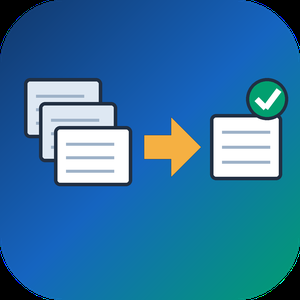
Outlook Duplicate Remover is a Windows 10 and 11 program that helps you remove duplicate emails from Outlook data files without risking the mail you already have. It opens a .pst or .ost from disk, finds messages that are copies of each other in any folder, and saves the unique ones into a separate PST. The file you loaded is read and left alone.
🔰 How to use it
1. Install the app and click Add File(s) to load one PST or OST archive. Outlook does not have to run.
2. In the folder tree, tick Inbox, Sent Items, Archive and any subfolders that should be compared with each other.
3. Under Deduplication options, decide which fields must agree. Subject, Sender and Body text are ticked at first. Recipients, Date/Time sent and Attachment names make the rule stricter.
4. Set Keep as to First found, Oldest or Newest. That copy stays in each group and the others are dropped.
5. Tick the backup PST if you want the removed messages kept in a second file, and leave the CSV report on.
6. Choose a Destination folder and press Start. A message at the end tells you how many unique emails were written and how many copies were left out.
👍 Why IT and office teams pick it
- No edits to the source. Since the program only reads the archive, a wrong rule costs nothing. Change the settings and run again.
- Folder boundaries do not hide copies. Outlook's Clean Up looks at one conversation at a time, while this tool can remove duplicate emails that sit in Inbox and Archive at once.
- RE: and FW: are ignored on request, so a forwarded copy still matches its first version.
- Every run leaves a trail. The CSV lists folder, subject, sender, date and whether each message was kept or removed.
- Local processing only. Client mail is never uploaded, which matters for legal, medical and finance offices.
- The interface comes in 17 languages.
✅ Who uses it
- IT staff cleaning a user's archive after a migration or an import that ran twice.
- Office managers whose shared mailbox was set up as both POP and IMAP and now holds every message twice.
- Anyone with a slow, oversized personal archive who wants to remove duplicate emails before it reaches the size limit.
❓ FAQ
Why am I getting two copies of every email in Outlook? The same account added twice, a server that keeps its own copy in Sent, or a repeated import are the usual reasons. Fixing the cause stops new copies, and this outlook duplicate email remover cleans out the old ones.
How do I remove duplicates from a PST file? Load it, tick the folders, keep the default rules and press Start. The clean result lands in the folder you picked.
Can I remove duplicate emails using the Outlook Clean Up tool? Only inside one folder. Copies spread across folders need a file-level scan like this one.
ℹ️ Free trial: a sample of the mailbox is processed and a reminder appears, so you can judge the result on real data. A license writes the full clean copy. Windows 10 or 11, works offline.

CSV to VCF Converter Software is a Windows desktop csv to vcf converter that turns contact spreadsheets into vCard files. Give it a table exported from Google Contacts, Outlook, Yahoo or a plain Excel sheet, and it produces cards that phones, mail clients and CRM systems import. Everything runs locally, so the address book never leaves your PC. Unlike a quick web form, this csv to vcf converter copes with the messy input that real exports contain: semicolon or tab delimiters, Cyrillic or accented names saved without a byte order mark, and numbers scattered over several labeled columns.
🛠️ How to use it
1. Install the program and drop one or more CSV files, or a whole folder, into the list.
2. Check the delimiter and character set detected for each file, and override them if needed.
3. Open the column mapper, confirm which column fills each vCard field, and pick version 2.1, 3.0 or 4.0.
4. Choose a single Contacts.vcf or one card per person, set the destination folder and click Convert.
✅ Why IT and office teams pick it
- Input encoding is recognized per file (UTF-8, windows-1251, windows-1252, GBK) and displayed before conversion.
- Google and Outlook phone and email columns keep their type labels, such as mobile, home or work.
- Street, city, region, postal code and country are assembled into a structured ADR field.
- Version 2.1 output encodes non-ASCII text as quoted-printable, so older handsets and car kits show real letters.
- Duplicate rows and rows without a name, phone or email are skipped.
- A picture path stored in a column is read and embedded into the card.
- Columns you did not map can be kept as X- properties.
- A folder with subfolders can be processed in one batch.
👥 Who uses it
People moving to a new smartphone, office administrators who keep a staff directory in Excel, and IT staff migrating lead lists between CRMs. It also fits anyone who wants to convert CSV to VCF, or get a CSV to vCard result, without uploading private data to a website, and help desk technicians who repeat the same export for every new hire.
❓ FAQ
Are CSV and VCF the same format?
No. CSV is a table with one contact per row. VCF holds vCard records with named fields that phones read directly.
How do I convert CSV contacts to vCard?
Add the file to the csv to vcf converter, review the mapping, choose a vCard version and click Convert. Most exports need no manual setup.
How do I get the VCF into my contacts?
Import it in Google Contacts, or open it from mail on iPhone or Android. Outlook takes one card at a time, so use the per-contact mode for it.
Does it work offline?
Yes. Conversion happens on your computer and no file is uploaded.
💾 Free trial: the csv to vcf converter handles 5 contacts per run until registered. Runs on Windows 11, 10, 8.1, 8 and 7, 32-bit and 64-bit.

ICS to CSV Converter is a Windows desktop program that reads iCalendar (.ics) and older vCalendar (.vcs) files and writes their contents into one CSV table. It handles the ICS to CSV job for a whole folder at once, so a stack of exported calendars, one per colleague or meeting room, ends up as rows you can sort, filter and count in Excel or Google Sheets. Nothing is uploaded: the program opens files from your own drive and saves the result beside them.
📋 How to use it
1. Add files or drop a folder into the window. Subfolders are included, and a single export holding several calendars and thousands of entries is fine.
2. Select any file to look at its events in plain text.
3. Choose a template: Google Calendar, Outlook Calendar or Plain.
4. Decide which clock the output uses: the original zone of each entry, UTC or local Windows time.
5. Use the column mapper to hide, move or rename columns.
6. Click Convert. The queued files are combined into one Calendar.csv in the target folder.
🛠️ Why IT and office teams pick it
Time zones are the usual reason a calendar import goes wrong, with meetings landing one to three hours off. This program works out each offset from the zone definitions saved inside the calendar and uses the summer or winter rule that applied on that date. A one-day holiday stays one day, since the iCalendar end date, which points to the following morning, is corrected. Repeating entries keep their original rule and gain a column that explains it in words. Duplicates are merged by UID, and the CSV is UTF-8 with a BOM, so Excel shows Cyrillic or CJK text correctly on a double click. For an ICS to CSV task that feeds a report, nobody has to fix dates by hand afterwards.
👥 Who uses it
Team leads who total meeting hours per person. IT admins checking calendar data during a mailbox migration. Office staff who received a pile of invitations and simply want to export the calendar to CSV and read it in a spreadsheet. Analysts who prefer filters and pivot tables to a calendar grid. Small business owners who keep bookings in a calendar and want them next to their invoices.
❓ FAQ
Can I convert an ICS file to CSV?
Yes. Add the file or its folder, pick a template and click Convert. Events, tasks and journal entries all go into one ICS to CSV table.
Can you convert ICS to Excel?
Excel cannot open .ics directly. Convert to CSV first and Excel opens the result as an ordinary sheet, with start and end times in separate columns.
Why can't I open an ICS file?
Windows usually passes .ics to a calendar app, which imports it instead of showing the contents. Also, a file sent by Outlook may really be TNEF data with the wrong extension. Open it in Notepad: a real iCalendar file begins with BEGIN:VCALENDAR.
The free trial does not ask you to sign up and converts the first 10 events of each run. Windows 11, 10, 8.1, 8 and 7, works offline.
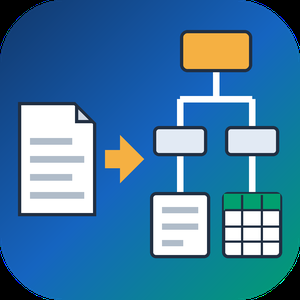
PDF to XML Converter Software is a pdf to xml converter for Windows that turns stacks of PDF reports into structured XML your scripts can parse. Every output file follows one documented schema with document, page, heading, paragraph and table elements, and tables are broken into rows and cells. All work happens on your own PC, so no report leaves the machine.
🛠️ How to use
1. Install the program and drag PDF files or a whole folder into the list.
2. Decide whether you need positions and fonts. Tick the coordinates option for block boxes, or leave it off for a lighter text-only file.
3. Press Convert. You get one XML per PDF, named after its source.
4. Point XSLT, Python or your database loader at the output folder.
💼 Why IT and office teams pick it
Imports break when every department sends a different layout. This pdf to xml converter keeps the same element names for every file, so a loader written once keeps working. Headings get a level from 1 to 6 based on font size. Each table carries a source attribute that tells you how its grid was found: PDF tags, ruling lines or text alignment. Merged cells keep colspan or rowspan. Text follows reading order, left column before right, and right-to-left lines stay right-to-left. Pages without a text layer are marked scanned="1", so a script can send them to a person.
👥 Who uses it
Data engineers and ETL developers feeding report figures into databases. Systems integrators who need to convert PDF to XML for another application. BI analysts, search-index developers and QA testers who check document pipelines. Procurement teams use it to pull supplier price tables into purchasing systems, and layout analysts switch on coordinates to study where each block sits on the page.
❓ FAQ
How does the pdf to xml step handle two-column pages?
The left column is written first, then the right one. Hebrew and Arabic lines keep their right-to-left order and carry a direction attribute.
Can I stop a long batch halfway?
Yes. Stop ends the job between two files, and every XML finished before that point stays on disk.
Can I convert PDF to XML without uploading files?
Yes. The program works offline, and your PDFs stay on your disk.
What does the XML look like?
A document root with page elements inside. Each page holds headings, paragraphs and tables in reading order, saved as UTF-8 without a byte order mark.
Can this pdf to xml converter fill an invoice or XBRL schema?
No. It writes its own fixed schema. Mapping to another schema is a job for your XSLT or import script.
Is there a command line or API?
No. Batches are started by hand in the desktop window, so it cannot run as a server service.
🎁 Free trial: every PDF in a batch gets its first 10 lines or table rows, and the file still passes an XML parser. Runs on Windows desktop and laptop PCs.

SiteBleed™ is an uptime monitoring platform built for e-commerce store owners, freelance developers, and web agencies who can't afford to discover downtime from an angry customer.
Most uptime monitors just send you a ping when something breaks. SiteBleed goes further: it tracks the dollar value of every minute of downtime against your actual monthly revenue, so you walk into every incident conversation with a business case, not just a timestamp.
What SiteBleed monitors
HTTP/HTTPS uptime — checks every 5 minutes
SSL certificate expiry — daily scans, alerts 7/14/30/60 days before expiry
TCP & port monitoring — for databases, APIs, and custom services
Domain registration expiry — WHOIS-based alerts before a lapsed renewal takes you offline
Keyword content monitoring — alert when a phrase disappears from your page source
How you're notified
Email (instant)
Slack, Discord, Microsoft Teams
PagerDuty (Events API v2)
Zapier — connect to 6,000+ apps via webhook trigger
Custom webhooks
Alert escalation by revenue loss threshold
What you get beyond the alert
Live revenue loss counter — watch the dollar cost tick in real time during an outage
Public status page — share a branded status.sitebleed.com/your-slug page with your customers
Embeddable status badge — drop a live badge into your README, website, or docs
Full incident history with postmortem notes
MTTR & MTTF analytics — scoped to any date range or site
Incident timeline heatmap — visualise patterns day-by-day across 7/30/60/90-day windows
SLA tracker — monitor compliance against a custom uptime target with monthly reset
Weekly/monthly email digest
Scheduled maintenance windows — suppress false-positive alerts during planned deploys
Bulk CSV import, CSV/PDF export
Team seats with role-based access (owner, admin, viewer)
Developer REST API
Incident drill mode — simulate a downtime event to test your full alert pipeline
AI incident reports (Scale plan) — Gemini-powered analysis after every incident: business impact summary, customer communication template, technical summary, fix recommendations, and severity scoring
Plans
Free — 1 website, email alerts, SSL monitoring, status badge
Hustler ($19 CAD/mo) — 3 websites, all alert channels, full incident history, SLA tracker
Growth ($49 CAD/mo) — 20 websites, team seats, keyword monitoring, export, MTTR analytics
Scale ($99 CAD/mo) — 100 websites, AI incident reports, Zapier, Developer API, drill mode
No credit card required to start. Setup takes under 2 minutes.
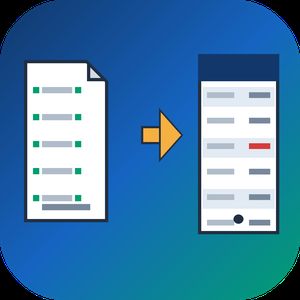
QBO to PDF Converter Tool is a Windows program that opens the .qbo or .ofx download a bank or bookkeeper sent you and prints it as a readable PDF statement, with no QuickBooks on the machine. A QBO download is OFX text written for an accounting importer, so a double-click gets you nowhere. This qbo to pdf converter parses the tags, lays the transactions out as a table and saves pages you can print, forward or archive. The qbo to pdf work happens offline, on your own PC.
📋 How to use
1. Install it on the Windows PC that holds the download. The PDF engine comes inside the installer.
2. Queue one download, several of them or a whole folder.
3. Read the text preview: transaction count, detected encoding and the first rows.
4. Choose PDF or CSV and how dates should print, then press Convert.
5. Open the result from the destination folder you set on the same page.
🏢 Why IT and office teams pick it
- No upload, no sign-up and no outbound traffic to whitelist.
- One parser covers OFX 1 files in SGML and OFX 2 files in XML.
- Column headers repeat at the top of each sheet and a row never splits in two.
- Negative amounts are bracketed and colored, so a black and white copy still shows them.
- Every footer carries a sheet number, the source name and the generation date.
- A Merge checkbox, off by default, joins the queue into one output.
- CSV output is UTF-8 with BOM and guards against formula injection in Excel.
👥 Who uses it
- Bookkeepers who receive client downloads and need a statement on paper.
- Paralegals turning raw bank exports into paginated exhibits.
- Owners whose old accounting setup is gone while the QBO files remain on disk.
- Anyone who got one attachment and will not buy accounting software to read it.
- Auditors who want a count of transactions on screen before they trust a printout.
❓ FAQ
How do I open a QBO file without QuickBooks?
Use a program that reads the OFX inside it. The QBO to PDF converter parses the file directly, so no QuickBooks license is involved.
Can I convert QBO to PDF and CSV in the same program?
Yes. A combo box on the Convert page switches between a PDF statement and a CSV table for Excel.
Is the Running total the same as my bank balance?
No. It is the sum of the printed rows, counted from the top, and the column stays off until you tick it.
Does the QBO to PDF converter read card and investment files?
Yes. Bank, card and investment statements are parsed, several per file too. An investment line that carries a share quantity instead of an amount is kept.
Which columns appear in the PDF by default?
Date, Check, Payee, Memo and Amount. Type, Category, FITID and Running total are optional, because most bank files leave them empty.
🆓 The free trial converts 20 transactions and prints a warning line in the output. Runs on Windows 11, 10, 8.1, 8 and 7, 32 and 64 bit.

With 100+ clients, 1 mil. euro in ad spent and tens of thousands leads generated, we strive to be the best we can for our clients and for our ourselves.
Our goal is to provide you with a cost-effective solutionthat will generate positive ROI for your business within 3 months from the date of the investment.
The What?
Being a Full Service Digital Marketing Agency, we offer the whole service package that a company needs in the area of digital marketing.
Our most requested services are:
1. Website Design & a little bit of Website Development
2. SEO (both Onsite & Offsite)
3. Copywriting
4. Branding (from the concept to the design)
5. Facebook & Instagram Management
6. Facebook & Instagram Ads
7. Google Ads (Search, Display, Shopping)
8. Email Marketing
9. Marketing & Business Strategy
The Who?
With a team of 13 amazing people and more than 10 collaborators, we build each project from the ground up. We receive the most positive feedback for:
Fast Response (we use Whatsapp for feedback and calibration...but we can also use email)
Clear Processes (we have built a library of procedures and processes in order to make the deliverables right, each time)
ROI (we can prove the efficiency of working with us with the numbers. You know the saying... numbers don't lie)
Real Time reporting (we use a software that aggregates the most important KPI's from all the platforms in order to have a real time dashboard with the numbers that matter)
We care (it's not only about the money... it's about being satisfied with the collaboration we have, no matter what)
Would you like to play the digital marketing "game" with us? We know the rules :)
Give us a call or message and we will start this journey together.

iNtechspace is a global B2B digital sales & marketing consulting firm that has significant decades of experience in the domain of online research, lead data enrichment, multichannel prospect outreach & CRM administration.
We have built our strong presence by providing technology & human intelligence data analytical driven sales acceleration approach to global clientele & thus clients get used to building long-term business relationships with us as they found our support & collaboration more convenient for their business growth excellence. We place the utmost importance in delivering high-quality output in whatever process is outsourced to us.
Our employees have the right skill-set for executing top-notch services. As our strongest asset, we continually invest in their development. In keeping with client requirements, project-specific training is imparted at the start of each new job and upgrading of capabilities is completed on a regular basis.
While our services are timely and focused on client needs, we do not sacrifice quality for speed. We do not recommend or execute any solutions that will result in anything less than optimum quality output. If you are looking for a reputable, dependable service with a full suite of quality assured services, look no further! iNtechspace can satisfy your project requirements with responsive, affordable services and complete quality assurance.
In today’s increasingly competitive environment, it is vital that your business adjusts quickly to changing market conditions. You need to increase your operational efficiency, reduce costs, and improve service delivery.
By outsourcing your business requirements to iNtechspace, you can get access to the best resources, strong industry expertise, long-term support, and innovative thinking that will accelerate your business operations and give you a sustainable edge in your industry.
We are the partner of choice by providing value to enable our customers’ long-term sustainable growth.

Do you have trouble in unlocking your iOS device when you forget the lock-screen passcode? Do you want to remove your Apple ID? Do you want to remove the restrictions in Screen Time? Apeaksoft iOS Unlocker could do you a favor.
Key functions:
1. Wipe iOS devices passcode easily Apeaksoft iOS Unlocker could help you unlock your iOS devices if you forgot your iOS devices' lock-screen passcode or your devices are disabled due to many times of incorrect passcode attempts, etc. It could remove various kinds of lock-screen passcode like 4-digit, 6-digit, Touch ID and Face ID and unlock your device easily.
2. Remove Apple ID in seconds As it is known to us, if you forgot your Apple ID, you will lose access to many Apple services. So it is important for us to remove the Apple ID when you forget your Apple ID passcode. If you are facing this trouble now, Apeaksoft iOS Unlocker could help you remove the Apple ID in seconds and let you access Apple service again.
3. Recover and remove Screen Time passcode quickly Do you want to recover or remove your Screen Time passcode if you forgot it? If your answer is yes, Apeaksoft iOS Unlocker could be your top choice. It could recover your Screen Time passcode without losing any data. And it could also remove your Screen Time passcode just in few steps.
4. Remove MDM and iTunes backup passwords The interface of this function is straightforward, making the MDM profile removal easy and fast. In Remove iTunes Backup Password, you can erase the iTunes backup password easily and smoothly and start new backups on iTunes again.

Hiding is an advanced, undetectable AI assistant designed to provide real-time solutions across various tasks while maintaining user privacy. It seamlessly integrates into your workflow, offering features like instant audio transcription, screenshot problem-solving, and customizable hotkeys, all operating invisibly during screen sharing sessions. With support for multiple AI models, including GPT-4 and Claude 3.5, Hiding ensures high-performance assistance tailored to your needs. Its military-grade AES-256 encryption guarantees data security, making it an ideal tool for professionals seeking efficient and confidential AI support.
Key Features and Functionality:
- AI Audio Resolver: Converts any audio input into immediate AI-generated answers, perfect for lectures, meetings, and conversations, with 99% accuracy and response times under 2 seconds.
- Screenshot Solver: Allows users to capture any problem—be it mathematical equations, code snippets, or visual challenges—and receive instant solutions.
- Real-time Transcription: Provides lightning-fast transcription services with 99% accuracy for any audio source, ensuring no detail is missed.
- Fast Hotkeys: Enables quick access to features through customizable shortcuts, enhancing workflow efficiency.
- Hidden Mode: Operates invisibly during screen sharing on platforms like Zoom, Teams, Google Meet, and OBS, preserving user privacy.
- AI Agents Export: Allows packaging and sharing of custom AI workflows, facilitating team collaboration.
- Train With Your Data: Empowers users to import documents and create specialized AI agents tailored to specific needs.
Primary Value and User Solutions:
Hiding addresses the need for a powerful, discreet AI assistant that enhances productivity without compromising privacy. By offering undetectable AI support, it allows professionals to efficiently manage tasks such as note-taking, problem-solving, and transcription during live sessions without drawing attention. Its robust security measures ensure that sensitive information remains confidential, making it an invaluable tool for users who prioritize both efficiency and privacy in their workflows.

PPT to Video/DVD Converter can always be your best choice when you want to convert PowerPoint to video/DVD. Multiple video/DVD settings and advanced acceleration technology will give you powerful user experience. Key functions: 1. Convert PowerPoint slides into video effectively PPT to Video Converter is the most professional tool to convert PowerPoint slides to video for better presentations. Never want to fail to perform PowerPoint on class or an important meeting, you can consider converting PowerPoint to video for better performance. Want to put your PowerPoint online for tutorial guide or video sharing to others? Alternatively, you are able to make a conversion from PowerPoint to video to help you out. When you change the PPT slides into video format, it is also convenient to watch the 2. Provide best converting modes and various video format Two great converting modes are provided, Auto Mode as well as Advanced Mode. From the two converting modes, you are able to convert PPT files in PowerPoint 2016/2013/2010/2007/2003 into video with excellent quality. 3.Convert PowerPoint into DVD/ISO file powerfully Tipard PPT to Video Converter also can help you convert PowerPoint to DVD. When you want to burn PowerPoint to DVD disc or ISO. It is very easy to you to make PPT to DVD conversion. 4. Personalize multiple settings for DVD burning This program offers various DVD settings, so that you can make your favorite DVD according to your need. You are able to add some background music, choose the burning engine, volume label, DVD size and so on. Also, the software provides two converting modes, Auto Mode and Advanced Mode. There are many available and awesome DVD templates for you to choose from.

AnyMP4 iOS Cleaner enables iOS users to clean up iPhone/iPad/iPod Touch to speed up devices and free up more space. It can erase junk/ temporary files, caches, unwanted data and large files, uninstall applications easily. And you can clear all data permanently with iOS Cleaner by choosing different erasing levels.
Key Functions:
1. Free up more space for your iPhone/iPad/iPod Touch.
This iOS Cleaner can help you easily clear images/junk/temporary files, hidden caches, unwanted data/large files, uninstall useless application to save your phone storage. By cleaning up system junks, you can keep your iOS device with excellent performance and enjoy ultimate speed-up responsiveness of the iOS devices.
2. Erase data with 3 erasing levels according to your demand.
With AnyMP4 iOS Cleaner, you can protect your valuable data and privacy by choosing erasing levels, namely low erasing level (erase all iOS data quickly), middle erasing level (erase deleted data without recovery), and high erasing level (erase any private data unrecoverably and safely). Through the three erasing levels, you can keep innumerous personal information from disclosure. Then, you can feel free to sell or donate the iOS devices.
3. Other useful functions.
If you don't want to delete your valuable photos to free up space, AnyMP4 iOS Cleaner also does a favor for you. You can backup original photos to PC before erasing data on iOS devices. Thus you will not lose your important memory photos. At the same time, you can compress HEIC/JPG/PNG photos and save the compressed photos on your computer.
PyboxTech-EHR is an EHR (Electronic Health Record) system for doctors and clinics. It allows to keep track of your patient’s medical visits. Get charts of vital signs over time, search for prescriptions, studies and medical notes associated with those medical visits. You can fill out medical histories and medical notes using your voice. The system allows you to import CCDA-HL7 electronic medical records and export them. Take control of your clinics, manage bills, users, roles, permissions, send emails to your patients automatically and more. Visualize the key aspects of your clinics through the dashboard. Visit https://pyboxtech.com for more details and tutorials.
Start using it now. With the trial version you can register up to 100 patients and up to 3 users.
Learn about our licensing plans, they are very affordable. The system is updated constantly so that you have the latest updates.
Our system can be installed in the cloud, through the Digital Ocean marketplace. Digital Ocean is a platform where users can deploy virtual private servers in the cloud. They have an application market. We are precisely part of the Digital Ocean marketplace, where with just one click the user can have a virtual private server with the PyboxTech-EHR software installed and ready to serve in a few seconds.
https://marketplace.digitalocean.com/apps/pyboxtech-med?refcode=0f2b31145de1
As vendors of on-premises solutions, we put the customers in control over their data in the most literal and direct sense. Your data is in your data center, on a server managed by you, rather than floating somewhere in the cloud.
That is, if the client decides to run a virtual private server with our software in Digital Ocean, that server belongs to that client and therefore he will be able to decide what capacity (ram memory, cpu, etc.) his server will have. The client, as he needs it, will be able to increase the capacity of his server.
Our software can also be installed on Windows 10.