AI-Generated Results
Finding matches…
Bank Statement Extractor is an AI-powered platform designed to automate the conversion of PDF bank statements into structured Excel files, eliminating the need for manual data entry. Users can upload their bank statements, define the data they wish to extract, and receive accurate Excel files within seconds. The service supports multiple PDFs simultaneously, handles statements from any bank worldwide, and offers multi-language extraction capabilities. With a processing speed of over 1,000 transactions per minute and an accuracy rate of 99.8%, it significantly reduces the time and errors associated with manual data entry. Additionally, the platform ensures maximum privacy by processing files securely and deleting them immediately after extraction.
Key Features and Functionality:
- Custom Data Extraction: Users can specify the exact data fields they need, allowing for tailored Excel outputs.
- Batch Processing: The platform supports the upload and processing of multiple PDF statements at once, regardless of the number of pages.
- High Accuracy and Speed: Achieves 99.8% accuracy in data extraction and processes over 1,000 transactions per minute.
- Multi-Language Support: Capable of extracting data from bank statements in various languages.
- Data Privacy: Ensures user data security by processing files in memory and deleting them immediately after extraction.
Primary Value and Problem Solved:
Bank Statement Extractor addresses the inefficiencies and errors associated with manual data entry of bank statements. By automating the extraction process, it saves financial teams approximately 10-12 hours per week, allowing them to focus on more strategic tasks. The platform's high accuracy reduces the risk of human error, ensuring reliable financial data for analysis and reporting. Its flexibility in handling various bank formats and languages makes it a versatile tool for businesses operating globally.
Not seeing what you're looking for?
Dive deeper into "UFile" on G2 AI

EC-NETWORKER Technologies Co., Ltd., established in September 2012, is a provider of IT management and optimization solutions. The company offers value-added software, technical services, and training to help businesses efficiently manage their IT infrastructure. Serving industries such as financial services, telecommunications, healthcare, and high-tech manufacturing, EC-NETWORKER has built a reputation for professionalism, enthusiasm, and responsibility. Their team comprises experienced information industry practitioners who assist vendors and partners by providing technical consulting, installation, and implementation services.
Key Features and Functionality:
- Secure Managed File Transfer: EC-NETWORKER provides solutions for secure file transfer, ensuring data integrity and confidentiality during transmission.
- Network Management: The company offers comprehensive network monitoring and management services, enabling businesses to maintain optimal network performance and quickly address issues.
- Security Awareness Training: EC-NETWORKER delivers training programs to enhance organizational awareness of security best practices, reducing the risk of security breaches.
- Product Partnerships: As an authorized partner of Progress, EC-NETWORKER offers products like MOVEit for secure file transfer, WhatsUp Gold for network monitoring, and Flowmon for network performance monitoring and diagnostics.
Primary Value and Solutions Provided:
EC-NETWORKER addresses the critical need for efficient IT infrastructure management and security. By offering secure file transfer solutions, they help organizations protect sensitive data during transmission. Their network management services ensure continuous monitoring and optimization of network performance, minimizing downtime and enhancing operational efficiency. Through security awareness training, EC-NETWORKER empowers employees to recognize and mitigate potential security threats, fostering a culture of security within the organization. By partnering with leading technology providers, they deliver reliable and effective solutions tailored to the unique needs of their clients.

If you are a movie lover, AVAide Video Converter for Mac is your best choice. It could convert videos and home-made DVDs to other formats.
Key functions:
1. Convert video/audio files
AVAide Video Converter for Mac provides fast conversion speed for you to convert video/audio files to other popular formats so that you could view the movies on portable devices such as iPhone, iPad, Samsung, Sony, etc. You can rotate/crop/trim videos, add watermark/subtitles to videos before conversion and adjust video effects.
2. Convert home-made DVDs
If you have trouble in playing your DVDs, AVAide Video Converter for Mac could help you convert home-made DVDs to other common formats just in few minutes. Before conversion, you could edit the movies freely, such as rotating/cropping/trimming videos, adding audio track/watermark to videos, adding/editing subtitle, etc.
3. Make MV and Collage
The MV function provides many kinds of themes for you to create your own MV with videos and pictures. You could rotate/crop MV before exporting and adjust video effects. After exporting, you could share the MV you created on YouTube, Vimeo, etc. directly. In addition, you could make your own fabulous Collage with various templates.
4. Compress files and other useful tools
AVAide Video Converter for Mac allows you to edit media metadata. If you have large videos and want to compress them, the Video Compressor could help you compress videos to smaller size with high quality. It is also able to create fantastic GIFs and 3D files. Moreover, you are able to enhance your video via upscaling resolution, reducing video shaking, etc.
inPuncto GmbH specializes in developing integrated Enterprise Content Management (ECM solutions tailored for SAP systems. Their suite of add-on products enhances document management by automating processes such as document capture, workflow automation, archiving, and electronic file management. By seamlessly integrating with SAP, inPuncto's solutions streamline document-based workflows, improving efficiency and compliance for businesses.
Key Features and Functionality:
- Document Processing: Automates the capture and processing of various document types, ensuring efficient handling and integration within SAP.
- Workflow Automation: Optimizes document-based workflows, facilitating faster approvals and process management directly within the SAP environment.
- Document Archiving: Provides SAP-certified solutions for secure and compliant archiving of data and documents, supporting long-term storage needs.
- Electronic File Management: Offers electronic file applications, such as personnel and contract files, fully integrated into SAP-HCM, enhancing document accessibility and organization.
- Cloud Solutions: Delivers cloud-based services for SAP, allowing businesses to outsource processes like archiving and document processing, thereby reducing IT overhead and increasing scalability.
Primary Value and User Benefits:
inPuncto's ECM solutions address the challenges of manual and inefficient document management within SAP systems. By automating and integrating document-related processes, businesses can achieve significant time savings, reduce errors, and ensure compliance with regulatory requirements. The seamless integration with SAP allows users to operate within a familiar environment, minimizing the learning curve and maximizing productivity. Additionally, inPuncto's solutions are designed to be cost-effective, offering a favorable price-performance ratio and quick implementation times, making them accessible to a wide range of organizations seeking to enhance their document management capabilities.

Rotera is an integrated workspace platform designed specifically for freelancers and remote professionals, consolidating essential business tools into a single, user-friendly interface. By combining project management, time tracking, client communication, and secure file sharing, Rotera streamlines daily operations, reducing the need to juggle multiple applications.
Key Features and Functionality:
- Call Recording with AI Transcriptions: Conduct web-based calls without downloads, record conversations, and receive AI-generated transcripts and actionable items, ensuring no detail is overlooked.
- Time Tracking and Invoicing: Automatically track billable hours and seamlessly generate accurate invoices, enhancing financial management.
- Project Management Tools: Utilize various project views, including list and Kanban, to organize tasks, set deadlines, and monitor project progress efficiently.
- Secure File Sharing: Share files with clients through password-protected links, with options for download limits and file expiration, ensuring data security.
- Integrated Video Calling: Host video meetings directly within the platform, eliminating the need for third-party applications and simplifying client interactions.
Primary Value and User Solutions:
Rotera addresses the common challenges freelancers face, such as managing multiple clients, tracking billable hours, and maintaining clear communication. By integrating these functions into one platform, it eliminates the inefficiencies of switching between disparate tools, thereby saving time and reducing errors. The inclusion of AI-driven features, like automatic transcriptions and action item generation, further enhances productivity by ensuring that all client communications are accurately documented and actionable tasks are clearly defined. Overall, Rotera empowers freelancers to focus more on their work and client relationships, rather than on administrative tasks.

AutoLocalise is an AI-powered localization platform designed to simplify the process of adding multi-language support to modern applications. By integrating directly into your codebase, it enables real-time translation updates without the need for managing translation files or redeploying your app. Supporting over 100 languages, AutoLocalise is compatible with popular frameworks such as React, Next.js, React Native, Expo, and Python, making it an ideal solution for developers aiming to reach a global audience efficiently.
Key Features and Functionality:
- Simple SDK Integration: AutoLocalise offers a clean and easy-to-integrate SDK, requiring minimal effort to set up within your existing projects.
- No Translation Files: Eliminates the need to manage translation files or extract strings, streamlining the localization workflow.
- Real-Time Updates: Allows for instant translation updates without the necessity of rebuilding or redeploying your application.
- Variable Support: Facilitates the inclusion of dynamic content in translations, ensuring flexibility and accuracy.
- Nested Formatting: Preserves the formatting within translated text while maintaining context, enhancing the user experience.
- Offline Support: Utilizes client-side caching to enable translations to function seamlessly, even without an internet connection.
Primary Value and User Solutions:
AutoLocalise addresses the complexities traditionally associated with app localization by automating the translation process and integrating it directly into the development workflow. This approach allows developers to focus on building features rather than managing translation files or coordinating with external translation services. By supporting real-time updates and a wide range of languages, AutoLocalise empowers businesses to expand their reach to global markets swiftly and efficiently, ensuring that applications are accessible and user-friendly for diverse audiences.
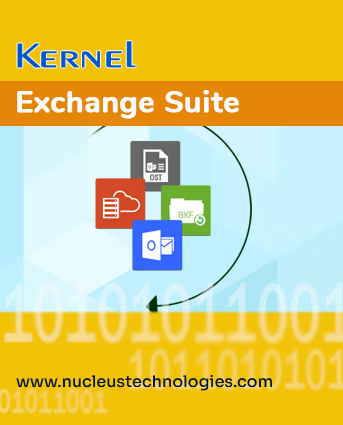
Kernel Exchange Suite is built for admins who manage Microsoft Exchange Server accounts and need a single solution to repair damaged mailbox databases, migrate users between Exchange environments, and keep everything backed up along the way. Our suite scales with user needs, managing a handful of accounts, Exchange Server with 1000+ user mailboxes, or massive offline Exchange database files.
During any recovery or migration job, the tool keeps every email detail exactly as it was. Metadata, like the sender, recipient, subject line, and time stamp, all stay intact along with the attachments. Moreover, the complete source mailbox structure is recreated in the destination with all folders and subfolders (with the original names).
Recover mailboxes from dismounted, orphaned, and corrupt EDB files to a healthy Outlook PST file. Save all mailboxes or selective.
Move mailboxes between Exchange environments, including tenant-to-tenant migration. Upgrade from older Exchange versions to newer ones.
Recover deleted mailboxes and lost items along with their original folder structure.
Migrate single or multiple mailboxes, including shared mailboxes, with accurate mapping from source to destination.
Dedicated option to export attachments from the mailbox.
Built-in filters let you pick exactly which folders, item types, or date ranges get moved or recovered.
Preview mailbox content, emails, attachments, calendar entries, and contacts.
Restore data from old Exchange backup files, like Windows NT Backup, Veritas Backup, Symantec Backup, ARCserve Backup, and HP Backup.
Auto-generate a summary report for migration. Keeps a full log of every EDB recovery operation.

PennyScribe is an API‑based audio transcription service designed for developers and AI agents. It converts spoken content from interviews, podcasts, sales calls, and lectures into clean, plain text without timestamps or extraneous formatting. The service accepts audio files up to 5 hours in length and supports transcription in over 32 languages, including varied dialects and challenging acoustic environments such as rapid speech, singing, and background noise.
Key capabilities:
RESTful API with key‑based authentication and webhook support for asynchronous result delivery.
No minimum file size or duration limits for single submissions (up to 5 hours per file).
Transcriptions are returned as unadorned text, suitable for direct consumption by LLMs, search indexes, or custom processing pipelines.
Uploaded audio files are not retained after transcription, ensuring data privacy.
Pricing model:
Pay‑as‑you‑go, with no monthly subscription or long‑term commitment. Currently, 2,400 minutes of transcription cost $5 (approximately $0.0021 per minute). Billing applies only to successfully completed tasks; failed transcriptions are not charged.
Intended use cases:
Research & analysis – transcribe client interviews or focus groups for qualitative coding and summarisation.
Content repurposing – generate written show notes, newsletters, or social media drafts from podcast episodes.
Sales intelligence – extract patterns and insights from discovery calls and customer conversations.
Automated ingestion – integrate speech‑to‑text into larger data workflows, with results delivered via webhook without keeping browsers waiting.
The service is built to function as a foundational speech‑to‑text layer within AI agent architectures and batch processing systems. All features and pricing are current as of August 2026.

Onirix is a private AI search platform designed to unify and enhance internal organizational knowledge. It enables teams to connect various documents, wikis, tickets, spreadsheets, and cloud files into a single, secure knowledge layer, providing grounded answers that users can verify.
Key Features and Functionality:
- Knowledge Integration: Import and index a wide range of file types, including PDFs, Word documents, spreadsheets, presentations, and folders, without altering existing workflows.
- Source Connectivity: Synchronize with platforms like Google Drive, OneDrive, SharePoint, Notion, Slack, and internal databases to create a comprehensive knowledge index.
- AI-Powered Search: Utilize natural language processing to allow teams to ask questions and receive answers grounded in source documents, complete with citations for verification.
- Semantic Search Layer: Locate relevant information across various files and platforms, even when exact keywords are unknown.
- Access-Aware Retrieval: Maintain strict adherence to user, group, folder, and document permissions, ensuring secure and appropriate information access.
- Real-Time Synchronization: Keep indexes up-to-date as documents are added, modified, or removed from connected sources.
- Custom Connector SDK: Integrate proprietary applications, file stores, databases, and APIs into the unified knowledge layer.
Primary Value and Solutions Provided:
Onirix addresses the challenge of fragmented internal knowledge by consolidating diverse information sources into a single, searchable platform. This integration reduces the time employees spend searching for information, enhances productivity, and ensures that teams have access to the most current and relevant data. By providing AI-generated answers with traceable citations, Onirix fosters trust and reliability in the information accessed, empowering organizations to make informed decisions efficiently.

Vectorgram is an online raster-to-vector converter. It turns PNG, JPEG, WebP and BMP images into clean, fully editable SVG files: logos, sketches, lettering, illustrations and photos become crisp vector curves that scale to any size without a single jagged edge.
Where generic converters return a tangled mesh of thousands of nodes, Vectorgram redraws an image as smooth, minimal geometry - the way a careful draftsman would, in seconds instead of hours. The result opens directly in Illustrator, Figma, Inkscape, CorelDRAW and most CAD and cutting software, and stays light enough to edit by hand: colors remain separate shapes, transparent backgrounds are preserved, and corners come out sharp.
You can test a conversion right on the homepage - upload an image and see the vector result in seconds, no registration required.
KEY FEATURES
- PNG, JPEG, WebP and BMP to clean, editable SVG
- Low node count: paths a designer can actually edit, not untangle
- Palette read from your image - no manual color sampling
- Transparent backgrounds preserved
- Manual controls for detail, gradients and corner smoothing
- Batch conversion of up to 100 files at once
- REST API with key authentication for automations and pipelines
- Fully in-browser: nothing to install, uploaded files are deleted automatically
WHO IT IS FOR
- Designers who need a handoff-ready SVG from a client's PNG or JPEG
- Crafters and cutting-machine owners (Cricut, Silhouette) preparing cut files
- Print and sign shops scaling artwork for large-format output
- Developers and teams automating image-to-vector conversion via the API
Vectorgram runs as a web service on vectorgram.ai, with paid plans from $9/month that add higher resolution, batch conversion, manual controls and API access. Try your first conversion without signing up.

PyVideoTrans is a robust, open-source software designed to automate the process of video translation, speech transcription, and dubbing. It enables users to seamlessly convert videos from one language to another by transcribing speech, translating subtitles, synthesizing voiceovers, and compiling the final video—all in a single operation. This tool is ideal for content creators, educators, and individuals seeking to make their video content accessible to a global audience.
Key Features and Functionality:
- Fully Automated Video Translation: Transcribes speech from audio or video, translates subtitles into the target language, generates dubbed audio, and merges them into the original video in one go.
- Speech Transcription: Accurately transcribes human speech from video or audio files into SRT subtitle files with timecodes.
- Text-to-Speech (TTS) Synthesis: Utilizes advanced TTS channels to generate high-quality, natural-sounding voiceovers for text or subtitle files.
- Subtitle Translation: Supports batch translation of SRT subtitle files, preserving original timecodes and formatting, with various bilingual subtitle styling options.
- Real-time Speech-to-Text: Converts speech into text through real-time microphone monitoring.
- Flexible Integration: Each step supports local offline models and various third-party APIs, allowing for customizable workflows.
- Free and Open-Source: Completely free with no feature restrictions; users only pay for third-party API services if chosen.
Primary Value and User Solutions:
PyVideoTrans addresses the challenge of language barriers in video content by providing an efficient, automated solution for translating and dubbing videos. It saves users significant time and effort by streamlining the entire translation process, from transcription to final video compilation. By being open-source and free, it offers a cost-effective tool for individuals and organizations aiming to reach a broader, multilingual audience.

MoguanPDF is a PDF toolkit for people whose documents are not supposed to travel: contracts under NDA, payroll and personnel files, financial statements, case materials. What most free online PDF sites leave in the fine print is that the file is processed on their servers and commonly retained there for a couple of hours. For a legal, HR, or finance team, that quiet transfer to a third party can itself be a policy violation.
MoguanPDF removes the transfer instead of promising to handle it carefully. All core processing runs locally in the browser; the document itself is never transmitted. There is no upload step — this is verifiable in the browser's own network panel, not a marketing claim. Files up to 50MB are handled on the user's machine, and the classic tools continue to work offline once the page has loaded; the site installs as a PWA for repeat use.
The suite contains 24 tools. Alongside the everyday operations (merge, split, compress, rotate, convert), several are aimed squarely at professional document work: Bates numbering for litigation sets, e-signature and stamp placement, watermarking, password encryption and decryption, and blank-page cleanup for scanned bundles. OCR for scanned documents runs on a local Tesseract engine, in English and Chinese, again without any upload.
The only functions that talk to a server are the optional AI features: summarizing, translating (seven languages), asking questions of a document, exporting to Markdown, and an optional AI re-flow pass inside PDF-to-Word. What they transmit is text the tool has already extracted; the file itself stays local, and the interface says so before each call. Five AI uses are free per day. Every classic tool is free, unlimited, and usable without an account, with the interface available in English and Chinese.

Sumongo is a connected workspace for people who manage several kinds of work at once. Keep tasks, projects, contacts and opportunities, forms, tables, flowcharts, and files together in one place.
Start with the work you already have. Import task lists from CSV, Excel, Word, Markdown, text, or text-based PDF, or transcribe handwritten notes from a photo and review the draft tasks before they land. Organize your own Active, Today, and Backlog across workspaces; new tasks start private, even inside a shared workspace, and you choose what to share.
Collect information and put it to work. Build a form or a table, connect incoming answers to the rows you work from, and keep the original response attached. Clients, vendors, and colleagues answer forms and update requests from an email link with no Sumongo account and no paid seat.
Keep people connected to the work. Contact profiles, company records, and opportunities sit beside the tasks and files that involve them, so relationship history stays in context without a separate CRM.
Make the process visible. Build flowcharts, mind maps, and org charts, and link a step to a task or a role to a contact. Save files, links, and notes with their projects and people in a Library with 25 GB per person, pooled, and 100 MB uploads.
Work alongside your company's tools. Connect selected monday.com boards for a reviewed import or one-way updates; your Sumongo notes, files, and daily planning stay local. Outlook, Teams, Slack, Salesforce, API and Zapier, and ChatGPT and Claude connections are on the roadmap.
One plan, one price: $19 per person per month in USD, billed monthly, with the same features for individuals and teams. Try it free for 14 days with no card required.

Transmonkey's advanced AI leverages large language models like ChatGPT, Gemini, and Claude, along with OpenAI's Whisper and TTS models, to deliver fast and accurate translations. The suite caters to a wide range of user needs, supporting over 30 file formats including PDF, Word, PNG, Excel, MP4, and PPTX.
Key features include:
1· Extensive Document Support: Handles files up to 1 million characters while preserving layout for instant, context-aware translations.
2· High-Quality Image Translation: Maintains visual fidelity for images up to 10,000 pixels with rapid bulk processing.
3· Fast Video Dubbing: Delivers accurate translations and realistic voice-overs at 10 times the speed of traditional methods.
4· Comprehensive Format Support: Supports 30+ file formats across documents, images, and videos.
5· LLM-Powered Accuracy: Powered by Advanced AI Models for Context-Aware Translations.
6· All-in-One Solution: Provides Seamless Browser Extensions for Effortless Integration.
FixVare Gmail Backup Tool is a Windows-based utility that allows users to back up Gmail emails. This tool can save and export Gmail emails in multiple file formats, such as PST, EML, EMLX, MBOX, MSG, HTML, and many more. This utility is capable of switching from one Gmail account to another. With this program, users can safely download all Gmail emails to the local system in several file formats. Users of this utility can export Gmail emails into PST files for any Outlook version, such as 2021, 2019, 2016, 2013, 2010, 2007, etc. This tool keeps the data integrity intact while performing the backup process. This utility gives a user-friendly interface so any novice and IT expert can back up their Gmail without any trouble. You can download this compatible tool on any Windows operating system. Free trial and Paid both options provided to their customers with 24/7 technical support.

A safe technique for converting HCL Notes into several file formats including PST, MBOX, EML, MSG, PDF, TGZ, HTML, Office 365, and more is TrustVare NSF Converter Software. Developed to satisfy the best criteria of quality and performance, this software is trusted by companies and experts.
Important features: -
Keeps all email components: attachments, formatting, metadata, etc.
Provides several output forms, guaranteeing platform compatibility.
Simple interface fit for technical and non-technical users.
Guarantees no data loss during converting.
Show the test before the conversion.
Most Lotus Notes files can be converted by users on their own without assistance.
Supports Windows OS, MS Outlook, and Lotus Notes Server.
Process of Time Saving.
Offers the option for the data filter.
For effective email file handling, start with TrustVare Lotus Notes NSF Converter Software. Find out why consumers looking for consistent tools to improve their digital output should choose this option.
The DataVare PST to MHTML Converter is safe software that lets individuals shift Outlook PST files into MHTML format without having to utilize Microsoft Outlook. This software is excellent for users who want to save their emails in a format that works with the web and can be opened in any browser, such as Chrome, Firefox, or Internet Explorer. It makes sure that all the important information in emails, such as To, Cc, Bcc, Subject, Date, formatting, and attachments, is kept intact during the conversion. The tool gives you quick and correct results whether you're converting one PST file or a group of them. The application's easy-to-use interface makes it possible for anyone to do the conversion in just a few clicks. The software works well on all Windows operating systems, including Windows 11 and earlier. It can open and deal with all PST file types, including ANSI and Unicode. Users can try out its features for free before buying the complete version.

UPDF AI is an advanced PDF solution that leverages GPT-4 technology to enhance document interaction and management. It enables users to engage in dynamic conversations with their PDF files, facilitating efficient information retrieval and comprehension.
Key Features and Functionality:
- AI-Powered Chat: Interact with PDF documents through a conversational interface, allowing for intuitive queries and responses.
- Content Summarization: Quickly generate concise summaries of lengthy documents, saving time and improving understanding.
- Intelligent Search: Locate specific information within PDFs using advanced search capabilities powered by GPT-4.
- Multi-Platform Support: Access and manage PDF files seamlessly across various devices and operating systems.
Primary Value and User Solutions:
UPDF AI addresses the challenge of navigating and extracting information from extensive PDF documents. By integrating AI-driven chat functionality, it simplifies the process of finding relevant content, thereby enhancing productivity and user experience. This solution is particularly beneficial for professionals and students who frequently work with complex or voluminous PDF files.

RecoveryTools MBOX to PST Converter is a desktop software designed to convert MBOX email files into Outlook PST format quickly and safely. It is used when users need to move emails from MBOX-based email clients like Thunderbird, Apple Mail, or Google Takeout into Microsoft Outlook.
The tool works on both Windows and Mac systems and supports bulk conversion of multiple MBOX files at once. It keeps all email data intact, including attachments, folder structure, metadata (To, From, Subject, Date), and formatting, ensuring no data loss during migration.
Users can apply filters to export only required emails based on date, sender, or subject, and can choose to split, merge, or create separate PST files for better data management. The software does not require Outlook installation and works as a standalone solution.
It is best suited for IT teams, businesses, and individual users who are migrating email platforms, performing email backups, or managing large MBOX archives. A free trial version is available to test the features before purchasing.

The problem
Excel PDF exports cut off columns, break pages randomly, and shrink text to unreadable sizes. You end up spending 20 to 45 minutes manually fixing every report before you can send it.
The fix
fitforpdf automatically restructures wide tables into clean, paginated PDF sections. Upload your Excel or CSV file, get a presentable PDF in seconds.
How it works:
Upload your file (Excel or CSV)
Columns are grouped into readable sections automatically
Key reference columns are repeated on every page
Download a PDF with clean pagination and an overview page
Built for:
- CRM exports (HubSpot, Salesforce)
- Financial reports (P&L, KPIs, balance sheets)
- SaaS reporting and analytics tables
- Audit and compliance reports
- Privacy: Files processed in France (EU), deleted immediately after conversion. No data stored. GDPR compliant.
Pricing: 3 free exports. Packs from $19 (10 exports). REST API from $49/month.