AI-Generated Results
Finding matches…
How to Reply to Google Reviews Automatically with AI (ReviewReply AI)
For a local business, Google reviews are your reputation. A restaurant with a 4.2 rating and unanswered negative reviews can lose customers every single day. But replying to every review manually takes time that most owners simply don't have.
That is exactly why we built ReviewReply AI.
What Is ReviewReply AI?
ReviewReply AI is a SaaS tool that helps businesses automatically generate and publish replies to their Google reviews using AI. It connects to your Google Business Profile, syncs your reviews, and drafts human-like, on-brand responses in seconds.
Why Replying to Reviews Matters
Customers trust businesses that respond to feedback.
Polite replies to negative reviews show future customers that you care.
Active review management can improve your local presence and reputation over time.
Thanking happy customers encourages repeat visits and more reviews.
How ReviewReply AI Works
Sign in with Google: Authenticate securely using Google OAuth.
Connect Google Business Profile: Choose the business locations you want to manage.
Sync Reviews: Reviews from your connected locations are pulled in automatically.
Generate AI Replies: The AI drafts a personalized reply for every review.
Publish Replies: Approve and post replies directly to your Google Business Profile.
Track Analytics: Monitor ratings, sentiment, and reputation trends.
Key Features
AI Reply Generator: On-brand replies for positive, neutral, and negative reviews.
Review Dashboard: All reviews across all your locations in one place.
Google Business Profile Sync: Reviews stay automatically up to date.
Sentiment Analysis: Understand positive, negative, and neutral feedback at a glance.
Review Analytics: Track rating trends and performance over time.
Email Alerts: Get notified the moment a new review arrives.
Review Requests and QR Codes: Invite happy customers to leave a review with print-ready QR codes.
Team Members: Collaborate with your staff on replies and reports.
Reports: Exportable summaries of your reputation performance.
Built with Privacy and Security in Mind
ReviewReply AI only uses the Google Business Profile API, and only to read reviews, sync them, generate replies, publish replies, and show analytics. It does not access your Gmail, Google Drive, Calendar, Contacts, Photos, or YouTube. All communication is encrypted, and you can disconnect your account at any time from your Google Account settings or from within the app.
Who Is It For?
Restaurants, cafes, and hotels
Clinics, salons, and gyms
Retail shops and local service providers
Agencies that manage reputation for multiple clients
Final Thoughts
Your reviews are your online storefront. ReviewReply AI saves you hours every week, keeps your replies consistent and professional, and helps you build a stronger reputation without extra effort.
Ready to stop ignoring your reviews? Try ReviewReply AI today.
Need help? Contact us at support@reviewreply-ai.in
Not seeing what you're looking for?
Dive deeper into "AOL Mail" on G2 AI

Best HR Software in Bangladesh – Complete HRM, Payroll, and Attendance Solution
Looking for the Best HR Software in Bangladesh to simplify and automate your human resources operations?
Our all-in-one HR management platform is built to streamline every step of the employee lifecycle—from hiring to retirement—while ensuring full compliance with local labor laws.
This comprehensive HR system integrates Time Attendance, HRM, and Payroll into one seamless solution. Whether you're managing a factory floor or an office-based team, our software adapts to your organizational needs, supporting both compliance and non-compliance setups.
Core Modules
Hiring & Recruiting
Dynamic onboarding for new employees with detailed info capture
Zoning and departmental assignments
Resume tracking, background checks, nominee details
Retaining & HR Planning
Promotion & increment management
Training and learning module
Performance tracking and appraisal support
Earn Leave calculation and automation
Administration
Department, designation, and zone setup
Dynamic relations and positions management
Centralized data for employee lifecycle
Payroll Management
Automated monthly salary process (single & batch)
Allowance, bonus, PF, EOT, and OT integration
Bank payment reports, payslips, salary sheets
Festival and maternity bonus modules
Attendance & Scheduling
Shift creation & management
Daily, weekly, and monthly attendance tracking
OT, late arrival, out punch, and early leave reports
Gate pass, lunch punch, and manual entry support
Absence Management
Leave setup and approval workflow
Leave balance reports and deletion history
Earned leave and short leave tracking
Performance Records
Increment, promotion, and performance history
Length of service reports
Appraisal documents and NOC letter generation
Main Sub-Modules
1. Time Attendance
Daily attendance, punch reports, out punch missing
OT, EOT, and lunch break tracking
Actual present vs reported present reports
Gate pass, short leave, holiday/weekend delete
2. HRM
Employee information with complete history
Dynamic setups for zone, floor, shift, designation
Manual attendance entries, resignation and separation records
Filtering & searching across all employee records
3. Payroll
Single & multiple salary processing
Grade-wise summary, staff & worker sheets
Envelope, payslip, and actual salary reports
PF interest entry, advance salary, loan deduction
Festival bonus and maternity benefit tracking
Reporting System
Our HR software offers over 50+ dynamic reports for better visibility and decision-making:
Daily Reports: Present, absent, late, OT, IN/OUT, lunch punch
Monthly Reports: Salary, attendance, EOT, increment/promotion letters
Continuous Reports: Cross-period trends on performance and attendance
Special Reports: ID Cards, NOC Letters, App Letters, Job Cards, Zone-based reports
All reports come with advanced filtering and export options to ensure you get the insights you need—fast.
Security & Maintenance
User Access Control (ACL): Assign specific roles to each user
Database Backup: Regular and on-demand backups ensure data integrity
Maintenance Tools: Easily maintain system data and configurations
Why This is the Best HR Software in Bangladesh
Covers complete employee lifecycle
Supports both compliant and non-compliant payroll
Built with factory and corporate HR needs in mind
Highly customizable and dynamic
Robust data security and user management
50+ detailed reports & analytics
Proven to save time, reduce errors, and boost HR efficiency
If you're searching for the Best HR Software in Bangladesh, this solution offers the perfect balance of flexibility, compliance, and automation to meet your organization’s growing HR and payroll needs.
Frequently Asked Questions (FAQ)
1. What makes this the Best HR Software in Bangladesh?
Our HR software stands out for its comprehensive coverage of HRM, Time Attendance, and Payroll—all in one system. It’s fully customizable, supports both compliance and non-compliance environments, and offers 50+ reports to help businesses make data-driven HR decisions.
2. What industries is this HR software suitable for?
It’s designed to serve both factory-based and corporate organizations, including garments/textiles, manufacturing, logistics, and service-based sectors. The dynamic setup options (e.g., zoning, shifts, floors) make it highly flexible.
3. Does the software support attendance with biometric devices?
Yes, the system can be integrated with biometric or RFID attendance devices to automate employee attendance tracking. It also supports manual entries for adjustments when needed.
4. Can we manage payroll and bonuses automatically?
Absolutely. Our payroll module includes:
Auto salary processing (single or multiple)
Festival bonus, maternity benefit, and advance salary
Full bank payment and payslip generation
Grade-wise salary sheets and EOT/OT tracking
5. Is this HR software compliant with Bangladeshi labor laws?
Yes. The system is built to handle both compliant and non-compliant HR practices, so it can adapt to your internal policy and meet legal and regulatory standards in Bangladesh.
6. How does Earned Leave calculation work?
Earned Leave is calculated using a dynamic rule:
Earned Leave = (Total working days in a year ÷ 18) × (Monthly salary ÷ 30)
This can be customized per company policy and is reflected in both leave balance and payroll.
7. Can I track employee performance and promotions?
Yes. The system allows:
Increment and promotion entries
Performance history tracking
Monthly letters and reports for both activities
8. Is there any report filtering option?
Yes. Every report (daily, monthly, attendance, payroll, etc.) has advanced filtering based on department, zone, designation, employee status, and more.
9. Is the system cloud-based or on-premise?
We support both cloud-hosted and on-premise deployments based on your infrastructure preference and data security requirements.
10. How is data backed up and secured?
The system includes:
Automatic and manual database backup
Role-based access control (ACL)
User management to control who sees what
Secure login and data encryption (optional for cloud)
11. Can I create ID cards, NOC letters, and job cards?
Yes. The system includes ready templates to generate:
ID cards (Bangla & English)
Job cards, appointment letters, and NOC documents
Nominee reports and resume tracking
12. How many users can access the system?
There’s no limit to the number of users. Admins can define roles and permissions through the ACL (Access Control List) module.

AltimaCRM – All-in-One CRM Solution for Forex & CFD Brokers
AltimaCRM is a powerful, fully customizable Client Relationship Management system designed specifically for Forex, CFD, and Crypto brokers. Built to streamline operations, enhance sales performance, and ensure regulatory compliance, AltimaCRM serves as the central hub for managing your entire brokerage ecosystem.
~ Key Features of AltimaCRM
1. Lead & Client Management
Track, segment, and manage leads, KYC-approved clients, and partners across their full lifecycle.
2. Omni-Channel Communication
Built-in VoIP integration, SMS, WhatsApp, email, and push notifications — all from a single interface.
3. Multi-Tier IB System
Support for unlimited Introducing Broker tiers with dynamic commission & rebate structures.
4. Real-Time Dashboards
Custom dashboards for agents, team leads, and admins, offering KPIs, campaign performance, lead status, and more.
5. AI-Powered Instant KYC
Integrated with ShuftiPro, SumSub, and WorldCheck, enabling real-time document scanning and approval using AI.
6. Role-Based Access Control
Fine-grained permissions for teams, departments, and regional offices with audit logs for full traceability.
7. Automated Workflows
Trigger-based automation for lead assignment, email follow-ups, KYC alerts, campaign execution, and more.
8. Promotions & Bonus Engine (in progress)
Create and manage custom promotions for traders or IBs — including welcome bonuses, anniversaries, birthdays, and targeted offers.
9. Advanced Reporting & BI
Drill-down reports on conversions, agent performance, IB earnings, deposit/withdrawal analytics, and campaign ROI.
10. Full Trading Platform Integration
Seamlessly integrates with MT4, MT5, cTrader, Sirix, and Brokeree bridge for account sync, balance updates, and live trading metrics.
11. Client Portal
A trader-facing portal that syncs with the CRM backend for onboarding, document uploads, wallet transactions, and promotion visibility.
12. VOIP & Payment Gateway Integrations
Pre-integrated with top providers like CommPeak, Voiso, SquareTalk, Praxis, CoinPay, and AsiaPay.
~ Why AltimaCRM Stands Out
Tailored for the FX Industry: Unlike generic CRMs, AltimaCRM is purpose-built for the brokerage environment.
Modular & Scalable: Add features as you grow — whether you’re a startup or a regulated brokerage.
Global Compliance Ready: Integrated tools for KYC, AML checks, and audit trail tracking.
Fully White-Labeled: Make it your own with complete branding control.
Proven Track Record: Trusted by brokers worldwide and showcased at leading industry expos.
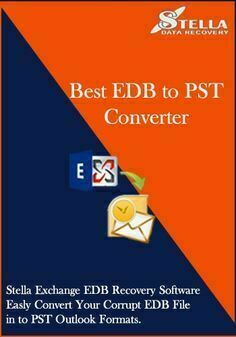
Stella exchange email recovery software is useful tool for recover exchange edb file data in to pst file. stella exchange email recovery software support all the version of the exchange edb file. stella exchange email recovery software recover unmounted edb file data in to pst file. stella exchange email recovery software recover 32bit and 64bit edb file data. Stella exchange email recovery software recover corrupted edb file data into pst file. for more info visit this link https://www.stelladatarecovery.com/exchange-edb-recovery.html

Zillion IT Solutions is known in the industry for the innovative development since begining. We help the client understand their current needs and develop an application that not only meet all their current needs but is highly scalable and adaptable to consider the future needs. We deploy the latest technologies along with our  expertise to solve all the business challenges through our developments for varied industries.
Innovative Creators Since Beginning
Zillion IT Solutions has a vision of digitally transforming the business world with the help of innovative software solutions to ease daily operations. In our experience of over 18 years, we have been engaged in state-of-the-art software development for our clientele
from varied industries.
What we have done so far?
500+ Global Customers
1000+ Global Projects
10+ Countries with active customers
98% Satisfied clients
10+ Industries served
Why Choose us as your Web application development partner?
Quality and performance Assurance - Zillion IT Solutions fabulously finishes all the work to ensure the implementation of the projects with quality, time and budget expectations. 
Stable and Secure Application Development - The applications developed are adequately tested and secured for all sorts of glitches and hacks to ensure business continuity.
Reliable Service - Zillion IT Solutions assures the customers of getting the desired results within the timeline and the best possible solutions.
Commitment to excellence - We are committed to delivering all the services with excellence to help the clients get the best results from the value we create for them.
One Stop Solution - The diversity of Zillion IT Solutions development services makes it possible for us to cater all the services under one roof.

Cigati EML to PST Converter is an email migration tool that helps users convert EML files into Outlook PST format while preserving email content, attachments, metadata, and folder hierarchy. It supports batch conversion, allowing multiple EML files to be processed in a single operation, and works with EML files generated by various email clients. The software includes preview functionality, selective conversion options, and filters to export only the required emails. It is compatible with multiple versions of Microsoft Outlook and Windows, making it suitable for email migration, backup, and archive management. Its straightforward interface is designed for both technical and non-technical users, helping simplify the transition from EML-based email applications to Outlook.

Echo AI is an advanced artificial intelligence assistant designed to enhance productivity by automating note-taking and email management. It seamlessly integrates with popular platforms such as Zoom, Google Meet, Microsoft Teams, and Slack to capture, transcribe, and summarize meetings, delivering actionable insights directly to users.
Key Features and Functionality:
- AI Meeting Notetaker: Automatically joins scheduled meetings, records discussions, transcribes conversations, and provides structured summaries with key action items, transcripts, and recordings.
- AI Email Sorting: Organizes incoming emails into eight smart categories, enabling users to prioritize important messages and reduce inbox clutter.
- AI Email Drafting: Generates draft responses in the user's tone and style, facilitating quick and consistent email replies.
- Multilingual Support: Supports transcription and note-taking in over 30 languages, catering to diverse user needs.
- Video Recording: Captures video recordings of meetings, allowing users to revisit discussions and ensure no details are missed.
- AI-Powered Search: Enables users to search for specific meetings, participants, or dates, providing quick access to relevant information.
- Conversational Intelligence: Analyzes meeting dynamics, identifying speaking patterns and overall sentiment to offer deeper insights into team interactions.
- Security and Privacy: Ensures data privacy with end-to-end encryption and compliance with GDPR and SOC2 standards, giving users full control over their information.
Primary Value and User Solutions:
Echo AI addresses the common challenges of manual note-taking and email management by automating these processes, thereby saving users significant time and effort. By providing accurate transcriptions, organized summaries, and intelligent email handling, Echo AI enhances productivity, ensures critical information is captured and easily accessible, and allows users to focus more on meaningful engagement during meetings and communications.

Summary and Relevance for Covid-19
Desk Sharing is a solution for desk reservations. It has become more and more relevant during the Covid-19 pandemic with its regulations like safety distances. Office administrators can comply with latest policies by increasing or decreasing the number of available desks.
Some companies expanded during the pandemic, hiring home office workers. The new workers didn’t get a dedicated desk and there is simply not enough space for everybody. Plus, everybody says: “Home office is here to stay”. Why bother about creating more office space? Just make sure to avoid overbooking on popular days and monitor desk utilization.
Another case for many companies around the globe is: 2020-2021 did not go as planned. If you need to downsize the office space due to cost reduction, desk sharing is the perfect solution to support hybrid work.
With the Desk Sharing solution, users easily see available desks in real time on the browser or via dedicated displays on site. The booking covers the walk-in situation for the next hours and supports those users who like to plan the next weeks from home. The latter can do convenient multi-bookings for the days they’re planning to visit the office.
The solution can be deployed based on programs like O635, Microsoft Exchange or Google Workspace (formerly GSuite). But it’s capable of running without calendar integrations.
Functionality
The main view gives a visual orientation on the floor plan including custom orientation objects like doors, walls, copy machines. This view shows red and green elements, giving the reservation status of desks or workstations.
On each floor, customers can choose to operate big overview displays or tablets. All users can access the floor plans also on their PCs/smartphones. Users are in the situation of asking “Which desk is free for how many hours?” or “Where is the desk I booked yesterday?”. In a walk-in booking, users can check for availability based on time slots or check the layout plan. This is a visual search for free space. Another use case supported here is: “26 of 40 desks are free but I want to sit close to my team leader whom I can see over there”. The booking is done by pressing on the desk.
The booking for future days usually works in a way that users specify the location and day. The free tables can be recognized by their green coloring. Through additional color coding, it is apparent whether a desk is occupied for the full day, booked only for the morning or for the afternoon. The bookings of the colleagues are listed with their names. Select and confirm - done. If there are special requirements for the workplace, these can be called up via additional information (e.g. two monitors or specific equipment). Pictures can also be stored. Accepted reservations are confirmed by email and include links to import calendar entries for Outlook, Google calendar or other client programs.
Advanced Upgrade Options
If one has arrived at the last meters, there are further concepts to support wayfinding or to display the status. Optional mini-displays showing the booking status on each desk - similar to a digital meeting room door sign. Some customers prefer to have one tablet display for a group of desks inside the open office. To save hardware costs for tablets, android boxes could be implemented as well. Those are connected to the existing monitors as a 2nd HDMI input source. Another option is to integrate 3rd party standalone programmable LEDs to give visibility from distance. Depending on the customer’s requirements, occupancy can be processed using sensors. The solution can be deployed within a day. In big office environments with hundreds of desks it needs a project approach to satisfy individual requirements like advanced integrations.

Most businesses struggle with email marketing and it’s costing them an untold fortune in missed opportunities. What seems like a simple undertaking actually requires the right strategy, a broad set of skills, and time to execute — which nobody has. Email Broadcast is an all-star team of experts who can completely handle your email marketing. We make email marketing simple and extremely profitable.

RenderJuice cut down the cost and time of your renders by 50% with our proprietary algorithms that will supercharge the way you render.
Get rendering like the biggest studios immediately.
HOW IT WORKS
Easy, but powerful configuration.
Want X? How about Y? RenderJuice makes it dead easy to make rendering to your exact needs.
1. PICK - Pick the speed at which you need to render.
2. MONITOR - Use live preview to actively monitor while your render is under way.
3. RENDER - Relax while renderjuice puts the latest GPUs and proprietary algorithms to render your project fast.
4. SUCCESS- Your render is finished! It will be available for download and directly emailed to you.
BUILT FOR INDIE ARTISTS, TRUSTED BY YOUR FAVORITE STUDIOS
Artists, supercharge your render.
We are beyond excited to launch version v1.2.0 of Renderjuice.
This is the first major update after our public launch. Super proud of this update.
There are some huge features and quality of life improvements along with a swath of stability improvements for more complete support of Blender.
What's New:
Progress Monitoring - Monitor all your render jobs right within the application!
Preview Frames - Download and preview the first couple of frames rendered as soon as they've been rendered.
Upload .zip files - Sometimes packing isn't enough. We now support zip uploads in the application and we'll dynamically link assets.
Alembic Support - With the support of .zip files, we can now officially support alembics .abc files.
Blender Metadata Display - View your render configuration within the application, this includes sample rates, fps, Blender version and more.
Rendering High Memory Usage - Render nodes can now better support .blend files that require significant amounts of memory.
Email Notifications - Upon completion of a render file, you will now receive an email notification so you don't have to keep checking in on the progress of your file.
Better EEVEE support - Eevee rendering is now officially supported.
Quality of Life Fixes - A ton of stability fixes around authentication.
Render like Disney, without the upfront costs and ongoing overhead.

Ripple AI is a platform designed to help businesses create high-quality marketing emails quickly and efficiently, without requiring design expertise. It offers a user-friendly interface that enables users to design beautiful emails in minutes, streamlining the email creation process.
Key Features and Functionality:
- Email Design: Allows users to design attractive marketing emails without the need for design skills.
- Partner Network: Provides opportunities for agencies to collaborate with Ripple, offering benefits such as lead generation and co-marketing initiatives.
- Resource Access: Offers resources like the Flow Blueprint, Deliverability Guide, and Segmentation Guide to assist users in optimizing their email marketing strategies.
Primary Value and User Solutions:
Ripple AI addresses the challenge of creating professional marketing emails by providing an intuitive platform that simplifies the design process. This enables businesses to produce effective email campaigns efficiently, enhancing their marketing efforts and engagement with their audience.

mydocma RP is a comprehensive digital construction documentation solution designed to streamline the recording and management of daily construction activities across all devices. It offers an intuitive web client interface that ensures high input comfort and efficient data handling.
Key Features and Functionality:
- Daily Report Creation and Editing: Facilitates the generation of new daily construction reports with the option to import data from existing reports.
- Structured Data Entry: Captures essential daily data, including report number, shift details, site manager, working hours, weather conditions (with integration of weather station data, temperature, remarks, and free text notes.
- Activity Documentation: Records all actions related to predefined tasks, noting whether planned activities were executed, their contractual status, and the completion percentage.
- Personnel Management: Provides multiple options for detailed documentation of personnel hours, including:
- Number of personnel by type.
- Hours per personnel type, task-related.
- Time tracking for specific individuals.
- Number of personnel types, task-related.
- Material Tracking: Enables the recording of material deliveries and consumption, facilitating the correlation of personnel hours with material usage to derive meaningful project effort metrics.
- Equipment Usage Logging: Documents equipment usage with all necessary details, including equipment type, company, quantity, and time.
Primary Value and User Solutions:
mydocma RP addresses the challenges of manual construction documentation by offering a digital platform that enhances accuracy, efficiency, and accessibility. It simplifies the process of daily reporting, ensures comprehensive data capture, and provides valuable insights into project progress and resource utilization. By centralizing documentation, it reduces errors, saves time, and supports informed decision-making for construction professionals.

Piper AI is an AI-powered outbound engine designed for B2B sales teams, automating the process of researching prospects, crafting personalized email sequences, and scheduling meetings. By replacing traditional Sales Development Representatives (SDRs), Piper AI enables businesses to scale their outbound efforts efficiently and cost-effectively.
Key Features and Functionality:
- Autonomous Prospect Research: Piper AI scans websites, press releases, and LinkedIn profiles to gather relevant information about each prospect, ensuring outreach is informed and personalized.
- AI-Generated Email Sequences: The platform drafts hyper-personalized, multi-step email sequences tailored to each prospect, increasing engagement and response rates.
- Human-in-the-Loop Approval: Users maintain control over the outreach process with an approval queue, allowing them to review, edit, or approve email sequences before they are sent.
- Smart Response Handling: Piper AI classifies incoming replies, updating the sales pipeline accordingly and ensuring timely follow-ups.
- Real-Time Analytics: The platform provides insights into campaign performance, including metrics like open rates, reply rates, and meetings booked, enabling data-driven decision-making.
- CRM Integrations: Piper AI seamlessly integrates with popular CRM systems such as HubSpot and Salesforce, ensuring that all prospect interactions are logged and accessible.
Primary Value and User Benefits:
Piper AI addresses the challenges of manual prospecting and outreach by automating time-consuming tasks, allowing sales teams to focus on closing deals rather than administrative work. By leveraging AI to handle research, email drafting, and follow-ups, businesses can significantly increase their outreach volume and efficiency without the need for additional headcount. This leads to higher meeting booking rates, improved sales pipeline management, and ultimately, increased revenue.

WholeClear NSF to MBOX Converter is a simple tool for converting NSF files—used by Lotus Notes—into MBOX files. This utility allows to migrate your emails from Lotus Notes to MBOX file format without losing any data easily. With the batch conversion tool, which saves a lot of time, one or several NSF files can be converted concurrently. It can show a live preview of selected NSF emails before converting to be sure of exactly what is moving. Including folders, formatting, attachments, sender/receiver information, dates, and subject lines, it retains all of your original email data. The program runs on all Lotus Notes versions, hence users must have Lotus Notes installed in order to use this utility. Anyone can use it since its interface is straightforward and devoid of the technical knowledge required. The program runs all Windows versions—including Windows 11, 10, 8.1, 8, 7, Vista, and XP. Users can try it out before purchasing using a free demo edition.

TrustVare OST to PDF Converter is the best utility to convert an offline OST file into a PDF file format directly. Easily export large, corrupted/inaccessible OST files to PDF quickly and easily. Simply convert all emails with their attachments or separately offline. Converting OST files to PDF format via this utility doesn’t require MS Outlook installation. It is a standalone & independent tool to convert OST files of any size without any alteration. This expert converter by TrustVare keeps the original structure of all email data & preserves all properties such as hyperlinks, images, attachments, TO, CC, BCC, etc. Easily handle password-protected or orphaned OST files. This OST to PDF tool shows a preview of the added OST emails for an accurate conversion result. Option to save the resultant file at user user-specified location in the system. Smoothly works and is suitable for all Windows OS versions. Download and evaluate the software through its freeware version. For any queries or details, contact 24*7 technical assistance.

Real estate email marketing software that allows you to create professional-looking real estate email flyers using our vast library of real estate email templates. Simple to use, just select a template, choose your list, customize your flyer, then click and send. eCampaignPro gets your real estate email flyers delivered to the inbox of your prospects in your target markets, Guaranteed.

PROGS is an email marketing agency that changes how email marketing is done globally. Too many service providers who offer email marketing only leverage the simplest strategies & techniques used by hundreds of small businesses, bringing tangible results but never reaching the full potential of email.
PROGS is all about changing this by bringing a unique, custom approach to the channel that impacts results in the most positive way.
DRS Softech GoDaddy Email Backup Tool is a powerful and reliable software designed to help users back up and migrate emails from GoDaddy webmail accounts with complete accuracy. It provides a seamless solution for individuals, IT administrators, and enterprises to safeguard their email data without any risk of loss or corruption. The tool allows users to export GoDaddy emails into multiple file formats such as PST, MBOX, EML, PDF, CSV, and more. It also supports direct migration to popular email clients and cloud platforms, ensuring flexibility and convenience. With its advanced filtering options, users can selectively back up emails based on date range, sender, subject, or folder, saving both time and storage space.

Archive Emails from Thunderbird to a Sugar or SuiteCRM record of your choice with RT Archive Email.
You can archive one or more emails, along with their attachments, to a Contact, Lead, Account, Opportunity, or Project.

Volamail is an open-source email platform that leverages artificial intelligence to simplify the creation and management of email templates. Designed for both developers and marketers, it enables users to compose, edit, and send emails efficiently through AI-assisted tools and straightforward API calls. With its self-hosting capabilities, Volamail offers flexibility and control over email communications.
Key Features:
- AI-Assisted Editing: Compose and refine email templates using AI prompts, allowing for quick adjustments and enhancements to individual elements.
- Importing Emails: Seamlessly integrate existing HTML emails into the platform, facilitating a smooth transition and gradual adoption.
- Self-Hosting: As a fully open-source solution, Volamail can be deployed on your own infrastructure, ensuring data privacy and customization.
- Simple API Integration: Send transactional emails effortlessly with a plain HTTP call, eliminating the need for complex dependencies or bulky SDKs.
Primary Value:
Volamail addresses the complexities often associated with email template creation and distribution. By integrating AI-driven editing tools and offering a user-friendly API, it streamlines the email development process, saving time and reducing technical overhead. Its open-source nature and self-hosting options provide organizations with the autonomy to manage their email systems securely and cost-effectively.