AI-Generated Results
Finding matches…
TranscribeIt is a Windows program that turns recorded audio and video files into editable text on your own PC. Add a batch of interviews or podcast episodes, run the queue, and get a text file for each recording. Speech recognition runs locally, so the recordings stay on your computer and nothing is uploaded to a server. It suits anyone who has finished recordings and needs the words on the page, from a single quote to a full archive.
🎬 How to use TranscribeIt
1. Drag audio or video files into the window, or add a whole folder with its subfolders.
2. Pick an output folder or keep each transcript next to its source.
3. Start the queue, follow the progress bar and cancel whenever you need to.
4. Click a finished file to open it in the built-in player, fix words and save.
✅ Why IT and office teams pick it
Recordings with client data or HR interviews often cannot leave the company network, and sending them to a cloud service would break that rule. TranscribeIt works offline on a regular CPU, and a GPU is optional. It reads MP4, MOV, MKV, WEBM, AVI, WMV and TS video plus MP3, M4A, AAC, FLAC, OGG, OPUS and WAV audio. Batch mode has no per-minute fees, and a licensed copy takes as many files a day as you add. Timestamps tie every segment to the player, and an .srt subtitle file is written alongside the text. Speaker identification marks who said what, and renaming a speaker once updates every line in that file. The window works like a small studio: the file list on one side, the player and transcript editor on the other, with panels you resize by dragging.
👥 Who uses it
Journalists who quote interviews, researchers with field recordings, students and lecturers with long classes, and medical or legal staff who keep sensitive audio in house. Content makers use TranscribeIt to turn video to text for show notes and captions. Support leads who review recorded calls and trainers who turn webinars into handouts rely on it too.
❓ FAQ
Does it work without internet?
Yes. Recognition happens on your PC and no audio goes to any cloud service, even when the machine is connected.
What languages can it recognize?
25 languages are built in, English and Japanese among them. An extra model covering 100+ languages is available for download.
Can it transcribe a YouTube video?
Save the video file to your disk first, then add it to the queue like any other recording on your PC.
Can I keep the transcript beside the video?
Yes. Pick that option and each text file gets the same name as its source, so the pair stays together when you move the folder.
Can I dictate live?
No. This audio video to text transcriber works with recorded files only.
💻 TranscribeIt: Audio & Video to Text Transcriber has a free trial of 3 files per day with no sign-up. It needs Windows 10 or 11, 4 GB of RAM and 1 GB of free disk space.
Not seeing what you're looking for?
Dive deeper into "Video Window" on G2 AI

Tipard Studio offers the best DVD and Video converters for Mac and Windows

Tipard Studio offers the best DVD and Video converters for Mac and Windows
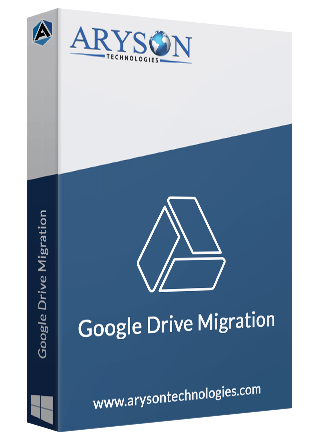
Aryson Google Drive Migration is a robust utility designed to facilitate the seamless transfer of data from Google Drive to another Google Drive account, OneDrive, or a local drive. It efficiently migrates various file types, including Google Docs, Spreadsheets, Slides, images, and videos, without imposing file size limitations. The software ensures data integrity and offers a user-friendly interface, making the migration process straightforward for both individual users and organizations.
Key Features and Functionality:
- Versatile Migration Options: Transfer data between Google Drive accounts, to OneDrive, or download to a local drive.
- Comprehensive File Support: Migrate a wide range of file types, such as documents, spreadsheets, presentations, images, and videos.
- Smart Filters: Utilize advanced filters to selectively migrate specific files or folders, enhancing efficiency.
- Post-Migration Management: Option to free up Google Drive space by removing files after successful migration.
- Detailed Reporting: Generate comprehensive migration reports for tracking and auditing purposes.
- Broad Compatibility: Supports Windows 11, 10, 8, and earlier versions, ensuring wide accessibility.
Primary Value and User Solutions:
Aryson Google Drive Migration addresses the challenges associated with transferring large volumes of data between cloud storage platforms. By providing a reliable and efficient solution, it helps users manage storage limitations, enhance data security, and streamline data organization. The tool is particularly beneficial for businesses undergoing platform transitions or individuals seeking to consolidate their data across different storage services.

Download Softaken OLM Attachment Extractor for extracting attachments from OLM data files in bulk without missing any data. It is a 100% secure and trusted solution to download all attachments from Mac Outlook OLM. This tool can perform batch extraction of OLM files in a single click. It supports all types of attachments such as images, documents, Excel sheets, videos, text files, and others. This expert tool can extract OLM file attachments without Outlook installation. The OLM file attachment extraction tool has a smart feature to filter specific attachments for the ease of the user. The user can save all the attachments anywhere in the system. All the information remains safe and exact while performing the extraction process. The software is easy to install and virus-free, which keeps all the data safe. It can work on all major versions of Windows. Download & try the demo edition of the software for testing its features.
Mind Elixir is mind mapping software for desktop and mobile platforms, storing data locally to ensure privacy. Compatible with Windows, macOS, Linux, iOS, and Android, it features outline mode for organizing ideas, Markdown support with rich text formatting, and the ability to embed LaTeX formulas or chemical equations. Mind maps can be exported in formats like PNG, JPEG, PDF, and Markdown. The software integrates with AI services via MCP and API connections, enabling automatic idea generation and map expansion using user-provided AI tools. Cloud synchronization through S3-compatible storage ensures cross-device access while maintaining data control. A tagging system aids in organizing and locating mind maps. Mind Elixir is open-source and ad-free, offering companion tools to convert EPUB and PDF eBooks into mind maps and browser extensions for extracting content from videos and web articles to create maps.
PowerPoint Password Remover Tool is a Windows program for one narrow job: finding the open password of a .PPTX presentation that you locked yourself and then forgot. You add the file, pick how long the search may run, and read the answer in a small window. The deck on your disk is never rewritten, so a failed run costs you nothing but time.
🚀 How to use
1. Install the program and click Add Files. A whole folder worth of locked decks can wait in one queue.
2. Choose Fast, Standard or Thorough in the mode box. Standard is the default.
3. Press Start. A line in the panel tells you whether the video card or the processor is working.
4. When the run ends, a window lists the file name and the password. Type it into the PowerPoint prompt and the slides open.
🛠 Why IT and office teams pick it
A powerpoint password remover has to be easy to hand over to a colleague, and this one needs only the encrypted file and a Windows workstation. The search begins with a wordlist that ships in the installer, so there is nothing to download first. Rules then reshape each word the way people do, with a capital letter in front or a year at the end. The program does not upload anything, which matters when a deck holds client figures. Users who only need to unlock powerpoint files they own get a plain result, not a rewritten document. To remove password from powerpoint access for good, take the recovered string, open the deck and clear the encryption box yourself. That step stays in your hands on purpose. Every machine in the office can run the same powerpoint password remover, and a team can agree on one depth for everyone. Standard suits most routine tickets, and Thorough is kept for decks that matter enough to wait.
👥 Who uses it
Teachers who need a powerpoint password remover for old course decks, consultants with archived client pitches, office managers who inherit shared folders after a colleague leaves, and help desks that receive locked files as tickets.
❓ FAQ
How to open a password protected PPT without password?
You cannot go around the lock, because the whole file is encrypted. Recover the password with the search, then open the deck with it.
How do I remove a forgotten password from PPT?
Get the password back first. After that, open the presentation and clear the box under Protect Presentation, Encrypt with Password.
Does the tool read old .PPT files?
No. Files from PowerPoint 2003 and older are outside this version. A long random password on a modern file may also stay unfound.
Does it need a special video card?
No. A compatible card makes the search much quicker, but the processor takes over when none is found.
✅ The free trial for Windows 11 and 10 runs the full search. It shows the first character and the length of the password it finds, and a license shows the whole string.

Funy AI is an all-in-one platform that leverages artificial intelligence to simplify creative tasks, enabling users to produce high-quality visual content effortlessly. With a suite of tools designed for both personal and professional use, Funy AI allows for seamless editing and generation of images and videos without the need for complex software or technical expertise. Accessible across multiple devices, including Windows, Mac, iOS, and Android, the platform requires no sign-up, making it user-friendly and readily available to a broad audience.
Key Features and Functionality:
- Face Swap: Effortlessly swap faces in photos and videos, creating realistic and entertaining transformations.
- AI Video Generator: Transform text and images into high-quality videos within seconds, streamlining content creation.
- AI Art Generator: Generate unique digital artwork from textual descriptions, bringing creative ideas to life.
- AI Background Removal: Remove backgrounds from images with a single click, producing clean, transparent visuals suitable for various projects.
- AI Photo Enhancer: Improve image quality by enhancing details and sharpness, resulting in more vibrant and professional-looking photos.
- Unblur Image Tool: Restore clarity to blurry photos, making them crisp and clear.
- AI Hairstyle Changer: Experiment with different hairstyles virtually, allowing users to preview new looks without commitment.
- AI Kissing Video Generator: Create heartwarming and playful kissing animations, adding a touch of romance to digital content.
Primary Value and User Solutions:
Funy AI addresses the need for accessible, efficient, and high-quality content creation tools. By integrating advanced AI technologies into a user-friendly platform, it empowers individuals and businesses to produce engaging visual content without the steep learning curve associated with traditional editing software. Whether for social media, marketing, education, or personal projects, Funy AI streamlines the creative process, saving time and resources while delivering professional results. Its versatility and ease of use make it an invaluable tool for content creators, marketers, designers, and anyone looking to enhance their digital media presence.

easyname Cloud Server offers virtual private servers with dedicated resources for web applications, development, and business needs. It supports Linux distributions like Debian, Ubuntu, AlmaLinux, RockyLinux, and Windows Server with multilingual interfaces. Servers include SSD storage, dedicated RAM, and multiple CPU cores for reliable performance. Hosted in an ISO/IEC 27001 certified data center in Vienna, Austria, the service ensures European data residency and GDPR compliance. Packages offer unlimited traffic, SPLA licensing for Windows, and both IPv4 and IPv6 addresses. Root access enables full system control for custom software, security settings, and project management. Docker support simplifies containerized application deployment. Monthly contracts allow flexible resource scaling. The data center features redundant power, climate control, biometric access, and video surveillance. Free SSL certificates are available for secure configurations.
PCMark 10 is a popular benchmarking application for Windows PCs, because it measures PC performance using tests based on real-world applications and activities. In PCMark 10, these tests include browsing websites, video chat, writing and spreadsheets, photo and video editing and other everyday activities.
Ikena ISR is a Windows-based software solution designed to allow organizations to process and enhance live video streams in real time.

Windows desktop build of MoneyPrinterTurbo: type a subject and it writes, narrates, subtitles and renders a short video locally.

AudiConv is a technology company with growing potential, focusing on audio and video solutions, including audio and video downloading, conversion, recording, editing and more. We provide products and services to millions of customers for Windows, Mac systems and online tools. We are committed to making life easier for our users.

Tipard 3D Converter is the professional 3D converting software which has functions of converting 3D video to 2D, converting any 2D movies to 3D effect or converting 3D video to other 3D mode on Windows 10/8/7 with ease.

AhaConvert is a free, browser-based file conversion platform that supports over 300 formats, including videos, images, audio files, documents, and e-books. Designed for both personal and professional use, it allows users to convert files quickly and securely without the need for software downloads or installations. The platform operates seamlessly across various devices and operating systems, including Windows, macOS, Linux, iOS, and Android.
Key Features and Functionality:
- Extensive Format Support: AhaConvert handles a wide array of file types, such as MP4, AVI, MOV, MKV, WMV for videos; JPG, PNG, WEBP, GIF, SVG for images; MP3, WAV, FLAC, M4A for audio; and PDF, DOCX, XLSX, PPTX, TXT for documents.
- Cross-Platform Accessibility: Being entirely web-based, AhaConvert functions smoothly on any device with internet access, eliminating compatibility concerns.
- Advanced Customization Options: Users can tailor conversion settings to their preferences, adjusting parameters like video bitrate, image resolution, and audio quality to achieve optimal results.
- Robust Security Measures: The platform employs 256-bit SSL encryption during file transfers and automatically deletes files within 24 hours, ensuring user data remains private and secure.
Primary Value and User Solutions:
AhaConvert addresses the common challenge of converting various file types without the hassle of installing multiple software programs. Its user-friendly interface and extensive format support make it an ideal solution for professionals, students, and casual users who require quick and reliable file conversions. By operating entirely online, it offers the convenience of accessing conversion tools from any device, at any time, without compromising on security or quality.

Decks is an all-in-one workspace designed to streamline project management and enhance learning efficiency. By integrating multiple tools into a single platform, Decks eliminates the need for constant app-switching, allowing users to focus on their tasks without distraction. Currently available for macOS, with Windows and Linux versions forthcoming, Decks offers a comprehensive suite of features tailored to meet diverse project and study needs.
Key Features and Functionality:
- AI Study Assistant: Incorporates ChatGPT with three specialized modes—Study Mode for generating flashcards and notes, Feynman Mode to identify knowledge gaps, and Conversational Mode for Q&A sessions.
- Smart Flashcards: Utilizes a spaced repetition algorithm to maximize long-term retention, supporting rich media such as YouTube videos and images.
- Professional Notes: Features a full-fledged rich text editor with multimedia support, enabling the creation of comprehensive study guides.
- Video Library: Allows users to curate educational videos with YouTube integration, adding notes and flashcards directly to videos with timestamps.
- Kanban Task Board: Provides visual drag-and-drop task management per deck, facilitating efficient tracking of study goals and project tasks.
- Quick-Capture Sticky Notes: Enables rapid idea capture with color-coded organization, ideal for brainstorming and quick reminders.
- Timeline Journal: Offers a social-media-style journaling feature with image support to document learning journeys and project progress.
- Tables & Databases: Includes structured data tables with 13 column types and smart aggregations for organized data management.
Primary Value and User Solutions:
Decks addresses the common challenge of managing multiple applications for different project and study tasks by consolidating essential tools into a single, user-friendly platform. This integration enhances productivity, reduces cognitive load, and fosters a more organized approach to learning and project management. By offering features like AI-assisted study tools, multimedia support, and efficient task management, Decks empowers users to achieve their goals more effectively and efficiently.

RoboOCR is an easy to use OCR software (optical character recognition) that can capture text from screen, images, PDFs, videos and other digital documents. It can quickly extract and recognize any non-selectable and non-editable text on your Windows screen. Simply select any part of an image, PDF document, or anywhere on the screen, and RoboOCR will process and recognize any text in this selection. The extracted text is instantly copied to the clipboard and you can paste the editable text into a Notepad or any other software. You can also save the extracted text as a PDF document, RTF document, ASCII and Unicode Text document. Other features include recognizing of bar codes, convert different images to text (JPEG, BMP. PNG), work offline, without needing the internet connection, and option to customize the output RTF / PDF formats quality. RoboOCR supports and recognizing more than 30 multiple languages: English, Japanese, Spanish, French, Korean, Italian, German, Simplified Chinese and Traditional Chinese.

Softaken File Organizer Software is a easy-to-use program that helps you keep track of and organize files that are spread out on your computer. This powerful application helps users automatically sort files into structured folders based on file type, name, date, size or other criteria. This makes it easier to keep your computer clean and well-organized. The software swiftly scans chosen areas and sorts files into the right listings without changing the original data. This works for documents, photographs, videos, music files, and other types of data. It reduces manual effort, saves time, and improves system productivity by eliminating clutter and confusion caused by unorganized files. The software has a basic interface that works for both tech-savvy and non-tech-savvy people. It works with all major Windows operating systems and makes sure that files are handled safely at all times. It also includes a free demo version that lets people try out its features before they buy it.
Visit here: https://www.softaken.com/file-organizer

Aims Digital is a Custom eLearning development company, with over a decade of experience in custom eLearning course development. We possess expertise in rapid course authoring tools like Storyline, Captivate, and Lectora, and create engaging learning using custom development tools like Flash, HTML5, and Videoscribe.
Our services include Instructional Design, custom course development, rapid authoring, responsive development using HTML5, and native mobile app development for iOS, Android and Windows devices. We offer solutions in the fields of eLearning, mobile learning, game-based learning & gamification, instructor-led training, blended learning, and software simulation. Our team comprises instructional designers, graphic designers, Storyline experts, Flash experts, HTML5 developers, and quality analysts.
We provide learning and training solutions to organizations across the globe, including Fortune 500 companies, in the areas of banking and finance, automobile manufacturing, specialty chemicals, retail, IT networking, oil & gas, bio-technology, and many more

The Thirdlane Business Phone System is an advanced IP PBX and unified communications solution that can be deployed both on-premises and in the cloud. It includes modern communication channels like VoIP telephony, private and group messaging, voice and video conferencing, SMS, and screen/file sharing. Users can access these features from mobile devices, browsers on Windows, Mac and Linux computers.
Beyond the core PBX functions, the system offers a contact center as well. It integrates seamlessly with popular CRMs such as Salesforce, Zoho CRM, Pipedrive, Zendesk, and Freshdesk, providing click-to-call, caller ID lookup, and screen pop features.
The Thirdlane Business Phone System pairs well with the powerful Thirdlane Connect suite. Users gain access to chat, calling, video meetings and more directly within web browsers. The mobile app enhances on-the-go connectivity via smartphones. Desktop users can also leverage Thirdlane Connect on Windows, Linux and Mac. Businesses can boost engagement across all channels with SMS, screen sharing, and tight CRM integration. This provides users with sophisticated real-time communication solutions accessible from any device at any time.
For more details on the Thirdlane Business Phone System or to become a reseller, please contact us. As a reseller, you can provide businesses advanced features, user-friendly design, customization, scalability, and cost savings compared to other solutions on the market.