AI-Generated Results
Finding matches…
AcquiOS is an AI-powered commercial real estate underwriting platform that converts offering memorandums (OMs) and T12 financials into complete financial models, DCF analyses, and investment committee decks in minutes, all using your existing Excel and PowerPoint templates.
Other platforms tell you what deals cost. AcquiOS tells you what they're worth.
THE PROBLEM WE SOLVE:
CRE acquisition teams spend 5-10 hours per deal on IC deck preparation. They're drowning in 50+ broker emails daily, spending a week reconciling leases vs. rent rolls vs. ARGUS for 100+ tenant properties, and dealing with costly human errors from manual data entry.
HOW IT WORKS:
1. Email or Upload — Forward broker emails or upload OMs directly
2. AI Extraction + Chat — Data extracted with citations. Chat to explore deals.
3. Adjust Assumptions Live — Change inputs, see IRR update in 5-10 seconds
4. Decision Ready — IC deck + DCF in YOUR templates, with AcquiScore ranking
KEY CAPABILITIES:
- AcquiScore — Proprietary 0-100 deal scoring with PROCEED/PASS recommendations
- Template Preservation — Populates YOUR Excel models and IC deck templates
- ARGUS-Level Rigor — Renewal probabilities, TI/LC, downtime in auditable Excel
- Citation-Level Sourcing — Every number traced back to source documents
- Lease Discrepancy Detection — Auto-flag mismatches between documents
- Chat Across Pipeline — "Compare NOI growth for my Texas properties"
- Knowledge Base Learning — Deal #100 is smarter than Deal #1
PROPERTY TYPES:
Multifamily, Industrial, Retail, Office, Logistics/Corporate M&A
SECURITY:
SOC 2 compliant with private cloud deployment options for enterprise clients.
FOUNDED BY:
- David Fields — Ex-Disney M&A, Head of Investments at Michael Eisner's Family Office
- Eytan Elbaz — Co-Creator of Google AdSense, Co-Creator of Scopely
- Dan Rahmel — Former AI/ML Engineer for Intuit
Not seeing what you're looking for?
Dive deeper into "4Work" on G2 AI

SimpleSplit is A/B testing for your website, done for you. Get more customers from the ads you already pay for.
We design a new version of the page your ads send people to. Half your visitors see it, half see your current page. You keep the one that brings more customers.
How it works
1. Enter your website. That’s all we need to start.
2. Get your new version. We email it to you in a few hours. Nothing goes live until you say yes.
3. Keep the winner. Tests usually run 2 to 4 weeks. Real sales decide which version stays.
We count the calls, payments, bookings and deals each version brings, right in the apps you already use: CallRail, CallTrackingMetrics, Stripe, Shopify, WooCommerce, Jobber, Housecall Pro, ServiceTitan, HubSpot, Salesforce, Pipedrive or Google Sheets. We connect them for you. You change nothing.
Your ads can learn too. If you want, we tell Google, Facebook, TikTok and others which ad clicks became customers, so your ads find more people who buy. Included in every plan, off until you turn it on.
Pricing
First test free. No credit card. No sales calls.
Then unlimited tests: Start $89/month (up to 10,000 visits), Growth $239 (up to 50,000), Pro $539 (up to 200,000). That’s 40% off the regular price, locked in through 2027. Cancel anytime.
If no new version beats your site in 90 days, you get your money back.
Made for online stores, service businesses, SaaS, local businesses and agencies that run ads. If you’ve looked at VWO, Optimizely or Unbounce: those are tools you run yourself. SimpleSplit is done for you.
hello@simplesplit.io
Not to be confused with the older split-testing tool also named SimpleSplit, or the Simple Split co-parenting app.

Our people make us different. When you join MIS Solutions as an Integrated IT Partner, our people become your people. 🤝
.
.
MIS Solutions provides a better IT experience for small to medium-sized businesses. Here are three reasons why SMBs trust us:
1️⃣ You get a Dedicated vCIO.
As an MIS Solutions Integrated IT Partner, you gain access to a dedicated vCIO (virtual Chief Information Officer) responsible for planning master IT roadmaps, managing your business' technology lifecycle, handling vendor relations, and creating project budgets. If it's technology strategy related, consider it done.
They are your ally from the time you join, providing technical guidance and support as your business continues to grow long into our relationship together.
2️⃣ You get a dedicated Partner Experience Team.
Integrated IT Partners also benefit from a dedicated team supporting their IT operations. And when we say dedicated, we mean it. You'll get the same team members each time you need assistance. In short order, they'll become experts in your systems and resolve issues before you even knew you have them.
Your team includes a vCIO, multiple Support Technicians, and a System Administrator who work together to support IT operational needs and resolve IT issues quickly and efficiently whenever a technology issue arises.
3️⃣ You get all-inclusive Integrated IT services
We offer a comprehensive suite of IT services perfect for SMBs who wish to simplify their technical operations. SMB IT the way it should be... SIMPLE.
With MIS Solutions, you can expect white-glove support for the following:
-IT Strategy
-IT Operations & Service Management
-IT Project Management
-Helpdesk Support
-Cybersecurity
-Phone Systems
-& More
.
.
FAQs:
❓ What type of businesses do you work with?
We work with all types of small to medium-sized businesses across various industries. Our Integrated IT programs are designed to help SMBs simplify their technical operations through a customized approach to IT that is tailored to fit their specific needs.
❓ Do you work with anyone?
Yes! If you don't need fully managed IT we have several other programs designed to align perfectly with your situation. Here's a quick rundown of our programs:
1. Integrated IT -- Our most popular program that covers your tech soup to nuts (Best for small to medium SMBs without internal IT)
2. Integrated IT+ -- Our enhanced program that includes everything AND on-site Support Techs (Best for larger SMBs who need someone onsite at all times)
3. Network Assist -- Complete network management and support ticketing (Best for SMBs with an internal staff but who needs additional assistance)
4. Security Assist -- Complete cybersecurity toolset and training program for your employees (Best for any sized SMB wanting more robust cyber protection)
5. Phone Assist -- Complete VoIP phone system migrations and management powered by 3CX (Best for any sized SMB wanting to save money but cutting the traditional cord!)
❓ What types of IT projects do you handle?
We handle IT all (pun intended), including hardware upgrades, software installations, network upgrades, cybersecurity audits, cloud migrations, and more. Your vCIO will help you identify and plan for IT projects to help your business thrive, and then your extended Partner Success Team will execute the project plans with precision.

Digital photo suite is the plain name for what this bundle is: ten small Windows programs for photo work, sold as one package. SoftOrbits Digital Photo Suite - Photo Editing Bundle skips the single giant editor approach on purpose. Each tool does one job, so you open the resizer to resize a folder, the retoucher to repair an old print and the background remover to cut out a subject. The set costs about 70% less than buying the same programs one at a time.
🛠️ How to use it
1. Download the installer and run it on Windows 11 or 10 (7 and 8 are also listed).
2. Open the tool that matches the task, for example Batch Picture Resizer for a folder of shots.
3. Add your photos by file or by folder.
4. Pick the settings or a preset, check the preview and save the result.
5. Move to the next tool when a picture needs another step, such as a watermark.
💼 Why IT and office teams pick it
One purchase answers several everyday requests that tend to land on the help desk: shrink images for email, put a company watermark on them, cut a product out of its background, get pictures back from a wiped memory card. Staff learn one narrow tool quickly instead of training on a heavy editor. Home and business licences exist, so a company can license the digital photo suite for work use.
🎨 What is inside
AI Photo Editor changes images from short text prompts. Photo Retoucher removes scratches and noise and colorizes black and white pictures. SoftSkin Photo Makeup evens skin tone and hides small blemishes. Batch Picture Protector stamps text or logo watermarks, and Photo Stamp Remover takes unwanted ones off. Sketch Drawer and Picture to Painting Converter turn shots into pencil drawings or oil paintings. Flash Drive Recovery brings back deleted files from USB sticks, cards and cameras.
👥 Who uses it
Hobby photographers who want quick fixes without a long learning curve. Small shops preparing product images for a catalog. Families restoring scanned prints from old family albums. Office staff who need a picture resized or branded before it goes out.
❓ FAQ
Is this photo editing software or a set of separate apps?
It is a set. Each program installs and runs on its own, and together they cover retouching, resizing, protection and creative effects.
Do I need design skills?
No. Most tools work in a few clicks with presets, and the AI Photo Editor takes plain text instructions.
Can it recover photos I deleted by mistake?
Flash Drive Recovery scans USB sticks, memory cards and cameras and restores deleted or corrupted files after quick formatting, with FAT32 and NTFS support.
Is the photo editing bundle cheaper than single licences?
Yes. The bundle is priced around 70% below the total of the separate programs.
🧪 Free trial of the digital photo suite, no sign-up needed. Runs on Windows 11, 10, 8 and 7.

Outlook PST Repair Tool is a PST repair tool for Windows 10 and 11 that reads a damaged .pst or .ost data file without changing a single byte of it. Whatever can still be read is rebuilt and saved as a brand new file. Outlook does not need to be installed, and the mailbox never leaves the computer.
🔰 How to use the PST repair tool
1. Click "Open damaged PST or OST file..." and select the file Outlook rejects.
2. Keep Repair depth on Automatic. It starts with a plain open, rebuilds the header inside a working copy if that fails, and scans the whole file only as a last resort.
3. Browse the folder tree and preview messages. This tree is already the repaired mailbox.
4. Pick an output: a new PST, or MSG, EML, MBOX, PDF or HTML files.
5. Set a destination and press Start. Free disk space is checked first.
🛠 What makes it different
- Read-only source. The built-in Office utility edits a broken file in place. Here the damaged PST is only read, so a failed attempt costs nothing.
- Deleted mail. Deep scan looks for messages that were erased from a working archive and puts them in a Recovered Items folder.
- No silent losses. When a body or attachment is physically gone, the message is kept with a [partial] mark and a note listing what is missing.
- A plain report. Each run ends with a summary of the repair level, the counts and what could not be recovered, with no names or subjects in it, so it can go straight to support.
- Six outputs from one pass. Attach a fresh PST in Outlook, give EML files to another mail client, or hand PDF copies to someone with no mail app at all.
- Clean saving. Output goes to a temporary .part file and is renamed only after the last message is written, so a stopped run never leaves a file that looks complete.
👥 Who needs it
- Helpdesk staff handed a mailbox where the built-in repair already ran and folders went missing.
- Accountants, lawyers and office managers who must keep years of client correspondence.
- Anyone holding an old OST from a closed account that Outlook no longer mounts.
❓ FAQ
Is there a free way to repair a PST file? Office includes a basic repair utility that writes into the file it repairs. With this tool the scan and preview are free, so you see what comes back before paying.
Can I recover deleted emails from a PST file? Often, yes, if the file has not been compacted since. Deleted messages tend to lose their body first, so many arrive as headers marked [partial].
How do I repair a PST file without Outlook? Install the app and open the file directly. It has its own reader and writer for the Outlook format.
Does the PST repair tool open OST files too? Yes. An offline OST goes through the same repair and can be saved as a PST.
ℹ️ Free trial: open a corrupt PST file, run the repair and browse every recovered message. Saving needs a license. One file per run, Windows 10 or 11, works offline.

PDF Metadata Remover - Strip & Edit PDF Metadata is a Windows desktop app for cleaning the data a PDF carries besides its pages. This PDF metadata remover finds the author and company fields, the XMP copy of those values, older saved states inside the document and location tags in embedded pictures. Load one contract or a directory with several hundred, read the risk of every item, and clean the batch in a single pass. Nothing is uploaded: the work stays on your computer.
🔰 How to use it
1. Drop documents on the window, or pick single files or a whole directory. Nested folders are scanned too.
2. Look at the risk label next to each name. Select a document to compare its current fields with the planned result.
3. Choose one of three presets. The strictest one, meant for courts and bids, also takes out notes, embedded files and scripts.
4. If you need fixed values, mark each field as delete, keep or replace, for instance with the firm name as author.
5. Write cleaned copies to a separate folder or overwrite the source files, then start the run.
👍 Why IT and office teams pick it
- Each document is written out anew, so leftovers from incremental saves are dropped instead of hidden.
- The PDF metadata remover wipes the classic properties and the XMP packet together, so no viewer can bring a name back.
- Once saved, every output is read again and scanned for the original strings, and good ones are marked Verified.
- A CSV log with SHA-256 hashes goes to your user profile and stores no field contents.
- Outlines, form fields and links survive. Pictures are not recompressed.
👥 Who uses it
- Litigation staff assembling bundles where drafting history must not travel with the filing.
- Bid managers whose tender rules ask for anonymous technical papers.
- HR teams whose letter templates still carry the name of a colleague who left years ago.
- Any office that has to remove PDF metadata before a file reaches a client or a public site.
❓ FAQ
How do I view all metadata of a PDF?
A viewer's Properties box lists only the basics. Open the file in the trial of this PDF metadata remover and the side panel shows every field, XMP, old saves and picture GPS included.
Can it work as a PDF metadata editor?
Yes. Any field can be deleted, kept or replaced with your own text, with {file name} and {date} placeholders, and the value is mirrored into XMP. Page content stays untouched.
Can deleted metadata be recovered from a PDF?
After an incremental save it often can, since old values remain earlier in the file. The PDF metadata remover rewrites the entire file, so nothing earlier is left to restore.
Is removing metadata the same as redaction?
No. Redaction covers text or images on a page. Metadata cleanup deals with the data stored around the pages.
The free trial scans and previews every document. Saving cleaned copies needs a license key. Works on Windows 11, 10, 8.1, 8 and 7, 32 and 64 bit.
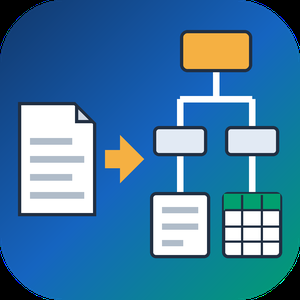
PDF to XML Converter Software is a pdf to xml converter for Windows that turns stacks of PDF reports into structured XML your scripts can parse. Every output file follows one documented schema with document, page, heading, paragraph and table elements, and tables are broken into rows and cells. All work happens on your own PC, so no report leaves the machine.
🛠️ How to use
1. Install the program and drag PDF files or a whole folder into the list.
2. Decide whether you need positions and fonts. Tick the coordinates option for block boxes, or leave it off for a lighter text-only file.
3. Press Convert. You get one XML per PDF, named after its source.
4. Point XSLT, Python or your database loader at the output folder.
💼 Why IT and office teams pick it
Imports break when every department sends a different layout. This pdf to xml converter keeps the same element names for every file, so a loader written once keeps working. Headings get a level from 1 to 6 based on font size. Each table carries a source attribute that tells you how its grid was found: PDF tags, ruling lines or text alignment. Merged cells keep colspan or rowspan. Text follows reading order, left column before right, and right-to-left lines stay right-to-left. Pages without a text layer are marked scanned="1", so a script can send them to a person.
👥 Who uses it
Data engineers and ETL developers feeding report figures into databases. Systems integrators who need to convert PDF to XML for another application. BI analysts, search-index developers and QA testers who check document pipelines. Procurement teams use it to pull supplier price tables into purchasing systems, and layout analysts switch on coordinates to study where each block sits on the page.
❓ FAQ
How does the pdf to xml step handle two-column pages?
The left column is written first, then the right one. Hebrew and Arabic lines keep their right-to-left order and carry a direction attribute.
Can I stop a long batch halfway?
Yes. Stop ends the job between two files, and every XML finished before that point stays on disk.
Can I convert PDF to XML without uploading files?
Yes. The program works offline, and your PDFs stay on your disk.
What does the XML look like?
A document root with page elements inside. Each page holds headings, paragraphs and tables in reading order, saved as UTF-8 without a byte order mark.
Can this pdf to xml converter fill an invoice or XBRL schema?
No. It writes its own fixed schema. Mapping to another schema is a job for your XSLT or import script.
Is there a command line or API?
No. Batches are started by hand in the desktop window, so it cannot run as a server service.
🎁 Free trial: every PDF in a batch gets its first 10 lines or table rows, and the file still passes an XML parser. Runs on Windows desktop and laptop PCs.

StudySim is an AI-powered platform designed to revolutionize the study experience by transforming user-uploaded materials into dynamic study aids. By supporting a wide range of file types—including PDFs, Word documents, audio, and video—StudySim enables students to generate comprehensive study guides, intelligent flashcards, and customized quizzes tailored to their unique learning needs.
Key Features and Functionality:
- Dynamic Flashcards: Automatically converts study materials into interactive flashcards with smooth animations and intelligent spaced repetition, enhancing memory retention.
- Comprehensive Study Guides: Generates strategic study guides from uploaded content, streamlining the study process and eliminating unnecessary information.
- Customized Quizzes: Creates personalized quizzes that simulate actual exam environments, allowing students to assess their understanding and improve test-taking skills.
- Personalized Learning: Adapts to individual learning styles and materials, ensuring an efficient and effective study experience.
- Multi-Format Support: Accepts various file types, including .docx, .pdf, .txt, .md, .pptx, .mp3, .mp4, .wav, .ogg, and .webm, providing flexibility in study material formats.
Primary Value and User Solutions:
StudySim addresses common challenges faced by students, such as time-consuming study preparation and ineffective study methods. By automating the creation of study guides, flashcards, and quizzes from existing materials, it saves users significant time and effort. The platform's intelligent features promote active learning and better information retention, ultimately leading to improved academic performance. With support for over 50 languages and a user base of over 50,000 active students, StudySim is a versatile tool that caters to a diverse range of learners.

Talkscriber is an enterprise-grade speech-to-text (STT) platform designed to transform spoken language into accurate, actionable text. Leveraging advanced algorithms, it offers unparalleled transcription accuracy with a Word Error Rate (WER) under 4%, ensuring efficient data interpretation and reduced miscommunication.
Key Features and Functionality:
- Unmatched Accuracy: Achieves industry-leading transcription precision, facilitating effective communication.
- Robust Security: Implements advanced access controls and data governance to safeguard sensitive information.
- Privacy-Centric Design: Ensures compliance through encryption, Personally Identifiable Information (PII) redaction, and anonymization.
- Emotion Detection: Identifies emotions such as anger, joy, and surprise at the utterance level, providing deeper insights into customer interactions.
- Purchase Intent Detection: Recognizes purchase intent during conversations, enabling businesses to better understand customer preferences.
- Cost-Effective Solution: Delivers exceptional performance at a significantly lower cost compared to other leading cloud-based solutions.
- Flexible Deployment: Offers deployment options including on-premises, public, private, or hybrid cloud to meet diverse infrastructure requirements.
- Ongoing Innovation: Continuously introduces cutting-edge features like dialogue summarization and topic extraction to enhance customer insights.
Primary Value and User Solutions:
Talkscriber empowers organizations to bridge the gap between spoken language and digital text, making audio data accessible and actionable. By providing accurate transcriptions, it streamlines operations, improves accessibility, and unlocks new possibilities in data analysis. Its robust security and privacy measures ensure that sensitive information remains protected, while its cost-effective and scalable solutions cater to businesses of all sizes. With features like emotion and purchase intent detection, Talkscriber enables deeper customer insights, enhancing service quality and customer satisfaction.

Neurooo is an advanced machine translation platform that delivers high-quality translations across more than 100 languages. Leveraging state-of-the-art artificial intelligence models, such as OpenAI's GPT-4o mini, Neurooo comprehends text and its context with remarkable accuracy, ensuring natural and contextually appropriate translations. This makes it an invaluable tool for professionals operating in multilingual environments, including translators and global businesses.
Key Features and Functionality:
- Impeccable Quality: Neurooo excels in translating idiomatic expressions and nuanced language that often challenge other translation services. Its AI models are trained on extensive datasets, enabling them to generate translations that are both accurate and contextually relevant.
- Contextual Understanding and Error Correction: Unlike many machine translation tools, Neurooo effectively handles poorly written or ambiguously formatted source texts. It deduces the intended meaning and provides high-quality translations, correcting errors and clarifying context as needed.
- Tone Adjustment: Recognizing the importance of tone in communication, Neurooo allows users to select the formality of translations. This feature ensures that translations are appropriate for various contexts, whether formal or informal.
- Customization and Fine-Tuning: Users can personalize translations by selecting alternative wordings, allowing for adjustments that align with individual style or specific contextual requirements.
Primary Value and User Solutions:
Neurooo addresses the challenges of accurate and context-aware translation in a globalized world. By providing translations that capture the subtleties of language, it facilitates effective communication across linguistic barriers. Its user-friendly features, such as tone selection and translation fine-tuning, empower users to produce translations that are not only precise but also tailored to their specific needs. This enhances productivity and ensures that messages are conveyed appropriately in diverse cultural and professional settings.

Owll.ai is an advanced AI-powered transcription and note-taking platform designed to transform audio and video content into actionable insights swiftly and accurately. Catering to professionals, students, and content creators, Owll.ai streamlines the process of converting spoken words into organized, searchable, and shareable text, enhancing productivity and collaboration.
Key Features and Functionality:
- Accurate AI Transcription: Utilizes cutting-edge AI technology to deliver precise speech-to-text conversions for various audio and video formats, including MP3, WAV, M4A, and YouTube links.
- Automated Summarization: Generates concise summaries and action items from lengthy recordings, enabling users to quickly grasp key points without reviewing entire sessions.
- YouTube Integration: Converts YouTube videos into text, providing clear, searchable insights and summaries, which is particularly beneficial for educational and research purposes.
- Multi-Platform Compatibility: Seamlessly integrates with platforms like Zoom, Microsoft Teams, Google Meet, and more, allowing real-time transcription and summarization of meetings and lectures.
- Multilingual Support: Supports transcription and translation in over 50 languages, facilitating global collaboration and accessibility.
- Interactive Learning Tools: Offers features like AI-generated flashcards and quizzes, enhancing study sessions and knowledge retention.
Primary Value and User Solutions:
Owll.ai addresses the challenge of efficiently capturing and organizing information from audio and video sources. By automating transcription and summarization, it saves users significant time, reduces the need for manual note-taking, and ensures that critical information is easily accessible and shareable. Whether for business meetings, academic lectures, or content consumption, Owll.ai empowers users to focus on engagement and comprehension, leaving the tedious task of documentation to AI.

GenPixy AI is an automated AI video generator for faceless explainer videos. Type a topic such as "Explain why is the sky blue?", or paste your own script, and GenPixy AI generates a finished explainer video in a whiteboard or cartoon animation style, or as a bold Color Board video.
Every video comes with narration, word-by-word captions, and background music, so you never film, record your voice, draw, or edit. In the cartoon style, animated characters act out your story: pick the characters yourself or let the story choose them. Videos run from 30 seconds to 10 minutes, in landscape for YouTube or vertical for Shorts, TikTok, and Reels, with narration in more than 70 languages. Each download includes an SRT subtitle file, a thumbnail, and a ready-to-paste YouTube title, description, and hashtags. Faceless channel creators, teachers, and university students use it, and there are free videos every day.
GenPixy AI is an AI whiteboard video generator, a doodle video maker, and a text to animated video tool. Marketing teams can turn a product idea into an animated explainer video. Agencies can run faceless YouTube channels for clients, and course creators can turn lesson notes into short training videos. Narration is available in Indonesian, Hindi, Arabic, and Spanish, among other languages.
Developers and AI agents can make the same videos through the GenPixy video generation API and a remote MCP server for Claude Code, Codex, and Cursor. You send a topic or a script and get back a narrated MP4 with subtitles, plus a thumbnail and a YouTube title. Paid videos and API videos never have a watermark.

Statable is privacy-friendly web analytics for website owners who want clear numbers instead of a reporting suite.
The product runs on a single line of code, about 2 KB, and shows the whole picture on one screen: visitors, sessions, pageviews, bounce rate, engagement time, views per session and average visit duration. Traffic is broken down by source, channel, referrer and five UTM dimensions, including traffic that arrives from AI chatbots. Content reports cover top pages, entry and exit pages, hosts and HTTP errors. Audience reports cover countries, regions, cities, browsers, operating systems and devices. Every row in every report is clickable, so a site owner can filter the entire dashboard down to one country, one page or one source, and compare any period with the one before it.
Statable does not use cookies or persistent identifiers and does not store IP addresses. Visitors are counted with a hash that is rotated every night, which keeps the numbers useful without identifying anyone. Because of this a consent banner is not required under GDPR, ePrivacy or PECR, and no cookie notice needs to be shown to visitors.
Teams leaving Google Analytics keep their history. Statable imports Google Analytics 4 data through the official Google API in one click, so reports do not restart from zero on the day of the switch. Installation is documented for Next.js, Nuxt, React, Vue, WordPress, Google Tag Manager and plain HTML, and single page applications are handled out of the box.
Beyond traffic reports, Statable covers custom events with properties, goals based on pageviews, scroll depth or events, funnels that show at which step people drop out, saved filters, a realtime view of the last 30 minutes, and a blocklist for IP addresses and hostnames. Four widgets can be embedded on a customer site: live users, top countries, a visitor map and a 3D globe. A dashboard can also be published as a read-only link for anyone who wants to share traffic numbers openly.
All analytics data is processed and stored in the European Union, and a data processing agreement is available. Every plan includes unlimited websites and keeps data for as long as the account is active. Pricing starts at 9 dollars per month for 10,000 pageviews and scales with traffic, with a 30-day free trial. Statable is free for education sites and for projects hosted on GitHub Pages or GitLab Pages.

At Marily London, we're proud to be a website design agency that produces unique designs that take visitors on a journey. We integrate cutting edge technologies to implement any design or vision that you have. Then, we add a plethora of digital marketing services to the mix to optimise your site. By doing so, we can build trust with your audience, helping to put your business at the top of their minds.
Our approach to Web design
 
1. Research
We understand that capturing your brands message is crucial. This is why our design agency in London and Bradford  conduct in-depth market analysis in the initial stages. This helps them to better understand your vision and will help to define your brand with engaging web design.
2. Wireframing
Once weve conducted our initial research, we begin the mock-ups. This includes the initial design concepts and brand guidelines, which will be wireframed for your approval. With your full input, our website design teams can capture your vision and make it a reality.
 
3. Design
Once the wireframes are approved, our creative design agency team in London and Bradford  will bring your project to life. We can design anything from a single infographic or site imagery, to a full web site redesign.
4. Prototyping
If youre undergoing a full website redesign, we always prototype the final designs to show you how each element works in practice. This will include full functionality, showing you exactly what your visitors will see. Our web design agency in London and Bradford remain omni-device focused. This means that your web site design will remain accessible.
 
5. Results
Once all prototypes are approved, they can be implemented on the live site. We will ensure prior to and after deployment that all designs are functioning correctly. This will ensure your users enjoy a seamless experience at all times. After completion, we can assist with the creation of dedicated landing pages, remarketing banner designs and more to ensure brand consistency.

RenderJuice cut down the cost and time of your renders by 50% with our proprietary algorithms that will supercharge the way you render.
Get rendering like the biggest studios immediately.
HOW IT WORKS
Easy, but powerful configuration.
Want X? How about Y? RenderJuice makes it dead easy to make rendering to your exact needs.
1. PICK - Pick the speed at which you need to render.
2. MONITOR - Use live preview to actively monitor while your render is under way.
3. RENDER - Relax while renderjuice puts the latest GPUs and proprietary algorithms to render your project fast.
4. SUCCESS- Your render is finished! It will be available for download and directly emailed to you.
BUILT FOR INDIE ARTISTS, TRUSTED BY YOUR FAVORITE STUDIOS
Artists, supercharge your render.
We are beyond excited to launch version v1.2.0 of Renderjuice.
This is the first major update after our public launch. Super proud of this update.
There are some huge features and quality of life improvements along with a swath of stability improvements for more complete support of Blender.
What's New:
Progress Monitoring - Monitor all your render jobs right within the application!
Preview Frames - Download and preview the first couple of frames rendered as soon as they've been rendered.
Upload .zip files - Sometimes packing isn't enough. We now support zip uploads in the application and we'll dynamically link assets.
Alembic Support - With the support of .zip files, we can now officially support alembics .abc files.
Blender Metadata Display - View your render configuration within the application, this includes sample rates, fps, Blender version and more.
Rendering High Memory Usage - Render nodes can now better support .blend files that require significant amounts of memory.
Email Notifications - Upon completion of a render file, you will now receive an email notification so you don't have to keep checking in on the progress of your file.
Better EEVEE support - Eevee rendering is now officially supported.
Quality of Life Fixes - A ton of stability fixes around authentication.
Render like Disney, without the upfront costs and ongoing overhead.

OPHR (Online Pet Health Record) is a cloud-base veterinary software that helps veterinarians to access veterinary practice management features like online appointment scheduling, certification, virtual consultations from anywhere, ensuring flexibility and real-time updates. Tedious tasks like vet billing modules are auto generated to promote quick and effective operations in the management.
OPHR makes the vaccination and deworming convenient for pet parents with the help of timely notifications and reminders.
Feature 1: LEGIBILITY
OPHR has a unique task management feature where reminders of upcoming visits are automatically sent to pet parents multiple times over a course of days. You can mark the dates of vaccinations, deworming, check-ups, and other significant days for pets.
Feature 2: ACCESSIBILITY
It provides veterinarians a comprehensive picture of a pet's health, treatment history, positive and negative changes, and other data required to make well-informed decisions. It eliminates the hassle of record-keeping manual pet-related data. Vets can access the information swiftly from anywhere and provide prompt response or consultations.
Feature 3: ONLINE PRESCRIPTION
OPHR efficiently assist veterinarians in creating online prescriptions for pets and update all health issues or common concerns in the document. This helps in overall data management of the pet history. No more hindrance to access crucial pet medical health data.
Feature 4: EASY CONSULTATION
This veterinary software allows online Audio and Video Consulting offering a very convenient way to connect with pet parents and their pets. This feasibility is available from anywhere, via mobile, laptops or any device.
Feature 5: DATA PRIVACY & SECURE LOGIN
Allow veterinarians a virtual environment to work and record the data of their patients. Our cloud-based software has incorporated 256-bit encryption to safeguard all its information as a data theft barrier. OPHR follow the guidelines of HIPAA Compliance to provide an additional frame of assurance to vets. For secure login, it allows authorized person to login with OTP via Emails And SMS.
Feature6: WELL-DOCUMENTED TREATMENT PLAN
Vets can have a complete online pet health record with a personalized immunization schedule and appointment management. It helps pet parents to stay active and complete treatment plans timely. Both veterinarians and pet parents can access information easily.

Web Call Server 5 is a versatile streaming and telephony server designed to facilitate real-time audio and video communication directly within web browsers. By supporting a wide array of protocols, including WebRTC, Flash, RTMP, RTMFP, WebSocket, HLS, and RTSP, it ensures seamless integration across various platforms and devices. This server empowers developers to create applications such as video chats, webinars, live broadcasts, and web-based telephony services without the need for additional software installations.
Key Features and Functionality:
- WebRTC and Flash Support: Enables real-time streaming video in web browsers using WebRTC and Flash technologies.
- SIP Integration: Facilitates full integration with VoIP devices via the SIP protocol, allowing audio and video calls directly from a web browser.
- IP Camera Streaming: Supports live video broadcasting from IP cameras with low latency to both mobile and desktop browsers.
- Web Phone Widget: Offers a customizable web phone widget capable of making and receiving SIP calls directly from a web browser, with integration options for any SIP provider or enterprise PBX.
- Click-to-Call Service: Provides a Click-to-Call feature for initiating calls from websites, utilizing existing SIP providers or enterprise PBX systems for call routing and processing.
- Screen Sharing: Allows users to share their screens directly from a web browser, a crucial feature for e-learning and remote work scenarios.
- Video Conferencing: Enables live video conferencing for three or more participants, supporting video and text chat functionalities.
- Stream Recording: Supports live stream recording from a browser’s webcam to the server in MP4 and WebM formats, with recorded files available for download and further processing.
Primary Value and User Solutions:
Web Call Server 5 addresses the growing demand for real-time communication solutions by providing a unified platform that bridges various streaming protocols and devices. Its comprehensive feature set allows businesses and developers to implement low-latency video and audio communication services directly within web applications, eliminating the need for external plugins or software. This enhances user engagement, facilitates seamless communication, and supports a wide range of applications, from customer support and teleconferencing to live broadcasting and online education.
Takeorder AI is a specialized voice-first technology company that transforms restaurant operations through intelligent conversational AI.
Built exclusively for the food service industry, Takeorder AI functions as a 24/7 voice assistant that handles phone calls, takes orders, manages reservations, and responds to customer inquiries with human-like conversation skills.
Core Mission
To empower restaurants with always-on, intelligent voice AI that delivers fast, reliable, and human-like service without the overhead of additional staff.
Main Solutions
1. Phone AI
2. Drive-thru AI
3. Kiosk AI
4. Pizza AI
Key Features & Capabilities:
- 24/7 Automated Operations - Works continuously, including after-hours, weekends, and holidays, to capture every potential order and booking
- Advanced Speech Recognition - Accurately processes orders even in noisy restaurant environments with 99% accuracy rates
- Seamless POS Integration - Connects directly with major systems like Toast, Clover, and Revel for real-time order processing
- Multi-Solution Platform - Supports Phone AI, Drive-Thru AI, Kiosk AI, and specialized Pizza AI for comprehensive coverage
- Intelligent Call Routing - Handles complex inquiries, transfers to human staff when needed, and maintains zero hold times
- Customizable Voice & Branding - AI voice adapts to match your restaurant's tone and brand personality
Business Impact
- Eliminates missed calls and lost orders during busy periods
- Reduces staff burnout from constant phone management
- Increases revenue by up to 30% through consistent availability
- Delivers consistent, high-quality customer service
- Enables effortless scaling without proportional staff increases
Advanced Analytics & Management:
The real-time dashboard provides insights into call volumes, popular menu items, customer satisfaction trends, and the revenue impact.
Easy menu updates, hours management, and voice script customization through a user-friendly interface.
Target Market:
Restaurant owners, operators, franchise consultants, and hospitality managers across QSRs, drive-thrus, pizzerias, cafés, ghost kitchens, full-service restaurants, and multi-location chains.
Transform your restaurant's phone operations with AI that learns, adapts, and delivers exceptional customer service 24/7.

Hues AI is an AI imaging studio for the jewelry trade, used by more than 600 jewelers. It exists because jewelry is one of the hardest products to photograph. Stones are small, metal acts like a mirror, and a buyer can't tell how big a pendant is until they see it on a person. A studio shoot costs real money per image, and generic AI photo apps tend to blur facets or reshape the piece.
How it works: upload one photo. It can be a phone shot on a kitchen table, a packshot from your supplier, a CAD screenshot or a hand sketch. Pick what you need and Hues returns it in about 30 seconds, at up to 4000 x 4000 px (16 MP).
What you can make:
- Studio product shots on white, colored or styled backgrounds, sized for Etsy, Shopify, Amazon, eBay and print catalogs.
- Retouching that removes dust, scratches, glare and fingerprints and corrects stone color, while keeping the real piece.
- On-model photography for rings, earrings, necklaces, bracelets, watches and full sets.
- Virtual try-on on a lifelike model, or on the shopper's own photo, to check size and fit before buying.
- Metal color changes, such as yellow to rose gold, from one shot.
- Short product videos and scene videos for listings, ads and Reels.
- Photoreal renders from a CAD screenshot or a pencil sketch, so a client can approve a custom design before casting.
Who uses it: independent jewelers and designers, Etsy and Shopify sellers, manufacturers producing line sheets, retailers updating catalogs, and shoppers who want to see a piece on themselves first.
Free tools on the site: a ring size converter, a printable ring sizer (A4 and US Letter), a jewelry photography cost calculator, size charts for rings, bracelets, necklaces, earrings and watches, and image spec pages for 20 marketplaces.
Pricing: pay as you go with credits, no subscription. 500 credits cost $17.50, and larger packs go up to 50,000 credits for $1,000. Every new account gets 80 free credits after email verification, no card needed. Unused credits can be refunded within 14 days of purchase.
Hues AI is made by Hues Global Co., Ltd., with offices in Bangkok, India and New York.

The Quiet Branding Content Engine (QBCE) is a strategic LinkedIn post generation tool for recruiters, recruitment founders, founders, and salespeople who want to generate inbound leads from LinkedIn without spending hours writing content.
Unlike other AI writing tools, the QBCE makes sure every post is written in your voice, mapped to your target audience, and designed to convert.
How the QBCE works:
1/ A 10-minute intake. Answer a set of questions about what you do, who you're targeting, and how you talk. The QBCE uses your answers to build your unique voice profile and a personalised content strategy.
2/ Your content system. Your calendar, pillars, voice profile, and ideal client profiles are all built automatically. Each pillar earns trust at a different stage of the buying journey.
3/ Four ways to start writing. Type a topic on the Write screen, pick a slot from your Calendar, share an existing piece to rewrite, or repurpose a post for a different pillar or audience.
4/ Unlimited edits. Use quick-action chips, edit in-line, or tell the QBCE what to change. Every edit feeds back into your voice profile.
5/ Anecdote review. Every fabricated detail is flagged before you publish so you can confirm it's realistic, edit it, or remove it.
6/ Performance tracking. Log how each post performed. A weighted score tells you what's converting your audience (not just what's getting views).
Key features:
> LinkedIn post generation in your voice
> Personalised content calendar with four strategic pillars
> Voice profile that learns from every edit
> Quick-action editor chips and freeform editing
> Anecdote flagging on fabricated details
> Performance tracking with a conversion-weighted scoring system
> "Why this works" explanation on every post
> 20 LinkedIn posts per month on the Starter plan
> Done-For-You option for hands-free content delivery
Who the QBCE is for:
> Recruiters and recruitment founders who want to get inbound leads from hiring managers and/or candidates.
> Founders who want to get inbound leads from LinkedIn without hiring a copywriter
> Salespeople who want to warm up prospects before cold calls
How the QBCE is different from ChatGPT or Claude:
ChatGPT and Claude are blank slates - you have to spend hours telling them who you are, what to write, and why. The QBCE already knows. It generates content from a strategic foundation, writes in your voice, learns from every edit you make, and shows you the reasoning behind every post.
Pricing:
Start with a 7-day free trial: 5 pieces of content, no credit card required. £25-£39/month for 20x LinkedIn posts/month with unlimited edits. 96% cheaper than hiring a copywriter. Done-For-You service available from £159/month if you'd rather use the QBCE hands-free.