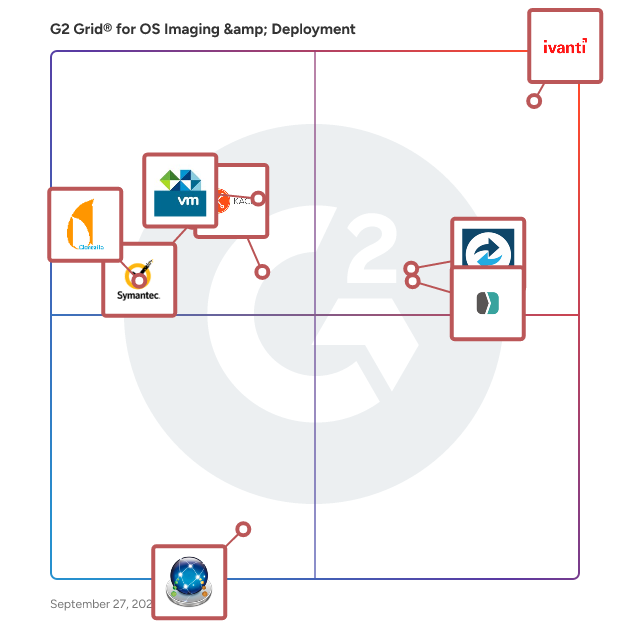
  # Best OS Imaging &amp; Deployment Software

  *By [Shalaka Joshi](https://research.g2.com/insights/author/shalaka-joshi)*

   Operating system (OS) imaging is the process of capturing the information of an IT system and storing the data in a centralized location. An OS image is the copied product, which can then be redeployed and used as a prebuilt operating system on another device. Companies use these tools to quickly configure devices to the standards set by IT staff. They can help to rapidly provision desktops, fix corrupted devices, or schedule periodic deployments. Some tools enable the automation of periodic deployments, while others are used for event-driven deployments or ad-hoc deployments.

There is some overlap between OS imaging and deployment solutions and [enterprise IT management suites](https://www.g2.com/categories/enterprise-it-management-suites) as well as [backup software](https://www.g2.com/categories/backup). But those tools will contain OS imaging and deployment capabilities within a larger, broader feature set.

To qualify for inclusion in the OS Imaging and Deployment category, a product must:

- Facilitate the capture of an OS image
- Store the image in a central location
- Facilitate the deployment of images onto endpoint devices


  ## How Many OS Imaging &amp; Deployment Software Products Does G2 Track?
**Total Products under this Category:** 22

  
## How Does G2 Rank OS Imaging &amp; Deployment Software Products?

**Why You Can Trust G2's Software Rankings:**

- 30 Analysts and Data Experts
- 500+ Authentic Reviews
- 22+ Products
- Unbiased Rankings

G2's software rankings are built on verified user reviews, rigorous moderation, and a consistent research methodology maintained by a team of analysts and data experts. Each product is measured using the same transparent criteria, with no paid placement or vendor influence. While reviews reflect real user experiences, which can be subjective, they offer valuable insight into how software performs in the hands of professionals. Together, these inputs power the G2 Score, a standardized way to compare tools within every category.

  
## Which OS Imaging &amp; Deployment Software Is Best for Your Use Case?

- **Leader:** [Macrium Backup &amp; Restore](https://www.g2.com/products/macrium-backup-restore/reviews)
- **Easiest to Use:** [SmartDeploy](https://www.g2.com/products/smartdeploy/reviews)
- **Top Trending:** [SmartDeploy](https://www.g2.com/products/smartdeploy/reviews)
- **Best Free Software:** [SmartDeploy](https://www.g2.com/products/smartdeploy/reviews)

  
  ## What Are the Top-Rated OS Imaging &amp; Deployment Software Products in 2026?
### 1. [Macrium Backup &amp; Restore](https://www.g2.com/products/macrium-backup-restore/reviews)
  Macrium Backup &amp; Restore is a suite of image-based backup and disaster recovery software for Windows systems. It enables IT teams in manufacturing and operational technology (OT) environments to protect data, restore systems rapidly, and reduce downtime after hardware failure, user error, or cyber threats. The suite includes four distinct products: Macrium Reflect (Standalone) for Workstation &amp; Server Backup, Macrium SiteBackup, Macrium Reflect LTSC, and Macrium Technician’s License. Each product serves a specific purpose in supporting resilient IT and OT infrastructure: Macrium provides comprehensive backup and disk imaging for individual endpoints such as critical manufacturing systems and production lines. It supports full, differential, and incremental backups, allowing organizations to create reliable recovery points and restore systems quickly. Macrium SiteBackup offers centralized management of backups across multiple endpoints and servers. With Macrium Site Manager, IT teams can automate backup schedules, monitor backup status, and access detailed reporting — all from a single interface. SiteBackup supports physical and virtual machines and is suited to small IT teams or large enterprise environments. Macrium Reflect LTSC (Long-Term Service Channel) is a perpetual license version of Reflect with built-in maintenance. Designed for organizations that require long-term stability and minimal software change, Reflect LTSC is well-suited to regulated industries, industrial control systems, and manufacturing environments where consistent platform behavior over time is essential. Macrium Technician’s License is a portable backup and recovery toolkit for IT professionals. It enables technicians to run Macrium Reflect directly from a USB or external drive, supporting ad hoc backup, restore, or system troubleshooting across multiple machines — without installing software on each device. Key features across the product suite: - Image-based backup for Windows workstations, servers, and virtual machines - Bare metal restore with support for dissimilar hardware - Centralized management and reporting - Support for incremental and differential backup strategies - Built-in encryption and protection against ransomware threats - One-time and subscription licensing models to suit different IT needs Macrium Backup &amp; Restore is used by IT teams across healthcare, education, manufacturing, and corporate IT to ensure business continuity, maintain operational uptime, and reduce the impact of system outages. Speak to one of our experts here: https://www.macrium.com/contact


  **Average Rating:** 4.7/5.0
  **Total Reviews:** 83
**How Do G2 Users Rate Macrium Backup &amp; Restore?**

- **Has the product been a good partner in doing business?:** 9.1/10 (Category avg: 8.5/10)
- **Ease of Use:** 9.0/10 (Category avg: 8.1/10)
- **Quality of Support:** 8.7/10 (Category avg: 7.7/10)
- **Ease of Admin:** 8.8/10 (Category avg: 8.0/10)

**Who Is the Company Behind Macrium Backup &amp; Restore?**

- **Seller:** [Macrium Software](https://www.g2.com/sellers/macrium-software)
- **Year Founded:** 2006
- **HQ Location:** Manchester, United Kingdom
- **LinkedIn® Page:** https://www.linkedin.com/company/paramount-software-uk-limited/ (54 employees on LinkedIn®)

**Who Uses This Product?**
  - **Who Uses This:** IT Manager
  - **Top Industries:** Information Technology and Services, Computer Software
  - **Company Size:** 55% Small-Business, 30% Mid-Market


#### What Are Macrium Backup &amp; Restore's Pros and Cons?

**Pros:**

- Ease of Use (19 reviews)
- Backup Solutions (12 reviews)
- Easy Setup (11 reviews)
- Data Restoration (8 reviews)
- Reliability (8 reviews)

**Cons:**

- Backup Issues (4 reviews)
- Needs Improvement (4 reviews)
- Restore Issues (4 reviews)
- Insufficient Information (3 reviews)
- Lacking Features (3 reviews)

### 2. [SmartDeploy](https://www.g2.com/products/smartdeploy/reviews)
  SmartDeploy is a Windows imaging and OS deployment solution that helps IT administrators and sysadmins provision, reimage, and manage Windows endpoints across on-premises, remote, and hybrid environments. Designed for IT teams managing fleets of 50 to 10,000 Windows devices, SmartDeploy simplifies the imaging and deployment cycle from image creation and driver management to bare-metal provisioning and user data migration without the complexity of other legacy tools. Common use cases include: OS reimaging after hardware refresh, bare-metal provisioning of new endpoints, image deployment across mixed-hardware environments, user data and settings migration during device replacement, and OS standardization for compliance-sensitive fleets. SmartDeploy supports both agentless and agent-based deployment modes. In agentless environments, deployments are supported through offline media or WDS/PXE boot. With the SmartDeploy client installed, IT teams can deploy Windows images over the network or directly from cloud storage in addition to offline media. Key capabilities: Hardware-independent imaging with automated driver injection: Create a single WIM-based Windows image and deploy it across different hardware models. Driver injection technology automatically matches and delivers the correct driver pack to each target device, drawing from a library of 1,500+ prebuilt, PDQ-maintained driver packs covering all major OEM business-class models. Flexible deployment methods: Deploy Windows images using offline media, local network servers, WDS/PXE boot, or directly from cloud storage (OneDrive, Box, Dropbox, Google Drive, or S3) without requiring a VPN for remote endpoints. Multi-admin web console with distribution points: A locally hosted web console enables multiple IT administrators to access SmartDeploy concurrently from any networked device. Distribution points allow teams to store deployment assets at local offices or in cloud storage and deploy from the nearest available source. Native USMT integration: Built-in support for the User State Migration Tool (USMT) allows admins to capture and restore user data and settings as part of a standard deployment workflow. Quick setup and ease of use: SmartDeploy delivers comparable Windows imaging and OS deployment capabilities with faster setup, lower administrative overhead, and greater deployment flexibility — designed for teams that don&#39;t need full-scale enterprise deployment infrastructure. PDQ is a software company founded in 2001 and headquartered in Salt Lake City, Utah. Built by sysadmins for sysadmins, PDQ develops device management and deployment tools for IT teams. SmartDeploy is PDQ&#39;s Windows imaging and OS deployment product, used by IT teams across government, education, healthcare, and compliance-sensitive industries where consistent, auditable Windows provisioning is critical.


  **Average Rating:** 4.7/5.0
  **Total Reviews:** 145
**How Do G2 Users Rate SmartDeploy?**

- **Has the product been a good partner in doing business?:** 9.6/10 (Category avg: 8.5/10)
- **Ease of Use:** 9.3/10 (Category avg: 8.1/10)
- **Quality of Support:** 9.5/10 (Category avg: 7.7/10)
- **Ease of Admin:** 9.5/10 (Category avg: 8.0/10)

**Who Is the Company Behind SmartDeploy?**

- **Seller:** [PDQ.com](https://www.g2.com/sellers/pdq-com)
- **Company Website:** https://www.PDQ.com
- **Year Founded:** 2001
- **HQ Location:** Salt Lake City, Utah, United States
- **Twitter:** @admarsenal (989 Twitter followers)
- **LinkedIn® Page:** https://www.linkedin.com/company/17961724/ (366 employees on LinkedIn®)

**Who Uses This Product?**
  - **Who Uses This:** Systems Engineer, IT Manager
  - **Top Industries:** Education Management, Information Technology and Services
  - **Company Size:** 68% Mid-Market, 18% Enterprise


#### What Are SmartDeploy's Pros and Cons?

**Pros:**

- Ease of Use (8 reviews)
- Easy Deployment (5 reviews)
- Customer Support (4 reviews)
- Easy Setup (4 reviews)
- Navigation Ease (4 reviews)

**Cons:**

- Missing Features (3 reviews)
- Setup Complexity (3 reviews)
- Expensive (2 reviews)
- Licensing Issues (2 reviews)
- Slow Performance (2 reviews)

### 3. [ThinApp](https://www.g2.com/products/thinapp/reviews)
  ThinApp accelerates application deployment and simplifies application migration by isolating applications from their underlying operating systems to eliminate application conflict and streamline delivery and management.


  **Average Rating:** 4.5/5.0
  **Total Reviews:** 10
**How Do G2 Users Rate ThinApp?**

- **Has the product been a good partner in doing business?:** 7.9/10 (Category avg: 8.5/10)
- **Ease of Use:** 8.3/10 (Category avg: 8.1/10)
- **Quality of Support:** 8.3/10 (Category avg: 7.7/10)
- **Ease of Admin:** 8.7/10 (Category avg: 8.0/10)

**Who Is the Company Behind ThinApp?**

- **Seller:** [Broadcom](https://www.g2.com/sellers/broadcom-ab3091cd-4724-46a8-ac89-219d6bc8e166)
- **Year Founded:** 1991
- **HQ Location:** San Jose, CA
- **Twitter:** @broadcom (63,400 Twitter followers)
- **LinkedIn® Page:** https://www.linkedin.com/company/broadcom/ (55,707 employees on LinkedIn®)
- **Ownership:** NASDAQ: CA

**Who Uses This Product?**
  - **Company Size:** 55% Mid-Market, 45% Enterprise


### 4. [KACE Unified Endpoint Manager](https://www.g2.com/products/kace-unified-endpoint-manager/reviews)
  Replace your manual processes, non-integrated point solutions, or overly complex software suite with the industry’s most comprehensive endpoint systems management solution and give your IT team more time to innovate. KACE fast-to-implement, easy-to-use systems management and deployment solutions provision, manage, secure, and service your growing organization’s network-connected devices, including Windows PCs, Macs, Chromebooks, tablets, Linux, UNIX, and Windows Servers, printers, storage and the internet of things (IoT), while delivering rapid return on investment. And, to add more value to your endpoint systems management solution, explore KACE Essential Services.


  **Average Rating:** 4.1/5.0
  **Total Reviews:** 93
**How Do G2 Users Rate KACE Unified Endpoint Manager?**

- **Has the product been a good partner in doing business?:** 8.3/10 (Category avg: 8.5/10)
- **Ease of Use:** 7.9/10 (Category avg: 8.1/10)
- **Quality of Support:** 8.1/10 (Category avg: 7.7/10)
- **Ease of Admin:** 8.2/10 (Category avg: 8.0/10)

**Who Is the Company Behind KACE Unified Endpoint Manager?**

- **Seller:** [Quest Software](https://www.g2.com/sellers/quest-software)
- **Year Founded:** 1987
- **HQ Location:** Austin, TX
- **Twitter:** @Quest (17,145 Twitter followers)
- **LinkedIn® Page:** https://www.linkedin.com/company/2880/ (3,594 employees on LinkedIn®)
- **Ownership:** NYSE: DGX

**Who Uses This Product?**
  - **Top Industries:** Higher Education, Education Management
  - **Company Size:** 66% Mid-Market, 25% Enterprise


### 5. [Ivanti Endpoint Manager](https://www.g2.com/products/ivanti-endpoint-manager/reviews)
  All in one on-premises endpoint management. One place to manage user profiles and all client devices from Windows to macOS, Linux to Chrome OS, and beyond to IoT. With Day Zero support, have peace of mind knowing your device can be managed without any loss of management functionality or downtime.


  **Average Rating:** 4.2/5.0
  **Total Reviews:** 134
**How Do G2 Users Rate Ivanti Endpoint Manager?**

- **Has the product been a good partner in doing business?:** 8.3/10 (Category avg: 8.5/10)
- **Ease of Use:** 7.5/10 (Category avg: 8.1/10)
- **Quality of Support:** 8.0/10 (Category avg: 7.7/10)
- **Ease of Admin:** 8.0/10 (Category avg: 8.0/10)

**Who Is the Company Behind Ivanti Endpoint Manager?**

- **Seller:** [Ivanti](https://www.g2.com/sellers/ivanti)
- **Year Founded:** 1985
- **HQ Location:** South Jordan, UT
- **Twitter:** @GoIvanti (6,775 Twitter followers)
- **LinkedIn® Page:** https://www.linkedin.com/company/15224185/ (2,968 employees on LinkedIn®)

**Who Uses This Product?**
  - **Top Industries:** Information Technology and Services, Hospital &amp; Health Care
  - **Company Size:** 62% Enterprise, 36% Mid-Market


#### What Are Ivanti Endpoint Manager's Pros and Cons?

**Pros:**

- Centralized Management (1 reviews)
- Easy Deployment (1 reviews)
- Integrations (1 reviews)
- Remote Access (1 reviews)
- Remote Control (1 reviews)

**Cons:**

- Expensive (1 reviews)
- Pricing Issues (1 reviews)
- Slow Performance (1 reviews)

### 6. [Symantec Ghost Solution Suite](https://www.g2.com/products/symantec-ghost-solution-suite/reviews)
  Symantec Ghost Solutions Suite is an industry leading and award winning solution for imaging and deploying desktops, laptops, tablets, and servers. From a single management console, you can quickly and easily migrate to the latest operating systems, inventory machines, deploy software, and perform custom configurations across multiple hardware platforms and OS types including Windows, Mac, and Linux. Symantec Ghost Solution Suite 3.1 includes the Altiris Deployment Solution 6.9 console and its core capabilities while adding key functionality from Ghost Solution Suite 2.5 including Ghost Cast Server, DeployAnywhere, Recovery Kit, and a streamlined no-cost database installation.


  **Average Rating:** 3.7/5.0
  **Total Reviews:** 14
**How Do G2 Users Rate Symantec Ghost Solution Suite?**

- **Has the product been a good partner in doing business?:** 7.9/10 (Category avg: 8.5/10)
- **Ease of Use:** 7.7/10 (Category avg: 8.1/10)
- **Quality of Support:** 7.3/10 (Category avg: 7.7/10)
- **Ease of Admin:** 7.5/10 (Category avg: 8.0/10)

**Who Is the Company Behind Symantec Ghost Solution Suite?**

- **Seller:** [Broadcom](https://www.g2.com/sellers/broadcom-ab3091cd-4724-46a8-ac89-219d6bc8e166)
- **Year Founded:** 1991
- **HQ Location:** San Jose, CA
- **Twitter:** @broadcom (63,400 Twitter followers)
- **LinkedIn® Page:** https://www.linkedin.com/company/broadcom/ (55,707 employees on LinkedIn®)
- **Ownership:** NASDAQ: CA

**Who Uses This Product?**
  - **Company Size:** 53% Enterprise, 40% Mid-Market


### 7. [Clonezilla](https://www.g2.com/products/clonezilla/reviews)
  Clonezilla is a partition and disk imaging/cloning program similar to True Image or Norton Ghost. It helps you to do system deployment, bare metal backup and recovery. Two types of Clonezilla are available, Clonezilla live and Clonezilla SE (server edition).


  **Average Rating:** 4.3/5.0
  **Total Reviews:** 15
**How Do G2 Users Rate Clonezilla?**

- **Has the product been a good partner in doing business?:** 8.3/10 (Category avg: 8.5/10)
- **Ease of Use:** 7.0/10 (Category avg: 8.1/10)
- **Quality of Support:** 6.8/10 (Category avg: 7.7/10)
- **Ease of Admin:** 6.7/10 (Category avg: 8.0/10)

**Who Is the Company Behind Clonezilla?**

- **Seller:** [NCHC](https://www.g2.com/sellers/nchc)
- **Year Founded:** 1991
- **HQ Location:** HsinChu, Taiwan
- **LinkedIn® Page:** https://www.linkedin.com/company/nchc/ (202 employees on LinkedIn®)

**Who Uses This Product?**
  - **Company Size:** 53% Small-Business, 40% Mid-Market


### 8. [DeployStudio](https://www.g2.com/products/deploystudio/reviews)
  DeployStudio was designed in order to manage flawlessly large deployments of workstations and servers.


  **Average Rating:** 3.9/5.0
  **Total Reviews:** 11
**How Do G2 Users Rate DeployStudio?**

- **Has the product been a good partner in doing business?:** 8.1/10 (Category avg: 8.5/10)
- **Ease of Use:** 8.2/10 (Category avg: 8.1/10)
- **Quality of Support:** 7.3/10 (Category avg: 7.7/10)
- **Ease of Admin:** 8.3/10 (Category avg: 8.0/10)

**Who Is the Company Behind DeployStudio?**

- **Seller:** [DeployStudio](https://www.g2.com/sellers/deploystudio)
- **Year Founded:** 2018
- **HQ Location:** Melbourne , victoria
- **Twitter:** @deploystudio (795 Twitter followers)
- **LinkedIn® Page:** https://www.linkedin.com/company/deploy-studio/ (1 employees on LinkedIn®)

**Who Uses This Product?**
  - **Company Size:** 55% Mid-Market, 27% Small-Business


### 9. [Acronis Snap Deploy](https://www.g2.com/products/acronis-snap-deploy/reviews)
  Acronis Snap Deploy is a powerful solution designed for IT administrators tasked with rapidly deploying systems across multiple machines. Whether for educational institutions, IT service providers, or businesses with large workforces, it simplifies the deployment process, reducing both time and complexity. Acronis Snap Deploy is ideal for environments that require frequent system redeployment, such as software testing labs, training facilities, or organizations needing to update machines while minimizing disruptions to operations. The tool addresses common challenges associated with manual deployment processes, such as time consumption, human error, and inconsistent configurations. It replaces these inefficient methods with streamlined mass deployment, allowing IT teams to deploy preconfigured disk images simultaneously to multiple machines, significantly reducing workload and potential downtime. Acronis Snap Deploy offers both online and offline imaging options. This flexibility allows administrators to deploy an image of a live system (including apps, data, and user settings) or a clean, default image, depending on their needs. With its intuitive, wizard-driven interface, even complex deployments are simplified, ensuring fewer mistakes and faster rollout times. Unlike other solutions, Acronis Snap Deploy supports a wide range of operating systems, including Windows and Linux, and offers advanced configuration features. IT teams can manage Windows licenses and customize machine-specific settings, such as IP addresses and MAC address identification, ensuring every machine is properly configured. The platform also supports high-speed image deployment via unicast or multicast, with flexible boot options that allow machines to start from CD, DVD, flash drive, or the Acronis PXE Server. It’s built to handle deployment over LAN or WiFi networks, ensuring easy integration into various IT environments. Acronis Snap Deploy&#39;s machine-specific configurations allow IT administrators to preconfigure and monitor devices, reducing the need for post-deployment support. Whether deploying to bare metal or live machines, this tool ensures seamless and reliable rollouts across all systems. Acronis Snap Deploy delivers efficient, consistent, and customizable mass deployments, empowering IT teams to focus on more strategic tasks while maintaining operational continuity. Acronis is majority-owned by EQT.


  **Average Rating:** 4.7/5.0
  **Total Reviews:** 5
**How Do G2 Users Rate Acronis Snap Deploy?**

- **Has the product been a good partner in doing business?:** 8.3/10 (Category avg: 8.5/10)
- **Ease of Use:** 8.9/10 (Category avg: 8.1/10)
- **Quality of Support:** 9.2/10 (Category avg: 7.7/10)
- **Ease of Admin:** 9.2/10 (Category avg: 8.0/10)

**Who Is the Company Behind Acronis Snap Deploy?**

- **Seller:** [Acronis](https://www.g2.com/sellers/acronis)
- **Year Founded:** 2003
- **HQ Location:** Schaffhausen
- **Twitter:** @acronis (94,736 Twitter followers)
- **LinkedIn® Page:** https://www.linkedin.com/company/13179/ (1,917 employees on LinkedIn®)
- **Ownership:** Acronis is majority-owned by EQT

**Who Uses This Product?**
  - **Company Size:** 60% Mid-Market, 20% Enterprise


### 10. [Enterprise PL/I for z/OS](https://www.g2.com/products/enterprise-pl-i-for-z-os/reviews)
  IBM Enterprise PL/I for z/OS is a software development environment for building and maintaining PL/I applications on IBM z/OS operating systems. This enterprise solution allows you to incorporate modern web technology, such as web services, XML, JSON and Java into your existing PL/I applications.


  **Average Rating:** 3.9/5.0
  **Total Reviews:** 4
**How Do G2 Users Rate Enterprise PL/I for z/OS?**

- **Has the product been a good partner in doing business?:** 7.5/10 (Category avg: 8.5/10)
- **Ease of Use:** 8.3/10 (Category avg: 8.1/10)
- **Quality of Support:** 6.7/10 (Category avg: 7.7/10)
- **Ease of Admin:** 4.2/10 (Category avg: 8.0/10)

**Who Is the Company Behind Enterprise PL/I for z/OS?**

- **Seller:** [IBM](https://www.g2.com/sellers/ibm)
- **Year Founded:** 1911
- **HQ Location:** Armonk, NY
- **Twitter:** @IBM (709,298 Twitter followers)
- **LinkedIn® Page:** https://www.linkedin.com/company/1009/ (324,553 employees on LinkedIn®)
- **Ownership:** SWX:IBM

**Who Uses This Product?**
  - **Company Size:** 75% Enterprise, 25% Small-Business


### 11. [CloneDeploy](https://www.g2.com/products/clonedeploy/reviews)
  CloneDeploy is a free open source solution for computer cloning / imaging. It is an alternative for other solutions such as Symantec Ghost Solution Suite, Acronis Snap Deploy, Windows Deployment Services, DeployStudio, etc. It supports imaging Windows XP through Windows 10, Linux, and OS X, using both Unicast and Multicast technologies.


  **Average Rating:** 3.8/5.0
  **Total Reviews:** 3
**How Do G2 Users Rate CloneDeploy?**

- **Ease of Use:** 6.7/10 (Category avg: 8.1/10)
- **Quality of Support:** 6.7/10 (Category avg: 7.7/10)

**Who Is the Company Behind CloneDeploy?**

- **Seller:** [CloneDeploy](https://www.g2.com/sellers/clonedeploy)
- **HQ Location:** N/A
- **Twitter:** @clonedeploy (41 Twitter followers)
- **LinkedIn® Page:** https://www.linkedin.com/company/No-Linkedin-Presence-Added-Intentionally-By-DataOps (1 employees on LinkedIn®)

**Who Uses This Product?**
  - **Company Size:** 100% Small-Business, 33% Mid-Market


### 12. [ManageEngine OS Deployer](https://www.g2.com/products/manageengine-os-deployer/reviews)
  OS Deployer automates the disk imaging and deployment process. It helps administrators capture images of different OS versions and store them in a network share, to create different deployment templates for various employee roles, and deploy the images to the new systems all from a central management console.


  **Average Rating:** 3.8/5.0
  **Total Reviews:** 2
**How Do G2 Users Rate ManageEngine OS Deployer?**

- **Has the product been a good partner in doing business?:** 10.0/10 (Category avg: 8.5/10)
- **Ease of Use:** 6.7/10 (Category avg: 8.1/10)
- **Quality of Support:** 7.5/10 (Category avg: 7.7/10)
- **Ease of Admin:** 10.0/10 (Category avg: 8.0/10)

**Who Is the Company Behind ManageEngine OS Deployer?**

- **Seller:** [Zoho](https://www.g2.com/sellers/zoho-b00ca9d5-bca8-41b5-a8ad-275480841704)
- **Year Founded:** 1996
- **HQ Location:** Austin, TX
- **Twitter:** @Zoho (137,412 Twitter followers)
- **LinkedIn® Page:** https://www.linkedin.com/company/38373/ (30,531 employees on LinkedIn®)
- **Phone:** +1 (888) 900-9646 

**Who Uses This Product?**
  - **Company Size:** 100% Mid-Market


### 13. [FlashBoot](https://www.g2.com/products/flashboot/reviews)
  FlashBoot allows to transfer an operating system with all installed programs, settings, documents, games and browsers to a new PC or new disk.


  **Average Rating:** 3.5/5.0
  **Total Reviews:** 1
**How Do G2 Users Rate FlashBoot?**

- **Ease of Use:** 10.0/10 (Category avg: 8.1/10)
- **Quality of Support:** 8.3/10 (Category avg: 7.7/10)

**Who Is the Company Behind FlashBoot?**

- **Seller:** [PrimeExpert Software](https://www.g2.com/sellers/primeexpert-software)
- **HQ Location:** PARIS, FR
- **LinkedIn® Page:** http://www.linkedin.com/company/prime-expert (2 employees on LinkedIn®)

**Who Uses This Product?**
  - **Company Size:** 100% Enterprise


### 14. [smartImager](https://www.g2.com/products/smartimager/reviews)
  SmartImager gives you the power of a dynamic scripting engine that greatly reduces your deployment setup time, management, and maintenance efforts.


  **Average Rating:** 4.0/5.0
  **Total Reviews:** 1
**How Do G2 Users Rate smartImager?**

- **Ease of Use:** 8.3/10 (Category avg: 8.1/10)
- **Quality of Support:** 6.7/10 (Category avg: 7.7/10)

**Who Is the Company Behind smartImager?**

- **Seller:** [Sircks](https://www.g2.com/sellers/sircks)
- **Year Founded:** 2012
- **HQ Location:** Nampa, US
- **Twitter:** @smartImager (5 Twitter followers)
- **LinkedIn® Page:** https://www.linkedin.com/company/6406495 (3 employees on LinkedIn®)

**Who Uses This Product?**
  - **Company Size:** 100% Small-Business


### 15. [Adrenaline](https://www.g2.com/products/adrenaline/reviews)
  Adrenaline is a comprehensive platform designed to enhance the efficiency and effectiveness of marketing campaigns through advanced automation and data-driven insights. It offers a suite of tools that streamline campaign management, optimize audience targeting, and provide real-time analytics, enabling marketers to make informed decisions and achieve superior results.


**Who Is the Company Behind Adrenaline?**

- **Seller:** [Adrenaline](https://www.g2.com/sellers/adrenaline)
- **HQ Location:** BROOKLYN, US
- **LinkedIn® Page:** https://www.linkedin.com/company/useadrenaline/ (1 employees on LinkedIn®)


### 16. [MacOnboardingMate](https://www.g2.com/products/maconboardingmate/reviews)
  MacOnboardingMate (MOM) is a wizard designed to streamline Mac onboarding into a Mobile Device Management (MDM) solution or to orchestrate its migration between MDMs, all under the remote supervision of IT support. MOM provisioning over the Setup Assistant or Login Window allows a Mac to be onboarded even before the user’s first session is opened. Key integrations with Installomator and Homebrew ensure that the latest software versions are installed during onboarding, while mSCP helps IT support improve security posture and assess a Mac’s compliance score before it is assigned to a user. Slack and Teams integrations provide real-time visibility during workflows. A MOM Setup license allows a Mac to be onboarded either from an existing user session or the Setup Assistant. In the first scenario, the Mac is already in production and enrolled in the MDM using Device Enrollment or Automated Device Enrollment. In the second, the Mac is new or reset and enrolled using Automated Device Enrollment. A MOM Switch license enables a Mac to be migrated from an active user session and enrolled in a new MDM using Device Enrollment or Automated Device Enrollment. This critical process is central to any MDM migration project, requiring migrated devices to retain their Automated Device Enrollment configuration when applicable. The MOM Switch license also includes all the features of the MOM Setup license. MOM operates in two execution modes to run these workflows. The Launcher mode is used when MOM is run manually outside of an MDM. In contrast, AutoLauncher is used when MOM runs from an MDM, either automatically or manually via Self Service. For example, when a Mac is migrated between MDMs, MOM is executed from the original MDM using the AutoLauncher mode. MOM is multilingual, currently localized in English and French, with translations easily built from a template to support users’ preferred languages. MOM is a turnkey solution requiring no scripting knowledge for implementation or upgrades. If needed, MOM can be extended with custom scripts executed at key workflow stages.


**Who Is the Company Behind MacOnboardingMate?**

- **Seller:** [Agnosys](https://www.g2.com/sellers/agnosys)
- **Year Founded:** 1999
- **HQ Location:** Saint-Maurice-Montcouronne, FR
- **LinkedIn® Page:** http://www.linkedin.com/company/agnosys (7 employees on LinkedIn®)


### 17. [Macrium Deployment](https://www.g2.com/products/macrium-deployment/reviews)
  Macrium SiteDeploy allows computers to be set up with a clean golden image from a bare metal state. SiteDeploy has been carefully designed to solve the everyday image deployment challenges your IT team faces. It addresses the problems experienced in a wide range of roles and organizations - from businesses where compliance is key, to government, healthcare and other security conscious environments.


**Who Is the Company Behind Macrium Deployment?**

- **Seller:** [Macrium Software](https://www.g2.com/sellers/macrium-software)
- **Year Founded:** 2006
- **HQ Location:** Manchester, United Kingdom
- **LinkedIn® Page:** https://www.linkedin.com/company/paramount-software-uk-limited/ (54 employees on LinkedIn®)


### 18. [PARAGON Deployment Manager](https://www.g2.com/products/paragon-deployment-manager/reviews)
  Deployment Manager is a professional tool for original equipment manufacturers and IT departments, helping to perform effective centralized deployment for a computer park of any size.


**Who Is the Company Behind PARAGON Deployment Manager?**

- **Seller:** [Paragon Software Group](https://www.g2.com/sellers/paragon-software-group)
- **Year Founded:** 1994
- **HQ Location:** Freiburg im Breisgau, Germany
- **Twitter:** @ParagonSoftware (2,723 Twitter followers)
- **LinkedIn® Page:** https://www.linkedin.com/company/paragon-software (89 employees on LinkedIn®)


### 19. [RECON ITR](https://www.g2.com/products/recon-itr/reviews)
  RECON ITR is a comprehensive macOS forensic solution that integrates bootable and live imaging capabilities into a single tool, enabling efficient acquisition and analysis of data from Intel-based and Apple Silicon Macs. Designed for both novice and advanced investigators, RECON ITR provides rapid access to critical information with extensive reporting options. Built natively on the macOS platform, it supports imaging and triaging without the need for additional tools, ensuring immediate results in the field. The solution focuses on capturing essential files and artifacts from macOS, iOS backups, and Boot Camp partitions, maximizing data retrieval in minimal time. Key Features and Functionality: - Dual Imaging Solutions: Offers both bootable and live imaging options to accommodate various scenarios, including support for Apple Silicon Macs and T2 Security Chips. - Automated Artifact Collection: Utilizes hundreds of plugins to parse thousands of artifacts from macOS, iOS backups, and Boot Camp, facilitating swift analysis and triage. - Volatile Data Collection: Automatically gathers volatile data pertinent to malware, hacking activities, and user logins, enhancing investigative capabilities. - Logical Imaging with Timestamp Preservation: Enables selective logical imaging while preserving original timestamps, ensuring data integrity during acquisition. - Integrated Software Write-Blocking: Incorporates built-in write-blocking features, eliminating the need for additional hardware to maintain forensic soundness. - iOS Backup Processing: Detects, parses, and triages iOS backups, allowing for the recovery of messages, web browsing history, and more within seconds. - Comprehensive Reporting Options: Provides multiple reporting formats, including PDF, HTML, CSV, and XML, to cater to diverse documentation requirements. Primary Value and User Solutions: RECON ITR streamlines the forensic process by combining imaging and analysis into a single, user-friendly tool, reducing the need for multiple software solutions. Its native macOS design ensures compatibility and efficiency, offering immediate access to critical data without extensive processing delays. By focusing on essential artifacts and providing rapid results, RECON ITR addresses the challenges of time-sensitive investigations, making it an invaluable asset for forensic examiners handling macOS environments.


**Who Is the Company Behind RECON ITR?**

- **Seller:** [RECON Imager](https://www.g2.com/sellers/recon-imager)
- **Year Founded:** 2010
- **HQ Location:** Magnolia, US
- **LinkedIn® Page:** https://www.linkedin.com/company/sumuri (37 employees on LinkedIn®)


### 20. [Silent Install Builder 6](https://www.g2.com/products/silent-install-builder-6/reviews)
  Silent Install Builder 6 is a Windows software tool that enables users to create silent and unattended installation packages for one or multiple applications. It is designed for IT administrators, system engineers, and managed service providers who need to distribute and install software on multiple systems with minimal manual intervention. The application allows users to record installation steps or capture configuration parameters, which can then be automatically reproduced during deployment. Silent Install Builder 6 can automate installation processes even for applications that do not support built-in silent or command-line options. Key features include: Silent installation creation: Generate unattended setup packages for applications without native automation options. Multi-package setup builder: Combine multiple installers into a single executable file for streamlined deployment. Installer type detection: Identify installer frameworks such as InstallShield, NSIS, Inno Setup, and MSI and apply corresponding silent parameters. Custom scripting support: Incorporate JavaScript or .NET API scripts to define installation logic, modify files, or update registry entries. Command-line integration: Use CMD, PowerShell, or VBScript commands to run and manage automated installations. Common use cases include: Automating software installation across enterprise or educational environments. Creating deployment packages for Group Policy, Microsoft Intune, or SCCM. Managing consistent installations across testing, staging, and production systems. Preparing unattended installers for internal or large-scale software rollouts. Aprel Technologies LLC has been developing automation and installer management solutions since 2009, with the Silent Install Builder product line reflecting its experience in simplifying software deployment.


**Who Is the Company Behind Silent Install Builder 6?**

- **Seller:** [Aprel Technologies](https://www.g2.com/sellers/aprel-technologies)
- **HQ Location:** N/A
- **LinkedIn® Page:** https://www.linkedin.com/company/No-Linkedin-Presence-Added-Intentionally-By-DataOps (1 employees on LinkedIn®)


### 21. [Telepod](https://www.g2.com/products/telepod/reviews)
  Telepod is an innovative automaton designed to streamline the lifecycle of iOS devices. Telepod helps IT teams meet all their device configuration and sorting needs, and can be implemented to facilitate MDM switching projects. Telepod operates through highly customizable workflows which are remotely built and monitored. If necessary, users’ data transfers take place over a wired connection, without recourse to iCloud. Telepod provides 8 workflows designed to address common use cases : • Backup — A device is backed up, and the resulting backup is used as a template for other devices. • Migration — A device is migrated directly from one MDM to another. The migrated device is re-enrolled using Device Enrollment and retains its Supervised status. • Migration Back to My Device — A device is migrated from one MDM to another via a pivot device. The migrated device is re-enrolled using Automated Device Enrollment and is Supervised. • Replacement — A current device is replaced by a new one, enrolled in the same or a different MDM. The new device is enrolled using either Automated Device Enrollment or Device Enrollment, and is Supervised. • Replacement en masse — Current devices are replaced in batches by new ones enrolled in the same or a different MDM. The new devices are enrolled using either Automated Device Enrollment or Device Enrollment, and are Supervised. • Setup — A device is configured, optionally using the backup of another device. It is enrolled in an MDM using either Automated Device Enrollment or Device Enrollment, and is Supervised. • Setup en masse — Devices are configured in batches, optionally using a backup from another device. They are enrolled in an MDM using either Automated Device Enrollment or Device Enrollment, and are Supervised. • Sorting — Devices are inspected in batches, primarily for inventory and battery diagnostics. To facilitate the transition between two MDMs, three methods are proposed, each with its own characteristics detailed in this comparative table. All three methods ensure that the device returned to the user is Supervised, but only the one involving the use of a pivot device allows the user to regain their device, enrolled in the new MDM using Automated Device Enrolment, in order to prevent the removal of the remote management profile. Backups can be stored centrally in a distribution point so that they are available worldwide. When preparing a device, battery cycle count and health are collected, and alerts are triggered when chosen levels are reached. As part of the Replacement en masse, Setup en masse and Sorting workflows, device details stored in Telepod’s cumulative database can be exported as CSV files. During workflows, the user may be prompted to define inventory values. In the context of MDM Switching, these values are copied from the inventory of the device in the current MDM to the inventory of the same device in the new MDM. In the context of a Replacement, the values are copied from the inventory of the current device in its MDM to the inventory of the new device in the same MDM. Telepod is multilingual and currently localized in English and French, but translations can be built from a template to match the preferred languages of the users. Telepod is a turnkey software that requires no scripting knowledge for implementation.


**Who Is the Company Behind Telepod?**

- **Seller:** [Agnosys](https://www.g2.com/sellers/agnosys)
- **Year Founded:** 1999
- **HQ Location:** Saint-Maurice-Montcouronne, FR
- **LinkedIn® Page:** http://www.linkedin.com/company/agnosys (7 employees on LinkedIn®)


### 22. [VIO ISO Editor](https://www.g2.com/products/vio-iso-editor/reviews)
  VIO ISO Editor represents a modern approach to ISO image management, designed for users who need reliable, efficient tools for creating and editing disc images across multiple platforms. KEY FEATURES: Cross-Platform Compatibility VIO ISO Editor works seamlessly on both Windows and macOS, providing a consistent user experience across platforms. Multiple ISO Standards Support - ISO9660: Universal compatibility standard - Joliet: Extended filename support with Unicode characters - UDF: Support for files larger than 4GB - Rock Ridge: Unix-style permissions and attributes Intuitive User Interface The clean, dual-pane interface resembles modern file managers, making it immediately familiar to users. The left panel shows the ISO structure as a tree, while the right panel displays folder contents in detail. High-Performance File Handling Efficiently handles files of all sizes, from small documents to massive media collections. Tested and verified with ISO images exceeding 30GB while maintaining stable performance and responsive user interaction. Drag-and-Drop Functionality Simply drag files and folders from your system directly into the ISO structure. The interface supports multiple file selection and provides immediate feedback during operations. Real-Time Validation Built-in validation ensures file names comply with selected ISO standards before final creation, preventing common errors and compatibility issues. Professional File Management - Extract files and folders from existing ISOs - Add new content to ISO structures - Create custom folder hierarchies - Remove unwanted files and directories - Real-time file system validation IDEAL FOR: System Administrators: Create deployment images and system backups Software Developers: Package applications for distribution Digital Archivists: Long-term file storage and organization IT Professionals: Custom installation media creation Regular Users: Personal file archiving and organization TECHNICAL SPECIFICATIONS: - Supports ISO images up to 30GB+ in size - Multi-threaded processing for optimal performance - Native file system integration - Automatic format detection for existing ISOs - Comprehensive error handling and recovery VIO ISO Editor fills the gap between overly complex professional tools and basic utilities that lack essential features. It provides the perfect balance of functionality and usability for modern ISO management needs.


**Who Is the Company Behind VIO ISO Editor?**

- **Seller:** [VIOware Technologies](https://www.g2.com/sellers/vioware-technologies)
- **HQ Location:** N/A
- **LinkedIn® Page:** https://www.linkedin.com/company/No-Linkedin-Presence-Added-Intentionally-By-DataOps (1 employees on LinkedIn®)


    ## What Is OS Imaging &amp; Deployment Software?
  [IT Management Software](https://www.g2.com/categories/it-management)

  
---

## How Do You Choose the Right OS Imaging &amp; Deployment Software?

### What You Should Know About OS Imaging &amp; Deployment Software

### OS Imaging &amp; Deployment FAQs

### Most Popular FAQs

#### **Which OS imaging and deployment software has the best reviews?**

A few tools stand out here, especially for teams that care about rollout speed, admin control, and day-to-day reliability:

- [SmartDeploy](https://www.g2.com/products/smartdeploy): A top pick for teams that want fast imaging, clean rollout, and less day-to-day friction.
- [Macrium Backup &amp; Restore](https://www.g2.com/products/macrium-backup-restore): A safer bet when restore speed and dependable recovery matter as much as deployment.
- [KACE Unified Endpoint Manager](https://www.g2.com/products/kace-unified-endpoint-manager): A better call for IT shops that want imaging tied to service desk, patching, and inventory.

#### **What is OS imaging and deployment?**

OS imaging means capturing a working system build, storing it in a single location, and redeploying that image to other devices so IT teams can provision, repair, or refresh machines faster. G2’s category definition also notes that these tools support rapid provisioning, recovery from corrupted devices, and scheduled rollouts.

#### **Which is the best OS imaging and deployment software?**

The best fit usually depends on what a team needs most, so a few different options make sense for different deployment setups:

- [Ivanti Endpoint Manager](https://www.g2.com/products/ivanti-endpoint-manager): A better match for bigger IT groups that want deployment next to patching, remote access, and device control.
- [KACE Unified Endpoint Manager](https://www.g2.com/products/kace-unified-endpoint-manager): Worth a look if your team wants one console for deployment, asset tracking, and service workflows.
- [SmartDeploy](https://www.g2.com/products/smartdeploy): The cleanest all-around choice for Windows imaging across on-site, remote, and hybrid environments.

#### **Who’s leading the market in cloud-based OS imaging and deployment software in 2026?**

A small group of vendors is setting the pace here, mainly around remote deployment, central management, and modern IT support:

- [SmartDeploy](https://www.g2.com/products/smartdeploy): Best for remote and hybrid Windows rollout with less hands-on setup.
- [Ivanti Endpoint Manager](https://www.g2.com/products/ivanti-endpoint-manager): Better for enterprise IT groups that need centralized control across many endpoints.
- [KACE Unified Endpoint Manager](https://www.g2.com/products/kace-unified-endpoint-manager): Makes sense for teams that want imaging inside a broader web-based admin stack.

#### **Which OS imaging and deployment platform gives the best automation and zero-touch provisioning?**

Some platforms do a better job than others when the goal is to cut manual setup and make repeat deployments easier to run:

- [Ivanti Endpoint Manager](https://www.g2.com/products/ivanti-endpoint-manager): A smart pick for automated deployment tied to patching and remote management.
- [KACE Unified Endpoint Manager](https://www.g2.com/products/kace-unified-endpoint-manager): Useful when scripts, software pushes, and device admin all need to live in one place.
- [Macrium Backup &amp; Restore](https://www.g2.com/products/macrium-backup-restore): Not the flashiest option here, though it does a solid job with scheduled image and recovery work.

### Small Business FAQs

#### **What is the most affordable OS imaging and deployment software for SMBs?**

For smaller teams, the strongest options usually balance lower cost with enough features to keep deployment work manageable:

- [Macrium Backup &amp; Restore](https://www.g2.com/products/macrium-backup-restore): A budget pick for SMBs that care more about recovery and restore than fleet orchestration.
- [Clonezilla](https://www.g2.com/products/clonezilla): A low-cost path for teams that can live with a plainer interface and more hands-on work.
- [DeployStudio](https://www.g2.com/products/deploystudio): Worth a look for smaller Mac-focused or school-style setups with a tighter spend plan.
- [SmartDeploy](https://www.g2.com/products/smartdeploy): The pricier SMB choice here, though the time savings can make up for that fast.

#### **What is the best OS imaging and deployment software for startups?**

For startups, a few options stand out as being easier to learn, easier to run, and easier to grow with:

- [ManageEngine OS Deployer](https://www.g2.com/products/manageengine-os-deployer): A lighter option to test if you want something simple before moving upmarket.
- [Macrium Backup &amp; Restore](https://www.g2.com/products/macrium-backup-restore): A better fit for startups that need safe backup, cloning, and restore in one tool.
- [Clonezilla](https://www.g2.com/products/clonezilla): A sensible pick when budget comes first, and the team is fine with doing more of the setup itself.
- [SmartDeploy](https://www.g2.com/products/smartdeploy): Best for startups that want a clean Windows rollout without building a heavy process around it.

#### **Which OS imaging and deployment software is the most user-friendly for startups?**

Some tools are a better fit for startup teams because they keep setup simple and make daily imaging work easier to handle:

- [Macrium Backup &amp; Restore](https://www.g2.com/products/macrium-backup-restore): The easiest starting point for teams that want a calm interface and dependable restore jobs.
- [SmartDeploy](https://www.g2.com/products/smartdeploy): A close second, with a setup flow that reads well for busy IT generalists.
- [ManageEngine OS Deployer](https://www.g2.com/products/manageengine-os-deployer): Worth considering if you want a simpler deployment tool and your needs are still modest.
- [DeployStudio](https://www.g2.com/products/deploystudio): Easier to like in smaller Apple-heavy or education-style environments than in large mixed fleets.

#### **Which OS imaging and deployment tool works best for a lean IT team with one admin?**

For a lean IT team, the best options are usually the ones that save time and keep repeat work under control:

- [SmartDeploy](https://www.g2.com/products/smartdeploy): A strong pick when one admin has to image lots of machines fast.
- [Macrium Backup &amp; Restore](https://www.g2.com/products/macrium-backup-restore): Good for small teams that want dependable image recovery without a giant learning curve.
- [Clonezilla](https://www.g2.com/products/clonezilla): Fine for scrappy teams that can trade polish for cost savings.
- [ManageEngine OS Deployer](https://www.g2.com/products/manageengine-os-deployer): Better for teams that want to cut repetitive manual imaging and keep the setup simple.

#### **What OS imaging and deployment software works best for schools, labs, and shared-device setups?**

In schools, labs, and shared-device environments, some tools are better suited for fast reimaging and consistent setup across machines:

- [KACE Unified Endpoint Manager](https://www.g2.com/products/kace-unified-endpoint-manager): A good call for schools that also want ticketing, inventory, and endpoint admin in one place.
- [SmartDeploy](https://www.g2.com/products/smartdeploy): The strongest fit for labs and classroom fleets that need one clean image across many machines.
- [DeployStudio](https://www.g2.com/products/deploystudio): Useful in Mac-heavy education environments with repeat imaging needs.
- [Symantec Ghost Solution Suite](https://www.g2.com/products/symantec-ghost-solution-suite): An excellent option for teams that like it for scheduled replacement cycles.

### Enterprise FAQs

#### **What is the best-rated OS imaging and deployment software for tech enterprises?**

For [enterprise teams](https://www.g2.com/categories/os-imaging-deployment/enterprise), a few platforms rise to the top by combining stronger control, broader coverage, and steadier support:

- [SmartDeploy](https://www.g2.com/products/smartdeploy): Top enterprise pick when the team wants imaging done well without dragging in a bulky stack.
- [Ivanti Endpoint Manager](https://www.g2.com/products/ivanti-endpoint-manager): A stronger fit when endpoint control, patching, and deployment all need to move together.
- [KACE Unified Endpoint Manager](https://www.g2.com/products/kace-unified-endpoint-manager): Makes sense for enterprise IT groups that want more than just imaging from a single console.
- [ThinApp](https://www.g2.com/products/thinapp): A narrower option for Windows-heavy shops that still care about app packaging and virtualization.

#### **What is the most reliable OS imaging and deployment tool for enterprises?**

When reliability is the main concern, some tools stand out for handling repeat deployments, recovery, and remote management with less friction:

- [SmartDeploy](https://www.g2.com/products/smartdeploy): Best for repeatable Windows imaging with less noise around day-to-day admin.
- [Ivanti Endpoint Manager](https://www.g2.com/products/ivanti-endpoint-manager): Better for enterprises that care about remote management and deployment in one place.
- [KACE Unified Endpoint Manager](https://www.g2.com/products/kace-unified-endpoint-manager): A good fit when reliability means process control across patching, software push, and asset visibility.
- [Macrium Backup &amp; Restore](https://www.g2.com/products/macrium-backup-restore): A safer route when system recovery and restore speed sit near the top of the list.

#### **What is the best-reviewed OS imaging and deployment software for enterprise app integration?**

For enterprise app integration, the strongest options are those that fit more naturally into a broader endpoint setup:

- [Ivanti Endpoint Manager](https://www.g2.com/products/ivanti-endpoint-manager): Strong for teams that need deployment linked with remote control, patching, and endpoint policy.
- [KACE Unified Endpoint Manager](https://www.g2.com/products/kace-unified-endpoint-manager): A practical choice for IT shops that want deployment tied to inventory, updates, and service workflows.
- [SmartDeploy](https://www.g2.com/products/smartdeploy): Best when the core need is clean imaging, and you want the rest of the stack to stay lighter.
- [ThinApp](https://www.g2.com/products/thinapp): Worth a look for teams focused on packaging and delivering Windows apps in controlled environments.

#### **Which OS imaging and deployment platform works best for hybrid fleets and remote rollouts?**

For hybrid fleets and remote rollouts, a few platforms make more sense because they are better suited to distributed IT environments:

- [SmartDeploy](https://www.g2.com/products/smartdeploy): The cleanest match for remote and hybrid Windows deployment work.
- [Ivanti Endpoint Manager](https://www.g2.com/products/ivanti-endpoint-manager): A good fit when the hybrid rollout sits next to security and device control.
- [KACE Unified Endpoint Manager](https://www.g2.com/products/kace-unified-endpoint-manager): Better for IT teams that want one admin point for updates, software, and endpoint tasks.
- [Macrium Backup &amp; Restore](https://www.g2.com/products/macrium-backup-restore): A fair add when hybrid teams care as much about recovery as they do about deployment.

#### **Which tools make the most sense for large Windows estates that also need patching and device control?**

For large Windows environments, the best options are usually the ones that can handle deployment alongside patching and device control:

- [Ivanti Endpoint Manager](https://www.g2.com/products/ivanti-endpoint-manager): The first call for large Windows estates that need deployment, patching, and control from one place.
- [KACE Unified Endpoint Manager](https://www.g2.com/products/kace-unified-endpoint-manager): A strong option for IT teams that want asset, update, and deployment work tied together.
- [SmartDeploy](https://www.g2.com/products/smartdeploy): Still a smart choice when imaging quality matters more than running a huge endpoint suite.
- [Symantec Ghost Solution Suite](https://www.g2.com/products/symantec-ghost-solution-suite): Older, yes, though some Windows-heavy teams still use it for scheduled image rollouts and replacements.

**Last updated on April 24, 2026**


