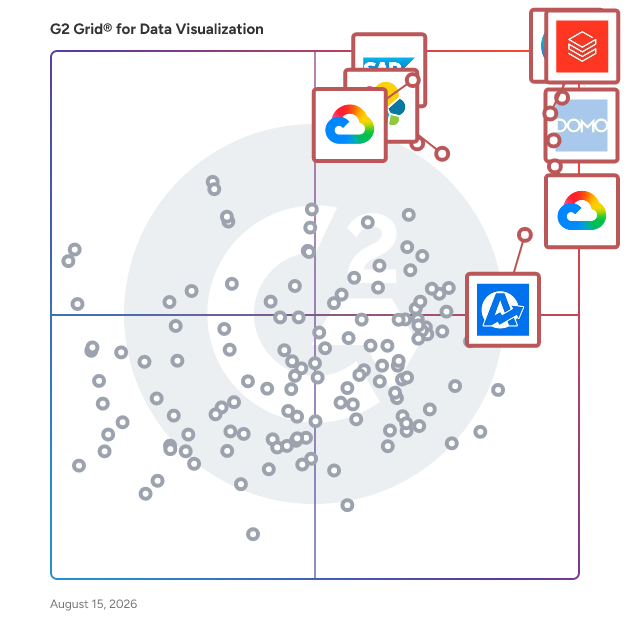
# Best Data Visualization Tools - Page 11

  *By [Bijou Barry](https://research.g2.com/insights/author/bijou-barry)*

   Data visualization tools and software translate data and metrics into charts and graphs to help companies track business metrics and key performance indicators (KPIs) in real time so they can better understand performance and goals. These can be delivered and displayed in various formats, including charts, graphs, reports, and dashboards. These tools help translate quantitative data and metrics into easy-to-understand visualizations. In regards to dashboards, there are various forms of visuals that one can create and view, such as scorecards and easy-to-interpret visualizations of company data to follow the trends and KPIs. Many data visualization software provides drag-and-drop functionality and other non-technical capabilities, so the average business user can build necessary dashboards. However, some do offer the ability to create dashboards using code. [Data visualization](https://www.g2.com/glossary/data-visualization-definition) software can consume data from many sources, including file uploads, databases, and business applications. Connecting certain applications or databases may require some IT involvement or coding knowledge.

Dashboards with real-time data are particularly helpful to allow business users to understand business applications and systems, such as [ERP systems](https://www.g2.com/categories/erp-systems) and [CRM software](https://www.g2.com/categories/crm). However, in some cases, one might want to export these visualizations to share them as reports via email or other communication channels. This can be helpful if one is looking to send a targeted overview of data to busy executives or clients. In addition, these tools can be used to craft visualizations, such as charts and graphs, that can be exported in various formats, such as PNG and JPEG, to create content with visualizations of data. This content creation can often be accomplished collaboratively, allowing users to collaborate across devices and device types. Users looking for tools solely focused on diagramming can look to [diagramming software](https://www.g2.com/categories/diagramming) to build flow charts, floor plans, and more.

The [best data visualization tools](https://learn.g2.com/best-data-visualization-software) are specifically designed to benchmark and visualize important metrics and are not intended to be used for robust, complicated data analysis. While some data visualization products may offer drill-down or data-joining functionality, their primary purpose is to provide dashboards and visualizations to monitor business-critical data. Users looking for analysis-specific tools should look to [analytics platforms](https://www.g2.com/categories/analytics-platforms). Analytics platforms, specifically of the self-service variety, can help businesses query and visualize their data without the need for IT support. Finally, business users and developers who are interested in embedding their visualizations in applications can use [embedded business intelligence software](https://www.g2.com/categories/embedded-business-intelligence) to accomplish this goal.

To qualify for inclusion in the Data Visualization Tools category, a product must:

- Consume data from a variety of sources through file uploads, database querying, and application connectors
- Provide visual representation of key performance indicators


## Best Data Visualization Tools At A Glance

- **Leader:** [Canva](https://www.g2.com/products/canva/reviews)
- **Highest Performer:** [Hurree](https://www.g2.com/products/hurree/reviews)
- **Easiest to Use:** [Canva](https://www.g2.com/products/canva/reviews)
- **Top Trending:** [Drivetrain](https://www.g2.com/products/drivetrain-drivetrain/reviews)
- **Best Free Software:** [Canva](https://www.g2.com/products/canva/reviews)


---

**Sponsored**

### TELUS Trade Promotion Management

TELUS Trade Promotion Management’s offerings (formerly Blacksmith Applications) are delivered via a SaaS platform that empowers consumer packaged goods (CPG) companies to get the most out of their trade promotions and accelerate trade spend performance across retail and foodservice channels. CPG companies use our offerings to improve trade spend, gain access to new insights and increase efficiency for sustainable business growth. You can rely on our tools and expertise with 25+ years of experience in the CPG industry. With TELUS TPM’s offerings, CPG companies can increase forecast accuracy; plan and approve trade spend; execute promotions; control finances; manage contracts, claims, deductions and analytics; and optimize trade promotions. Learn more at: https://telus.com/tpm Key features &amp; benefits AI assistant Talk to your data like you talk to your colleagues with our AI Assistant. Get help, information and guidance instantly – in plain language. - Provides advanced system guidance: Ask questions and get easy-to-understand answers about promotions, system features and more. - Generates expert insights: Get on-demand and easy-to-understand insights into promotion data with plain-language prompts. Analyze ROI, trade spend and performance metrics. - Enhances user adoption: Skip the training manual and increase your team’s productivity with on-demand assistance. Advanced analytics Transform complex trade promotion data into actionable insights. Key features and capabilities include: - Pre-built dashboards: Get easy access to promotion P&amp;L, forecast accuracy and performance metrics. Enjoy the seamless integration of analytics and core TPM functions. - Custom report builder: Quickly create tailored reports with an easy-to-use drag-and-drop interface. Dissect your data with advanced filtering, and export and share data insights across your teams instantly. - Advanced data exploration: Filter and analyze data across multiple dimensions with instant results. Generate reports with ease and track performance metrics quickly. - Role-based security: Customize views to ensure data compliance and governance. Enjoy secure data access management and consistent data governance across all users. Enterprise scalability TELUS Trade Promotion Management offers: 1. Support for complex global operations 2. Multi-retailer and multi-channel management 3. Integration with major ERP and data systems 4. Cloud-native architecture for rapid deployment 5. Multi-language and multi-currency support Operational advantages When you choose TELUS Trade Promotion Management’s offerings, you can count on: - Simplicity: Streamline your work with user-friendly software, automation, cloud-based hosting and an intuitive interface. - Support: Access a range of services that are designed to enable your team&#39;s success. - Scalability: Grow with our flexible and front-end configurable solutions. - Synergy: Power your processes across your sales journey – whether you’re in retail, foodservice or both. Getting started: 1. Dedicated customer success team with CPG industry expertise 2. Comprehensive training and certification programs 3. Pre-built integrations with major retailers and data providers 4. Best practice templates and industry benchmarks Ongoing support: 1. 24/7 global support with guaranteed response times 2. Regular platform updates and feature enhancements 3. User community and industry events 4. Quarterly business reviews and optimization consulting TELUS Trade Promotion Management enhancements We constantly enhance our products and services – guided by user feedback from our global customer base. Here are the latest changes to TELUS TPM: - AI assistant: Work efficiently, improve adoption, boost engagement and gain access to insights. Analyze your promotion ROI, trade spend and performance metrics in plain language. - Refined user interface: Work seamlessly with our enhanced user interface that was designed for efficiency and ease of use. - Advanced analytics and reporting: Analyze your data in detail with built-in reporting powered by Google Cloud Platform. Easily navigate complex data sets with our user-friendly interface. Use our role-based, self-service dashboards to make more data-driven decisions. - Mobile companion app: Access critical promotion details and approve programs on-the-go with just a few taps. Address issues away from your desk and give your in-field teams more flexibility than ever before. Transform your promotions Gain a competitive advantage with our proven technology and deep CPG industry expertise. Discover how TELUS TPM can elevate your promotional performance. Contact us: https://www.telus.com/agcg/en-ca/contact/sales?userGroup=consumer-goods&amp;solution=trade-promotion-management-software


[Visit company website](https://www.g2.com/external_clickthroughs/record?secure%5Bad_program%5D=ppc&amp;secure%5Bad_slot%5D=category_product_list&amp;secure%5Bcategory_id%5D=208&amp;secure%5Bdisplayable_resource_id%5D=208&amp;secure%5Bdisplayable_resource_type%5D=Category&amp;secure%5Bmedium%5D=sponsored&amp;secure%5Bplacement_reason%5D=page_category&amp;secure%5Bplacement_resource_ids%5D%5B%5D=208&amp;secure%5Bprioritized%5D=false&amp;secure%5Bproduct_id%5D=67404&amp;secure%5Bresource_id%5D=208&amp;secure%5Bresource_type%5D=Category&amp;secure%5Bsource_type%5D=category_page&amp;secure%5Bsource_url%5D=https%3A%2F%2Fwww.g2.com%2Fcategories%2Fdata-visualization-tools%3Fpage%3D11%26source_location%3Dcategories%2523show&amp;secure%5Btoken%5D=e8bb0f33eb59cc9a5085436da0e5b9657f90ba7922c718ebe5a708915a108a54&amp;secure%5Burl%5D=https%3A%2F%2Fwww.telus.com%2Fagcg%2Fconsumer-goods%2Ftrade-promotion-management-software%3Futm_source%3Dg2%26utm_medium%3Dreferral%26utm_campaign%3DCG_G226&amp;secure%5Burl_type%5D=custom_url)

---

## Top-Rated Products (Ranked by G2 Score)
  ### 1. [InetSoft Style Scope](https://www.g2.com/products/inetsoft-style-scope/reviews)
  InetSoft Style Scope is a cloudbased server application ideal for production, interactive, and webbased reporting. Quickly generate and deliver reports and even automate your reporting. Included flexible data mashup engine, free evaluation assistance, with options for adding interactive dashboarding and visual analysis. Suitable for 5 and more than 5 no. of users.


  **Average Rating:** 3.3/5.0
  **Total Reviews:** 2


**Seller Details:**

- **Seller:** [InetSoft Technology](https://www.g2.com/sellers/inetsoft-technology)
- **Year Founded:** 1996
- **HQ Location:** Piscataway, NJ
- **LinkedIn® Page:** https://www.linkedin.com/company/91536/ (63 employees on LinkedIn®)

**Reviewer Demographics:**
  - **Company Size:** 50% Small-Business, 50% Enterprise


  ### 2. [INSIA](https://www.g2.com/products/insia/reviews)
  Insia.ai is a leading provider of AI-powered procurement solutions, designed to help businesses streamline their procurement processes through data-driven insights, advanced analytics, and automation. Our solutions focus on enhancing efficiency, reducing costs, and driving smarter decision-making across procurement and supply chain management. Insia.ai stands out with its seamless integration capabilities, ensuring compatibility with existing systems for effortless adoption and enhanced operational continuity. By leveraging innovative technologies like machine learning and big data, we empower organizations to optimize their processes and achieve measurable, sustainable results.


  **Average Rating:** 5.0/5.0
  **Total Reviews:** 2

**User Satisfaction Scores:**

- **Has the product been a good partner in doing business?:** 10.0/10 (Category avg: 9.0/10)
- **Dashboards:** 10.0/10 (Category avg: 9.0/10)
- **Steps to Answer:** 10.0/10 (Category avg: 8.5/10)
- **Formats:** 10.0/10 (Category avg: 8.6/10)


**Seller Details:**

- **Seller:** [INSIA](https://www.g2.com/sellers/insia)
- **Year Founded:** 2019
- **HQ Location:** Bengaluru, IN
- **LinkedIn® Page:** https://www.linkedin.com/company/44hz (20 employees on LinkedIn®)

**Reviewer Demographics:**
  - **Company Size:** 100% Small-Business


  ### 3. [Insite Analytics](https://www.g2.com/products/insite-analytics/reviews)
  A Key Part of Fortra (the new face of HelpSystems) Insite Analytics is proud to be part of Fortra’s comprehensive cybersecurity portfolio. Fortra simplifies today’s complex cybersecurity landscape by bringing complementary products together to solve problems in innovative ways. These integrated, scalable solutions address the fast-changing challenges you face in safeguarding your organization. With the help of the powerful protection from Insite Analytics and others, Fortra is your relentless ally, here for you every step of the way throughout your cybersecurity journey.


  **Average Rating:** 4.3/5.0
  **Total Reviews:** 2


**Seller Details:**

- **Seller:** [Fortra](https://www.g2.com/sellers/fortra)
- **Year Founded:** 1982
- **HQ Location:** Eden Prairie, Minnesota
- **Twitter:** @fortraofficial (2,743 Twitter followers)
- **LinkedIn® Page:** https://www.linkedin.com/company/fortra (1,738 employees on LinkedIn®)

**Reviewer Demographics:**
  - **Company Size:** 100% Mid-Market


  ### 4. [IntelliBoard](https://www.g2.com/products/intelliboard/reviews)
  IntelliBoard is an EdTech company providing K12, HigherEd, Corporate and Government institutions with ability to view learning data coming from different sources with point and click ease. IntelliBoard brings data from Learning Management Systems, Student Information Systems, Collaboration Tools, Assessment Tools, HR and Talent Management Systems. IntelliBoard allows to enter and analyze critical engagement data of each institution using online learning and provides access to student data points and platform to organize communication for everyone involved in student success.


  **Average Rating:** 4.5/5.0
  **Total Reviews:** 2

**User Satisfaction Scores:**

- **Has the product been a good partner in doing business?:** 10.0/10 (Category avg: 9.0/10)
- **Dashboards:** 10.0/10 (Category avg: 9.0/10)
- **Steps to Answer:** 10.0/10 (Category avg: 8.5/10)
- **Formats:** 10.0/10 (Category avg: 8.6/10)


**Seller Details:**

- **Seller:** [IntelliBoard](https://www.g2.com/sellers/intelliboard)
- **Year Founded:** 2015
- **HQ Location:** Monroe, US
- **Twitter:** @IntelliBoardnet (750 Twitter followers)
- **LinkedIn® Page:** https://www.linkedin.com/company/intelliboard-net (68 employees on LinkedIn®)

**Reviewer Demographics:**
  - **Company Size:** 50% Mid-Market, 50% Small-Business


  ### 5. [intellsys AdGPT](https://www.g2.com/products/intellsys-adgpt/reviews)
  Intellsys AdGPT is an AI-driven prescriptive advertising intelligence platform that helps businesses optimize their performance marketing decisions. The platform connects with over 200 ad data sources, including Google Ads, Meta, Amazon, Shopify, CRM, and analytics tools, delivering a unified, real-time view of campaign to conversion metrics. Through a conversational AI interface, marketers ask questions and receive precise metrics plus prioritized next moves tied to CAC, ROAS, and LTV. What is the Role of Intellsys AdGPT? Intellsys AdGPT acts as your on-demand strategic advisor, intelligently diagnosing performance issues like budget leaks or creative fatigue and prescribing ranked, actionable steps with clear reasons and projected outcomes. It replaces dashboard drift and guesswork with confident, data-driven decisions and compounding results, accelerating marketing velocity without demanding complex setups or siloed analysis. Why Intellsys AdGPT? Marketing complexity is rising with multi-channel spend, privacy shifts, and fragmented analytics. Intellsys AdGPT solves this by unifying all marketing data into one authoritative source updated hourly, providing clarity and alignment across teams. It empowers marketers to make faster, smarter decisions with transparent, secure AI-driven recommendations, helping teams move beyond traditional reporting and scale growth effectively. Intellsys AdGPT Growth Marketing Tool Key Features: 1. Unified Data Integration Connects 200+ advertising, social media, CRM, and analytics platforms for seamless, consistent real-time reporting. 2. Conversational Ask-and-Act Interface Plain-English questions get you instant metrics plus prioritized next moves—in one conversation, one truth. 3. Prescriptive Playbooks Every insight ends with a step-by-step, outcome-ranked plan showing what to do now and why it matters. 4. Leak Opportunity Radar Automatically surfaces campaign and creative fatigue zones or performance leaks before they impact ROI. 5. Enterprise-Grade Security &amp; Governance Role-based access, audit trails, GDPR-compliance, and certifications ensure secure and trustworthy use. Key Benefits of Using Intellsys AdGPT: 1. Accelerate decision cycles from days to minutes, boosting experiment velocity and agility 2. Gain clear, trusted insights to optimize budget allocation and reduce wasted spend 3. Achieve alignment across marketing, growth, and finance teams with one version of truth 4. Reduce manual data wrangling with automated diagnostics and prescriptive next steps 5. Drive measurable growth with projected impact tied to all recommendations


  **Average Rating:** 4.5/5.0
  **Total Reviews:** 2


**Seller Details:**

- **Seller:** [GrowthJockey](https://www.g2.com/sellers/growthjockey)
- **Year Founded:** 2020
- **HQ Location:** Gurugram, IN
- **LinkedIn® Page:** https://www.linkedin.com/company/growthjockey (116 employees on LinkedIn®)

**Reviewer Demographics:**
  - **Company Size:** 100% Mid-Market


#### Pros & Cons

**Pros:**

- Data Analysis (2 reviews)
- Insights (2 reviews)
- Analytics (1 reviews)
- Performance Evaluation (1 reviews)
- Time-saving (1 reviews)

**Cons:**

- Slow Loading (1 reviews)
- Slow Performance (1 reviews)
- Update Issues (1 reviews)

  ### 6. [KPImailer](https://www.g2.com/products/kpimailer/reviews)
  KPImailer is a standalone app that automates reporting across the company and beyond. It integrates with your Business Intelligence tool to provide access to relevant data to the right people at the right time. With KPImailer you can send personalized emails, with text, images, Xls &amp; CSV files, and SQL tables with the data behind your BI dashboards. Because things should be simple, you can create a recurring report or alert in a matter of minutes. The app will automatically extract the updated data from the BI tool, filter it and send it to the right person, without manual intervention, whenever it&#39;s scheduled to run. With KPImailer, you can expand BI usage and delight the people who rely on your reports.


  **Average Rating:** 4.3/5.0
  **Total Reviews:** 2

**User Satisfaction Scores:**

- **Has the product been a good partner in doing business?:** 10.0/10 (Category avg: 9.0/10)
- **Dashboards:** 10.0/10 (Category avg: 9.0/10)
- **Steps to Answer:** 10.0/10 (Category avg: 8.5/10)
- **Formats:** 10.0/10 (Category avg: 8.6/10)


**Seller Details:**

- **Seller:** [Relevance Management](https://www.g2.com/sellers/relevance-management)
- **Year Founded:** 2004
- **HQ Location:** Bucharest, RO
- **LinkedIn® Page:** https://www.linkedin.com/company/relevance-management (29 employees on LinkedIn®)

**Reviewer Demographics:**
  - **Company Size:** 100% Mid-Market


  ### 7. [List &amp; Label](https://www.g2.com/products/list-label/reviews)
  List &amp; Label is a reporting tool for software developers to integrate reporting functions in their web, cloud and desktop applications. Made for development environments such as .NET, C#, Delphi, C++, ASP.NET, ASP.NET MVC, .NET Core etc. And of course, the component supports a variety of data sources. The List &amp; Label report generator extends applications with extensive and convenient print, export and preview functions. Developers retain control over data transfer and create the interface. With the WYSIWYG Report Designer, developers or end users create or edit different print templates for printing information that originates either from a database or another data source. In the Designer, you then have all the data at your disposal and can prepare it for printing in different ways. The additionally included and entirely browser-based Web Report Designer for ASP.NET MVC offers more flexibility in development and is independent from printer drivers. Reports for web applications can be designed anywhere at any time in the browser of your choice. Compared to other reporting and data visualization tools, List &amp; Label is not a suite of different development products. It’s standalone and you don’t have to invest in other components you might not need for your project.


  **Average Rating:** 4.8/5.0
  **Total Reviews:** 2

**User Satisfaction Scores:**

- **Has the product been a good partner in doing business?:** 10.0/10 (Category avg: 9.0/10)
- **Dashboards:** 10.0/10 (Category avg: 9.0/10)
- **Steps to Answer:** 10.0/10 (Category avg: 8.5/10)
- **Formats:** 10.0/10 (Category avg: 8.6/10)


**Seller Details:**

- **Seller:** [Combit](https://www.g2.com/sellers/combit)
- **Year Founded:** 1989
- **HQ Location:** Konstanz, DE
- **LinkedIn® Page:** https://www.linkedin.com/company/combit (58 employees on LinkedIn®)

**Reviewer Demographics:**
  - **Company Size:** 50% Mid-Market


  ### 8. [Lumalytics](https://www.g2.com/products/lumalytics/reviews)
  Lumalytics is a SAAS tool that create dashboards with charts, data tables and filters that display real-time data from various data sources.


  **Average Rating:** 4.5/5.0
  **Total Reviews:** 2

**User Satisfaction Scores:**

- **Dashboards:** 8.3/10 (Category avg: 9.0/10)
- **Steps to Answer:** 8.3/10 (Category avg: 8.5/10)
- **Formats:** 8.3/10 (Category avg: 8.6/10)


**Seller Details:**

- **Seller:** [Lumalytics](https://www.g2.com/sellers/lumalytics)
- **Year Founded:** 2015
- **HQ Location:** Cambridge, US
- **Twitter:** @lumalytics (268 Twitter followers)
- **LinkedIn® Page:** https://www.linkedin.com/company/lumalytics (1 employees on LinkedIn®)

**Reviewer Demographics:**
  - **Company Size:** 50% Mid-Market, 50% Small-Business


  ### 9. [Mimer Metrics](https://www.g2.com/products/mimer-metrics/reviews)
  Easy reporting for busy marketers. AdWords, Facebook &amp; Analytics dashboards and reporting.


  **Average Rating:** 4.5/5.0
  **Total Reviews:** 2

**User Satisfaction Scores:**

- **Dashboards:** 8.3/10 (Category avg: 9.0/10)
- **Steps to Answer:** 9.2/10 (Category avg: 8.5/10)
- **Formats:** 8.3/10 (Category avg: 8.6/10)


**Seller Details:**

- **Seller:** [Mimer Metrics](https://www.g2.com/sellers/mimer-metrics)
- **Year Founded:** 2017
- **HQ Location:** Copenhagen, DK
- **LinkedIn® Page:** http://www.linkedin.com/company/mimer-metrics (1 employees on LinkedIn®)

**Reviewer Demographics:**
  - **Company Size:** 50% Mid-Market, 50% Small-Business


#### Pros & Cons

**Pros:**

- Customizability (1 reviews)
- Data Visualization (1 reviews)
- Visualization (1 reviews)

**Cons:**

- Learning Curve (1 reviews)
- Learning Difficulty (1 reviews)

  ### 10. [MSIGHTS](https://www.g2.com/products/msights/reviews)
  MSIGHTS has been supporting marketing teams for 17+ years in helping to make their data great for reporting and analysis. Our Platform, a 2019 MarTech Breakthrough Awards winner for &quot;Best Overall Marketing Campaign Management Solution&quot;, helps across these critical areas: \* Automate the collection, integration, and transformation of all your marketing results sources -- digital, social, search, offline, lead gen, direct mail, media plans, and sales (plus more) -- into reporting-ready datasets. \* Streamline marketing analysis with harmonized datasets specifically designed for results analysis, optimization, attribution, MMM, as well as datasets that feed back into your data lake. Go beyond fields from just your taxonomy with MSIGHTS&#39; robust data schema. \* Build detailed reporting views and executive dashboards using MSIGHTS&#39; free cloud reporting platform or connect from your own visualization tool like Tableau, Excel, Domo, or Looker (to name a few).


  **Average Rating:** 3.8/5.0
  **Total Reviews:** 5

**User Satisfaction Scores:**

- **Has the product been a good partner in doing business?:** 8.3/10 (Category avg: 9.0/10)
- **Dashboards:** 10.0/10 (Category avg: 9.0/10)
- **Steps to Answer:** 8.3/10 (Category avg: 8.5/10)
- **Formats:** 8.3/10 (Category avg: 8.6/10)


**Seller Details:**

- **Seller:** [MSIGHTS](https://www.g2.com/sellers/msights)
- **Year Founded:** 2004
- **HQ Location:** Charlotte, US
- **Twitter:** @msights (224 Twitter followers)
- **LinkedIn® Page:** https://www.linkedin.com/company/msights-inc-/ (42 employees on LinkedIn®)

**Reviewer Demographics:**
  - **Company Size:** 50% Enterprise, 33% Small-Business


#### Pros & Cons

**Pros:**

- Analytics Expertise (2 reviews)
- Analytics (1 reviews)
- Automation (1 reviews)
- Business Support (1 reviews)
- Communication (1 reviews)

**Cons:**

- Dashboard Usability (1 reviews)
- Data Inaccuracy (1 reviews)
- Integration Issues (1 reviews)
- Lack of Customization (1 reviews)
- Lack of Integrations (1 reviews)

  ### 11. [Nevron Vision for SharePoint](https://www.g2.com/products/nevron-software-nevron-vision-for-sharepoint/reviews)
  Nevron Vision for SharePoint delivers the web parts needed to author advanced reports and dashboards inside any SharePoint page – and what is best – you do not need to be a developer to do that. Leveraging years of experience, Nevron Vision for SharePoint delivers leading data visualization and unique know-how, which is simultaneously entirely visually configured through an exhaustive web-based interface. This makes it possible for developers and non-developers alike to take advantage of the flexibility and feature richness these web parts offer – directly inside the browser. The web parts included in this suite can extract data from a diverse range of data sources, including various databases, SP Lists, SP Site Queries, Excel Services, and BDC. They are also equipped with a fast, reliable, and flexible data aggregation engine, which allows the authoring of complex dashboards and reports that perform sophisticated data analysis. Nevron Vision for SharePoint is unique in the breadth of its offering – from simple charts and KPIs to sophisticated drill-down reports and dashboards – this suite of web parts delivers it all to you – the regular SharePoint user.


  **Average Rating:** 4.8/5.0
  **Total Reviews:** 2

**User Satisfaction Scores:**

- **Has the product been a good partner in doing business?:** 6.7/10 (Category avg: 9.0/10)
- **Dashboards:** 10.0/10 (Category avg: 9.0/10)
- **Steps to Answer:** 8.3/10 (Category avg: 8.5/10)
- **Formats:** 10.0/10 (Category avg: 8.6/10)


**Seller Details:**

- **Seller:** [Nevron Software](https://www.g2.com/sellers/nevron-software)
- **Year Founded:** 1998
- **HQ Location:** Wilmington, DE
- **Twitter:** @NevronSoftware (229 Twitter followers)
- **LinkedIn® Page:** https://www.linkedin.com/company/130361/ (12 employees on LinkedIn®)

**Reviewer Demographics:**
  - **Company Size:** 50% Small-Business, 50% Mid-Market


  ### 12. [Octoboard for Business](https://www.g2.com/products/octoboard-for-business/reviews)
  Focus teams, monitor trends, and make smart decisions.


  **Average Rating:** 3.0/5.0
  **Total Reviews:** 2

**User Satisfaction Scores:**

- **Has the product been a good partner in doing business?:** 10.0/10 (Category avg: 9.0/10)


**Seller Details:**

- **Seller:** [OCTOBOARD](https://www.g2.com/sellers/octoboard)
- **Year Founded:** 2017
- **HQ Location:** Dublin, IE
- **Twitter:** @octoboard (3,607 Twitter followers)
- **LinkedIn® Page:** https://www.linkedin.com/company/octoboard/ (5 employees on LinkedIn®)

**Reviewer Demographics:**
  - **Company Size:** 100% Small-Business


  ### 13. [PowerMetrics](https://www.g2.com/products/powermetrics/reviews)
  PowerMetrics is a self-serve metrics platform designed to help businesses centralize and manage their key metrics in one place. By providing a catalog of curated, trusted metrics, it ensures consistency, accuracy, and alignment for reporting and analytics. PowerMetrics simplifies the process of delivering reliable, metric-centric insights to business users without heavy reliance on data teams. Product Category: PowerMetrics sits at the intersection of metrics management and self-serve analytics. It is built for businesses that operate with a modern data stack and need a streamlined way to make metrics accessible, consistent, and actionable across the organization. PowerMetrics is ideal for: - Data Teams who want to build a reliable source of truth for business metrics while minimizing ad-hoc requests for reporting. - Business Users who need clear, consistent metrics and straightforward analytics to make decisions without technical barriers. - Organizations with Modern Data Stacks that rely on data warehouses, semantic layers, and multiple service APIs for data integration. Key Features: PowerMetrics helps teams align their metrics and analytics with the following capabilities: - Centralized Metric Catalog: Build a unified library of business metrics that are trusted, version-controlled, and reusable across dashboards and reports. - Modern Integrations: Seamlessly connect to data warehouses, semantic layers, and hundreds of APIs, ensuring your metrics pull from accurate and up-to-date sources. - Metric-Centric Analytics: Explore, visualize, and analyze metrics with straightforward tools that don’t require deep technical expertise. - Consistency Across Reports: Ensure every dashboard and report aligns to the same definitions and calculations for metrics, reducing confusion and discrepancies. - Self-Serve Access: Empower business users to view and explore metrics independently without overwhelming data teams. How PowerMetrics Helps: PowerMetrics creates a single source of truth for business metrics, ensuring teams across the organization work with the same defined metrics. Whether you’re analyzing performance in dashboards, running reports, or sharing insights, PowerMetrics guarantees alignment and accuracy wherever metrics are used.


  **Average Rating:** 4.0/5.0
  **Total Reviews:** 2

**User Satisfaction Scores:**

- **Has the product been a good partner in doing business?:** 8.3/10 (Category avg: 9.0/10)


**Seller Details:**

- **Seller:** [Klipfolio](https://www.g2.com/sellers/klipfolio)
- **Year Founded:** 2001
- **HQ Location:** Ottawa, ON
- **Twitter:** @klipfolio (4,437 Twitter followers)
- **LinkedIn® Page:** https://www.linkedin.com/company/klipfolio/ (29 employees on LinkedIn®)

**Reviewer Demographics:**
  - **Company Size:** 50% Mid-Market, 50% Small-Business


  ### 14. [PureInsights Configurable Real Time Dashboard for Genesys Cloud](https://www.g2.com/products/pureinsights-configurable-real-time-dashboard-for-genesys-cloud/reviews)
  The PureInsights Configurable Dashboard and Call Detail Extractor for Genesys Cloud Features are bundled together in a single subscription. The Configurable Dashboard features continuous updates in REAL TIME, alerts are color coded to quickly assess. The Dashboard is browser-based so it&#39;s accessible from anywhere, including moble. The Call Detail Extractor features a view of results in the web browser and also a clean CSV format for download to load into Excel easily or another BI tool. Data includes ANI and DNIS columns and Grand Total across all selected Queues. Both are cloud-based offerings so there&#39;s no software to install!


  **Average Rating:** 4.3/5.0
  **Total Reviews:** 2

**User Satisfaction Scores:**

- **Dashboards:** 9.2/10 (Category avg: 9.0/10)
- **Steps to Answer:** 7.5/10 (Category avg: 8.5/10)
- **Formats:** 10.0/10 (Category avg: 8.6/10)


**Seller Details:**

- **Seller:** [PureInsights](https://www.g2.com/sellers/pureinsights)
- **HQ Location:** N/A
- **LinkedIn® Page:** https://www.linkedin.com/company/64555426 (2 employees on LinkedIn®)

**Reviewer Demographics:**
  - **Company Size:** 100% Mid-Market


  ### 15. [Queryinside](https://www.g2.com/products/queryinside/reviews)
  Queryinside is a modern, user-friendly platform designed for log monitoring, log analysis, and real-time alerting. Built for developers, product teams, and growing startups, queryinside helps you quickly detect issues, understand system behavior, and take action—all without drowning in noisy dashboards or scattered log files. In simple terms: Queryinside is like your observability teammate. It centralizes your logs, gives you meaningful alerts, and shows you what’s really happening in your system—so you can fix problems faster and stay focused on building. Core benefits: Centralized Log Management – Stop chasing logs across multiple tools and servers. Smart Alerts – Get notified only when it really matters. Real-Time Monitoring – See live traffic, user actions, and system events. Easy Setup – Designed to get you running in minutes, not hours. Cloud Integrations – Works with your existing infrastructure.


  **Average Rating:** 5.0/5.0
  **Total Reviews:** 2

**User Satisfaction Scores:**

- **Dashboards:** 10.0/10 (Category avg: 9.0/10)
- **Steps to Answer:** 9.2/10 (Category avg: 8.5/10)
- **Formats:** 9.2/10 (Category avg: 8.6/10)


**Seller Details:**

- **Seller:** [queryinside](https://www.g2.com/sellers/queryinside)
- **Year Founded:** 2024
- **HQ Location:** Dhaka, BD
- **LinkedIn® Page:** https://www.linkedin.com/company/queryinside/ (1 employees on LinkedIn®)

**Reviewer Demographics:**
  - **Company Size:** 50% Mid-Market, 50% Small-Business


#### Pros & Cons

**Pros:**

- AI Integration (1 reviews)
- Insights (1 reviews)

**Cons:**

- Learning Curve (1 reviews)

  ### 16. [reportingninja](https://www.g2.com/products/reportingninja/reviews)
  Ppc Reporting And Dashboards Software For Online Marketers, With White Label Client Portal.


  **Average Rating:** 5.0/5.0
  **Total Reviews:** 2

**User Satisfaction Scores:**

- **Has the product been a good partner in doing business?:** 10.0/10 (Category avg: 9.0/10)
- **Dashboards:** 10.0/10 (Category avg: 9.0/10)
- **Steps to Answer:** 8.3/10 (Category avg: 8.5/10)
- **Formats:** 8.3/10 (Category avg: 8.6/10)


**Seller Details:**

- **Seller:** [Reporting Ninja](https://www.g2.com/sellers/reporting-ninja)
- **Year Founded:** 2014
- **LinkedIn® Page:** https://www.linkedin.com/company/reporting-ninja/ (1 employees on LinkedIn®)

**Reviewer Demographics:**
  - **Company Size:** 50% Enterprise, 50% Mid-Market


  ### 17. [SiteLantern](https://www.g2.com/products/sitelantern/reviews)
  We track every aspect of the business, across any device, across any system, in real-time, so you can monitor your business in greater detail than ever before. Know what&#39;s working, and correct what&#39;s not.


  **Average Rating:** 4.5/5.0
  **Total Reviews:** 2

**User Satisfaction Scores:**

- **Dashboards:** 9.2/10 (Category avg: 9.0/10)
- **Steps to Answer:** 10.0/10 (Category avg: 8.5/10)
- **Formats:** 7.5/10 (Category avg: 8.6/10)


**Seller Details:**

- **Seller:** [SiteLantern](https://www.g2.com/sellers/sitelantern)
- **Year Founded:** 2013
- **HQ Location:** Auckland City, NZ
- **LinkedIn® Page:** https://www.linkedin.com/company/sitelantern (2 employees on LinkedIn®)

**Reviewer Demographics:**
  - **Company Size:** 50% Mid-Market, 50% Small-Business


  ### 18. [Sloped](https://www.g2.com/products/sloped/reviews)
  Enable effortless data exploration and analysis. Leverage our built-in integrations or employ custom APIs. Either way your next key insight is simply a search query away.


  **Average Rating:** 5.0/5.0
  **Total Reviews:** 2

**User Satisfaction Scores:**

- **Has the product been a good partner in doing business?:** 10.0/10 (Category avg: 9.0/10)


**Seller Details:**

- **Seller:** [Sloped](https://www.g2.com/sellers/sloped)
- **HQ Location:** N/A
- **LinkedIn® Page:** https://www.linkedin.com/company/No-Linkedin-Presence-Added-Intentionally-By-DataOps (1 employees on LinkedIn®)

**Reviewer Demographics:**
  - **Company Size:** 50% Enterprise, 50% Small-Business


#### Pros & Cons

**Pros:**

- Customization (2 reviews)
- Ease of Use (1 reviews)
- Easy Integrations (1 reviews)
- Efficiency (1 reviews)
- Features (1 reviews)

**Cons:**

- Access Issues (2 reviews)
- Learning Difficulty (2 reviews)

  ### 19. [Smartbi](https://www.g2.com/products/smartbi/reviews)
  SmartBi centralizes and simplifies the analysis of all your business data with ready-to-use, easy-to-understand dashboards. Our goal is to highlight the impact of every action you take.


  **Average Rating:** 4.0/5.0
  **Total Reviews:** 2

**User Satisfaction Scores:**

- **Dashboards:** 6.7/10 (Category avg: 9.0/10)
- **Steps to Answer:** 9.2/10 (Category avg: 8.5/10)
- **Formats:** 5.8/10 (Category avg: 8.6/10)


**Seller Details:**

- **Seller:** [Technologie Reptile](https://www.g2.com/sellers/technologie-reptile)
- **HQ Location:** N/A
- **LinkedIn® Page:** https://www.linkedin.com/company/No-Linkedin-Presence-Added-Intentionally-By-DataOps (1 employees on LinkedIn®)

**Reviewer Demographics:**
  - **Company Size:** 100% Mid-Market


  ### 20. [TikeanDQ](https://www.g2.com/products/tikeandq/reviews)
  Tikean provides the best practices to execute your daily operations, ensure smooth business processes and minimal manual data maintenance effort. Ideally, you will get an instant view of all domain/dimension data and its quality status within your ecosystem in just one glance. For example, TikeanDB plugs into SAP organization structures by default and easily provides quality control over global and local data elements (a must-have e.g., for the manufacturing industry to speed up, and ensure the supply process flows!) High-level features contain: 1. Data modelling and Ingestion Dynamic data modelling makes it easy to provision any data domain and source to TikeanDQ. Rich feature set supports merging data from multiple origins and legacy systems into domain views. 2. Fine grained access control Tikean supports commonly used corporate authentication methods and standards. Control data visibility according to corporate policies. 3. Reporting and dashboards Create and maintain meaningful reports, share and distribute with selected audiences. Provide visual insights for fast decision making on corporate functions. 4. Requlatory compliance Meet the compliance requirements with trusted data analysis and insights. Validate the corporate data asset accuracy and timeliness for e.g. GDPR regulation capability. 5. Business rule wizard​ Dynamic data modelling makes it easy to provision any data domain and source to TikeanDQ. Rich feature set supports merging data from multiple origins and legacy systems into domain views. 6. Superfast data views Superfast data queries with no technical skills needed. Combine data from multiple origins into shareable and re-usable views. 7. Reference data Maintain and distribute corporate reference data throughout the corporate functions, using Tikean Reference Data solution (separate subscription module). 8. No-code, logical rule editor Yess, you can make the needed data modelling and configuration without a single line of code. This means that you don&#39;t need a coder to assign the rules. Also, the changes can be run immediately. 9. Powerful data validation Set business rules to provide continuous corporate data quality details and metrics. Ingest and validate also temporary (e.g. migration) data sources against corporate data rules. 10. Smooth user experience The intuitive and easy-to-use interface promotes easy system adaptation and use in multiple audiences, including the Business people. 11. Data quality ownership Deploy and Maintain Data Governance specific ownerships to your data assets. Subscribe selected datasets and error reports for the respective stakeholders. 12. Cloud optimized Responsibility from both the costing and environment point-of-view. When ever resources are needed, the solution reserves them and when not, the solution releases them, enabling power and cost savings.


  **Average Rating:** 4.3/5.0
  **Total Reviews:** 2

**User Satisfaction Scores:**

- **Has the product been a good partner in doing business?:** 8.3/10 (Category avg: 9.0/10)
- **Dashboards:** 8.3/10 (Category avg: 9.0/10)
- **Steps to Answer:** 6.7/10 (Category avg: 8.5/10)
- **Formats:** 1.7/10 (Category avg: 8.6/10)


**Seller Details:**

- **Seller:** [Tikean](https://www.g2.com/sellers/tikean)
- **Year Founded:** 2017
- **HQ Location:** Helsinki, FI
- **LinkedIn® Page:** https://www.linkedin.com/company/tikean/ (4 employees on LinkedIn®)

**Reviewer Demographics:**
  - **Company Size:** 100% Enterprise


  ### 21. [Vismatica](https://www.g2.com/products/vismatica/reviews)
  Vismatica is a dashboard software with a pointandclick interface, that empowers both endusers and I.T. professionals with the ability to easily create client/customer eportals, analytical dashboards, company intranets and extranets, knowledgebases and more.


  **Average Rating:** 4.8/5.0
  **Total Reviews:** 2

**User Satisfaction Scores:**

- **Has the product been a good partner in doing business?:** 10.0/10 (Category avg: 9.0/10)


**Seller Details:**

- **Seller:** [IronRock Software](https://www.g2.com/sellers/ironrock-software)
- **HQ Location:** Lake Wales, FL
- **LinkedIn® Page:** https://www.linkedin.com/company/No-Linkedin-Presence-Added-Intentionally-By-DataOps (1 employees on LinkedIn®)

**Reviewer Demographics:**
  - **Company Size:** 100% Mid-Market


  ### 22. [Waytobi](https://www.g2.com/products/waytobi/reviews)
  SaaS cloud-based solution to create, track, report, analyze and visualize your company or department KPI`s. Managing of KPI`s has never been that easy. No additional programming skills, learning sessions or webinars required – you can start working and analyzing your business metrics within a minutes. We are helping companies to be on top of their business performance followed by effective, timely and fruitful business decisions only. With our service you can: - Create your own KPIs or choose industry best practices KPI templates from our store - Use calculated and rolling KPIs - Select roles and privileges (4 levels of hierarchy) - Manage your KPI reports and analytics - Visualize and share your performance though the dashboards


  **Average Rating:** 4.5/5.0
  **Total Reviews:** 2

**User Satisfaction Scores:**

- **Dashboards:** 10.0/10 (Category avg: 9.0/10)
- **Steps to Answer:** 8.3/10 (Category avg: 8.5/10)
- **Formats:** 8.3/10 (Category avg: 8.6/10)


**Seller Details:**

- **Seller:** [Waytobi](https://www.g2.com/sellers/waytobi)
- **Year Founded:** 2019
- **HQ Location:** Hamburg, DE
- **LinkedIn® Page:** https://www.linkedin.com/company/waytobi (3 employees on LinkedIn®)

**Reviewer Demographics:**
  - **Company Size:** 100% Small-Business


  ### 23. [We Do Data Science](https://www.g2.com/products/we-do-data-science/reviews)
  No Code Data Science in your browser


  **Average Rating:** 4.8/5.0
  **Total Reviews:** 2

**User Satisfaction Scores:**

- **Dashboards:** 8.3/10 (Category avg: 9.0/10)
- **Steps to Answer:** 8.3/10 (Category avg: 8.5/10)
- **Formats:** 6.7/10 (Category avg: 8.6/10)


**Seller Details:**

- **Seller:** [Shipit Software](https://www.g2.com/sellers/shipit-software)
- **HQ Location:** Christchurch, NZ
- **LinkedIn® Page:** https://www.linkedin.com/company/shipit-software/ (1 employees on LinkedIn®)

**Reviewer Demographics:**
  - **Company Size:** 67% Small-Business, 33% Mid-Market


  ### 24. [Whatifolution](https://www.g2.com/products/whatifolution/reviews)
  Whatifolution makes decision making simple, fast and effective. With its dynamic and intuitive data modelling technology, Whatifolution contributes to the success of literally every business in the world. Whatifolution brings complexity back to simplicity by making data manipulation interactive. With the movement of a mouse or the touch of a finger, a decision maker can ask multiple what if questions by simply moving a line on the chart or adjusting a control button and seeing directly how changing one factor affects everything else.


  **Average Rating:** 4.3/5.0
  **Total Reviews:** 2

**User Satisfaction Scores:**

- **Has the product been a good partner in doing business?:** 10.0/10 (Category avg: 9.0/10)
- **Dashboards:** 9.2/10 (Category avg: 9.0/10)
- **Steps to Answer:** 8.3/10 (Category avg: 8.5/10)
- **Formats:** 8.3/10 (Category avg: 8.6/10)


**Seller Details:**

- **Seller:** [Whatifolution](https://www.g2.com/sellers/whatifolution)
- **HQ Location:** N/A
- **Twitter:** @WhatiFolution (372 Twitter followers)
- **LinkedIn® Page:** https://www.linkedin.com/company/No-Linkedin-Presence-Added-Intentionally-By-DataOps (1 employees on LinkedIn®)

**Reviewer Demographics:**
  - **Company Size:** 100% Mid-Market


  ### 25. [ZapDigits](https://www.g2.com/products/zapdigits/reviews)
  ZapDigits is a modern marketing dashboard and client reporting platform built for agencies, freelancers, and marketing teams that want clear insights without complexity. As a powerful alternative to AgencyAnalytics, ZapDigits helps you centralize your marketing data and streamline reporting across all your campaigns. With ZapDigits, you can connect multiple data sources, track key performance metrics, and create clean, professional client reports in minutes. Instead of switching between tools or managing spreadsheets, everything lives in one intuitive dashboard designed for speed and simplicity. ZapDigits is built to make marketing reporting easier, faster, and more actionable. Whether you’re managing multiple clients, running campaigns, or delivering performance reports, it gives you real-time visibility into what’s working and where to optimize. If you&#39;re looking for an AgencyAnalytics alternative that is lightweight, flexible, and easy to use, ZapDigits is designed to help you save time and deliver better results for your clients.


  **Average Rating:** 5.0/5.0
  **Total Reviews:** 2

**User Satisfaction Scores:**

- **Has the product been a good partner in doing business?:** 10.0/10 (Category avg: 9.0/10)


**Seller Details:**

- **Seller:** [ZapDigits](https://www.g2.com/sellers/zapdigits)
- **HQ Location:** Rotterdam, NL
- **LinkedIn® Page:** https://www.linkedin.com/company/zapdigits (1 employees on LinkedIn®)

**Reviewer Demographics:**
  - **Company Size:** 100% Small-Business


#### Pros & Cons

**Pros:**

- Ease of Use (1 reviews)
- Easy Creation (1 reviews)
- Easy Integrations (1 reviews)
- Setup Ease (1 reviews)


## Parent Category

[Business Intelligence Software](https://www.g2.com/categories/business-intelligence)


## Related Categories

- [Analytics Platforms](https://www.g2.com/categories/analytics-platforms)
- [Embedded Business Intelligence Software](https://www.g2.com/categories/embedded-business-intelligence)
- [Marketing Analytics Software](https://www.g2.com/categories/marketing-analytics)


---

## Buyer Guide

### What You Should Know About Data Visualization Tools

### What are Data Visualization Tools?

Data visualization tools are basic analytics platforms for business users to easily consume and interpret data, KPIs, and other critical metrics using dashboards. These dashboards can pull data from a number of sources, including databases and spreadsheets and other applications, such as [CRM](https://www.g2.com/categories/crm) systems and [digital analytics](https://www.g2.com/categories/digital-analytics) tools. Users can build a variety of visuals based on the data sets to easily track and measure important metrics. Such chart types include column charts, bar charts, pie charts, line graphs, tables, general tracking meters, maps for geographical data, and even just raw numbers.

Data visualization software is the most simplistic in the business intelligence category of software. They are built to display data in one central location instead of forcing employees to dig through different solutions to find important metrics. Business intelligence platforms, self-service business intelligence software, and embedded business intelligence software all contain more in-depth analytics features, such as drill-downs, and are most often used by analysts or data scientists. But for companies interested in displaying visual analytics dashboards, data visualization tools are the proper applications.

Setting up and implementing data visualization tools are relatively straightforward compared to implementing other business intelligence tools. It may require a bit of development knowledge to connect the product to a database or third-party application. However, if a non-developer is interested in building a visualization using a spreadsheet, implementation is basic.

Key Benefits of Data Visualization Tools

- Turn complex data into easily understandable graphics
- Track and visualize live and static metrics
- Monitor Key Performance Indicators (KPIs)
- Visualize and compare related metrics
- Provide various options to communicate complex information

### Why Use Data Visualization Tools?

The main reason for using data visualization is to track real-time data, metrics, goals, and KPIs. Businesses frequently set high goals, so tracking each metric as teams and companies progress is essential. By displaying data visualizations of each KPI, businesses can reinforce the importance of these goals and even help prioritize work based on which metrics need the most attention. General business metrics may include web traffic, revenue, and customer acquisition, among others. With data visualization products, it is easy to pull those business metrics from data sources such as digital analytics and CRMs, so that employees do not need to find them on their own.

Outside of this initial benefit of using data visualization software, another advantage is that data visualization tools help users easily understand critical business data. By using data visualization solutions, employees and businesses can easily interpret data. It makes the purpose of the information very evident to all users. If employees understand the business data, they can align around long-term goals and improve overall company growth.

Critical business data differs among every company and industry, so allowing for extensive customization is beneficial. There is no one-size-fits-all business dashboard; therefore, pulling data from a variety of sources is useful and necessary. When new employees start, it is helpful to understand said critical business data, and with the help of data visualization tools, that understanding is simplified.

Data visualization software also allows users to quickly and easily identify trends in business metrics. If certain metrics are not on pace to hit month-end, quarter-end, or year-end goals, companies can see that up front with data visualization tools. Businesses can adjust their strategies and methods for attaining goals based on how KPIs are tracked. Being able to react to data is an important overall strategy for greater business modernization and digital transformation.

### Who Uses Data Visualization Tools?

All employees have an opportunity to utilize data visualization tools; however, there are a number of roles that can use the solutions in different ways. For example:

**C-level executives –** C-suite employees utilize data visualization software such as KPI dashboards to keep a holistic view of all company goals and how they are progressing. Instead of checking in with every team or digging into disparate software for each KPI, a CEO can track all company metrics in one location. If a CFO wants to observe all financial metrics, data visualization is an option instead of going through accounting and CRM products to find necessary information. Additionally, C-level executives may take dashboards into board meetings to help illustrate how the company is performing as a whole.

[**Sales teams**](https://www.g2.com/categories/data-visualization/f/sales) **–** There are many use cases for sales teams when it comes to data visualization solutions, and not just to track revenue numbers or how many deals they have closed. Business development teams often connect [sales acceleration](https://www.g2.com/categories/sales-acceleration) tools as a data source to track how many calls each rep is making or how many meetings they are setting up. Sales managers can track individual account representatives’ performances to see how much revenue and deals each of their employees are closing, and how much they have in the pipeline. They may also set goals and determine how they are tracking on a quarterly or yearly progression. Displaying personal metrics with data visualization tools is one method to help motivate sales employees to hit their quotas.

[**Marketing teams**](https://www.g2.com/categories/data-visualization/f/marketing) **–** For marketers, data visualization solutions are ideal for recording real-time data regarding customer and prospect interactions. Users can pull specific digital analytics metrics, such as web traffic, and easily visualize progress. Additionally, marketers can see how email campaigns or advertising campaigns are progressing, whether that be open rates or how many impressions Facebook, Twitter, and other social advertisement campaigns are receiving. Businesses benefit by quickly visualizing conversion rates and cost-per-customer acquisition, among many other key marketing metrics.

**Customer service teams –** There are a variety of different instances where data visualization software is helpful for customer support teams, whether they be in a [contact center](https://www.g2.com/categories/contact-center) or receiving customer inquiries via a [help desk](https://www.g2.com/categories/help-desk), among other scenarios. Representatives at call centers can visualize the number of calls they have taken that day, how many calls are waiting to be answered, and how long the average call has been, among many other business-critical data points. For support teams that use a help desk, users benefit from data visualization by tracking how many tickets they have resolved and how many are still in their queues. [Customer success](https://www.g2.com/categories/customer-success) teams may choose to measure KPIs such as customer retention or churn rates to ensure they are maintaining the appropriate number of customers.

**Human resources teams –** Data is aplenty for recruiters and human resources professionals, so having a single dashboard to display the information is advantageous. [Recruiting](https://www.g2.com/categories/recruiting) coordinators can track how many applications have been submitted for specific roles or monitor how often the career page has been viewed. Other general human resources professionals use it to display [employee engagement](https://www.g2.com/categories/employee-engagement), whether that is an overall satisfaction of work life within a company or a gamification of certain tasks. Even third-party services such as Glassdoor may be a data source for businesses interested in tracking their rating at all times.

**Development teams –** If a business is responsible for running multiple applications and needs to track performance in real time, data visualization tools are an excellent way to keep tabs on all of them simultaneously. This allows development teams to react quickly to potential bugs or issues and ensure that performance is trending in the correct direction. Some data sources valuable to development teams include databases, public cloud [infrastructure as a service](https://www.g2.com/categories/infrastructure-as-a-service-iaas) offering, and [application performance monitoring](https://www.g2.com/categories/application-performance-monitoring-apm) software.

### Data Visualization Tools Features

While data visualization software might seem fairly straightforward, there are some features that impact the user experience with these tools. The main feature, and often most critical component buyers should look for when purchasing data visualization software, is which data sources the tool can integrate with and pull from. Most solutions can pull from SaaS applications, cloud and on-premise databases, and even solutions built in-house. But, if one of the main reasons for a company purchasing a data visualization software is to track marketing campaigns, but the tool cannot integrate with the marketing automation tool the business is already using, then it defeats the purpose.

Tracking real-time data is another important feature of data visualization software. Observing progress and trends in a business’ KPIs in real time ensures that employees can react and improve on strategies and methods.

Data visualization vendors often offer mobile functionality, so users can observe and track business metrics regardless of their physical location. In today’s business world, employees are often on the go, so the ability to see dashboards from mobile phones or tablets is convenient. This is important for C-level employees who might not always be in the office.

The ability to share [dashboards](https://www.g2.com/categories/data-visualization/f/dashboards) is another important feature of data visualization software. If a sales leader needs to send numbers to a company’s board of directors, easily emailing an entire dashboard is quick and easy. It is also beneficial to be able to share metrics internally with teams via email, if employees are unaware of how metrics are progressing.

Other features of data visualization software:[Charts and Graphs](https://www.g2.com/categories/data-visualization/f/charts-and-graphs), [Contact Center](https://www.g2.com/categories/data-visualization/f/contact-center), [Education](https://www.g2.com/categories/data-visualization/f/education), [Finance](https://www.g2.com/categories/data-visualization/f/finance), [IT &amp; Development](https://www.g2.com/categories/data-visualization/f/it-and-development), and [Reports](https://www.g2.com/categories/data-visualization/f/reports).

### Kinds of Data Visualization Tools

Some data visualization solutions target specific industries or teams within a company, making them more unique than general data visualization software. A marketing team may opt to use a marketing analytics solution since they only want to visualize and track progress for specific marketing metrics. There are also sales analytics tools that only track sales metrics.

Additionally, many software products have some data visualization within them. For example, a CRM or help desk tool might have data visualization features, but they differ in the sense that these are simply features, not the product&#39;s main function.

### Software and Services Related to Data Visualization Tools

For business users interested in advanced analytics tools that contain more robust features, business intelligence tools are a step up from data visualization. Data analysts or data scientists most often utilize business intelligence platforms.

These platforms often require a good amount of coding or query language knowledge to access necessary data and transform it into visualizations. Self-service business intelligence solutions are aimed more at roles outside of analyst or data scientist, and allow users to perform analysis without a deeper knowledge of the back end. [Embedded business intelligence](https://www.g2.com/categories/embedded-business-intelligence) solutions may have self-service aspects, but these solutions embed the business intelligence capabilities within a third-party application.

The difference between business intelligence products and data visualization tools is that you can perform drill-downs and dig further into the data, right there in the business intelligence product with interactive data visualizations. Business intelligence tools focus more on exploratory data representations than just the raw data or metrics. Data visualization software is really just to see goals and track metric progress, not to dig into the data further and conduct deeper analysis.

For businesses that need to consume large data sets, [big data analytics](https://www.g2.com/categories/big-data-analytics) solutions may be the best option. These products pull mostly unstructured data from [big data processing and distribution](https://www.g2.com/categories/big-data-processing-and-distribution) systems, such as Hadoop, before putting them into big data analytics tools. These products require heavy development knowledge and are mostly utilized by data scientists at larger companies.


