AI-Generated Results
Finding matches…
LINAKMAST Is An ultimate Instagram, TikTok, and Social Media BIOLINKS Creator and URL Shortener Could-based Software.
It is an amazing BIOLINKS pages system that helps you create BIOLINKS pages, shortens URLs, manages them, and gets comprehensive analytics about visitors.
It is a problem solver for Instagram and TikTok bio link problem and a URL Shortener at the same time.
Skyrocket your social media growth and drive massive traffics to your content with unique BIO smart pages and get proper analytics of your visitors, within one platform...
1 Unlimited Highly Customizable BIOLINK Pages: It comes with a wide range of features to create unique pages.
2 URL Shortner: It also have URL shortner feature. You can also shorten your URL with LINKMAST.
3 Advanced Analytics: It also comes with comprehensive staiscs of your link visitors such referrers, countries, devices, browsers, languages, operating systems for any date range.
Have You Ever Wondered If There Is A Way To Display More Than One Link In Your Instagram and Other Social Media BIOs?
Have you ever wanted to share more contents with your audience but always been restricted?
Are you still struggling with the fact that you have to remove one link to paste another link on your social media BIOs?
As a content creator, social media influencer, brand influencer, As a content creator, social media influencer, brand influencer, musician, actors, vendors or even while running a social media agency for Social Media Channels, there comes a point when you hit that block and you don't know how to further grow your channel and business.
Even if you have so much to share with your audience, these social media platforms will restrict you to share enough content links with your audience and then making it more difficult for your channel to build a funnel and grow with that pace.
All that are about to end now!
Skyrocket Your Social Media Growth With Unique BIO Smart Pages And Get Comprehensive Analytics Of Your Visitors, Within One Platform
You can now use multiple links on Your Instagram, TIKTOK, YouTube, Facebook, and other social media BIOs.
With just one link, you can create Unique Customizable Pages Designed To Grow Your social media strategies and digital business.
LINKMAST Biolink Blocks You Can Add To Your BIO Smart Link?
Link
Text
Image
Mail signup
SoundCloud
Spotify
YouTube
Twitch
Vimeo
TikTok
Apple Music
Tidal
Anchor FM
Twitter Tweet
Instagram Media
RSS Feed
Custom HTML
VCard
Image Grid
Divider
You can now skyrocket your social media growth and drive massive traffics to your content with unique BIO smart pages and get proper analytics of your visitors, within one platform.
Who is LINKMAST for?
Social Medial Influencer
Brand Ambassadors
Actors/Actress
Content Creators
SMBs and SMEs
Online Businesses
Startups
Freelancers
Small Agencies
Bloggers
Musicians
Not seeing what you're looking for?
Dive deeper into "SizeUp" on G2 AI
MSG to PST Converter Software for Outlook is a Windows msg to pst converter for anyone sitting on a folder of single Outlook messages that were dragged out to the desktop over the years. The program goes through those MSG files on your own PC and builds one Unicode PST archive, which you then attach in Outlook like any data file. Outlook can stay closed, or be missing from the machine entirely, and no mail is sent to a web service along the way.
🛠️ How to use
1. Start the msg to pst converter and drop the MSG files onto its window, or use Add File to select the folder that contains them.
2. Choose PST as the target format. Everything in the list is written into a single archive.
3. Press Start and let the run finish. Your source files are not changed.
4. Attach the new archive in Outlook through File, Open, Outlook Data File.
💼 Why IT and office teams pick it
Each MSG file is a small OLE container with Outlook's MAPI properties and its attachments packed inside. The tool reads those properties directly and moves them over: subject, HTML or plain text body, sender, to and cc recipients, dates, plus whether a message was read. Every attachment stays with its parent message in the archive. Subjects and names written in Cyrillic or another non-Latin script come through readable, so a mixed-language mailbox stays searchable. The whole MSG to PST job happens offline, so client correspondence never touches someone else's server.
👥 Who uses it
Office staff with years of project mail sitting in desktop folders who want to search it from Outlook again.
Support and records desks that file ticket replies and case notes one message at a time and need a single archive per client.
People switching to a new computer with a stack of messages copied from the old one, before an Outlook profile is even configured.
IT admins asked to collect what a departing employee saved locally and hand it over as one file.
❓ FAQ
Do I need Outlook installed to read MSG files?
No. The msg to pst converter has its own reader, so the PC does not need Outlook. The output PST can be opened in Outlook later or simply kept as an archive.
What is the difference between an MSG file and a PST?
An MSG file carries one message. A PST stores many messages in folders inside one file, and this tool builds that archive out of your loose messages.
Can I add a large batch of files in one go?
Yes. When you convert msg to pst here, every file you add lands in the same PST during a single run, so there is no need to split the work.
Does it work with EML, MBOX or OST files?
No. This program reads MSG files only, and it does not connect to a live mailbox or an Exchange or IMAP server. Separate SoftOrbits tools handle EML, MBOX and OST conversion to PST.
✅ Free trial for Windows 10 and 11 with no sign-up. The finished PST opens in Outlook 2016 and later.
PDF to JPG Converter Software is a Windows desktop program that turns every page of a PDF into a separate image file. It works as a batch PDF to JPG tool: queue a single document or a folder with hundreds of them, pick a resolution, and the pages are written to disk as JPG, PNG, BMP or TIFF. Rendering happens on your own PC, so contracts, invoices and scans are never sent to a web service.
🔰 How to use it
1. Drag PDF files into the window, or click Add Files or Add Folder to build the queue.
2. Choose the output format. JPG is the default, with PNG, BMP and TIFF as alternatives.
3. Set the DPI with a preset of 72, 150, 300 or 600, or type your own value between 60 and 900.
4. Pick a destination folder, or keep Same as original to save the images beside each source document.
5. Start the run. Each page lands in a file of its own, named after the PDF plus a page number.
🛠 Why IT and office teams pick it
- Local processing. A PDF to JPG converter that runs offline fits machines where policy blocks upload sites, and it keeps working with no internet connection at all.
- Whole folders in one pass. A backlog of scanned paperwork goes through without anyone opening documents one at a time.
- Resolution under your control. Use 72 DPI for screen, 150 for previews, 300 for print and 600 for archive copies. A higher value gives sharper text and a larger file.
- Predictable names. Output such as report_page_003.jpg uses zero-padded numbers, so pages sort correctly in any file manager.
- Four output formats. JPG keeps files small, PNG is lossless for text and line art, BMP suits older editors, and TIFF serves archives and print shops.
- Shell and script access. The program integrates with Windows Explorer and accepts a command line, which helps when the same job repeats every week.
- Honest scope. There is no OCR, no PDF editing, no merging or splitting and no image to PDF direction.
👥 Who uses it
Legal, HR and finance staff who need page images for case files and reviews. Designers who place a PDF page into a layout or a slide. Administrators who convert PDF documents to JPG on locked-down or air-gapped workstations. Anyone who wants a PDF to image converter without upload queues.
❓ FAQ
Does it work without an internet connection? Yes. Pages are rendered on the computer, and no file leaves it.
What DPI should I choose in a PDF to JPG converter? 300 is a safe setting for documents you plan to read or print. Go to 600 for small type, and stay at 72 to 150 for web use.
Is a ten-page PDF saved as one long picture? No. It becomes ten files, one per page.
Can it open a password-protected PDF? Only when the document opens without asking for a password. The program does not remove protection.
ℹ️ Free trial with no sign-up. This PDF to JPG converter runs on Windows 10 and 11. Lifetime, 1-year, monthly and business licenses are available.

PST to PDF Converter Software is a PST to PDF converter for Windows 10 and 11. It opens an Outlook .pst or .ost data file straight from the disk, shows its folders and messages, and writes the ones you choose as PDF, HTML or TXT files on the same computer. Outlook does not have to be installed, and nothing is uploaded.
🔰 How to use the PST to PDF converter
1. Click Open PST, or drag one .pst or .ost file into the window. The folder tree appears on the left with a checkbox next to every folder.
2. Click a folder to list its messages with subject, sender, recipient and size. Click a message to read it in the preview pane.
3. Narrow a long folder with the search row: choose the field to look in, such as Subject or Body, type a word and press Search.
4. Leave ticks only on the folders you need. The counter above the list says how many messages will be exported.
5. Choose PDF in the Format list and decide whether pictures placed in the message body go into the output.
6. Pick a destination folder and start the export. A progress line counts the messages as they are written.
🛠 Why IT and office teams pick it
- No mail profile needed. The program reads the data file with its own engine, so a clean workstation is enough to convert PST to PDF.
- Selective export. Ticking only Sent Items or a single subfolder keeps the job inside the scope of the request.
- Check before you run. The preview renders any message with its header lines and formatted body before a single file is written.
- Mail stays local. Client and staff correspondence is processed on the PC and is not sent to a web service.
- Three output formats. PDF for records, HTML for a browser, TXT for plain text search.
- Context in every document. Each exported message starts with From, Date, To and Subject, so it still makes sense outside the mailbox.
👥 Who uses it
- Legal and compliance staff who must hand over mail from an exported mailbox as fixed documents.
- IT administrators left with the archive of someone who has moved on.
- HR teams adding a correspondence trail to a personnel file.
- Home users who want to save Outlook emails as PDF from an old backup.
❓ FAQ
How do I turn a PST file into PDF? Open the file, tick the folders, leave the format on PDF and run the job.
Can I open a PST file without Outlook? Yes. The folder tree, the message list and the preview all work on a PC that never had Outlook.
Does it read OST files? Yes. An .ost offline copy, including one whose account no longer exists, opens the same way as a .pst.
Can the PST to PDF converter load several archives at once? No. One file per session, and opening another replaces the current one.
ℹ️ Free trial with no sign-up, so you can test PST to PDF output on your own archive before buying a license. Runs offline on Windows 10 and 11. Lifetime, yearly, monthly and business licenses are available.
Batch MHTML to PDF Converter Software is a Windows desktop MHTML to PDF converter for people who keep saved web pages and need them as documents. Add a folder of .MHT or .MHTML archives, pick PDF or TXT, and the program writes one file per page or a single combined PDF. Everything runs offline on your own PC, so the archive is never uploaded to a web service. That makes it a fit for files you are not allowed to share.
📌 How to use
1. Drag your .MHT or .MHTML files into the window, or add a whole folder as one flat list.
2. Choose PDF or TXT in the format box. PDF keeps the saved layout, TXT keeps only the words.
3. For a single document, switch on the merge option and give the output a name.
4. Pick an output folder and press Start.
🛠 Why IT and office teams pick it
Chrome, Internet Explorer, the old Edge and Word each pack a page slightly differently. The parser copes with every variant on its own, so nobody has to sort files by origin first. Pages laid out with CSS Grid, Flexbox and calc() keep their columns in the result. Content from embedded iframes appears in the PDF at its original spot. When an archive is cut short or its MIME parts are corrupted, you get a warning and a PDF built from whatever survived. One bad page does not stop the batch, and the summary at the end says how many failed. Links that try to reach files outside the archive are blocked, so a foreign MHT cannot copy something from your drive into the PDF. For a help desk this means one MHTML to PDF converter that IT can approve without a cloud review.
👥 Who uses it
Owners of old archive folders saved over years in Internet Explorer. Legal, support and compliance staff who receive web archives from ticket systems or discovery exports but file cases as PDF. System administrators who get tickets about files that will not open and would rather hand out PDFs once with an MHTML to PDF converter that stays on the local machine.
❓ FAQ
What is an MHT or MHTML file?
It is a complete web page packed into one MIME container, with its images and CSS inside. The two extensions mean the same format, and the program accepts both.
Can I convert MHTML to PDF without uploading the file?
Yes. All rendering happens on your computer, and the program does not go online to load the current version of the page. The PDF shows the page as it was on the day you saved it.
Does it handle large archives?
A 93 MB archive is processed in chunks, which keeps memory use low. Cyrillic in page content and in folder names survives the mhtml to pdf step.
What does it not do?
It does not download pages by URL, it has no OCR, and it does not turn PDF back into MHTML.
💻 Free trial and requirements
The free trial needs no sign-up and allows three exports a day on your own files. Runs on Windows 11, 10, 8.1, 8 and 7, 32 or 64 bit. There is no Mac build.
Convert OLM File to PST is an OLM to PST converter that runs on a Windows PC. Give it the archive Outlook for Mac produced with File, Export, and it writes a Unicode PST that Windows Outlook loads through its usual menu. Windows Outlook cannot import such an archive, and the free workaround pushes the entire mailbox through an online account before syncing it down again. This OLM to PST converter takes the short route: it reads the export locally and builds the PST in one pass, folder tree included.
🛠️ How to use
1. In Outlook for Mac choose File, Export and save the mailbox archive.
2. Move that archive to the Windows computer and add it with Open OLM.
3. Pick a destination folder and press Start. If a PST with that name already exists, choose Overwrite, Rename or Skip.
4. When the summary shows the message count, attach the new PST in Windows Outlook with the Open Outlook Data File command under the File menu.
💼 Why IT and office teams pick it
All the work happens on the local machine, so there is nothing to upload and no borrowed account to sync through for hours.
You can run the OLM to PST converter on a PC where Outlook is closed or was never installed.
The mailbox hierarchy stays as it was on the Mac, so nobody has to sort hundreds of messages back into folders by hand.
Each message keeps its subject, HTML or plain body, sender, To and Cc recipients, sent date and read flag. Attachments come out byte-identical.
Korean, Hebrew and other non-Latin subjects are kept exactly.
The result is a standard Outlook data file, verified in Outlook 2016, which help desk staff can attach in a few clicks.
Going from OLM to PST this way also avoids the second copy of the mailbox that a cloud detour leaves behind on someone else's server.
👥 Who uses it
IT admins retiring Mac workstations and giving staff Windows PCs, one exported mailbox per person.
People who traded a MacBook for a Windows laptop and miss their old correspondence.
Office managers handed an archive that a former colleague left on a shared drive.
Small IT service shops that keep an OLM to PST converter in the toolkit for clients who change platforms.
❓ FAQ
Can you convert OLM to PST without a Mac?
Yes. Once the archive is exported, the Mac is no longer needed. Everything after that runs on Windows.
Which Outlook for Mac versions does it read?
Exports from Outlook for Mac 2011, 2016, 2019 and Microsoft 365 for Mac. They all write the same archive format.
Can I process several archives at once?
Each run takes one archive and produces one PST, so a team's exports are handled one after another, each in a couple of clicks.
Is my mailbox uploaded anywhere?
No. Reading the archive and writing the PST both happen on your local disk.
💻 Free trial with no sign-up. Runs on Windows 11, 10, 8.1, 8 and 7 (32 or 64 bit), 4 GB of RAM and 1 GB of free disk space.
Any Email to PDF Converter Software is an email to PDF converter for Windows that turns saved messages and whole mailboxes into PDF files on your own PC. It reads EML and Outlook MSG files, Outlook PST and OST archives, and MBOX exports from Thunderbird or Apple Mail, all in one batch list. Nothing gets uploaded, and you do not need Outlook or Thunderbird installed to convert email to PDF.
Most mail tools save one message at a time. This email to PDF converter treats a folder of mixed files as one job and writes a separate document for every message it finds, so the PDF count matches what went in.
🛠️ How to use
1. Drag messages or a whole export folder into the window, or click Add Files.
2. Pick PDF as the format. Keep one file per message, or tick Merge all into one PDF.
3. Leave Include images on to keep inline pictures, or switch it off for lighter pages.
4. Click Start. PST, OST and MBOX containers unfold into the queue folder by folder, and each row shows OK once its PDF is written.
💼 Why IT and office teams pick it
Mixed exports are the usual headache. One folder holds a few MSG files someone dragged out of Outlook, an old PST from a retired laptop and an MBOX from a Thunderbird profile. This tool takes the whole mix in one run, and nobody has to open archive subfolders by hand because the program walks through them. Each PDF opens with a From, Date, To and Subject header above the body, so a printed message still shows who wrote it and when. Work stays on the desktop, which matters for privileged or personal mail. HTML and plain TXT output are there too, for a web copy or for feeding text into a search index.
👥 Who uses it
Legal and compliance staff building disclosure sets. HR teams filing a departed employee's mailbox. IT admins retiring old archives during a move away from Outlook or Thunderbird. Anyone who inherited a mailbox backup and simply wants to read and keep parts of it. A paralegal with a single custodian PST and an office manager with a decade of Thunderbird mail can use the same email to PDF converter for both.
❓ FAQ
Can it open a PST without Outlook?
Yes. The program reads PST and OST files itself, so Outlook does not have to be installed or running.
Does it convert a whole mailbox at once?
Yes. Add a PST, OST or MBOX and every message from every folder is queued automatically.
Can several emails go into one PDF?
Yes. Turn on the merge option, and you can also start each email on a new page.
Is my mail sent to a server?
No. Reading the source and rendering the PDF both happen on your PC.
What if PDF is not the right output?
Switch the format to HTML for a browser copy or TXT for bare text. Email to PDF stays the default because a PDF opens anywhere without a mail program.
🖥️ Free trial with no sign-up. Runs on Windows 11 and Windows 10, with 4 GB of RAM and 1 GB of free disk space recommended.
File Shredder & Disk Wipe - Secure Data Eraser is a Windows file shredder for anyone who needs deleted data to stay deleted. Emptying the Recycle Bin only drops the file entry, and the old bytes remain in place until newer data happens to cover them. This app writes zeros, random bytes or a pattern from a published standard over every sector a file used and only then removes it. That is secure file deletion in the literal sense. It can also overwrite the unused area of a drive and clear a whole non-system volume, so one window covers the file shredder disk wipe jobs most offices meet.
🛠️ How to use it
1. Install the app on Windows 10 or 11 and open the start screen with its task tiles.
2. Pick a tile: shred items, clean the empty area, erase a volume, or remove traces.
3. Drag files onto the list or use the buttons for single files and whole folders.
4. Select a method. There are 16, from a quick zero pass up to Gutmann's 35 passes.
5. Read the item count in the warning dialog, then confirm the shred.
💼 Why IT and office teams pick it
A finished job can produce an erasure certificate in PDF that records the method, target, media type and result, ready to attach to a ticket. With verification switched on, the file shredder rereads every byte without the cache and counts mismatches. Windows, Program Files and ProgramData are refused, so a stray click cannot damage the system. As disk wipe software it also checks whether a target is an HDD, an SSD or flash media and warns when overwriting may miss old cells.
👥 Who uses it
People selling or donating a used PC, technicians refurbishing laptops, accountants, lawyers and photographers who keep client files, and small offices returning leased machines. Owners of laptops that travel can link Remote Wipe to their own Telegram bot and erase marked folders with /wipe if the device goes missing.
❓ FAQ
Can a file shredder really stop recovery?
For hard drives, yes. The overwrite replaces the old sectors, so a recovery scan finds a pattern instead of your document.
Is shredding on SSDs reliable?
No. Wear leveling and TRIM move writes between cells, and the program warns you about it first. To clear a full SSD, run the vendor's own Secure Erase or NVMe Sanitize command.
Can a stranger trigger Remote Wipe?
No. Your bot talks only to your chat ID, touches only the folders you picked, and stays off until you enable it. A password for /wipe is optional.
What does the free tier cover?
A single complete erase job with Zeroes or Random, for shredding or trace cleanup. The other 14 methods, free space and volume wiping, Remote Wipe and certificates need a license, so the file shredder can be judged on real files first.
✅ Free trial: one erase job using a one-pass method, no sign-up. Works on Windows 10 and 11 with HDD, SSD, NVMe, USB flash, SD cards and external USB drives.
Bulk MBOX to PST Converter Software is a Windows mbox to pst converter for people moving their mail from Thunderbird to Outlook. Outlook has no way to read an mbox mailbox on its own: the import wizard knows PST and CSV, nothing else. The program takes the mailboxes you exported and writes a standard Unicode PST that Outlook mounts as a regular data file. All of the work happens offline on your PC, and Outlook can stay closed the whole time.
🛠️ How to use
1. Launch the program and load one mbox file or a whole batch. Thunderbird saves every mail folder as a separate file, most often without any extension.
2. Decide on the output. By default you get a separate PST for every mailbox. Tick the merge box to combine them, and each source lands in a top-level folder of its own, so two folders called Inbox stay apart.
3. Choose where the result should go and press start.
4. Back in Outlook, attach the file through the Open Outlook Data File command and browse your mail.
✅ Why IT and office teams pick it
- Mail never leaves the workstation. There is no upload step and no third-party server.
- Message subjects, both HTML and text versions of the body, sender and recipient fields, dates, the read or unread state and every attachment come across byte for byte.
- This mbox to pst converter parses the raw mailbox stream and skips the .msf index that Thunderbird keeps, so an archive with a broken index or a few manual edits still converts.
- A dozen mailboxes can go through in a single mbox to pst run instead of one at a time.
- The output follows the Unicode PST layout, and we checked it by opening the files in Outlook 2016.
👥 Who uses it
- Home users switching from Thunderbird who want ten years of family mail available in Outlook.
- Small offices that standardize on Outlook and need a PST for each employee's old mailbox.
- Anyone who inherited an archive from Eudora, Pine or mutt, Postbox, or an Apple Mail export and no longer has the original client.
- IT staff who want a plain mbox to pst converter for a one-time office migration.
❓ FAQ
Is there a way to open an mbox mailbox in Outlook without converting it?
No. Outlook reads PST and CSV only, so you convert mbox to pst first and then attach the PST.
What is the easiest way to get Thunderbird mail into Outlook?
Load the mailbox files from your Thunderbird profile, choose merged or separate output, save the PST and attach it in Outlook.
Does the PST open in Outlook for Microsoft 365?
It is a Unicode PST, the same kind of data file every desktop Outlook since version 2010 uses. Our own test ran in Outlook 2016.
Can several mailboxes be processed together?
Yes. Load them all at once and pick a single merged PST or one PST per mailbox.
💻 Free trial, no sign-up or account. Works on Windows 11, 10, 8.1, 8 and 7, both 32 and 64 bit, with 4 GB of RAM.

Digital photo suite is the plain name for what this bundle is: ten small Windows programs for photo work, sold as one package. SoftOrbits Digital Photo Suite - Photo Editing Bundle skips the single giant editor approach on purpose. Each tool does one job, so you open the resizer to resize a folder, the retoucher to repair an old print and the background remover to cut out a subject. The set costs about 70% less than buying the same programs one at a time.
🛠️ How to use it
1. Download the installer and run it on Windows 11 or 10 (7 and 8 are also listed).
2. Open the tool that matches the task, for example Batch Picture Resizer for a folder of shots.
3. Add your photos by file or by folder.
4. Pick the settings or a preset, check the preview and save the result.
5. Move to the next tool when a picture needs another step, such as a watermark.
💼 Why IT and office teams pick it
One purchase answers several everyday requests that tend to land on the help desk: shrink images for email, put a company watermark on them, cut a product out of its background, get pictures back from a wiped memory card. Staff learn one narrow tool quickly instead of training on a heavy editor. Home and business licences exist, so a company can license the digital photo suite for work use.
🎨 What is inside
AI Photo Editor changes images from short text prompts. Photo Retoucher removes scratches and noise and colorizes black and white pictures. SoftSkin Photo Makeup evens skin tone and hides small blemishes. Batch Picture Protector stamps text or logo watermarks, and Photo Stamp Remover takes unwanted ones off. Sketch Drawer and Picture to Painting Converter turn shots into pencil drawings or oil paintings. Flash Drive Recovery brings back deleted files from USB sticks, cards and cameras.
👥 Who uses it
Hobby photographers who want quick fixes without a long learning curve. Small shops preparing product images for a catalog. Families restoring scanned prints from old family albums. Office staff who need a picture resized or branded before it goes out.
❓ FAQ
Is this photo editing software or a set of separate apps?
It is a set. Each program installs and runs on its own, and together they cover retouching, resizing, protection and creative effects.
Do I need design skills?
No. Most tools work in a few clicks with presets, and the AI Photo Editor takes plain text instructions.
Can it recover photos I deleted by mistake?
Flash Drive Recovery scans USB sticks, memory cards and cameras and restores deleted or corrupted files after quick formatting, with FAT32 and NTFS support.
Is the photo editing bundle cheaper than single licences?
Yes. The bundle is priced around 70% below the total of the separate programs.
🧪 Free trial of the digital photo suite, no sign-up needed. Runs on Windows 11, 10, 8 and 7.
Spreadsheet Compare & Merge Tool for Excel is a Windows program that lets you merge Excel files from a whole folder into one workbook and then check two versions of a table cell by cell. It reads XLSX, XLSM, CSV and TSV on its own, so Microsoft Excel does not need to be installed on the PC that runs the job.
🔰 How to use it
1. Click Add files or Add folder. Workbooks and CSV exports can share one batch.
2. Pick Into a single sheet, or One sheet per file to keep every source on its own tab.
3. Line columns up By column name or By position, then set the output name and press Combine to merge Excel files.
4. To compare Excel files, load the old version on the left, the new one on the right and click Compare two files.
5. Walk through the highlighted cells with Next difference and export the result.
👍 Why IT and office teams pick it
- Branch exports with columns in a different order still land in the right columns. A missing column leaves blank cells instead of shifting data sideways.
- Payroll and client price lists stay on the local disk. Nothing is uploaded and no account is needed.
- The compare view tells apart nine kinds of change, from edited values and formulas to added or removed rows, columns and worksheets.
- Rows can be paired by a key column, which keeps a diff readable after someone sorts or inserts lines.
- One unreadable workbook is reported on its own line while the remaining files keep going.
- You can merge Excel files and CSV exports in the same run, and the output format follows the extension you type.
- In our own tests fifty workbooks of 10,000 rows were joined in under nine seconds.
✅ Who uses it
- Accountants who merge Excel files from a dozen branch reports when closing the month.
- Purchasing staff checking a new supplier price list against the previous one.
- Warehouse and CRM admins who receive data as dozens of separate CSV pieces.
- Analysts and IT staff matching a test configuration workbook with production.
❓ FAQ
How do I combine Excel files into one without copying and pasting? Add the files or the folder, choose a merge type and press Combine. The program will merge Excel files into a new XLSX or CSV next to your sources.
Can I compare two Excel files for differences without Office? Yes. The tool reads both workbooks directly and colors each change, so it works on a machine with any Office edition or none.
What if the files have different columns? Choose By column name. Columns are matched by their titles, and the output keeps every column found in any of the files.
Does it open old XLS files? No. Resave them as XLSX in any spreadsheet program first.
ℹ️ Free trial with no sign-up: the merged file and the difference list are capped to a limited number of rows until you buy a license. Runs on Windows 11, 10, 8.1, 8 and 7, 32 and 64 bit.
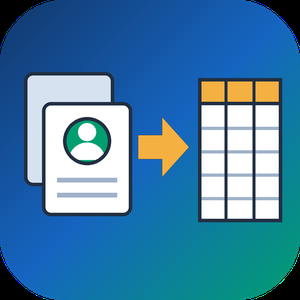
VCF to CSV Converter for CRM Import is a Windows program for one job: turning a pile of vCard files into a single vcf to csv export your CRM can read. Staff phones, Outlook address books and card scanner apps all hand out contacts as .vcf, while Salesforce, HubSpot, Zoho CRM and Excel want rows and columns. Point the program at a folder and the vcf to csv pass writes one UTF-8 CSV with every card in it.
📋 How to use it
1. Click Add folder or Add files. Subfolders are scanned and files holding many cards are split.
2. Pick an output template: Google Contacts, Outlook, Yahoo or Plain CSV.
3. Decide whether extra phones and emails go into numbered columns or share one cell.
4. Open Column mapping, untick what the import does not need and set the order with Up and Down.
5. Click Convert and load the file through the import page of your CRM.
🛠️ Why IT and office teams pick it
Many vcf to csv tools stumble on old Android and Nokia exports, where names arrive as quoted-printable codes like =C3=BC. This one decodes quoted-printable and reads each card's charset (UTF-8, UTF-16, windows-1251, windows-1252, GBK), so Cyrillic, Chinese and accented names survive. The CSV carries a BOM, which lets Excel open it correctly on a double-click. Duplicate people from overlapping exports are merged by name plus main contact detail. Custom X- fields become extra columns, photos are saved as image files with the path in the row, and birthdays are written as YYYY-MM-DD. Click any file in the queue and a text preview shows its parsed cards, which helps when checking a tricky export before you commit. Everything runs on the PC with no upload and no account.
👥 Who uses it
CRM admins loading leads that sales reps exported from their phones. Office managers combining address books after a staff change. IT staff moving a team to Google Workspace or Outlook, international names included. Recruiters and event organizers who collect cards from scanner apps every week. Marketers turning a stack of contact cards into a vcf to csv mailing list.
❓ FAQ
How do I convert a VCF file to CSV?
Add the file or its folder, choose a template and click Convert. Every card in the queue lands in one CSV, and the encoding is detected for you.
Can I open the result in Excel?
Yes. The file is UTF-8 with a BOM, so Excel shows non-Latin letters properly. Google Sheets and LibreOffice open it as well.
Why do names come out garbled in other converters?
They skip quoted-printable decoding, so letters stay as codes like =F6. This program decodes them and writes plain UTF-8.
Are VCF and CSV the same thing?
No. A vCard holds contact cards for address books. A CSV is a table that spreadsheets and import wizards read row by row.
The free trial needs no sign-up and converts the first 10 contacts of each run, enough to test a vcard to csv import. Windows 10 and 11, works offline.

TranscribeIt is a Windows program that turns recorded audio and video files into editable text on your own PC. Add a batch of interviews or podcast episodes, run the queue, and get a text file for each recording. Speech recognition runs locally, so the recordings stay on your computer and nothing is uploaded to a server. It suits anyone who has finished recordings and needs the words on the page, from a single quote to a full archive.
🎬 How to use TranscribeIt
1. Drag audio or video files into the window, or add a whole folder with its subfolders.
2. Pick an output folder or keep each transcript next to its source.
3. Start the queue, follow the progress bar and cancel whenever you need to.
4. Click a finished file to open it in the built-in player, fix words and save.
✅ Why IT and office teams pick it
Recordings with client data or HR interviews often cannot leave the company network, and sending them to a cloud service would break that rule. TranscribeIt works offline on a regular CPU, and a GPU is optional. It reads MP4, MOV, MKV, WEBM, AVI, WMV and TS video plus MP3, M4A, AAC, FLAC, OGG, OPUS and WAV audio. Batch mode has no per-minute fees, and a licensed copy takes as many files a day as you add. Timestamps tie every segment to the player, and an .srt subtitle file is written alongside the text. Speaker identification marks who said what, and renaming a speaker once updates every line in that file. The window works like a small studio: the file list on one side, the player and transcript editor on the other, with panels you resize by dragging.
👥 Who uses it
Journalists who quote interviews, researchers with field recordings, students and lecturers with long classes, and medical or legal staff who keep sensitive audio in house. Content makers use TranscribeIt to turn video to text for show notes and captions. Support leads who review recorded calls and trainers who turn webinars into handouts rely on it too.
❓ FAQ
Does it work without internet?
Yes. Recognition happens on your PC and no audio goes to any cloud service, even when the machine is connected.
What languages can it recognize?
25 languages are built in, English and Japanese among them. An extra model covering 100+ languages is available for download.
Can it transcribe a YouTube video?
Save the video file to your disk first, then add it to the queue like any other recording on your PC.
Can I keep the transcript beside the video?
Yes. Pick that option and each text file gets the same name as its source, so the pair stays together when you move the folder.
Can I dictate live?
No. This audio video to text transcriber works with recorded files only.
💻 TranscribeIt: Audio & Video to Text Transcriber has a free trial of 3 files per day with no sign-up. It needs Windows 10 or 11, 4 GB of RAM and 1 GB of free disk space.
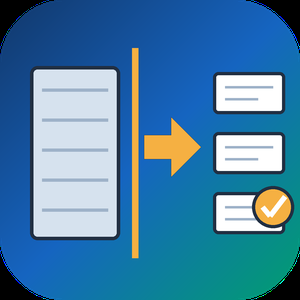
Split PST File Software is a Windows tool that takes one oversized Outlook PST or OST data file and writes it out as several smaller PST parts. When you need to split PST file archives that have grown slow or crept toward the old 2 GB ANSI limit, it reads the data file directly, with no Outlook running and nothing uploaded. Your source is only read, never changed.
Outlook has no built-in way to divide a data file, and its Compact Now command only reclaims empty space. Moving folders by hand into new files works for a small mailbox but turns slow and error-prone on a big one. This program does the job in one run: it can split PST file content in one of four ways, and you decide which folders take part. The result is a set of ordinary PST files that Outlook opens like any other, so you can attach the parts you still use and store the rest.
🛠️ How to use
1. Add one PST or OST file. Its folder tree loads on the left with checkboxes.
2. Untick folders you can live without, for example Deleted Items and Junk.
3. Pick a mode: By Size, By Date period, By Folder or By Sender, then set its value.
4. Choose a destination folder and press Start. Each part is saved as its own PST beside a CSV summary.
💼 Why IT and office teams pick it
By Size cuts between messages with a cap in MB or GB (1 GB by default), so no email is torn across two files.
By Date period groups mail by Year, Month or Week, with names like 2023.pst and 2024.pst.
By Folder sends every top-level folder to a separate PST and keeps the hierarchy inside it.
By Sender builds one PST per correspondent, and rare senders share an others.pst.
A CSV report lists every part with its file name, message count and size.
All processing stays on the local PC, which matters for private mail.
👥 Who uses it
Helpdesk staff who inherit huge mailbox archives that time out during backup. Legal and compliance teams who need one custodian or one year in a file of its own. People with a decade of mail in a single data file who want to split PST file archives per year before something breaks.
❓ FAQ
Can I split PST file into smaller parts without Outlook?
Yes. The program reads the PST or OST itself, so Outlook does not need to be installed or open.
How do I split PST mail into yearly files?
Select By Date period and set Year. Every calendar year is written as its own PST, and undated items get a separate part.
Will the parts be exactly the size I set?
Close to it. Splitting happens between messages, so a part can land a little under the cap, and an extra large message becomes a part on its own.
Does it modify my original file?
No. The source is opened read-only and new PST files go to the folder you choose.
🖥️ The free trial processes a sample of your mail with no sign-up. Runs on Windows 11 and 10 with 4 GB of RAM and 1 GB of free disk space.