AI-Generated Results
Finding matches…
Gmail Backup & Export Software to PST and MBOX is a Windows desktop program for people who want a Gmail backup on their own disk and not only in the cloud. It connects to the mailbox over IMAP, shows each folder and label together with how many messages it holds, and writes whatever you tick as EML, MBOX or PST files. That makes it a practical route for Gmail backup export to PST and MBOX. Run it again later and it fetches only the messages that arrived since the previous pass, without downloading the rest again.
🛠️ How to use
1. Install the program and click Connect Gmail account.
2. Enter your address and a Google app password. Google issues one only after 2-Step Verification is switched on.
3. Tick the folders and labels to save, then pick EML, MBOX or PST and a target folder on any drive.
4. Click Start backup. Next time, open the same mailbox and click Download new emails.
💼 Why IT and office teams pick it
• The program writes the PST itself, so the machine doing the export to PST does not need Outlook installed.
• Access is read-only. Nothing in the account gets erased, moved or flagged as read, and messages come down to the PC directly, with no stop on third-party servers.
• A stopped or dropped run picks up at the same message. The program retries a lost connection several times and checks free disk space before it starts.
• Every Gmail label turns into a folder in the backup, so sorting by client or project carries over to disk.
• Presets cover Yahoo Mail and iCloud Mail, and any other IMAP server can be added by host, port and encryption.
👥 Who uses it
Home users keeping ten or more years of personal mail, freelancers whose client threads are sorted by Gmail labels, and the person who maintains PCs for family or a small office and runs a Gmail backup for several mailboxes one after another.
❓ FAQ
Does Gmail support PST files?
No. Gmail neither opens nor creates PST. This tool reads your mail over IMAP and builds the Outlook data file locally during the Gmail backup.
How do I backup my entire Gmail?
Tick every folder and label you use. All Mail is unticked by default so labeled messages are not stored twice, and you can tick it as well if you archive mail without labels.
How do I back up a very large Gmail mailbox?
Google sets a daily ceiling on IMAP downloads per account. When a run reaches it, the program stops and says so, and clicking Continue backup on another day resumes from that point.
Can I keep a Gmail backup on an external drive?
Yes. Any folder works as the target, including one on a USB disk, and later runs keep adding new messages to that same copy.
🆓 Free trial and system requirements
The free trial keeps the 25 most recent messages per folder, with no time limit. You need Windows 10 or 11, 64-bit, and a personal Google account with an app password to sign in.
Not seeing what you're looking for?
Dive deeper into "Orbot" on G2 AI

The first humanoid to prove real value at scale, Digit is a tireless partner for your team. It connects islands of automation in your facility, and addresses hard to fill labor gaps in your industry. Designed to excel in spaces where people already work.
Corrupted SSD Recovery Tool is Windows software for corrupted SSD recovery when a drive opens as RAW, asks to be formatted or loses its folders after a crash. It handles internal NVMe and SATA disks plus external SSDs in USB cases. Before any scan it measures TRIM on the selected device and tells you plainly what can still come back, which saves a technician from promising a client more than the hardware allows.
🔧 How to use it
1. Install the program and run it with administrator rights, which Windows needs to open an internal volume.
2. Select the SSD in the drive list. Each entry shows media type, bus and tags for TRIM and the system drive.
3. Read the TRIM note and start a Quick scan. If it finds nothing, the program moves on to a Deep scan by itself.
4. Preview files, sort them by folder or type, tick what you need and press Recover.
5. Pick a folder on a different disk. The source volume is refused as a target.
💼 Why IT and office teams pick it
Help desk staff get a measured answer before quoting a lab job. The program reads three values (solid state media, TRIM support on the device, delete notifications in Windows) and shows all of them. Results that turn out blank are labeled as wiped by TRIM and counted in the summary, so nobody hands a client a folder of empty documents. Files with bad sectors are marked as partially recovered, and a support log leaves out file names and paths. The TRIM note can be screenshotted and attached to a repair ticket when a customer asks why some files are out of reach.
👥 Who uses it
Laptop owners whose data partition stopped opening after a forced update. Photographers who keep shoots on a portable SSD. Repair shops checking a customer drive on the bench. Freelancers who keep invoices and contracts on one laptop. Teachers and students whose coursework sat on a single drive with no cloud copy. Small offices that cannot send client files to an online service, since corrupted SSD recovery here runs entirely on the local PC.
❓ FAQ
Can you fix a corrupted SSD?
This program does not repair the drive. It copies your files to another disk first, and after that you can format or replace the SSD safely.
How to recover data from corrupted SSD volumes?
Decline the format prompt, scan the drive and save what you find somewhere else. Utilities like CHKDSK rewrite the records a scan needs, so they come after the copy.
How to fix corrupted SSD drive errors without losing work?
Get the files out with a corrupted SSD recovery scan, check the copies, and only then run a repair or a fresh format.
Can files deleted on an internal SSD come back?
Usually not when TRIM was on, because the controller clears those cells within seconds. On a USB SSD the bridge often blocks TRIM and deleted files may survive.
🆓 The free trial runs every scan and shows all results, and only saving needs a license. Runs on Windows 11 and Windows 10.

TranscribeIt is a Windows program that turns recorded audio and video files into editable text on your own PC. Add a batch of interviews or podcast episodes, run the queue, and get a text file for each recording. Speech recognition runs locally, so the recordings stay on your computer and nothing is uploaded to a server. It suits anyone who has finished recordings and needs the words on the page, from a single quote to a full archive.
🎬 How to use TranscribeIt
1. Drag audio or video files into the window, or add a whole folder with its subfolders.
2. Pick an output folder or keep each transcript next to its source.
3. Start the queue, follow the progress bar and cancel whenever you need to.
4. Click a finished file to open it in the built-in player, fix words and save.
✅ Why IT and office teams pick it
Recordings with client data or HR interviews often cannot leave the company network, and sending them to a cloud service would break that rule. TranscribeIt works offline on a regular CPU, and a GPU is optional. It reads MP4, MOV, MKV, WEBM, AVI, WMV and TS video plus MP3, M4A, AAC, FLAC, OGG, OPUS and WAV audio. Batch mode has no per-minute fees, and a licensed copy takes as many files a day as you add. Timestamps tie every segment to the player, and an .srt subtitle file is written alongside the text. Speaker identification marks who said what, and renaming a speaker once updates every line in that file. The window works like a small studio: the file list on one side, the player and transcript editor on the other, with panels you resize by dragging.
👥 Who uses it
Journalists who quote interviews, researchers with field recordings, students and lecturers with long classes, and medical or legal staff who keep sensitive audio in house. Content makers use TranscribeIt to turn video to text for show notes and captions. Support leads who review recorded calls and trainers who turn webinars into handouts rely on it too.
❓ FAQ
Does it work without internet?
Yes. Recognition happens on your PC and no audio goes to any cloud service, even when the machine is connected.
What languages can it recognize?
25 languages are built in, English and Japanese among them. An extra model covering 100+ languages is available for download.
Can it transcribe a YouTube video?
Save the video file to your disk first, then add it to the queue like any other recording on your PC.
Can I keep the transcript beside the video?
Yes. Pick that option and each text file gets the same name as its source, so the pair stays together when you move the folder.
Can I dictate live?
No. This audio video to text transcriber works with recorded files only.
💻 TranscribeIt: Audio & Video to Text Transcriber has a free trial of 3 files per day with no sign-up. It needs Windows 10 or 11, 4 GB of RAM and 1 GB of free disk space.

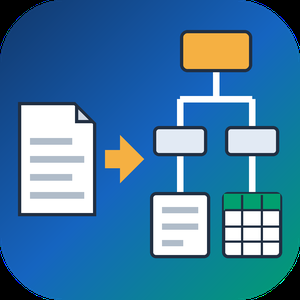
PDF to XML Converter Software is a pdf to xml converter for Windows that turns stacks of PDF reports into structured XML your scripts can parse. Every output file follows one documented schema with document, page, heading, paragraph and table elements, and tables are broken into rows and cells. All work happens on your own PC, so no report leaves the machine.
🛠️ How to use
1. Install the program and drag PDF files or a whole folder into the list.
2. Decide whether you need positions and fonts. Tick the coordinates option for block boxes, or leave it off for a lighter text-only file.
3. Press Convert. You get one XML per PDF, named after its source.
4. Point XSLT, Python or your database loader at the output folder.
💼 Why IT and office teams pick it
Imports break when every department sends a different layout. This pdf to xml converter keeps the same element names for every file, so a loader written once keeps working. Headings get a level from 1 to 6 based on font size. Each table carries a source attribute that tells you how its grid was found: PDF tags, ruling lines or text alignment. Merged cells keep colspan or rowspan. Text follows reading order, left column before right, and right-to-left lines stay right-to-left. Pages without a text layer are marked scanned="1", so a script can send them to a person.
👥 Who uses it
Data engineers and ETL developers feeding report figures into databases. Systems integrators who need to convert PDF to XML for another application. BI analysts, search-index developers and QA testers who check document pipelines. Procurement teams use it to pull supplier price tables into purchasing systems, and layout analysts switch on coordinates to study where each block sits on the page.
❓ FAQ
How does the pdf to xml step handle two-column pages?
The left column is written first, then the right one. Hebrew and Arabic lines keep their right-to-left order and carry a direction attribute.
Can I stop a long batch halfway?
Yes. Stop ends the job between two files, and every XML finished before that point stays on disk.
Can I convert PDF to XML without uploading files?
Yes. The program works offline, and your PDFs stay on your disk.
What does the XML look like?
A document root with page elements inside. Each page holds headings, paragraphs and tables in reading order, saved as UTF-8 without a byte order mark.
Can this pdf to xml converter fill an invoice or XBRL schema?
No. It writes its own fixed schema. Mapping to another schema is a job for your XSLT or import script.
Is there a command line or API?
No. Batches are started by hand in the desktop window, so it cannot run as a server service.
🎁 Free trial: every PDF in a batch gets its first 10 lines or table rows, and the file still passes an XML parser. Runs on Windows desktop and laptop PCs.

Batch Picture Protector is a Windows desktop program that lets you watermark images by the folder instead of one at a time. Put your name with the © symbol, a short line of text or your logo on every photo, then save the results to an output folder. The app works offline, so a shoot can be marked on a laptop with no internet connection. One batch watermark job can cover thousands of pictures, and the settings you pick once are applied to each file in the list.
🛠️ How to use
1. Click Add Files and pick single photos or a whole folder.
2. Open the Watermark screen and type your text, choose a logo image, or check both.
3. Set size, angle, transparency and position, or tile the mark across the picture.
4. Save the watermark as a template so you can load it on the next job.
5. Switch to Batch mode to watermark images in the list with the same settings.
6. Choose the destination folder and start. Your originals stay where they were, and the marked copies land in the folder you picked.
💼 Why IT and office teams pick it
One saved template keeps the company logo in the same spot on every picture, whoever runs the job. Renaming and resizing happen in the same pass, so a team gets ready files from a single run. Command line mode takes an input file, an output folder and a saved watermark file, which lets admins add the step to their own scripts. Nothing is uploaded anywhere, which helps when photos of staff, products or premises must stay on company machines.
👥 Who uses it
Wedding and portrait photographers who send proofs to clients before an order. Designers who share drafts and want their name on them. Shops and bloggers that post photos online and want credit to stay with each picture. Marketing staff who prepare the same set of product shots for a website, a catalog and social media.
❓ FAQ
How do I add watermark to photo files in bulk?
Add the files or a folder, build the watermark once and run Batch mode. The program applies the same settings to every picture in the list.
Can I use a logo with a transparent background?
Yes. The logo can be transparent or opaque, and you set its transparency, size and angle before you apply it.
What does a tile watermark do?
It repeats your text or logo across the entire image. Photographers use it on client proofs so a picture is hard to reuse before purchase.
Can the text show the date a photo was taken?
Yes. Text can pull the shooting date from EXIF data, the current time or the file name.
Which file types can I watermark images in?
JPG, PNG, TIFF, BMP and GIF open in the program, and so do older PCX and TGA pictures. That makes it easy to mark a scanned archive together with fresh shots from a camera.
✅ Batch Picture Protector has a free trial download. It runs on Windows PCs, including Windows 11, and needs no internet connection to watermark images.

AgentSkillsDir is a directory of AI agent skills and MCP servers for developers.

Gleematic A.I. is cognitive automation software that transforms efficiency in offices. Gleematic robots automate data movement and processing of transactions by mimicking keyboard strokes and mouse clicks to communicate with multiple I.T applications, without requiring complicated back-end codes or APIs.
Gleematic is empowered with AI tools to process information in many languages and built-in Intelligent Document Processing (IDP) functions. It can be trained to read any type of documents in English and multiple Asian languages (e.g. Chinese, Indonesian, Vietnamese, Japanese, Korean, and more on the way).
Gleematic is also user-friendly (no coding needed to operate) , users who don’t have programming skills are able to use it.
Gleematic A.I. is currently helping businesses from various industries across Asia by automating their work processes. We serve in industries such as Banking, Logistics, Manufacturing, Healthcare and many more. By using Gleematic A.I., business can increase work productivity while saving cost and time. This also helps employees by reducing mundane and repetitive work load, saving time to focus on more value added tasks.

Solar Insights is a specialized service partner of DataRobot, focusing on delivering data-driven solutions tailored for the solar energy sector. By leveraging advanced artificial intelligence (AI and machine learning (ML technologies, Solar Insights empowers solar energy companies to optimize operations, enhance efficiency, and drive sustainable growth.
Key Features and Functionality:
- Predictive Analytics: Utilizes AI models to forecast energy production, equipment performance, and maintenance needs, enabling proactive decision-making.
- Anomaly Detection: Identifies irregularities in solar panel performance and system operations, facilitating timely interventions to prevent failures and optimize output.
- Custom AI Solutions: Develops tailored AI applications that integrate seamlessly with existing systems, addressing specific challenges within the solar energy lifecycle.
Primary Value and Problem Solving:
Solar Insights addresses the critical need for efficiency and reliability in the solar energy industry. By providing predictive insights and real-time monitoring, it helps companies reduce operational costs, minimize downtime, and maximize energy production. This proactive approach not only enhances profitability but also supports the broader goal of sustainable energy development.

C2W Inventory Management Software gives you complete control over your inventory, providing a 360-degree view of stock and storage locations. This optimizes operations, reduces costs, and maximizes profits. Our integrated system centralizes inventory, sales, purchasing, reporting, and barcode scanning into one user-friendly platform, streamlining your picking, packing, and shipping processes.
The C2W mobile SmartScan barcode system, integrated with our inventory management software, makes locating products on shelves effortless. From picking and shipping to stock adjustments, handle everything efficiently with just one mobile device, ensuring easy item tracking.
C2W Inventory is future-ready, designed for smooth integration with Geek+ Robotics' Goods-to-Person (GTP) automation. This paves the way for advanced warehouse automation, preparing your operations for the next leap in efficiency and technology.
Ready to transform your inventory management?
Start with our free 14-day trial today or opt for our free-forever version.

Enlight Engineering is an international IT partner for software engineering & consulting. Our software engineering teams help software-dependent companies through long-term partnerships. With your domain knowledge and our software development expertise, we create reliable products together while allowing you to focus on your business, providing full transparency and optimizing resources. Our Head Office is in Zug, Switzerland, with an R&D center in the largest Serbian IT hub Novi Sad.
Our mission
Our software engineering teams help software-dependent companies through long-term partnerships. With your domain knowledge and our software development expertise, we create reliable products together while allowing you to focus on your business, providing full transparency and optimizing resources.
Our vision
To deliver software services and solutions that connect client’s business needs and technology, based on unique know-how.
Specialties
Track and Trace Systems, Laboratory Information System, Industrial Applications and Communications, Nearshoring and Outsorcing, Fintech and Banking, Medical Devices and Healthcare, Laboratory, Linear motion and Robotics, and Energy and Infrastructure.
Airpa is an AI-powered robotic process automation (RPA) platform designed to streamline operations by automating repetitive, rule-based tasks across a variety of industries. Whether for small teams or large enterprises, Airpa offers scalable solutions that improve productivity, reduce errors, and optimize workflows. With its no-code interface, Airpa enables organizations to quickly design and deploy automation for both front-end and back-end processes.
The platform provides easy integration with over 70 automation actions, powerful APIs, and native integrations to ensure seamless connectivity across business systems.
Airpa’s automation solutions cover a broad range of use cases, from healthcare to finance, HR, manufacturing, and insurance. The platform supports both attended and unattended bots, allowing for flexible deployment options with concurrent task execution.
Whether you're automating simple tasks or complex workflows, Airpa’s technology helps businesses accelerate their digital transformation. As part of a larger suite of enterprise solutions, Airpa is built to scale with your organization's needs, ensuring you have the tools necessary to optimize operations and drive growth.

Blazly GEO is a Generative Engine Optimization platform designed to help organizations understand and improve how their websites and brands are discovered, interpreted, and referenced by generative AI systems such as ChatGPT, Gemini, Claude, and Perplexity.
The platform provides visibility into AI-driven discovery by analyzing brand mentions, citations, and competitive presence within AI-generated responses. Blazly GEO enables teams to identify gaps in AI visibility, understand why competitors are referenced, and evaluate how large language models interact with their web content.
Blazly GEO includes tools for running GEO audits, tracking brand mentions across AI platforms, analyzing competitors, and identifying opportunities related to AI-based search and recommendations. It also supports optimization for AI crawling and understanding through structured configurations such as AI.json and robots.txt.
In addition, Blazly GEO offers capabilities to generate GEO- and AEO-optimized content, including blogs and landing pages, along with content ideation based on AI search behavior. The platform is used by marketing, SEO, and product teams to adapt their discovery strategies to AI-driven and answer-based search environments.

Buyers increasingly ask ChatGPT, Perplexity or Gemini instead of typing a query into Google. IVIA tells you whether your brand shows up in those answers, and why it doesn't.
IVIA runs real buying-intent searches against four AI answer engines — ChatGPT, Perplexity, Gemini and Google AI Overview — and records whether your brand is mentioned, how it is described, and how it ranks against competitors. It pairs that with a technical audit of your site: robots.txt rules, GPTBot and PerplexityBot access, structured data and crawlability. So you see both halves of the problem — whether the engines can read you, and whether they actually cite you.
The result is a single 0-100 visibility index you can track over time, with the underlying evidence behind every point gained or lost, including the sources each engine cited instead of you.
Agencies can deliver the whole thing white-labelled under their own brand, turning AI visibility into a service they can sell.

MetricVault AI is an SEO and AI-search visibility platform for marketers, agencies and small businesses.
Traditional rank tracking tells you where you sit in Google's blue links. As buyers increasingly ask ChatGPT, Gemini and Perplexity for software recommendations, that misses a fast-growing share of how people actually find products. MetricVault measures both surfaces in one workspace.
What it does:
- AI visibility tracking across ChatGPT, Gemini, Perplexity and Google AI Overviews
- Prompt tracking: monitor the exact questions your buyers ask AI assistants, and whether you are cited
- Keyword research, rank tracking and SERP feature analysis
- Technical site audits, schema validation, robots.txt checks and Core Web Vitals
- Backlink profile analysis and competitor gap research
- AI-assisted content briefs, article drafting and on-page optimization
- Scheduled reports, with white-label reporting on higher plans
- 10 technical SEO tools that stay free on every plan, including the free tier
Plans start at $0 with no card required. Paid plans begin at $19/month.

Quadric.io offers a high-performance computing platform designed to accelerate artificial intelligence (AI) and machine learning (ML) workloads at the edge. Their innovative hardware and software solutions enable real-time data processing, reducing latency and enhancing efficiency for applications in robotics, autonomous vehicles, and industrial automation.
Key Features and Functionality:
- Edge Processing: Delivers powerful computing capabilities directly at the data source, minimizing the need for cloud-based processing.
- Scalable Architecture: Supports a wide range of AI and ML models, accommodating various application requirements.
- Energy Efficiency: Optimized for low power consumption, making it suitable for resource-constrained environments.
- Comprehensive SDK: Provides developers with tools and libraries to streamline the deployment of AI applications.
Primary Value and Problem Solved:
Quadric.io addresses the challenge of processing complex AI and ML tasks in real-time at the edge. By offering a robust and efficient computing platform, it empowers organizations to deploy intelligent solutions that require immediate data analysis without relying on cloud infrastructure. This capability is crucial for applications where low latency and high reliability are essential, such as in autonomous systems and industrial automation.
RocketFuel Recharge is billing and payments infrastructure for 3PLs. Instead of fronting carrier costs and chasing invoices thirty days later, you hold prepaid client balances and meter each shipment against that balance in real time. You get paid before the package ships.
Money never sits with RocketFuel. Client funds ACH directly into your bank account while you keep custody and the float.
Six tools, one platform: Recharge Meter, Advanced Rate Markups, Adjustment Reconciliation, Claims & Disputes, Billing Lite, and Reporting & Analytics. Orbit AI runs across all six. Carrier adjustments, DIM bumps, surcharges, and late-delivery refunds are caught at invoice time across UPS, FedEx, USPS, and regional carriers.
It's not a WMS and won't replace yours. It reads shipment and billing data from 146 connected systems, including Deposco, ShipHero, Extensiv, Logiwa and QuickBooks Online.
Built inside a 3PL by operators who lived the cash-flow problem.
Nego is reverse auction software for B2B purchasing, built for companies that want to know the real market price of what they buy.
You invite your own suppliers to a live auction. They join with a one-time PIN from an e-mail, with no account and no training, and bid in their own language. The auction description, questions, answers and terms are translated into 97 languages. Every supplier sees the best offer in real time and can beat it. An overtime phase extends the auction after each bid near the end, so nobody wins with a last-second bid, and suppliers can set a floor price for a server-side auto-bidding robot.
A guided 7-step creator covers the starting price, minimum bid step, overtime and invitations, with supplier import from Excel. AI drafts the auction terms for your review and summarises the result after the auction. Results export to CSV, Excel and PDF, and the PRO plan adds a read-only REST API and a webhook.
The choice of supplier always stays with the buyer. The Starter plan is free for one auction with up to 3 suppliers.