AI-Generated Results
Finding matches…
WarehouseSOP is written-procedure software for warehouse and 3PL operations. Answer a questionnaire about the building once and a coverage map lists every procedure that applies, marked written, draft or missing. The library holds 105 templates across 17 categories, covering forklift, lockout and tagout, hazmat, PPE, emergency response, dock and yard, receiving, picking, packing and shipping. Generation fits a template to the customer equipment, job titles and shift pattern rather than composing a safety program from nothing. Of the 105, 88 cite the paragraph they satisfy, 29 CFR 1910 for general industry and 49 CFR for hazmat shipping; the other 17 state that no regulation governs them. One approved SOP produces a branded PDF with control number and revision history, a floor card whose QR code reports whether the posted revision is current, and a printed sign off sheet. Pro and Multi-Site add Spanish, digital sign offs, an unlimited roster, an audit binder and standard change alerts.
Not seeing what you're looking for?
Dive deeper into "DataGraph" on G2 AI

NeuralWriter is an advanced AI-powered paraphrasing tool designed to transform text into unique, human-like content while preserving its original meaning. Unlike traditional rewriters that merely swap words with synonyms, NeuralWriter analyzes entire paragraphs, reconstructing sentences to enhance clarity and coherence. This approach ensures the output is not only free from plagiarism but also indistinguishable from human-written text. The tool supports over 30 languages, making it accessible to a global audience. With no registration required and a generous character limit of up to 10,000, users can efficiently paraphrase large volumes of text without constraints. NeuralWriter offers three distinct AI modes—Light, Medium, and Hard—allowing users to choose the level of rewriting intensity that best suits their needs. By providing a free, user-friendly platform, NeuralWriter addresses the common challenges of content uniqueness and readability, making it an invaluable resource for students, professionals, and content creators seeking to produce original material effortlessly.

Theodore AI is a Chrome extension designed to simplify complex text, transforming intricate paragraphs and jargon into clear, understandable content with practical examples in just a few clicks. It is particularly useful for deciphering technical documentation, academic papers, and other dense materials, making them more accessible to a broader audience.
Key Features and Functionality:
- Instant Simplification: Quickly converts complex text into easy-to-understand language.
- User-Friendly Interface: Operates seamlessly within the Chrome browser for a smooth user experience.
- Practical Examples: Provides real-world examples to enhance comprehension.
- Unlimited Access: Offers unlimited simplifications with the premium version.
- History Tracking: Maintains a history of simplifications for future reference.
Primary Value and User Benefits:
Theodore AI addresses the challenge of understanding complex and technical content by breaking it down into simpler terms. This empowers users to grasp intricate information quickly and effectively, enhancing learning and productivity. By cutting through the clutter of dense materials, Theodore AI makes information more accessible and actionable for its users.
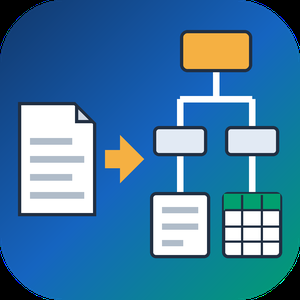
PDF to XML Converter Software is a pdf to xml converter for Windows that turns stacks of PDF reports into structured XML your scripts can parse. Every output file follows one documented schema with document, page, heading, paragraph and table elements, and tables are broken into rows and cells. All work happens on your own PC, so no report leaves the machine.
🛠️ How to use
1. Install the program and drag PDF files or a whole folder into the list.
2. Decide whether you need positions and fonts. Tick the coordinates option for block boxes, or leave it off for a lighter text-only file.
3. Press Convert. You get one XML per PDF, named after its source.
4. Point XSLT, Python or your database loader at the output folder.
💼 Why IT and office teams pick it
Imports break when every department sends a different layout. This pdf to xml converter keeps the same element names for every file, so a loader written once keeps working. Headings get a level from 1 to 6 based on font size. Each table carries a source attribute that tells you how its grid was found: PDF tags, ruling lines or text alignment. Merged cells keep colspan or rowspan. Text follows reading order, left column before right, and right-to-left lines stay right-to-left. Pages without a text layer are marked scanned="1", so a script can send them to a person.
👥 Who uses it
Data engineers and ETL developers feeding report figures into databases. Systems integrators who need to convert PDF to XML for another application. BI analysts, search-index developers and QA testers who check document pipelines. Procurement teams use it to pull supplier price tables into purchasing systems, and layout analysts switch on coordinates to study where each block sits on the page.
❓ FAQ
How does the pdf to xml step handle two-column pages?
The left column is written first, then the right one. Hebrew and Arabic lines keep their right-to-left order and carry a direction attribute.
Can I stop a long batch halfway?
Yes. Stop ends the job between two files, and every XML finished before that point stays on disk.
Can I convert PDF to XML without uploading files?
Yes. The program works offline, and your PDFs stay on your disk.
What does the XML look like?
A document root with page elements inside. Each page holds headings, paragraphs and tables in reading order, saved as UTF-8 without a byte order mark.
Can this pdf to xml converter fill an invoice or XBRL schema?
No. It writes its own fixed schema. Mapping to another schema is a job for your XSLT or import script.
Is there a command line or API?
No. Batches are started by hand in the desktop window, so it cannot run as a server service.
🎁 Free trial: every PDF in a batch gets its first 10 lines or table rows, and the file still passes an XML parser. Runs on Windows desktop and laptop PCs.
SEOAI shows you whether ChatGPT, Claude, Gemini, Perplexity and Google AI Overviews recommend your brand. And if they don't, why.
How it works: you add your brand, your topics and the questions your customers ask. SEOAI puts those questions to all five platforms on a schedule, per country and optionally per city, and reads the answers.
You get:
• one visibility score across all platforms, with citations, mentions and sentiment
• your real competitors, found through the sources the AI actually cites
• the hidden searches behind every AI answer (query fan-out)
• for every question, the reason you're missing, and an audit that tells you which paragraph on which page is missing
• local visibility: Google local pack and Gemini Maps per city
• alerts, white-label PDFs and client emails for agencies
GDPR-compliant, data hosted in Frankfurt. Free with your own API keys, paid plans from €19 a month.
SEOAI is built and operated by AGENTUR CLICK EOOD.

Replace text in, add or remove content, and edit thousands of Word documents in doc and docx formats, PDFs, RTF documents, and other text documents.
- Search and replace in 1000s of text documents
- Use Regular Expressions and RegEx patterns in searches
- Add new text content to hundreds of Word documents
- Remove certain words, phrases, or other text from multiple documents
- Apply new text formatting and styles to specific paragraphs and phrases in word documents in bulk
- Change existing formatting and styles in multiple documents
- Change page layout and size in multiple text documents
- Batch edit document properties like Author, Title, and Subject
- Supports Word documents: docx, doc
- Supports Open Office Documents: odt
- Supports Adobe PDFs
- Supports other text file formats: rtf, txt, wpd, html, xps
- 4 operation modes: Manual, Background, Scheduled, and Console
- Find documents and add them to processing queue depending on their content
- Conditional processing based on document contents, file size, and other attributes
- Rename document files based on file properties document metadata
- Fast parallel processing on multi-core CPUs
DocGen is a web app for document generation from Word templates. Upload an ordinary .docx file with placeholders such as {{client_name}}. DocGen detects them, proposes fields and builds a form. Fill it in once and download finished documents as Word, PDF or both.
Your layout stays yours: DocGen fills in your own Word file, so fonts, tables, headers and logos stay where you put them. PDFs keep Word's line and page breaks for the common Word fonts.
Save clients, engineers or products as collections and pick them in the form, so {{engineer.name}} and {{engineer.signature}} fill in by themselves. Add images and signatures, sections that appear only when they apply, and eight field types: text, paragraph, number, date, yes/no, dropdown, image and collection. Generate several templates from the same data at once and download them as one ZIP file.
DocGen is built for small businesses and professionals who send the same contracts, offers, certificates and reports again and again. Data is stored in the European Union. Free plan with 5 documents a day; paid plans from €19 a month.
TubeTranscript turns any YouTube video into a clean transcript. Paste a link to copy readable text without timestamps, or download it as TXT, SRT, VTT or timed JSON.
When a video has captions, TubeTranscript uses them and tidies them into timed paragraphs. When it has none, it transcribes the audio with speech recognition, so you still get a transcript where caption-only tools show an error.
Made for creators repurposing their videos, researchers and students who need to find a moment in a long video, and developers feeding video into AI workflows:
- Copy for ChatGPT or Claude with the title, link and a starter prompt
- Free creator tools: chapters, descriptions and tags, Shorts moments, hook analysis, SRT translation
- REST API and MCP server for Claude, Cursor, n8n and Make (Pro)
- Free Chrome extension that shows the transcript next to the video
Free: 5 transcripts a day without an account, 15 with a free account (free transcripts are public). Pro is $4.99/month for private transcripts, up to 100 a day and API/MCP access.
CitApp is a citation and reference management tool built for students. You paste a link, a DOI or an ISBN, and CitApp reads the title, author, publication date and publisher from the page or the PDF, then formats a reference in any of 149 citation styles, including APA, MLA, Harvard, Chicago, Vancouver, IEEE and Oxford footnotes, plus the full CSL journal library and any style you build yourself.
Sources are organised into projects and folders, and the finished reference list is generated for you. A browser extension saves a source from any page in one click, and a Google Docs add on inserts citations at your cursor and rebuilds the reference list as you write.
Two features are specific to CitApp. The Academic Shield checks a paragraph a student has written against the source it cites, reporting how close it sits to the original wording, whether it fits the section it appears in, and whether the source actually supports the claim. The work log shows when a student collected their sources over time, which teachers can use as evidence of process rather than a finished bibliography appearing overnight.
Saving sources in the web app is unlimited and free, and so is the full reference list and every export.

BitBat is an advanced AI-powered transcription tool meticulously crafted to cater to the unique demands of journalists and content creators. By leveraging cutting-edge artificial intelligence, BitBat swiftly and accurately transforms recorded interviews, podcasts, webinars, and other audio content into structured, reader-friendly text. This automation eliminates the labor-intensive process of manual transcription, allowing professionals to dedicate more time to content analysis and creation.
Key Features:
- High Accuracy: BitBat delivers transcripts with up to 97% accuracy, ensuring reliable conversion of audio to text.
- Automated Formatting: The tool intelligently inserts paragraphs and punctuation, enhancing the readability of the transcribed text.
- Speaker Differentiation: BitBat distinguishes between multiple speakers, labeling each accordingly to provide clarity in dialogues and interviews.
- Flexible Export Options: Users can export transcripts in various formats, including TXT, facilitating seamless integration into different workflows.
- Large File Support: The platform accommodates audio file uploads up to 1GB, making it suitable for extensive recordings.
- Broad Format Compatibility: BitBat accepts a wide range of audio formats, ensuring versatility and ease of use.
BitBat's sophisticated AI is adept at understanding diverse accents and speaking styles, efficiently processing substantial amounts of audio data to deliver precise transcripts within minutes.

Agentic is an AI-powered blogging platform designed to streamline content creation by automating the generation of high-quality blog posts. By leveraging a team of AI agents, it researches topics, compiles relevant information, and crafts well-structured articles, significantly reducing the time and effort required for content production. This tool is ideal for bloggers, content creators, and businesses aiming to enhance their online presence and improve SEO performance.
Key Features and Functionality:
- AI-Powered Content Generation: Utilizes AI agents to research and compose comprehensive blog posts on a wide range of topics.
- AI-Assisted Writing: Offers assistance in completing paragraphs, accelerating the writing process.
- Fully Featured Text Editor: Provides a rich text editor with essential formatting tools, similar to Notion, for creating well-structured content.
- SEO Optimization: Enhances search engine visibility, potentially increasing website traffic and profits by up to 50%.
- Image Generation: Enables the creation of professional-quality images and prompts to complement blog content.
Primary Value and User Benefits:
Agentic addresses the challenges of time-consuming research and writing by automating the content creation process. Users can produce high-quality, SEO-optimized blog posts efficiently, allowing them to focus on other critical aspects of their business or creative endeavors. This leads to increased productivity, improved online visibility, and higher engagement with target audiences.

Revrite.ai is an advanced online paraphrasing tool designed to enhance the clarity and readability of your content. By leveraging OpenAI's ChatGPT, it rephrases various forms of text—including emails, social media posts, and research articles—into more concise and understandable formats. Supporting over 100 languages, such as English, German, Spanish, Chinese, Russian, and French, Revrite.ai is ideal for professionals, academics, and researchers seeking to improve their written communication.
Key Features:
- Multilingual Support: Paraphrases content in over 100 languages, catering to a global user base.
- Context-Aware Rephrasing: Understands and rephrases entire paragraphs, ensuring coherent and high-quality output.
- Rich Text Editing: Offers a content editor with rich text formatting, allowing users to paste and rephrase entire documents seamlessly.
- Mobile-Friendly Interface: Provides a responsive design for easy text rephrasing on-the-go.
- Customizable Output: Allows users to tailor the paraphrased content to their specific preferences.
- Continuous Improvement: Regularly updates with new features, including document saving, sentence paraphrasing, history tracking, and export options.
Primary Value:
Revrite.ai addresses the need for clear and effective communication by transforming complex or unclear text into easily understandable language. It is particularly beneficial for users aiming to refine their messages for professional, academic, or personal purposes, ensuring their content is both precise and engaging.
peadf is a free online PDF editor that runs entirely in your browser. Edit the text in a PDF by clicking a line and retyping it: the original font, colours and layout are kept, and whole paragraphs re-wrap naturally as you type, so the result looks like the document was written that way from the start. There is nothing to install, no watermark on your files and no Adobe Acrobat needed.
Beyond editing text, you can white out mistakes with a fill matched to the page background, remove text cleanly, fill in PDF forms, tick checkboxes, add new text anywhere on the page, change font sizes, replace images, sign documents and redact sensitive content so it is truly removed from the file rather than just hidden. Scanned documents work too: built-in OCR reads the scan on your device and makes it editable like any other PDF.
Privacy is the foundation of how peadf works. Everything runs locally in your browser, so your files never leave your device and there is no server-side copy of your document.
When you are ready to share, peadf hosts your PDF at a permanent link with a QR code. Swap the file behind the link whenever you like and the link and QR code never change, so printed materials stay up to date. Start free at peadf.com.

Wingman360 Teammate is aviation compliance software with an AI assistant, for the compliance and certification work of manned and unmanned aviation organisations. It answers questions from the organisation's own approved documents and the regulations that apply to it, and shows the paragraph each answer came from. It drafts the documents authorities ask for, so the responsible engineer reviews and signs instead of starting from a blank page.
Administrators decide what enters the knowledge base and at which revision; users read from it and cannot change it. When the knowledge base does not answer a question, the assistant says so. The regulatory texts available today cover EASA (Part 21, Part 145, Part-CAMO, Part-IS, and the UAS Regulations (EU) 2019/947 and 2019/945 with their AMC and GM), the FAA (14 CFR Parts 21, 107 and 145), JARUS SORA 2.5, and military airworthiness under EMAR and NATO STANAG 4671.
It drafts certification-basis compliance matrices, SORA 2.5 assessments, functional hazard assessments, expositions, operations manuals and audit responses, each for review. It approves, releases and signs nothing: those decisions stay with the organisation's nominated persons.
Every customer runs a dedicated, isolated deployment: a private cloud instance for the organisation alone, or an installation inside its own infrastructure. The on-premise installation can run with a fully local model, so that no data and no model call leaves the network.

Blog Automation is AI blog automation for WordPress that keeps a person in charge: AI drafts posts in your brand voice, your team reviews and approves, and WordPress publishes on schedule. Connect a WordPress site in minutes with an application password - no plugin needed - and choose whether posts go live right away, as drafts or pending review. Define your brand voice with tone, sample text and form of address. The AI assistant takes you from topic to finished draft in four steps, and the editor lets you improve, shorten, expand, simplify or translate single paragraphs or the whole text. Get SEO suggestions for title, meta description and slug, and create featured images with AI. Automations publish on fixed weekdays and times per website, pulling topics from an idea board or keyword list, with daily limits and the option to pause at any time. Every post goes through draft, review and approval, with six fixed roles plus custom roles for your team. Manage up to 5 WordPress websites in the Pro plan, each with its own status, category, time zone and calendar colour. Based in Frankfurt am Main and hosted in Germany, with a GDPR data processing agreement included. Start with the free plan - no credit card required.

Citez.AI is an advanced AI-powered writing assistant designed to revolutionize the process of creating academic papers, research reports, and theses. By integrating multiple databases of peer-reviewed papers, Citez.AI enables users to research and write academic essays and papers up to ten times faster. Its intelligent features assist in generating first drafts, expanding notes into comprehensive paragraphs, and providing accurate citations, thereby streamlining the entire writing workflow.
Key Features and Functionality:
- AI-Powered Autocomplete: Offers real-time suggestions to complete sentences and expand notes, enhancing writing efficiency.
- First Draft Generation: Utilizes AI to create structured outlines and initial drafts, providing a solid foundation for academic documents.
- AI Chatbot Assistance: Provides interactive support for writing and research queries, offering guidance throughout the writing process.
- Citation Management: Facilitates the discovery, analysis, and verification of sources, ensuring accurate and properly formatted citations.
- Journal and Web Citations: Integrates with reputable databases to provide relevant academic references, enhancing the credibility of research.
Primary Value and User Solutions:
Citez.AI addresses common challenges faced by researchers, students, and professionals in academic writing by automating time-consuming tasks such as drafting content and managing citations. This automation allows users to focus more on developing their ideas and arguments, leading to higher-quality research outputs. By streamlining the writing process, Citez.AI significantly reduces the time and effort required to produce well-researched and properly cited academic documents.

Autoslide is an AI-powered add-in for Microsoft PowerPoint designed to enhance productivity and streamline the creation of professional presentations. By integrating advanced AI capabilities directly into PowerPoint, Autoslide enables users to generate and format slides efficiently, reducing the time spent on design and content creation. This tool is particularly beneficial for professionals in consulting, investment banking, private equity, and corporate marketing who require high-quality presentations delivered promptly.
Key Features:
- AI Slide Formatter: Enhances slide layouts by optimizing graphics placement and adhering to design best practices, transforming existing content into polished presentations.
- AI Content Generation: Automatically produces well-structured bullet points, executive summaries, and paragraphs, facilitating rapid content development.
- Presentation Resource Library: Provides access to an extensive collection of over 1,500 consulting slide templates, 10,000 icons, and 1,500+ maps, enriching visual communication.
- Formatting Shortcuts: Offers improved shortcut buttons for tasks such as exporting to PDF, replacing fonts, generating theme colors, and aligning objects, streamlining the formatting process.
Primary Value and User Solutions:
Autoslide addresses the common challenges professionals face in creating engaging and visually appealing presentations under tight deadlines. By leveraging AI to automate design and content tasks, it significantly reduces the time and effort required to produce high-quality slides. This efficiency allows users to focus more on delivering impactful messages and less on the intricacies of slide design, ultimately enhancing overall productivity and presentation effectiveness.

Mrsam's AI Website & Business Builder is an innovative platform that empowers users to create professional websites directly from their mobile devices. With AI assistance, users can design, edit, and publish websites seamlessly without the need for coding knowledge.
Key Features:
- Mobile-First Design: Build and edit websites directly from your smartphone, ensuring convenience and accessibility.
- Drag & Drop Interface: Easily design your site with a user-friendly, no-code-required approach.
- AI Text Assistance: Generate compelling headlines, paragraphs, and call-to-actions instantly to enhance your content.
- Instant Publishing: Go live with your website in seconds with just one click.
- Multilingual Support: Create content in both English and Arabic to reach a broader audience.
- Social Media Integration: Share your website effortlessly across social media and messaging platforms.
Primary Value and Solutions:
Mrsam's AI Website & Business Builder addresses the need for a quick, efficient, and user-friendly solution for website creation. By enabling users to build and manage websites directly from their mobile devices, it eliminates the complexities associated with traditional web development. The platform's AI-driven features streamline content creation, making it accessible for individuals and businesses to establish an online presence without technical expertise. Whether it's a landing page, portfolio, or service page, Mrsam provides the tools to create a professional website tailored to your needs.

Inki is an AI text editor. You outline, write, and polish inside one editor instead of copying text between a chat window and a doc.
Three core tools live inside the editor:
AI Assistant. Talk to AI while you write. It reads your full project, so it can draft sections, restructure arguments, check facts, or proofread. You stay in the editor the whole time.
AI Edit. Select any sentence or paragraph, click once. The AI rewrites it using context from the surrounding text, not just the selection. Faster than prompting, more accurate than find-and-replace.
AI Review. One click checks grammar, logical flow, and tone. Suggestions show up inline. Apply each fix with another click. Think of it as a second pair of eyes before you publish.
What makes Inki different from ChatGPT or Jasper: it learns how you write. Each project builds its own style profile from your existing pages. The more you write, the closer the AI output matches your voice. Your content reads like you wrote it, not like AI did.
Works for blog posts, SEO articles, novels, academic papers, press releases, and business documents. Upload audio, video, or PDFs as source material.
Free plan, no credit card. Light plan at $10/month, Pro at $20/month. Annual billing saves 30%. English and Japanese. ISO/IEC 27001 certified.

TavrendoPass is Windows desktop software for checking client delivery folders, comparing project folders and verifying files against saved reference records.
Check Folder applies reusable Profiles with requirements for files and folders, extensions, counts, sizes, filenames, numbered sequences and exact duplicate content. Users can create, edit, copy and test Profiles for recurring client or project requirements.
Verify Folder compares a current folder against an earlier Saved Record using file paths and SHA-256 fingerprints. Verify After Copy guides destination verification against a source record created before transfer. Compare Live Folders compares two current folders, while Compare Saved Versions compares two recorded folder states.
Reports include HTML and CSV, with PDF receipts available for Check Folder and readable text reports for verification. JSON Saved Records retain reference information for later verification; they are not backups of file contents. Results should be reviewed alongside the enabled checks and available coverage information.
File processing runs locally without modifying source files. TavrendoPass does not copy, synchronize, repair or merge files, compare document paragraphs or spreadsheet cells, or inspect the internal contents of PDFs and ZIP archives. Initial license activation requires internet access.
Available for Windows 10 and 11, 64-bit. Commercial software with a seven-day, usage-limited trial.