AI-Generated Results
Finding matches…
PDF2Anki, now known as Memo, is an AI-powered tool designed to revolutionize the study process by automating the creation of flashcards, notes, and practice tests from various study materials. By leveraging advanced artificial intelligence, Memo enables users to convert PDFs and other documents into comprehensive study aids, significantly reducing the time and effort traditionally required for manual note-taking and flashcard creation.
Key Features and Functionality:
- Automatic Language Detection: Supports over 90 languages, allowing users to process and generate study materials in multiple languages seamlessly.
- Intelligent Question Detection: Utilizes AI to filter out irrelevant content, ensuring that generated flashcards focus solely on pertinent information.
- Smart Tutor Copilot: Understands images and diagrams within study materials, creating contextually relevant flashcards with page citations.
- Unlimited Flashcard History & Editing: Provides access to all previously generated flashcards, enabling users to view, edit, and export them at any time.
- Contextual Awareness: Generates flashcards that consider the overall context of the material, promoting a deeper understanding through higher-order questions.
- Deck Management: Allows users to verify, edit, delete, and revise generated flashcards with ease.
- Cloze Flashcards: Creates fill-in-the-blank flashcards to enhance active recall during study sessions.
- Mindmap Generation: Offers an infinite canvas for users to generate and edit mindmaps, facilitating visual learning strategies.
- Notes Generation: Produces summary notes, including Cornell, table, and bullet formats, which can be edited using a block editor.
- Multiple Choice Questions: Generates multiple-choice questions complete with explanations and distractors to aid in self-assessment.
- Unlimited Exports: Enables one-click export of flashcards to platforms like Anki, Quizlet, Remnote, and Knowt.
Primary Value and User Solutions:
Memo addresses the common challenge of time-consuming manual creation of study aids by automating the process, allowing users to focus more on learning and understanding the material. Its AI-driven approach ensures that study materials are not only generated quickly but are also tailored to enhance comprehension and retention. By integrating features like intelligent question detection and contextual awareness, Memo provides a personalized and efficient study experience, making it an invaluable tool for students and lifelong learners aiming to optimize their educational endeavors.
Not seeing what you're looking for?
Dive deeper into "DOC2PDF" on G2 AI

HOOPS Publish is a solution to generate 3D PDF documents and to publish various data information from your application to the web. HOOPS Publish is about aggregating any type of data, including 3D models, meta-data, pictures, and more, to create documents for viewing and collaboration purposes. It allows also to define interactivity between the 3D scenes and 2D objects within the document, such as text fields, tables, buttons and so on, that makes it possible to generate rich and interactive documents such as reports, work-instructions, technical data packages.

GerbView™ is a professional Gerber viewer and converter for PCB engineers. View, print, and convert Gerber (RS-274D/X/X2/X3), Excellon, ODB++, DXF, and PDF files with ease. Create layered or multi-page PDFs, add annotations, measure traces and pads, and convert between PCB and CAD formats. Ideal for design review, documentation, and fabrication workflows. Try GerbView to simplify how you visualize and share your PCB data.

VendorLens is trust center and vendor security assessment software for small and growing B2B companies. It helps teams share existing security, privacy and compliance evidence with customers while also assessing the suppliers they depend on.
The Trust Center module provides a branded external portal for documents such as SOC 2 reports, ISO certificates, data processing agreements, subprocessor lists, security policies and penetration-test summaries. Each document can be public, restricted behind an NDA and approval workflow, or private. Restricted PDF downloads can be watermarked for the requester and delivered through time-limited links. An activity log records views, requests, approvals, downloads and expirations.
The Vendor Assessments module, currently in Beta, supports point-in-time supplier reviews. Teams add a supplier, answer six exposure questions and receive an explainable inherent-risk rating. VendorLens then recommends a questionnaire pack based on the supplier’s exposure. Available packs include Lightweight Core and add-ons for personal data, critical services, payments and iGaming. Suppliers respond through an expiring link without creating an account and can provide supporting evidence. Reviewers can request clarification and record an approval, conditional approval or rejection, together with residual risk, rationale and the next review date.
Key capabilities include:
Branded trust portals with custom-domain support on eligible plans.
Public, NDA-gated and private document visibility.
Requester-specific PDF watermarking, expiring access and audit history.
Inherent supplier-risk scoring with the contributing factors displayed.
Supplier questionnaires, evidence collection, clarifications and recorded decisions.
VendorLens is designed for founders, operations teams, sales and RevOps, security and compliance teams, and people responsible for a manageable supplier portfolio. It is particularly relevant to B2B SaaS, fintech, payments, data and AI, and iGaming suppliers.
VendorLens is not an auditor, certification provider or security-rating service. It does not perform continuous supplier monitoring, automate internal compliance controls or replace a full enterprise GRC or TPRM programme.

Product Overview
2ez-Con is a construction document digitization and distribution platform designed for general contractors to manage site documents, approvals, and controlled document sharing — without changing existing tools or workflows.
The platform follows a two-phase adoption model, allowing organizations to start with internal document digitization and later expand to transparent, controlled document distribution for customers and partners when needed.
This phased approach enables construction companies to modernize documentation workflows step by step, without operational disruption.
What problems does 2ez-Con solve?
Construction companies commonly struggle with:
• Heavy reliance on paper-based site documents
• Delays caused by in-person signatures and manual document transfers
• Uncontrolled document sharing via email or messaging apps
• Limited visibility into document status (draft, signed, published)
• Difficulty providing transparent, trusted access to customers and partners
2ez-Con separates internal digitization from external document distribution, allowing organizations to scale transparency only when they are ready.
Two-Phase Adoption Model
Phase 1 – Internal Digitization
• Submit documents for approval directly from AutoCAD, Word, Excel, or PDF
• Electronic and mobile signing with full approval history
• Structured digital storage of signed documents
• QR-based retrieval for approved records
Phase 2 – Controlled Document Distribution
• Grant secure access to approved documents only
• Organize documents by project, document type, and time
• Track document access, downloads, and signatures
• Clearly distinguish between draft, signed, and published documents
Key Benefits
• Faster approvals and reduced paper handling
• Clear document traceability and audit readiness
• Controlled transparency for customers and partners
• Reduced disputes caused by document version confusion
• Professional, centralized document access without file sharing chaos
Best Fit For
• General contractors
• Construction project owners
• Engineering and construction enterprises
• Organizations working with multiple subcontractors and partners

Quantum Delivery Hub is project management software for organisations that need formal governance without enterprise tooling. It connects the project plan, RAID log, governance documents, change control, timesheets and cost in one platform, so whatever reaches a stage gate or sprint review comes straight from the plan.
Each project runs as PRINCE2, Agile or Hybrid. PRINCE2 projects get a Gantt with stage boundaries and gate approval. Agile and Hybrid projects also get Kanban, backlog and sprint views over the same task data.
Seven governance document types (including the PID, Terms of Reference, Statement of Work and Closure Report) move through draft, review and approval. Approval locks the document and produces an immutable PDF and audit record. Requests for change and off-specifications route to a named Change Authority.
Time and cost are built in: weekly timesheets with approval, cost-to-completion statements, purchase-order tracking, multi-currency support and utilisation reporting.
AI assistance drafts documents and summarises delivery health, and a person always reviews it before anything is approved. Microsoft Project plans and existing RAID logs can be imported.
Built in the UK by Quantum Consultancy Ltd, a PMO consultancy led by PRINCE2 practitioners. Customer data is held in Google Cloud's London region.

Reveria NDF prend en charge la note de frais de bout en bout pour les PME françaises. Le salarié n'a rien à saisir : il envoie la photo ou le PDF de son justificatif par e-mail ou depuis une page web. Une IA lit le document (montant, date, fournisseur, taux de TVA) et propose une catégorie. Un moteur de règles, sans IA, applique ensuite la politique de l'entreprise : plafonds par zone (repas, hôtel), TVA récupérable ou non selon la nature de la dépense, autoliquidation pour les fournisseurs étrangers, barème kilométrique.
La note part au manager, qui valide en un clic. Au-delà d'un montant choisi, elle remonte au N+2. Si un point reste douteux (catégorie inconnue, sur-remboursement possible), elle passe obligatoirement par le comptable. En sortie, un fichier d'écritures équilibrées, au format de votre logiciel comptable (Sage par exemple), avec numéro de pièce et justificatif archivé.
Particularité : le logiciel est installé chez vous, dans votre environnement Google Workspace ou Microsoft 365. Vos justificatifs restent dans votre Drive ou votre SharePoint.

Print2Process PDF writer is a document management software that allows users to make invoice workflow efficient and check for example quotations on their completeness as the terms and conditions.

EML to PDF Converter Software turns saved .eml messages into PDF, HTML or plain text files on a Windows PC. Add a folder of exported mail, pick the format and get one document per email or a single merged file for the whole queue. EML to PDF conversion runs locally, so the mail never leaves the computer.
🔰 How to use the converter
1. Click Add files or Add folder, or drag .eml files into the window.
2. Click a message in the list to read it in the built-in preview before converting.
3. Choose the output: PDF for print and archive, HTML for a browser, TXT for text only.
4. Pick one file per message, or combine the queue into one PDF in list order.
5. Switch Include images on to keep inline pictures, or off for lighter printouts.
6. Set the destination folder and start. Messages are processed one after another.
👍 Why IT and office teams pick this EML to PDF tool
- Mail stays on the workstation. There is no upload step and no account to create.
- Neither Outlook nor Thunderbird has to be installed, because the program reads the saved files directly.
- An export of hundreds or thousands of messages goes through in one run, with no cap on the number of files in the licensed version.
- HTML layout, fonts, colors and tables survive, and links stay clickable in the PDF.
- Each document starts with From, Date, To and Subject. The date is printed as the sender wrote it, time offset included.
- Messages in KOI8-R, Windows-1251 and Unicode come out readable.
- It doubles as a simple EML viewer when someone only needs to read a message.
✅ Who uses it
- Legal and HR staff who file correspondence as PDF and share it with people who have no mail client.
- IT admins who inherited folders of exports from Thunderbird or Outlook "Save as" and must make them readable.
- Accountants and office managers keeping receipts and supplier mail as documents.
- Tenants and freelancers who store agreements made by email next to their contracts.
- Anyone building an offline backup of important threads in one merged file.
❓ FAQ
How can I open an EML file without a mail client? Add it to the list and click it. The preview shows the headers and the formatted body, and a PDF copy is one click away.
Can I combine many emails into one PDF? Yes. Choose the combine option and the messages are written to a single document in the order of the list, with a separator between them.
Is my mail sent to a server during conversion? No. Parsing and rendering happen on the PC and the program works offline.
Does it convert MSG, MBOX or PST files? No. This EML to PDF converter handles .eml only, and file attachments are not embedded in the PDF.
ℹ️ Free trial: three emails per day can be converted, enough to check how your own messages look. Lifetime, business, one-year and monthly licenses are available. EML to PDF Converter Software runs on Windows 10 and 11.
PDF Unlocker - PDF Password Remover Software is a PDF unlocker for Windows 10 and 11 that works on documents you own or are authorized to open. One Start button covers two jobs. It lifts print, copy and edit restrictions from a file, and it recovers an open password you once set yourself and later forgot. Processing stays on your PC, and no document is uploaded.
🔰 How to use the PDF unlocker
1. Install and launch the app. The interface is available in English and Russian.
2. Drag protected .pdf files into the window, or click Add Files or Add Folder to queue a batch.
3. Press Start. The built-in qpdf engine first clears owner restrictions and known passwords, which takes seconds.
4. If a file will not open without its password, recovery begins with a wordlist and continues with character masks.
5. Follow the per-file status. Each document is marked simple (restrictions only) or hard (encrypted).
6. Pick an output folder and save the unlocked copy.
👍 Why IT and office teams pick this PDF unlocker
- Files stay on the machine. A contract or a tax return is processed locally, which an upload site cannot promise.
- Batch runs. Dozens of locked PDFs, or a whole folder, are handled one after another while you do other work.
- GPU support. A graphics card makes password recovery much faster, and without one the CPU still tries dictionary passwords and shows a time estimate.
- Original layout. The file is not rebuilt, so text remains selectable and fonts and images look as before.
- No account to create and no watermark on your pages. A lifetime license is one payment, with yearly and monthly plans for short jobs.
✅ Who uses it
- Office and admin staff who must print or copy company documents they are allowed to handle.
- Freelancers who clear locks on their own exported reports and invoices before filing them.
- People who protected a personal PDF, such as a bank statement or a scanned form, and lost the password.
- Anyone who knows the password but wants to remove the PDF password from a copy so it opens without typing it every time.
❓ FAQ
How do I open a PDF file if I forgot my password? Add the file and press Start. On older RC4 or AES-128 files, common and human passwords come back fast. A long random password on AES-256 is out of reach, and the app says so.
Can I unlock a PDF without a password? For print, copy and edit locks, yes, because the qpdf engine removes them with no password. An open password still has to be recovered.
Can I permanently unlock a PDF? Yes. The saved copy carries no password and no restrictions, so it opens normally from then on.
ℹ️ Free trial: the whole job runs, a preview of the unlocked pages appears in a popup and the recovered password is shown masked. A license reveals it and enables saving. Windows 10 or 11, 4 GB RAM, graphics card optional.

Chat With Docs is an AI-powered platform that transforms the way users interact with documents, enabling instant, accurate answers from various file formats, including PDFs, Word documents, and more. By leveraging advanced artificial intelligence, it streamlines document analysis, saving users significant time and enhancing productivity.
Key Features and Functionality:
- Natural Language Chat: Pose questions in plain English and receive precise answers with page references and confidence scores.
- Universal Format Support: Supports over 20 file formats, including PDFs, DOCX, PPTX, XLSX, TXT, and EPUB, with OCR capabilities for scanned documents.
- Lightning-Fast Processing: Analyzes and indexes documents in seconds, with Pro users benefiting from 10x faster priority processing.
- Smart Text Extraction: Preserves formatting, tables, and structure, ensuring accurate representation of complex documents.
- Multi-Document Chat: Engage with multiple documents simultaneously, ideal for research and comparative analysis.
- Automatic Summarization and Key Points Extraction: Generates concise summaries and identifies essential information within documents.
- Collaboration Tools: Share insights via secure links, create team workspaces, and export chats and summaries in various formats.
- Bank-Level Security: Implements end-to-end encryption, SOC 2 compliance, and zero data retention to ensure document privacy.
Primary Value and User Solutions:
Chat With Docs addresses the challenge of efficiently extracting and understanding information from extensive documents. It empowers professionals across industries—such as legal teams, researchers, and students—to quickly access relevant information, reducing manual search time and minimizing the risk of overlooking critical details. By providing instant, accurate answers and facilitating seamless collaboration, Chat With Docs enhances productivity and decision-making processes.

Mevichat is an AI customer support and sales chatbot that you train on your own content — your website, help center, and PDFs. It
answers customer questions with grounded, cited responses, so every reply links back to a real source instead of hallucinating.
Key capabilities:
• Knowledge ingestion from sitemaps and documents (PDF, DOCX, Markdown) plus platforms like Shopify
• Bring-your-own LLM key (Anthropic, OpenAI, Azure) — or use the included free model
• Multi-tenant workspaces with role-based access
• Brand-customizable embed widget, installed with one line of JavaScript
• Playground with A/B persona testing and conversation analytics
• Enterprise security: SSO/SCIM, audit logs, optional EU data residency, GDPR alignment
Built for B2B SaaS, e-commerce, and enterprise teams that need accurate, auditable AI support — priced on conversations, not seats.
PDF Metadata Remover - Strip & Edit PDF Metadata is a Windows desktop app for cleaning the data a PDF carries besides its pages. This PDF metadata remover finds the author and company fields, the XMP copy of those values, older saved states inside the document and location tags in embedded pictures. Load one contract or a directory with several hundred, read the risk of every item, and clean the batch in a single pass. Nothing is uploaded: the work stays on your computer.
🔰 How to use it
1. Drop documents on the window, or pick single files or a whole directory. Nested folders are scanned too.
2. Look at the risk label next to each name. Select a document to compare its current fields with the planned result.
3. Choose one of three presets. The strictest one, meant for courts and bids, also takes out notes, embedded files and scripts.
4. If you need fixed values, mark each field as delete, keep or replace, for instance with the firm name as author.
5. Write cleaned copies to a separate folder or overwrite the source files, then start the run.
👍 Why IT and office teams pick it
- Each document is written out anew, so leftovers from incremental saves are dropped instead of hidden.
- The PDF metadata remover wipes the classic properties and the XMP packet together, so no viewer can bring a name back.
- Once saved, every output is read again and scanned for the original strings, and good ones are marked Verified.
- A CSV log with SHA-256 hashes goes to your user profile and stores no field contents.
- Outlines, form fields and links survive. Pictures are not recompressed.
👥 Who uses it
- Litigation staff assembling bundles where drafting history must not travel with the filing.
- Bid managers whose tender rules ask for anonymous technical papers.
- HR teams whose letter templates still carry the name of a colleague who left years ago.
- Any office that has to remove PDF metadata before a file reaches a client or a public site.
❓ FAQ
How do I view all metadata of a PDF?
A viewer's Properties box lists only the basics. Open the file in the trial of this PDF metadata remover and the side panel shows every field, XMP, old saves and picture GPS included.
Can it work as a PDF metadata editor?
Yes. Any field can be deleted, kept or replaced with your own text, with {file name} and {date} placeholders, and the value is mirrored into XMP. Page content stays untouched.
Can deleted metadata be recovered from a PDF?
After an incremental save it often can, since old values remain earlier in the file. The PDF metadata remover rewrites the entire file, so nothing earlier is left to restore.
Is removing metadata the same as redaction?
No. Redaction covers text or images on a page. Metadata cleanup deals with the data stored around the pages.
The free trial scans and previews every document. Saving cleaned copies needs a license key. Works on Windows 11, 10, 8.1, 8 and 7, 32 and 64 bit.

Complete Endoscopy Documentation.
Built for Clinics/Hospitals.
Works with any endoscope processor. From live dual capture to branded PDF — every feature your department needs, offline-first, in one application.
1. Live Reporting
2. Image Editing
3. Image Annotation
4. Custom Formats
5. Video Recording
6. Video Editing
7. Patient Dashboard
8. Plug and Play
9. Less than 2 minutes reporting time reduces errors and adds ease of use.

N2 Search is an enterprise search solution designed to help organizations efficiently locate and manage their growing volumes of documents and data. By leveraging the power of Elasticsearch, N2 Search offers a scalable and stable platform capable of handling extensive datasets, including over 100 million documents. Its versatility allows it to operate across various operating systems that support Java, ensuring broad compatibility.
Key Features and Functionality:
- Comprehensive Data Crawling: N2 Search can index documents from multiple sources such as websites , Windows shared folders, NFS file systems, and databases. It supports a wide range of file formats, including HTML, text, MS Office documents, PDFs, and zip files.
- Advanced Search Capabilities: Users can apply various search conditions, handling both string and integer data types. This flexibility allows for tailored search results based on specific usage scenarios.
- E-commerce Integration: N2 Search enhances e-commerce platforms by enabling search results to be sorted by popularity, new arrivals, prices, and more. Its Ajax functionality allows seamless integration without altering existing site logic. Optional features include category-based results and recommendations.
- Geolocation-Based Search: The system can present search results based on geographic information , facilitating location-aware searches pertinent to shop or area data.
- Mobile Responsiveness: Utilizing responsive web design, N2 Search ensures optimal display and functionality on smartphones and other mobile devices.
- Access Control Integration: Search results can be filtered according to user authentication information, such as Active Directory credentials. This ensures that users access only the documents pertinent to their department or role.
- Cost Efficiency: By incorporating open-source software, N2 Search provides a robust search solution at a reduced cost.
Primary Value and Problem Solved:
N2 Search addresses the critical challenge of efficiently managing and retrieving vast amounts of organizational data. By offering a scalable, stable, and versatile search solution, it empowers users to quickly find relevant documents and information, thereby enhancing productivity and decision-making processes. Its integration capabilities with various data sources and platforms make it a valuable tool for businesses seeking to streamline their information retrieval systems.
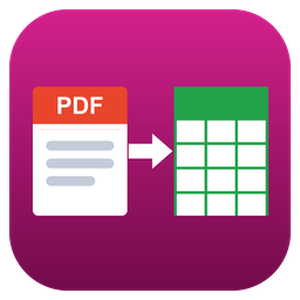
PDF to CSV Converter is a Windows program that finds the tables inside PDF documents and saves them as CSV files ready for Excel or an accounting import. It can convert PDF to CSV for a whole folder in one run, offline, and nothing is uploaded anywhere. Even scanned pages are recognized on your own computer.
🔰 How to use it
1. Click Add Folder and choose the directory with your statements or reports, or add single files.
2. Select a file to preview its page count, tables found and the method that read each table.
3. Keep Table detection on Automatic, or force structure tags, ruling lines or text columns for an unusual layout.
4. Pick one CSV per PDF, one CSV per table, or merge all files into a single output file.
5. Set the destination folder and press Start to convert PDF files to CSV.
🛠 Why finance and operations teams choose it
- Three ways to read a table. Files saved from Word, Excel or Google Docs carry tags that mark every row and cell, and those tags are read directly. Ruled grids are rebuilt from vector lines, and layouts without lines are split by the gaps in the text.
- Scans are covered. A page without a text layer goes through OCR on the PC, which makes this a bank statement converter that keeps statements away from cloud services. Latin and Cyrillic documents are supported. CJK, Arabic, Thai, Greek and Hebrew are not.
- One table, one header. A statement spread over many pages arrives as a single table, and the header row printed on every page is dropped.
- Files that open cleanly. Output is UTF-8 with a byte order mark, with a comma, semicolon, tab or vertical bar as the delimiter. Number, date and currency cleanup is optional.
- Formula protection. A cell from someone else's PDF that begins with =, + or @ (or a minus sign) and is not a number gets an apostrophe in front, so it cannot run as a formula.
- QuickBooks as well. Bank statement tables can be saved as a QBO file once the bank ID is entered.
👥 Who uses it
Bookkeepers who extract a table from PDF statements for every client each month, AP clerks retyping supplier price lists, auditors with reports to analyze, and IT staff who want a PDF table extractor that never sends files off the network.
❓ FAQ
Can I convert a PDF to CSV for free? The trial converts your own documents but writes only the first 10 data rows into each CSV. A license removes the limit.
Why does copy and paste from a PDF put everything in one column? A PDF stores characters at positions, not cells. The program rebuilds the grid from that layout, so each value lands in its own cell.
Does it work with scanned PDFs? Yes, it can convert scanned PDF pages to CSV at roughly 3 seconds per page. A scan reads less accurately than a native PDF, so run one of yours through the trial first.
Can it save XLSX? No. It writes CSV, which Excel opens with a double click.
ℹ️ Free trial: 10 data rows per CSV file, header rows not counted. Windows 10 and 11, works offline.

Renditions turns AI-generated HTML into pixel-perfect PDFs, JPGs and PNGs.
Claude, ChatGPT and Gemini all produce beautiful HTML presentations, reports and landing pages. But the moment you hit Ctrl+P, the design falls apart: gradient text turns black, box-shadows and glass effects vanish, web fonts fall back to Times, and full-viewport slides get sliced across A4 pages.
Renditions takes the opposite approach. Instead of the browser's print pipeline (designed for paper documents in 2001), it loads your HTML in a real headless Chromium browser, auto-detects the slide structure (stacked 100vh sections, Reveal.js, keyboard-navigated decks), and captures every slide at 2x resolution — the exact pixels your browser rendered.
• One PDF page per slide at native 16:9, or clean A4/Letter pages for documents
• JPG and PNG output for ad creatives and social visuals
• Clickable links preserved
• Upload a .html file or a .zip with assets — Claude Design exports work as-is
• Free tier, no signup, no watermark, files deleted right after conversion
Built for the post-PowerPoint workflow: design your deck with a prompt, convert with Renditions, send the PDF.

Doc2Cart is an API-first platform designed to automate the extraction of product information from documents such as invoices, price lists, and catalogs. Utilizing advanced Optical Character Recognition (OCR) technology, it converts unstructured data from PDFs and images into structured formats like CSV or JSON. This transformation enables seamless integration of product data into e-commerce platforms and shopping carts, streamlining the process of updating and managing online inventories.
Key Features and Functionality:
- Document Analysis Wizard: A user-friendly interface that guides users through uploading documents, processing them, and reviewing extracted data.
- Powerful API: Provides flexible and secure endpoints for direct integration into existing systems, allowing for automated data extraction and processing.
- Extensions: Offers pre-built extensions for various e-commerce platforms, facilitating effortless integration and reducing development time.
- Multi-Language Support: The platform's interface supports multiple languages, enhancing accessibility for a global user base.
Primary Value and User Solutions:
Doc2Cart addresses the challenge of manually extracting and inputting product data from various document formats into e-commerce systems. By automating this process, it significantly reduces the time and effort required for data entry, minimizes human errors, and ensures that online product listings are accurate and up-to-date. This automation is particularly beneficial for businesses dealing with large volumes of product information, enabling them to maintain efficient and reliable e-commerce operations.
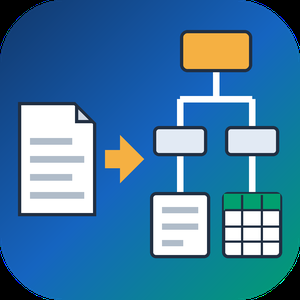
PDF to XML Converter Software is a pdf to xml converter for Windows that turns stacks of PDF reports into structured XML your scripts can parse. Every output file follows one documented schema with document, page, heading, paragraph and table elements, and tables are broken into rows and cells. All work happens on your own PC, so no report leaves the machine.
🛠️ How to use
1. Install the program and drag PDF files or a whole folder into the list.
2. Decide whether you need positions and fonts. Tick the coordinates option for block boxes, or leave it off for a lighter text-only file.
3. Press Convert. You get one XML per PDF, named after its source.
4. Point XSLT, Python or your database loader at the output folder.
💼 Why IT and office teams pick it
Imports break when every department sends a different layout. This pdf to xml converter keeps the same element names for every file, so a loader written once keeps working. Headings get a level from 1 to 6 based on font size. Each table carries a source attribute that tells you how its grid was found: PDF tags, ruling lines or text alignment. Merged cells keep colspan or rowspan. Text follows reading order, left column before right, and right-to-left lines stay right-to-left. Pages without a text layer are marked scanned="1", so a script can send them to a person.
👥 Who uses it
Data engineers and ETL developers feeding report figures into databases. Systems integrators who need to convert PDF to XML for another application. BI analysts, search-index developers and QA testers who check document pipelines. Procurement teams use it to pull supplier price tables into purchasing systems, and layout analysts switch on coordinates to study where each block sits on the page.
❓ FAQ
How does the pdf to xml step handle two-column pages?
The left column is written first, then the right one. Hebrew and Arabic lines keep their right-to-left order and carry a direction attribute.
Can I stop a long batch halfway?
Yes. Stop ends the job between two files, and every XML finished before that point stays on disk.
Can I convert PDF to XML without uploading files?
Yes. The program works offline, and your PDFs stay on your disk.
What does the XML look like?
A document root with page elements inside. Each page holds headings, paragraphs and tables in reading order, saved as UTF-8 without a byte order mark.
Can this pdf to xml converter fill an invoice or XBRL schema?
No. It writes its own fixed schema. Mapping to another schema is a job for your XSLT or import script.
Is there a command line or API?
No. Batches are started by hand in the desktop window, so it cannot run as a server service.
🎁 Free trial: every PDF in a batch gets its first 10 lines or table rows, and the file still passes an XML parser. Runs on Windows desktop and laptop PCs.

Sonicar Tech is a technical documentation agency for SaaS, B2B, and API-first companies. Founded in 2022 and based in Egypt, we work remotely with product, engineering, and support teams across MENA, the US, the UK, and Europe.
What we do:
✅ API documentation: API references generated from OpenAPI specs, SDK guides, quickstarts, authentication and webhook guides, with every example tested.
✅ Developer portals: branded, searchable portals on Mintlify, ReadMe, Fumadocs, Redoc, and Docusaurus, including migration from legacy docs.
✅ SaaS and B2B product documentation: help centers, knowledge bases, user and admin guides, and release notes.
✅ Software manuals and user guides, online and as print-ready PDFs.
✅ Business and system analysis: BRD, SRS, PRD, UML and BPMN diagrams, and user stories with acceptance criteria.
✅ SOPs and process documentation built for compliance and audits.
Why teams choose us:
- One contract covers writing, design, portal development, and ongoing maintenance.
- About 40% less than building an in-house documentation team.
- English and Arabic documentation with full right-to-left (RTL) layouts and a shared terminology glossary.
- Docs-as-code workflows (Markdown/MDX, Git, CI/CD) so documentation ships with every release.
- Structured for SEO and AEO, including llms.txt, so Google and AI assistants can find and cite your docs.
350+ documentation projects delivered across 25 industries, including FinTech, EdTech, logistics, and e-commerce.