Products
(10000)
xSuite Invoice automates invoice processing for SAP finance teams, reduces manual tasks, accelerates approvals, and improves transparency through AI-powered data capture.
A web-based solution that can be used for recruiting patients and managing all aspects of data associated with clinical research.
Dacima Clinical is an advance electronic data capture (EDC) and clinical data management system (CDMS) for capturing, managing and reporting clinical research data and optimizing data collection by efficiently streamlining clinical data collection process.
eCaseLinkcombines novel technology and unmatched industry experience to help reduce clinical trial time, improve accuracy, drive down costs/improve ROI, prevent risk, and use clinical trial data more effectively.
The CLIRINX platform has been designed specifically for medical research conducted at academic institutions. Patient enrollment and data collection use sophisticated web-based forms.
YPrimes eCOA platform for patient data collection is fundamentally different than what any other providers in the industry can offer. The first and only application-based eCOA platform gives unprecedented flexibility, speed & precision for your study needs.
Captivate offers privacy, performance, and power -- the scalability to run studies of different complexities and budgets.
Signals Screening is an intuitive, configurable, and flexible screening workflow processing engine on top of the unparalleled data visualization and analysis capabilities of TIBCO Spotfire.
iCollect is a versatile platform developed for Health Care Solutions. It provides technology support for healthcare, clinical & lab management to handle day-to-day manually driven logistics and distribution operations.
W3rocks offers you a suite of products that you can use for your marketing in order to grow your company, find leads, send emails, create a chatbot, attract visitors to write reviews, prevent your site from fake emails, display social notification on your site and many more. A suite of marketing and lead generation products: package includes multiple lead generation tools that you can use to grow your company. Get more leads and customers: All tools are oriented to drive new leads and cus
Adoric helps companies optimize and grow online conversion by providing tools to easily create and edit their onsite messaging.
Clireo eTMF is supported by a complete cloud-based document management system to facilitate any eTMF business process. Clireo eTMF includes inspector portal, workflow, version control, document staging areas, FTP connectivity, and a full standards-based API. Easily add Clireo eCTD for global regulatory e-submissions.
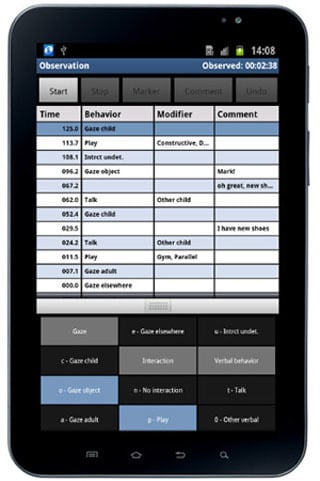
The Observer XT is the professional and user-friendly software package for the collection, analysis, and presentation of observational data.
EasyMedStat provides comprehensive clinical research software that facilitates data collection, analysis, and publication for research teams. Their solutions cater to device manufacturers, medtech, academics, and institutions, offering tools for various study types including PMCF studies and multicentric studies. The platform features an intuitive eCRF, guided statistics, and tailored solutions to meet the specific needs of researchers. Trusted by notable organizations, EasyMedStat empowers user
TIBCO Cloud Integration is a versatile integration Platform as a Service (iPaaS designed to help businesses seamlessly connect applications, data sources, and devices across on-premises and cloud environments. Its intuitive, no-code interface enables users—from business analysts to developers—to create, test, and deploy integrations swiftly, enhancing operational efficiency and agility. Key Features and Functionality: - No-Code Development: Empowers users to design integration workflows withou