AI-Generated Results
Finding matches…
QwikPDF.com is a fast, free, and all-in-one online PDF platform that lets you handle PDF files effortlessly—right from your browser. No downloads, no watermarks, and no limits.
With a clean and user-friendly interface, QwikPDF offers a complete suite of tools to edit, merge, compress, convert, rearrange, and eSign PDFs. It also goes beyond traditional tools by allowing users to add blank pages, design posters, create PDFs from scratch, and convert PDFs to high-quality images or vice versa.
Key Features:
100% Free with No Watermarks or Sign-Ups
Add or Remove Pages in PDF
Design Posters or Create PDFs from Scratch
Convert PDF to Image and Image to PDF
Compress PDF files to reduce size without losing quality
Merge, Split, and Rearrange PDF Pages
Edit Text and Images Inside a PDF
Add Annotations, Stamps, and eSignatures
Works directly in your browser — no installation needed
Safe and secure processing with privacy-first approach
QwikPDF – Everything you need to work with PDFs, designed for speed, simplicity, and total freedom.
Not seeing what you're looking for?
Dive deeper into "PDFsam" on G2 AI

BusyVault is a business communication platform that replaces the "dump it on a drive and hope someone finds it" workflow. Built for agencies, service firms and founders running several companies at once, it structures work into servers, channels and subchannels - a real third level of hierarchy - so every client, project and workstream gets its own space with its own chat, file history and webhook. Key features: no per-file size limit on paid plans (multi-GB files sent like a normal message, never compressed); resumable uploads (TUS); checklists, tickets with SLA and tasks created directly inside the conversation; scheduled and recurring messages; voice-message transcription; polls; smart content filter; incoming webhooks per channel and subchannel (Zapier, Make, n8n); REST API with OAuth 2.0 on Pro; channel export to PDF/Markdown. TLS 1.3, encryption at rest, EU (EEA) data residency, GDPR-ready; self-hosted deployment on Enterprise. Pricing: 3-day free trial (no card), Basic $9/month (25 GiB), Pro $30/month or $288/year (100 GiB), Enterprise custom.

HazırTest is an exam preparation and optical mark recognition (OMR) app for teachers and schools. Build tests from your own question bank, print answer sheets on plain paper, then grade them by scanning with an ordinary document scanner or the HazırTest Mobile app on Android or iOS — no OMR machine or pre-printed sheets needed.
Key features:
- Question bank with formulas, images, linked passages, learning outcomes and difficulty
- Tests with A/B/C/D booklets: questions and choices shuffled, answer keys built automatically
- OMR scanning from PDF/images or the phone camera; erased marks read as blank, sheets auto-rotated
- Scores with optional negative marking, item analysis (difficulty and discrimination), learning-outcome reports and a PDF report card per student
- Optical Form Designer for custom answer sheets; multi-section mock exams
- Online tests in the browser, a live classroom quiz with PIN, AI question generation
- Cloud sync between desktop and mobile with one account; 21 interface languages
Free plan: 10 test booklets (one-time) and 100 scans a month, no credit card. Yearly plans from $20.99.

Rapidwork is a comprehensive platform designed to accelerate productivity by offering a suite of intuitive tools that streamline various tasks. Whether you're a designer, student, or professional, Rapidwork provides the resources needed to transform ideas into tangible assets efficiently.
Key Features and Functionality:
- Datafetch: Retrieve structured answers to your queries, enhancing research efficiency.
- PDFsense: Assimilate and comprehend PDFs and research papers using AI, facilitating quicker understanding of complex documents.
- Gridflow: Create dynamic flowcharts effortlessly, aiding in visualizing processes and ideas.
- Designbox: Design graphics with a powerful and user-friendly tool, streamlining the creative process.
- Docstream: Create documents and collaborate with your team in real-time, improving teamwork and productivity.
- RapidUI: Design and share simple components using semantic HTML, shadcn/ui, and Tailwind CSS, with features like intelligent design assistance, rapid creation and editing, effortless collaboration, and access to a vast library of pre-built components.
Primary Value and User Solutions:
Rapidwork empowers users to achieve their goals faster by providing a centralized platform that combines multiple productivity tools. By integrating AI-powered features and user-friendly interfaces, it simplifies complex tasks, reduces the need to switch between different applications, and enhances overall workflow efficiency. This comprehensive approach addresses the common challenges of time management and tool fragmentation, enabling users to focus more on their creative and professional endeavors.

WinterDex ist eine App für alle, die Gehwege, Zufahrten und Parkplätze räumen und streuen – Hausmeisterdienste, Winterdienst-Betriebe, GaLaBau, Hausverwaltungen und Bauhöfe.
Jeder Einsatz dauert etwa 30 Sekunden: Objekt wählen, Maßnahme und Streumittel antippen, optional ein Foto. WinterDex setzt automatisch einen GPS-Stempel und archiviert die Wetterlage zum Zeitpunkt des Einsatzes. Einträge lassen sich nachträglich nicht verändern; eine Stornierung braucht eine Begründung und bleibt sichtbar.
Für Räumtouren gibt es den Strecken-Nachweis: Strecke einmal abfahren, danach wird jede Fahrt per GPS aufgezeichnet. Die Karte zeigt grün, was befahren wurde, und rot, welcher Abschnitt fehlt. Die Abdeckung in Prozent rechnet der Server.
Der PDF-Nachweis deckt den aktuellen Monat, den Vormonat oder die ganze Saison ab. Die Glätte-Frühwarnung meldet sich per Push, wenn an deinen Objekten Glätte droht. Mitarbeiter treten mit einem Team-Code bei. Die App funktioniert auch im Funkloch und überträgt später.
Gratis für 2 Objekte und 1 Strecke. Daten im EU-Rechenzentrum Frankfurt, ohne Tracking und Werbung.

Pixelcode is a Chrome extension designed to streamline the process of converting code snippets from various visual formats—such as screenshots, YouTube videos, images, and PDFs—into editable code. By eliminating the need for manual transcription, Pixelcode enhances productivity and learning efficiency for developers.
Key Features and Functionality:
- Seamless Accessibility: Integrated directly into the Chrome browser, Pixelcode is readily available whenever needed.
- Precision Cropping Tool: Allows users to accurately select the exact code segment they wish to extract, whether it's a few lines or extensive blocks.
- Instant Clipboard Copying: Once extracted, the code is automatically copied to the clipboard, ready for immediate use in any Integrated Development Environment (IDE).
- Rapid Extraction: Converts code from visual formats into editable text within seconds, significantly reducing the time spent on manual transcription.
- High Accuracy: Maintains the original formatting and structure of the code, ensuring reliability and consistency.
- Support for Multiple Languages: Automatically recognizes and processes over 30 programming languages, including JavaScript, Python, Java, Swift, Ruby, and Dart.
Primary Value and User Solutions:
Pixelcode addresses the common challenge developers face when encountering code in non-editable formats. By automating the extraction process, it saves valuable time, reduces errors associated with manual transcription, and accelerates the learning curve by allowing developers to quickly implement and test code examples from various sources. This efficiency boost is particularly beneficial for those learning new languages or frameworks, as it facilitates immediate hands-on practice.

Acrobat AI Assistant, also known as aiPDF, is an innovative application that transforms static PDF documents into interactive conversations. By leveraging advanced artificial intelligence, it enables users to upload any PDF—ranging from financial reports and academic essays to extensive e-books—and engage in dynamic dialogues to extract information, summarize content, and gain insights efficiently.
Key Features and Functionality:
- Instant Answers: Users can pose questions directly to their PDFs and receive immediate, accurate responses, streamlining the information retrieval process.
- Detailed References: The AI provides answers backed by specific references from the uploaded documents, ensuring transparency and reliability.
- Multi-Document Interaction: Supports engaging with multiple documents simultaneously, facilitating comprehensive research and comparative analysis.
- Optical Character Recognition (OCR): Extracts text from scanned or image-based PDFs, making all content accessible and searchable.
- User-Friendly Interface: Designed for ease of use, allowing seamless uploads and interactions without the need for specialized software.
Primary Value and User Solutions:
Acrobat AI Assistant addresses the common challenge of navigating and extracting pertinent information from lengthy and complex PDF documents. By converting these static files into interactive experiences, it significantly reduces the time and effort required for users to locate specific data, comprehend intricate content, and perform in-depth analyses. This tool is particularly beneficial for students, researchers, professionals, and anyone who regularly works with extensive documents, enhancing productivity and comprehension through AI-driven assistance.

Polymath Pods is an AI-powered knowledge companion designed to help users curate, organize, and share diverse content types—including videos, articles, and PDFs—transforming them into actionable insights, summaries, quotes, and social media posts. By centralizing content management and leveraging advanced AI capabilities, Polymath Pods streamlines the process of extracting and disseminating valuable information.
Key Features and Functionality:
- Multi-Format Support: Import and manage various content formats such as PDFs, videos, and articles within a single platform.
- AI-Powered Insights: Automatically generate summaries, key takeaways, and notable quotes using sophisticated AI algorithms.
- Easy Sharing: Effortlessly distribute curated content and insights across social media platforms and other channels.
- AI Chat Integration: Engage in interactive discussions about your content with an integrated AI assistant.
- Organized Collections: Create custom collections and categories to maintain a structured knowledge base.
- Customizable Export: Export insights in various formats suitable for presentations, blogs, or social media posts.
Primary Value and User Solutions:
Polymath Pods addresses the challenge of managing and deriving value from vast amounts of information by providing a centralized, AI-enhanced platform for content curation and insight generation. Users can efficiently organize diverse content types, extract meaningful insights, and share them seamlessly, thereby enhancing productivity and knowledge dissemination. This solution is particularly beneficial for professionals and organizations seeking to optimize their knowledge management processes and leverage AI for content transformation.
DataChain is an open-source, Python-based AI data warehouse designed to transform and analyze unstructured data at scale. It enables efficient processing of diverse data types—including images, audio, videos, text, and PDFs—by integrating seamlessly with external storage solutions like S3, GCP, Azure, and Hugging Face. DataChain manages metadata in an internal database, facilitating easy and efficient querying without data duplication.
Key Features and Functionality:
- Multimodal Dataset Versioning: Supports versioning of unstructured data without creating duplicates, accommodating various data types such as images, videos, text, PDFs, JSONs, CSVs, and Parquet files.
- Python-Friendly Interface: Operates on Python objects and fields, allowing intuitive data manipulation without the need for SQL. This approach enhances developer productivity and integrates seamlessly with IDEs and agents.
- Data Enrichment and Processing: Facilitates the generation of metadata using local AI models and LLM APIs, enabling filtering, joining, and grouping of datasets by metadata. It also supports high-performance vectorized operations on Python objects and allows exporting datasets back into storage.
- Scalable Data Processing: Efficiently handles large-scale data processing, managing millions or billions of files. DataChain leverages ML models for data filtration, seamlessly joins datasets, and computes dataset updates with ease.
Primary Value and Problem Solved:
DataChain addresses the challenges associated with managing and processing large volumes of unstructured data in AI and machine learning workflows. By providing a centralized dataset registry with full lineage, metadata, and versioning, it enables teams to efficiently curate, enrich, and version datasets without data duplication. Its Python-centric approach simplifies the development of data pipelines, allowing for local development and testing in IDEs before scaling to cloud environments. This flexibility and efficiency make DataChain a valuable tool for teams aiming to harness the full potential of unstructured data in their AI initiatives.
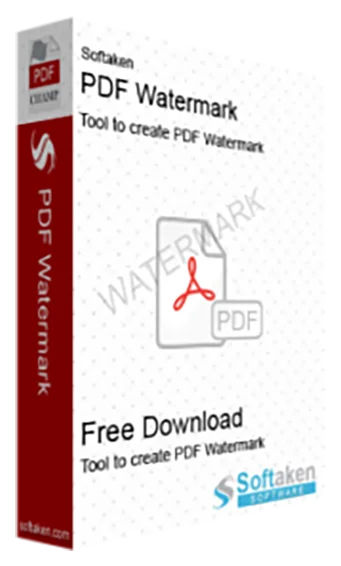
The PDF Watermark tool offers a simple yet effective answer to this demand enabling you to watermark your PDFs effortlessly. Apart from being a security feature a watermark is a kind of branding or personalization tool. Including a visible watermark in your PDF gives you authorship and control over the document in addition to stopping unauthorized distribution. Particularly those in business writing, education or handling confidential or proprietary material should give this serious thought. PDF watermarking tools enable customized watermarks with text or graphics thereby offering a broad range of options to meet your needs. The program simple interface ensures that even minimally tech-savvy users may effectively protect and edit their papers. Users will be able to achieve the perfect mix between visibility and subtlety by simply choosing the position, font, size and watermark transparency. This application supports among other Windows versions, 11, 10, 8, 8.1, 7, XP and Vista. Users can use a free trial version.

Pdfy is an innovative platform designed to transform the way users interact with various data sources, including PDFs, audio files, web pages, and YouTube videos. By enabling seamless, conversational engagement with these materials, Pdfy eliminates the need for traditional, time-consuming searches. Users can simply upload their documents or input links, ask questions in natural language, and receive instant, precise answers, making information retrieval as straightforward as having a real-time chat with the content.
Key Features and Functionality:
- Multi-Source Interaction: Engage with a variety of content types, such as PDFs, audio recordings, web pages, and YouTube videos, through a unified interface.
- Natural Language Processing: Pose questions in everyday language and receive clear, concise responses, enhancing user experience and accessibility.
- Instant Answers: Obtain immediate, accurate information from your documents, streamlining research and study processes.
- User-Friendly Upload: Easily upload files via drag-and-drop or manual selection, with support for documents up to 50MB in size.
- Flexible Pricing Plans: Choose from free and premium subscription options tailored to different usage needs, including varying limits on file uploads and questions per month.
Primary Value and User Solutions:
Pdfy addresses the common challenge of efficiently extracting relevant information from extensive and diverse data sources. By facilitating direct, conversational interactions with content, it significantly reduces the time and effort required for research, learning, and information retrieval. This makes Pdfy an invaluable tool for students, researchers, and professionals seeking to enhance productivity and streamline their workflows.

DumpingCloud – Salesforce File Manager is a quick and easy way to manage Salesforce Files directly from any Object or Record Page without leaving Salesforce.
It turns Salesforce into a complete file workbench where admins, developers, and users can view, download, delete, copy, move, rename, watermark, compare, merge, sync, zip, split, convert, translate, and manage files in bulk without Data Loader, external apps, or new tabs.
No login required — DumpingCloud automatically detects your active Salesforce session.
Key Features:
• View, preview, and download multiple files and attachments at once.
• Move or copy files between records and objects within the same Salesforce org.
• Delete single or multiple files to keep your org clean.
• Bulk rename files using custom patterns.
• Merge multiple PDFs/files with page selection, reordering, rotation, and save directly to the record.
• Split PDFs and DOCX documents into multiple files without downloading them.
• Add custom text or image watermarks to files.
• Compare multiple files side by side.
• Convert files between formats such as PDF to DOCX, DOCX to PDF, PDF to PNG, and more.
• Translate files into 49 other languages while preserving the original file language.
• Zip multiple files and save the ZIP directly to the Salesforce record.
• Sync files with Google Drive, AWS S3, OneDrive, Dropbox, and other supported cloud platforms to help reduce Salesforce storage usage.
• Generate Base64 data for any file with one click.
• Preview images and PDFs inside the extension without opening a new tab.
File Management:
View → Preview, Download, Compare
Organize → Move, Copy, Rename, ZIP
Transform → Watermark, Split, Merge, Translate, Convert
Sync → External cloud storage
Clean Up → Delete
How It Works:
1. Install the Chrome extension. It automatically detects your Salesforce session.
2. Open any Salesforce Object or Record Page, such as Account, Opportunity, Case, or a custom object.
3. Click the Salesforce File Manager icon to view files and attachments.
4. Select files and choose the required action.
5. Changes are applied directly to your Salesforce org.
Security & Privacy:
DumpingCloud works within your existing Salesforce session and permissions. You only see and manage files you are authorized to access. No credentials are stored, and file actions respect your Salesforce sharing and access rules.
DumpingCloud gives Salesforce admins and operations teams a faster way to manage files without downloading, exporting, re-uploading, or manually handling files record by record.
KingshiperZip allows you to unzip files in WinZip, RAR, and 7z formats. It is a clean, secure, and ad-free software that offers compression options for images, videos, audio, GIFs, PDFs, Word documents, PowerPoint presentations, and Excel files. As one of the best software for file compression, encryption, and utility, KingshiperZip helps you save time and space by quickly compressing and extracting files.
The Supported formats of KingshiperZip include Rar, Zip, 7z, bz2, bzip2, tab2, taz, gz, gzip, tgz, tar, xz, and txz. Plus, It enables you to compress files into zip format and browse dozens of file types including images, audio, videos, and other office documents in one simple click, which saves your disk space and provides an efficient and convenient user experience.
What Can You Do With KingshiperZip?
Extract files: Decompress or extract files from compressed files.
File Compressor: Fast compression of files.
Video Compressor: Compress video files to reduce their file size while maintaining reasonable video quality.
Image Compressor: Compress image files without compromising their visual quality.
Audio Compressor: Compress audio files without significant loss in audio quality.
GIF Compressor: Compress GIF file size while preserving the animation and quality.
PDF Compressor: Compress the PDF file size without affecting the content and layout of the PDF.
Word Compressor: Compress Word files in a small size, making them easier to store, share, or send via email.
Excel Compressor: Compress Excel files to reduce their size and then can be more efficiently shared or stored.
PPT Compressor: Compress PowerPoint presentations without changing their content or quality.
Why Choose KingshiperZip?
Ultra Fast Compression & Extraction: Compared with other file compressors, KingshiperZip is designed to maximize speed without losing the file quality. It utilizes advanced algorithms and optimizations that allow it to perform a 1GB file in 3 seconds.
Massive Compression Formats: Supports 40+ compression formats. In addition to common formats like ZIP, 7Z, and RAR, it is also compatible with formats such as ISO, DMG, CAB, TAR, etc. You can use it right away thanks to its comprehensive formats.
Lossless & Perfect Compression: Allows you to compress various file formats, including videos, images, PDF, PPT, etc. Images Compressor maintains the picture clarity and removes its jagged edges. Video Compressor can ensure smooth playback without buffering. File Compressor will keep the file integrity.
Batch Processing Supported: Drag and drop multiple files into the File Compressor/Extractor to start the process, which can save you time and effort when working with numerous files.

PDF AI is an AI-powered document chat tool that allows users to interact with their documents in a conversational manner.

PDF AI is an AI-powered document chat tool, transforming your document interaction into a conversational experience.