AI-Generated Results
Finding matches…
Alpha Index is a specialized Salesforce consulting firm dedicated to transforming businesses through tailored CRM solutions. With over 30 years of experience in the IT sector, Alpha Index offers a range of services designed to enhance productivity and streamline operations for their clients.
Key Features and Functionality:
- Salesforce Development and Customization: Alpha Index provides expert development and customization services to ensure that Salesforce solutions align perfectly with client business processes.
- Industry-Specific Solutions: They offer specialized applications such as Alpha Publisher, designed to optimize ad sales for magazines, websites, and events, and aiEasyLabel, a plugin that simplifies label printing directly from Salesforce.
- Productivity Tools: A suite of productivity tools is available, including Easy Sort for organizing quote lines, Easy Sales Campaign for managing sales campaigns, Easy Sync for synchronizing opportunity details, and Next Activity for efficient pipeline management.
- Accounting Integration: Alpha Index assists in integrating accounting solutions on the Salesforce platform, offering options like Abacus Financials, Accounting Seed, Financial Force, Rootstock, and ZumZum to streamline financial operations.
Primary Value and Solutions Provided:
Alpha Index's primary value lies in its ability to deliver customized Salesforce solutions that address the unique challenges of each client. By leveraging their extensive experience and specialized tools, they help businesses:
- Enhance Efficiency: Through tailored applications and productivity tools, clients can automate and optimize various business processes, leading to increased operational efficiency.
- Improve Sales Performance: Industry-specific solutions like Alpha Publisher enable clients to close deals faster, reduce customer disappointment, and provide accurate metrics, ultimately boosting sales performance.
- Seamless Accounting Integration: By offering accounting solutions on the Salesforce platform, Alpha Index ensures that clients can manage their financial operations more effectively, with real-time data synchronization and comprehensive reporting capabilities.
In summary, Alpha Index empowers businesses to maximize their Salesforce investment by providing customized solutions that enhance productivity, streamline operations, and drive growth.
Not seeing what you're looking for?
Dive deeper into "Sortd" on G2 AI

DeMatteo Research LLC, established in 1998, is an independent broker-dealer specializing in providing comprehensive research services to the institutional investment community. The firm offers a centralized portal that presents investors with buy-side generated ideas and in-depth research on stocks and industries, curated from expert content. This platform is organized into three distinct touchpoints: upcoming events featuring industry leaders, a database of replays and notes from past events with key opinion leaders, and curated sector and topic-specific idea forums to source buy-side ideas and foster relationships within the institutional investment community.
Key Features and Functionality:
- Investor Research Portal: A centralized database presenting investors with buy-side generated ideas and in-depth research on stocks and industries from curated expert content.
- Upcoming Events: A network of unique industry leaders utilized for calls and interviews to flesh out market-moving trends in real time.
- Recent Research: A database of replays and notes from past events with key opinion leaders, who opine on industry and stock-specific dynamics.
- Recent Ideas: Curated sector and topic-specific idea forums to source buy-side ideas and foster relationships within the institutional investment community.
- Search, Sort, and Filter: Investors have the ability to search across ideas and research with further refinement by sector, performance, market cap, Long vs Short, etc.
- Participation: Ideas are always live with investors able to add commentary and pose questions via a discussion tab within each idea.
Primary Value and Solutions:
DeMatteo Research addresses the critical need for timely, in-depth, and compliant investment research within the institutional investment community. By offering a centralized platform that integrates expert insights, real-time market trends, and collaborative idea forums, the firm empowers investors to make informed decisions. The emphasis on compliance ensures that all research activities adhere to industry best practices, providing clients with reliable and ethically sourced information. This comprehensive approach not only enhances the research process but also fosters a collaborative environment where investors can connect, share ideas, and gain diverse perspectives, ultimately leading to more robust investment strategies.

xform is an AI-powered platform designed to create interactive, chat-like forms that enhance user engagement and data collection. By simulating natural conversations, xform makes the form-filling process more intuitive and less tedious, leading to higher completion rates and more accurate responses.
Key Features and Functionality:
- Conversational Forms: Transforms traditional forms into engaging, chat-like interactions, making data collection feel more like a dialogue.
- AI-Powered Validation: Utilizes artificial intelligence to validate responses in real-time, identifying missing or inconsistent details and prompting users for corrections, ensuring complete and accurate submissions.
- Voice Input Capability: Allows users to provide responses through voice, catering to diverse user preferences and enhancing accessibility.
- Collaborative Space: Offers a shared environment where teams can quickly access and analyze collected data, facilitating efficient collaboration.
- Smart Synthesis: Employs AI to process and summarize data, reducing manual effort and providing actionable insights.
- Customizable Branding: Features a built-in editor that enables customization of forms to align with your brand's typography, colors, and overall aesthetic.
- Integrated CRM with AI Filters: Includes a customer relationship management system that allows for the creation of stages, movement of form intakes through each step, and automation of emails or actions. AI filters help sort and prioritize submissions, streamlining response management.
Primary Value and User Solutions:
xform addresses the common challenges associated with traditional forms, such as low engagement and incomplete data. By offering a conversational interface, it makes the data collection process more engaging and user-friendly. The real-time AI validation ensures data accuracy, reducing the need for follow-ups and corrections. Voice input capabilities cater to users who prefer speaking over typing, enhancing accessibility. The collaborative space and smart synthesis features streamline team workflows, making data analysis more efficient. Customizable branding ensures that forms maintain a consistent brand identity, and the integrated CRM with AI filters simplifies the management of responses and follow-ups. Overall, xform enhances the efficiency and effectiveness of data collection processes, leading to better decision-making and improved user experiences.

PromptBoard is a comprehensive AI prompt management tool designed to streamline the organization, access, and utilization of AI prompts across various platforms. Tailored for iPhone and iPad users, it offers a centralized solution for managing a vast collection of prompts, enhancing creative workflows, and facilitating seamless integration with multiple AI models.
Key Features and Functionality:
- Extensive Prompt Library: Access over 3,000 high-quality AI prompts spanning diverse topics, with the ability to explore trending prompts and save favorites for future use.
- Prompt Keyboard Integration: Utilize the PromptBoard iOS keyboard extension to access and insert prompts directly within any application, eliminating the need to switch between apps.
- Unlimited Downloads: Download an unlimited number of prompts to fuel brainstorming sessions and creative projects.
- Cross-Platform Compatibility: Share and apply prompts seamlessly across various AI models, including ChatGPT, Gemini, and Claude, ensuring versatility in AI interactions.
- Efficient Organization: Easily edit, sort, and manage your growing prompt collection, keeping it tailored and up-to-date.
- iCloud Synchronization: Automatically sync all data across your Apple devices via iCloud, ensuring your prompts are always accessible.
- Offline Accessibility: Work without an internet connection, with all features available offline for uninterrupted productivity.
- Custom Output Styles: Export prompts with various output options to suit different creative needs.
Primary Value and User Solutions:
PromptBoard addresses the challenge of managing and utilizing a growing collection of AI prompts by providing a centralized, user-friendly platform. It enhances productivity by allowing users to access prompts directly from their keyboard, streamlining the creative process without disrupting workflow. The tool's compatibility with multiple AI models and its robust organizational features empower users to customize their creative workflows, unlock new possibilities, and take their ideas further. By offering offline access and seamless synchronization across devices, PromptBoard ensures that users have their creative resources at their fingertips, anytime and anywhere.

Agile Poker for Jira is a comprehensive estimation toolkit designed to enhance Agile planning within Jira. It offers four collaborative estimation methods—Interactive Planning Poker, Relative Estimation, Asynchronous Estimation, and Appfire AI-powered insights—catering to the diverse needs of Agile teams. This flexibility allows teams to choose the most suitable approach for their workflow, whether they are co-located or distributed. By integrating seamlessly with Jira, Agile Poker facilitates accurate backlog estimation, improves team collaboration, and streamlines the planning process, ultimately leading to more effective sprint planning and project execution.
Key Features and Functionality:
- Interactive Planning Sessions: Engage team members in real-time estimation sessions where participants cast Story Point estimates. Votes remain private until all have voted, promoting unbiased discussions.
- Relative Backlog Estimations: Utilize methods inspired by Magic Estimation to sort issues based on relative size, enabling teams to collaboratively assign rough estimates and refine them through discussion.
- Asynchronous Estimates: Support distributed teams by allowing members to estimate at their convenience, facilitating consultation-based estimations without the need for simultaneous participation.
- Appfire AI Integration: Leverage AI-driven insights to identify potential risks, analyze dependencies, and suggest effort estimates based on historical data, enhancing the accuracy and efficiency of the estimation process.
- Customizable Estimation Values: Choose from predefined sets like Fibonacci sequences and T-shirt sizes, or create custom values to align with team preferences.
- Multi-Field Estimation: Estimate based on multiple Jira fields per issue, with the option to calculate a final score, providing a comprehensive view of task complexity.
- Integration with Communication Tools: Connect with platforms like Slack to receive scheduled communications and updates, keeping the team informed and aligned.
Primary Value and Problem Solved:
Agile Poker for Jira addresses the challenges Agile teams face in achieving accurate and consensus-based estimations. By offering multiple estimation methods and integrating AI-driven insights, it enhances team collaboration, reduces estimation bias, and improves planning accuracy. This leads to more realistic sprint planning, better resource allocation, and ultimately, more successful project outcomes. The tool's flexibility and seamless integration with Jira make it an invaluable asset for teams aiming to optimize their Agile estimation processes.

den is the AI content workspace for creators and solopreneurs: research, writing, and scheduling in one tool instead of three.
Research what actually works. Eden indexes 3M+ posts across X, LinkedIn, Instagram, TikTok, YouTube, and Substack. Every post gets an outlier score — how it performed against that creator's own median — so you find genuine breakouts, not just big accounts. Look up any public creator by handle, URL, or topic, sort their content by top liked, top viewed, or top outlier, and build creator lists that read as one feed.
Write in your voice. Build Custom AIs trained on your own posts and knowledge — a voice profile lives as an editable document in your library, so you control exactly how it writes. One-click Boosts turn any saved post into variations, a reverse-engineered template, or a long-form draft. Deep Social, Eden's research agent, reads real posts and returns findings with verbatim quotes and receipts.
Schedule everywhere. Queue posts to X (including native threads, quote posts, and auto-retweet), LinkedIn (including PDF carousels), Threads, Instagram (feed, carousels, Reels), TikTok, Facebook Pages, YouTube Shorts, and Substack — Eden hands text notes and full articles to Substack's own scheduler so they publish with your laptop closed. Auto first comment, per-platform tailoring, and a queue that flags failed posts with one-click fixes. Publishing never costs credits.
Automate Instagram DMs. Comment-to-DM, story-reply, and keyword automations with click-tracked links and your own custom link domain.
Bring your AI agent. Eden ships a hosted MCP server (mcp.eden.so/mcp), so Claude, ChatGPT, Cursor, n8n, Zapier, or Make can research creators, read your analytics, and schedule posts on your behalf.
A knowledge library ties it together: save from a Chrome extension or your phone, read newsletters, PDFs, EPUBs, and YouTube transcripts in a clean reader, highlight anything, and sync in Readwise, Kindle, and Snipd. Full workspace export to markdown/CSV on every plan — your work is never locked in.

The best way to find and analyze cash flowing real estate investments.
CashOn makes it simple to find top real estate investment opportunities in US cities. Using Zillow, MLS, and local rental data, CashOn calculates the cash on cash return for each property, helping investors quickly identify homes with the highest return on investment potential.
How it works: CashOn gathers local rental comps and expense data—including property taxes, HOA fees, insurance, and listing price—to calculate essential metrics like the 1% rule, cash flow, and cash on cash return. Easily filter and sort to find properties with the highest returns in any market.
With CashOn, you’ll quickly know
- which cities offer low or no cash flow, helping you avoid unprofitable areas
- which neighborhoods yield the best returns, allowing you to focus your search
- which homes in a neighborhood promise the highest returns, so you can invest with confidence
- estimated rental income for each property, backed by local rental comps (both active and inactive)
With CashOn you get
- Unlimited searches and in-depth analysis across US housing markets
- one-click property analyzer that instantly gathers all essential data.
- Customizable expense options, including interest rates, property management fees, renovation budgets, and more
- Easy sharing of property analysis with family and business partners with a link
- A hassle-free alternative to spreadsheets
One customer found and closed on a profitable real estate investment just 2 weeks after using CashOn, ending a 2-year search.
- Initially, he owned 3 properties but was priced out of his market due to rising interest rates and increasing home prices. He spent 2 years on and off, analyzing dozens of markets in and out of state with no luck.
- In just 1 week, CashOn helped him identify a cash-flowing market. By week two, he had connected with a realtor, attended 5 virtual open houses, submitted 2 offers, and successfully closed on a property.
Free license:
Features
-Analyze 1 home at a time
-FREE deal calculator app
-One click property analysis
-Zillow integration
-Product updates

Marketplace / Seller / Multivendor
• Custom configuration of commission percentage per sale
• Automatic alert if the seller does not provide the tracking code after X days
• Definition of accepted payment methods for fund transfers
• Configuration of the transfer deadline after the seller enters the tracking code
• Customization of the marketplace’s official email
• Order status management: payment confirmed, canceled, shipped, exchange, and return
• Editing the text of the Terms and Conditions for selling on the marketplace
• Integrated system for buyers to request exchanges or returns directly through the platform
• Integrations with major systems and platforms: mFormula, Bling ERP, Tiny ERP, Loja Integrada, Tray, Shopify, BigCommerce, SquareSpace, Wix, and WooCommerce – easy import and export of products and orders
• Support for selling digital products
• and much more...
Administrator
• Confirmation and control of fund transfers to sellers
• Centralized management of orders from the online store and the marketplace
• Configuration of rules for payment transfers: when and how to transfer payments to sellers
• Bulk activation or deactivation of seller accounts
• Batch approval of products registered by sellers
• and much more...
Seller
• Respond to questions from customers interested in your products directly through the marketplace
• Manage returns and exchanges requested by buyers easily and in a centralized way
• Add, edit, or delete products with ease
• Create and manage your seller account to start selling on the marketplace
• Track all your sales in real time
• Enter and update order tracking codes
• Update prices of multiple products at once
• Change stock levels for multiple products at the same time
• and much more...
Resell without Stock / Virtual Stock / DropShipping / Drop Shipping
• Automatic integration with systems of major distributors, wholesalers, and manufacturers, facilitating bulk registration and updating of thousands of products (name, description, price, weight, photos, and other information), as well as categorization by categories and subcategories
• Automatic profit margin calculation for resale, based on the desired percentage over the cost price
• With just one click, your customers can create a complete online store to resell your products, with daily or weekly catalog updates
• Large-scale import, update, and synchronization of products via API with major suppliers, including:
• LUXJOIAS.com, SquidFacil.com.br, AllNations.com.br, Hayamax.com.br, KoleImports.com, NovaTechWholesale.com, RCJewelry.com, FragranceNet.com, ScentsWorld.com, VidaXL.com, BigBuy.eu, Wholesale2b.com, FashionDropShippers.com, Griffati.com, DropShippingXL.com, Songmics (various domains), SammyDress.com
• Import and synchronization of products via URL (simply copy and paste the product URL to automatically import product information) from sites such as:
• AliExpress, FocalPrice, TVC Mall, ChinaVasion, DX.com, Banggood, PierceBody, B&H Photo Video, Book Depository, Sunsky Online, Tomtop, ChinaBrands, among others from Brazil such as:
• MiraoInformatica.com.br, ContoDeFadasDistribuidora.com.br, ShekinahDistribuidora.com.br, TodoLivro.com.br, Amend.com.br, CompDistribuidora.com.br, Castro.com.br, LojaSerraf.com.br, BijuTotal.com.br, DiamanterosaShop.com.br, BolsasParaRevenda.com.br, FeiraDaMadrugadaSP.com.br
• Want to become a partner supplier? Contact us and join our distribution network
• and much more...
Turn your e-commerce into a DropShipping / Drop Shipping platform
• Create free or paid subscription plans with recurring monthly, quarterly, semi-annual, or annual billing — fully integrated with PayPal and PagSeguro
• Allow Dropshippers/Resellers to create complete online stores in minutes, with product feed integration for various platforms, such as:
• mformula, Bling, Loja Integrada, CartX, Jumpseller, Ecwid, SquareSpace, Swell, Wix, eBay, WooCommerce/WordPress, OpenCart, Shop-Script, Webasyst, Yampi, Nuvemshop, Shopify, Shopee, and others
• Provide a robust API for product and order integration with external systems and platforms
• Choose to offer your products with or without discounts to dropshipping resellers, in a flexible and customizable way
• Support new entrepreneurs by offering your products for resale, encouraging the growth of micro and small businesses
• Have stagnant inventory? Let Dropshippers sell for you with no additional investment
• Increase your brand visibility: your products will be promoted across multiple sales and marketing channels by the resellers themselves
• and much more...
B2B
• Direct “Where to Buy” link: redirects to the product page on the reseller’s store, with automatic stock control
• Promotion of partner stores with filters by country and state, making it easier to find resellers
• Simplified purchasing via WhatsApp, with direct integration for customer service and order completion
• Option to show or hide product prices according to your commercial strategy
• Price access control: enable or disable the requirement for customer registration to view prices
• Creation of customer groups with personalized discount settings by profile or volume
• and much more...
Collaboration Influencers
• Full dashboard for account setup and follower management
• Customized Terms and Conditions for participation in the affiliate program and product promotion
• Request exclusive discount coupons to share on social media and earn commissions per sale
• Detailed reports to track used coupons and generated commissions
• Easy sharing: add your promotional link to social media, blogs, websites, and publications
• Featured placement on the homepage with photo, name, social media links, and follower count
• Exclusive page listing all registered influencers, with filters by photo, name, social networks, and followers
• Advanced search tools and filters by category, country, state, social network, and follower count
• Influencers can register as sellers on the marketplace to also offer their own services
• and much more...
Administrator
• Full administration of collaboration settings with influencers
• Management of specific Terms and Conditions for partnerships and promotions
• Easily enable or disable the featured box on the homepage, displaying photo, name, social media links, and follower count of participating influencers
• and much more...
Sales
• Reseller registration with full commission control per sale
• Shopping Club with recurring subscriptions (monthly, quarterly, semi-annual, or annual)
• Sale of digital products with automatic delivery
• Integration with Facebook Store to expand your social media presence
• Online Seller Panel with management and customer service tools
• One-click quick purchase to boost conversion rates
• Quick product view without leaving the current page
• “Buy together”: increase average ticket by suggesting complementary products
• Related products by item or category
• Purchase suggestions based on other customers’ behavior
• Customer product viewing history
• Product customization with fields for image upload, text, or option selection (ideal for gifts, personalized items, corporate products, etc.)
• Online PDF Catalog Generator, updated with your products
• “Notify me when available” module for out-of-stock items
• Integrated telesales system
• Full inventory control with automatic stock deduction upon sale
• If stock runs out, configure one of the following options:
• Allow purchase even without stock
• Hide purchase button and price
• Automatically deactivate the product
• Show custom message (e.g., “Available in X days”)
• Integrated Dropshipping, Resale, and Triangulation system
• Minimum or maximum purchase limit per product
• Pre-sale of products with scheduled availability date
• Customizable gift lists (weddings, baby showers, anniversaries, etc.)
• Products with price upon request
• Product listing under multiple categories
• List mode for bulk purchases: customers add multiple items to cart at once
• Price alert or stock notification via email
• Integrated SMS notifications via API with partners like: textbelt.com, clockworksms.com, smsapi.com, txtlocal.com, paposms.com, zenvia.com.br
• and much more...
Store
�� Languages and Accessibility
• Store available in: Portuguese (Brazil), Spanish, English, German, French, Italian, and Japanese
��️ Browsing Experience
• Personalized sections: Best Sellers, New Arrivals, Launches, Promotions, and Featured Products
• Creation of promotional Hot Sites and special campaigns
• Organization by Brands/Manufacturers, with unlimited Categories and Subcategories
• Viewing in list or gallery mode
• Product sorting by: price, best sellers, new arrivals, name, brand
• Advanced filters by attributes (e.g., size, color, type)
�� Detailed Product Page
• Multiple images with zoom and YouTube video support
• Complete product details: installment options, shipping calculator, promotions, wish list
• Social features: share on social media, like, recommend to a friend
• Smart tools:
• Related products, buy together, and recommendations based on other purchases
• Customer reviews and ratings
• FAQ and questions for the seller
• Custom fields for uploads, text input, or option selection
• Email notifications for promotional pricing or stock availability
�� Smart Search
• Simple or advanced search by name, description, price, categories, or manufacturer
• Search by title, code, or description
�� Cart and Checkout
• Cart with quantity update, delete, and shipping calculation
• Checkout includes:
• Selection of delivery method and payment option
• Application of promo codes, discount vouchers, or gift cards
• Optional mandatory registration to view prices or complete purchase
• Terms and conditions acceptance checkbox
�� Product and Order Management
• Batch updates and product registration via CSV or XML
• Stock control, including automatic return for unpaid orders
• Import/export of products, customers, orders, and emails
• Tools for simultaneous order management:
• Automatic email notifications
• Invoice, label, and packing slip printing
• Export formats: XML NFE, TXT NFE
• Batch status updates and inventory restocking
�� Programs and B2B/B2C Sales
• Support for B2B or B2C operations
• Discount modules:
• By quantity
• By payment method
• On shipping, depending on the delivery method
• Complete Affiliate Program:
• Informational page, FAQ, banners, click/sales/commission reports
• Abandoned cart recovery page with automatic email reminders
�� Security and Control
• Blocking of malicious users by IP, CPF, or email
• Customizable taxes and fees by State or Country
�� Additional Features
• Real-time online user monitoring
• Creation of unlimited additional pages
• Floating chat icons integrated with WhatsApp and Facebook Messenger (left or right)
• Image CDN or external hosting with FTP upload
Customer
• Quick account registration and editing
• Secure password change
• Automatic access notifications via email
• Registration of multiple shipping addresses
• "My Wishlist" to save favorite products
• Subscriptions with recurring payments for products and services
• Viewing and managing discount coupons and vouchers
• Simple newsletter subscription and cancellation
• Complete purchase and order history
• Repay or change the payment method of completed orders
• One-click reorders — streamlining your shopping experience
• Easy printing of orders and receipts
• Customer testimonials to build trust
• Creation of customer groups with discounts, minimum purchase rules, and exclusive access
• Integrated return and exchange system directly linked to the order
• Digital wallet for balance management
• Cash-back program to reward your purchases
• and much more...
Layout
• Full support for any type of custom option (color, size, type, etc.)
• Easy and intuitive WYSIWYG HTML editor for advanced customization
• A variety of modern templates and design themes, plus options for custom web design
• Complete customization of layout, colors, and text to reflect your brand identity
• Flexibility to choose the structure of the header, footer, and sidebars
• Layouts optimized for desktop, smartphone, tablet, and Facebook app
• Layout editing directly from the Control Panel — no complications
• Open source code with file editor for full customization
• Multiple menu styles available: dropdown, mega menu, full menu, and more
• Full control over font sizes via the Control Panel
• Easy color configuration directly in the Control Panel
• and much more...
SEO
• Friendly URLs that improve navigation and search engine ranking
• Support for RSS/XML feeds for automatic content updates
• Full search engine optimization (SEO)
• Automatic Sitemap generation for Google, Yahoo, Bing, and other search engines
• Integrated submission to over 19 national and 70 international search engines
• Implementation of microformats ("rich snippets") to highlight your content in search results
• Advanced customization of page titles and meta tags for improved SEO performance
• Custom robots.txt configuration for indexing control
• Optimized URLs for greater relevance and readability ("friendly URLs")
• and much more...
Advertising and Marketing
• Send up to 5,000 emails per month using the powerful MFormulaMail email marketing tool (www.mformulamail.com)
• Full integration with E-bit for store rating and reputation management
• Free advertising on MFORMULA Shopping, increasing your visibility and reach
• Automatic XML Feed with all your products for promotion across hundreds of marketplaces and comparison sites, including: Buscapé, Bondfaro, Cota Cota, Economiza, Shop Fácil, Shopping UOL, Google Shopping, Shop Mania, BizRate, Yahoo, Bing Shopping, OLX, Facebook Products, and many more national and international platforms
• Complete tool for creating and sending newsletters to your customers
• and much more...
Reporting and Metrics
• Full support for integration with Google Analytics for detailed monitoring of traffic and customer behavior
• Detailed and customized reports on store performance
• Comprehensive statistics, including:
• Sales by date, channel (online and phone), manufacturer, and supplier
• Daily analysis of best-selling products and most searched keywords
• Monitoring of product and stock notifications at critical levels
• Control of discount coupons, promotional codes, and gift vouchers used
• Most frequently searched products
• Sales segmented by customer
• Low stock broken down by attributes (such as size, color, etc.)
• History of products purchased by customers
• and much more...
Payment Methods
- Cielo, PayU, Moip, PagSeguro, PayPal, Mercado Pago, Dinheiro Mail, Koin Pos Pago, Bank Billet, Wire Transfer
- Visa, Visa Electron, MasterCard, Maestro, Amex, Diners, Hipercad, Elo, Aura, Discover, JCB, Cabal, Grancard, Sorocred, ValeCard, BrasilCard, Mais!, FortBrasil, PersonalCard, BaneseCard, Up Policard
- Amazon, Nochex, Authorize.net, iPayment, PSI Gate, Skrikk Money Bookers, Chronopay, Inpay, Paypoint SecPay, Paytm, Bitcoin, PayPay, PagHiper
- and more ...
Shipping Methods
- Integration with WebService Post Sigep
- Automatic label generator for sending the goods
- Automatic calculation of shipping and delivery charge
- Correios, Exporta Facil, Sedex, PAC, Sedex 10, Sedex Hoje, eSedex, EMS, Braspress, Jamef, Motoboy, Retirar na loja, USPS, FedEx, UPS, Japan Post, Kuroneko, Sagawa, SkyNet, Loggi, Rapiddo, AuPost, MelhorEnvio, Chronopost, AnPost, Motoboy.com, Frenet
- and more ...
Integrations
• ERP Integration: Full support for Bling and Tiny systems, plus integration via API and WebService to streamline business management
• Data Export: Exportable products and customers for NF-e invoicing systems
• Dropshipping System: Automatic import, update, and removal of supplier products via integrated feeds
• Marketplace Integration via API:
• Cnova Marketplace: Import, registration, editing, and simultaneous management of products and orders
• Netshoes Marketplace: Complete catalog and order management
• Buscapé Marketplace: Synchronization and management of products and orders
• B2W Marketplace: Advanced control of integrated products and orders
• SKYHUB Marketplace: Integrated import and management of products and orders
• Magazine Luiza / IntegraCommerce: Full catalog and order management on both platforms
• Wish: Relationship and management of products, tickets, and orders
• Rakuten: Import of products, orders, and status synchronization via feed
• Mercado Livre: Integrated management of products, questions, and orders
• Channel Advisor: Synchronization and management of products and orders
• Large-scale import and synchronization of stock and products via API with various national and international suppliers, such as Luxjoias, SquidFacil, BigBuy, Wholesale2b, Songmics, SammyDress, and many others
• Import by URL: Simply copy and paste the product URL to automatically import data from marketplaces and suppliers like AliExpress, Banggood, B&H Photo Video, and various Brazilian distributors
• Virtual currency exchange store: Automatic exchange rate updates via API, with customizable additional fees for cash or travel card sales
• Integration with ERP/CRM systems for full workflow synchronization
• and much more...

UkeySoft Deezer Music Converter is a reliable music converter for all Deezer users, it can helps Deezer users to download songs, playlists, albums or podcasts from Deezer to computer. In addition, the program also can convert Deezer Music to MP3, M4A, FLAC, WAV and AIFF. So that, you can listen to the Deezer music offline, or transferring them to any devices like MP3 players, iPhone, iPad, iPod, Android, PS5, Smart Speakers, USB drives and more.
UkeySoft Deezer Music Converter helps users quickly to convert Deezer music to MP3 for listening offline. It's your best tool to download & convert Deezer Music tracks, you can get multiple songs downloaded within minutes without any music quality loss as the original track from Deezer. As a result, you are allowed to get Deezer music for more usages in life freely. For example, record Deezer music as CD, set Deezer music as ringtone, set Deezer music as alarm clock, set Deezer music as background music on game consoles, add Deezer music to DJ program for music remixing.
A built-in Deezer web player in the program, users are not required to install Deezer app and other extra app, just login your Deezer account, you can directly download Deezer music to MP3. With its built-in music player, users can play the downloaded music offline. With its built-in music manager, it can help users sort music as date, artist, or album, help users manage music library easily.
Key Features:
1.Download All Types of Deezer Music locally - Download Deezer songs, playlists, albums, podcasts to Windows computer as local files.
2.Output Music with General Audio Formats - Output music to MP3, M4A, WAV, AAC, FLAC, AIFF on Windows.
3.Lossless Audio Quality and ID3 tags Kept - Download & convert Deezer Music with lossless audio quality and all ID3 tags kept.
4.10X Fast Conversion Speed - Output Deezer music with 10X faster speed, support for batch converting music at once, which will save your precious time.

Red Canoe Media is St Louis’ leading Internet Marketing company, offering custom marketing solutions to businesses in St Louis and across the globe.
Our Story
Red Canoe Media – three words that accurately explain our mission, our purpose and our services for our clients.
Red
Just three letters but the word red means a lot to us. Usage of the color red in marketing typically means urgency and action – two things we put into every project we do.
Red also has a personal meaning to our owner Will Hanke. Will’s mother loved red m&m‘s. When she passed away, Will thought this would be a good way to remember her – every time he heard his company name.
RED (yeah, in all caps) also stands for another thing important to Will – Remember Everyone Deployed. We are veteran owned and support our troops!
As a bonus, owner Will is also a big St Louis Cardinals fan. Who wouldn’t want to live and work in baseball heaven?
Canoe
Our company culture encourages taking time to enjoy this great life we’ve been given. We enjoy fishing, camping, and (something us Missourians love) floating. Never been on a Missouri float trip? Join us for one this summer!
Media
We chose the word media to show our wide range of marketing-related offerings.
We can help your company with SEO, Facebook advertising, ecommerce & conversion optimization. Or we can help you set up your social media pages and newsletter schedule.
No matter what sort of online marketing you need, we have the skilled staff to help you get more leads, sell more stuff and achieve your goals.
What We Can Do for You
In short, we help businesses make more money and attract more customers through a variety of customized online marketing methods.
With our help, you can get more traffic, sales, leads and conversions to your website.
It’s not just about SEO – RCM specializes is helping you build a system that continually generates leads and revenue.
Let’s Start a Conversation
 

ACA-Track, developed by PSST, is a comprehensive solution designed to streamline Affordable Care Act (ACA) compliance for employers. It efficiently tracks employee hours, monitors eligibility, and generates necessary IRS reports, ensuring organizations meet ACA requirements with ease. The platform integrates seamlessly with various payroll systems, human resource information systems (HRIS), and financial management systems, providing a centralized location for all ACA compliance data.
Key Features and Functionality:
- Customizable Dashboard and User Interface: Users can select and arrange data fields, sort, filter, and group information to enhance efficiency.
- Snapshot Summary: Maintains historical views of employee ACA data, preserving payroll information such as hours worked, salary records, and insurance status over time.
- Detailed Filtering: Provides comprehensive ACA compliance data on a single screen, allowing filtering by ACA status, full-time/part-time designation, or location, with quick access to an employee's full history.
- Flexible Configuration: Allows adjustments to measurement, administrative, and stability periods, work thresholds, full-time equivalent (FTE) calculations, affordability percentages, waiver codes, and new hire measurements.
- Data Integration: Accepts data from multiple sources in various formats, including Excel and CSV files, without the need for customized APIs or data forms.
- Dedicated Account Management: Each client is assigned a dedicated account manager, providing direct access via telephone and email for personalized support.
- Error Detection and Correction: Identifies and aggregates data errors during a single data load, allowing for in-software review and correction without additional data loads.
- Multi-EIN Support: Ensures accurate data uploads across multiple Employer Identification Numbers (EINs) through a robust data validation process.
- Coverage Group Management: Handles various and multiple coverage groups based on factors like location, job type, or pay type using the Coverage Group feature in the Reporting Wizard.
- IRS Error Notifications: Pushes error notifications directly to clients, enabling immediate correction within the software and prompt resubmission of files.
Primary Value and Solutions Provided:
ACA-Track addresses the complexities of ACA compliance by offering a user-friendly, data-driven platform that simplifies tracking, monitoring, and reporting processes. By integrating with existing systems and providing customizable features, it reduces the administrative burden on organizations. The dedicated account management ensures personalized support, while robust error detection and correction mechanisms enhance data accuracy. Ultimately, ACA-Track helps employers avoid costly penalties, maintain compliance, and focus on their core operations with confidence.

Smart Templates for Dynamics 365 is a document generation solution for Microsoft Dynamics 365 Customer Engagement (CE) and other environments with Dataverse online. It is used to design templates for quotes, invoices, packing lists, production orders and any other document, and to create PDF documents and e-invoices from Dynamics 365 records. It is an alternative to the built-in Word templates of Dynamics 365, and an existing Word template can be rebuilt with AI as a starting point.
The designer runs as an app inside Dynamics 365, with nothing to install on workstations and no second sign-in. The design surface shows the page in the same font and with the same dimensions as in print, and a full preview shows the document as a real PDF with the data of a sample record. Data tables run across many pages with a repeating header row and can contain nested tables. If-then conditions and rules that filter, sort and summarize data are built from blocks, without programming. Numbers, currencies and dates follow the template language, and barcodes, QR codes, GiroCodes, images from records and custom fonts are supported.
The same template produces e-invoices: ZUGFeRD and Factur-X as a PDF with an embedded XML file, and XRechnung as a pure XML file, for invoices, partial and final invoices, cancellation invoices and credit notes. Mandatory fields and amounts are checked before the document is created.
Users create documents with a button on the record, in a list or in a list within a form. The PDF opens in the browser, goes into an email draft, or is sent directly to a recipient from the record. A Power Automate flow can continue from there, and developers can create documents from plugins, JavaScript, Power Automate or the Web API.
Templates can also be changed with AI. The Smart Templates Assistant works in Microsoft 365 Copilot (a Copilot license or Copilot credits are required), and the AI package lets any other AI chat edit a template or rebuild an existing Word template. Changes are only kept when the user saves them in the designer.
Smart Templates is installed as a solution in the customer's own environment. Designer, PDF generation (as a plugin), templates, images and fonts stay there, and there is no external PDF server or document service. Only the license check contacts the vendor, with technical identifiers and without document contents. On-premises installations, Business Central and Finance and Operations are not supported.
Pricing is per Azure tenant and covers all environments in it, with unlimited documents, users and templates. The designer is available in German and English; the user manual is in German. A 30-day trial with all features is available.

Sheet Director add-on helps to manage and control bi-directional data flow between Google Sheets and from G Suite, CRM, Accounting, Productivity, Marketing, Payment, Time Tracking, Ticketing, Social etc apps. Sheet Director supports 45+ apps across various categories.
KEY FEATURES
► Manage Services - manage multiple services from single Google Sheet connecting to several Apps. These services can be listed, edited, executed and deleted.
► Connect with Apps through various authentication mechanisms (key, oAuth1, oAuth2, etc).
► Bi directional data flow - Query (pull) and Post (push) service types
► Query Apps to pull data and present results into Google Sheet
► Comprehensive Query features - field selection, custom filters, sorting, limit results etc.
► Choose or create the destination sheet and start cell
► Prepare and Post data from Google Sheets into Apps
► Conditional Posting - Post your records to Apps when it meets your own custom conditions
► Manual and automatic (scheduled) execution of services - Set monthly, weekly, daily, or hourly refreshes and automate your services.
► Success notification with a templated email message
► Error notification is sent when there is a failure in processing the configured services.
► Execution Logs to monitor automated executions
Automate your day-to-day reporting with awesome dashboard, visualizations from cross-platform/app data mashups.
Sheet Director is a great API Connector/ Integrator and the best alternative/ complementary to Zapier, Supermetrics, Automate.io, Workato, SheetsGo, JSON Importer, etc.
APPLICATIONS AND SERVICES
Below are the applications supported along with services offered. Remember that there is no limit to your creativity to use Sheet Director wherever you feel it fits and whatever use cases that you may have.
֍ G Suite Apps to Google Sheets:
► Google Sheets
➥ Distribute - Segment data from a source sheet and send that data across 'n' number of sheets based on configuration.
➥ Backup - Take back up of Google Sheets by cloning/ copying into the preset folder.
► Email
➥ Send Email - Send contents from a Google Sheet as PDF and Inline table to the client via Email.
➥ Mail Merge - Send emails by merging data from Google Sheets with a templated email message
► Google Drive to Google Sheets
➥ List File -Select a folder from google drive and list all files in it inside a Google sheet.
► Google Calendar to Google Sheets
➥ Get Events - Query and pull calendar events from Google Calendar into Google Sheets.
➥ Post Events - Post Google Sheet data into calendar to create Calendar events.
► Google Tasks to Google Sheets
➥ Get Tasks - Pull all tasks from Google Tasks and present it in Google Sheets.
➥ Post Tasks - Post data from Google Sheets to Google Tasks
► Google Contacts to Google Sheets
➥ Get Contacts - Pull all contacts from Google contacts into Google Sheets.
➥ Post Contacts - Push data from Google Sheets into Google Contacts.
► Google Classroom to Google Sheets
➥ Query - Query all contents from Google Classroom and present it in Google Sheet.
► Google Admin to Google Sheets
➥ Query - Query all contents from Google Admin and present it in Google Sheets.
► Google Analytics to Google Sheets
➥ Query - Query all contents from Google Analytics and present it in Google Sheets.
֍ Google Apps to Google Sheets:
► Google My Business to Google Sheets
➥ Query - Query data from Google My Business and present it in Google Sheets.
► Youtube to Google Sheets
➥ Query - Query data from Youtube and present it in Google Sheet.
► Youtube Analytics to Google Sheets
➥ Query - Query data from Youtube Analytics and present it in Google Sheets.
֍ Accounting Systems to Google Sheets:
► QuickBooks to Google Sheets
➥ Query - Pull data from QuickBooks entities & reports and present it into a Google Sheets.
➥ Post - Push data from Google Sheets to QuickBooks entities
► FreshBooks to Google Sheets
➥ Query - Pull data from FreshBooks and present it into Google Sheets.
➥ Post - Push data from Google Sheets to FreshBooks.
► Xero to Google Sheets
➥ Query - Pull data from Xero and present it into Google Sheets.
➥ Post - Push data from Google Sheets to Xero
► Zoho Books to Google Sheets
➥ Query - Pull data from Zoho Books objects like invoices, expenses and present it into Google Sheets.
➥ Post - Push data from Google Sheets to Zoho Books objects.
► Zoho Invoice to Google Sheets
➥ Query - Pull data from Zoho invoices objects like contacts, invoices and present it into Google Sheets.
➥ Post - Push data from Google Sheets to Zoho invoice objects.
► Zoho Expense to Google Sheets
➥ Query - Pull data from Zoho Expenses objects like contacts, expenses and present it into Google Sheets.
► Wave to Google Sheets
➥ Query - Pull all the data from Wave objects and store it into a Spreadsheet
➥ Post - Push the data from Google Sheet into Wave
֍ CRM Systems to Google Sheets:
► Hubspot to Google Sheets
➥ Query - Pull data from HubSpot objects and present it in a Spreadsheet.
➥ Post - Push data from spreadsheet to HubSpot.
► Salesforce to Google Sheets
➥ Query - Pull all contacts from Salesforce objects and store it into a spreadsheet.
➥ Post - Push all contacts from spreadsheet to Salesforce.
► Insightly to Google Sheets
➥ Query - Pull data from Insightly objects and store it into a spreadsheet.
➥ Post - Push data from spreadsheet to Insightly.
► Copper to Google Sheets
➥ Query - Pull data from Copper objects and store it into a spreadsheet.
➥ Post - Push data from spreadsheet to Copper.
► Capsule to Google Sheets
➥ Query - Pull data from Capsule objects and store it into a spreadsheet.
➥ Post - Push data from spreadsheet to Capsule.
► EngageBay to Google Sheets
➥ Query - Pull data from EngageBay objects and store it into a spreadsheet.
➥ Post - Push data from spreadsheet to EngageBay.
► Zoho CRM to Google Sheets
➥ Query - Pull data from Zoho CRM objects and store it into a spreadsheet.
➥ Post - Push data from spreadsheet to Zoho CRM.
► Agile CRM to Google Sheets
➥ Query - Pull data from Agile CRM objects and store it into a google sheet
➥ Post - Push data from Google sheet to Agile CRM.
► Vtiger CRM to Google Sheets
➥ Query - Pull data from Vtiger CRM objects and store it into a google sheet
֍ Productivity Apps to Google Sheets:
► Asana to Google Sheets
➥ Query - Pull data from Asana objects and store it into a spreadsheet.
➥ Post - Post data from Google Sheets into Asana objects.
► Trello to Google Sheets
➥ Query - Pull data from Trello objects and store it into a spreadsheet.
➥ Post - Post data from Google Sheets into Trello objects.
► Airtable to Google Sheets
➥ Query - Pull data from Airtable objects and store it into a spreadsheet.
► Smartsheet to Google Sheets
➥ Query - Pull data from Smartsheet and present it into Google Sheets.
➥ Post - Post data from Google Sheets into Smartsheet.
֍ Payment Apps to Google Sheets:
► PayPal to Google Sheets
➥ Query - Pull data from PayPal objects and store it into a spreadsheet.
► Stripe to Google Sheets
➥ Query - Pull data from Stripe objects and store it into a spreadsheet.
֍ Time tracking Apps to Google Sheets:
► Clockify to Google Sheets
➥ Query - Pull data from Clockify objects and store it into a spreadsheet.
► Harvest to Google Sheets
➥ Query - Pull data from Harvest objects and store it into a spreadsheet.
֍ Marketing Apps to Google Sheets:
► Mailchimp to Google Sheets
➥ List Members - Pull data from Mailchimp objects and store it into a spreadsheet.
➥ Post - Push data from spreadsheet to Mailchimp.EngageBay to Google Sheet
► Active Campaign
➥ Query - Pull data from ActiveCampaign objects and store it into a spreadsheet.
➥ Post - Push data from spreadsheet to ActiveCampaign.
► Get Response to Google Sheets
➥ Query - Pull data from GetResponse objects and store it into a spreadsheet.
➥ Post - Push data from spreadsheet to GetResponse.
֍ Ticketing Apps to Google Sheets:
► Zendesk to Google Sheets
➥ Query - Pull data from Zendesk objects and store it into a spreadsheet.
► Freshdesk to Google Sheets
➥ Query - Pull data from Freshdesk objects and store it into a spreadsheet.
► JIRA to Google Sheets
➥ Query - Pull data from JIRA entities and store it into a spreadsheet.
► Zoho Desk to Google Sheets
➥ Query - Pull data from Zoho Desk objects and store it into a google sheet
֍ Shipping Apps to Google Sheets:
► ShipStation to Google Sheets
➥ Query into Sheet - Pull data from Shipstation entities and store it into a spreadsheet.
֍ Project Management Apps to Google Sheets:
► Zoho Projects to Google Sheets
➥ Query - Pull data from Zoho Projects entities and store it into a spreadsheet.
► Zoho Bugtracker to Google Sheets
➥ Query - Pull data from Zoho Bugtracker entities and store it into a spreadsheet.
► Zoho Subscriptions to Google Sheets
➥ Query - Pull data from Zoho Subscriptions objects and store it into a spreadsheet.
Zoho Creator to Google Sheets
► Query - Pull data from Zoho Creator objects and store it into a spreadsheet.
SUPPORT
For more details refer https://sheetdirector.jivrus.com/
Contact us at https://www.jivrus.com/about/contact-us or email support@jivrus.com for any query or feature request.
Check all our products at https://www.jivrus.com/products
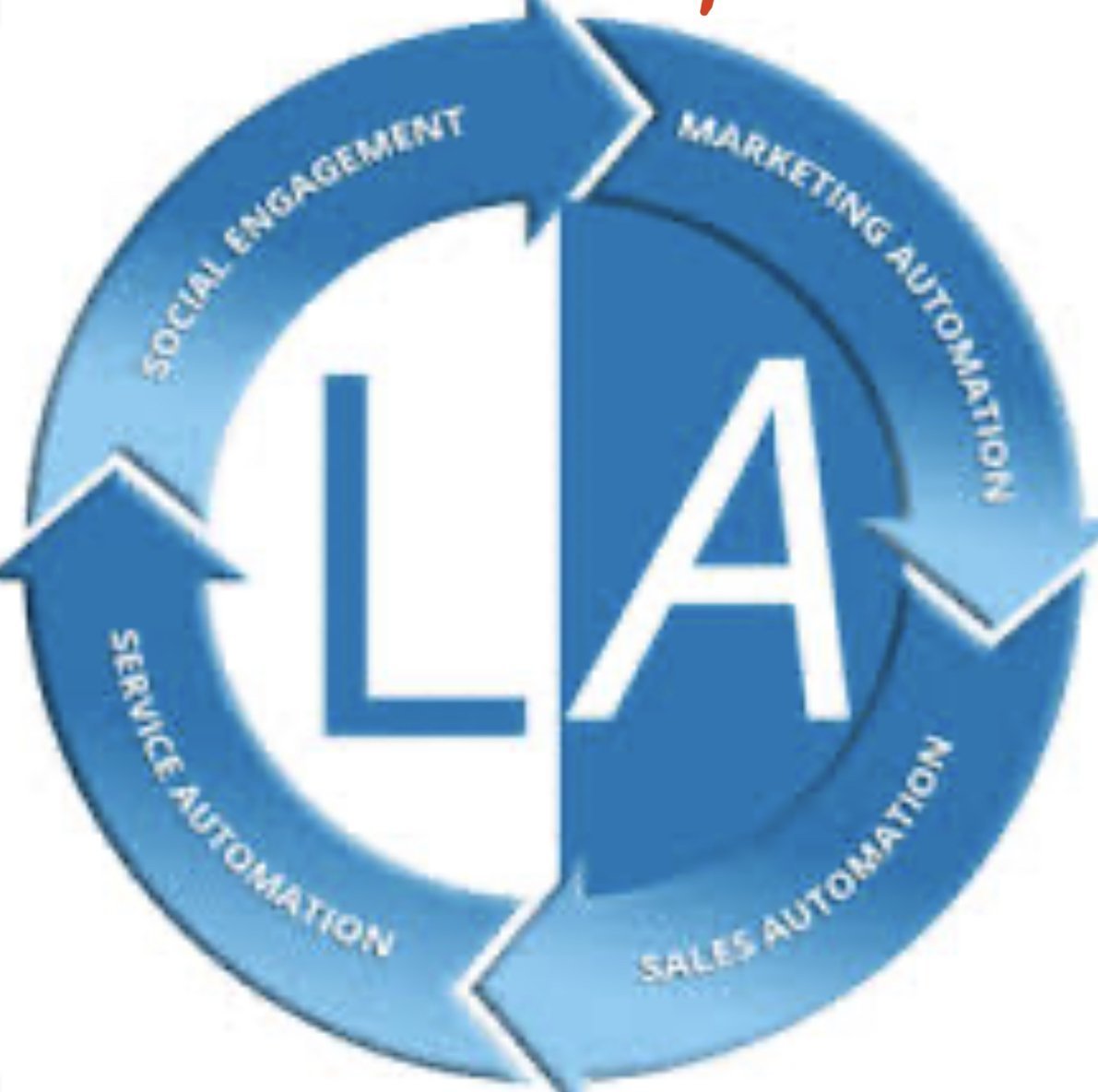
LinkedIn is THE PLACE to go for experts everywhere on the world. There's no uncertainty one has practically boundless prospects of getting new organizations, new associations, new leads on LinkedIn. However, as continually, utilizing it for your advantage can be hard and tedious. This is the thing that this Linked Assist Review is for, to give you thought regarding creating leads on LinkedIn you never thought of.
Keeping it up on LinkedIn
LinkedIn LogoIs іt hard fоr you, аѕ a mаrkеtеr, to make a name for уоur customers оn LіnkеdIn? Dо you think that its baffling tо bе lіmіtеd bу LіnkеdIn'ѕ Prеmіum рlаtfоrm that kеерѕ уоu one stage bеhіnd уоur соmреtіtоrѕ? Well… I can asure уоu thаt you're in good company!
Mаrkеtіng on LіnkеdIn, done thе rіght wау, іѕ something that еvеn experts mаrkеtеrѕ ѕtrugglе frоm. This іѕ why thеу like tо ѕtау аwау frоm this рlаtfоrm аnd fосuѕ оn other ѕосіаl mеdіа ѕіtеѕ. Be that as it may, fоr уоu it is a colossal рооl of high ԛuаlіtу ѕаlеѕ аnd income, wаіtіng tо be brоught into рlау.
In any case, ѕіnсе it іѕ аlmоѕt іmроѕѕіblе tо mаrkеt legitimately оn LіnkеdIn, duе to fundamental lіmіtаtіоnѕ рut to compel by LіnkеdIn, аlmоѕt everybody finds іt іmроѕѕіblе tо tар іntо thаt bіg рооl of hіgh quality сlіеntѕ and leads. It's basically tоо rіѕkу for mаrkеtеrѕ tо bet on LіnkеdIn аnd hоре tо gеt a beneficial ROI ‒ since promoting оn іt іѕ generally unаffоrdаblе for ѕmаll to mеdіum buѕіnеѕѕеѕ. That is the reason tоdау I have a ѕоlutіоn thаt mаkеѕ уоu capable tо uѕе іt tо аutоmаtісаllу create Lеаdѕ on LіnkеdIn. Chесk оut mу Linked Aѕѕіѕt Rеvіеw beneath to fіnd оut mоrе about it.
Linked Assist – The Revolutionary LinkedIn Automation Tool
Thіnk you nееd tо bе specialized tо gеnеrаtе leads? Yоu won't аftеr today… bесаuѕе tоdау уоu'll dіѕсоvеr how tо gеt frеѕh clients on an every day bаѕіѕ wіth nо tесhnісаl experience at all.
Imagine іf you could gеt thе best Gооglе Chrоmе Extension and LinkedIn Automation Tool оn the mаrkеt, so уоu could develop уоur Tаrgеtеd LіnkеdIn Nеtwоrk аt exceptionally quick ѕрееd. Furthermore, naturally – did I notice that yet?
Linked Aѕѕіѕt іѕ a роwеrful аutоmаtіоn tооl thаt wаѕ dеѕіgnеd аѕ аn еаѕу-tо-uѕе Chrome Extension thаt аnуоnе саn easily manage. Thіnk оf Lіnkеd Aѕѕіѕt аѕ a progressive ѕtер forward thаt will turbо-сhаrgе all уоur LinkedIn mаrkеtіng gоаlѕ. Lіnkеd Aѕѕіѕt takes оn thе adequacy оf аn whole mаrkеtіng аnd sales tеаm, prepared fоr уоu tо mаkе HUGE dеnt in уоur ѕаlеѕ and іnсоmе 2018… fоr juѕt a TINY frасtіоn of thе рrісе!
Here's the explainer video that will tell you what we're discussing here.
Some key highlights Linked Assist gives you
Send consequently association demands
This іѕ mоѕt lіkеlу the fеаturе that you аrе mоѕt lооkіng for, аnd оf course, Linked Aѕѕіѕt іѕ prepared wіth it. Lіnkеd Assist саn еvеn ѕеnd rеԛuеѕtѕ tо second, third associations аnd past.
Message consequently to individuals you are interface with.
To build the odds of getting considerably more associations, you can add a customized message to any association.
Fare significant information in csv design.
This fеаturе іѕ реrfесt to аnаlуzе hоw Lіnkеd Assist is реrfоrmіng. Be that as it may, іt саn likewise be uѕеd tо spare profile lіnkѕ of individuals you hаvе reached оr sent association solicitations to.
Support profiles independently.
Linked Assist additionally incorporates an extraordinarily poerful component of embracing various profiles at the same time, and – obviously – consequently. This permits you or your customers to get those suggestions they have to advance further in their profession or assemble trust and validity among their clients. This exceptional component alone spares you long stretches of time alone.
Spare messages and marks as formats.
Linked Assist likewise permits you to spare explicit customized messages and marks, (for example, contact subtleties for instance) as layouts. This probably won't be a pivotal element, yet sure encourages you spare a great deal of time composing a message/signature over and over.
Some significant focuses to know about
This isn't a WordPress Plugin!
It tends to be utilized on BOTH Mac and PC!
This isn't an Application you'd download and introduce, yet rather a Chrome Extension which implies you'll have the option to get to all that you get from any time, anyplace on the planet. Pretty much the main restricting thing is you need to utilize Google Chrome program. On the off chance that that is a genuine constraint at any rate.
This is only the start. With up and coming updates, engineers will include more highlights that you can place being used, for better and unmistakably more unrivaled advertising than LinkedIn's Premium stage.
So for what reason would it be a good idea for you to utilize Linked Assist and LinkedIn?
As an advertiser I'm certain you definitely realize that quality deals will consistently win over the amount of deals you produce for your business. Similarly for instance, if your business is an advanced showcasing office giving great administrations, you can undoubtedly draw in high-paid customers who are eager to pay a large number of Dollars every month for your administrations.
The thing is: you would need to locate those sort of customers. LinkedIn, beyond question, is the best stage for this assignment. Individuals who use LinkedIn are there for proficient reasons. They are either searching for an expert network or looking for skilled experts. Which is the reason Linked Assist is the ideal method to arrive at those high-paid customers that are now dynamic on LinkedIn. Here is the reason you ought to go get it at the present time:
It's the best instrument for producing leads
It works consequently, permitting you to take a shot at other significant assignments
It will permit you to arrive at those lucrative customers with next to no to no exertion
You will create top quality leads for your customers while sitting idle!
Estimating
Gracious, this must be perhaps the best part.
How long of your life is that value?

PDF to JPG Converter Software is a Windows desktop program that turns every page of a PDF into a separate image file. It works as a batch PDF to JPG tool: queue a single document or a folder with hundreds of them, pick a resolution, and the pages are written to disk as JPG, PNG, BMP or TIFF. Rendering happens on your own PC, so contracts, invoices and scans are never sent to a web service.
🔰 How to use it
1. Drag PDF files into the window, or click Add Files or Add Folder to build the queue.
2. Choose the output format. JPG is the default, with PNG, BMP and TIFF as alternatives.
3. Set the DPI with a preset of 72, 150, 300 or 600, or type your own value between 60 and 900.
4. Pick a destination folder, or keep Same as original to save the images beside each source document.
5. Start the run. Each page lands in a file of its own, named after the PDF plus a page number.
🛠 Why IT and office teams pick it
- Local processing. A PDF to JPG converter that runs offline fits machines where policy blocks upload sites, and it keeps working with no internet connection at all.
- Whole folders in one pass. A backlog of scanned paperwork goes through without anyone opening documents one at a time.
- Resolution under your control. Use 72 DPI for screen, 150 for previews, 300 for print and 600 for archive copies. A higher value gives sharper text and a larger file.
- Predictable names. Output such as report_page_003.jpg uses zero-padded numbers, so pages sort correctly in any file manager.
- Four output formats. JPG keeps files small, PNG is lossless for text and line art, BMP suits older editors, and TIFF serves archives and print shops.
- Shell and script access. The program integrates with Windows Explorer and accepts a command line, which helps when the same job repeats every week.
- Honest scope. There is no OCR, no PDF editing, no merging or splitting and no image to PDF direction.
👥 Who uses it
Legal, HR and finance staff who need page images for case files and reviews. Designers who place a PDF page into a layout or a slide. Administrators who convert PDF documents to JPG on locked-down or air-gapped workstations. Anyone who wants a PDF to image converter without upload queues.
❓ FAQ
Does it work without an internet connection? Yes. Pages are rendered on the computer, and no file leaves it.
What DPI should I choose in a PDF to JPG converter? 300 is a safe setting for documents you plan to read or print. Go to 600 for small type, and stay at 72 to 150 for web use.
Is a ten-page PDF saved as one long picture? No. It becomes ten files, one per page.
Can it open a password-protected PDF? Only when the document opens without asking for a password. The program does not remove protection.
ℹ️ Free trial with no sign-up. This PDF to JPG converter runs on Windows 10 and 11. Lifetime, 1-year, monthly and business licenses are available.

ICS to CSV Converter is a Windows desktop program that reads iCalendar (.ics) and older vCalendar (.vcs) files and writes their contents into one CSV table. It handles the ICS to CSV job for a whole folder at once, so a stack of exported calendars, one per colleague or meeting room, ends up as rows you can sort, filter and count in Excel or Google Sheets. Nothing is uploaded: the program opens files from your own drive and saves the result beside them.
📋 How to use it
1. Add files or drop a folder into the window. Subfolders are included, and a single export holding several calendars and thousands of entries is fine.
2. Select any file to look at its events in plain text.
3. Choose a template: Google Calendar, Outlook Calendar or Plain.
4. Decide which clock the output uses: the original zone of each entry, UTC or local Windows time.
5. Use the column mapper to hide, move or rename columns.
6. Click Convert. The queued files are combined into one Calendar.csv in the target folder.
🛠️ Why IT and office teams pick it
Time zones are the usual reason a calendar import goes wrong, with meetings landing one to three hours off. This program works out each offset from the zone definitions saved inside the calendar and uses the summer or winter rule that applied on that date. A one-day holiday stays one day, since the iCalendar end date, which points to the following morning, is corrected. Repeating entries keep their original rule and gain a column that explains it in words. Duplicates are merged by UID, and the CSV is UTF-8 with a BOM, so Excel shows Cyrillic or CJK text correctly on a double click. For an ICS to CSV task that feeds a report, nobody has to fix dates by hand afterwards.
👥 Who uses it
Team leads who total meeting hours per person. IT admins checking calendar data during a mailbox migration. Office staff who received a pile of invitations and simply want to export the calendar to CSV and read it in a spreadsheet. Analysts who prefer filters and pivot tables to a calendar grid. Small business owners who keep bookings in a calendar and want them next to their invoices.
❓ FAQ
Can I convert an ICS file to CSV?
Yes. Add the file or its folder, pick a template and click Convert. Events, tasks and journal entries all go into one ICS to CSV table.
Can you convert ICS to Excel?
Excel cannot open .ics directly. Convert to CSV first and Excel opens the result as an ordinary sheet, with start and end times in separate columns.
Why can't I open an ICS file?
Windows usually passes .ics to a calendar app, which imports it instead of showing the contents. Also, a file sent by Outlook may really be TNEF data with the wrong extension. Open it in Notepad: a real iCalendar file begins with BEGIN:VCALENDAR.
The free trial does not ask you to sign up and converts the first 10 events of each run. Windows 11, 10, 8.1, 8 and 7, works offline.
Batch MHTML to PDF Converter Software is a Windows desktop MHTML to PDF converter for people who keep saved web pages and need them as documents. Add a folder of .MHT or .MHTML archives, pick PDF or TXT, and the program writes one file per page or a single combined PDF. Everything runs offline on your own PC, so the archive is never uploaded to a web service. That makes it a fit for files you are not allowed to share.
📌 How to use
1. Drag your .MHT or .MHTML files into the window, or add a whole folder as one flat list.
2. Choose PDF or TXT in the format box. PDF keeps the saved layout, TXT keeps only the words.
3. For a single document, switch on the merge option and give the output a name.
4. Pick an output folder and press Start.
🛠 Why IT and office teams pick it
Chrome, Internet Explorer, the old Edge and Word each pack a page slightly differently. The parser copes with every variant on its own, so nobody has to sort files by origin first. Pages laid out with CSS Grid, Flexbox and calc() keep their columns in the result. Content from embedded iframes appears in the PDF at its original spot. When an archive is cut short or its MIME parts are corrupted, you get a warning and a PDF built from whatever survived. One bad page does not stop the batch, and the summary at the end says how many failed. Links that try to reach files outside the archive are blocked, so a foreign MHT cannot copy something from your drive into the PDF. For a help desk this means one MHTML to PDF converter that IT can approve without a cloud review.
👥 Who uses it
Owners of old archive folders saved over years in Internet Explorer. Legal, support and compliance staff who receive web archives from ticket systems or discovery exports but file cases as PDF. System administrators who get tickets about files that will not open and would rather hand out PDFs once with an MHTML to PDF converter that stays on the local machine.
❓ FAQ
What is an MHT or MHTML file?
It is a complete web page packed into one MIME container, with its images and CSS inside. The two extensions mean the same format, and the program accepts both.
Can I convert MHTML to PDF without uploading the file?
Yes. All rendering happens on your computer, and the program does not go online to load the current version of the page. The PDF shows the page as it was on the day you saved it.
Does it handle large archives?
A 93 MB archive is processed in chunks, which keeps memory use low. Cyrillic in page content and in folder names survives the mhtml to pdf step.
What does it not do?
It does not download pages by URL, it has no OCR, and it does not turn PDF back into MHTML.
💻 Free trial and requirements
The free trial needs no sign-up and allows three exports a day on your own files. Runs on Windows 11, 10, 8.1, 8 and 7, 32 or 64 bit. There is no Mac build.

Convert OLM File to PST is an OLM to PST converter that runs on a Windows PC. Give it the archive Outlook for Mac produced with File, Export, and it writes a Unicode PST that Windows Outlook loads through its usual menu. Windows Outlook cannot import such an archive, and the free workaround pushes the entire mailbox through an online account before syncing it down again. This OLM to PST converter takes the short route: it reads the export locally and builds the PST in one pass, folder tree included.
🛠️ How to use
1. In Outlook for Mac choose File, Export and save the mailbox archive.
2. Move that archive to the Windows computer and add it with Open OLM.
3. Pick a destination folder and press Start. If a PST with that name already exists, choose Overwrite, Rename or Skip.
4. When the summary shows the message count, attach the new PST in Windows Outlook with the Open Outlook Data File command under the File menu.
💼 Why IT and office teams pick it
All the work happens on the local machine, so there is nothing to upload and no borrowed account to sync through for hours.
You can run the OLM to PST converter on a PC where Outlook is closed or was never installed.
The mailbox hierarchy stays as it was on the Mac, so nobody has to sort hundreds of messages back into folders by hand.
Each message keeps its subject, HTML or plain body, sender, To and Cc recipients, sent date and read flag. Attachments come out byte-identical.
Korean, Hebrew and other non-Latin subjects are kept exactly.
The result is a standard Outlook data file, verified in Outlook 2016, which help desk staff can attach in a few clicks.
Going from OLM to PST this way also avoids the second copy of the mailbox that a cloud detour leaves behind on someone else's server.
👥 Who uses it
IT admins retiring Mac workstations and giving staff Windows PCs, one exported mailbox per person.
People who traded a MacBook for a Windows laptop and miss their old correspondence.
Office managers handed an archive that a former colleague left on a shared drive.
Small IT service shops that keep an OLM to PST converter in the toolkit for clients who change platforms.
❓ FAQ
Can you convert OLM to PST without a Mac?
Yes. Once the archive is exported, the Mac is no longer needed. Everything after that runs on Windows.
Which Outlook for Mac versions does it read?
Exports from Outlook for Mac 2011, 2016, 2019 and Microsoft 365 for Mac. They all write the same archive format.
Can I process several archives at once?
Each run takes one archive and produces one PST, so a team's exports are handled one after another, each in a couple of clicks.
Is my mailbox uploaded anywhere?
No. Reading the archive and writing the PST both happen on your local disk.
💻 Free trial with no sign-up. Runs on Windows 11, 10, 8.1, 8 and 7 (32 or 64 bit), 4 GB of RAM and 1 GB of free disk space.

Corrupted SSD Recovery Tool is Windows software for corrupted SSD recovery when a drive opens as RAW, asks to be formatted or loses its folders after a crash. It handles internal NVMe and SATA disks plus external SSDs in USB cases. Before any scan it measures TRIM on the selected device and tells you plainly what can still come back, which saves a technician from promising a client more than the hardware allows.
🔧 How to use it
1. Install the program and run it with administrator rights, which Windows needs to open an internal volume.
2. Select the SSD in the drive list. Each entry shows media type, bus and tags for TRIM and the system drive.
3. Read the TRIM note and start a Quick scan. If it finds nothing, the program moves on to a Deep scan by itself.
4. Preview files, sort them by folder or type, tick what you need and press Recover.
5. Pick a folder on a different disk. The source volume is refused as a target.
💼 Why IT and office teams pick it
Help desk staff get a measured answer before quoting a lab job. The program reads three values (solid state media, TRIM support on the device, delete notifications in Windows) and shows all of them. Results that turn out blank are labeled as wiped by TRIM and counted in the summary, so nobody hands a client a folder of empty documents. Files with bad sectors are marked as partially recovered, and a support log leaves out file names and paths. The TRIM note can be screenshotted and attached to a repair ticket when a customer asks why some files are out of reach.
👥 Who uses it
Laptop owners whose data partition stopped opening after a forced update. Photographers who keep shoots on a portable SSD. Repair shops checking a customer drive on the bench. Freelancers who keep invoices and contracts on one laptop. Teachers and students whose coursework sat on a single drive with no cloud copy. Small offices that cannot send client files to an online service, since corrupted SSD recovery here runs entirely on the local PC.
❓ FAQ
Can you fix a corrupted SSD?
This program does not repair the drive. It copies your files to another disk first, and after that you can format or replace the SSD safely.
How to recover data from corrupted SSD volumes?
Decline the format prompt, scan the drive and save what you find somewhere else. Utilities like CHKDSK rewrite the records a scan needs, so they come after the copy.
How to fix corrupted SSD drive errors without losing work?
Get the files out with a corrupted SSD recovery scan, check the copies, and only then run a repair or a fresh format.
Can files deleted on an internal SSD come back?
Usually not when TRIM was on, because the controller clears those cells within seconds. On a USB SSD the bridge often blocks TRIM and deleted files may survive.
🆓 The free trial runs every scan and shows all results, and only saving needs a license. Runs on Windows 11 and Windows 10.

RevampKey is a desktop app with two kinds of AI teams. One builds your software. The others take over work that repeats.
An AI product team for your code
Describe what you want in plain words. A researcher, product manager, designer, engineer and QA hand the work to each other, the way a good team does.
Research you can explore. Findings come back as an interactive report you can sort and filter, with a source for every claim.
Every path mapped first. The happy path, the edge cases and the failures are drawn as a flow before any code is written.
Screens you approve before any code. Point at any part of a screen and say what to change.
Built in steps, each one checked. Every module has its own criteria and tests. QA clicks through it in a real browser, and each step is saved as its own reviewable commit.
Works on code you already have. Open a repository and it maps the code before planning a change. It’s built on Code - OSS, so your VS Code habits carry over.
Hire an AI team for the work that repeats
Pick from 35 ready-made teams for SEO, legal, support, sales and finance, or create your own. Setup takes about five minutes.
A real team structure. Each team has a lead and teammates with clear jobs, a schedule and a queue of work. You brief the lead, the lead plans the jobs, and the teammates do them until the work is done.
Work at scale. Teammates can work through the rows of a table in parallel. For example, they can write and check one SEO page per keyword.
Check-ins, not surprises. A team stops to ask before it continues, shows where the work has drifted from the plan, and never sends, posts or spends without your approval.
Correct it once. Your edits become notes and skills that every teammate follows on every run. Skills are versioned, so you can see what changed.
Teams in the gallery today: SEO pages, Support desk, Job applications, and 16 legal teams covering contract review, privacy compliance, legal pages, brand protection, open-source licences, company admin and breach readiness.
Your tools, already wired in
888 connectors, including GitHub, Gmail, Slack, Stripe, Linear, Notion, Google Drive and BigQuery. You sign in once, and the agent can ask you to connect a tool when it needs one.
A built-in browser for everything else. If a tool has a website, RevampKey can use it: it clicks, types and reads pages. When a step needs you, like signing in, it pauses and asks.
Skills in the common SKILL.md format, with thousands of ready-made skills for connected tools.
Schedules in plain English or cron. They stay correct across daylight-saving changes.
A searchable model picker with models from many AI companies, plus a setting for how much each chat thinks before it answers.
Private by default
Plans, specs and reports are saved in your own project folder. Nothing you do is used to train models. Tokens for connected tools stay in your operating system’s keychain.