AI-Generated Results
Finding matches…
MSG to PST Converter Software for Outlook is a Windows msg to pst converter for anyone sitting on a folder of single Outlook messages that were dragged out to the desktop over the years. The program goes through those MSG files on your own PC and builds one Unicode PST archive, which you then attach in Outlook like any data file. Outlook can stay closed, or be missing from the machine entirely, and no mail is sent to a web service along the way.
🛠️ How to use
1. Start the msg to pst converter and drop the MSG files onto its window, or use Add File to select the folder that contains them.
2. Choose PST as the target format. Everything in the list is written into a single archive.
3. Press Start and let the run finish. Your source files are not changed.
4. Attach the new archive in Outlook through File, Open, Outlook Data File.
💼 Why IT and office teams pick it
Each MSG file is a small OLE container with Outlook's MAPI properties and its attachments packed inside. The tool reads those properties directly and moves them over: subject, HTML or plain text body, sender, to and cc recipients, dates, plus whether a message was read. Every attachment stays with its parent message in the archive. Subjects and names written in Cyrillic or another non-Latin script come through readable, so a mixed-language mailbox stays searchable. The whole MSG to PST job happens offline, so client correspondence never touches someone else's server.
👥 Who uses it
Office staff with years of project mail sitting in desktop folders who want to search it from Outlook again.
Support and records desks that file ticket replies and case notes one message at a time and need a single archive per client.
People switching to a new computer with a stack of messages copied from the old one, before an Outlook profile is even configured.
IT admins asked to collect what a departing employee saved locally and hand it over as one file.
❓ FAQ
Do I need Outlook installed to read MSG files?
No. The msg to pst converter has its own reader, so the PC does not need Outlook. The output PST can be opened in Outlook later or simply kept as an archive.
What is the difference between an MSG file and a PST?
An MSG file carries one message. A PST stores many messages in folders inside one file, and this tool builds that archive out of your loose messages.
Can I add a large batch of files in one go?
Yes. When you convert msg to pst here, every file you add lands in the same PST during a single run, so there is no need to split the work.
Does it work with EML, MBOX or OST files?
No. This program reads MSG files only, and it does not connect to a live mailbox or an Exchange or IMAP server. Separate SoftOrbits tools handle EML, MBOX and OST conversion to PST.
✅ Free trial for Windows 10 and 11 with no sign-up. The finished PST opens in Outlook 2016 and later.
Not seeing what you're looking for?
Dive deeper into "2Do" on G2 AI

MBOX to PDF Converter Software is a Windows desktop program that opens .mbox mailboxes from Thunderbird, Apple Mail or a Gmail Takeout export and saves the messages as PDF documents. No mail client has to be installed: as an mbox to pdf converter it fills the gap Windows leaves, since the system cannot open an .mbox on its own. The conversion runs on your own PC, so private correspondence is never uploaded to a web service, and the HTML layout and inline images of each email carry over into the PDF.
🔰 How to use it
1. Click Add File and multi-select one or more .mbox files, or drag them into the window.
2. Use Add Folder to pick up every .mbox in a Thunderbird profile, including the .sbd subfolders.
3. Tick the mailboxes you need in the tree. Click one to list its messages with Subject, From, To, Date and Size.
4. Type in the filter to narrow the list by sender, recipient, subject or body text, and read any message in the preview pane.
5. Choose a destination folder and press Start. Progress is shown message by message.
6. Open the destination folder, where each mailbox has its own subfolder of PDF files.
👍 Why IT and office teams pick it
- Nothing leaves the workstation, which matters for legal, HR and finance mail.
- A mailbox too large for a browser upload is processed locally, with no size cap.
- Old .mbox files stay readable after the account or the mail program is gone.
- Every PDF opens with From, Date, To and Subject above the body, so each record is easy to file.
- Several mailboxes go through in one batch run, and each one gets its own output subfolder, so file names never collide.
- A PDF is a fixed record that cannot be casually edited, which is why auditors and courts ask for mail in this form rather than as a raw mailbox.
✅ Who uses it
- Legal and compliance staff answering a litigation hold or an audit request.
- People moving off Thunderbird or Apple Mail who want old folders kept as documents.
- Gmail users who downloaded one large Takeout .mbox and need to read it on Windows.
- Paralegals who collect mbox to pdf exhibits for a case file and want sender and date on each record.
- IT admins asked to hand mail from a departed employee to a manager who has no mail client.
❓ FAQ
Do I need Thunderbird installed to convert MBOX to PDF? No. The program parses the saved file itself, so the client that created it can be missing from the PC.
Is my email sent to a server? No. Reading and rendering run on your PC.
Can it read Apple Mail exports? Yes, .mbox files from Apple Mail open fine, but the program itself runs on Windows only.
Does it convert EML, MSG or PST files too? No. This mbox to pdf converter reads .mbox only, and live IMAP accounts are not supported either.
ℹ️ Free trial: the MBOX to PDF converter handles up to 3 emails per day, so you can check the output on your own mail before buying. Lifetime, one-year and business licenses are offered. Runs on Windows 10 and 11.
PST to MBOX Converter for Thunderbird is a Windows pst to mbox converter for people who are leaving Outlook and want years of mail to open in Thunderbird. It reads a .pst or .ost archive straight from disk, with no Outlook installed and no Exchange profile, and writes MBOX mailboxes in the layout Thunderbird keeps on its own disk. Each Outlook folder gets its own file, and its children go into a matching .sbd directory, so the hierarchy you had is still there after import.
🛠️ How to use
1. Open the PST or OST file. Its folders show up on the left, and any message can be previewed.
2. Tick the folders you need. Skip empty ones, leave out Deleted Items or narrow the date range.
3. Pick MBOX or EML on the Convert tab and choose an output folder.
4. Run the conversion, then import PST to Thunderbird by handing it the output directory through ImportExportTools NG or the profile folder.
💼 Why IT and office teams pick it
- Original SMTP headers (Received chain, DKIM, Return-Path) are copied word for word for delivered mail.
- To and Cc carry real addresses, not display names.
- Read, replied and flagged marks travel in X-Mozilla-Status, which Thunderbird reads.
- Attachments are written byte for byte, and inline pictures stay in the HTML body.
- Fresh mail can be added later into a file left by an earlier run.
- A per-folder text report lists what went through and what failed.
- Nothing leaves the PC. The log holds counts only, never subjects or addresses.
- Cyrillic, CJK and emoji in subjects and folder names come through readable.
- Existing output is never wiped silently. You pick rename, overwrite or append each time.
👥 Who uses it
People whose Microsoft 365 plan ran out and who now keep their mail in Thunderbird for free. Admins moving a team off Outlook, who trim each archive with date filters before the run and check the report afterwards. Anyone handed an old archive by a colleague who left, with no Outlook on the machine to open it. Apple Mail, Postbox and mutt users can open the same MBOX output, while the .sbd directories matter to Thunderbird only. For most of them this pst to mbox converter is a one-off job on a single PC.
❓ FAQ
Can I convert PST to MBOX without Outlook installed?
Yes. The program reads the archive itself, so neither Outlook nor a mail account is needed on the PC.
Can Thunderbird open a PST file by itself?
No. It has no PST reader, and its Outlook import only works through a configured Outlook on the same computer.
Do read and flagged marks survive?
Thunderbird shows them, because they ride in a header it understands. Most other clients skip that header.
Can it process several PST files in one run?
Not in this version. One archive is converted per session.
🆓 The free trial of this pst to mbox converter handles a sample of the messages, enough to judge the result in Thunderbird. Runs on Windows 11, 10, 8.1, 8 and 7, 32 or 64 bit.

Outlook PST Repair Tool is a PST repair tool for Windows 10 and 11 that reads a damaged .pst or .ost data file without changing a single byte of it. Whatever can still be read is rebuilt and saved as a brand new file. Outlook does not need to be installed, and the mailbox never leaves the computer.
🔰 How to use the PST repair tool
1. Click "Open damaged PST or OST file..." and select the file Outlook rejects.
2. Keep Repair depth on Automatic. It starts with a plain open, rebuilds the header inside a working copy if that fails, and scans the whole file only as a last resort.
3. Browse the folder tree and preview messages. This tree is already the repaired mailbox.
4. Pick an output: a new PST, or MSG, EML, MBOX, PDF or HTML files.
5. Set a destination and press Start. Free disk space is checked first.
🛠 What makes it different
- Read-only source. The built-in Office utility edits a broken file in place. Here the damaged PST is only read, so a failed attempt costs nothing.
- Deleted mail. Deep scan looks for messages that were erased from a working archive and puts them in a Recovered Items folder.
- No silent losses. When a body or attachment is physically gone, the message is kept with a [partial] mark and a note listing what is missing.
- A plain report. Each run ends with a summary of the repair level, the counts and what could not be recovered, with no names or subjects in it, so it can go straight to support.
- Six outputs from one pass. Attach a fresh PST in Outlook, give EML files to another mail client, or hand PDF copies to someone with no mail app at all.
- Clean saving. Output goes to a temporary .part file and is renamed only after the last message is written, so a stopped run never leaves a file that looks complete.
👥 Who needs it
- Helpdesk staff handed a mailbox where the built-in repair already ran and folders went missing.
- Accountants, lawyers and office managers who must keep years of client correspondence.
- Anyone holding an old OST from a closed account that Outlook no longer mounts.
❓ FAQ
Is there a free way to repair a PST file? Office includes a basic repair utility that writes into the file it repairs. With this tool the scan and preview are free, so you see what comes back before paying.
Can I recover deleted emails from a PST file? Often, yes, if the file has not been compacted since. Deleted messages tend to lose their body first, so many arrive as headers marked [partial].
How do I repair a PST file without Outlook? Install the app and open the file directly. It has its own reader and writer for the Outlook format.
Does the PST repair tool open OST files too? Yes. An offline OST goes through the same repair and can be saved as a PST.
ℹ️ Free trial: open a corrupt PST file, run the repair and browse every recovered message. Saving needs a license. One file per run, Windows 10 or 11, works offline.
PST to PDF Converter Software is a PST to PDF converter for Windows 10 and 11. It opens an Outlook .pst or .ost data file straight from the disk, shows its folders and messages, and writes the ones you choose as PDF, HTML or TXT files on the same computer. Outlook does not have to be installed, and nothing is uploaded.
🔰 How to use the PST to PDF converter
1. Click Open PST, or drag one .pst or .ost file into the window. The folder tree appears on the left with a checkbox next to every folder.
2. Click a folder to list its messages with subject, sender, recipient and size. Click a message to read it in the preview pane.
3. Narrow a long folder with the search row: choose the field to look in, such as Subject or Body, type a word and press Search.
4. Leave ticks only on the folders you need. The counter above the list says how many messages will be exported.
5. Choose PDF in the Format list and decide whether pictures placed in the message body go into the output.
6. Pick a destination folder and start the export. A progress line counts the messages as they are written.
🛠 Why IT and office teams pick it
- No mail profile needed. The program reads the data file with its own engine, so a clean workstation is enough to convert PST to PDF.
- Selective export. Ticking only Sent Items or a single subfolder keeps the job inside the scope of the request.
- Check before you run. The preview renders any message with its header lines and formatted body before a single file is written.
- Mail stays local. Client and staff correspondence is processed on the PC and is not sent to a web service.
- Three output formats. PDF for records, HTML for a browser, TXT for plain text search.
- Context in every document. Each exported message starts with From, Date, To and Subject, so it still makes sense outside the mailbox.
👥 Who uses it
- Legal and compliance staff who must hand over mail from an exported mailbox as fixed documents.
- IT administrators left with the archive of someone who has moved on.
- HR teams adding a correspondence trail to a personnel file.
- Home users who want to save Outlook emails as PDF from an old backup.
❓ FAQ
How do I turn a PST file into PDF? Open the file, tick the folders, leave the format on PDF and run the job.
Can I open a PST file without Outlook? Yes. The folder tree, the message list and the preview all work on a PC that never had Outlook.
Does it read OST files? Yes. An .ost offline copy, including one whose account no longer exists, opens the same way as a .pst.
Can the PST to PDF converter load several archives at once? No. One file per session, and opening another replaces the current one.
ℹ️ Free trial with no sign-up, so you can test PST to PDF output on your own archive before buying a license. Runs offline on Windows 10 and 11. Lifetime, yearly, monthly and business licenses are available.

QIF to QBO Converter Software takes a Quicken .QIF export or a QuickBooks .IIF file and writes a Web Connect .qbo that QuickBooks Desktop and QuickBooks Online can import. The same run can also produce a CSV for Excel or a printable PDF table. All work happens on your Windows PC, with no upload and no online account to create.
Quicken accepts QIF only for asset, liability and cash accounts, and QuickBooks has no QIF import at all, so an old archive tends to get stuck between the two programs. The qif to qbo converter closes that gap without any retyping.
🛠️ How to use
1. Install the program and launch it. The bank directory is already inside.
2. Drag one .qif or .iif file, or a whole folder, into the window and check the text preview.
3. Open Lookup, type your bank name and pick the matching row.
4. Leave QBO selected in the output box and press Convert.
5. In QuickBooks Desktop go to File > Utilities > Import > Web Connect and choose the new file.
💼 Why IT and office teams pick it
- It refuses to save a .qbo without a valid institution ID and prints the reason word for word, so a broken file never reaches QuickBooks.
- Transaction IDs stay stable between runs, so a second import of the same export does not duplicate entries.
- Split transactions keep their parts, and the CSV header stays in English for import maps and formulas.
- A preview shows the recognized transaction count and encoding before you press Convert, which saves a trip back to the source file.
- A folder of exports can be queued in one batch, with an optional Merge into a single file.
- Files never leave the workstation, and the program works without internet access.
👥 Who uses it
People moving their own books off Quicken, bookkeepers who inherit legacy client files with several accounts in one export, and admins who gather QIF and IIF files from branch offices for a single qif to qbo routine. A qif to qbo converter that runs locally also suits offices bound by client confidentiality rules.
❓ FAQ
Can I convert QIF to QBO without Quicken installed?
Yes. The tool reads the .qif file directly, so neither Quicken nor any online service is needed.
Why does QuickBooks reject my QBO file?
Usually the institution ID is missing or wrong. This qif to qbo converter blocks that case before saving. Also note that QuickBooks releases older than three years do not import .qbo at all.
Does it handle IIF files saved as .txt?
Yes. Each file is probed by its contents, so an IIF export with a .txt extension is still parsed as IIF.
What happens to Cyrillic or Asian characters?
The .qbo is written in CP1252. Cyrillic is transliterated and other characters become numeric references, so nothing disappears silently.
🖥️ The free trial converts 20 transactions. Runs on Windows 11, 10, 8.1, 8 and 7, 32 and 64 bit. Licenses come as lifetime, one-year or business.
Batch MHTML to PDF Converter Software is a Windows desktop MHTML to PDF converter for people who keep saved web pages and need them as documents. Add a folder of .MHT or .MHTML archives, pick PDF or TXT, and the program writes one file per page or a single combined PDF. Everything runs offline on your own PC, so the archive is never uploaded to a web service. That makes it a fit for files you are not allowed to share.
📌 How to use
1. Drag your .MHT or .MHTML files into the window, or add a whole folder as one flat list.
2. Choose PDF or TXT in the format box. PDF keeps the saved layout, TXT keeps only the words.
3. For a single document, switch on the merge option and give the output a name.
4. Pick an output folder and press Start.
🛠 Why IT and office teams pick it
Chrome, Internet Explorer, the old Edge and Word each pack a page slightly differently. The parser copes with every variant on its own, so nobody has to sort files by origin first. Pages laid out with CSS Grid, Flexbox and calc() keep their columns in the result. Content from embedded iframes appears in the PDF at its original spot. When an archive is cut short or its MIME parts are corrupted, you get a warning and a PDF built from whatever survived. One bad page does not stop the batch, and the summary at the end says how many failed. Links that try to reach files outside the archive are blocked, so a foreign MHT cannot copy something from your drive into the PDF. For a help desk this means one MHTML to PDF converter that IT can approve without a cloud review.
👥 Who uses it
Owners of old archive folders saved over years in Internet Explorer. Legal, support and compliance staff who receive web archives from ticket systems or discovery exports but file cases as PDF. System administrators who get tickets about files that will not open and would rather hand out PDFs once with an MHTML to PDF converter that stays on the local machine.
❓ FAQ
What is an MHT or MHTML file?
It is a complete web page packed into one MIME container, with its images and CSS inside. The two extensions mean the same format, and the program accepts both.
Can I convert MHTML to PDF without uploading the file?
Yes. All rendering happens on your computer, and the program does not go online to load the current version of the page. The PDF shows the page as it was on the day you saved it.
Does it handle large archives?
A 93 MB archive is processed in chunks, which keeps memory use low. Cyrillic in page content and in folder names survives the mhtml to pdf step.
What does it not do?
It does not download pages by URL, it has no OCR, and it does not turn PDF back into MHTML.
💻 Free trial and requirements
The free trial needs no sign-up and allows three exports a day on your own files. Runs on Windows 11, 10, 8.1, 8 and 7, 32 or 64 bit. There is no Mac build.
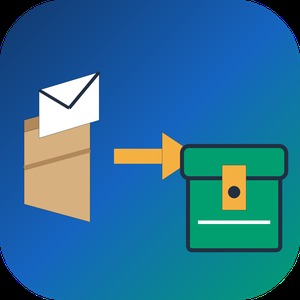
Apple Mail to PST Converter Software is a small Windows utility for one moment in the life of a mailbox: the day its owner trades a Mac for a PC. As an apple mail to pst converter it takes the message store copied out of macOS Mail and produces an Outlook data file, so a decade of correspondence arrives on the new laptop with folders and attachments in order. The work happens on the local disk with no internet connection needed, and the old Mac can already be wiped.
🛠️ How to use it
1. On the Mac, grab the Mail library folder or run Export Mailbox, then carry the copy over on a flash drive.
2. Launch the program on Windows and add individual EMLX messages, MBOX mailboxes or a complete directory.
3. Keep the merge box cleared to receive one output per source, or tick it to gather everything into a single file where each source sits in a separate top-level folder.
4. Set a target location and click Start.
5. Attach the finished file in Outlook as an extra data file and browse it like any other mailbox.
💼 Why IT and office teams pick it
The result is a Unicode PST that was verified in Outlook 2016. Cyrillic or other non-Latin subjects, HTML bodies, plain text, sender and recipient lists, timestamps, read status and attached files stay as they were. Input copies are opened read-only. Outlook may stay closed, or be absent from the machine, while the job runs. Mail is never sent to a third-party server, which matters when the mailbox holds contracts or HR letters.
👥 Who uses it
Home users and freelancers who switch platforms and refuse to lose old threads. Help desk staff who inherit a leaver's Mac and must deliver that person's mail to a manager on Windows. Archivists of family or company history holding years of Mac mail exports on backup drives.
❓ FAQ
Can Outlook on Windows open Mac mail files directly?
No. Outlook reads PST, not the EMLX and MBOX files macOS Mail writes. An apple mail to pst step in between turns them into something Outlook can attach.
Will my Mac folder structure survive?
Yes. Mailboxes keep their folder tree, and when several sources are merged each one gets its own top-level folder, so identical names do not clash.
Does it handle Outlook for Mac archives?
No. Outlook for Mac exports OLM, a separate format. This EMLX to PST tool reads only the built-in Mail app of macOS.
Is a Mac required during conversion?
No. The Apple Mail to PST Converter runs on Windows and needs only the copied files, so it works after the Mac is returned or erased.
Can I check the output before paying?
Yes. Run the trial on a real mailbox, attach the result in Outlook and look through the folders yourself. Licensing for this apple mail to pst converter can wait until you are satisfied.
✅ The free trial processes mailboxes of up to 20 messages completely and a sample of bigger ones (10 percent, capped at 100 messages). Works on Windows 11, 10, 8.1, 8 and 7, 32 or 64 bit, with 4 GB of RAM.
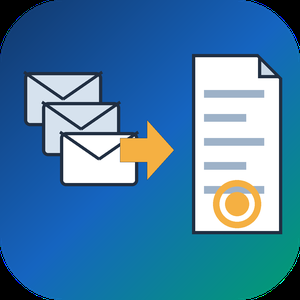
Any Email to PDF Converter Software is an email to PDF converter for Windows that turns saved messages and whole mailboxes into PDF files on your own PC. It reads EML and Outlook MSG files, Outlook PST and OST archives, and MBOX exports from Thunderbird or Apple Mail, all in one batch list. Nothing gets uploaded, and you do not need Outlook or Thunderbird installed to convert email to PDF.
Most mail tools save one message at a time. This email to PDF converter treats a folder of mixed files as one job and writes a separate document for every message it finds, so the PDF count matches what went in.
🛠️ How to use
1. Drag messages or a whole export folder into the window, or click Add Files.
2. Pick PDF as the format. Keep one file per message, or tick Merge all into one PDF.
3. Leave Include images on to keep inline pictures, or switch it off for lighter pages.
4. Click Start. PST, OST and MBOX containers unfold into the queue folder by folder, and each row shows OK once its PDF is written.
💼 Why IT and office teams pick it
Mixed exports are the usual headache. One folder holds a few MSG files someone dragged out of Outlook, an old PST from a retired laptop and an MBOX from a Thunderbird profile. This tool takes the whole mix in one run, and nobody has to open archive subfolders by hand because the program walks through them. Each PDF opens with a From, Date, To and Subject header above the body, so a printed message still shows who wrote it and when. Work stays on the desktop, which matters for privileged or personal mail. HTML and plain TXT output are there too, for a web copy or for feeding text into a search index.
👥 Who uses it
Legal and compliance staff building disclosure sets. HR teams filing a departed employee's mailbox. IT admins retiring old archives during a move away from Outlook or Thunderbird. Anyone who inherited a mailbox backup and simply wants to read and keep parts of it. A paralegal with a single custodian PST and an office manager with a decade of Thunderbird mail can use the same email to PDF converter for both.
❓ FAQ
Can it open a PST without Outlook?
Yes. The program reads PST and OST files itself, so Outlook does not have to be installed or running.
Does it convert a whole mailbox at once?
Yes. Add a PST, OST or MBOX and every message from every folder is queued automatically.
Can several emails go into one PDF?
Yes. Turn on the merge option, and you can also start each email on a new page.
Is my mail sent to a server?
No. Reading the source and rendering the PDF both happen on your PC.
What if PDF is not the right output?
Switch the format to HTML for a browser copy or TXT for bare text. Email to PDF stays the default because a PDF opens anywhere without a mail program.
🖥️ Free trial with no sign-up. Runs on Windows 11 and Windows 10, with 4 GB of RAM and 1 GB of free disk space recommended.

SoftOrbits AI Photo Editor with Prompt is a Windows desktop tool where you describe a change in plain words and the program applies it to the part of the picture you marked. People who need quick retouching get an ai photo editor that skips the learning curve of layers, masks and long rows of sliders. Swap a background, take a stranger out of a holiday shot or make a portrait look more formal with one short sentence.
📌 How to use
1. Download the installer and set it up on your PC.
2. On the first launch, accept the offer to download the AI models. This step can take up to 10 minutes.
3. Click Add File for one picture or Add Folder for several.
4. Outline the region with the Marker tool, or hover over an object to let automatic selection pick it.
5. Type a clear instruction, for example "remove person from the photo", and press Run.
6. Check the result in the editor window, then use Save As to pick a format, a folder and a file name.
🏢 Why IT and office teams pick it
Staff can edit photos with text prompt instructions instead of waiting for a designer. On the surface it is a simple photo editor, yet the ai photo editor engine underneath handles object removal, backdrop replacement and portrait touch ups. It opens images up to 8K, reads RAW files and keeps editing non-destructive, so the original stays safe. Classic tools such as crop, rotate, resize and image correction with brightness, contrast and saturation sliders sit in the same toolbar. The trial starts right after installation, so a pilot on one workstation takes little setup time.
👥 Who uses it
Marketing teams preparing product shots, e-commerce sellers cleaning up catalog images, social media creators, graphic designers, digital artists and professional photographers. Home users rely on it for family pictures too, for example to brighten an old print scan or clear clutter from a room before sharing the shot with relatives.
❓ FAQ
How do I ask AI to edit a photo?
Mark the area you want to change, then write what should happen there, like "make the sky bluer". The model reads the request and edits only that region.
Can I ask AI to edit a picture without design skills?
Yes. In this ai photo editor a plain sentence replaces most manual tool work.
Which AI can edit images with prompts?
Generative image models, such as diffusion models, paired with a language model that interprets your words. SoftOrbits AI Photo Editor with Prompt follows this approach after a one time model download.
What can I type as a prompt?
Short, specific requests work well: "change clothes to more formal" or "make the sky sunny with a rainbow".
⬇️ Download the free trial and test it on your own photos before you buy. It runs on Windows 11, 10, 8.1, 8 and 7 (32 and 64 bit) with 4 GB of RAM, 1 GB of free disk space and a graphics card with current drivers.

Digital photo suite is the plain name for what this bundle is: ten small Windows programs for photo work, sold as one package. SoftOrbits Digital Photo Suite - Photo Editing Bundle skips the single giant editor approach on purpose. Each tool does one job, so you open the resizer to resize a folder, the retoucher to repair an old print and the background remover to cut out a subject. The set costs about 70% less than buying the same programs one at a time.
🛠️ How to use it
1. Download the installer and run it on Windows 11 or 10 (7 and 8 are also listed).
2. Open the tool that matches the task, for example Batch Picture Resizer for a folder of shots.
3. Add your photos by file or by folder.
4. Pick the settings or a preset, check the preview and save the result.
5. Move to the next tool when a picture needs another step, such as a watermark.
💼 Why IT and office teams pick it
One purchase answers several everyday requests that tend to land on the help desk: shrink images for email, put a company watermark on them, cut a product out of its background, get pictures back from a wiped memory card. Staff learn one narrow tool quickly instead of training on a heavy editor. Home and business licences exist, so a company can license the digital photo suite for work use.
🎨 What is inside
AI Photo Editor changes images from short text prompts. Photo Retoucher removes scratches and noise and colorizes black and white pictures. SoftSkin Photo Makeup evens skin tone and hides small blemishes. Batch Picture Protector stamps text or logo watermarks, and Photo Stamp Remover takes unwanted ones off. Sketch Drawer and Picture to Painting Converter turn shots into pencil drawings or oil paintings. Flash Drive Recovery brings back deleted files from USB sticks, cards and cameras.
👥 Who uses it
Hobby photographers who want quick fixes without a long learning curve. Small shops preparing product images for a catalog. Families restoring scanned prints from old family albums. Office staff who need a picture resized or branded before it goes out.
❓ FAQ
Is this photo editing software or a set of separate apps?
It is a set. Each program installs and runs on its own, and together they cover retouching, resizing, protection and creative effects.
Do I need design skills?
No. Most tools work in a few clicks with presets, and the AI Photo Editor takes plain text instructions.
Can it recover photos I deleted by mistake?
Flash Drive Recovery scans USB sticks, memory cards and cameras and restores deleted or corrupted files after quick formatting, with FAT32 and NTFS support.
Is the photo editing bundle cheaper than single licences?
Yes. The bundle is priced around 70% below the total of the separate programs.
🧪 Free trial of the digital photo suite, no sign-up needed. Runs on Windows 11, 10, 8 and 7.

Spreadsheet Compare & Merge Tool for Excel is a Windows program that lets you merge Excel files from a whole folder into one workbook and then check two versions of a table cell by cell. It reads XLSX, XLSM, CSV and TSV on its own, so Microsoft Excel does not need to be installed on the PC that runs the job.
🔰 How to use it
1. Click Add files or Add folder. Workbooks and CSV exports can share one batch.
2. Pick Into a single sheet, or One sheet per file to keep every source on its own tab.
3. Line columns up By column name or By position, then set the output name and press Combine to merge Excel files.
4. To compare Excel files, load the old version on the left, the new one on the right and click Compare two files.
5. Walk through the highlighted cells with Next difference and export the result.
👍 Why IT and office teams pick it
- Branch exports with columns in a different order still land in the right columns. A missing column leaves blank cells instead of shifting data sideways.
- Payroll and client price lists stay on the local disk. Nothing is uploaded and no account is needed.
- The compare view tells apart nine kinds of change, from edited values and formulas to added or removed rows, columns and worksheets.
- Rows can be paired by a key column, which keeps a diff readable after someone sorts or inserts lines.
- One unreadable workbook is reported on its own line while the remaining files keep going.
- You can merge Excel files and CSV exports in the same run, and the output format follows the extension you type.
- In our own tests fifty workbooks of 10,000 rows were joined in under nine seconds.
✅ Who uses it
- Accountants who merge Excel files from a dozen branch reports when closing the month.
- Purchasing staff checking a new supplier price list against the previous one.
- Warehouse and CRM admins who receive data as dozens of separate CSV pieces.
- Analysts and IT staff matching a test configuration workbook with production.
❓ FAQ
How do I combine Excel files into one without copying and pasting? Add the files or the folder, choose a merge type and press Combine. The program will merge Excel files into a new XLSX or CSV next to your sources.
Can I compare two Excel files for differences without Office? Yes. The tool reads both workbooks directly and colors each change, so it works on a machine with any Office edition or none.
What if the files have different columns? Choose By column name. Columns are matched by their titles, and the output keeps every column found in any of the files.
Does it open old XLS files? No. Resave them as XLSX in any spreadsheet program first.
ℹ️ Free trial with no sign-up: the merged file and the difference list are capped to a limited number of rows until you buy a license. Runs on Windows 11, 10, 8.1, 8 and 7, 32 and 64 bit.

CheckSprint - Check Printing Software is a Windows program that prints business, payroll and personal checks on an ordinary laser printer. On blank stock, this check printing software lays down the whole check, with the bank name and MICR line. On computer checks from your bank, it fills in only the empty fields. You type the account in once, and any plain sheet can carry it after that.
🧾 How to use
1. Install it, then enter the routing and account numbers from a current check and compare the live MICR sample with that check.
2. Open Write Check, choose a payee and type the amount. The words line fills itself in US style.
3. In Print Checks, pick blank stock or pre-printed paper and one of seven layouts. Print the alignment page on plain paper first.
4. For a batch, import a CSV or XLSX file, match its columns to payee and amount, and review flagged rows before they reach the queue.
💼 Why IT and office teams pick it
- The MICR line uses a built-in E-13B font, and the clear band under it stays locked.
- Before each run, the program compares printer margins with the layout and warns if the MICR line would be cut.
- Checks sent from QuickBooks Desktop or Sage 50 get your bank numbers added. QuickBooks Online users can open a saved PDF.
- Bank details sit in one encrypted database file on the PC. Nothing goes to a cloud.
- As check writing software, it keeps a register with running and cleared balances.
- On import, the check printing software flags broken rows and possible duplicates, so one bill is not paid twice.
👥 Who uses it
Small-business owners who pay vendors and staff from one or two company accounts. Bookkeepers switching between client companies, each with its own numbering and signature. Church and club treasurers who pass a searchable register of past years to the next person in the role. For all of them, check printing at the desk replaces the wait for a box from the bank.
❓ FAQ
Can I print my own checks at home, and is it legal?
Yes, for your own accounts. Your bank needs a readable, signed check. Some banks set rules for office-printed checks, so ask yours before the first payroll.
Do I need MICR toner?
On blank stock it is recommended, because some banks still read the bottom line magnetically. Pre-printed bank checks already carry that line, so regular toner works there.
Can I print payroll checks with check printing software?
Yes, on voucher checks with a pay stub. Import the CSV export from your payroll service. The program prints the figures it receives and does not work out taxes.
Does CheckSprint run on a Mac?
No. It is built for Windows 10 and 11, 64-bit.
✅ Free trial of the check printing software with no time limit and no cap on checks, though printed checks carry a watermark until you add a license key. Requires Windows 10 or 11 (64-bit) and a laser printer.

PDF Metadata Remover - Strip & Edit PDF Metadata is a Windows desktop app for cleaning the data a PDF carries besides its pages. This PDF metadata remover finds the author and company fields, the XMP copy of those values, older saved states inside the document and location tags in embedded pictures. Load one contract or a directory with several hundred, read the risk of every item, and clean the batch in a single pass. Nothing is uploaded: the work stays on your computer.
🔰 How to use it
1. Drop documents on the window, or pick single files or a whole directory. Nested folders are scanned too.
2. Look at the risk label next to each name. Select a document to compare its current fields with the planned result.
3. Choose one of three presets. The strictest one, meant for courts and bids, also takes out notes, embedded files and scripts.
4. If you need fixed values, mark each field as delete, keep or replace, for instance with the firm name as author.
5. Write cleaned copies to a separate folder or overwrite the source files, then start the run.
👍 Why IT and office teams pick it
- Each document is written out anew, so leftovers from incremental saves are dropped instead of hidden.
- The PDF metadata remover wipes the classic properties and the XMP packet together, so no viewer can bring a name back.
- Once saved, every output is read again and scanned for the original strings, and good ones are marked Verified.
- A CSV log with SHA-256 hashes goes to your user profile and stores no field contents.
- Outlines, form fields and links survive. Pictures are not recompressed.
👥 Who uses it
- Litigation staff assembling bundles where drafting history must not travel with the filing.
- Bid managers whose tender rules ask for anonymous technical papers.
- HR teams whose letter templates still carry the name of a colleague who left years ago.
- Any office that has to remove PDF metadata before a file reaches a client or a public site.
❓ FAQ
How do I view all metadata of a PDF?
A viewer's Properties box lists only the basics. Open the file in the trial of this PDF metadata remover and the side panel shows every field, XMP, old saves and picture GPS included.
Can it work as a PDF metadata editor?
Yes. Any field can be deleted, kept or replaced with your own text, with {file name} and {date} placeholders, and the value is mirrored into XMP. Page content stays untouched.
Can deleted metadata be recovered from a PDF?
After an incremental save it often can, since old values remain earlier in the file. The PDF metadata remover rewrites the entire file, so nothing earlier is left to restore.
Is removing metadata the same as redaction?
No. Redaction covers text or images on a page. Metadata cleanup deals with the data stored around the pages.
The free trial scans and previews every document. Saving cleaned copies needs a license key. Works on Windows 11, 10, 8.1, 8 and 7, 32 and 64 bit.

Right-click a new file in Windows and see which program created it.
Windows doesn't keep a record of which program created a file. CapyWatcher runs in the background and records every new file in the folders you choose: the program that created it, the program that started that one, the user and the time. When a file turns up and you wonder where it came from, the answer is already there.
It's made for people who run AI coding agents such as Claude Code, Codex or Cursor, for Windows power users with mystery files, and for anyone who wants to know which installer, game, download or script put a file on their computer.
WHO CREATED THIS FILE
Right-click one new file or several in a tracked folder and select "CapyWatcher: who created this file?". Each file gets its own answer: the program that created it, the program that started that one, its folder, the user and the time. You can also look up a file from inside the app, or drop files and folders on its window.
AI AGENTS
A file written by node.exe or cargo.exe also names the program that started it, such as claude.exe. So you can see what your AI agent wrote and where. Like git blame, for new files.
HISTORY
Start from a program and see every file it created. Search by path, program and user, filter by program, parent process, user and time, and export what History shows to CSV. Hide a process that creates files all day, and History leaves it out.
DELETE ALERTS AND FOLDER LOCKS
Turn on a tracked folder's bell, and a Windows notification says which program deleted files and how many, with a button to stop it. Lock a folder, and nothing can delete, move or rename its files until you unlock it. A program running as administrator can remove the lock, and CapyWatcher puts it back within 2 seconds and tells you.
WHAT'S USING THIS FILE
Right-click a file or folder to see each program using it, with its icon, name and user. Close a program from there, or stop it if it doesn't close.
IN THE EXPLORER MENU
Right-click a file, folder or drive for the CapyWatcher submenu: show it in History, track or stop tracking it, lock or unlock a folder and turn its delete alerts on or off. On Windows 11 it's under Show more options.
ANY DRIVE, USB AND NETWORK DRIVES TOO
Track folders on any drive in your computer, on a USB drive or pendrive, or on a network drive or share you add. On a network drive, CapyWatcher records what programs on your computer do there, and offers delete alerts but no lock. When someone on another computer creates, renames or deletes a file in a folder you share, History shows their address and name.
FILES PER FOLDER
See how many files were created and deleted in each tracked folder: today, over 7 or 30 days, or since tracking began.
RENAMES KEEP THEIR RECORD
A download renamed when it finishes still names the browser that saved it.

AXEL Go is an online storage and file-sharing platform with industry-leading security and privacy features. It’s the perfect solution to store files securely or transfer confidential documents to colleagues, clients, friends, or family. It has an innovative, diverse feature set that separates it from the competition.
AXEL Go features
Secure Fetch. Say ‘Hello’ to your new digital courier. Secure Fetch allows AXEL Go users to request documents from anyone and utilize the secure AXEL Network to handle the transaction. You send the recipient a secure link that serves as an open container. They upload the necessary documents, and you receive a notification they’re ready to download. Anyone can benefit from using the AXEL Network, and the recipient isn’t forced to download new software or sign up for an AXEL account. It allows users to integrate the platform into their typical online routines without hassle.
Private Share. You’ll never have to worry about shared links floating around the internet again. With Private Share, you input the recipient’s email address, then only they can open the link and view its contents. It’s the peace of mind you need when sending sensitive information.
Military-grade Encryption. Premium users have the option to encrypt both their stored and shared files using the AES 256-Bit algorithm that the United States government uses to secure Top Secret information. Basic accounts can utilize this encryption for their shares but not their cloud storage.
Decentralization. The AXEL Network operates on a decentralized, distributed network with scattered servers that prevent hackers from targeting a centralized server hub. This reduces the attack surface drastically and improves overall network performance.
Digital Shredding. Every file sent via AXEL Go is split up or “shredded” before being distributed to the decentralized server nodes. This means that even if malicious agents compromise a single node or small group, the entire file isn’t at risk. Only the sender and recipient have access to the complete file.
Building solutions and bringing awareness to data custody
AXEL’s commitment to security and privacy extends beyond AXEL Go’s unique features. Our corporate philosophy centers around the concept of ‘data custody.’ We want our users to maintain complete control over their content and personal information. Unlike our competitors in the file-sharing space, we never mine uploaded content or sell any user data to third parties. All data we do collect is anonymized and cannot be linked to your identity. We value your right to privacy.
Pricing
You can download and use AXEL Go right now for free. All new users receive a 14-day trial of our Premium service. After the trial period ends, you may move forward with a Premium account for only $9.99/month or continue with a free Basic account. Premium members receive the following upgrades over the Basic service:
★ 10GB of online storage (Basic: 2GB)
★ No maximum filesize for shares (Basic: 20MB maximum)
★ Option for encrypted storage
★ Two-Factor Authentication
Organizations can purchase a Business plan that includes
★5 Premium accounts with the ability to add more at discounted prices
★ An additional 100GB of shared group storage
Business accounts start at $59.99/month. You can purchase additional Premium seats for $4.99/month each.
Whether you’re a privacy-focused individual or an organization that handles sensitive documents regularly, AXEL Go provides a clear solution to your needs.

"Redefining Fashion, Crafting the Future"
Swapper is committed to revolutionizing the traditional fashion display through AI technology. Our powerful SaaS platform offers virtual try-ons, intelligent model generation, and product image creation to brands, retailers, individuals, and factories. We help businesses optimize product presentation, enhance customer shopping experiences, and maximize cost efficiency.
At Swapper, we believe every creative idea deserves perfect presentation. Our platform transcends physical limitations, combining creativity and practicality. Whether for online stores or digital marketing, we deliver unparalleled visual experiences.
**Why Choose Swapper**
Cost Savings—No need for professional photography or model teams. Use it anytime, anywhere, and directly upload finished images to e-commerce platforms. Save at least 6 times the cost per image.
Time Savings—Traditional methods take 3-7 days from shooting to listing. We can list products in as little as 5 minutes.
Quality Assurance—Our team includes top visual directors from global brands like Bestseller and Bananain. Combining their rich experience and aesthetic sense with AI, we provide our clients with the most fashion-forward templates that enhance brand image and drive sales growth.
Customization—We customize models and scenes based on your brand's style, helping you maintain uniformity at a low cost.
Technical Innovation—Our team continuously upgrades our technology. Now, a flat-lay or hanging garment image can be transformed into a model-wearing image. Besides breakthroughs in image technology, we also support high-quality e-commerce video generation from a single static product image. We will continue to innovate to create value for our clients.
Cultural Integration—We are well-versed in the local cultures and aesthetics of major trading countries. You don't need to know local information; we create culturally integrated finished images for your target market, ready for direct listing. This helps you easily create bestsellers, boosting cross-region sales and business growth.
**Main Features:**
1. Model Image Generation
No need for professional models, photographers, or locations. You can take a picture at home, in a warehouse, or in the office, and instantly have your clothes on a high-quality model in various settings. Swapper offers over 30 models of different genders, races, ages, and body types, and over 30 different country and region-specific scenes. Whether it's a photo studio, by the Aegean Sea, Central Park, or the Egyptian desert, we've got you covered. We also offer bespoke services to better maintain brand consistency, allowing for quicker, more efficient product listings.
2. Product Image Generation
No need for professional equipment or setups. Just place your product anywhere and snap a photo. Swapper will generate high-quality e-commerce and advertising materials instantly. We provide over 20 scene options, from fashionable backdrops to simple settings, ensuring your product stands out in any environment. We also offer bespoke services to create unique display scenes tailored to your brand, enhancing brand image and driving sales growth.
3. Apparel On-Model
Simply lay or hang the clothes, and Swapper will automatically generate images of the clothes on models. It's a quick and easy way to showcase your apparel. We also offer various outfit combinations to help you display the best styling options, attracting more potential buyers. Whether it's a simple single-item display or a complex outfit recommendation, Swapper makes it easy, making your clothing more attractive and stylish.
4. Quick Photo Editing
Got watermarks, wrinkles, or other flaws in your images? No problem, Swapper can remove them with a single click, ensuring your product images always look perfect. If you want to change certain items in the image, we can easily do that too. Whether it's placing a vacuum cleaner, shoes, or a potted plant next to a shoe cabinet, or other creative combinations, Swapper meets your needs, creating diverse and personalized product display images that make your products stand out in the market.
5. Video Generation
With just one static image, Swapper can generate marketing, e-commerce, and advertising-grade video content. Our advanced AI technology transforms static pictures into dynamic video displays instantly, attracting more attention and increasing product exposure. Whether for social media promotion, website display, or advertising campaigns, Swapper's videos boost your marketing strategy, making your brand story more vivid and powerful.