AI-Generated Results
Finding matches…
Most laboratory systems stop at sign-out. Metaclinic was built for the part after it: getting a finished result to the ordering clinician, the referring practice, the consulting specialist, the coder, the payer, counsel, the registry, the research sponsor, and the patient, each receiving exactly what they are entitled to, on a stated legal basis, with a record of what happened.
The LIS
A complete anatomic pathology system, built in a GI pathology laboratory and extended outward. Single-screen requisition intake, accessioning with per-specialty numbering, a structured grossing bench, a histology worklist with stain rules, cytology with cytotechnologist sign-out where permitted, synoptic reporting, per-client report formats and delivery, and a billing rules engine from charge capture to line-level remittance. Technical and professional component splits and multi-laboratory networks are in the data model, not bolted on. Every specimen, cassette, block, and slide carries its own custody trail.
The release model
Who may see a result is decided before anyone asks. Nine classes of diagnostic data by nine kinds of stakeholder, each with a state, the authority behind it, and the mechanism that carries it. Deny by default. Enforced in the database with row-level policy, not only in application code. Every disclosure, and every refusal with its reason, is written to an audit record a patient can read.
Who it serves
Laboratories get outreach practices in their own tenants, patient access on the CLIA clock as a normal operation, send-outs that reconcile home, and an evidence trail behind every claim. Practices and MSOs get results from every connected laboratory in one worklist, with outstanding orders, unacknowledged criticals, and pending send-outs as visible conditions, configured once and inherited at every site. Practices treating personal injury patients manage liens and letters of protection inside the case record, and the attorney of record reads the same ledger. Firms receive productions run against the authorization they upload, as a dated set with a manifest and anything withheld named.
Connections
HL7 v2 from laboratory systems, SMART on FHIR and Bulk FHIR from EHRs, TEFCA through a QHIN, Direct messaging, a referring-physician portal, webhooks, and a versioned API.
What it is not
Not a patient portal, not an EMR, not a CRM. The digital pathology viewer displays slides and does not interpret them; there is no AI diagnosis anywhere in the system. Designed for HIPAA compliance and built to support CAP and CLIA workflows, which is a statement about construction, not a certification.
Not seeing what you're looking for?
Dive deeper into "BeClass" on G2 AI

## What is Supercited?
Supercited is a legal data service that turns law firm case results into structured, public-facing datasets designed for AI discovery, verification, and citation.
Supercited connects attorneys and law firms to the specific matters they have handled, including practice areas, legal issues, case types, courts, outcomes, and supporting sources.
These structured records make a law firm’s proven experience easier for systems such as ChatGPT, Claude, Perplexity, Gemini, and Google AI to understand and retrieve when users search for attorneys with relevant experience.
Rather than leaving valuable case results buried across website pages, PDFs, court records, and press releases, Supercited creates a structured evidence layer around the legal work itself.
## What problems does Supercited solve?
Law firms often have strong case results but present them in ways that are difficult for AI systems to interpret, verify, and connect back to individual attorneys.
Supercited solves this by converting legal matters into structured, source-backed records that clearly identify:
* The law firm and attorneys involved
* Practice areas and legal issues
* Case and proceeding types
* Courts and jurisdictions
* Real-world facts surrounding the matter
* Results and outcomes
* Supporting court records and other authoritative sources
This gives AI systems clearer factual evidence to use when matching a lawyer’s experience to highly specific attorney searches.
## Who is Supercited for?
Supercited is built for law firms and attorneys that want their demonstrated legal experience to be more discoverable in AI-powered search.
It is especially useful for firms with significant case results, verdicts, settlements, dismissals, injunctions, arbitration awards, class actions, appellate matters, regulatory proceedings, and other legal work that can be independently supported by public sources.
## How is Supercited different?
Traditional legal marketing focuses primarily on webpages, rankings, advertising, and keyword visibility.
Supercited focuses on the underlying evidence.
Each Verified Matter creates a structured public record connecting a lawyer to the facts, legal issues, proceeding, outcome, and supporting sources associated with the matter.
The result is a public-facing legal data layer designed to help AI systems discover, understand, verify, and cite a lawyer’s actual experience when users are looking for legal representation.
## Primary benefit
Supercited helps law firms turn past legal work into structured evidence that can support future discovery by AI systems and users seeking attorneys with relevant experience.

Plutto is an advanced platform designed to streamline the evaluation and management of third-party risks, including suppliers and clients. By integrating artificial intelligence (AI) and customizable workflows, Plutto enhances due diligence processes, ensuring compliance and mitigating potential risks.
Key Features and Functionality:
- Customizable Request Management: Facilitates the collection and management of supplier, client, and contract requests through adaptable forms, initiating seamless due diligence processes.
- Document Portal: Provides a branded online portal to centralize, collect, and manage third-party documentation, featuring real-time alerts and clear guidance to simplify the entire process.
- Risk and Due Diligence Assessment: Centralizes and optimizes the evaluation of suppliers and clients across financial, legal, and compliance domains. Utilizes AI-assisted reviews, integrated data sources, and traceable workflows to simplify decision-making and reduce risks.
- Compliance and Conflict of Interest Monitoring: Automatically detects and monitors reputational and regulatory risks by analyzing sanction lists, Politically Exposed Persons (PEPs), and adverse media, ensuring regulatory compliance and effective risk management. Identifies potential conflicts of interest among employees, suppliers, and clients, promoting integrity and transparency in third-party relationships.
- Questionnaires and RFIs: Manages and sends regulatory questionnaires (RFIs) to third parties to assess compliance in key areas such as cybersecurity, sustainability, and corporate ethics. Analyzes results based on internal policies or external regulations to efficiently identify risks and compliance gaps.
Primary Value and Solutions Provided:
Plutto offers a comprehensive solution for organizations to manage third-party risks effectively throughout the entire lifecycle. By centralizing information and automating processes, it provides a 360° view of suppliers and clients, integrating financial, compliance, and risk data with AI and key integrations. The platform ensures transparent and traceable approval workflows, facilitates document analysis and classification with AI to detect fraudulent documents, and provides automatic alerts for potential issues related to money laundering, economic crimes, or conflicts of interest. By maintaining clear records of changes, Plutto guarantees transparency in processes, ensuring accountability, compliance, and facilitating straightforward audits.
Trusted by leading companies, Plutto has demonstrated significant improvements in efficiency, cost reduction, and regulatory compliance. For instance, organizations have reported a 76% reduction in the time required to manage suppliers and clients, a 22% decrease in operational costs, and a 74% faster response to risk alerts.
In summary, Plutto empowers businesses to make informed decisions, reduce operational risks, and maintain compliance by providing a centralized, AI-driven platform for third-party risk management.

DXDT's Vibe SRE is an AI-driven Site Reliability Engineering (SRE) platform designed to transform noisy alerts into clear, actionable insights. By leveraging conversational AI, Vibe SRE enables teams to interact with their infrastructure using natural language, facilitating tasks such as incident investigation, report generation, and remediation execution. This approach significantly reduces mean time to resolution (MTTR) and minimizes alert fatigue, allowing engineering teams to focus on innovation rather than routine operations.
Key Features and Functionality:
- AI Chat Agent: Powered by Gemini Pro, this feature allows users to communicate with their infrastructure in natural language, enabling efficient incident investigation, metric querying, topology diagram generation, and remediation execution.
- Intelligent Triage: The platform's AI classifies incoming alerts as benign, requiring enrichment, or actionable. It automatically enriches events with cloud context and routes them to the appropriate team, effectively reducing alert noise by 63%.
- Proactive Pulse Agents: Scheduled AI agents proactively scan the infrastructure for financial operations (FinOps) savings, security vulnerabilities, and reliability risks, providing actionable recommendations before incidents occur.
- Live Voice Interaction: Through the Gemini Live API, users can engage in real-time voice and screen-sharing sessions with the AI agent, facilitating hands-free incident management and real-time execution.
- Tool Marketplace: Vibe SRE offers a marketplace for REST and MCP plugins, allowing users to extend the agent's capabilities by integrating with tools like Zabbix or custom APIs without requiring agent restarts.
- Multi-Cloud Integrations: The platform supports native integrations with over 12 alert providers, including Google Cloud, AWS, Azure, Datadog, Prometheus, Zabbix, PagerDuty, Splunk, New Relic, and OpsGenie, ensuring seamless connectivity across various monitoring tools.
Primary Value and User Solutions:
Vibe SRE addresses the challenges of managing complex infrastructures by automating and streamlining SRE tasks. By reducing MTTR by 42% and cutting alert noise by 63%, the platform enhances system reliability and operational efficiency. Its proactive approach to identifying and mitigating potential issues before they escalate into incidents leads to significant cost savings, with an average of $61,000 in savings found per month. Ultimately, Vibe SRE empowers engineering teams to focus on strategic initiatives and innovation, rather than being bogged down by routine operational tasks.

GainsKeeper is a tax-lot accounting and cost-basis management solution designed to help financial institutions, broker-dealers, wealth management firms, and investment professionals manage the tax implications of securities transactions. The platform automates the calculation, tracking, and reporting of capital gains and losses while supporting compliance with U.S. tax reporting requirements. It is used to maintain accurate investment records and provide tax information needed for client reporting and regulatory obligations. Based on transaction activity, the solution calculates adjusted cost basis, applies wash sale rules, and processes corporate action events that affect security holdings. These adjustments help ensure that gain and loss calculations reflect applicable tax regulations and corporate events.
The platform supports multiple tax-lot accounting methodologies and tracks gains and losses at the individual lot level. It automates the handling of stock splits, mergers, spin-offs, return-of-capital distributions, and other corporate actions that require cost-basis adjustments. GainsKeeper also provides reporting capabilities that allow firms to produce detailed realized and unrealized gain and loss information for internal analysis, client communications, and tax reporting purposes.
In addition to supporting standard tax reporting processes, GainsKeeper enables organizations to evaluate the tax impact of investment decisions. The solution provides tools that help users analyze potential transactions, assess tax consequences, and support tax-efficient portfolio management strategies. By automating complex calculations and maintaining a consistent record of tax-lot activity, firms can reduce manual processing, improve operational accuracy, and strengthen controls around tax reporting.
GainsKeeper is utilized by brokerage and wealth management organizations that require reliable cost-basis accounting, gain and loss reporting, and corporate action processing. Its combination of tax-lot accounting, wash sale management, corporate action adjustments, and reporting capabilities supports the operational and compliance needs of investment service providers and their clients.
GainsKeeper dynamically recalculates tax lots in real time as transactions, corporate actions, and upstream data change. This allows firms to maintain continuously updated cost-basis information rather than relying solely on periodic batch recalculations.
GainsKeeper incorporates tax-focused security master and corporate action data maintained by Wolters Kluwer. This enables firms to consume tax classifications, corporate action adjustments, and fixed income tax attributes without building and maintaining comparable internal tax data infrastructure.
The platform is designed for high-volume brokerage, custody, and wealth management environments and supports large-scale transaction processing across diverse security types and tax scenarios.

Obsigen AI is a European enterprise-grade artificial intelligence agent designed to operationalize advanced language models across sectors such as cybersecurity, e-commerce, and manufacturing. It transforms natural-language requests into auditable, outcome-oriented executions, ranging from analysis and decision support to report and presentation generation. Built for organizational scale, Obsigen supports Retrieval-Augmented Generation (RAG) for grounded answers on internal knowledge and can be adapted through fine-tuning and domain specialization to align with specific terminologies, procedures, and risk postures. The platform emphasizes traceability, governance, and performance, enabling teams to plan faster, respond more precisely, and continuously improve operational efficiency within the European Economic Area.
Key Features and Functionality:
- Multi-Agent Orchestration: Utilizes up to 100 parallel agents, including solvers, critics, researchers, and testers, to enhance coverage, robustness, and reliability.
- Execution Engine: Employs seven execution strategies, selecting the optimal approach for each query by performing intent classification, complexity estimation, and risk–cost–latency profiling.
- Tool Registry: Integrates 25 built-in tools for real execution, including:
- WebSearchTool: Conducts multi-source searches with crawling and context extraction.
- FileAnalysisTool: Parses and analyzes PDFs, Office documents, and images.
- CodeExecutionTool: Executes secure Python code in isolated Docker containers.
- ImageGenerationTool: Creates visual assets and diagrams.
- PptDocumentBuilderTool: Generates professional PowerPoint presentations automatically.
- Vision Capabilities: Reads and understands documents as a human would, extracting structure from PDFs, images, and dashboards, with capabilities such as:
- Understanding charts, tables, and forms beyond mere transcription.
- Maintaining context across multi-page documents.
- Performing quality control on still frames and live video.
- Private Web Search: Conducts private meta-searches by default, ensuring queries remain within the European Economic Area without exposure to third-party trackers.
Primary Value and Solutions Provided:
Obsigen AI addresses the need for enterprises to efficiently plan, execute, and deliver outcomes by automating analysis, planning, and execution tasks across departments. Its structured reasoning and multi-agent verification reduce blind spots, leading to better decision-making. The platform accelerates the creation of reports, presentations, summaries, and action plans, enhancing speed to deliverables. By operating within the European Economic Area, Obsigen simplifies compliance with data residency and transfer requirements, ensuring that data remains secure and within regulatory boundaries.

AI-Signals is an advanced trading platform that leverages artificial intelligence to provide real-time market analysis, trading signals, and automated tools across various asset classes, including stocks, cryptocurrencies, forex, and commodities. Designed to enhance trading efficiency and accuracy, AI-Signals empowers both novice and experienced traders to make informed decisions and optimize their trading strategies.
Key Features and Functionality:
- AI-Powered Trading Indicators: Utilizes machine learning algorithms to analyze vast amounts of market data, identifying patterns and trends to generate precise buy and sell signals.
- Real-Time Alerts and Notifications: Provides timely alerts on market movements, ensuring traders can act promptly on emerging opportunities.
- Comprehensive Market Coverage: Supports multiple markets, including stocks, cryptocurrencies, forex, and commodities, allowing traders to diversify their portfolios within a single platform.
- Customizable Alerts and Strategies: Offers personalized alerts and adaptable trading strategies tailored to individual risk preferences and trading styles.
- Automated Trading Capabilities: Features AI-driven bots that can execute trades automatically, operating 24/7 to capitalize on market opportunities without human intervention.
- Backtesting and Risk Management Tools: Enables traders to test strategies using historical data and implement dynamic risk management techniques, such as adaptive stop-loss adjustments.
- Engaged Trading Community: Provides access to a vibrant community of traders, offering live streaming sessions, shared insights, and collaborative learning opportunities.
Primary Value and Solutions Provided:
AI-Signals addresses common challenges in trading by reducing the emotional component of decision-making, enhancing the accuracy of trading signals, and automating routine tasks. By delivering AI-driven insights and tools, the platform helps traders:
- Improve Decision-Making: Leverages real-time data analysis to provide actionable insights, enabling traders to make informed decisions based on comprehensive market evaluations.
- Increase Efficiency: Automates market monitoring and trade execution, allowing traders to focus on strategy development and other critical aspects of their trading activities.
- Enhance Profitability: Offers precise trading signals and risk management features designed to maximize returns while mitigating potential losses.
- Foster Community Engagement: Connects traders with a supportive network, facilitating knowledge sharing and continuous learning through interactive platforms and live events.
By integrating cutting-edge AI technology with user-friendly tools and a collaborative community, AI-Signals empowers traders to navigate the complexities of the financial markets with confidence and precision.

CinemaDrop AI is an all-in-one AI filmmaking studio designed to revolutionize the video creation process by enabling users to produce captivating videos up to ten times faster. Whether you're crafting music videos, commercials, short films, trailers, or social media reels, CinemaDrop provides a comprehensive suite of tools to bring your creative visions to life with ease and efficiency.
Key Features and Functionality:
- Storyboard Creation and Customization: Easily generate and organize scenes with consistent characters, lighting, settings, and moods. The intuitive drag-and-drop interface allows for seamless rearrangement of shots, ensuring a cohesive narrative flow.
- Visual Consistency: Maintain uniformity across your project by tagging characters, locations, and props, ensuring they appear consistently throughout your video.
- Lip Sync and High-Quality Audio: Animate characters with synchronized lip movements and integrate any voice of your choice, making it ideal for shorts, advertisements, and explainer videos. The platform also offers text-to-speech, speech-to-speech, and music generation capabilities.
- Diverse Image Styles: Choose from over 65 image styles, including Pixar, cinematic, horror, cartoon, Studio Ghibli, classic Disney, South Park, anime, Simpsons, comic book, claymation, and DreamWorks, to match your project's aesthetic.
- Text-Based Video and Image Editing: Modify scenes and images using simple text prompts, allowing for quick adjustments without the need for complex editing software.
- Smart Prompt Feature: Transform basic prompts into cinematic visuals with enhanced quality, streamlining the creative process.
- Integration of 30+ AI Models: Access a diverse range of industry-leading AI models for image, video, and audio generation, all within a single storyboard interface.
Primary Value and User Solutions:
CinemaDrop AI addresses the common challenges faced by filmmakers, advertisers, and content creators by centralizing the video production workflow. By integrating multiple AI tools into one platform, it eliminates the need for juggling various subscriptions and software, thereby reducing costs and complexity. Users can swiftly move from concept to final cut, ensuring visual and auditory consistency throughout their projects. This streamlined approach not only accelerates the production process but also empowers creators to focus more on storytelling and less on technical hurdles, making high-quality video production accessible to both novices and professionals alike.

Xomo is a collaborative diagramming and venue management platform made. Planners and venues work in the same to-scale plan, from the first floor plan to the final seating chart.
Floor plans in minutes. You can draw walls that snap and measure themselves, or type a room’s dimensions and get a finished room. You can also upload the plan you already have, whether it’s a PDF, DXF, photo or scan. Xomo traces the walls from the drawing and keeps the original underneath for reference.
Layouts that build themselves. Draw one box and it fills with banquet rounds, classroom rows, theater seating or numbered booths. Resize the box and the rows, spacing and numbering recalculate. You can then pull out any single table to fine-tune it. The object library holds hundreds of drag-and-drop items: stages, bars, dance floors, lighting, drape, tents and more.
Planning help built in. Tell Xomo the guest count, the seating style and what the event needs. It writes a checklist of every table, chair, bar and buffet, with quantities worked out. Auto-set lays out the room for you: stage on the best wall, seating facing it, and bars and registration where they belong. A room review flags aisle widths, door clearances, exit routes and wheelchair seating before the event, not on the night.
See it in 3D. One click turns any floor plan into a true-to-scale 3D view. It has real wall heights, textured floors and finishes, and lighting. You can walk the room, record the route and share it by link.
Run the whole event in one place. Manage guests and their seats, exhibitors and booth assignments, venue inventory, tasks, conversations and documents such as contracts and BEOs. Exhibitors can request open booths through a self-serve portal, and you approve each request.
Share it under your brand. You can publish a read-only event plan as its own micro-site, embed it in a proposal or website, or export it as a PDF. Each version carries your logo and colors, and only published changes reach the client. Venues can embed interactive floorplans and building maps on their own websites.
Work together in real time. Your team, clients and vendors edit and comment on the same diagram live. Connectors for HubSpot, Slack, Zapier, Make and webhooks send leads and notifications to the tools you already use.

AI Recepts is an AI-powered receptionist that answers every call
24/7, books appointments automatically, scores leads, and gives
you advanced business analytics — starting at $250/month.
━━━━━━━━━━━━━━━━━━━━━━━━━━━━━━
🤖 CORE FEATURES
━━━━━━━━━━━━━━━━━━━━━━━━━━━━━━
📞 24/7 AI Call Answering
Human-like voice answers every call instantly. Custom greetings,
spam filtering, call transcription — all included.
📅 Automatic Appointment Booking
Books directly into Google Calendar or Outlook in real-time.
Zero double-bookings. Handles confirmations and rescheduling.
🎯 AI Lead Scoring (Business & Enterprise)
Every caller scored 1–100 based on intent. Hot, Warm, Cold or
Info classification. Know your best leads before calling back.
📊 Advanced Analytics Dashboard
Conversion funnel, sentiment analysis, revenue attribution, peak
calling hours, caller insights and ROI per call — all in one view.
🌍 30+ Languages, 50+ Countries
Serve every customer in their native language, around the clock.
⚡ 5-Minute Setup
Pick industry template → connect calendar → go live. No
technical skills required.
━━━━━━━━━━━━━━━━━━━━━━━━━━━━━━
💰 PRICING
━━━━━━━━━━━━━━━━━━━━━━━━━━━━━━
Professional — $250/month
500 mins • 1 AI receptionist • Basic analytics • Email support
Business — $500/month (Most Popular)
1,500 mins • 3 AI receptionists • Lead scoring • Advanced
analytics • CRM integrations • SMS notifications
Enterprise — $899/month
Unlimited mins • 150 AI receptionists • API access •
White-label • Dedicated account manager • SLA guarantees
✅ No per-minute charges. No hidden fees. Fixed pricing.
✅ 5-day free trial. No credit card required.
━━━━━━━━━━━━━━━━━━━━━━━━━━━━━━
🏆 WHY AI RECEPTS
━━━━━━━━━━━━━━━━━━━━━━━━━━━━━━
• Only AI receptionist with built-in lead scoring + analytics
• Fixed pricing vs competitors' unpredictable per-call charges
• 30+ languages vs competitors' US-only coverage
• Advanced analytics included in ALL plans (competitors charge extra)
• 4.9/5 rating • 1,000+ businesses • 50+ countries
━━━━━━━━━━━━━━━━━━━━━━━━━━━━━━
🏥 WHO IT'S FOR
━━━━━━━━━━━━━━━━━━━━━━━━━━━━━━
Dental & Medical • Salons & Spas • Law Offices • Restaurants
& Hotels • Real Estate • HVAC & Contractors • Fitness Studios
👉 Try free at airecepts.com

Centralpoint Digital Experience Platform by Oxcyon is a comprehensive solution designed to centralize and streamline digital content management across various channels. It enables organizations to aggregate, manage, and deliver personalized content to diverse audiences, ensuring a cohesive and efficient digital experience. With over 24 years of refinement and more than 430 bi-weekly updates, Centralpoint stands as a robust and scalable platform suitable for enterprises seeking to enhance their digital presence.
Key Features and Functionality:
- Federated Search: Automates the scanning, indexing, and enrichment of diverse data sources, including back-office systems, SharePoint, file folders, PDFs, and Word documents, providing powerful search capabilities tailored to user roles.
- Metadata Enrichment: Automatically scans, indexes, and enhances metadata and classification of data based on its contents, improving connections between disparate data sources.
- Virtual Assistants: Integrates AI and Natural Language Search virtual assistants into websites or web-based applications, delivering accurate on-screen answers to users.
- Dynamic Documents: Manages dynamic document content that adapts as information evolves, ensuring documents remain current and relevant.
- Records Retention: Automates scanning, alerts, archiving, and deletion of documents across various silos, adhering to guidelines like GDPR and document retention policies.
- Intranet Solutions: Provides centralized access to all back-office systems and data through a single point, enhancing organizational efficiency.
- Omni-Channel Capabilities: Ensures consistent brand experiences across multiple digital touchpoints, including websites, mobile apps, and social media platforms.
- Accessibility and Compliance: Adheres to WCAG guidelines and industry-specific regulations, ensuring digital experiences are inclusive and legally compliant.
- Security and Integration: Offers robust data security and seamless integration with third-party systems, including Active Directory, SAML, Ping, Okta, and OpenID.
- Scalability and Adaptability: Features a modular architecture that is highly scalable and adaptable to changing business needs, accommodating growth and evolving requirements.
Primary Value and User Solutions:
Centralpoint DXP addresses the challenge of managing and delivering personalized digital content across multiple platforms and user roles. By centralizing content management, it eliminates data silos, enhances searchability, and ensures compliance with industry standards. Organizations benefit from improved operational efficiency, consistent brand messaging, and the ability to provide tailored digital experiences to their audiences. The platform's robust integration capabilities and scalability make it suitable for enterprises aiming to future-proof their digital strategies and embrace emerging technologies like AI and NLS.

OCA develop an omnichannel Communication-Platform-as-a-Service (CPaaS) to revolutionize communication for every business sector in Indonesia. OCA provides 4 product innovations OCA namely OCA Interaction, OCA Blast, OCA API, and OCA AI (Automated Interaction). The role of each innovation respectively is to handle incoming customer queries, outgoing messaging, channel integration into businesses’ platforms and systems, and a platform to build chatbots easily.
OCA Blast lets businesses send out messages to targeted users over designated channels, ranging from WhatsApp push notifications to email, SMS, and Voice/VR messages. Using Contact Manager, our clients can filter and target audiences. OCA Blast also offers number masking, an automatic scheduling system, the ability to designate backup channels if the message is not delivered on the first channel, Dynamic content templates to ensure that messages are personalized using the audience name, and able to send photos, videos, files, and locations.
OCA Interaction is designed to handle incoming customer queries from multiple channels including WhatsApp, Twitter, Telegram, email channels, calls, and more. The OCA Interaction dashboard is further equipped with agent performance analytics, overview analytics, templates for surveys, and a knowledge base module.
OCA API ensures the flexibility for fast integration with various existing systems and the safety of customer data security. Therefore we make it possible for companies to harness our communication innovation benefits by using our API and connecting it to their own system. For example like if companies have OTP two-factor security and they can send it to customers using SMS API or WhatsApp API.
OCA AI (Automated Interaction) allows our users to develop a chatbot to automate their communication so they can respond faster and makes their customers happier. Building a chatbot or editing the conversation flow with this platform is easier because we use the visual builder, you can gather data from a form, and connect it to channels that you want. By using this combination of OCA products, our clients can increase engagement from their customers, improve communication quality, and gather real-time data and analysis collected from communication in the OCA dashboard which allows them to make informed decisions that align with the customer interest and expectations.
In addition, staff work efficiency also goes up as the OCA chatbot can handle most routine queries. This means that staff can focus on solving more complex issues for the customers. As OCA is a subscription-based platform, signing onto OCA is fast and easy, and allows the company to pay lower rates compared to developing an omnichannel communication solution. Updates to the platform are rolled out automatically by OCA, meaning that our clients do not have to waste valuable manhours and resources to develop and upgrade communication technology. In response to the needs of our clients, going forward will be enhanced with interactive video chat, advanced analytics, improved dashboard API, and an order management system. These improvements will deliver even more benefits for OCA clients, especially the government sector, in terms of time savings and value add and enabling them to accelerate their digital transformation.

CA Portal provides several factors in website templates that would help in luring customers and making the website memorable. CA portal can be considered as a go-to solution for CA websites with the facility of maintaining records of the client and a fresh portfolio for the CA professional The firm provides numerous web templates for chartered accountants and company secretaries that are customized in a good manner. All the templates are very impressive with dynamic functionality such as menus, slide views, pages, etc. Moreover, all the portals contain a CA logo that is placed on the left side of the web page. The web portal has a news section and due date reminder. The company assures you that your website will be ready within 5 working days because we have a well-dedicated team.
Experience the power of SAG Infotech’s feature-packed website solutions. Our offerings include:
Free Domain Name (.com,.in,.co.in): Establish your online presence with a personalised domain name that reflects your business identity.
Business Email ID: Enhance professionalism with a dedicated email address using your domain name.
Hosting Space: Enjoy reliable and secure hosting space to ensure your website is always accessible to your audience.
SEO-Ready Website: Boost your visibility on search engines and attract organic traffic with our SEO-optimised websites.
Responsive Mobile-Friendly Layout: Reach your customers on any device with websites that adapt seamlessly to different screen sizes.
Enquiry Form: Capture leads and gather valuable customer information through a user-friendly enquiry form.
Social Media Integration: Connect and engage with your audience by integrating your social media profiles seamlessly.
Blog Dynamics: Share your expertise and engage your audience through an interactive and dynamic blog platform.
Due Date Reminder: Never miss important deadlines with a convenient due date reminder feature.
Act, Rules, Circulars, and Notifications: Stay updated with the latest regulations and notifications related to GST, Income Tax, and more.
Latest News (GST, Income Tax): Keep your visitors informed and up-to-date with the latest news in the world of taxation.
Visitor Counter: Track the number of visitors to your website and gain valuable insights into user engagement.
Google Map: Make it easy for your customers to locate your business with Google Map integration.
QR Code Scanner: Seamlessly scan QR codes to access additional information or promotions.
Live Chat Integration: Provide real-time support and assistance to your website, and visitors, through live chat integration.
WhatsApp Chat: Enable direct communication with your customers through WhatsApp Chat integration.
Language Translator: Expand your reach to a global audience by offering language translation options.
Enquiry Form Popup: Grab attention and prompt user engagement with a visually appealing inquiry form popup.
Client Reviews and Testimonials: Showcase your satisfied clients’ feedback to build trust and credibility.
Video and Image Gallery: Display visually captivating content through video and image galleries to enhance the user experience.
Optimised Code for Speed Fast Loading: Ensure a seamless browsing experience with optimised code for fast-loading websites.

Experienced Web Designer with a demonstrated history of working in the higher education industry. Skilled in Web Project Management, Web Design, Web Video, User Experience Design (UED), and Web Applications. Strong arts and design professional graduated from turkey.
Here you can find first-class Website themes suited to every fancy such as:
WordPress Store;
eCommerce Templates;
HTML Templates;
CMS Templates.
Ui and UX template
Every template contains a lot of functional and customization tools that will make your online business successful.
WordPress and WooCommerce Templates Open New Horizons
The knowledgeable and experienced team of WordPress developers has created a bunch of website templates. With dozens of options in Customizer and an intuitive page builder on board, you’d have everything to start building websites without coding! Our themes fit any topic, so you can easily run an online store or a personal blog.
Each of the free Elementor templates is RTL and WPML compatible. One more advantage of working with - the free Elementor templates is that the amount of content on your page doesn’t affect the website speed. Moreover, the WooCommerce plugin is already on-board!
Say Yes to Success with Shopify Themes
UIlarax provides premium Shopify themes to develop an online business of any complexity keeping you in complete freedom of choice of your website style, functionality & visual aesthetics.
Ready-made Shopify templates are based on the most popular, beginner-friendly Shopify platform that requires no special coding skill. Each can find a suitable Shopify template for any business niche.
The Benefits of HTML Website Templates
The website templates delivered by our team offer everything your business needs to succeed online. From multipage HTML templates to landing pages, we are ready to provide you with responsive and easy-to-use tools for website development. All our solutions support deep customization and are based on the Bootstrap 5.x framework allowing easy maintenance and effective performance. Rest assured that with our solutions, you'll get a suitable website for your company in no time.
Unique Appearance and Functionality
Each template has a professional-grade design that is specifically created for sites that do business. UIlarax templates hold simple rules: simplicity, quickness, and attractiveness.
All web design templates already take into account the specific needs of website owners because we know that using a template that already matches your type of business or service, saves a lot of customization time.
Website templates have a fully responsive and retina-ready design to provide your visitors with a stainless and user-friendly experience. They can be accessed great both on big and small device screens.
Optimized for the Web
All the templates were created using the latest knowledge of SEO tools and techniques that are keys to getting your products in front of your potential customers and helping you succeed in your business.
Most importantly, any chosen UIlarax website template develops a business relationship with your customers. Together, it will help form a single, cohesive unit that will propel the business toward success.

SagaReach Marketing Helps Local Businesses Build Scalable-Predictable-Sustainable-Measurable Compounding Growth By Providing Them Exclusive Referrals And Online Visibility.
SagaReach Marketing Agency offers marketing services that take your business from invisible to visible. We offer a wide range of online marketing services, such as SEO, PPC, and Content Creation. SagaReach also has partnerships with online marketplaces that help you get paid when people buy your products or services after clicking on your link. We are able to provide these opportunities because our team is made up of seasoned digital marketers who have already successfully done this for many years each!
👉 With Science-Based SEO, We Drive Qualified Traffic at Scale
👉 With Content Marketing, We Provide Value While Driving Conversions
👉 With PPC, We Transform Customer Intent into Profit
👉 With SMM, We Meet Your Customers Where They Live
👉 With CRO, We Unlock Additional Value in Your Funnel
We can help you generate leads for your business by providing exclusive referrals in the form of email addresses and phone numbers.
Our team of writers and strategists work with you to craft content for your business that matters. From blog posts and white papers to ebooks and webinars, we create content that is relevant and valuable to your target audience.
Our PPC campaign managers help you increase conversions by focusing on creating targeted ad copy and landing pages that resonate with the people you want to attract. Plus, we'll help develop a strategy for your PPC campaigns so it doesn't cost you any more than it needs to cost.
We leverage social media channels such as Facebook, Twitter, Google+, LinkedIn, Pinterest, etc. to drive brand awareness and generate leads. Our social media strategists will develop a campaign that's tailored to your business, and we'll work with you to improve and grow upon it over time.
We help you maximize the value of every individual visitor by optimizing your website and funnel so they lead to more sales. We also offer other solutions such as website improvements, design enhancements, and traffic driving strategies.
With our creative services, we help you unlock new revenue by brainstorming new revenue streams or identifying missed opportunities in your business model. If there's something that doesn't seem right about your business model today, we'll find ways to fix it and create positive changes for tomorrow.
We work on your business as if its a marathon and not a sprint. With SagaReach, Long Term Scalable-Predictable-Sustainable-Measurable Compounding Growth is The Goal.
We are a client-focused agency. If you have a business in need of marketing services, contact us! We can help drive your compounding growth by providing exclusive referrals and online visibility, all while you focus on the things that matter most to you.

What is VoooAI?
A Rich Modal Multimedia Workflow Integrated Development Environment Designed with Natural Language
No coding required, input your native language to transform your ideas into professional images, audio and video generated by AI, and even mixed media materials.
The key pain points we address are:
Pain points, our solution:
❌ Materials need to be transferred and edited across platforms ✅ Mix multiple media materials for flexible editing and operation without the need for cross platform integration
❌ I don't know how to express myself in order to create good works ✅ You only need to write down your intention to get template prompts for popular works
❌ Complex workflow editor ✅ Drag and drop visual workflow builder - intuitive and beginner friendly
❌ Difficulty switching between AI engines ✅ One click switch engine - seamlessly switch between Nano Banana Pro, Flux2, Suno, Seedance2, Sora2, LLM Agent, and more
❌ Unclear pre execution costs ✅ Pre execution cost estimation - always stay informed of point usage in advance
❌ I don't know which engine to use ✅ Intelligent AI recommendation - We have extracted a knowledge graph of top AI models in the industry for you, and can recognize your true intentions through your simple description, generating the workflow template that best meets your needs
❌ Time consuming process setup ✅ Natural Language Process Generation - Simply describe your requirements and we will automatically build the process
❌ Worried about complex workflows that I cannot control? ✅ Voooai is a simple yet powerful workflow editor that anyone with hands knows how to use.
❌ I only have ideas but don't know how to express them? ✅ It's okay, with just one sentence, the intelligent agent can deeply analyze your intentions, create suitable workflows and prompt words for you, and have unlimited creativity, allowing you to focus more on modifying your ideas instead of completing all the details from scratch. As a beginner, you can also experience the development process of a professional producer
❌ I don't know how to do multimedia promotion? ✅ You just need to tell Voooai your intention, and the complex matters will be handled by intelligent agents. Voooai has rich intelligent agent collaboration services. We have collected user behavior habits and popular production techniques from major social media platforms, accurately analyzed the traffic passwords for promotion, and enabled you to efficiently complete your work like commanding a team.
❌ I want to create comic strips and short video collections, but I don't know how to direct them? ✅ New directing function has been added, so you no longer need to be at a loss because you are an outsider. You can also quickly create your own collection of comic books and short videos.
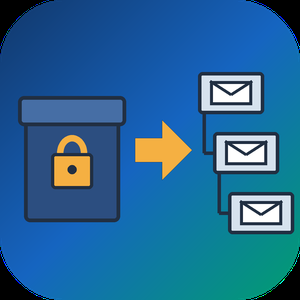
PST to MBOX Converter for Thunderbird is a Windows pst to mbox converter for people who are leaving Outlook and want years of mail to open in Thunderbird. It reads a .pst or .ost archive straight from disk, with no Outlook installed and no Exchange profile, and writes MBOX mailboxes in the layout Thunderbird keeps on its own disk. Each Outlook folder gets its own file, and its children go into a matching .sbd directory, so the hierarchy you had is still there after import.
🛠️ How to use
1. Open the PST or OST file. Its folders show up on the left, and any message can be previewed.
2. Tick the folders you need. Skip empty ones, leave out Deleted Items or narrow the date range.
3. Pick MBOX or EML on the Convert tab and choose an output folder.
4. Run the conversion, then import PST to Thunderbird by handing it the output directory through ImportExportTools NG or the profile folder.
💼 Why IT and office teams pick it
- Original SMTP headers (Received chain, DKIM, Return-Path) are copied word for word for delivered mail.
- To and Cc carry real addresses, not display names.
- Read, replied and flagged marks travel in X-Mozilla-Status, which Thunderbird reads.
- Attachments are written byte for byte, and inline pictures stay in the HTML body.
- Fresh mail can be added later into a file left by an earlier run.
- A per-folder text report lists what went through and what failed.
- Nothing leaves the PC. The log holds counts only, never subjects or addresses.
- Cyrillic, CJK and emoji in subjects and folder names come through readable.
- Existing output is never wiped silently. You pick rename, overwrite or append each time.
👥 Who uses it
People whose Microsoft 365 plan ran out and who now keep their mail in Thunderbird for free. Admins moving a team off Outlook, who trim each archive with date filters before the run and check the report afterwards. Anyone handed an old archive by a colleague who left, with no Outlook on the machine to open it. Apple Mail, Postbox and mutt users can open the same MBOX output, while the .sbd directories matter to Thunderbird only. For most of them this pst to mbox converter is a one-off job on a single PC.
❓ FAQ
Can I convert PST to MBOX without Outlook installed?
Yes. The program reads the archive itself, so neither Outlook nor a mail account is needed on the PC.
Can Thunderbird open a PST file by itself?
No. It has no PST reader, and its Outlook import only works through a configured Outlook on the same computer.
Do read and flagged marks survive?
Thunderbird shows them, because they ride in a header it understands. Most other clients skip that header.
Can it process several PST files in one run?
Not in this version. One archive is converted per session.
🆓 The free trial of this pst to mbox converter handles a sample of the messages, enough to judge the result in Thunderbird. Runs on Windows 11, 10, 8.1, 8 and 7, 32 or 64 bit.
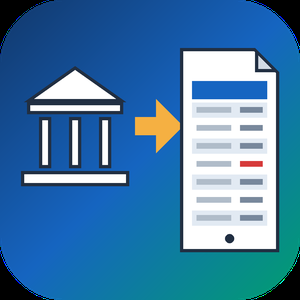
QFX to PDF Converter Tool is a Windows program that reads the .qfx or .ofx file your bank or broker lets you download and turns it into a paginated PDF statement. You need no Quicken and no online service. If you went looking for a QFX file viewer because the download opened as a wall of tags, this program does the reading and gives you pages you can print, file or email. QFX to PDF conversion happens on your own PC, so the statement never leaves it. The bank wrote that file for an importer, and the QFX to PDF route turns it into something a person can actually read.
📋 How to use
1. Install the program on Windows. The PDF engine ships inside the installer.
2. Add a .qfx or .ofx file, or a whole folder of them, to the queue.
3. Check the text preview: it shows how many transactions were found, the encoding and the first rows.
4. Pick how dates should be printed and press Convert.
5. Open the saved PDF in any reader.
🏢 Why IT and office teams pick it
- It works offline, with no upload and no account.
- One parser reads OFX 1.x SGML files and OFX 2.x XML files.
- The table header repeats on every page, rows never split across a page break, and the footer carries page numbers.
- Negative amounts get brackets and color, so they survive black and white printing and faxing.
- Cyrillic, CJK and Latin-1 payee names print without damage.
- Several files can be merged into one PDF with a single checkbox.
- A preview before any file is written catches a wrong encoding early.
- Portrait or landscape is picked from the width of the table.
👥 Who uses it
- Account holders who pressed Download at the bank and have no Quicken.
- Investors whose broker only offers a Web Connect file.
- Bookkeepers and tax preparers who want a printed record from a client.
- Paralegals who need numbered pages to cite a single line.
- Office staff who must forward card statements to an outside accountant.
❓ FAQ
How do I open a QFX file without Quicken?
Add it to this QFX to PDF converter, press Convert and save the result as a PDF. To open QFX file content as a readable table, no accounting software is required.
Can I open a QFX file in Excel?
Excel has no QFX import filter, and renaming the file only shows the tags. This tool writes PDF only and does not export spreadsheets, so check that a PDF is the output you need.
Does it handle investment accounts?
Yes. Checking, credit card and investment statement blocks are all read, including records that move share counts instead of cash.
Is there a running balance?
An optional Running total column can be switched on. It sums the printed rows and is not the balance your bank recorded.
💻 The free trial converts 20 transactions and prints a trial notice in the PDF. System requirements: Windows 11, 10, 8.1, 8 or 7 (32 or 64 bit), 4 GB of RAM, 1 GB of free disk space.

CheckSprint - Check Printing Software is a Windows program that prints business, payroll and personal checks on an ordinary laser printer. On blank stock, this check printing software lays down the whole check, with the bank name and MICR line. On computer checks from your bank, it fills in only the empty fields. You type the account in once, and any plain sheet can carry it after that.
🧾 How to use
1. Install it, then enter the routing and account numbers from a current check and compare the live MICR sample with that check.
2. Open Write Check, choose a payee and type the amount. The words line fills itself in US style.
3. In Print Checks, pick blank stock or pre-printed paper and one of seven layouts. Print the alignment page on plain paper first.
4. For a batch, import a CSV or XLSX file, match its columns to payee and amount, and review flagged rows before they reach the queue.
💼 Why IT and office teams pick it
- The MICR line uses a built-in E-13B font, and the clear band under it stays locked.
- Before each run, the program compares printer margins with the layout and warns if the MICR line would be cut.
- Checks sent from QuickBooks Desktop or Sage 50 get your bank numbers added. QuickBooks Online users can open a saved PDF.
- Bank details sit in one encrypted database file on the PC. Nothing goes to a cloud.
- As check writing software, it keeps a register with running and cleared balances.
- On import, the check printing software flags broken rows and possible duplicates, so one bill is not paid twice.
👥 Who uses it
Small-business owners who pay vendors and staff from one or two company accounts. Bookkeepers switching between client companies, each with its own numbering and signature. Church and club treasurers who pass a searchable register of past years to the next person in the role. For all of them, check printing at the desk replaces the wait for a box from the bank.
❓ FAQ
Can I print my own checks at home, and is it legal?
Yes, for your own accounts. Your bank needs a readable, signed check. Some banks set rules for office-printed checks, so ask yours before the first payroll.
Do I need MICR toner?
On blank stock it is recommended, because some banks still read the bottom line magnetically. Pre-printed bank checks already carry that line, so regular toner works there.
Can I print payroll checks with check printing software?
Yes, on voucher checks with a pay stub. Import the CSV export from your payroll service. The program prints the figures it receives and does not work out taxes.
Does CheckSprint run on a Mac?
No. It is built for Windows 10 and 11, 64-bit.
✅ Free trial of the check printing software with no time limit and no cap on checks, though printed checks carry a watermark until you add a license key. Requires Windows 10 or 11 (64-bit) and a laser printer.

Corrupted SSD Recovery Tool is Windows software for corrupted SSD recovery when a drive opens as RAW, asks to be formatted or loses its folders after a crash. It handles internal NVMe and SATA disks plus external SSDs in USB cases. Before any scan it measures TRIM on the selected device and tells you plainly what can still come back, which saves a technician from promising a client more than the hardware allows.
🔧 How to use it
1. Install the program and run it with administrator rights, which Windows needs to open an internal volume.
2. Select the SSD in the drive list. Each entry shows media type, bus and tags for TRIM and the system drive.
3. Read the TRIM note and start a Quick scan. If it finds nothing, the program moves on to a Deep scan by itself.
4. Preview files, sort them by folder or type, tick what you need and press Recover.
5. Pick a folder on a different disk. The source volume is refused as a target.
💼 Why IT and office teams pick it
Help desk staff get a measured answer before quoting a lab job. The program reads three values (solid state media, TRIM support on the device, delete notifications in Windows) and shows all of them. Results that turn out blank are labeled as wiped by TRIM and counted in the summary, so nobody hands a client a folder of empty documents. Files with bad sectors are marked as partially recovered, and a support log leaves out file names and paths. The TRIM note can be screenshotted and attached to a repair ticket when a customer asks why some files are out of reach.
👥 Who uses it
Laptop owners whose data partition stopped opening after a forced update. Photographers who keep shoots on a portable SSD. Repair shops checking a customer drive on the bench. Freelancers who keep invoices and contracts on one laptop. Teachers and students whose coursework sat on a single drive with no cloud copy. Small offices that cannot send client files to an online service, since corrupted SSD recovery here runs entirely on the local PC.
❓ FAQ
Can you fix a corrupted SSD?
This program does not repair the drive. It copies your files to another disk first, and after that you can format or replace the SSD safely.
How to recover data from corrupted SSD volumes?
Decline the format prompt, scan the drive and save what you find somewhere else. Utilities like CHKDSK rewrite the records a scan needs, so they come after the copy.
How to fix corrupted SSD drive errors without losing work?
Get the files out with a corrupted SSD recovery scan, check the copies, and only then run a repair or a fresh format.
Can files deleted on an internal SSD come back?
Usually not when TRIM was on, because the controller clears those cells within seconds. On a USB SSD the bridge often blocks TRIM and deleted files may survive.
🆓 The free trial runs every scan and shows all results, and only saving needs a license. Runs on Windows 11 and Windows 10.