AI-Generated Results
Finding matches…
NEXAVAULT store and manage all your documents digitally in secure location. Efficient Document Retrieval , Save time with quick access to files using advanced search functions. AI-powered document classification and summary. Preserve version histories and restore previous versions with ease. Prevent data loss and maintain a full audit trail of changes. Granular access control. Set permissions at the document and folder level. Control who can view, edit, delete, or share files. Manage your documents from anywhere with an intuitive mobile app. Scan and upload documents on the go. Instantly review and approve files from your mobile device. Ensure data availability and redundancy across environments. NEXAVAULT providing both cloud and on-perm solutions.
Not seeing what you're looking for?
Dive deeper into "UFile" on G2 AI

A2Z Edit is a browser-based toolkit offering image editing, PDF manipulation, OCR, and file conversion. Most operations are processed locally, keeping files on the device. Image tools include background removal, resizing, compression, watermarking, and cropping. PDF features cover merging, splitting, reordering, extracting, and rotating pages. The OCR engine supports English, Arabic, and bilingual text from images and PDFs. Other utilities include QR code generation/scanning, ZIP archive handling, Base64 encoding/decoding, and color format conversion (RGB, HEX, HSL, CMYK). It also provides temporary file sharing via expiring links, link redirection, and a Civil ID PDF creation tool. No registration is required, and standard edits are watermark-free.

ToolBench is browser-based software for converting images between formats like JPG, PNG, WebP, AVIF, GIF, BMP, TIFF, ICO, and PDF. It processes files locally using the Canvas API, ensuring privacy as no images are sent to external servers. Batch conversion is supported without file size limits or account requirements. Users can control output formats, quality, and resizing options per file. Transparency is handled intelligently, applying white matting for formats that don’t support it. Features include compression, PDF creation, and favicon generation. ToolBench also offers editing tools like resizing with social media presets, cropping, and watermarking. All functions run offline after the page loads, relying solely on browser-based technology.

DocRAID is the pioneer in CloudRAID technology, 100% zero-knowledge backup and file sync, secure file exchange, and easy to use email encryption.

Link-Busters scans and quickly removes (or quarantines) links to pirated copies on search engines and removes illegal files on file sharing and torrent sites.

MediaMarkup is an online file approval tool for image, PDF and video files, allowing collaborators to markup, annotate and approve designs, videos and artwork.

4Easysoft iPhone Data Recovery supports to recover deleted/lost data from your iOS devices, iTunes and iCloud backups. Its professional to fix most iOS system errors, even stuck and disabled iOS devices. It is compatible with all models and iOS versions of iPhone/iPad/iPod Touch. You can backup and restore your important data on your device when you need it. Key functions: 1. Recover lost data from iPhone/iPad/iPod Touch 4Easysoft iPhone Data Recovery will help you directly recover the deleted data from your iOS device. It supports to recover a wide rage of file formats, such as messages, files and pictures. 2. Recover data from iTunes/iCloud backup If you have saved the backup on iTunes/iCloud, 4Easysoft iPhone Data Recovery will easily help you extract the selected data to your computer. If you want to restore a historical version of a file from iTunes, it will create a new file instead of replacing the previous one. If your system files are corrupted or lost, you can restore the lost data from iCloud after logging into your iCloud account. 3. Fix iOS system problem 4Easysoft iPhone Data Recovery can help you fix iOS devices from DFU mode, recovery mode, and headphone mode, etc. to normal state. Besides, now it can also upgrade or downgrade iOS system if you need. 4. Backup and restore iOS data You can try 4Easysft iPhone Data Recovery to speed up iPhone backup. Just use it to backup your important data. The program can back up and restore your data with high speed.

Cryptainer Pro a 448-bit encryption software. Simple, easy to use encryption program that creates encrypted vaults within which all sensitive information can be stored. Cryptainer Pro Encryption Software allows you to encrypt any file or folder on any Windows PC. Password protect any file or folder with strong Encryption. Cryptainer includes Password strength and monitor meter which is useful in setting up effective and strong passwords. A single password allows access to the virtual disk, thereby eliminating the need to remember separate passwords for each encrypted file. Just Drag and Drop to hide any data of any kind (documents, pictures, entire folders or even run programs) in a safe password protected vault. Cryptainer's ease of use and deployment coupled with its speed and versatility makes it an ideal security tool for all environments. Cryptainer includes virtual keyboard and privilege mode option that can help to prevent a keylogger from capturing keystrokes. Cryptainer Pro ensures complete security for your data making sure that only you and nobody else can access your data. Cryptainer creates an encrypted volume that can be accessed only with a password. Once mounted, the volume behaves as a standard windows drive. The files can be read, viewed, modified, as well as moved from one place to another. Hides any type of data on any media. Any kind of file - from word and excel documents to movies and pictures, can be encrypted. Save Encrypted Vaults to Cloud Storage Providers. Password protected Cryptainer vaults keep your data safe in cloud storage accounts. You can also send secure email attachments. It runs on all versions of Windows (Windows 11, Windows 10, Windows 8.1, Windows 7, Windows Vista, Windows XP family). Simple, Secure, Easy-to-Use. A must have for every desktop.

OpenText Data Access Governance (DAG) is a comprehensive solution designed to identify, secure, and protect an organization's sensitive and high-value unstructured data from unauthorized access. This includes not only personally identifiable information (PII) but also critical intellectual property such as sales forecasts, legal documents, and financial data. By automating the identification of where sensitive files are stored and who has access to them, DAG ensures that unstructured data is secure, optimized, and compliant.
Key Features and Functionality:
- Comprehensive Reporting: Utilizes OpenText File Reporter to provide detailed analysis of user access to data stored on network file systems and Microsoft 365 cloud environments.
- Automated Access Control and Remediation: Employs OpenText File Dynamics to establish access controls and remediate improper access permissions, ensuring that only authorized users have access to sensitive files.
- Flexible Reporting and Analytics: Offers built-in reports, custom queries, and graphical analytics to provide insights into data storage and access patterns.
- Data Migration and Cleanup: Automates data migration, cleanup, and archiving processes based on predefined policies, enhancing data management efficiency.
- Integration with Identity and Access Management (IAM) Systems: Seamlessly integrates with IAM systems to enforce least privilege access and support identity-centric security approaches.
Primary Value and Problem Solved:
OpenText Data Access Governance addresses the critical need for organizations to secure unstructured data, which often comprises a significant portion of their information assets. By providing visibility into data storage locations and access permissions, DAG enables organizations to identify and mitigate risks associated with unauthorized access. The solution's automation capabilities streamline the enforcement of security policies, reduce the potential for human error, and ensure compliance with data protection regulations. Ultimately, DAG empowers organizations to protect their sensitive information, maintain regulatory compliance, and enhance overall data security posture.

BeepThatOut is an AI-powered profanity editor designed for content creators seeking to streamline their editing process, safeguard monetization, and maintain full creative control. By automatically detecting and censoring profanities in audio and video files, BeepThatOut enables users to produce clean, family-friendly content efficiently. This tool is particularly beneficial for creators aiming to comply with platform guidelines, avoid demonetization, and expand their audience reach.
Key Features and Functionality:
- Automated Profanity Detection: Utilizes advanced AI models to scan audio and video files, identifying and flagging profane language.
- Customizable Censorship: Allows users to select specific words or categories to filter, adjust censor effects (such as beeps, silence, or custom sounds), and fine-tune the timing of edits.
- Interactive Transcript Editor: Provides an intuitive interface for reviewing and editing transcriptions, ensuring accuracy and alignment with the original content.
- Flexible Export Options: Supports exporting projects as XML files compatible with major video editing software like Adobe Premiere Pro, Final Cut Pro, and DaVinci Resolve, or as rendered files ready for immediate sharing.
- Multilingual Support: Offers transcription and filtering capabilities in over 50 languages, catering to a diverse user base.
- Subtitle Generation: Automatically generates and allows downloading of .srt subtitle files at no extra cost, enhancing content accessibility.
Primary Value and User Solutions:
BeepThatOut addresses the challenges content creators face in producing clean and monetizable content by automating the tedious process of profanity editing. By reducing manual editing time, it enables creators to focus more on content creation rather than post-production tasks. The tool helps protect revenue streams by ensuring content adheres to platform guidelines, thereby avoiding demonetization and algorithmic suppression. Additionally, by producing family-friendly content, creators can reach wider audiences and attract better sponsorship opportunities. The customizable features and flexible export options ensure that creators maintain full control over their content, aligning with their unique style and preferences.

AVAide Video Converter is not only a video converter, but also a video editor and video enhancer. It provides a simple way for users to convert media files to any other formats, including 1080p/4K/5K/8K video output.
Key functions:
1. Convert video and audio files
AVAide Video Converter makes it easy to change your video and audio files to any other formats you want such as MP4, WMV, VOB, MOV, 3GP, H.264/MPEG-4 and so on. It supports various portable devices like iPhone, iPad, Samsung, Sony, etc.
2. Convert home-made DVDs
If you want to convert your home-made DVDs to common video formats, AVAide Video Converter is your best choice. It allows you to convert your home-made DVDs to video formats including FLV, MP4, AVI, VOB, WMV, MPG, MKV, etc. It could also extract audio track from DVD movies. Moreover, before conversion, you are able to add subtitles, trim/crop/rotate, adjust video effects and more.
3. Make MV and collage
Want to make a fantastic MV and share it on YouTube or Facebook? AVAide Video Converter is your best helper. The MV function enables you to create your own MV with footage. Before exporting, you could edit the MV like trimming, cropping, adding watermark/subtitles. In addition, it could make video collage with photos and video clips.
4. Other featured tools
The Media Metadata Editor allows you to edit media metadata freely. If you want to compress large files to a smaller size, the Video Compressor tool could help you. Creating interesting GIFs and 3D files is also easy with AVAide Video Converter. And the Video Enhancer function is powerful in enhancing video quality such as removing video noise, reducing video shaking.

Aryson Email Migration Software is the safe and reliable software to migrate mailbox emails into multiple file formats such as PST, PDF, TXT, MBOX, EML, EMLX, HTML, etc. It also migrates the emails of email Accounts into Gmail, Office 365, Yahoo Mail, GoDaddy Email, Amazon Webmail, Yandex Mail, etc. This migration utility ensures that there is no loss of any data while performing Email migration. The software allows restoring mailboxes from single or multiple emails into various file formats or email clients in a single go without any type of data loss. This means it migrates several mailboxes into a single attempt with high accuracy. Software is capable of maintaining data integrity during the entire backup process. Aryson Email Migration Tool is highly compatible and runs smoothly on all versions of Windows O S. It allows you to migrate an account email on all versions of Windows including Windows 10 and other earlier versions. Also, this software has no file size limitations. In this professional utility, users can preview all attributes and attachments of the email mailbox before migration. Software gives permission to save the email attachments of the email separately when you save them into a PDF file format. This Aryson Email Migration Software offers an amazing Mail Filter option to filter emails as per their date. By using this feature, users can save the required emails to be converted into other file formats. You just need to set the start and end date then the tool will automatically backup the email as per its date. If somehow connection breaks, then users are allowed to resume the process of uploading from the endpoint where the connection breaks. So there will be nothing like restart or reprocessing. Have the facility to remove the duplicate emails from the backup process. Before purchasing this amazing software, users are advised to use the download and use the demo version of the Aryson Email Migration Tool.

iosy recovers readable Swift source code from decrypted iOS apps (.ipa files). Point the CLI at an IPA you are authorized to inspect, and iosy reconstructs a project you can open in your own editor: Swift files for recovered types, methods and call sites, a project layout with folders and resources, and output you can grep, diff and review like normal source code — instead of working only from symbol tables or assembly views.
Everything runs locally. Decompilation happens on your workstation. There is no hosted queue, no cloud processing step, and the IPA is never uploaded anywhere. The OpenSyntaxx web account is used only for licensing, activation and billing.
What you get:
- Swift files for recovered types, methods, and call sites
- A local project layout keeping Swift code, resources, and app artifacts together
- Searchable output: classes, methods, SDK calls, and resources, reviewable in your editor
- Deterministic runs
How it works:
1. Download the standalone CLI build for your OS (macOS, Windows, Linux) — extract the ZIP and run it, no toolchain setup
2. Sign in from the CLI with your OpenSyntaxx account to activate your plan
3. Run iosy on a decrypted IPA you are authorized to inspect
4. Open the recovered Swift project and review behavior, dependencies, and structure
Built for authorized iOS app analysis:
- Security review. Read app behavior at the source level rather than from disassembly
- SDK audits. Trace third-party SDK usage, integration points, and app-side calls
- Legacy app analysis. Understand old apps when the original source is missing or incomplete
- Work and client projects. Covered by the Commercial plan
Plans:
- Free Trial: $0: deterministic offline decompilation with 10% of Swift file output, to evaluate quality on your own IPAs
- Individual: $30/mo: 100% Swift file output for personal research and review
- Commercial: $300/mo: 100% output for business projects, client reviews, and company use

EML to G Suite Importer for Mac for successful import of multiple EML files to G Suite account without altering the original files on Mac OS.

Split large PST files by size, year, folder or merge multiple PST files into one with duplicate detection. No need Outlook installation
Any Email to PDF Converter Software is an email to PDF converter for Windows that turns saved messages and whole mailboxes into PDF files on your own PC. It reads EML and Outlook MSG files, Outlook PST and OST archives, and MBOX exports from Thunderbird or Apple Mail, all in one batch list. Nothing gets uploaded, and you do not need Outlook or Thunderbird installed to convert email to PDF.
Most mail tools save one message at a time. This email to PDF converter treats a folder of mixed files as one job and writes a separate document for every message it finds, so the PDF count matches what went in.
🛠️ How to use
1. Drag messages or a whole export folder into the window, or click Add Files.
2. Pick PDF as the format. Keep one file per message, or tick Merge all into one PDF.
3. Leave Include images on to keep inline pictures, or switch it off for lighter pages.
4. Click Start. PST, OST and MBOX containers unfold into the queue folder by folder, and each row shows OK once its PDF is written.
💼 Why IT and office teams pick it
Mixed exports are the usual headache. One folder holds a few MSG files someone dragged out of Outlook, an old PST from a retired laptop and an MBOX from a Thunderbird profile. This tool takes the whole mix in one run, and nobody has to open archive subfolders by hand because the program walks through them. Each PDF opens with a From, Date, To and Subject header above the body, so a printed message still shows who wrote it and when. Work stays on the desktop, which matters for privileged or personal mail. HTML and plain TXT output are there too, for a web copy or for feeding text into a search index.
👥 Who uses it
Legal and compliance staff building disclosure sets. HR teams filing a departed employee's mailbox. IT admins retiring old archives during a move away from Outlook or Thunderbird. Anyone who inherited a mailbox backup and simply wants to read and keep parts of it. A paralegal with a single custodian PST and an office manager with a decade of Thunderbird mail can use the same email to PDF converter for both.
❓ FAQ
Can it open a PST without Outlook?
Yes. The program reads PST and OST files itself, so Outlook does not have to be installed or running.
Does it convert a whole mailbox at once?
Yes. Add a PST, OST or MBOX and every message from every folder is queued automatically.
Can several emails go into one PDF?
Yes. Turn on the merge option, and you can also start each email on a new page.
Is my mail sent to a server?
No. Reading the source and rendering the PDF both happen on your PC.
What if PDF is not the right output?
Switch the format to HTML for a browser copy or TXT for bare text. Email to PDF stays the default because a PDF opens anywhere without a mail program.
🖥️ Free trial with no sign-up. Runs on Windows 11 and Windows 10, with 4 GB of RAM and 1 GB of free disk space recommended.
This Windows program handles Outlook mail merge from start to finish, including mail merge for Outlook and Excel with attachments. Every person on your spreadsheet gets a letter carrying a personal subject line and a personal file. Mail Merge with Attachments for Outlook reads an XLSX or CSV list, fills merge fields row by row, adds the document named in that row and sends from your own mailbox. No Word step, nothing to install inside Outlook.
📋 How to use
1. Open the Excel workbook or CSV file. Address and name columns are picked out for you, and a wrong pick takes one click to change.
2. Type the subject and text once and click merge fields into place. Point the program at the column with each person's file path.
3. Open the preview. Read each finished letter and fix whatever it flags by row number, from an absent file to an address listed twice.
4. Connect the mailbox with browser sign-in for Outlook and Microsoft 365, or enter SMTP host and port. Set the pace and press Start.
🏢 Why IT and office teams pick it
It runs as its own Windows application, so this Outlook mail merge keeps working after a switch to the new Outlook app, which no longer loads COM or VSTO add-ins. Messages travel from the PC straight to the mail provider and never touch a SoftOrbits server. The sign-in token is held in memory only for as long as the program runs. A journal tracks every addressee as waiting, in flight or done, so a run cut short picks up again without mailing anyone twice. Copy and blind copy addresses may come from a column as well, which the Word and Outlook merge cannot do.
👥 Who uses it
Accounting staff send monthly invoices and statements. HR and payroll send payslips, where each file must reach one person only. Office managers run it as an Outlook mail merge for contracts, renewal notices and course certificates, and as plain mail merge for Outlook and Excel when a letter needs no file. A saved project keeps the setup, so next month you swap the spreadsheet and press Start on the same mail merge for Outlook and Excel with attachments.
❓ FAQ
Can you attach a PDF to a mail merge?
Yes. A PDF goes in like any other file on your disk. Put its location in one column, and the program matches every person to the right document.
How do I turn an Excel spreadsheet into a mail merge?
Load the workbook on step one. Its columns turn into fields you can drop into the subject and text, with no renaming or moving sheets.
Do I need Outlook installed?
No. Our Outlook mail merge sends over Microsoft account sign-in or any SMTP server. Classic Outlook, the new Outlook or no Outlook at all will do.
Can I schedule the mailing for later?
Yes. Pick a start time and leave the program running, and it begins on its own at the pace you set.
✅ The free trial sends each mailing of your Outlook mail merge to 25 addresses at most and adds no promotional line to the letters. Runs on Windows 11 and 10.
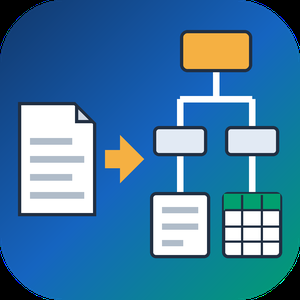
PDF to XML Converter Software is a pdf to xml converter for Windows that turns stacks of PDF reports into structured XML your scripts can parse. Every output file follows one documented schema with document, page, heading, paragraph and table elements, and tables are broken into rows and cells. All work happens on your own PC, so no report leaves the machine.
🛠️ How to use
1. Install the program and drag PDF files or a whole folder into the list.
2. Decide whether you need positions and fonts. Tick the coordinates option for block boxes, or leave it off for a lighter text-only file.
3. Press Convert. You get one XML per PDF, named after its source.
4. Point XSLT, Python or your database loader at the output folder.
💼 Why IT and office teams pick it
Imports break when every department sends a different layout. This pdf to xml converter keeps the same element names for every file, so a loader written once keeps working. Headings get a level from 1 to 6 based on font size. Each table carries a source attribute that tells you how its grid was found: PDF tags, ruling lines or text alignment. Merged cells keep colspan or rowspan. Text follows reading order, left column before right, and right-to-left lines stay right-to-left. Pages without a text layer are marked scanned="1", so a script can send them to a person.
👥 Who uses it
Data engineers and ETL developers feeding report figures into databases. Systems integrators who need to convert PDF to XML for another application. BI analysts, search-index developers and QA testers who check document pipelines. Procurement teams use it to pull supplier price tables into purchasing systems, and layout analysts switch on coordinates to study where each block sits on the page.
❓ FAQ
How does the pdf to xml step handle two-column pages?
The left column is written first, then the right one. Hebrew and Arabic lines keep their right-to-left order and carry a direction attribute.
Can I stop a long batch halfway?
Yes. Stop ends the job between two files, and every XML finished before that point stays on disk.
Can I convert PDF to XML without uploading files?
Yes. The program works offline, and your PDFs stay on your disk.
What does the XML look like?
A document root with page elements inside. Each page holds headings, paragraphs and tables in reading order, saved as UTF-8 without a byte order mark.
Can this pdf to xml converter fill an invoice or XBRL schema?
No. It writes its own fixed schema. Mapping to another schema is a job for your XSLT or import script.
Is there a command line or API?
No. Batches are started by hand in the desktop window, so it cannot run as a server service.
🎁 Free trial: every PDF in a batch gets its first 10 lines or table rows, and the file still passes an XML parser. Runs on Windows desktop and laptop PCs.

Encrypto lets you encrypt files before sending them to friends or coworkers. Drop a file into Encrypto, set a password, and then send it with added security.

Media Manager is a Salesforce file management app that helps teams preview, organize, edit, version, and access Salesforce files from one centralized interface.