AI-Generated Results
Finding matches…
MacSonik EML Viewer Pro is a comprehensive utility designed to open, preview, and manage EML email files with complete accuracy. The software allows users to view single as well as multiple EML files simultaneously, including email content, metadata, headers, and attachments, without requiring any additional email application. Its advanced preview engine preserves the original folder structure and formatting, ensuring an accurate representation of mailbox data.
The software supports bulk EML file processing and provides an efficient way to inspect large email collections. Users can securely preview attachments and extract them whenever needed. In addition to email viewing, the tool offers conversion capabilities, enabling users to export EML files into various formats such as PST, PDF, CSV, MSG, MBOX, EMLX, DOC, and more. Advanced features such as duplicate email detection, date-range filtering, and customizable output naming help streamline email management tasks.
MacSonik EML Viewer Pro is built with a user-friendly interface suitable for both technical and non-technical users. The application delivers secure and reliable performance while maintaining data integrity throughout the viewing and conversion process. Compatible with both Windows and macOS platforms, it provides a practical solution for accessing, analyzing, and managing EML files efficiently across different environments.
Not seeing what you're looking for?
Dive deeper into "UFile" on G2 AI

Softaken MSG to PDF Converter is a single application designed to migrate MSG files into PDFs. You do not have to install Adobe Acrobat or MS Outlook for this software to work. It is made to convert MSG files in a few easy steps without technical support. This tool handles data from Outlook versions 2003 through 2019 and moves everything without damaging the email properties. The tool lets you preview every file on its screen so you can be sure about what you are saving. It is a lightweight application which means it runs easily without affecting your computer speed. You also get a quick report at the very end.
Features:
• It changes multiple MSG files to PDF format in a few easy setup.
• You can convert unlimited files in bulk because there are no boundaries on quantity.
• It retains the true structure of your mail, keeping CC, BCC, attachments and dates unaffected.
• The final PDF results work nicely across all devices like laptops, phones, and PCs.
• You can select any existing folder or make a new one to store your fresh PDFs.
• A free trial version is available for a few days so you can check its features before buying.

PDF Dino is an online tool designed to simplify the conversion of PDF files into various editable formats, enhancing productivity and accessibility for users. It supports a wide range of file types, including Word, Excel, PowerPoint, and image formats, ensuring seamless transitions between documents. Key features of PDF Dino include:
- Multi-Format Conversion: Effortlessly convert PDFs to Word, Excel, PowerPoint, and image formats, preserving the original layout and formatting.
- Batch Processing: Convert multiple PDF files simultaneously, saving time and effort for users handling large volumes of documents.
- User-Friendly Interface: Intuitive design allows users of all skill levels to navigate and utilize the tool effectively without the need for technical expertise.
- High-Quality Output: Maintains the integrity of the original document, ensuring that converted files retain their quality and formatting.
- Secure Processing: Ensures the confidentiality of user data by processing files securely and deleting them after conversion.
The primary value of PDF Dino lies in its ability to streamline document management tasks by providing a reliable and efficient solution for converting PDFs into editable formats. This functionality is particularly beneficial for professionals, students, and businesses that require quick and accurate document conversions without compromising on quality. By eliminating the need for manual retyping and formatting, PDF Dino enhances productivity and allows users to focus on more critical tasks.

Bandizip provides a fast and reliable environment to compress, extract, and manage large files, delivering blazing-fast performance that saves valuable time for your workflows.
Whether you are an individual user or an enterprise, Bandizip is equipped with a clean, intuitive interface and broad compatibility. By supporting diverse formats seamlessly, it allows you to handle all your archiving needs efficiently in one place.
From lightweight documents to massive gigabytes of data, compress and extract files at high speeds. Utilize multi-core processing to maximize CPU efficiency and significantly reduce waiting time.
Open and manage over 30 different archive formats, including ZIP, RAR, TAR, ALZ and 7Z. Use the Code Page feature to easily extract files from different operating systems without broken international characters.
Secure your sensitive data with AES-256 encryption and a built-in Password Manager. Utilize the internal antimalware scanner to ensure downloaded archives are safe before extraction.
Get full control over your files with Archive Repair and Password Recovery tools, and use the Command-Line Interface (CLI) to automate repetitive compression tasks for advanced users.
Bandizip provides powerful multi-core processing and versatile file management — so that anyone can handle large data securely and flawlessly.

Cigati Google Drive Duplicate Finder is a powerful and intelligent software solution designed to help individuals and businesses identify and eliminate duplicate files stored across their Google Drive accounts quickly and accurately. As Google Drive storage fills up over time, duplicate files silently consume valuable space, slow down workflows, and create unnecessary confusion during file management.
This tool performs a deep and thorough scan of your entire Google Drive storage, detecting duplicate documents, images, videos, spreadsheets, and other file types with remarkable precision. The smart detection algorithm identifies exact duplicates as well as similar files, giving users complete control over what gets removed and what gets retained.
The primary reason to use this software is simple — reclaiming wasted storage space while maintaining a clean, organized, and clutter-free Google Drive environment. It eliminates manual searching, saves enormous amounts of time, and significantly reduces storage costs for businesses managing large volumes of cloud data.
The intuitive interface requires zero technical expertise, making it equally accessible for home users and enterprise teams alike.
Optimize your Google Drive storage effortlessly with Cigati Google Drive Duplicate Finder today!
Repair broken Exchange EDB files easily using Recoveryfix. This utility helps you retrieve inaccessible mailboxes and permanently deleted mail items without mounting the database. Simply load the corrupted EDB file, preview your recovered components, and directly export them to a working Outlook PST file, public folders, or cloud setups.
Recoveryfix SQLite Database Recovery offers a user-friendly, step-by-step approach to fixing broken SQLite files. Users simply load the corrupted database file, let the tool run its automated deep scan, and preview the restored items in a clean folder tree layout. The software requires zero technical knowledge and outputs a completely healthy database file in seconds.

PCVITA OST Converter is a perfect solution for those user who want to convert outlook offline file (.ost) into pst file with all attachment. With this tool any non-technical user simply complete ost recovery task without any file size restrictions and without wasting time, energy and money. Try it today.
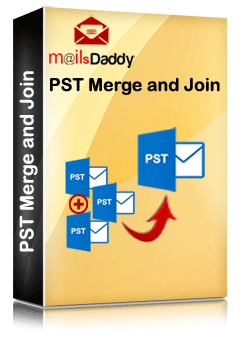
Merge or Join multiple PST files with an easy and hassle-free solution. Our MailsDaddy PST merger tool will help you to combine two or more PST files into Outlook compatible PST format. The software merges Outlook data files (.pst) in a few minutes without any size, data loss, and security issues

Datavare EML to Office 365 Importer is a smart solution to import EML files into Office 365 cloud with attachments. By providing correct login details of Office 365 account, EML files are directly uploaded to Office 365 account. Users can smartly load single as well as multiple EML files into O365 account.

OpenCloud is an open-source platform for digitally sovereign file and content collaboration, large file volumes, growing teams, and reliable operations. The platform combines file management, web office, and Team Spaces with a modern microservices architecture. Organizations keep control over data, software, and operations while teams manage workspaces in self-service and reduce IT workload.

**ScribeToAny turns audio and video into accurate, timestamped text — in about 98 languages.**
Upload a file (MP3, MP4, M4A, MOV, WAV, AAC, OGG, WebM, WMV and more) or paste a link, pick a language or let it auto-detect, and get a clean transcript back in minutes. ScribeToAny extracts the audio, transcribes it with timestamps and speaker labels, and runs on GPU-accelerated cloud workers — so an hour-long recording is done while you make coffee.
### What you get
- **Three accuracy modes** — Fast, Balanced and Accurate, so you can trade speed for precision file by file.
- **Automatic language detection** across ~98 languages, with speaker recognition on every plan.
- **AI audio restoration** that cleans up noisy recordings before transcribing.
- **Timestamped segments** you can edit inline in the browser.
- **English on demand** — send non-English audio straight to English.
- **Translate into 130+ languages** — open any transcript in Google Translate in one click, then save the result back as an editable subtitle track that keeps the original timings.
- **Eight export formats** — TXT, SRT, VTT, TSV, CSV, JSON, PDF and DOCX. Batch-export a whole selection as a ZIP.
- **Folders and share links** — organise your transcripts and hand someone a read-only link; they don't need an account.
### Pricing
- **Free** — 100 transcription minutes a month, 2 files a day, up to 30 minutes per file. No credit card. Every feature above is included; only the allowance is smaller.
- **Plus — $10/month or $88/year** — 1,500 minutes a month, unlimited uploads, 6 files in parallel, up to 5 GB and 3 hours per file.
- **Pro — $20/month or $120/year** — everything in Plus with 3,000 minutes a month, for creators who transcribe often.
### Privacy
Your original media is deleted from our storage automatically once the transcript has been generated. Transcripts stay in your account until you delete them, and we do **not** use your media or transcripts to train machine-learning models.
VCF to CSV Converter for CRM Import is a Windows program for one job: turning a pile of vCard files into a single vcf to csv export your CRM can read. Staff phones, Outlook address books and card scanner apps all hand out contacts as .vcf, while Salesforce, HubSpot, Zoho CRM and Excel want rows and columns. Point the program at a folder and the vcf to csv pass writes one UTF-8 CSV with every card in it.
📋 How to use it
1. Click Add folder or Add files. Subfolders are scanned and files holding many cards are split.
2. Pick an output template: Google Contacts, Outlook, Yahoo or Plain CSV.
3. Decide whether extra phones and emails go into numbered columns or share one cell.
4. Open Column mapping, untick what the import does not need and set the order with Up and Down.
5. Click Convert and load the file through the import page of your CRM.
🛠️ Why IT and office teams pick it
Many vcf to csv tools stumble on old Android and Nokia exports, where names arrive as quoted-printable codes like =C3=BC. This one decodes quoted-printable and reads each card's charset (UTF-8, UTF-16, windows-1251, windows-1252, GBK), so Cyrillic, Chinese and accented names survive. The CSV carries a BOM, which lets Excel open it correctly on a double-click. Duplicate people from overlapping exports are merged by name plus main contact detail. Custom X- fields become extra columns, photos are saved as image files with the path in the row, and birthdays are written as YYYY-MM-DD. Click any file in the queue and a text preview shows its parsed cards, which helps when checking a tricky export before you commit. Everything runs on the PC with no upload and no account.
👥 Who uses it
CRM admins loading leads that sales reps exported from their phones. Office managers combining address books after a staff change. IT staff moving a team to Google Workspace or Outlook, international names included. Recruiters and event organizers who collect cards from scanner apps every week. Marketers turning a stack of contact cards into a vcf to csv mailing list.
❓ FAQ
How do I convert a VCF file to CSV?
Add the file or its folder, choose a template and click Convert. Every card in the queue lands in one CSV, and the encoding is detected for you.
Can I open the result in Excel?
Yes. The file is UTF-8 with a BOM, so Excel shows non-Latin letters properly. Google Sheets and LibreOffice open it as well.
Why do names come out garbled in other converters?
They skip quoted-printable decoding, so letters stay as codes like =F6. This program decodes them and writes plain UTF-8.
Are VCF and CSV the same thing?
No. A vCard holds contact cards for address books. A CSV is a table that spreadsheets and import wizards read row by row.
The free trial needs no sign-up and converts the first 10 contacts of each run, enough to test a vcard to csv import. Windows 10 and 11, works offline.

Corrupted SSD Recovery Tool is Windows software for corrupted SSD recovery when a drive opens as RAW, asks to be formatted or loses its folders after a crash. It handles internal NVMe and SATA disks plus external SSDs in USB cases. Before any scan it measures TRIM on the selected device and tells you plainly what can still come back, which saves a technician from promising a client more than the hardware allows.
🔧 How to use it
1. Install the program and run it with administrator rights, which Windows needs to open an internal volume.
2. Select the SSD in the drive list. Each entry shows media type, bus and tags for TRIM and the system drive.
3. Read the TRIM note and start a Quick scan. If it finds nothing, the program moves on to a Deep scan by itself.
4. Preview files, sort them by folder or type, tick what you need and press Recover.
5. Pick a folder on a different disk. The source volume is refused as a target.
💼 Why IT and office teams pick it
Help desk staff get a measured answer before quoting a lab job. The program reads three values (solid state media, TRIM support on the device, delete notifications in Windows) and shows all of them. Results that turn out blank are labeled as wiped by TRIM and counted in the summary, so nobody hands a client a folder of empty documents. Files with bad sectors are marked as partially recovered, and a support log leaves out file names and paths. The TRIM note can be screenshotted and attached to a repair ticket when a customer asks why some files are out of reach.
👥 Who uses it
Laptop owners whose data partition stopped opening after a forced update. Photographers who keep shoots on a portable SSD. Repair shops checking a customer drive on the bench. Freelancers who keep invoices and contracts on one laptop. Teachers and students whose coursework sat on a single drive with no cloud copy. Small offices that cannot send client files to an online service, since corrupted SSD recovery here runs entirely on the local PC.
❓ FAQ
Can you fix a corrupted SSD?
This program does not repair the drive. It copies your files to another disk first, and after that you can format or replace the SSD safely.
How to recover data from corrupted SSD volumes?
Decline the format prompt, scan the drive and save what you find somewhere else. Utilities like CHKDSK rewrite the records a scan needs, so they come after the copy.
How to fix corrupted SSD drive errors without losing work?
Get the files out with a corrupted SSD recovery scan, check the copies, and only then run a repair or a fresh format.
Can files deleted on an internal SSD come back?
Usually not when TRIM was on, because the controller clears those cells within seconds. On a USB SSD the bridge often blocks TRIM and deleted files may survive.
🆓 The free trial runs every scan and shows all results, and only saving needs a license. Runs on Windows 11 and Windows 10.

Batch Picture Protector is a Windows desktop program that lets you watermark images by the folder instead of one at a time. Put your name with the © symbol, a short line of text or your logo on every photo, then save the results to an output folder. The app works offline, so a shoot can be marked on a laptop with no internet connection. One batch watermark job can cover thousands of pictures, and the settings you pick once are applied to each file in the list.
🛠️ How to use
1. Click Add Files and pick single photos or a whole folder.
2. Open the Watermark screen and type your text, choose a logo image, or check both.
3. Set size, angle, transparency and position, or tile the mark across the picture.
4. Save the watermark as a template so you can load it on the next job.
5. Switch to Batch mode to watermark images in the list with the same settings.
6. Choose the destination folder and start. Your originals stay where they were, and the marked copies land in the folder you picked.
💼 Why IT and office teams pick it
One saved template keeps the company logo in the same spot on every picture, whoever runs the job. Renaming and resizing happen in the same pass, so a team gets ready files from a single run. Command line mode takes an input file, an output folder and a saved watermark file, which lets admins add the step to their own scripts. Nothing is uploaded anywhere, which helps when photos of staff, products or premises must stay on company machines.
👥 Who uses it
Wedding and portrait photographers who send proofs to clients before an order. Designers who share drafts and want their name on them. Shops and bloggers that post photos online and want credit to stay with each picture. Marketing staff who prepare the same set of product shots for a website, a catalog and social media.
❓ FAQ
How do I add watermark to photo files in bulk?
Add the files or a folder, build the watermark once and run Batch mode. The program applies the same settings to every picture in the list.
Can I use a logo with a transparent background?
Yes. The logo can be transparent or opaque, and you set its transparency, size and angle before you apply it.
What does a tile watermark do?
It repeats your text or logo across the entire image. Photographers use it on client proofs so a picture is hard to reuse before purchase.
Can the text show the date a photo was taken?
Yes. Text can pull the shooting date from EXIF data, the current time or the file name.
Which file types can I watermark images in?
JPG, PNG, TIFF, BMP and GIF open in the program, and so do older PCX and TGA pictures. That makes it easy to mark a scanned archive together with fresh shots from a camera.
✅ Batch Picture Protector has a free trial download. It runs on Windows PCs, including Windows 11, and needs no internet connection to watermark images.

SecretDrop is a zero-knowledge secret sharing tool for developers. Files are encrypted in the browser using AES-256-GCM before they ever reach the server.
The server stores only encrypted blobs and can never read your content, filenames, or passwords.
Upload files, set a password, share a link.
No accounts required for recipients.
Free tier available, no credit card needed.

Aryson EML Viewer is a free, reliable tool to open, view, and analyze EML files without any email client. It supports EML files from Outlook, Thunderbird, and Windows Live Mail, allowing users to preview emails, attachments, and metadata. The premium version enables exporting EML files to formats like PST, PDF, MBOX, and MSG for easy email management.

DRS Softech EML File Converter comes with an amazing utility that offers risk-free conversion of EML file data into several file formats and email clients. It has many features that help in optimizing the performance of the conversion. The software is highly compatible with all the MS Windows versions including Win 11. It has an easy-to-use interface.

Transcribes legal documents, interviews, depositions, medical (specializing in physical therapy, occupational therapy, general patient notes), also do a lot of transcriptions for the entertainment world, interviews, scripts. Can transcribe from audio files as well as video file. WeScribeIt stores your completed documents for 1 year and the audio transcription files for 15 days for your convenience.

C-EFSS is an enterprise file sharing, sync, backup, and remote access tool that gives you full data ownership, control, and governance. You can self-host it on-premises or on the cloud. Remote offices can get quick access to files while decreasing network latency. You can effortlessly find documents in your existing file shares by searching through content.