AI-Generated Results
Finding matches…
RouteWrk is workflow automation for work that arrives by email. It turns the requests in your inbox into tickets, then runs each one through a workflow you draw once.
How it works
Connect your Gmail and new requests land in one routing inbox. Route one to a workspace and it becomes a ticket with an owner and a status. From there the workflow does the steps: it emails the vendor from your own address, waits for the reply in the same thread, sends a reminder if nobody answers, and escalates when the wait runs out. The customer sees you, not a noreply address, and the thread sits in your Sent folder.
It stops at a person only where a decision is needed. An approval step parks the ticket until a named person approves or rejects, and each answer takes its own path. A checklist holds the ticket until every item is ticked. A parked ticket always names what it is waiting for.
Key features
Routing inbox: email from your connected Gmail becomes a ticket in a click.
Workflow builder: branches, waits, loops, approvals and checklists on one canvas.
Await reply with a timeout: the job stays open until the vendor answers, and silence escalates instead of being forgotten.
Kanban board and My Work: every ticket waiting on a person, grouped by what it is waiting for, across every workspace.
Cross-workflow handoff: a closed work order opens the invoice in Accounts Payable, with the fields carried across.
Assignment at intake: an owner on every ticket from the moment it exists, by rotation, by fewest open tickets, or a named person.
Full history: every step, email, reply and decision, on the ticket.
Templates: work orders, invoice processing, IT helpdesk, employee onboarding, field service, sales pipeline and real estate acquisitions. Each is a starting point you change to fit; nothing in RouteWrk is tied to one industry.
Who it is for
The owner of a property portfolio or service business whose work orders, quotes and invoices arrive by email. The person in a department who ended up owning a process, such as approvals, onboarding or vendor requests, and runs it from a mailbox and reminders set by hand. Neither needs IT or an admin to set it up.
Where it is not the fit
RouteWrk works with email and tickets created by hand. It has no live chat, phone channel or public help center, and it connects Gmail rather than a marketplace of apps.
Pricing
The free plan needs no credit card. It covers one person, three workspaces and 25 active tickets per workspace. RouteWrk launched in October 2026.
Not seeing what you're looking for?
Dive deeper into "GMX Mail" on G2 AI

Cigati IMAP Backup Software is a free and safe utility to backup or restores IMAP Emails into different file formats such as PST, PDF, EML, EMLX, TXT, MBOX, HTML, etc. The IMAP Backup software directly migrates IMAP emails from the exchange server to Hotmail, Gmail, Yahoo, Thunderbird, Live Exchange, Outlook, etc. email clients. The Cigati IMAP Backup Tool is highly compatible and runs smoothly on all versions of the Windows OS. The software allows restoring mailboxes from single or multiple IMAP emails and IMAP mailboxes data files into different email clients directly without any data loss. This means it migrates several emails into a single attempt with high accuracy. This best backup utility ensures that there is no loss of any data while performing IMAP email backup. Software is capable of maintaining data integrity during the entire backup process. It allows users to swiftly backup IMAP emails from the exchange server with all the attachments to the local machine. It also allows you to backup IMAP emails of the exchange server on all versions of Windows including Windows 10 and its earlier versions. You can backup or restore multiple IMAP data files at one go means software can take multiple data files for migration too. This helps to reduce the efforts of the user totally. Also, this software has no file size limitations. This IMAP backup & restore software offers an amazing Mail Filter option to filter IMAP emails as per their date. By using this feature, users can save the required emails to be converted into other file formats. You just need to set the start and end date then the tool will automatically backup the email as per its date. If somehow connection breaks, then users are allowed to resume the process of uploading from the endpoint where the connection breaks. So there will be nothing like restart or reprocessing. Before purchasing this amazing software, users are advised to use the download and use the demo version of the Cigati IMAP Backup Tool.

B2B data partners is a provider of quality US B2B data. Our email appending services ensure that your email database meets the rigorous standards set by ISP's such as Gmail and Outlook.
We also provide segmented b2b database that'll help you reach your exact target audience base. With our detailed email and telecalling database, you'll be able to penetrate into your total addressable market which will help you uncover latent oppurtunities.
You can avail targeted B2B contact database of multiple professions, various industries and particular geographical locations in USA. We provide industry email lists targeted around automative, biotechnology, Education, energy etc.
B2B data partners also partners with your business to create targeted ABM programs. Our ABM programs creates a list of your target businesses, connects with them through multichannel approach to maximize your success.

Add to CRM is a Chrome extension for sales teams and recruiters. Open a professional profile, or any email in Gmail or Outlook, click once, and a fully populated contact lands in your CRM — enriched with a verified work email and phone number.
It removes the copy-paste step between finding someone and having a usable CRM record. Every contact is enriched from a database of 220M+ professionals at 95%+ email accuracy, with 20+ data points mapped onto your own custom fields.
Key capabilities:
- One-click contact and company creation from a profile or an inbox
- Verified work email and direct phone number found automatically
- 29+ CRM integrations, including HubSpot, Pipedrive, Zoho, Salesforce, Close and Attio
- Notes, calls, meetings, tasks and tags written back to the CRM record
- Bulk add from search results, and CSV import with enrichment
Used by 2,500+ salespeople, recruiters and founders. Pricing starts at $29/user/month with a 7-day free trial.

The AWS WorkMail Migration Tool by MigrateCloudData is a robust software designed to facilitate seamless migration of Amazon WorkMail emails to various file formats and email clients. This utility supports conversions to formats such as PST, MBOX, EML, MSG, PDF, DOC, DOCX, and CSV, and enables direct migration to platforms including Office 365, Gmail, IMAP, and G Suite.
Key Features:
Multi-Format Conversion: Convert Amazon WorkMail emails to multiple formats like PST, PDF, DOC, DOCX, MBOX, MSG, EML, and CSV.
Direct Migration: Migrate emails directly to cloud-based email clients such as Office 365, Gmail, IMAP, and G Suite.
Duplicate Removal: Eliminate duplicate emails based on criteria like Subject, Body, From, and To fields.
Selective Backup: Backup emails with or without attachments, and save attachments separately in PDF format.
Date-Based Filtering: Utilize Mail Filter and Task Filter features to backup emails within a specified date range.
PST Splitting: Split large PST files into smaller parts for easier management.
User-Friendly Interface: Offers an intuitive graphical user interface for a smooth user experience.
Free Trial: Allows users to backup 50 emails per folder for free.
This tool is compatible with both Windows and Mac operating systems and is suitable for both individual users and organizations seeking to migrate their email data efficiently and securely.

MindMesh is a cognitive layer for modern work that unifies email, chat, calendars, and task systems into one attention-centric workflow. It connects tools like Gmail, Slack, Jira, Outlook, and calendars, then ranks what needs attention now, later today, or can be quietly handled, with clear reasons. MindMesh helps you prepare replies, schedule time, and stage updates, keeping you in control by requiring approval before anything sends or writes. It is private by design with a local-first approach.

Microsoft OST to PST Converter is a reliable and intuitive utility to convert OST files to Outlook PST and different file formats and email clients. This utility provides advanced features that allow users to convert OST files in bulk, including email attachments. Some of the main features provided by the Microsoft OST to PST Converter are:
1. Microsoft OST to PST Converter is the most reliable solution that converts OST files to PST, PDF, MBOX, MSG, and EML formats.
2. Without losing any data, you can also convert OST files into various email clients such as Office 365, Gmail, Yahoo, Hotmail, Thunderbird, etc.
3. It converts corrupted or damaged OST files to PST files keeping the data remains intact.
4. This tool provides an intuitive interface for both, technical and non-technical users.
5. Microsoft OST to PST Converter is highly compatible with all versions of the Windows operating system.

A sales CRM built for small businesses in Australia and New Zealand, covering the pipeline from first enquiry to signed order. It includes a leads inbox, visual pipelines, two-way email and calendar sync with Outlook and Gmail, quotes with electronic signature, and sales orders customers can sign on their phone. Workspaces are billed in Australian or New Zealand dollars with the local GST rate applied, company details can be filled from the Australian Business Register by ABN look-up, and email marketing follows the consent and unsubscribe requirements of Australia’s Spam Act and New Zealand’s Unsolicited Electronic Messages Act. Other features include email sequences that stop when someone replies, automations built from ready-made recipes, booking pages, website lead capture and routing, call and text logging through the business’s own phone provider, forecasting, commission tracking, support tickets, and a REST API with webhooks.

MorningZero is a unified inbox for professionals who manage several email accounts: agency owners, consultants, fractional executives and founders. Gmail, Google Workspace, Outlook, Microsoft 365, iCloud, Yahoo, Fastmail, Zoho and IMAP accounts arrive in one list behind one login.
Every message is triaged by AI as it lands and sorted into "Needs you" or "Other", with a visible reason you can correct. Teams can write rules in plain English, search across every mailbox at once with Ask Zero (answers cite the source emails), and review reply drafts written in their own voice. Nothing is sent automatically.
Security: Google CASA assessed, Microsoft verified publisher. Email is never used to train AI models, and message bodies are not stored on MorningZero servers.
Available on web, macOS, Windows, Linux and Android. Plans start at $19/month with a 14-day free trial, no card required.

Munich Enterprise Software GmbH specializes in enhancing SAP systems through innovative add-ons and consulting services, focusing on digitizing and automating business processes to boost efficiency.
Key Features and Functionality:
- MailCenter: A certified email solution for SAP S/4HANA, enabling seamless sending of business documents directly from SAP ERP to partners.
- Outlook Integration: Connects Microsoft Outlook with SAP ERP, providing access to essential SAP data and functions within Outlook.
- E-Invoice: Facilitates secure creation and transmission of electronic invoices in XRechnung and ZUGFeRD formats.
- Approval Processes: Streamlines and accelerates approval workflows within SAP systems.
- Monitoring Solutions: Includes tools like IDocMonitor for monitoring, editing, and managing intermediate documents , reducing administrative tasks and preventing errors.
Primary Value and Solutions Provided:
By integrating these add-ons, Munich Enterprise Software GmbH addresses the need for efficient digital communication and process automation within SAP environments. Their solutions reduce manual workload, enhance productivity, and ensure secure, compliant electronic transactions, thereby strengthening the competitiveness of their clients.

The MacSonik EML Converter Tool is a powerful and dependable solution that simplifies the process of converting and managing EML files without any technical complications. It allows users to convert EML files into a wide range of file formats, such as PST, PDF, MBOX, MSG, DOC, HTML, CSV, and DOCX, while preserving the original data structure and integrity. In addition to file conversion, the tool also supports direct migration to popular email clients, including Gmail, Outlook, Yahoo, iCloud, Zoho Mail, and Hotmail, making it suitable for diverse user needs.
The software is designed to handle bulk conversion efficiently, enabling users to process multiple EML files at once without any restrictions on size or number. It ensures that all email properties, attachments, and folder hierarchy remain intact throughout the conversion process. Users can also preview their emails before conversion and apply advanced filtering options such as date range and attachment selection to convert only the required data. Moreover, the tool includes a duplicate removal feature that helps maintain a clean and organized mailbox. With its simple and user-friendly interface, it is ideal for both technical and non-technical users, providing a smooth, secure, and hassle-free experience on both Mac and Windows operating systems.

MBOX Viewer Tool is an MBOX viewer for Windows 10 and 11 that opens mailboxes exported from Thunderbird, Apple Mail and Google Takeout with no mail client on the PC. Load a single .mbox file or a whole Thunderbird profile, browse the folder tree, filter the message list and read each letter with its HTML layout intact. Postbox profiles and Unix mail spools share the format and open too. The file is opened read-only and stays where it is.
🔰 How to use it: how to open MBOX file archives
1. Install the program and choose Open MBOX file... in the File menu. Several mailboxes can be picked at once.
2. For a full profile, use Add folder. It walks Mail\Local Folders and the .sbd subfolders and finds Inbox, Sent, Drafts and Junk, even without an extension.
3. Click a folder. Its messages fill the list with Subject, From, To, Date and Size columns.
4. Type part of a subject, sender or recipient and set a date range to shorten a long list.
5. Open a message across the full window. Save it as EML, PDF or HTML, or send it to the printer.
👍 Why IT and office teams pick this MBOX viewer
- Reading an export takes no Thunderbird, Outlook or webmail account.
- As an MBOX reader it never imports, re-indexes or duplicates a multi-gigabyte archive.
- Files on an external drive or a network share open in place.
- Filters run on the open file directly, with no indexing pass before the first result.
- PDFs come from a bundled engine on the machine, with no upload and no sign-in.
- The window looks the same whether a mailbox came from Google, Apple or Mozilla.
- Each mailbox gets its own node, so a Takeout file and an old profile can sit side by side.
✅ Who uses it
- Help desks checking a departed employee's mailbox before it is archived.
- Legal, HR and records staff pulling one thread into a case file with its headers.
- People who left Thunderbird or Apple Mail and want to look through old exports.
- Small offices that keep old mail on a shared drive.
- Anyone holding a Gmail download that nothing on Windows will open.
❓ FAQ
What program can open MBOX files? A standalone viewer like this one, or a mail client that imports the format. Outlook does not read MBOX.
How do I open a Google Takeout mailbox? Unzip the archive, choose Open MBOX file... and select the mailbox inside. The whole account appears as one node.
Will Thunderbird files without an extension open? Yes. Add folder collects them, and the open dialog has an All Files option for single files.
Does it convert a whole mailbox? No. Save and Print act on the one message that is open.
Can it search the message body? Not in this version of the MBOX viewer. Filters cover subject, sender, recipient and date.
ℹ️ The free trial lists every message and opens a few per day. Saving, printing and attachments need a license. Requires Windows 10 or 11.

CloudMigration Yahoo Backup Tool is a professional software that can help users to backup Yahoo emails without any hassle. The software is embedded with a feature that can help you in maintaining the server space by skipping already migrated items. Using Yahoo Backup Tool, you can smoothly export Yahoo emails to local drive, MBOX, PDF, PST, MSG, HTML, etc. Besides this, the tool allows you to migrate the Yahoo emails to several email clients including AOL, Thunderbird, Office 365, Live Exchange, Gmail, etc. It doesn't require installing any additional software to run the program. You just need to download the software and run it as an administrator. You are required to provide the third-party app password instead of the normal password to access your account. CloudMigration Yahoo Email Backup Software offers many advanced features that are capable of taking backup of even large Yahoo mailboxes. The software has an interactive user interface and easy navigational flow. If you are a non-technical user and want to take the backup of your Yahoo emails, you can easily operate this tool without taking any technical assistance. It facilitates you to break the oversized Outlook PST file while performing the migration process. The software also offers you to skip or remove duplicate mailbox items during the backup process. It works well with all the MS Windows versions including Win 11. You can download the software from its official website as it comes with two different executable files, demo and full. The demo version has some limitations as it is developed to evaluate the working functionality of the software. Using its demo version, you can take a backup of only 50 emails per folder. To get complete access, you need to purchase the full version of the software.

BreviSoft OLM Converter is an efficient tool to transfer Outlook for Mac data (OLM) file into Windows compatible formats Outlook PST file. It allows a seamless transition between ecosystems without sacrificing data integrity or folder hierarchy.
Key Features
Export OLM as: With one click, save OLM file to PST, MBOX, EML, MSG, HTML and PDF.
Migration to Cloud: Import OLM data directly into Office 365, Gmail, Yahoo and IMAP servers.
Logically, you can apply Precision Filtering: Export only relevant data chunks (e.g., all emails of a special month) instread of pulling the entire mailbox.
Retains Metadata: Keep all email properties like CC, BCC, Attachments, Hyperlinks and Immediate Formatting.
Batch Conversion: Allows to convert multiple big OLM files at once, saving time and effort.

PROCAI (procai.world) is AI procurement software for buyers who source materials and equipment, built for teams in Saudi Arabia, the UAE and the Gulf, in English and Arabic. Describe what you need and the AI supplier search returns suppliers with emails, phones and websites in up to 3 countries at once. Send one RFQ to the whole shortlist from your own Gmail, Microsoft 365, Outlook or custom SMTP mailbox, with replies, bounces and silent suppliers tracked against the RFQ. Upload the quotations as PDF, Excel, Word files or photos and PROCAI matches the same items across suppliers into one side by side comparison sheet you can export to Excel or PDF. Team plans add AI agents that turn emailed purchase enquiries into RFQs, and Enterprise adds a PR to PO approval workflow. Free plan with no card, paid plans from $20 a month.

From endless follow-ups to instant meetings. Cultivate genuine connections every time.
WOW Your Customers: Slash Your Inbound Lead Response Time to Just 5 Minutes!!
Start by writing your contact's email address and instantly have access to:
💡360° Contextual Info: Quick insights for informed conversations.
▪️Personal Profiles: Understand contact backgrounds in a flash.
▪️Company Insights: Grasp company dynamics, save research time.
🧠AI-Driven Insights: Deepen relationships & strategic insight.
▪️Understand & Connect: Grasp motivations & responsibilities.
▪️SWOT Analysis: Strategic insight into the organizational landscape.
✍️AI-Crafted Emails: Personalized touch, instant creation.
▪️Tailored Messaging: Merge your context with your contact's needs.
▪️Ready-to-Use: Input a task, receive a personalized email.
🚀Score & Optimize: Enhance impact, ensure readability.
▪️Write Better: Tips for clarity, persuasiveness, & engagement.
▪️Mobile-Ready: Perfect presentation on all devices.
▪️Email Scoring: Maximize engagement & response rates.
📩 Flawless Gmail Integration: Streamlined, efficient emailing.

Jagware Zimbra Converter is a comprehensive solution designed to facilitate the migration of Zimbra TGZ files to various formats and platforms. It supports conversion to over 24 formats, including PST, PDF, MBOX, EML, HTML, Office 365, Gmail, and more. This tool ensures the preservation of folder structures, email metadata, and attachments during the conversion process. Whether you're migrating accounts or backing up data, the Jagware Zimbra Converter offers batch conversion, preview options, and selective export to ensure a smooth experience—no Zimbra installation required.
https://www.jagwaresoftware.com/converter/zimbra.html

Adds a Facebook and Gmail like chat into your Joomla website. Supports group chats, emoticons, file transfers and much more.

The CloudXena OLM to Office 365 Migration Tool is a powerful and user-friendly solution designed to simplify the migration of Outlook for Mac (OLM) data directly into Office 365. It enables users to transfer complete mailbox data—including emails, contacts, calendars, tasks, and attachments—without requiring Outlook installation or complex configurations. The tool performs secure, direct migration without intermediate conversions, ensuring a faster and more efficient process.
Built to handle real-world migration challenges, the software preserves original folder structure, metadata, and attachments with complete accuracy. Its advanced filtering options allow users to migrate selective data based on date range or specific folders, while the built-in duplicate detection ensures a clean and organized mailbox after migration. The intuitive interface makes it accessible for both technical and non-technical users, eliminating the need for extensive documentation or training.
In addition to Office 365 migration, the tool supports exporting OLM files into multiple formats such as PST, MBOX, EML, MSG, PDF, and CSV, offering flexibility for various data management needs. It also enables secure migration to other platforms, including Gmail, Google Workspace, Thunderbird, GoDaddy, and IMAP accounts using modern authentication methods.
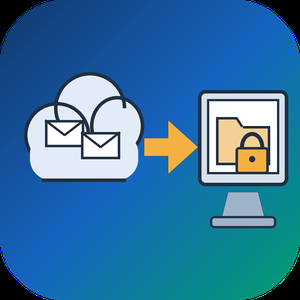
Email Backup Tool for Microsoft 365 and Outlook is an Office 365 backup app for Windows that signs in to a live mailbox and writes its mail into a PST file on your own disk. Subfolder nesting, sent and received times, HTML formatting, files attached to letters and unread flags are kept. Nothing passes through a vendor cloud, and the sign-in token is kept only in memory while the program is open.
🔰 How to use it
1. Start the program and click Sign in. The Microsoft login page opens inside the window, and no Azure app registration is required.
2. Review the list of folders. All of them are ticked after login, and a Size column reveals which ones are large.
3. Untick folders you do not need and set the From and To dates. The mailbox applies this filter on the server side.
4. Click a message to check it in the preview pane. Remote images stay unloaded.
5. Choose a folder under Save to and click Export messages. The finished file opens in desktop Outlook.
👍 Why IT and office teams pick this Office 365 backup tool
- Access is read only. The app asks Microsoft Graph for permission to read mail and never writes to the mailbox.
- Before sign-in it shows a page that explains what it reads, which helps when an administrator has to approve the app for a work account.
- A dropped connection does not restart the job. The next run picks up from a resume point stored next to the PST.
- In our test, a mailbox of 200,000 messages came down in 3.5 hours with no losses. Speed is limited by Microsoft request quotas, not by the PC.
- Attachments land in the file byte for byte, checked up to 224 MiB each.
- Before an Office 365 backup starts, the program checks free disk space and warns if it is short. Plan for roughly the size of the mailbox.
✅ Who uses it
- Staff leaving a company who want an Office 365 backup of their own correspondence, or an Outlook email backup, before the last day.
- Freelancers and small firm owners who keep a local archive of their own business account.
- Graduates whose university account is about to close.
- Owners of old Outlook.com or Hotmail accounts that are close to the storage limit.
❓ FAQ
How do I export an Office 365 mailbox to PST without admin tools? Sign in to the mailbox in this program, pick folders and dates, and save. No PowerShell or eDiscovery role is involved.
Does Microsoft 365 backup my email for me? Microsoft keeps the mailbox online, but it does not hand you a local copy. An Office 365 backup in PST form fills that gap. A PST on your disk stays readable after the account is closed.
Can it back up contacts and calendars? Not in this version. It copies mail only, and Gmail accounts are not supported.
Can I revoke access afterwards? Yes. Remove the app in the app permissions of your Microsoft account.
ℹ️ Free trial writes a real PST with the 25 newest messages from each folder. Lifetime, 1-year, monthly and business licenses are offered. Runs on Windows 10 and 11.