Task Management Software Resources
Articles, Glossary Terms, Discussions, and Reports to expand your knowledge on Task Management Software
Resource pages are designed to give you a cross-section of information we have on specific categories. You'll find articles from our experts, feature definitions, discussions from users like you, and reports from industry data.
Task Management Software Articles
Scope Creep in Project Management: Ways To Navigate
Miscommunication, mutual frustrations, under-deliverability.
by Jasmine Lee
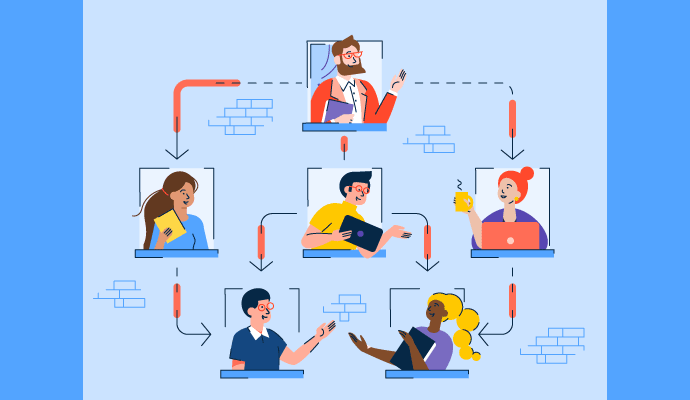
What Is Matrix Organization: Pros And Cons Explained

Think matrix: A traditional hierarchy offers clarity, but a matrix organizational structure opens up team collaboration opportunities.
by Grace Pinegar
25 Best Task Management Software in 2023

Checking tasks off from your to-do lists is a special feeling.
by Aayushi Sanghavi
State of Project Management Spring 2021
New technologies like the cloud have democratized project management software, making it accessible to everyone. Theoretically, a wide variety of options can be beneficial to buyers. Also, a competitive market means that vendors constantly try to outperform their competitors by improving their products. Does it mean that there are no issues in the project management software market? The only way to find out is to analyze feedback from more than 30,000 reviewers of project management solutions.
by Gabriel Gheorghiu
G2 Adds New Categories for Work Management and Project Collaboration
For decades, project management software has been straightforward—buyers knew very well what to expect from this type of software as most products potentially offered the same or almost similar features.
by Gabriel Gheorghiu
How Industry 4.0 Will Change Project Management
Project management software and methodologies are a form of automation that has been used in business for nearly 50 years. New technologies such as artificial intelligence (AI) and the Internet of Things (IoT) have the potential to automate project management—but, how far will they go?
by Gabriel Gheorghiu
Project Management in the Age of Remote Work
Working from home is a trend that’s been gaining traction for some time, with a growth of 159% in the last 12 years. As more companies are shifting to a remote workforce in response to the COVID-19 pandemic, the concept of remote work is more top of mind than ever.
by Gabriel Gheorghiu
How Project-Based Software Helps Companies
Most tasks we do at work are either process or project-based. Processes are made of repetitive tasks that we do repeatedly, with little to no variation. Project work can vary significantly from one project to another and can change based on internal or customer requirements.
by Gabriel Gheorghiu
Meet Milestones With Critical Chain Project Management
They say there are two ways to skin a cat (ew), and there are even more ways to manage a project.
by Grace Pinegar
Task Management Software Glossary Terms
Task Management Software Discussions
0
Question on: Asana
How does Asana keep AI-driven work secure, governed, and accountable?
Show More
Show Less
Thank you for asking. Asana AI follows the same permissions and access controls your organization already uses, so AI only works with information it's allowed to access and never elevates permissions. Teams stay in control through visibility into AI decisions and outputs, while Asana and its AI partners do not use customer data to train models and require customer data to be deleted after each interaction. Combined with Asana's broader enterprise security, privacy, and admin controls, that helps organizations adopt AI with more confidence and control.
Show More
Show Less
0
Question on: Asana
How does Asana help teams coordinate AI agents and people in one place?
Show More
Show Less
Great Question! Asana brings AI agents and team workflows into the same system of work, so AI can operate inside the projects, tasks, goals, and processes your teams already use. With AI Studio for AI-powered workflows, AI Teammates for more collaborative work, and AI connectors that turn conversations in tools like ChatGPT, Claude, Gemini, and Microsoft 365 Copilot into coordinated action, Asana helps teams keep AI-driven work visible, aligned, and moving forward. Instead of managing AI in separate tools, teams can coordinate people and AI in one place.
Show More
Show Less
0
Question on: TrackingTime PRO
How to stop missing billable hours when my team is constantly task-switching?
TrackingTime fixed this problem for us completely. It stays running in the background and has a smart reminder that pops up if it sees you’ve been working but forgot to start the timer. It also lets us use AutoTrack to see exactly what app we were in, so we can correct the entry accurately. We basically don't lose money to forgotten time anymore.
Show More
Show Less
Leverage TrackingTime to stop missing billable hours lost to task-switching:
1. Activate AutoTrack: The Memory Saver
The single most effective tool against task-switching is our AutoTrack feature (available in our paid plans).
How it Works: AutoTrack runs in the background of your desktop app and silently records your activity—which apps you open, which websites you visit, and which documents you edit. This data is 100% private to the user.
The Win: If your team member jumps between a client call (no tracker on), a quick email, and a design review, they can look at their AutoTrack's records at the end of the day. It shows them the gaps and the exact activities they performed. They can then click on the recorded activity and instantly turn it into a perfectly accurate time entry assigned to the correct client/project. No more guessing or forgetting the quick 15-minute tasks that add up to hundreds of billable hours.
2. Use the Browser Extension for Seamless Switching
Missing time often happens when your team has to leave their workspace (like Asana, or Jira) to find a separate timer.
How it Works: The TrackingTime browser extension embeds a one-click "Start Timer" button directly inside the 60+ project and business apps your team already uses.
The Win: When a designer switches from an Asana task for Client A to a Jira ticket for Client B, they don't open a new app. They simply click the embedded timer in the new task. TrackingTime is smart enough to automatically stop the timer for Client A and start the timer for Client B with the correct task description. This eliminates the friction that causes lost time.
3. Rely on the Real-Time Data
The desktop and web apps provide a clear overview of each user's day.
How it Works: Pace report shows daily activity by user, showing if they reached or not their time goals.
The Win: This is the easiest way for you to audit your team and for your team to self-audit.
By making time tracking a natural extension of the work itself—instead of a manual, separate chore—TrackingTime ensures you capture every single billable minute, no matter how much context switching your day involves.
Show More
Show Less
Task Management Software Reports
Mid-Market Grid® Report for Task Management
Summer 2026
G2 Report: Grid® Report
Grid® Report for Task Management
Summer 2026
G2 Report: Grid® Report
Enterprise Grid® Report for Task Management
Summer 2026
G2 Report: Grid® Report
Momentum Grid® Report for Task Management
Summer 2026
G2 Report: Momentum Grid® Report
Small-Business Grid® Report for Task Management
Summer 2026
G2 Report: Grid® Report
Enterprise Grid® Report for Task Management
Spring 2026
G2 Report: Grid® Report
Small-Business Grid® Report for Task Management
Spring 2026
G2 Report: Grid® Report
Mid-Market Grid® Report for Task Management
Spring 2026
G2 Report: Grid® Report
Grid® Report for Task Management
Spring 2026
G2 Report: Grid® Report
Momentum Grid® Report for Task Management
Spring 2026
G2 Report: Momentum Grid® Report