Task Management Software Resources
Articles, Glossary Terms, Discussions, and Reports to expand your knowledge on Task Management Software
Resource pages are designed to give you a cross-section of information we have on specific categories. You'll find articles from our experts, feature definitions, discussions from users like you, and reports from industry data.
Task Management Software Articles
Scope Creep in Project Management: Ways To Navigate
Miscommunication, mutual frustrations, under-deliverability.
by Jasmine Lee
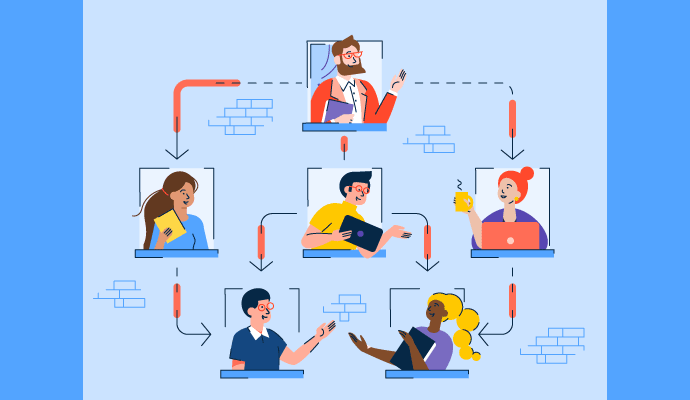
What Is Matrix Organization: Pros And Cons Explained

Think matrix: A traditional hierarchy offers clarity, but a matrix organizational structure opens up team collaboration opportunities.
by Grace Pinegar
25 Best Task Management Software in 2023

Checking tasks off from your to-do lists is a special feeling.
by Aayushi Sanghavi
State of Project Management Spring 2021
New technologies like the cloud have democratized project management software, making it accessible to everyone. Theoretically, a wide variety of options can be beneficial to buyers. Also, a competitive market means that vendors constantly try to outperform their competitors by improving their products. Does it mean that there are no issues in the project management software market? The only way to find out is to analyze feedback from more than 30,000 reviewers of project management solutions.
by Gabriel Gheorghiu
G2 Adds New Categories for Work Management and Project Collaboration
For decades, project management software has been straightforward—buyers knew very well what to expect from this type of software as most products potentially offered the same or almost similar features.
by Gabriel Gheorghiu
How Industry 4.0 Will Change Project Management
Project management software and methodologies are a form of automation that has been used in business for nearly 50 years. New technologies such as artificial intelligence (AI) and the Internet of Things (IoT) have the potential to automate project management—but, how far will they go?
by Gabriel Gheorghiu
Project Management in the Age of Remote Work
Working from home is a trend that’s been gaining traction for some time, with a growth of 159% in the last 12 years. As more companies are shifting to a remote workforce in response to the COVID-19 pandemic, the concept of remote work is more top of mind than ever.
by Gabriel Gheorghiu
How Project-Based Software Helps Companies
Most tasks we do at work are either process or project-based. Processes are made of repetitive tasks that we do repeatedly, with little to no variation. Project work can vary significantly from one project to another and can change based on internal or customer requirements.
by Gabriel Gheorghiu
Meet Milestones With Critical Chain Project Management
They say there are two ways to skin a cat (ew), and there are even more ways to manage a project.
by Grace Pinegar
Task Management Software Glossary Terms
Task Management Software Discussions
0
Question on: Trello
Is there a way to keep the tasks more organized, based on categories?Is there a way to put lists/tasks into folders that are category-specific?
Show More
Show Less
I preffer to use labels as categories. They have colors and you can easily filter your tasks using labels.
And the folders(lists) are always task statuses for me.
For example folders(lists) can have next names, which represent task status:
1) To Do: task is created and ready to be assigned.
2) In Progress: task is assigned and in development.
3) Review: quality check of task results.
4) Done: task is complete
5) Backlog: sometimes I like to have a "backlog" list for the tasks, which are not yet planned but already known.
I use this structure for all types of projects: conferences planning, software developmenr projects, master thesis writing and even my vacation planning.
This helps me to have a clean overview of the project progress. It is also easier for others to see a snapshot of the project progresss.
Show More
Show Less
There is a powerup Cardsync for Teams. That should group your cards for you.
Show More
Show Less
Yes, assign a special colour to different categories, there are also power ups (some are paid ones though) to sort the cards.
Show More
Show Less
You can add labels to tasks by hovering over a card and clicking the pencil icon in the corner and then “Edit Labels”. Once your cards are labeled you can filter them by clicking “Search Cards” in the menu on the right. This way you can choose to see only the cards in the categories you want across your whole board. Another option would be to treat your “Lists” as folders for different categories such as to-do, done, planning, etc. and move your tasks to whichever list makes sense for you.
Show More
Show Less
0
Question on: Trello
Can I save all my data in my computerI´d like to know If when I finish a task, can I have a backup of my information?
Show More
Show Less
Personal Data Export
You can download a .json file of your personal information by visiting https://trello.com/your/account and clicking the "Download Personal Data" button at the bottom of the settings page. If you’d like some help making sense of the .json file, we have an article for that.
Settings → settings tab → bottom of page:
Show More
Show Less
0
Question on: Trello
Can I set my board so that only I can move cards but other people in my team can comment on them?I would like to classify the user permission within Trello.
Show More
Show Less
Changing permissions on a board
Set the visibility and permissions of features by going to the Menu on the right side of the board, then clicking 'More' then 'Settings'. Permissions and options will vary per user.
Board admins have a different set of permissions on a board. Only a board admin can remove users and change the commenting permissions, for instance.
Types of Trello Users
When it comes to permissions on a board, there are different types of Trello users:
Invited Members - An invited user is someone who has been invited to a board but who hasn't yet confirmed their account. Their user icon will appear to be grayed out in the Members area of the board.
Board Members - A normal member is simply a member of a board.
Observers - An observer is a member with read-only access to a board. (Observers are only available to teams with Trello Business Class).
Team Members - You can make a board belong to a team, so a team member is a user who belongs to the same team as the board.
Guest - A normal member on the board. The user is however not a member of the team that the boards belongs to.
Board Admin - A board admin is a member of the board who can do anything on the board. Board admins are marked by the blue and white chevron in the bottom right corner of their avatar.
Commenting permissions
You can change who is allowed to comment on the cards on a board:
Disabled - no one is allowed to comment.
Members - Allow admins and normal members to comment. This is the default setting.
Members and Observers - Allow admins, normal members, and observers to comment.
Team members - Allow admins, normal members, observers, and team members to comment.
Public members - Allow any Trello member to comment. This option is only available for public boards.
Invitations permissions
You can change who is allowed to add members to a board:
Admins - Allow only board admins to add and invite others.
All Members - Allow members and board admins to add and invite others. This is the default setting.
NOTE: If a board belongs to a team, you can enable the setting " Allow Team Members to Join," which will allow any team member to join the board without being invited. To enable this, the board must belong to a team and the board cannot be private.
Show More
Show Less
Task Management Software Reports
Mid-Market Grid® Report for Task Management
Spring 2026
G2 Report: Grid® Report
Grid® Report for Task Management
Spring 2026
G2 Report: Grid® Report
Enterprise Grid® Report for Task Management
Spring 2026
G2 Report: Grid® Report
Momentum Grid® Report for Task Management
Spring 2026
G2 Report: Momentum Grid® Report
Small-Business Grid® Report for Task Management
Spring 2026
G2 Report: Grid® Report
Enterprise Grid® Report for Task Management
Winter 2026
G2 Report: Grid® Report
Small-Business Grid® Report for Task Management
Winter 2026
G2 Report: Grid® Report
Mid-Market Grid® Report for Task Management
Winter 2026
G2 Report: Grid® Report
Grid® Report for Task Management
Winter 2026
G2 Report: Grid® Report
Momentum Grid® Report for Task Management
Winter 2026
G2 Report: Momentum Grid® Report