PsTally
Who Is the Company Behind PsTally?
- Seller: PsTally
- HQ Location: N/A
-
LinkedIn® Page: www.linkedin.com
1 employees on LinkedIn®
Total Products under this Category: 1,052
Last updated: November 15, 2026
Why You Can Trust G2's Software Rankings:
G2's software rankings are built on verified user reviews, rigorous moderation, and a consistent research methodology maintained by a team of analysts and data experts. Each product is measured using the same transparent criteria, with no paid placement or vendor influence. While reviews reflect real user experiences, which can be subjective, they offer valuable insight into how software performs in the hands of professionals. Together, these inputs power the G2 Score, a standardized way to compare tools within every category.
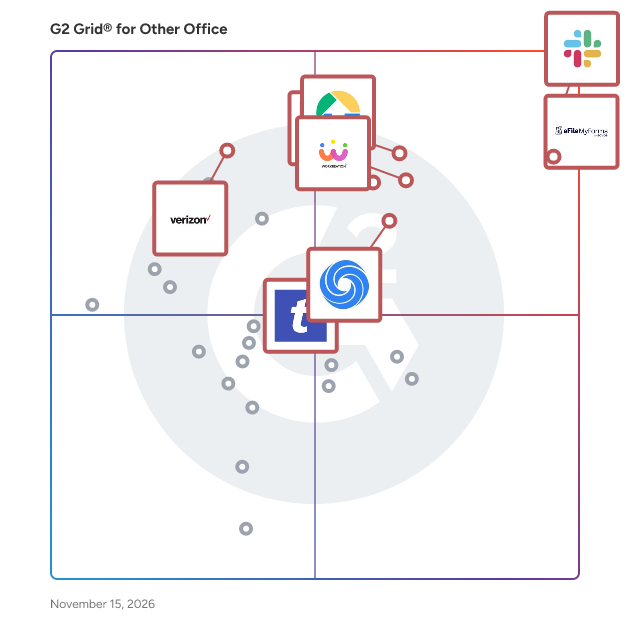
Highlighted products: Slack Connector for Jira, Sovos eFileMyForms, Google Drive & Docs for Confluence, Workreation®, Drive Uploader, NoteGPT, TransferNow, and Verizon Business Messaging.
Underlying data: [Grid® JSON](https://www.g2.com/categories/other-office/grids.json?focus%5B%5D=slack-connector-for-jira&focus%5B%5D=sovos-efilemyforms&focus%5B%5D=google-drive-docs-for-confluence&focus%5B%5D=workreation&focus%5B%5D=drive-uploader&focus%5B%5D=notegpt&focus%5B%5D=transfernow&focus%5B%5D=verizon-business-messaging)
Magic Soft PST Converter is a standalone utility designed to access, preview, and export data from Outlook PST files into multiple widely-used formats. Operating entirely offline, it does not require Microsoft Outlook installation, making it suitable for individuals, IT professionals, system administrators, and corporate enterprises. The software supports conversion of PST files to formats such as EML, MBOX, MSG, PDF, CSV, VCF, and ICS. This versatility facilitates seamless data migration across different email clients and operating systems. Users can process single or multiple PST files simultaneously, enhancing efficiency in managing large datasets. Key features include the ability to handle healthy, corrupted, password-protected, or oversized PST files without Outlook dependencies. It preserves the original folder hierarchy, timestamps, headers, metadata, and attachments, ensuring data integrity during the conversion process. The read-only processing mode guarantees that the original PST files remain unaltered. The built-in preview function allows users to inspect mailbox items, including emails, contacts, calendars, tasks, notes, and attachments, before initiating the export. This ensures that only the necessary data is converted, optimizing storage and organization. Magic Soft PST Converter is compatible with all versions of Windows operating systems and supports both ANSI and UNICODE PST files. It offers a free demo version that previews all items and converts a limited number per folder, allowing users to evaluate its capabilities before purchasing a license. In summary, Magic Soft PST Converter provides a comprehensive solution for accessing and converting PST file data without the need for Outlook, offering flexibility and reliability for various data management needs.
Cigati PST Splitter is a powerful and reliable solution designed to divide large Outlook PST files into smaller, manageable parts without compromising data integrity. The software efficiently splits PST files based on size, date, folder, or email ID, making it ideal for users dealing with oversized or corrupted PST files. It ensures that all mailbox components, including emails, attachments, contacts, calendars, and other items, remain intact and properly structured during the splitting process. With a user-friendly interface, Cigati PST Splitter simplifies complex operations, allowing both technical and non-technical users to perform file splitting with ease. The tool supports all versions of Microsoft Outlook and Windows OS, ensuring broad compatibility. Additionally, it maintains original folder hierarchy and metadata, preventing any data loss or alteration. Whether you need to improve Outlook performance, manage storage efficiently, or prevent file corruption, Cigati PST Splitter provides a secure and efficient way to handle large PST files.
Connect G2 to Claude or ChatGPT for answers grounded in G2's trusted reviews, comparisons, and pricing from real user insights.
Approved Contact automatically syncs open dates and times to facilitate secure cross-company discussions with trusted business contacts.
Priasoft Public Folder Analyzer Priasoft Public Folder Analyzer is a comprehensive tool for managing and optimizing public folders in Microsoft Exchange and Office 365 environments. It offers detailed reporting on folder sizes, item counts, permissions, and usage patterns, helping organizations gain critical insights into their public folder infrastructure. Key Features: Comprehensive Reporting: Gain insights into folder sizes, item counts, permissions, and usage. Advanced Remediation: Export, delete, and split folder contents efficiently. Scalability: Supports hierarchies with over 100,000 folders. Intuitive Interface: User-friendly design for easy navigation and actionable insights. Deep Item-Level Analysis: Detailed analysis of usage patterns and interactions. Compare Report Data: Track changes over time for better decision-making. Priasoft’s expertise ensures that this tool meets the needs of large and complex environments, providing reliability and ease of use. For more detailed information, visit the Priasoft product page https://www.priasoft.com/exchange-migration/public-folder-analysis/.
PulseMetrics helps teams at PulseMetrics grow faster. Demo data for directory signup and add-business testing.
PUSHCORD VCA VOICE is a platform that enables to manage all the voice calls.
QBO to PDF Converter Tool is a Windows program that opens the .qbo or .ofx download a bank or bookkeeper sent you and prints it as a readable PDF statement, with no QuickBooks on the machine. A QBO download is OFX text written for an accounting importer, so a double-click gets you nowhere. This qbo to pdf converter parses the tags, lays the transactions out as a table and saves pages you can print, forward or archive. The qbo to pdf work happens offline, on your own PC. 📋 How to use 1. Install it on the Windows PC that holds the download. The PDF engine comes inside the installer. 2. Queue one download, several of them or a whole folder. 3. Read the text preview: transaction count, detected encoding and the first rows. 4. Choose PDF or CSV and how dates should print, then press Convert. 5. Open the result from the destination folder you set on the same page. 🏢 Why IT and office teams pick it - No upload, no sign-up and no outbound traffic to whitelist. - One parser covers OFX 1 files in SGML and OFX 2 files in XML. - Column headers repeat at the top of each sheet and a row never splits in two. - Negative amounts are bracketed and colored, so a black and white copy still shows them. - Every footer carries a sheet number, the source name and the generation date. - A Merge checkbox, off by default, joins the queue into one output. - CSV output is UTF-8 with BOM and guards against formula injection in Excel. 👥 Who uses it - Bookkeepers who receive client downloads and need a statement on paper. - Paralegals turning raw bank exports into paginated exhibits. - Owners whose old accounting setup is gone while the QBO files remain on disk. - Anyone who got one attachment and will not buy accounting software to read it. - Auditors who want a count of transactions on screen before they trust a printout. ❓ FAQ How do I open a QBO file without QuickBooks? Use a program that reads the OFX inside it. The QBO to PDF converter parses the file directly, so no QuickBooks license is involved. Can I convert QBO to PDF and CSV in the same program? Yes. A combo box on the Convert page switches between a PDF statement and a CSV table for Excel. Is the Running total the same as my bank balance? No. It is the sum of the printed rows, counted from the top, and the column stays off until you tick it. Does the QBO to PDF converter read card and investment files? Yes. Bank, card and investment statements are parsed, several per file too. An investment line that carries a share quantity instead of an amount is kept. Which columns appear in the PDF by default? Date, Check, Payee, Memo and Amount. Type, Category, FITID and Running total are optional, because most bank files leave them empty. 🆓 The free trial converts 20 transactions and prints a warning line in the output. Runs on Windows 11, 10, 8.1, 8 and 7, 32 and 64 bit.
QIF to QBO Converter Software takes a Quicken .QIF export or a QuickBooks .IIF file and writes a Web Connect .qbo that QuickBooks Desktop and QuickBooks Online can import. The same run can also produce a CSV for Excel or a printable PDF table. All work happens on your Windows PC, with no upload and no online account to create. Quicken accepts QIF only for asset, liability and cash accounts, and QuickBooks has no QIF import at all, so an old archive tends to get stuck between the two programs. The qif to qbo converter closes that gap without any retyping. 🛠️ How to use 1. Install the program and launch it. The bank directory is already inside. 2. Drag one .qif or .iif file, or a whole folder, into the window and check the text preview. 3. Open Lookup, type your bank name and pick the matching row. 4. Leave QBO selected in the output box and press Convert. 5. In QuickBooks Desktop go to File > Utilities > Import > Web Connect and choose the new file. 💼 Why IT and office teams pick it - It refuses to save a .qbo without a valid institution ID and prints the reason word for word, so a broken file never reaches QuickBooks. - Transaction IDs stay stable between runs, so a second import of the same export does not duplicate entries. - Split transactions keep their parts, and the CSV header stays in English for import maps and formulas. - A preview shows the recognized transaction count and encoding before you press Convert, which saves a trip back to the source file. - A folder of exports can be queued in one batch, with an optional Merge into a single file. - Files never leave the workstation, and the program works without internet access. 👥 Who uses it People moving their own books off Quicken, bookkeepers who inherit legacy client files with several accounts in one export, and admins who gather QIF and IIF files from branch offices for a single qif to qbo routine. A qif to qbo converter that runs locally also suits offices bound by client confidentiality rules. ❓ FAQ Can I convert QIF to QBO without Quicken installed? Yes. The tool reads the .qif file directly, so neither Quicken nor any online service is needed. Why does QuickBooks reject my QBO file? Usually the institution ID is missing or wrong. This qif to qbo converter blocks that case before saving. Also note that QuickBooks releases older than three years do not import .qbo at all. Does it handle IIF files saved as .txt? Yes. Each file is probed by its contents, so an IIF export with a .txt extension is still parsed as IIF. What happens to Cyrillic or Asian characters? The .qbo is written in CP1252. Cyrillic is transliterated and other characters become numeric references, so nothing disappears silently. 🖥️ The free trial converts 20 transactions. Runs on Windows 11, 10, 8.1, 8 and 7, 32 and 64 bit. Licenses come as lifetime, one-year or business.
Quantum AI Workspace Manager (QAWM) is a comprehensive, hosted and managed SaaS offering with two specialized modules: Facilities Maintenance Module: This module offers robust tools for Work Order Management, Corrective, and Preventive Maintenance. It enhances operational efficiency by ensuring proactive maintenance, reducing downtime, and promoting a safe, productive work environment. Space and Reservation Management Module: This module optimizes space utilization through advanced Space, Move, and Reservation Management. It adapts to changing needs in a scalable SaaS-based environment, fostering coordination and collaboration. QAWM operates in a multi-tenant setup, offering scalability and flexibility, centralizing processes, and enabling data-driven decision-making for continuous improvement and innovation.
QuickCalcify (quickcalcify.com) is a free online calculator suite built for the calculations people actually repeat: what a mortgage really costs with taxes, insurance and PMI included; what a salary leaves after 2026 federal income tax (updated to the official IRS Revenue Procedure 2025-32 brackets); how a loan amortizes month by month; how many pages a word count makes; how a fraction sum works out step by step. The suite has 48 tools in five categories — Finance, Health, Math, Education and Utility — each with a full explanation of the formula, worked examples and FAQs, so the answer comes with the reasoning. There are no accounts, no paywalls and no locked results: every calculator is free, instant and mobile-friendly, and each one is backed by long-form guides that show the math step by step.
Quiriz for Google Docs turns a question into the chart or table it asks for. Type a question where the answer belongs, such as "Sessions and revenue by channel, last 3 months", select it, press Chart or Table, and the answer replaces the words, computed from your data in Quiriz so every figure in the document can be traced. Connect Shopify, Stripe, HubSpot, QuickBooks, Google Analytics and ad platforms, or upload files, with metric definitions set once in Company Context. Free trial inside the add-on. Part of Quiriz, the AI business analyst.
Radical Pie is a professional equation editing application for Windows 10/11 that produces mathematical typography of the highest possible quality. It’s suitable for use in the most demanding technical documents ranging from conference papers to large textbooks. It’s also designed to be a perfect solution for putting equations in slide presentations and YouTube videos. Radical Pie can be used as a standalone application or through its integration with Microsoft Word.
