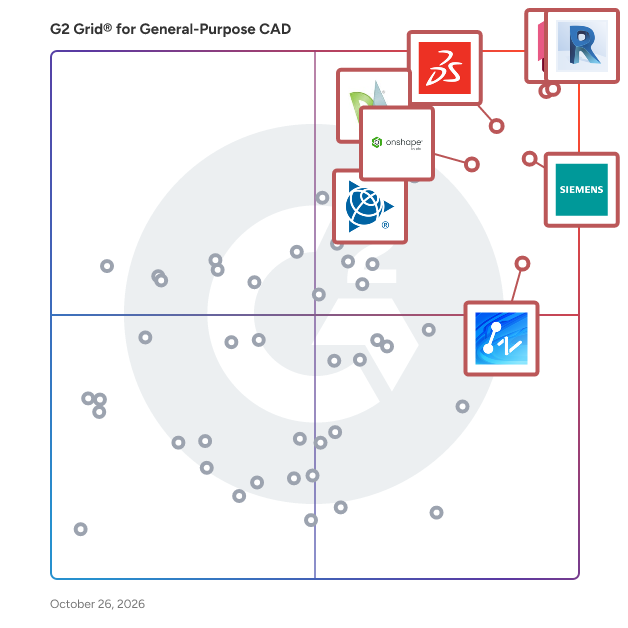
# Best General-Purpose CAD Software - Page 3

*By [Daniel Rivera](https://research.g2.com/insights/author/daniel-rivera)*


General-purpose computer-aided design (CAD) is a prototyping software for engine designs, architectural sketches, 3D models, prototypes, and mock-ups of construction sites and building projects. General-purpose CAD works with the integration of [3D modeling software](https://www.g2.com/categories/3d-modeling), [BIM software](https://www.g2.com/categories/building-design-and-building-information-modeling-bim), [civil engineering software](https://www.g2.com/categories/civil-engineering-design), or [graphic design software](https://www.g2.com/categories/graphic-design) to chart technical, nuanced, and intricate designs.

General-purpose CAD software is general engineering and design software that all industries can use to develop plant designs in the initial stages of a product&#39;s lifecycle. It is used in a project model&#39;s ideation, creation, and planning stages. Once a plan or mockup is ready, the CAD document circulates within RnD, testing, and project management teams for approvals and further design intrications.

To qualify for inclusion in the General-Purpose Computer-Aided Design (CAD) category, a product must:

- Have 2D technical drawing capabilities
- Have 3D modeling capabilities
- Possess the ability to be used across several industries


## Top General-Purpose CAD Software at a Glance
| # | Product | Rating | Best For | What Users Say |
|---|---------|--------|----------|----------------|
| 1 | [AutoCAD](https://www.g2.com/products/autocad/reviews) | 4.4/5.0 (1,836 reviews) | 2D drafting with universal DWG compatibility | "[AutoCAD Delivers Precision Drafting and Professional, Productive Workflows](https://www.g2.com/survey_responses/autocad-review-13040322)" |
| 2 | [Designcenter Solid Edge](https://www.g2.com/products/designcenter-solid-edge/reviews) | 4.3/5.0 (595 reviews) | Synchronous modeling for multi-CAD design reuse | "[Unique Interface, Synchronous Design, and Great Support Boost Efficiency](https://www.g2.com/survey_responses/designcenter-solid-edge-review-12709304)" |
| 3 | [Onshape](https://www.g2.com/products/onshape/reviews) | 4.7/5.0 (683 reviews) | Cloud-native CAD with real-time collaboration | "[Cloud-Based Flexibility with Robust Performance](https://www.g2.com/survey_responses/onshape-review-12462851)" |
| 4 | [SketchUp](https://www.g2.com/products/sketchup/reviews) | 4.5/5.0 (1,297 reviews) | Fast architectural massing and client visualization | "[SketchUp Makes 3D Modeling Fast, Approachable, and Easy to Present](https://www.g2.com/survey_responses/sketchup-review-13033539)" |
| 5 | [ZWCAD](https://www.g2.com/products/zwcad/reviews) | 4.6/5.0 (348 reviews) | AutoCAD-compatible 2D drafting with perpetual licensing | "[Structural Engineer (5 years), Drafting and Detailing Using Zwcad](https://www.g2.com/survey_responses/zwcad-review-8724157)" |
| 6 | [MicroStation](https://www.g2.com/products/microstation/reviews) | 4.0/5.0 (407 reviews) | Infrastructure drafting with large reference file coordination | "[MicroStation Delivers Precision Control for Massive Civil and Infrastructure Models](https://www.g2.com/survey_responses/microstation-review-12853055)" |
| 7 | [Autodesk Fusion](https://www.g2.com/products/autodesk-fusion/reviews) | 4.5/5.0 (510 reviews) | CAD-to-CAM workflows with cloud collaboration | "[Autodesk Fusion Streamlines Parametric 3D Design from Idea to Prototype](https://www.g2.com/survey_responses/autodesk-fusion-review-13041979)" |
| 8 | [DraftSight](https://www.g2.com/products/draftsight/reviews) | 4.2/5.0 (208 reviews) | AutoCAD-compatible 2D drafting without AutoCAD cost | "[DraftSight: Low-Cost, Comfortable UI, and Strong DWG Performance](https://www.g2.com/survey_responses/draftsight-review-12958423)" |
| 9 | [AutoCAD LT](https://www.g2.com/products/autocad-lt/reviews) | 4.3/5.0 (279 reviews) | 2D drafting without 3D modeling overhead | "[AutoCAD LT: Efficient, No-Frills Drafting](https://www.g2.com/survey_responses/autocad-lt-review-12210280)" |
| 10 | [Inventor](https://www.g2.com/products/inventor/reviews) | 4.4/5.0 (423 reviews) | Parametric mechanical design with AutoCAD interoperability | "[Versatile Design Tool with Room for Improvement](https://www.g2.com/survey_responses/inventor-review-7829390)" |

---
## What Are the Most Common Questions About General-Purpose CAD Software?
*AI-generated · Last updated: May 26, 2026*
### What most reliable General Purpose CAD based on reviews from engineer avoiding costly implementations?
Based on G2 reviews, reliability in General-Purpose CAD Software is most often tied to stable day-to-day drafting, familiar workflows, and fewer implementation hurdles. Reviewers frequently describe AutoCAD as dependable for precise 2D drafting, revisions, layering, and broad file compatibility, but they also repeatedly mention subscription cost and hardware demands. According to verified users, ZWCAD stands out when buyers want a more budget-conscious option with an AutoCAD-like interface, DWG compatibility, lightweight performance, and easier switching for established drafting workflows. G2 reviewers mention that products seen as reliable for cost-conscious teams are the ones that reduce retraining, open existing files smoothly, and keep routine drafting work moving without major disruption.

**Here are some of the top-rated products on G2:**

- [ZWCAD](https://www.g2.com/products/zwcad/reviews/zwcad-review-12782007) – budget-friendly DWG drafting with familiar commands and smooth performance on standard computers
- [AutoCAD](https://www.g2.com/products/autocad/reviews/autocad-review-12860214) – precise technical drafting with strong layer control and reliable drawing modification workflows
- [DraftSight](https://www.g2.com/products/draftsight/reviews/draftsight-review-9780623) – 2D drafting alternative used to reduce licensing costs while preserving familiar CAD work


### What are the best General Purpose CAD tools for engineer needing design validation?
Based on G2 reviews, engineers looking for design validation often favor CAD tools that combine modeling with simulation, clash checking, or early issue detection. According to verified users, SOLIDWORKS is often associated with simulation, virtual checks, and converting designs into manufacturing-ready outputs, which helps teams catch problems before production. G2 reviewers mention Autodesk Fusion for bringing modeling, simulation, and manufacturing steps into one workflow, especially for prototyping and fabrication-oriented use cases. Reviewers also describe Inventor as useful for assemblies, 3D modeling, and identifying issues before manufacturing. Across the category, buyers appear to value products that help validate fit, motion, manufacturability, or design accuracy without relying entirely on downstream tools.

**Here are some of the top-rated products on G2:**

- [SOLIDWORKS](https://www.g2.com/products/solidworks/reviews/solidworks-review-12735771) – supports part design, assemblies, and simulation to reduce prototyping and design errors
- [Autodesk Fusion](https://www.g2.com/products/autodesk-fusion/reviews/autodesk-fusion-review-12816734) – combines 3D design, prototyping, and simulation-oriented workflows in one platform
- [Inventor](https://www.g2.com/products/inventor/reviews/inventor-review-11446385) – helps teams review parts and assemblies in 3D before sending designs to manufacture


### Which General Purpose CAD platforms maintain performance as manufacturing &amp; product design teams scale?
Based on G2 reviews, Onshape is the clearest fit for teams prioritizing performance as collaboration expands. Verified users consistently highlight its cloud-based access, centralized data, version control, and real-time collaboration, which reduce local file management issues and make it easier for distributed teams to work from different devices. G2 reviewers mention that Onshape helps avoid server setup, simplifies sharing with non-CAD users, and keeps design history in one place. While some users note occasional server or loading delays, the strongest recurring theme is that scaling teams benefit from its browser-based model and built-in collaboration structure more than from traditional file-based workflows. That makes Onshape a standout option for growing manufacturing and product design organizations.


### What General Purpose CAD solutions with proven design validation for manufacturing &amp; product design teams?
Based on G2 reviews, design validation is most often linked to tools that help teams test assemblies, catch clashes, review fit, and reduce physical rework before production. According to verified users, SOLIDWORKS is frequently used to model parts, run simulation-oriented checks, and generate production-ready drawings. G2 reviewers mention Autodesk Fusion for unifying CAD, CAM, and simulation-related workflows so teams can move from concept to fabrication with fewer handoff gaps. Inventor is also described as helpful for visualizing assemblies, resolving design issues, and checking manufacturability before parts are made. Across these reviews, the strongest validation signals come from products that let engineers inspect, revise, and communicate technical designs clearly before they reach the shop floor.


### Which General Purpose CAD platforms excel at  3d modeling with strong user adoption?
Based on G2 reviews, AutoCAD has the strongest recent user adoption signal in this dataset, and reviewers still describe it as a trusted option for both 2D work and selected 3D use cases. According to verified users, AutoCAD is valued for precision, widespread familiarity, reusable templates, reliable file sharing, and strong layer management, all of which contribute to broad day-to-day usage. G2 reviewers mention that it supports 3D visualization and modeling for some workflows, though several users also note that its 3D capabilities can be less ideal than more specialized tools. For buyers prioritizing both adoption and modeling flexibility, the review data suggests AutoCAD remains one of the most widely used and recognized options in the category.


### How comparing General Purpose CAD providers that prioritize collaboration tools and implementation speed?
Based on G2 reviews, collaboration and implementation speed show up most clearly in tools that are easy to set up, easy to share, and reduce file-handling friction across teams. According to verified users, Onshape stands out for browser-based collaboration, version control, centralized documents, and simple sharing with teammates and non-CAD stakeholders. G2 reviewers mention Autodesk Fusion for consolidating design workflows into one environment while remaining relatively easy to start and use across devices. Designcenter Solid Edge is also associated with Teamcenter integration, cloud sharing, and accessible setup for organizations that need coordinated design work. In this category, buyers appear to prefer platforms that shorten onboarding, simplify access, and keep collaboration inside the product rather than across separate systems.


### What highest rated General Purpose CAD for manufacturing &amp; product design teams optimizing rendering speed?
Based on G2 reviews, rendering speed is discussed less often than drafting, modeling, and file performance, but several products do surface for teams that care about faster visual output. G2 reviewers mention Coohom for quick, high-quality rendering and faster design visualization, especially compared with workflows that previously required longer render times. According to verified users, SketchUp is often chosen for fast conceptual modeling and quick iterations, though some reviewers report slowdowns or crashes on heavy files. Autodesk Fusion is also described as a unified option for design and rendering-related work, especially in prototyping workflows. For buyers optimizing rendering speed, the review data points toward tools that help teams iterate visuals quickly without adding heavy workflow complexity.

**Here are some of the top-rated products on G2:**

- [Coohom](https://www.g2.com/products/coohom/reviews/coohom-review-12396750) – cloud-based 3D design tool praised for fast rendering and strong visualization output
- [SketchUp](https://www.g2.com/products/sketchup/reviews/sketchup-review-12541302) – quick conceptual modeling platform used for rapid iterations and presentation-ready visuals
- [Autodesk Fusion](https://www.g2.com/products/autodesk-fusion/reviews/autodesk-fusion-review-12391106) – supports rendering alongside 3D modeling and product development workflows


### What top General Purpose CAD solutions for 11-50 employees focused on  3d modeling?
Based on G2 reviews, smaller manufacturing and product design teams often value a mix of approachable modeling tools, manageable setup, and efficient collaboration. According to verified users, Designcenter Solid Edge is often positioned well for small to mid-sized businesses because it combines modeling, drafting, and related design workflows in one environment. G2 reviewers mention Autodesk Fusion as a strong fit for teams that want integrated CAD and CAM capabilities without juggling separate products. Reviewers also highlight SOLIDWORKS for straightforward 3D modeling, assemblies, and broad familiarity among engineers. For teams in the 11-50 employee range, the reviews suggest the best fit usually depends on whether the priority is ease of adoption, integrated workflows, or more simulation-heavy product development.

**Here are some of the top-rated products on G2:**

- [Designcenter Solid Edge](https://www.g2.com/products/designcenter-solid-edge/reviews/designcenter-solid-edge-review-12730586) – approachable all-in-one modeling and drafting option noted as suitable for SMEs
- [Autodesk Fusion](https://www.g2.com/products/autodesk-fusion/reviews/autodesk-fusion-review-12391106) – integrated 3D design and manufacturing workflows for prototyping and product design teams
- [SOLIDWORKS](https://www.g2.com/products/solidworks/reviews/solidworks-review-12677529) – user-friendly 3D modeling and assembly platform for detailed product design work


### What most trusted General Purpose CAD by engineer based on user reviews and team collaboration?
Based on G2 reviews, trust is usually earned through precision, file reliability, familiar workflows, and the ability to coordinate work across teams. According to verified users, AutoCAD is repeatedly described as an industry-standard drafting environment that engineers rely on for accurate drawings, revisions, and collaboration through common file formats. G2 reviewers mention MicroStation as a trusted option for large, multidisciplinary infrastructure work because of its reference handling, precision, and ability to manage complex files. Onshape also stands out for collaborative trust signals, especially where teams need centralized version control and real-time sharing. In practice, the most trusted platforms in this review set are the ones buyers already know can support consistent outputs and teamwork under real project conditions.


### What best General Purpose CAD platforms for manufacturing &amp; product design teams managing performance?
Based on G2 reviews, teams managing performance look for CAD platforms that stay stable with larger files, support efficient revisions, and avoid slowing daily engineering work. According to verified users, Onshape is attractive for performance management because its cloud model removes some local hardware constraints and simplifies collaboration. G2 reviewers mention Designcenter Solid Edge for speed in model edits and broad design workflows, although some users still note slowdowns on very large assemblies. AutoCAD remains relevant for dependable drafting performance in technical documentation, but reviewers also caution that heavier files can feel resource-intensive. Overall, the best fit depends on whether performance means cloud accessibility, large-assembly handling, or consistent drafting responsiveness across a growing team.

**Here are some of the top-rated products on G2:**

- [Onshape](https://www.g2.com/products/onshape/reviews/onshape-review-12462851) – cloud-based CAD used to handle complex models without relying on high-end local hardware
- [Designcenter Solid Edge](https://www.g2.com/products/designcenter-solid-edge/reviews/designcenter-solid-edge-review-12622225) – fast model editing and integrated workflows for teams moving designs to customers quickly
- [AutoCAD](https://www.g2.com/products/autocad/reviews/autocad-review-12702586) – reliable drafting and documentation platform valued for precision, collaboration, and revision speed


## How Many General-Purpose CAD Software Products Does G2 Track?
**Total Products under this Category:** 118

### Category Stats (Jul 2026)
- **Average Rating**: 4.36/5 The average rating of products in this category, based on all submitted ratings
- **Top Trending Product**: DraftSight (+0.1%) - Among all products in this category, DraftSight recorded the largest rating increase compared to last month
*Last updated: July 06, 2026*


## How Does G2 Rank General-Purpose CAD Software Products?

**Why You Can Trust G2's Software Rankings:**

- 30 Analysts and Data Experts
- 10,300+ Authentic Reviews
- 118+ Products
- Unbiased Rankings

G2's software rankings are built on verified user reviews, rigorous moderation, and a consistent research methodology maintained by a team of analysts and data experts. Each product is measured using the same transparent criteria, with no paid placement or vendor influence. While reviews reflect real user experiences, which can be subjective, they offer valuable insight into how software performs in the hands of professionals. Together, these inputs power the G2 Score, a standardized way to compare tools within every category.


## Which General-Purpose CAD Software Is Best for Your Use Case?

- **Leader:** [AutoCAD](https://www.g2.com/products/autocad/reviews)
- **Highest Performer:** [Shapr3D](https://www.g2.com/products/shapr3d/reviews)
- **Easiest to Use:** [ZWCAD](https://www.g2.com/products/zwcad/reviews)
- **Top Trending:** [MicroStation](https://www.g2.com/products/microstation/reviews)
- **Best Free Software:** [AutoCAD](https://www.g2.com/products/autocad/reviews)


---

**Sponsored**

### Savant Labs

Savant is an AI automation platform built for enterprise finance, tax, and accounting teams. It turns messy, manual data work like extraction, preparation, reconciliation, and reporting into centrally governed workflows, so teams can be more efficient without sacrificing accuracy, control, or compliance. Trusted by Fortune 500 enterprises, Savant catches errors before they&#39;re filed, ensures audit readiness without the scramble, and gives finance teams their time back. WHAT SETS SAVANT APART Unlike general-purpose AI tools or legacy analytics platforms, Savant was built specifically for finance workflows where 99% accuracy isn&#39;t good enough — because 1% errors at scale become audit findings, restatements, and compliance exposure. Three things make Savant different - Deterministic, not probabilistic: Savant uses rule-based AI agents, not LLM guesses. Consistent inputs produce consistent outputs. - Governance is built in, not bolted on: Audit trail, data lineage, SOX controls, and role-based access are standard, not add-ons. - Handles the data other tools can&#39;t: Native processing for PDFs, scanned documents, and invoices — the unstructured data that breaks legacy workflows. KEY FEATURES - AI-powered data automation: Automate any data task end to end — prep, blending, transformation, publishing, and alerting. Works with structured and unstructured data, including PDFs, scanned documents, and ERP extracts. - Deterministic workflow engine: AI agents follow step-by-step logic with validation at each stage. Same inputs produce the same outputs, every time — no black boxes, no probabilistic guesses. - Built-in audit trail and data lineage: Every workflow step is logged automatically. Complete data lineage from source to output. No manual documentation, no reconstructing steps across email chains. - SOX compliance by design: Segregation of duties, version control, approval management, and user activity history are built in from day one. - Human-in-the-loop exception handling: Savant proactively flags exceptions for human review, allowing analysts to catch errors before they reach a filing. The AI learns from human judgments over time. - 500+ enterprise connectors: Connect to your existing ERPs, CRMs, BI platforms, file systems, email, and more out of the box. - User-friendly interface: No SQL, no code, no IT tickets. If your team can use Excel, they can build and run workflows in Savant. - Enterprise-grade security: SOC 2 Type II, SOC 1 Type II, ISO 27001. SSO/SAML, role-based access control, private cloud and VPC deployment available. USE CASES - Month-end and year-end close automation - Financial reconciliations and tie-outs - Tax provision preparation - State apportionment calculations - Sales and use tax reconciliation - Data extraction from PDFs, invoices, and scanned documents - ERP data consolidation across multiple systems - Intercompany accounting and multi-entity reporting - Audit evidence package preparation - Recurring reporting and dashboard publishing


[Visit website](https://www.g2.com/external_clickthroughs/record?secure%5Bad_program%5D=ppc&amp;secure%5Bad_slot%5D=category_product_list&amp;secure%5Bcategory_id%5D=291&amp;secure%5Bchosen_at%5D=2026-07-06T16%3A19%3A20Z&amp;secure%5Bdisplayable_resource_id%5D=1412&amp;secure%5Bdisplayable_resource_type%5D=Category&amp;secure%5Bmedium%5D=sponsored&amp;secure%5Bplacement_reason%5D=retargeted_product&amp;secure%5Bplacement_resource_ids%5D%5B%5D=1327618&amp;secure%5Bprioritized%5D=false&amp;secure%5Bproduct_id%5D=1327618&amp;secure%5Bresource_id%5D=291&amp;secure%5Bresource_type%5D=Category&amp;secure%5Bsource_type%5D=category_page&amp;secure%5Bsource_url%5D=https%3A%2F%2Fwww.g2.com%2Fcategories%2Fgeneral-purpose-cad%3Fpage%3D3&amp;secure%5Btoken%5D=2a5add4fa29b54bf0a3969385c68d7952200dc5c7a3a79e3b2dadecf5b66d83f&amp;secure%5Burl%5D=https%3A%2F%2Fsavantlabs.io%2Fbook-a-demo&amp;secure%5Burl_type%5D=book_demo)

---

## What Are the Top-Rated General-Purpose CAD Software Products in 2026?
### 1. [CorelCAD](https://www.g2.com/products/corelcad/reviews)
CorelCAD is CAD for drawing the detailed elements required in the technical design.


**Average Rating:** 4.8/5.0
**Total Reviews:** 4
**How Do G2 Users Rate CorelCAD?**

- **Has the product been a good partner in doing business?:** 8.3/10 (Category avg: 8.5/10)
- **Drawing:** 10.0/10 (Category avg: 8.9/10)
- **File Import :** 6.7/10 (Category avg: 8.3/10)
- **Views:** 10.0/10 (Category avg: 8.6/10)

**Who Is the Company Behind CorelCAD?**

- **Seller:** [Corel Corporation](https://www.g2.com/sellers/corel-corporation-10b41cd4-0594-4f58-8f0a-212c911385c6)
- **Year Founded:** 2006
- **HQ Location:** Bellevue, WA
- **Twitter:** @corelsoftware (83 Twitter followers)
- **LinkedIn® Page:** https://www.linkedin.com/showcase/mindmanagerglobal/

**Who Uses This Product?**
- **Company Size:** 50% Enterprise, 50% Mid-Market


#### What Are Recent G2 Reviews of CorelCAD?

**"[Perfect solution for machine designing](https://www.g2.com/survey_responses/corelcad-review-5256029)"**

**Rating:** 5.0/5.0 stars
*— Jai S.*

[Read full review](https://www.g2.com/survey_responses/corelcad-review-5256029)

---

**"[CoralCAD: Smooth DWG Workflow, Clean Dark UI, and Rich 2D/3D Tools](https://www.g2.com/survey_responses/corelcad-review-12904240)"**

**Rating:** 4.5/5.0 stars
*— Deepak K.*

[Read full review](https://www.g2.com/survey_responses/corelcad-review-12904240)

---


#### What Are G2 Users Discussing About CorelCAD?

- [What is CorelCAD used for?](https://www.g2.com/discussions/what-is-corelcad-used-for)

### 2. [MicroSurvey Software](https://www.g2.com/products/microsurvey-software/reviews)
MicroSurvey CAD is a Complete Desktop Survey and Design Program Created for Surveyors, Contractors and Engineers.


**Average Rating:** 4.4/5.0
**Total Reviews:** 4
**How Do G2 Users Rate MicroSurvey Software?**

- **Drawing:** 10.0/10 (Category avg: 8.9/10)
- **File Import :** 9.4/10 (Category avg: 8.3/10)
- **Views:** 8.9/10 (Category avg: 8.6/10)

**Who Is the Company Behind MicroSurvey Software?**

- **Seller:** [MicroSurvey Software](https://www.g2.com/sellers/microsurvey-software)
- **Year Founded:** 1986
- **HQ Location:** West Kelowna, CA
- **Twitter:** @MicroSurvey (404 Twitter followers)
- **LinkedIn® Page:** https://www.linkedin.com/company/microsurvey/ (39 employees on LinkedIn®)

**Who Uses This Product?**
- **Company Size:** 75% Mid-Market, 25% Enterprise


#### What Are Recent G2 Reviews of MicroSurvey Software?

**"[Best MicroSurvey Software I have ever used](https://www.g2.com/survey_responses/microsurvey-software-review-4427200)"**

**Rating:** 4.5/5.0 stars
*— Raju S.*

[Read full review](https://www.g2.com/survey_responses/microsurvey-software-review-4427200)

---

**"[the 3d capability is a game-changer](https://www.g2.com/survey_responses/microsurvey-software-review-4424925)"**

**Rating:** 4.0/5.0 stars
*— Fred T.*

[Read full review](https://www.g2.com/survey_responses/microsurvey-software-review-4424925)

---


#### What Are G2 Users Discussing About MicroSurvey Software?

- [What is MicroSurvey Software used for?](https://www.g2.com/discussions/what-is-microsurvey-software-used-for)

### 3. [BobCAD-CAM](https://www.g2.com/products/bobcad-cam/reviews)
BobCAD CAM is for product designers, mechanical engineers, machinists, and makers. Powerful and affordable CNC programming solutions for mill, mill-turn, lathe, router, laser, plasma, waterjet, and wire EDM machines. 2.5, 3, 4 &amp; 5 axis machining, advanced simulation, reporting, and post-processing. Easy to use, learn, and own. Free weekly ongoing live training designed to crush the learning curve and speed up your success! BobCAD-CAM customers are some of the most productive and profitable manufacturers in the world! One can find BobCAD-CAM being used to program CNC parts in many different industries. Aerospace, automotive, consumer, custom fabrication, defense/military, education, mold/pattern, music, production shop, sporting goods, tool &amp; die, woodworking.


**Average Rating:** 3.6/5.0
**Total Reviews:** 13
**How Do G2 Users Rate BobCAD-CAM?**

- **Has the product been a good partner in doing business?:** 3.9/10 (Category avg: 8.5/10)
- **Drawing:** 10.0/10 (Category avg: 8.9/10)
- **File Import :** 6.7/10 (Category avg: 8.3/10)
- **Views:** 8.3/10 (Category avg: 8.6/10)

**Who Is the Company Behind BobCAD-CAM?**

- **Seller:** [BobCAD-CAM](https://www.g2.com/sellers/bobcad-cam)
- **Year Founded:** 1985
- **HQ Location:** Tampa, US
- **Twitter:** @bobcad_cam (2,462 Twitter followers)
- **LinkedIn® Page:** https://www.linkedin.com/company/978111/ (117 employees on LinkedIn®)

**Who Uses This Product?**
- **Company Size:** 92% Small-Business, 8% Mid-Market


#### What Are Recent G2 Reviews of BobCAD-CAM?

**"[Great Software](https://www.g2.com/survey_responses/bobcad-cam-review-8016737)"**

**Rating:** 5.0/5.0 stars
*— Steven C.*

[Read full review](https://www.g2.com/survey_responses/bobcad-cam-review-8016737)

---

**"[Effortless STP &amp; DXF to G-code Conversion](https://www.g2.com/survey_responses/bobcad-cam-review-12543836)"**

**Rating:** 5.0/5.0 stars
*— Christian H.*

[Read full review](https://www.g2.com/survey_responses/bobcad-cam-review-12543836)

---


#### What Are G2 Users Discussing About BobCAD-CAM?

- [Is BobCAD Parametric?](https://www.g2.com/discussions/is-bobcad-parametric)
- [What are the features of CAM?](https://www.g2.com/discussions/bobcad-cam-what-are-the-features-of-cam)
- [What is the function of CAM software?](https://www.g2.com/discussions/bobcad-cam-what-is-the-function-of-cam-software)
- [How do you use the BobCAD software?](https://www.g2.com/discussions/how-do-you-use-the-bobcad-software)

### 4. [CADfix](https://www.g2.com/products/cadfix/reviews)
CADfix is the leading software solution for CAD model translation, repair, healing, defeaturing and simplification. It is packaged as a desktop or server solution, with extensible modular functionality dependent upon the end user&#39;s source and target systems.


**Average Rating:** 4.5/5.0
**Total Reviews:** 3
**How Do G2 Users Rate CADfix?**

- **Has the product been a good partner in doing business?:** 10.0/10 (Category avg: 8.5/10)
- **Drawing:** 5.0/10 (Category avg: 8.9/10)
- **File Import :** 9.2/10 (Category avg: 8.3/10)
- **Views:** 10.0/10 (Category avg: 8.6/10)

**Who Is the Company Behind CADfix?**

- **Seller:** [International TechneGroup](https://www.g2.com/sellers/international-technegroup)
- **Year Founded:** 1983
- **HQ Location:** N/A
- **Twitter:** @ITI_Global (622 Twitter followers)
- **LinkedIn® Page:** https://www.linkedin.com/company/international-technegroup-inc-/ (93 employees on LinkedIn®)

**Who Uses This Product?**
- **Company Size:** 33% Small-Business, 33% Enterprise


#### What Are Recent G2 Reviews of CADfix?

**"[how easy cadfix is use](https://www.g2.com/survey_responses/cadfix-review-5300107)"**

**Rating:** 4.0/5.0 stars
*— chun l.*

[Read full review](https://www.g2.com/survey_responses/cadfix-review-5300107)

---

**"[CADfix - The saviour when you work with bad quality imported models](https://www.g2.com/survey_responses/cadfix-review-9346795)"**

**Rating:** 5.0/5.0 stars
*— Ken W.*

[Read full review](https://www.g2.com/survey_responses/cadfix-review-9346795)

---


#### What Are G2 Users Discussing About CADfix?

- [What is CADfix used for?](https://www.g2.com/discussions/what-is-cadfix-used-for)

### 5. [DesignSpark Mechanical](https://www.g2.com/products/designspark-mechanical/reviews)
DesignSpark Mechanical is a 3D CAD solution used by engineers to create prototypes and technical drawings.


**Average Rating:** 5.0/5.0
**Total Reviews:** 3
**How Do G2 Users Rate DesignSpark Mechanical?**

- **Drawing:** 9.4/10 (Category avg: 8.9/10)
- **File Import :** 9.4/10 (Category avg: 8.3/10)
- **Views:** 10.0/10 (Category avg: 8.6/10)

**Who Is the Company Behind DesignSpark Mechanical?**

- **Seller:** [RS Components](https://www.g2.com/sellers/rs-components)
- **Year Founded:** 1928
- **HQ Location:** Fort Worth, US
- **LinkedIn® Page:** https://www.linkedin.com/company/18780 (606 employees on LinkedIn®)

**Who Uses This Product?**
- **Company Size:** 67% Mid-Market, 33% Small-Business


#### What Are Recent G2 Reviews of DesignSpark Mechanical?

**"[Why i use this great software](https://www.g2.com/survey_responses/designspark-mechanical-review-3041557)"**

**Rating:** 5.0/5.0 stars
*— Verified User in Mechanical or Industrial Engineering*

[Read full review](https://www.g2.com/survey_responses/designspark-mechanical-review-3041557)

---

**"[Best place to find files and ideas for a CAD project](https://www.g2.com/survey_responses/designspark-mechanical-review-8315565)"**

**Rating:** 5.0/5.0 stars
*— Moises B.*

[Read full review](https://www.g2.com/survey_responses/designspark-mechanical-review-8315565)

---


### 6. [DWG FastView Plus](https://www.g2.com/products/dwg-fastview-plus/reviews)
A lightest, easy-to-use viewer with most compact interface plus tools for fast and simply view, measure, plot and share DWG/DXF files.


**Average Rating:** 4.3/5.0
**Total Reviews:** 9
**How Do G2 Users Rate DWG FastView Plus?**

- **Has the product been a good partner in doing business?:** 8.3/10 (Category avg: 8.5/10)
- **Drawing:** 7.5/10 (Category avg: 8.9/10)
- **File Import :** 8.3/10 (Category avg: 8.3/10)
- **Views:** 9.2/10 (Category avg: 8.6/10)

**Who Is the Company Behind DWG FastView Plus?**

- **Seller:** [Gstarsoft](https://www.g2.com/sellers/gstarsoft-7f64628b-68f9-44a2-8822-34c6217c7ed3)
- **Year Founded:** 2001
- **HQ Location:** Suzhou, CN
- **Twitter:** @Gstarsoft_CAD (1,616 Twitter followers)
- **LinkedIn® Page:** https://www.linkedin.com/company/2444016/ (80 employees on LinkedIn®)

**Who Uses This Product?**
- **Company Size:** 50% Mid-Market, 50% Small-Business


#### What Are DWG FastView Plus's Pros and Cons?

**Pros:**

- Cloud Computing (1 reviews)
- Cloud Integration (1 reviews)
- Collaboration (1 reviews)
- Compatibility (1 reviews)
- Cross-Platform Portability (1 reviews)

**Cons:**

- Design Difficulties (1 reviews)
- Limited Editing (1 reviews)
- Limited Tools (1 reviews)


### What Do G2 Reviewers Say About DWG FastView Plus?
*AI-generated summary from verified user reviews*

**Pros:**

- Users appreciate the **real-time cloud collaboration** feature of DWG FastView Plus, enhancing interactive workflows across devices.
- Users value the **real-time cloud collaboration** feature, enhancing interactive workflows and simultaneous editing across devices.
- Users value the **real-time cloud collaboration** feature of DWG FastView Plus, enhancing interactive mobile CAD workflows.
- Users value the **real-time cloud collaboration** feature, enabling simultaneous edits from any device for enhanced interaction.
- Users appreciate the **cross-platform portability** of DWG FastView Plus, enabling seamless collaboration from any device.

**Cons:**

- Users find **design difficulties** in DWG FastView Plus due to limited advanced editing capabilities for complex geometries.
- Users find the **limited editing capabilities** of DWG FastView Plus frustrating, especially for complex geometric modifications.
- Users find the **editing tools too limited** in DWG FastView Plus, hindering their ability to modify complex designs effectively.

#### What Are Recent G2 Reviews of DWG FastView Plus?

**"[The struggle to open your CAD file on your handy device is now over!](https://www.g2.com/survey_responses/dwg-fastview-plus-review-7111272)"**

**Rating:** 4.5/5.0 stars
*— Utsav J.*

[Read full review](https://www.g2.com/survey_responses/dwg-fastview-plus-review-7111272)

---

**"[It replaced the necessity of  a PC to look any AutoCAD  drawing in construction site works.](https://www.g2.com/survey_responses/dwg-fastview-plus-review-3343944)"**

**Rating:** 5.0/5.0 stars
*— Verified User in Civil Engineering*

[Read full review](https://www.g2.com/survey_responses/dwg-fastview-plus-review-3343944)

---


#### What Are G2 Users Discussing About DWG FastView Plus?

- [What is DWG FastView Plus used for?](https://www.g2.com/discussions/what-is-dwg-fastview-plus-used-for)

### 7. [nanoCAD Mechanica module](https://www.g2.com/products/nanocad-mechanica-module/reviews)
Mechanica module extends the nanoCAD platform with 2D and 3D mechanical design. Its parametric engine works with the included library of standard parts, and the many built-in calculators generate drawings quickly.


**Average Rating:** 4.8/5.0
**Total Reviews:** 3
**How Do G2 Users Rate nanoCAD Mechanica module?**

- **Has the product been a good partner in doing business?:** 10.0/10 (Category avg: 8.5/10)
- **Drawing:** 10.0/10 (Category avg: 8.9/10)
- **File Import :** 6.7/10 (Category avg: 8.3/10)
- **Views:** 8.3/10 (Category avg: 8.6/10)

**Who Is the Company Behind nanoCAD Mechanica module?**

- **Seller:** [Nanosoft AS](https://www.g2.com/sellers/nanosoft-as)
- **Year Founded:** 2022
- **HQ Location:** Lillestrøm, NO
- **Twitter:** @smartnanocad (168 Twitter followers)
- **LinkedIn® Page:** https://www.linkedin.com/company/13354489/ (15 employees on LinkedIn®)

**Who Uses This Product?**
- **Company Size:** 67% Small-Business, 33% Mid-Market


#### What Are nanoCAD Mechanica module's Pros and Cons?

**Pros:**

- CAD Compatibility (1 reviews)
- Powerful Performance (1 reviews)
- Product Design (1 reviews)

**Cons:**

- Difficult Learning (1 reviews)
- High System Requirements (1 reviews)
- Learning Curve (1 reviews)
- Software Import (1 reviews)


### What Do G2 Reviewers Say About nanoCAD Mechanica module?
*AI-generated summary from verified user reviews*

**Pros:**

- Users value the **affordable CAD compatibility** of nanoCAD Mechanica, making it ideal for mechanical designers seeking robust features.
- Users praise the **powerful performance** of nanoCAD Mechanica for its cost-effective mechanical design capabilities.
- Users value the **affordable industry-specific CAD capabilities** of nanoCAD Mechanica, making it ideal for mechanical designers.

**Cons:**

- Users find the **difficult learning** curve of nanoCAD Mechanica challenging, especially for those new to CAD software.
- Users find the **high system requirements** of nanoCAD Mechanica can hinder performance and usability on lower-spec machines.
- Users often struggle with the **learning curve** of nanoCAD Mechanica, making it challenging for newcomers to adapt.
- Users experience **compatibility issues** with other CAD formats, complicating their workflow and overall user experience.

#### What Are Recent G2 Reviews of nanoCAD Mechanica module?

**"[NanoCAD mechanica for 2D drawing and 3D models](https://www.g2.com/survey_responses/nanocad-mechanica-module-review-5310543)"**

**Rating:** 4.5/5.0 stars
*— G N.*

[Read full review](https://www.g2.com/survey_responses/nanocad-mechanica-module-review-5310543)

---

**"[It very good Module](https://www.g2.com/survey_responses/nanocad-mechanica-module-review-10505759)"**

**Rating:** 5.0/5.0 stars
*— Rohit K.*

[Read full review](https://www.g2.com/survey_responses/nanocad-mechanica-module-review-10505759)

---


#### What Are G2 Users Discussing About nanoCAD Mechanica module?

- [What is nanoCAD Mechanica used for?](https://www.g2.com/discussions/what-is-nanocad-mechanica-used-for)

### 8. [progeCAD 2010 Professional](https://www.g2.com/products/progecad-2010-professional/reviews)
progeCAD 2010 Professional is a CAD software solution built for drafting, AEC, MCAD and all your cad usage to help you manage design costs, quality, and more.


**Average Rating:** 3.5/5.0
**Total Reviews:** 3

**Who Is the Company Behind progeCAD 2010 Professional?**

- **Seller:** [progeCAD USA](https://www.g2.com/sellers/progecad-usa)
- **Year Founded:** 2003
- **HQ Location:** Clackamas, US
- **LinkedIn® Page:** https://www.linkedin.com/company/1462981 (4 employees on LinkedIn®)

**Who Uses This Product?**
- **Company Size:** 67% Small-Business, 33% Mid-Market


#### What Are Recent G2 Reviews of progeCAD 2010 Professional?

**"[Great CAD software for people on a budget.](https://www.g2.com/survey_responses/progecad-2010-professional-review-702103)"**

**Rating:** 5.0/5.0 stars
*— Luis Enrique G.*

[Read full review](https://www.g2.com/survey_responses/progecad-2010-professional-review-702103)

---


#### What Are G2 Users Discussing About progeCAD 2010 Professional?

- [Is progeCAD legit?](https://www.g2.com/discussions/is-progecad-legit)
- [Which is better AutoCAD or progeCAD?](https://www.g2.com/discussions/which-is-better-autocad-or-progecad)
- [Is progeCAD the same as AutoCAD?](https://www.g2.com/discussions/is-progecad-the-same-as-autocad)

### 9. [TurboFloorPlan](https://www.g2.com/products/turbofloorplan/reviews)
The Professional Home Design Solution - TurboFloorPlan 3D Home &amp; Landscape Pro 2015 is the easiest way to design your dream home! Plan all phases of your home from foundation, HVAC, electrical, and plumbing to the walls, windows, doors and custom roof. Visualize a new kitchen, bath, or room addition with custom cabinets, lighting, furniture and appliances. Easily edit to see design alternatives. Even design outdoor landscapes including decks, fences, paths, lawns and gardens with custom topography and outdoor lighting. It’s everything you need! • 2D/3D design with precise auto-dimensions • Automatic cost estimator and &quot;Building Green&quot; design tips • Design Tools, Landscape Tools, Building Structure Tools • Interior and Exterior Lighting Simulations &amp; Fixtures • Multiple ways to view your TurboFloorPlan Design • QuickStart™ for a simple way to create custom home designs • Floor Plan Trace to scan and trace your own floor plans • Professional Designed Home Plan Templates • Thousands of drag-and-drop symbols


**Average Rating:** 3.5/5.0
**Total Reviews:** 3
**How Do G2 Users Rate TurboFloorPlan?**

- **Has the product been a good partner in doing business?:** 6.7/10 (Category avg: 8.5/10)

**Who Is the Company Behind TurboFloorPlan?**

- **Seller:** [TurboCAD](https://www.g2.com/sellers/turbocad)
- **Year Founded:** 1983
- **HQ Location:** Novato, CA
- **Twitter:** @imsidesign (110 Twitter followers)
- **LinkedIn® Page:** https://www.linkedin.com/company/16832/ (126 employees on LinkedIn®)

**Who Uses This Product?**
- **Company Size:** 100% Small-Business


#### What Are TurboFloorPlan's Pros and Cons?

**Pros:**

- Ease of Use (2 reviews)
- Drawing (1 reviews)
- Intuitive (1 reviews)
- Layout Design (1 reviews)
- Online Training (1 reviews)

**Cons:**

- Limited Customization (1 reviews)
- Limited Modeling (1 reviews)
- Missing Features (1 reviews)


### What Do G2 Reviewers Say About TurboFloorPlan?
*AI-generated summary from verified user reviews*

**Pros:**

- Users find TurboFloorPlan incredibly **easy to use** , allowing beginners to quickly create layouts with minimal effort.
- Users find TurboFloorPlan&#39;s **easy-to-use drawing tools** invaluable, enabling quick and efficient plan designing for beginners.
- Users find TurboFloorPlan to be **extremely intuitive** , aided by excellent tutorial videos for easy learning.
- Users find TurboFloorPlan&#39;s **layout design simplicity** perfect for beginners, enabling quick and easy creation of layouts.
- Users find the **online training resources** very helpful for learning and enhancing their TurboFloorPlan skills.

**Cons:**

- Users feel a **lack of customization** in TurboFloorPlan limits their ability to create unique designs.
- Users find that TurboFloorPlan has **limited modeling options** , making it difficult to execute complex design projects effectively.
- Users find TurboFloorPlan lacking in **missing features** for complex projects, hindering detailed design capabilities.

#### What Are Recent G2 Reviews of TurboFloorPlan?

**"[TurboFloor Plan - Easy to use](https://www.g2.com/survey_responses/turbofloorplan-review-8888525)"**

**Rating:** 4.0/5.0 stars
*— Mustafa H.*

[Read full review](https://www.g2.com/survey_responses/turbofloorplan-review-8888525)

---

**"[Easy to use and Straight Forward ](https://www.g2.com/survey_responses/turbofloorplan-review-152068)"**

**Rating:** 4.0/5.0 stars
*— Verified User in Construction*

[Read full review](https://www.g2.com/survey_responses/turbofloorplan-review-152068)

---


#### What Are G2 Users Discussing About TurboFloorPlan?

- [What is TurboFloorPlan used for?](https://www.g2.com/discussions/what-is-turbofloorplan-used-for)

### 10. [CAD Pro](https://www.g2.com/products/cad-pro/reviews)
CAD Pro is a drafting software that has easy-to-use tools for home design, floor plans, house plans, home improvement, home repair, home remodeling, house floor plans and landscaping.has easy-to-use tools for home design, floor plans, house plans, home improvement, home repair, home remodeling, house floor plans and landscaping.


**Average Rating:** 2.8/5.0
**Total Reviews:** 2
**How Do G2 Users Rate CAD Pro?**

- **Drawing:** 1.7/10 (Category avg: 8.9/10)
- **File Import :** 1.7/10 (Category avg: 8.3/10)
- **Views:** 0.0/10 (Category avg: 8.6/10)

**Who Is the Company Behind CAD Pro?**

- **Seller:** [CadPro Drafting Software](https://www.g2.com/sellers/cadpro-drafting-software)
- **HQ Location:** N/A
- **LinkedIn® Page:** https://www.linkedin.com/company/No-Linkedin-Presence-Added-Intentionally-By-DataOps (1 employees on LinkedIn®)

**Who Uses This Product?**
- **Company Size:** 50% Mid-Market, 50% Small-Business


#### What Are Recent G2 Reviews of CAD Pro?

**"[CAD PRO REVIEW](https://www.g2.com/survey_responses/cad-pro-review-5140093)"**

**Rating:** 5.0/5.0 stars
*— Viraj M.*

[Read full review](https://www.g2.com/survey_responses/cad-pro-review-5140093)

---


#### What Are G2 Users Discussing About CAD Pro?

- [What is CAD Pro used for?](https://www.g2.com/discussions/what-is-cad-pro-used-for)

### 11. [CARD/1](https://www.g2.com/products/card-1/reviews)
The professional CAD software CARD/1 provides unique features when working on projects, thus increasing your lead on the competition: you&#39;ll always be one step ahead.


**Average Rating:** 3.8/5.0
**Total Reviews:** 2
**How Do G2 Users Rate CARD/1?**

- **Drawing:** 10.0/10 (Category avg: 8.9/10)
- **File Import :** 8.3/10 (Category avg: 8.3/10)
- **Views:** 6.7/10 (Category avg: 8.6/10)

**Who Is the Company Behind CARD/1?**

- **Seller:** [IB&amp;T Ingenieurbüro Basedow &amp; Tornow](https://www.g2.com/sellers/ib-t-ingenieurba-ro-basedow-tornow)
- **HQ Location:** France
- **LinkedIn® Page:** http://www.linkedin.com/company/ib&amp;t-gmbh (424 employees on LinkedIn®)

**Who Uses This Product?**
- **Company Size:** 50% Mid-Market, 50% Small-Business


#### What Are Recent G2 Reviews of CARD/1?

**"[Well integrated with different engineering applications and packages](https://www.g2.com/survey_responses/card-1-review-10228010)"**

**Rating:** 4.0/5.0 stars
*— Khanhvl S.*

[Read full review](https://www.g2.com/survey_responses/card-1-review-10228010)

---


### 12. [HiCAD](https://www.g2.com/products/hicad/reviews)
HiCAD provides architectural CAD software with tools for effective engineering process optimization.


**Average Rating:** 2.0/5.0
**Total Reviews:** 2
**How Do G2 Users Rate HiCAD?**

- **Drawing:** 8.3/10 (Category avg: 8.9/10)
- **File Import :** 8.3/10 (Category avg: 8.3/10)
- **Views:** 9.2/10 (Category avg: 8.6/10)

**Who Is the Company Behind HiCAD?**

- **Seller:** [SD Software und Systeme](https://www.g2.com/sellers/sd-software-und-systeme)
- **Year Founded:** 1977
- **HQ Location:** Dortmund, DE
- **Twitter:** @HiCAD_HELiOS (234 Twitter followers)
- **LinkedIn® Page:** https://www.linkedin.com/company/isd-software-und-systeme-gmbh (88 employees on LinkedIn®)

**Who Uses This Product?**
- **Company Size:** 75% Enterprise, 25% Small-Business


#### What Are Recent G2 Reviews of HiCAD?

**"[HiCAD + HELiOS: Efficient CAD-to-Manufacturing Workflows Across Industries](https://www.g2.com/survey_responses/hicad-review-12796984)"**

**Rating:** 5.0/5.0 stars
*— Valentin S.*

[Read full review](https://www.g2.com/survey_responses/hicad-review-12796984)

---

**"[HiCAD - 4 out of 5](https://www.g2.com/survey_responses/hicad-review-8147854)"**

**Rating:** 4.0/5.0 stars
*— Verified User in Computer Software*

[Read full review](https://www.g2.com/survey_responses/hicad-review-8147854)

---


#### What Are G2 Users Discussing About HiCAD?

- [What is HiCAD used for?](https://www.g2.com/discussions/what-is-hicad-used-for)

### 13. [JTS IntelliCAD](https://www.g2.com/products/jts-intellicad/reviews)
JTS IntelliCAD is an economical 2D Drafting and 3D Wireframe Modeling CAD software meant for Engineers, Architects and other technical consultants. JTS IntelliCAD works in native DWG &amp; DXF CAD software to create and edit drawings.


**Average Rating:** 4.0/5.0
**Total Reviews:** 2
**How Do G2 Users Rate JTS IntelliCAD?**

- **Drawing:** 8.3/10 (Category avg: 8.9/10)
- **File Import :** 10.0/10 (Category avg: 8.3/10)
- **Views:** 10.0/10 (Category avg: 8.6/10)

**Who Is the Company Behind JTS IntelliCAD?**

- **Seller:** [Murari Software Solutions](https://www.g2.com/sellers/murari-software-solutions)
- **HQ Location:** N/A
- **LinkedIn® Page:** https://www.linkedin.com/company/No-Linkedin-Presence-Added-Intentionally-By-DataOps (1 employees on LinkedIn®)

**Who Uses This Product?**
- **Company Size:** 100% Mid-Market, 50% Small-Business


#### What Are Recent G2 Reviews of JTS IntelliCAD?

**"[Good Alternative Customization CAD tool](https://www.g2.com/survey_responses/jts-intellicad-review-5160108)"**

**Rating:** 4.5/5.0 stars
*— Max R.*

[Read full review](https://www.g2.com/survey_responses/jts-intellicad-review-5160108)

---


### 14. [MechDesigner](https://www.g2.com/products/mechdesigner/reviews)
Use MechDesigner CAD Software to design complex mechanisms, cams and motions.


**Average Rating:** 4.5/5.0
**Total Reviews:** 2
**How Do G2 Users Rate MechDesigner?**

- **Drawing:** 10.0/10 (Category avg: 8.9/10)
- **File Import :** 10.0/10 (Category avg: 8.3/10)
- **Views:** 10.0/10 (Category avg: 8.6/10)

**Who Is the Company Behind MechDesigner?**

- **Seller:** [PS Motion](https://www.g2.com/sellers/ps-motion)
- **HQ Location:** N/A
- **LinkedIn® Page:** https://www.linkedin.com/company/No-Linkedin-Presence-Added-Intentionally-By-DataOps (1 employees on LinkedIn®)

**Who Uses This Product?**
- **Company Size:** 100% Mid-Market


#### What Are Recent G2 Reviews of MechDesigner?

**"[Precision and Power](https://www.g2.com/survey_responses/mechdesigner-review-7922869)"**

**Rating:** 4.0/5.0 stars
*— Utkarsh S.*

[Read full review](https://www.g2.com/survey_responses/mechdesigner-review-7922869)

---

**"[Use to design multiple modelling axis machine, motion design](https://www.g2.com/survey_responses/mechdesigner-review-7156014)"**

**Rating:** 5.0/5.0 stars
*— Sohaib M.*

[Read full review](https://www.g2.com/survey_responses/mechdesigner-review-7156014)

---


### 15. [nanoCAD Platform + 3D Solid Modeling module](https://www.g2.com/products/nanocad-platform-3d-solid-modeling-module/reviews)
nanoCAD Pro provides you the Autodesk Inventor-style tool for 3D solid modelling


**Average Rating:** 4.3/5.0
**Total Reviews:** 2
**How Do G2 Users Rate nanoCAD Platform + 3D Solid Modeling module?**

- **Drawing:** 10.0/10 (Category avg: 8.9/10)
- **File Import :** 9.2/10 (Category avg: 8.3/10)
- **Views:** 8.3/10 (Category avg: 8.6/10)

**Who Is the Company Behind nanoCAD Platform + 3D Solid Modeling module?**

- **Seller:** [Nanosoft AS](https://www.g2.com/sellers/nanosoft-as)
- **Year Founded:** 2022
- **HQ Location:** Lillestrøm, NO
- **Twitter:** @smartnanocad (168 Twitter followers)
- **LinkedIn® Page:** https://www.linkedin.com/company/13354489/ (15 employees on LinkedIn®)

**Who Uses This Product?**
- **Company Size:** 50% Mid-Market, 50% Enterprise


#### What Are Recent G2 Reviews of nanoCAD Platform + 3D Solid Modeling module?

**"[Great interface, easy to use and design](https://www.g2.com/survey_responses/nanocad-platform-3d-solid-modeling-module-review-8721662)"**

**Rating:** 5.0/5.0 stars
*— Barkha S R.*

[Read full review](https://www.g2.com/survey_responses/nanocad-platform-3d-solid-modeling-module-review-8721662)

---


### 16. [pCon.planner](https://www.g2.com/products/pcon-planner/reviews)
Discover the possibilities of pCon.planner!


**Average Rating:** 4.3/5.0
**Total Reviews:** 2
**How Do G2 Users Rate pCon.planner?**

- **Has the product been a good partner in doing business?:** 10.0/10 (Category avg: 8.5/10)

**Who Is the Company Behind pCon.planner?**

- **Seller:** [EasternGraphics](https://www.g2.com/sellers/easterngraphics)
- **Year Founded:** 1995
- **HQ Location:** Ilmenau, DE
- **Twitter:** @EasternGraphics (14 Twitter followers)
- **LinkedIn® Page:** https://www.linkedin.com/company/3510398 (101 employees on LinkedIn®)

**Who Uses This Product?**
- **Company Size:** 100% Small-Business


#### What Are Recent G2 Reviews of pCon.planner?

**"[A 360° software](https://www.g2.com/survey_responses/pcon-planner-review-10786150)"**

**Rating:** 5.0/5.0 stars
*— Micaela R.*

[Read full review](https://www.g2.com/survey_responses/pcon-planner-review-10786150)

---


### 17. [4MCAD](https://www.g2.com/products/4mcad/reviews)
4MCAD is reliable and low-cost AutoCAD like software alternative. It is powered by IntelliCAD, providing 2D/3D CAD Complete Design, Raster Image, Rendering, BIM/IFC import, 3D Solids, VBA support, PDF2DWG etc.


**Average Rating:** 4.0/5.0
**Total Reviews:** 1
**How Do G2 Users Rate 4MCAD?**

- **Drawing:** 8.3/10 (Category avg: 8.9/10)
- **File Import :** 8.3/10 (Category avg: 8.3/10)
- **Views:** 6.7/10 (Category avg: 8.6/10)

**Who Is the Company Behind 4MCAD?**

- **Seller:** [4M](https://www.g2.com/sellers/4m)
- **Year Founded:** 1986
- **HQ Location:** N/A
- **LinkedIn® Page:** http://www.linkedin.com/company/4m (184 employees on LinkedIn®)

**Who Uses This Product?**
- **Company Size:** 100% Small-Business


#### What Are Recent G2 Reviews of 4MCAD?

**"[4MCAD: Let&#39;s draw 2d and 3d easy](https://www.g2.com/survey_responses/4mcad-review-4974784)"**

**Rating:** 4.0/5.0 stars
*— Pedro G.*

[Read full review](https://www.g2.com/survey_responses/4mcad-review-4974784)

---


#### What Are G2 Users Discussing About 4MCAD?

- [What is 4MCAD used for?](https://www.g2.com/discussions/what-is-4mcad-used-for)

### 18. [Agni Link CAD/PDM/PLM-to-ERP Data Integration System](https://www.g2.com/products/agni-link-cad-pdm-plm-to-erp-data-integration-system/reviews)
Agni Link is a advanced CAD-ERP data integration systems currently available. It is an add-in to AutoCAD, SolidWorks, Autodesk Inventor, Solid Edge and many others that offers a reliable and cost-effective way to integrate CAD/PDM/PLM applications with ERP systems.


**Average Rating:** 5.0/5.0
**Total Reviews:** 1
**How Do G2 Users Rate Agni Link CAD/PDM/PLM-to-ERP Data Integration System?**

- **Has the product been a good partner in doing business?:** 10.0/10 (Category avg: 8.5/10)

**Who Is the Company Behind Agni Link CAD/PDM/PLM-to-ERP Data Integration System?**

- **Seller:** [Elmo Solutions](https://www.g2.com/sellers/elmo-solutions)
- **Year Founded:** 1976
- **HQ Location:** Quebec, CA
- **Twitter:** @ElmoSolutions (1,454 Twitter followers)
- **LinkedIn® Page:** https://www.linkedin.com/company/2861153 (3 employees on LinkedIn®)

**Who Uses This Product?**
- **Company Size:** 100% Small-Business


#### What Are Recent G2 Reviews of Agni Link CAD/PDM/PLM-to-ERP Data Integration System?

**"[Finally someones understood this!](https://www.g2.com/survey_responses/agni-link-cad-pdm-plm-to-erp-data-integration-system-review-559213)"**

**Rating:** 5.0/5.0 stars
*— Verified User in Machinery*

[Read full review](https://www.g2.com/survey_responses/agni-link-cad-pdm-plm-to-erp-data-integration-system-review-559213)

---


#### What Are G2 Users Discussing About Agni Link CAD/PDM/PLM-to-ERP Data Integration System?

- [What is Agni Link CAD/PDM/PLM-to-ERP Data Integration System used for?](https://www.g2.com/discussions/what-is-agni-link-cad-pdm-plm-to-erp-data-integration-system-used-for)

### 19. [AppliCAD Indonesia](https://www.g2.com/products/applicad-indonesia/reviews)
AppliCAD Indonesia is a provider of design technology solutions, specializing in software and hardware for the architecture, engineering, and construction (AEC industries. As an authorized reseller of renowned products like SOLIDWORKS, GstarCAD, and Trimble SketchUp, AppliCAD Indonesia offers comprehensive tools to enhance design efficiency and accuracy. With over 25 years of experience, the company is committed to delivering innovative solutions that streamline design processes and improve project outcomes. Key Features and Functionality: - Authorized Reseller of Leading Software: Provides original licenses for SOLIDWORKS, GstarCAD, and Trimble SketchUp, ensuring clients have access to the latest features and updates. - Comprehensive Support Services: Offers technical support from internationally certified engineers, assisting clients from initial consultation through to project completion. - Diverse Product Portfolio: Supplies a range of software and hardware solutions tailored to various design and engineering needs, including 3D modeling, rendering, and simulation tools. Primary Value and Solutions Provided: AppliCAD Indonesia addresses the challenges faced by professionals in the AEC industries by offering reliable and efficient design solutions. By providing access to industry-leading software and dedicated support services, the company enables clients to enhance their design capabilities, reduce project timelines, and achieve higher precision in their work. This comprehensive approach ensures that businesses can meet the evolving demands of the industry with confidence and efficiency.


**Average Rating:** 4.5/5.0
**Total Reviews:** 1
**How Do G2 Users Rate AppliCAD Indonesia?**

- **Has the product been a good partner in doing business?:** 8.3/10 (Category avg: 8.5/10)
- **Drawing:** 10.0/10 (Category avg: 8.9/10)
- **File Import :** 8.3/10 (Category avg: 8.3/10)
- **Views:** 10.0/10 (Category avg: 8.6/10)

**Who Is the Company Behind AppliCAD Indonesia?**

- **Seller:** [AppliCAD Indonesia](https://www.g2.com/sellers/applicad-indonesia)
- **Year Founded:** 1994
- **HQ Location:** Bangna, TH
- **LinkedIn® Page:** https://www.linkedin.com/company/applicad (251 employees on LinkedIn®)

**Who Uses This Product?**
- **Company Size:** 100% Small-Business


#### What Are Recent G2 Reviews of AppliCAD Indonesia?

**"[Innovation with Autog](https://www.g2.com/survey_responses/applicad-indonesia-review-9127234)"**

**Rating:** 4.5/5.0 stars
*— Diksha S.*

[Read full review](https://www.g2.com/survey_responses/applicad-indonesia-review-9127234)

---


### 20. [Archilogic](https://www.g2.com/products/archilogic/reviews)
Archilogic serves as a comprehensive digital twin management platform, catering to businesses aiming to optimize their real estate portfolios. This platform is particularly useful for industries that require efficient space management and utilization. The platform&#39;s key features include onboarding services for digitizing floor plans, a collection of native applications for managing and updating these plans, and a marketplace that allows integration with third-party systems and services. Archilogic enables users to maintain ownership of their digital floor plans, utilize artificial intelligence for managing and visualizing their portfolio of spaces, and effortlessly keep their floor plans current. In terms of deployment and support, Archilogic operates through a web-based platform and provides various support methods. These include product updates via releases, examples of product usage in showcases, helpful tips and tricks on the blog, resources for developers, and technical assistance when needed. With Archilogic, managing a real estate portfolio becomes a more streamlined and efficient process.


**Average Rating:** 4.8/5.0
**Total Reviews:** 2

**Who Is the Company Behind Archilogic?**

- **Seller:** [Archilogic](https://www.g2.com/sellers/archilogic)
- **Year Founded:** 2014
- **HQ Location:** Zürich, CH
- **LinkedIn® Page:** https://www.linkedin.com/company/archilogic-ag/ (16 employees on LinkedIn®)

**Who Uses This Product?**
- **Company Size:** 50% Mid-Market, 50% Small-Business


#### What Are Recent G2 Reviews of Archilogic?

**"[A Game Changer for Space Management](https://www.g2.com/survey_responses/archilogic-review-9509054)"**

**Rating:** 4.5/5.0 stars
*— KANAN A.*

[Read full review](https://www.g2.com/survey_responses/archilogic-review-9509054)

---

**"[Great interactive tool delivering 3D floorplans to product](https://www.g2.com/survey_responses/archilogic-review-7571310)"**

**Rating:** 5.0/5.0 stars
*— Verified User in Information Technology and Services*

[Read full review](https://www.g2.com/survey_responses/archilogic-review-7571310)

---


### 21. [CAD Builder](https://www.g2.com/products/cad-builder/reviews)
CAD Builder is a generic tool for parametric modeling derived from the SHAPER Module of the SALOME Simulation Platform developed by Open Cascade in collaboration with CEA and EDF. It allows creating 3D models, modifying them and reusing in other applications. Created models are fully parametrical. CAD Builder supports Python language to input model expressions or make scripts for automatization.


**Average Rating:** 4.5/5.0
**Total Reviews:** 1
**How Do G2 Users Rate CAD Builder?**

- **Drawing:** 10.0/10 (Category avg: 8.9/10)
- **File Import :** 10.0/10 (Category avg: 8.3/10)
- **Views:** 8.3/10 (Category avg: 8.6/10)

**Who Is the Company Behind CAD Builder?**

- **Seller:** [Open Cascade](https://www.g2.com/sellers/open-cascade-fefe9c5e-5b14-4918-984d-2d827b6e055d)
- **Year Founded:** 2000
- **HQ Location:** Issy-les-Moulineaux, FR
- **Twitter:** @open_cascade (904 Twitter followers)
- **LinkedIn® Page:** https://www.linkedin.com/company/open-cascade/ (80 employees on LinkedIn®)

**Who Uses This Product?**
- **Company Size:** 100% Mid-Market


#### What Are Recent G2 Reviews of CAD Builder?

**"[Good Alternate to Salome Application](https://www.g2.com/survey_responses/cad-builder-review-5141650)"**

**Rating:** 4.5/5.0 stars
*— Max R.*

[Read full review](https://www.g2.com/survey_responses/cad-builder-review-5141650)

---


#### What Are G2 Users Discussing About CAD Builder?

- [What is CAD Builder used for?](https://www.g2.com/discussions/cad-builder-what-is-cad-builder-used-for)
- [What is CAD Builder used for?](https://www.g2.com/discussions/what-is-cad-builder-used-for)

### 22. [CADDIT CAD Software](https://www.g2.com/products/caddit-cad-software/reviews)
CADDIT CAD Software is an Australian-based provider of comprehensive CAD solutions, offering a range of products and services tailored to meet diverse design and engineering needs. Specializing in both 2D and 3D design software, CADDIT delivers tools compatible with industry standards, ensuring seamless integration into existing workflows. Key Features and Functionality: - progeCAD 2025 Professional: A robust alternative to AutoCAD®, progeCAD allows users to create and edit DWG files in both 2D and 3D formats. It includes advanced features such as parametric advanced blocks, an AEC architectural design module, ARX API compatibility, and enhanced data management with Excel support. Users can also benefit from improved REVIT/BIM import-export capabilities and an AI drawing translator for multiple languages. - Alibre Design: This 3D parametric mechanical design software is both affordable and user-friendly. It offers optional modules for sheet metal design, KeyShot rendering, and simulation, catering to a wide range of mechanical design requirements. - Mathcad Prime: A next-generation WYSIWYG calculation software, Mathcad Prime is designed for scientific research, providing tools for traceability and visualization of complex calculations. Primary Value and User Solutions: CADDIT&#39;s suite of software solutions addresses the need for cost-effective, versatile, and user-friendly CAD tools in the design and engineering sectors. By offering products like progeCAD, Alibre Design, and Mathcad Prime, CADDIT enables professionals to perform complex design tasks without the financial burden associated with traditional CAD software. These tools are designed to integrate seamlessly into existing workflows, enhancing productivity and ensuring compatibility with industry standards. Additionally, CADDIT provides comprehensive support and training services, ensuring users can maximize the potential of their software investments.


**Average Rating:** 4.5/5.0
**Total Reviews:** 1

**Who Is the Company Behind CADDIT CAD Software?**

- **Seller:** [CADDIT CAD Software](https://www.g2.com/sellers/caddit-cad-software)
- **Year Founded:** 2007
- **HQ Location:** Parramatta, AU
- **LinkedIn® Page:** http://www.linkedin.com/company/caddit (1 employees on LinkedIn®)

**Who Uses This Product?**
- **Company Size:** 100% Small-Business


#### What Are Recent G2 Reviews of CADDIT CAD Software?

**"[The simplest tool to use, CADDIT CAD](https://www.g2.com/survey_responses/caddit-cad-software-review-6864206)"**

**Rating:** 4.5/5.0 stars
*— Deepanshu D.*

[Read full review](https://www.g2.com/survey_responses/caddit-cad-software-review-6864206)

---


### 23. [CADMATE](https://www.g2.com/products/cadmate/reviews)
CADMATE is 2D and 3D CAD software. The software is powerful and cost effective. CADMATE is a life time license and is compatible with all other CAD softwares.


**Average Rating:** 4.5/5.0
**Total Reviews:** 1
**How Do G2 Users Rate CADMATE?**

- **Drawing:** 10.0/10 (Category avg: 8.9/10)
- **File Import :** 8.3/10 (Category avg: 8.3/10)
- **Views:** 10.0/10 (Category avg: 8.6/10)

**Who Is the Company Behind CADMATE?**

- **Seller:** [Spice Technologies](https://www.g2.com/sellers/spice-technologies)
- **Year Founded:** 2008
- **HQ Location:** Satwa, AE
- **LinkedIn® Page:** https://www.linkedin.com/company/13210518 (20 employees on LinkedIn®)

**Who Uses This Product?**
- **Company Size:** 100% Mid-Market


#### What Are Recent G2 Reviews of CADMATE?

**"[Good Optimized 3D CAD Software](https://www.g2.com/survey_responses/cadmate-review-5159817)"**

**Rating:** 4.5/5.0 stars
*— Max R.*

[Read full review](https://www.g2.com/survey_responses/cadmate-review-5159817)

---


#### What Are G2 Users Discussing About CADMATE?

- [What is CADMATE used for?](https://www.g2.com/discussions/cadmate-what-is-cadmate-used-for)
- [What is CADMATE used for?](https://www.g2.com/discussions/what-is-cadmate-used-for)

### 24. [CADopia](https://www.g2.com/products/cadopia-cadopia/reviews)
A CAD drafting tool for educators, designers, architects, and engineers.


**Average Rating:** 4.5/5.0
**Total Reviews:** 1

**Who Is the Company Behind CADopia?**

- **Seller:** [CADopia](https://www.g2.com/sellers/cadopia)
- **Year Founded:** 1999
- **HQ Location:** San Diego, US
- **Twitter:** @CADopia (3 Twitter followers)
- **LinkedIn® Page:** http://www.linkedin.com/company/cadopia-inc- (2 employees on LinkedIn®)

**Who Uses This Product?**
- **Company Size:** 100% Small-Business


#### What Are Recent G2 Reviews of CADopia?

**"[Great software](https://www.g2.com/survey_responses/cadopia-review-432772)"**

**Rating:** 4.5/5.0 stars
*— Gregg M.*

[Read full review](https://www.g2.com/survey_responses/cadopia-review-432772)

---


#### What Are G2 Users Discussing About CADopia?

- [What is CADopia used for?](https://www.g2.com/discussions/what-is-cadopia-used-for)

### 25. [CAESES](https://www.g2.com/products/caeses/reviews)
CAESES is a flexible CAD modeler for fast and comprehensive design studies with your meshing and simulation tools. Integrated capabilities for process automation and shape optimization make it an all-in-one design tool for simulation engineers.


**Average Rating:** 5.0/5.0
**Total Reviews:** 1
**How Do G2 Users Rate CAESES?**

- **Drawing:** 8.3/10 (Category avg: 8.9/10)
- **File Import :** 8.3/10 (Category avg: 8.3/10)
- **Views:** 10.0/10 (Category avg: 8.6/10)

**Who Is the Company Behind CAESES?**

- **Seller:** [CAESES](https://www.g2.com/sellers/caeses)
- **Year Founded:** 2001
- **HQ Location:** Potsdam, DE
- **Twitter:** @CAESES (621 Twitter followers)
- **LinkedIn® Page:** https://www.linkedin.com/company/friendship-systems-ag (29 employees on LinkedIn®)

**Who Uses This Product?**
- **Company Size:** 100% Mid-Market


#### What Are Recent G2 Reviews of CAESES?

**"[A suitable and flexible CAD for fast and comprehensive design software.](https://www.g2.com/survey_responses/caeses-review-3130255)"**

**Rating:** 5.0/5.0 stars
*— Bornface E.*

[Read full review](https://www.g2.com/survey_responses/caeses-review-3130255)

---


#### What Are G2 Users Discussing About CAESES?

- [What is CAESES used for?](https://www.g2.com/discussions/what-is-caeses-used-for)


## What Is General-Purpose CAD Software?

[CAD Software](https://www.g2.com/categories/cad)

## What Software Categories Are Similar to General-Purpose CAD Software?

- [Mechanical Computer-aided Design (MCAD) Software](https://www.g2.com/categories/mechanical-computer-aided-design-mcad)
- [3D Modeling Software](https://www.g2.com/categories/3d-modeling)
- [CAD Viewers](https://www.g2.com/categories/cad-viewers)


---

## How Do You Choose the Right General-Purpose CAD Software?

### What You Should Know About CAD Software

### What is CAD Software?

General-purpose CAD is a visual design software that enables construction engineers, architects, and civil engineers to visualize their product designs. The interface is simple, intuitive, and user-friendly, making it accessible for developers, software engineers, and graphic designers.

General-purpose CAD software stores design components, tools, and assets within a library.&amp;nbsp;

It is used in construction and architecture as part of the design and implementation processes. It is also a prime tech suite for real estate developers, civil and printed circuit board&amp;nbsp;(PCB) engineers, and urban planners.

The main goal of general-purpose CAD is to make projects sustainable and efficient, offering potential stakeholders a detailed preview of products before committing to any specific course of action.

### What are the common features of general-purpose CAD software?

Traditionally, the concept of a product requires input from different teams. The process becomes difficult when you don’t have a standard prototype that everyone can review. Still, with general-purpose CAD, businesses can create a lo-fi version of their prototype and review it.&amp;nbsp;

- **Parametric modeling:** General-purpose CAD software defines dimensions, localizes objects, and determines the parameters of different visual blocks. These factors are imperative for planning a construction or infrastructure project.
- **3D modeling:** 3D modeling is helpful for initial design iterations, such as reference geometry. Solid modeling offers mass properties and sectioning capabilities. Surface modeling gives users control over curved surfaces for accurate manipulation, and modeling is ideal for freeform sculpting, ceasing, and smoothing.
- **Assembly design:** General-purpose CAD is used in factories to assemble complex spare parts or machinery, build schematic captures, and digitize operations with a computer program.
- **Drafting:** An object designed with a general-purpose CAD tool will eventually be created in reality. CAD allows designers to manage 2D drafting and 2D drawings as much as needed. You can erase, trim, and modify the drawings you create to ensure they are up to your organization’s standards.
- **Collaboration and sharing:** The software has real-time project collaboration and sharing across different verticals and engineers. The general-purpose CAD software keeps you updated on projects in which a good share of revenue has been invested. 
- **Real-time document management:** The software stores your documents and design histories so you can access them anytime. It manages electronic documents, signatures, and other assets for a structured and efficient workflow.
- Compatibility and interoperability: You can easily embed the general-purpose CAD software with your business&#39;s custom ERP or database management system. While integrating CAD software with your system, ensure it works on your operating systems like Windows, Linux, or macOS.
- **Customization and automation:** The tool makes it easier to build custom logic, codes, typedefs, and plugins to automate project workflows and speed up product development. 
- **Computer-aided manufacturing (CAM) integration:** General-purpose CAD software integrates with computer-aided manufacturing (CAM) for making machines and renewing the process from design to production.
- **Mobile accessibility:** The mobile CAD app manages real-time design changes and tracks user activity and location. It brings added flexibility, convenience, and work efficiency to organizations dealing with complex designs and manufacturing processes. 
- **Finite element analysis:** This feature conducts feasibility analysis for a product under severe conditions and ensures the fallback or failover mechanism is in place.
- **Drawing:** The most basic feature of a general-purpose CAD platform is drawing, allowing&amp;nbsp;you to sketch your initial ideas. With this feature, you’ll find tools to create a precise drawing of your object.
- **Rendering:** Rendering a 3D model creates a raster image based on the 3D objects in a previously-designed scene. This feature shows a clear vision of the design, not just a plotted drawing. A rendering of a 3D object allows you to see certain details, such as the effect of light and shadows.
- **Editing:** With this software, designers can edit their designs as much as they need. They can perform actions like erase, trim, and undo until your work matches your vision.
- **File options:** You can rely on general-purpose CAD tools for sharing your work with colleagues via file export through many different formats. The native file format for CAD software is typically compatible with advanced design and imaging applications. These tools also support large file sizes, so you must limit the designs you are working on.

### What are the benefits of general-purpose CAD software?

CAD is a step forward for automation and digital thinking. With a simple learning curve, any team can design top-notch products. Other benefits of general-purpose CAD are:

- **Accelerated time to market:** With CAD automation, the planning and ideation of a product are done sooner than without. The more quickly the product lands in a manufacturing plant, the faster the supply chain network moves. This speeds up the time to market.
- **Enhanced collaboration:** General-purpose CAD software’s intuitive dashboards and applications provide multiple-user access, role-based access, and secure authentication for better collaboration and team communication.
- **Improved decision-making:** The software easily embeds strategies into drafts and automates decision-making processes. It simulates agile designs, incorporates critical path feedback, and arranges review processes for faster project submission. This improves decisions made by investors and yields better monetary outcomes.
- **Interdisciplinary integration:** The software supports integration with various engineering disciplines like civil, PCB, mechanical, structural, electronics, and telecommunications (ENTC). Within these disciplines, it keeps project teams updated and notified of all edits made to the master file.
- **Cost reduction through simulation:** CAD technology builds virtual models that teams test remotely, reducing upfront asset and training expenditures.
- **Resource efficiency and energy savings:** The software reduces manual effort by building foolproof, intricate design drafts and product mock-ups. This saves time, energy, power, internet consumption, and other implicit business resources.
- **Scalability:** CAD software manages a business’s evolving needs as it grows its workforce or exerts team efforts in new directions. The data management module of a general-purpose CAD platform handles increasing volumes of design data while permitting scope for the expansion of infrastructure and the tech ecosystem.

### Who uses general-purpose CAD software?

While it is useful across many fields, such as construction and filmmaking, engineers use this software the most. The introduction of this tool was revolutionary because it allowed designers and artists to merge with engineers.&amp;nbsp;

People in construction and filmmaking use general-purpose CAD tools to develop 2D and 3D precision drawings and models of buildings and physical objects. Engineers and other users depend on this software to digitally draft their designs and analyze materials, processes, dimensions, and tolerance. Engineers utilize all this data to create 2D or 3D objects.

Besides engineering teams, the tool has been integrated into graphic design and 3D modeling software like SketchUp, Blender, and AutoCAD to teach non-technical teams about product design. Real estate developers, product designers, data visualization experts, urban planners, and interior decorators use general-purpose CAD integration to analyze current status and predict future marketability and asset life. For furniture and decor, the software renders home layouts to create plans for building and renovation.

### Software and services related to general-purpose CAD software

General-purpose CAD is critical to a company&#39;s standard product design and testing workflow. By examining your design from all angles and discussing it with peers via CAD testing, you can reduce shutdowns and system halts due to faulty products. Here are the related software and services categories related to general-purpose CAD software, which serves different product use cases in a business:&amp;nbsp;

- [3D Rendering](https://www.g2.com/categories/3d-rendering) **:** CAD users can take their models and render them into a scalable, navigable, interactive object. [3D rendering tools](https://www.g2.com/categories/3d-rendering) add features such as lighting and texturing so that they can have the most realistic version of their design possible.
- [PLM Software:](https://www.g2.com/categories/plm)[](https://www.g2.com/categories/plm)You can greatly benefit from using product lifecycle management (PLM) tools alongside your CAD tool. A PLM solution manages data during product development from inception through the manufacturing, servicing, and disposal processes. Using general-purpose CAD and PLM together lets you design and track the progress of your new tool in conjunction with each other.
- [PCB design software](https://www.g2.com/categories/pcb-design) **:**  **&amp;nbsp;** Integrating PCB design software with general-purpose CAD software streamlines electronic designs of products within a unified environment. It also allows real-time synchronization between schematic and PCB layouts, design components, shared libraries, and efficient design rule checking. This integration enhances team collaboration and reduces errors. 
- [AR visualization software:](https://www.g2.com/categories/ar-visualization) Integrating AR visualization software enhances the outcome of general-purpose CAD software by helping view 3D objects in augmented reality. This aids real-time design inspection, visualization, and collaborative decision-making. 
- [Building design and information management (BIM) software](https://www.g2.com/categories/building-design-and-building-information-modeling-bim): This software enhances the applicability of general-purpose CAD software by integrating parametric and nonparametric data, which supports the entire project lifecycle. BIM emphasizes collaboration and interdisciplinary coordination, parametric modeling which helps architects and engineers to make strategic decisions.&amp;nbsp;

### Challenges with general-purpose CAD software:

Being adept at understanding the technicalities of a product is difficult. That hurdle makes general-purpose CAD software a little unapproachable in the following ways.

- **License and cost:** Since general-purpose CAD software has intricate design plugins and prototype building and testing integrations, the license is a little tricky. The prices soar a bit if you compare it to your product&#39;s ROI and dividend value. 
- **Security:** Since general-purpose CAD software contains a rough blueprint of a service or app that you want to develop, it can be risky to share it with other people. It might trigger security issues, vulnerabilities, or brute force attacks.
- **Learning curve:** Consider the project methodology you plan to use with this software. Keeping the project deadlines in mind, users might find it challenging to work and inspect designs with the tool.
- **&amp;nbsp;Performance optimization:** The software has limited performance capabilities as it builds simulations in 2D or 3D within a computer network. The performance of CAD testing is limited and calculated and doesn’t anticipate any long-term usability.
- **Vendor support:** Users need to investigate the quality of customer support provided by the software vendor, including availability, responsiveness, and the availability of training resources. They should inquire about the frequency and nature of software updates to ensure ongoing compatibility with evolving industry standards.
- **Feature set and compatibility:** CAD designs aren’t formattable if opened with a different system application. Before purchasing a general-purpose CAD solution, evaluate your project requirements and ERP software so there is no onboarding error.

### Which companies should buy general-purpose CAD software?

Evaluating your design with physical and mathematical logic steers you ahead in the market. Below are seven major sectors that should invest in general-purpose CAD software.

- **Manufacturing companies:** Product manufacturing companies across different industries require this tool to build cost-efficient products, understand supplier and landing cost requirements, and strengthen their supply chain with efficient resource handling.
- **Aerospace and aviation:** The aerospace and aviation industry can optimize passenger services, fleet management, safety practices, and engine manufacturing by revamping aircraft designs with general-purpose CAD integration. By allowing all stakeholders to understand engine counterparts and features, they can build solid and crashproof systems. 
- **Architectural, construction, and infrastructure:** Architectural and infrastructure companies need general-purpose CAD to build virtual models, site layouts, and plans, analyze investment areas, and reduce construction costs.&amp;nbsp;
- **Engineering consultancies:** From civil firms to mechanical systems, consultants can outsource design analysis and help create efficient products. 
- **Electronics and semiconductors:** Investing in this tool can help identify electronic components and their technical specifications and allow you to manage and produce good-quality circuit boards.
- **Energy and utilities:** Companies that supervise facility maintenance and plant, property, and equipment (PPE) operations can use general-purpose CAD to manage their services and factory inspections remotely.
- **Product design and e-commerce:** With the newest addition in bulk, product design, and e-commerce, firms can use general-purpose CAD&amp;nbsp;to incorporate durability in products. This gives them a competitive edge and benchmark for their brand reputation.

### General purpose CAD software pricing

The cost of general-purpose CAD software depends on what software variant fits your business and project requirements. Use cases are based on business size (small, medium, and large) and domain specialization. The mainstream way of purchasing this software is by buying an upfront annual license or monthly subscription ranging from $150 to $300 across different software-as-a-service solutions.

SketchUp, SolidEdge, AutoCAD, Onshape, Revit, Fusion 360, and Solidworks are all in the leader quadrant of G2’s Fall 2023 grid report. Solutions listed on G2 offer free tutorials at $0 for 30. However, the price may vary, and you need to contact the vendor directly to get a custom quote.&amp;nbsp;

CAD software subscriptions are mostly monthly, annual, 2-year, or 3-year plans. Free versions of the tool are a great option if you are a hobbyist or gamer who needs a new toolset. While premium plans may seem expensive, checking out G2 deals will help you invest smarter and analyze ROI.&amp;nbsp;

To figure out how to buy the best general-purpose CAD software, experiment with a few providers. Click on&amp;nbsp;“Start a Trial” directly via their G2 page to visit the vendor website or register for a demo.

### Implementation of general-purpose CAD software

To implement general-purpose CAD software, make sure you select the right software that fits your business needs and follow the below-mentioned steps:&amp;nbsp;

- **Assessment of developer assets:** Besides knowledge, the developer needs physical infrastructure and CAD software access. Enabling permissions for software assets helps create an easy implementation workflow for your teams.
- **Software selection:** Do not depend on price constraints and the license renewal process. Select software based on budget health, ROI value, and existing vendor partnerships. Make sure you shortlist the software based on feedback from your team.
- **Budget constraints:** Integrating general-purpose CAD software should not hurt other software investments or spending you’ll be working on for the next fiscal year. Straining your financial health is not advised. Analyze economic profits, opportunity costs, and alternative options to manage your operating margins. 
- **Data migration:** Plan and execute the migration of existing data pools and lakes that contain design workflows to maintain data integrity. Ensure you make a container image and store design data securely.
- **Customer success support:** Evaluate the customer success of vendors via their testimonials, partner stories, and responses on the website. Learn the previous experience through community forums.
- **Contract and memorandum of understanding (MOU):** List the areas where you require specialized CAD assistance within the MOU you sign with your software provider. Flag it during the product implementation process. 
- **Proposal match:** Match the proposal quote and the negotiated price during the customer journey. The details, numbers, and prices quoted by the vendor should be the same as the base price **.**

### General-purpose CAD software trends

General-purpose CAD&amp;nbsp;visualization has recently turned to immersive tech. CAD providers now offer AR and VR-based software stacks with added features and enhancements to change your product lifecycle.

**CAD and VR:** &amp;nbsp;[VR technology](https://www.g2.com/categories/virtual-reality) has become common in our day-to-day lives and has even begun entering the workplace. Virtual reality breaks the barrier on CAD’s 3D display, making it appear that users can design a model with their hands. VR enables general-purpose CAD users to visualize how their design will appear at scale against other virtual objects.

**Movement to the cloud:** General-purpose CAD is traditionally implemented on-premise, but many CAD vendors are considering a move to the cloud. Some users of this tool are concerned that the shift could leave their data unprotected. However, it could help improve cross-departmental collaboration, ultimately benefiting businesses.

_Written and Researched by_ [_Anindita Sengupta_](https://research.g2.com/insights/author/anindita-sengupta)

_Reviewed and edited by_ [_Aisha West_](https://www.linkedin.com/in/westeawest/)


