AI-Generated Results
Finding matches…
Cigati OST File Viewer is a reliable and efficient solution designed to open, read, and analyze Outlook OST files without requiring Microsoft Outlook installation. The software enables users to access orphaned, damaged, or inaccessible OST files with ease while maintaining complete data integrity. It supports viewing of all mailbox components, including emails, contacts, calendars, tasks, journals, and attachments in a well-structured preview panel.
With its advanced scanning algorithms, Cigati OST File Viewer ensures quick and accurate loading of large OST files without data loss. The tool also preserves original folder hierarchy and metadata such as To, From, Subject, Date, and Size. Its user-friendly interface makes it suitable for both technical and non-technical users.
Additionally, the software is compatible with all major Windows versions and supports OST files created by different Outlook editions. Cigati OST File Viewer is an ideal choice for users who need a secure, fast, and hassle-free way to inspect OST file data.
Not seeing what you're looking for?
Dive deeper into "UFile" on G2 AI

Softaken File Organizer Software is a easy-to-use program that helps you keep track of and organize files that are spread out on your computer. This powerful application helps users automatically sort files into structured folders based on file type, name, date, size or other criteria. This makes it easier to keep your computer clean and well-organized. The software swiftly scans chosen areas and sorts files into the right listings without changing the original data. This works for documents, photographs, videos, music files, and other types of data. It reduces manual effort, saves time, and improves system productivity by eliminating clutter and confusion caused by unorganized files. The software has a basic interface that works for both tech-savvy and non-tech-savvy people. It works with all major Windows operating systems and makes sure that files are handled safely at all times. It also includes a free demo version that lets people try out its features before they buy it.
Visit here: https://www.softaken.com/file-organizer

Cigati XML Converter is a professional-grade software solution that simplifies the process of converting XML files into various supported formats with complete accuracy and data integrity. Whether you are a developer, database administrator, or business professional, this tool offers a seamless conversion experience without requiring any technical expertise. It supports bulk conversion, enabling users to process large volumes of XML files in one go while preserving the original data structure, tags, attributes, and formatting. The clean and user-friendly interface makes navigation effortless, and its compatibility with all popular Windows operating system versions ensures smooth performance across different environments. A free demo version is also available for users who wish to evaluate the tool before making a purchase decision.

Cigati MBOX File Viewer is a reliable and user-friendly solution designed to open and read MBOX files without requiring any email client installation. The software supports MBOX files generated by various email applications such as Thunderbird, Apple Mail, Entourage, and more. It enables users to preview all mailbox data, including emails, attachments, and metadata, in a structured format.
With its advanced scanning feature, the tool ensures quick and accurate loading of large MBOX files while maintaining data integrity. Users can easily navigate through email properties like To, From, Subject, Date, and Attachments.
Cigati MBOX File Viewer is built with a simple interface, making it suitable for both technical and non-technical users. It ensures safe and secure viewing of MBOX files without any data modification. Compatible with all Windows versions, it is an ideal choice for seamless email file access.

Cigati MSG File Viewer is a reliable and user-friendly utility designed to open, read, and analyze MSG files without requiring Microsoft Outlook installation. The software enables users to seamlessly view email content along with attachments, metadata, and properties in a well-structured interface. It supports bulk MSG file viewing, allowing users to browse multiple files efficiently without any data alteration. With advanced preview modes such as Hex View, Properties View, and MIME View, users can examine MSG files in detail for technical or forensic purposes. The tool maintains original email formatting and ensures data integrity throughout the process. Additionally, it is compatible with all major Windows operating systems and handles MSG files created by different Outlook versions. Cigati MSG File Viewer is an ideal solution for IT professionals, forensic analysts, and general users who need quick and secure access to MSG file data without dependency on external email clients.

Convert OLM File to PST is an OLM to PST converter that runs on a Windows PC. Give it the archive Outlook for Mac produced with File, Export, and it writes a Unicode PST that Windows Outlook loads through its usual menu. Windows Outlook cannot import such an archive, and the free workaround pushes the entire mailbox through an online account before syncing it down again. This OLM to PST converter takes the short route: it reads the export locally and builds the PST in one pass, folder tree included.
🛠️ How to use
1. In Outlook for Mac choose File, Export and save the mailbox archive.
2. Move that archive to the Windows computer and add it with Open OLM.
3. Pick a destination folder and press Start. If a PST with that name already exists, choose Overwrite, Rename or Skip.
4. When the summary shows the message count, attach the new PST in Windows Outlook with the Open Outlook Data File command under the File menu.
💼 Why IT and office teams pick it
All the work happens on the local machine, so there is nothing to upload and no borrowed account to sync through for hours.
You can run the OLM to PST converter on a PC where Outlook is closed or was never installed.
The mailbox hierarchy stays as it was on the Mac, so nobody has to sort hundreds of messages back into folders by hand.
Each message keeps its subject, HTML or plain body, sender, To and Cc recipients, sent date and read flag. Attachments come out byte-identical.
Korean, Hebrew and other non-Latin subjects are kept exactly.
The result is a standard Outlook data file, verified in Outlook 2016, which help desk staff can attach in a few clicks.
Going from OLM to PST this way also avoids the second copy of the mailbox that a cloud detour leaves behind on someone else's server.
👥 Who uses it
IT admins retiring Mac workstations and giving staff Windows PCs, one exported mailbox per person.
People who traded a MacBook for a Windows laptop and miss their old correspondence.
Office managers handed an archive that a former colleague left on a shared drive.
Small IT service shops that keep an OLM to PST converter in the toolkit for clients who change platforms.
❓ FAQ
Can you convert OLM to PST without a Mac?
Yes. Once the archive is exported, the Mac is no longer needed. Everything after that runs on Windows.
Which Outlook for Mac versions does it read?
Exports from Outlook for Mac 2011, 2016, 2019 and Microsoft 365 for Mac. They all write the same archive format.
Can I process several archives at once?
Each run takes one archive and produces one PST, so a team's exports are handled one after another, each in a couple of clicks.
Is my mailbox uploaded anywhere?
No. Reading the archive and writing the PST both happen on your local disk.
💻 Free trial with no sign-up. Runs on Windows 11, 10, 8.1, 8 and 7 (32 or 64 bit), 4 GB of RAM and 1 GB of free disk space.
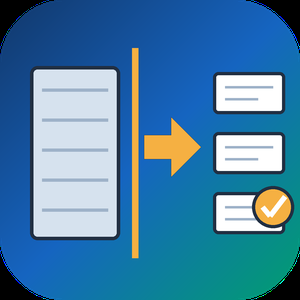
Split PST File Software is a Windows tool that takes one oversized Outlook PST or OST data file and writes it out as several smaller PST parts. When you need to split PST file archives that have grown slow or crept toward the old 2 GB ANSI limit, it reads the data file directly, with no Outlook running and nothing uploaded. Your source is only read, never changed.
Outlook has no built-in way to divide a data file, and its Compact Now command only reclaims empty space. Moving folders by hand into new files works for a small mailbox but turns slow and error-prone on a big one. This program does the job in one run: it can split PST file content in one of four ways, and you decide which folders take part. The result is a set of ordinary PST files that Outlook opens like any other, so you can attach the parts you still use and store the rest.
🛠️ How to use
1. Add one PST or OST file. Its folder tree loads on the left with checkboxes.
2. Untick folders you can live without, for example Deleted Items and Junk.
3. Pick a mode: By Size, By Date period, By Folder or By Sender, then set its value.
4. Choose a destination folder and press Start. Each part is saved as its own PST beside a CSV summary.
💼 Why IT and office teams pick it
By Size cuts between messages with a cap in MB or GB (1 GB by default), so no email is torn across two files.
By Date period groups mail by Year, Month or Week, with names like 2023.pst and 2024.pst.
By Folder sends every top-level folder to a separate PST and keeps the hierarchy inside it.
By Sender builds one PST per correspondent, and rare senders share an others.pst.
A CSV report lists every part with its file name, message count and size.
All processing stays on the local PC, which matters for private mail.
👥 Who uses it
Helpdesk staff who inherit huge mailbox archives that time out during backup. Legal and compliance teams who need one custodian or one year in a file of its own. People with a decade of mail in a single data file who want to split PST file archives per year before something breaks.
❓ FAQ
Can I split PST file into smaller parts without Outlook?
Yes. The program reads the PST or OST itself, so Outlook does not need to be installed or open.
How do I split PST mail into yearly files?
Select By Date period and set Year. Every calendar year is written as its own PST, and undated items get a separate part.
Will the parts be exactly the size I set?
Close to it. Splitting happens between messages, so a part can land a little under the cap, and an extra large message becomes a part on its own.
Does it modify my original file?
No. The source is opened read-only and new PST files go to the folder you choose.
🖥️ The free trial processes a sample of your mail with no sign-up. Runs on Windows 11 and 10 with 4 GB of RAM and 1 GB of free disk space.

Business cloud file sharing with one flat annual fee and unlimited users — no per-seat pricing. Flat NT$3,000/yr (about US$100) versus per-user tools at US$15–24/user/month; resumable uploads up to 5GB, view-only share links, per-folder permissions, and access logs — built for teams like accounting firms that exchange sensitive client files.


File Uploader for WooCommerce by Extendons lets customers upload files with their orders directly from the product, cart, or checkout pages. Store owners can control allowed file types, set size limits, and enable single or multiple uploads. Customers can also preview, replace, or delete files after placing an order through the Thank You or My Account pages.
Admins can view and download uploaded files from order details, approve or reject them, and send notifications with feedback. The plugin supports Google Drive storage, conditional display rules for specific products or user roles, drag-and-drop uploads, and even the option to charge fees or apply discounts per file upload.

PowerSchool SecureFile is a robust digital document delivery system designed to streamline the distribution of essential documents within educational institutions. This solution enables schools to efficiently email object reports, report cards, transcripts, form letters, and more, ensuring that sensitive information is securely transmitted to recipients. The system operates seamlessly by automatically splitting and securely emailing documents as password-protected links, maintaining confidentiality and data integrity. Proven to handle large-scale distributions, SecureFile has successfully delivered millions of documents, even during peak periods like report card releases.
Key Features:
- Automated Document Distribution: Facilitates the automatic sending of various documents, including reports and transcripts, directly to recipients.
- Secure Emailing: Ensures documents are sent as password-protected links, safeguarding sensitive information.
- Scalability: Capable of managing large volumes of documents efficiently, even during high-demand periods.
- User-Friendly Interface: Offers a fully self-service and intuitive setup, simplifying the process for administrators.
Primary Value and Solutions Provided:
PowerSchool SecureFile addresses the critical need for secure and efficient document distribution in educational settings. By automating the delivery process and implementing robust security measures, it reduces administrative workload, minimizes the risk of data breaches, and ensures timely communication of important documents to students, parents, and staff. This enhances overall operational efficiency and fosters better engagement within the school community.

Cigati EML Viewer is reliable software designed to open and read EML files without requiring any email client like Outlook or Thunderbird. It provides a seamless way to access email content, including attachments, headers, sender and recipient details, and the message body, making it ideal for both personal and professional use. The tool supports batch processing, allowing users to view multiple EML files at once, saving time and improving efficiency. With its intuitive and user-friendly interface, even non-technical users can navigate and access emails easily. Cigati EML Viewer is compatible with EML files from various email clients and ensures data integrity while viewing. Lightweight and fast, it works on Windows 10 or later with minimal system requirements. Whether you need to review archived emails or access EML files for analysis, Cigati EML Viewer offers a simple, secure, and efficient solution for managing and viewing your email files.

SysInfo OST File Reader is a free tool that allows you to open and view OST files without needing Microsoft Outlook or Exchange Server. It supports all types of Outlook data, including emails, contacts, calendars, tasks, and attachments, making it easy to access and read OST files. The tool can handle multiple OST files at once, saving time and effort. Its user-friendly interface makes it simple to navigate through your email data, and you can export information to other formats like PST, MBOX, PDF, and HTML with the premium version. The software is fully compatible with Windows and Linux, and it works with all versions of Outlook and Exchange Server.

DRS Softech PST Password Remover is a powerful and secure tool that helps you unlock password-protected Outlook PST files instantly. Whether you’ve forgotten your password or received a locked PST file, this software allows you to recover or remove passwords without any data loss. The tool can handle both ANSI and UNICODE PST files and even works with highly encrypted ones. With its simple and user-friendly interface, even non-technical users can easily unlock multiple PST files at once. It also offers a preview of file details before unlocking and recovers hidden or masked passwords efficiently. Fully compatible with Windows, the tool comes with a demo version and 24/7 customer support for a smooth user experience.

The SysInfo WAB File Recovery Tool is a simple and reliable solution to recover lost, deleted, or damaged contacts from Windows Address Book (WAB) files used in Outlook Express and MS Outlook. It offers two recovery modes, Standard for minor issues and Advanced for severely corrupted files, allowing you to restore your address book with ease. Once the recovery is complete, the tool allows you to save the recovered contacts in VCF (vCard) format, which is widely supported across email platforms. With its user-friendly interface, anyone can use the software without technical knowledge. It works smoothly on all Windows versions, including Windows 11, and ensures complete data safety during the recovery process.

The DRS Softech PST to MSG Converter Tool is a powerful and easy-to-use utility designed to convert PST files into MSG format without any data loss. It supports single and bulk conversion of emails, contacts, calendars, tasks, and more while maintaining data integrity. This tool works without the need for Microsoft Outlook and is compatible with all Windows versions. It also allows migration of PST files to Gmail, Office 365, Yahoo Mail, AOL, Thunderbird, and other email clients. With advanced features like duplicate email removal, date-range filtering, and the option to save emails with or without attachments, it ensures a smooth conversion experience. The software provides a demo version to export 50 emails per folder, making it an ideal choice for both personal and professional use.

Softaken Unlock PDF Files is designed for users who need access to restricted PDF documents. It helps remove PDF permissions related to copying, editing, printing, and known password protection. This is useful when a PDF is locked, but the correct password is already available. The software can handle multiple PDF files and remove restrictions without affecting the original content (Text, images, graphs, formatting, and document properties). Also, the software allows users to reset a known PDF password when needed. The tool comes with a clean and simple interface that both tech and non-tech individuals can efficiently use. It is completely independent of the need for an external application installation artifact. PDF unlockers flawlessly and smoothly in all versions of Windows 11, 10, 8.1, 8, 7, and older ones. In addition, the tool comes with a free demo version to learn more about its features.