AI-Generated Results
Finding matches…
CommitControl is Salesforce-native revenue intelligence for mid-market sales teams. It scores every open deal, exposes the committed revenue that is soft, and gives revenue leaders a forecast they can defend before the board call rather than explain after it.
The platform reads the team's own Salesforce data and returns a ranked risk register: every scoped deal scored by exposed revenue and rolled up by cause, so a CRO sees not only what is at risk but why. Forecasting sets the commercial call against the raw CRM stage roll-up, and where the model and the CRM disagree is exactly what is worth inspecting. Pipeline coverage, stalled deals, rep commit credibility, scenario modelling and board-ready exports all run from the same numbers.
Two design decisions separate it from conversation intelligence tools.
CommitControl does not record calls and does not read email. It works entirely from CRM data, which makes it workable for teams whose works council, legal function or jurisdiction rules out call recording.
Every figure is derived deterministically from the customer's own data. The AI layer explains the reasoning behind a score in plain language. It never invents a number and never overrides the math, so the forecast holds up in a security review and in front of a board.
Salesforce-native, live in days, whole team included with no per-seat pricing. Hosted in AWS Frankfurt with customer data held in the European Union.
Not seeing what you're looking for?
Dive deeper into "Workapp" on G2 AI

Duplicate more than one events in your google calendar. Invite attendees to multiple session.
Here is a video -> https://www.youtube.com/watch?v=w95aenqZjq8

ExcelForm is an AI-powered Excel formula generator that converts plain English into Excel and Google Sheets formulas.
Instead of searching documentation or memorizing functions, users can simply describe what they want to do and ExcelForm generates the correct formula instantly.
Key features:
• Generate Excel formulas from natural language
• Fix broken formulas and errors
• Debug complex spreadsheet logic
• Create formula examples and templates
ExcelForm helps analysts, students, and professionals save time when working with spreadsheets.
TheGoodocs specializes in providing a vast collection of free Google Docs, Slides, and Sheets templates designed by professional creators. Their platform offers users unlimited access to over 5000 templates tailored for various purposes such as resumes, budgets, planners, and invitations. Intended clients include individuals looking to enhance their personal branding and businesses seeking cost-effective and customizable design solutions. The service is entirely free, allowing users to edit and print templates without incurring any charges.

SheetDog is the fastest way to build and maintain financial models in Google Sheets. AI-powered editing, formula tracing, Excel-style shortcuts, and format cycles, all working together so you can model faster and present cleaner.

Calendar Events Creator is a powerful add-on designed to automate the creation of Google Calendar events directly from Google Sheets and Google Forms. By seamlessly integrating these Google Workspace applications, it streamlines the process of event scheduling and management, making it an ideal solution for businesses and individuals seeking efficient appointment scheduling and event organization.
Key Features and Functionality:
- Automated Event Creation: Automatically generate Google Calendar events from new rows added to a Google Sheets spreadsheet or from submissions received through Google Forms.
- Bulk Event Management: Create multiple events simultaneously using data from your spreadsheet, facilitating efficient handling of large volumes of events.
- Customization Options: Tailor event details by customizing fields such as event title, description, location, and guest invitations to meet specific requirements.
- Event Updates and Deletion: Easily update existing calendar events or delete them directly from the spreadsheet, ensuring your calendar remains accurate and up-to-date.
- Multi-Calendar Support: Add events to different calendars, allowing for organized management of various schedules and projects.
Primary Value and User Benefits:
Calendar Events Creator addresses the challenge of manual event entry by automating the transfer of data from Google Sheets and Forms into Google Calendar. This automation reduces the risk of errors, saves time, and enhances productivity. Users can efficiently manage bookings, appointments, and event schedules without the need for repetitive data entry, making it particularly beneficial for businesses and organizations that rely on accurate and timely event management.

MeetInOne is a comprehensive desktop application designed to enhance and streamline the Google Meet experience for users on Windows and macOS platforms. By integrating Google Meet's functionalities into a dedicated desktop environment, MeetInOne offers a suite of advanced features that improve usability, efficiency, and user engagement during virtual meetings.
Key Features and Functionality:
- Dedicated Desktop Application: Provides direct access to Google Meet without the need for a web browser, offering a more stable and focused meeting environment.
- Quick-Access Meeting Links: Allows users to save and manage recurring meeting links, enabling one-click access to frequently attended meetings.
- Enhanced Control Options:
- Push-to-Talk: Enables users to mute their microphone by default and unmute only when holding a designated key, reducing background noise during meetings.
- Auto-Join: Automatically skips the waiting screen, facilitating quicker entry into meetings.
- Auto-Mute and Auto-Video Off: Configures meetings to start with the microphone and camera turned off, enhancing privacy and control.
- User Interface Enhancements:
- Dark Mode: Offers a dark theme to reduce eye strain during extended meetings.
- Picture-in-Picture Mode: Allows users to keep the meeting window visible while multitasking on other applications.
- Meeting Management Tools:
- Meeting Timer: Displays the duration of the meeting to help manage time effectively.
- Meeting Statistics: Provides insights into meeting durations and frequencies, aiding in productivity analysis.
- Participant Management:
- Auto-Admit or Reject Participants: Automatically admits or rejects participants based on predefined settings, streamlining the meeting initiation process.
Primary Value and User Solutions:
MeetInOne addresses common challenges faced by Google Meet users by offering a more integrated and feature-rich desktop experience. It eliminates the dependency on web browsers, reducing potential distractions and improving system performance during meetings. The application's advanced control features, such as push-to-talk and auto-join, enhance user convenience and meeting efficiency. User interface enhancements like dark mode and picture-in-picture mode cater to user comfort and multitasking needs. By providing comprehensive meeting management tools and participant controls, MeetInOne empowers users to conduct more organized, efficient, and productive virtual meetings.

Beep is a Chrome Extension designed to enhance the digital learning experience by allowing teachers and students to leave voice notes, voice comments, and voice feedback seamlessly within Google Classroom, Google Docs, and Gmail. The primary purpose is to bring the friendliness and ease of in-person feedback to the remote learning environment.

Bring Notion and Google Calendar together with seamless synchronization.

AiAssistWorks is an innovative AI software extension designed for Google Sheets. It allows users to leverage a variety of AI models, such as GPT-4.0, Claude, Gemini, LLaMA, and Mixtral, without the need to write complex functions. With AiAssistWorks, integrating AI into your spreadsheets becomes effortless through its intuitive interface and ready-made prompts.

ThreadIn integrates your LinkedIn Inbox directly into Gmail, enabling seamless management of LinkedIn messages from your email interface. This tool boosts productivity by simplifying follow-ups, tracking conversations, and enhancing your workflow without switching between platforms. Ideal for professionals in sales, recruitment, or networking, Linbox transforms LinkedIn messaging into an intuitive, integrated experience.

Our product is designed to help Google Sheet users save time and effort by simplifying repetitive and manual tasks. With just one click, you can perform multiple tasks and gain access to features that Google Sheet™ lacks

Numerous AI offers an AI-powered spreadsheet for automation, transforming data management and boosting productivity.
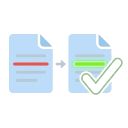
SheetDiff is a schema-agnostic Google Sheets add-on for spreadsheet comparison, structural diffing, duplicate detection, and QA reporting — directly inside Google Sheets.
Designed for localization, transcription QA, financial reconciliation, data auditing, and spreadsheet review workflows, SheetDiff analyzes changes between sheets and generates professional, color-coded reports in seconds.
=== COMPARISON MODES ===
🔍 STRUCTURAL DIFF
Compare an original snapshot against an edited version with advanced change detection:
• Unchanged, Modified, Added, Deleted rows
• Split and Merge detection
• Inline text highlighting (green additions / red removals)
• Simple Mode for lightweight diffs
• Positional Mode for strict row-by-row comparison
• Unified Output across multiple sheets
• Batch Comparison support
📊 CELL-BY-CELL COMPARISON
Audit sheets at cell level:
• Exact, Normalized, and Fuzzy comparison modes
• Positional, Key-based, or Content-based row alignment
• Header-aware column matching even when order differs
• Compare formulas, notes, and data validation rules
• Per-sheet statistics and aggregate scoring
• Multi-sheet comparison support
🔎 DUPLICATE FINDER
Detect duplicates within or across sheets:
• Self-compare or cross-sheet duplicate detection
• Composite key matching
• Column-specific duplicate scans
• Positional cell-level duplicate detection
• Color-coded duplicate reports
• One-click duplicate merge/removal with undo snapshots
=== KEY FEATURES ===
✅ Schema-agnostic — works with any spreadsheet layout
✅ Auto-detect speaker, timestamp, transcript, and event columns
✅ Visual color-coded Diff Viewer with inline changes
✅ 9 QA metrics including CER, WER, SER, SegER, SACR, and Composite Quality Score
✅ Exportable QA reports for audits and reviews
✅ Snapshot workflow for version tracking
✅ Saved comparison scenarios and presets
✅ Custom regex/text transform rules per comparison mode
✅ Ignore specific columns during comparisons
✅ Cross-spreadsheet import from Google Drive
✅ Compare Picker with runtime estimation and sheet previews
✅ Chunked execution with progress tracking and resume support
✅ Unicode normalization across multiple numeral systems
✅ Optional accent/diacritics-insensitive comparison
✅ Optimized rendering for large datasets
✅ Automatic backup snapshots for undo support
✅ Fully configurable thresholds, mappings, visibility rules, and comparison behaviors
=== USE CASES ===
• Localization and transcript QA
• Translation review and post-editing
• Spreadsheet auditing and reconciliation
• Financial report comparison
• Duplicate detection and cleanup
• Formula and metadata validation
• Deliverable version tracking
• General spreadsheet change analysis
=== GETTING STARTED ===
1. Install the add-on
2. Open Google Sheets → Extensions → SheetDiff
3. Configure comparison settings
4. Commit a snapshot (optional for Structural Diff)
5. Run comparison and select sheets
6. Review results and export reports

Add Google Fonts to Confluence in 3 Seconds (No Coding Needed)
Transform Confluence pages with 1,798+ professional fonts – no URLs, code, or design skills required! Here's why teams love the easiest font integration for Atlassian:
✨ Key Features
✅ Instant Access: Browse/search fonts directly in Confluence
✅ 1-Click Styling: Customize colors (HEX/RGB/picker) in seconds
✅ Enterprise-Ready: Maintain brand consistency across docs
🚀 Benefits for Teams
✔ Break free from default Arial/Helvetica limitations
✔ Create marketing-worthy documentation & reports
🔥 How It Works
Insert macro where needed
Choose from font by fuzzy search
Apply text color, size & alignment then publish

Zest is a platform which distills content. As professionals, consuming content became a tough task, right? You are just unable to filter valuable content from waste. You have too many sources of information and algorithms that are designed to hijack your attention on Social Media, providing you with poor quality professional content with clickbait titles and provocative images. In Zest, we created a platform which combines human-reviewed content and approval flow, along with machine learning that will better understand each individual user's interests, career path and current level of professional knowledge.


Jivrus' Feed Monitor for G Suite is designed to monitor RSS or ATOM feeds for specific keyword in title or description and stores in Google Sheet.

Jivrus Integra for Facebook Insight is an application that integrates Facebook with Google Sheets and helps users to get Facebook insight metrics.

Neediz offers business application development services over G Suite and also helps organizations to monitor and search solution.