AI-Generated Results
Finding matches…
AMZ Downloader makes it easy to download images and videos from Amazon product listings with just one click. You can grab all images and videos from a product, including its variations, and even export URLs to a CSV file for easy reference.
With AMZ Downloader, you can speed up the download process by downloading all images at once into a convenient zip file. The extension also previews all images and videos within the tool, displaying key details like file size and video duration.
Not seeing what you're looking for?
Dive deeper into "UFile" on G2 AI
SysInfo Exchange BKF Repair Tool is a simple yet powerful software designed to recover data from corrupt or damaged Exchange BKF (Backup) files. It helps users restore important Exchange Server data like EDB, STM, and LOG files from BKF backups that may have become inaccessible due to corruption, malware, or system failure. The tool maintains the original folder structure and data integrity throughout the recovery process. Even if the BKF file is large or compressed, the software can handle it efficiently.

MarketParquet provides 26 years of split-adjusted US stock, ETF, and futures OHLCV data as clean Parquet files — one file per trading day, 1-minute to daily bars, delisted tickers included (no survivorship bias). Files load directly into pandas, Polars, or DuckDB with no preprocessing. Built for quantitative researchers, algorithmic traders, and data teams. $79 one-time for the complete archive with unlimited downloads; optional monthly add-on keeps data current with daily updates. Free sample available.

Hunni is a secure and intuitive platform for data and file sharing, designed for users of all technical levels. Whether through an easy-to-use web portal, Excel add-in, or API, Hunni enables seamless creation and sharing of structured data and files. With data governance features, including granular user permissions, activity tracking, and sharing reports, Hunni ensures security and compliance. Multi-factor authentication, sharing approval workflows, alerts, row-level access filtering, and table transformations through views make Hunni a comprehensive solution for efficient and controlled data and file management.

PackGap audits a packaging EPR data file by SKU in your browser. Extended Producer Responsibility laws in California, Colorado and Oregon ask producers to report packaging weight and material by state. PackGap checks your SKU file for missing component weights, unit errors, conflicting material codes, invalid CAA categories and state gaps before you report. Every check names its source and date. Files are never uploaded. First 25 SKUs free. It finds data gaps and is not a compliance guarantee.

Geloky adds latitude and longitude to every address in a spreadsheet. Upload a CSV or Excel file, choose the address columns, check the first rows on a map, and download the file with the coordinates added. It also turns coordinates into street addresses and calculates driving distances and travel times for every row of a file.
It is built for businesses and analysts who work with lists of stores, customers, deliveries or properties. Developers use the same service through a REST API, and AI assistants such as Claude, ChatGPT and Cursor through an MCP server.

LegalGraph Short Description:
LegalGraph is an AI-powered contract review solution designed to empower legal and non-legal professionals to analyze legal documents and extract key information, such as deadlines, intellectual property rights, and data protection clauses. You can reduce contract review time by up to 60% and minimize human contract review errors by up to 80% with LegalGraph's intelligent automation. Our platform accurately extracts key legal terms from even the most complex 500 pages long agreements, saving you valuable time and resources.
Long Description:
LegalGraph is an AI-powered contract review solution designed to empower legal and non-legal professionals to analyze legal documents and extract key information, such as deadlines, intellectual property rights, and data protection clauses. You can reduce contract review time by up to 60% and minimize human contract review errors by up to 80% with LegalGraph's intelligent automation. Our platform accurately extracts key legal terms from even the most complex 500 pages long agreements, saving you valuable time and resources.
Law firms and in-house legal teams are constantly battling tight deadlines and overflowing workloads. Manual contract review, a critical yet time-consuming task, often eats away at valuable time that could be spent on strategic initiatives. LegalGraph steps in as your intelligent partner, leveraging the power of AI to streamline contract review and empower attorneys to focus on what matters most.
Imagine this: Instead of spending hours poring over lengthy agreements, searching for critical clauses and terms, you can have LegalGraph do the heavy lifting.
With its advanced AI capabilities, LegalGraph can:
Key Features:
Effortlessly Extract Key Legal Terms: Say goodbye to tedious manual searching. LegalGraph can pinpoint crucial information like data breach notification deadlines, intellectual property (IP) ownership rights, data protection obligations, and more. This includes identifying specific terms and phrases you define as important, ensuring nothing gets missed.
Simplify Contract Analysis: LegalGraph doesn't just identify key terms; it presents them in a clear and organized table format. This allows you to quickly scan and analyze the information, saving you the time and frustration of sifting through dense legal jargon.
Manage Contract Files: Effortlessly manage and search contracts using filters for name, contract type, date added.
Trustworthy Legal AI: Verify results with transparent citations section name and page number of source for each result.
Transparent Insights: LegalGraph doesn't operate as a black box. It provides clear explanations (Chain of Thought) for how the AI arrived at each conclusion. Additionally, confidence scores for each result give you a sense of the AI's certainty in its findings. This transparency fosters trust and allows you to verify the accuracy of the extracted information with ease.
Benefits:
Time Saved: Reduce contract review time by up to 60%. Imagine reviewing key legal terms hundreds of contracts in a fraction of the time currently spent on manual processes.
Increased Accuracy: Minimize errors by 80% with accurate AI data extraction and analysis. LegalGraph boasts a 20% higher accuracy in identifying key legal terms from contracts compared to vanilla GPT solutions.
Cost Reduction: Lower review costs by up to 40% through automation.
Close deals faster: Accelerate deal flow by expediting contract review.
Minimize risk: Mitigate the consequences of errors associated with manual review.
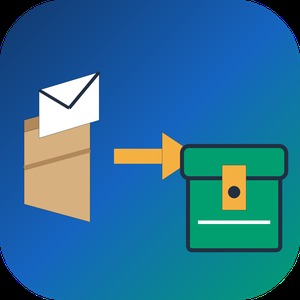
Apple Mail to PST Converter Software is a small Windows utility for one moment in the life of a mailbox: the day its owner trades a Mac for a PC. As an apple mail to pst converter it takes the message store copied out of macOS Mail and produces an Outlook data file, so a decade of correspondence arrives on the new laptop with folders and attachments in order. The work happens on the local disk with no internet connection needed, and the old Mac can already be wiped.
🛠️ How to use it
1. On the Mac, grab the Mail library folder or run Export Mailbox, then carry the copy over on a flash drive.
2. Launch the program on Windows and add individual EMLX messages, MBOX mailboxes or a complete directory.
3. Keep the merge box cleared to receive one output per source, or tick it to gather everything into a single file where each source sits in a separate top-level folder.
4. Set a target location and click Start.
5. Attach the finished file in Outlook as an extra data file and browse it like any other mailbox.
💼 Why IT and office teams pick it
The result is a Unicode PST that was verified in Outlook 2016. Cyrillic or other non-Latin subjects, HTML bodies, plain text, sender and recipient lists, timestamps, read status and attached files stay as they were. Input copies are opened read-only. Outlook may stay closed, or be absent from the machine, while the job runs. Mail is never sent to a third-party server, which matters when the mailbox holds contracts or HR letters.
👥 Who uses it
Home users and freelancers who switch platforms and refuse to lose old threads. Help desk staff who inherit a leaver's Mac and must deliver that person's mail to a manager on Windows. Archivists of family or company history holding years of Mac mail exports on backup drives.
❓ FAQ
Can Outlook on Windows open Mac mail files directly?
No. Outlook reads PST, not the EMLX and MBOX files macOS Mail writes. An apple mail to pst step in between turns them into something Outlook can attach.
Will my Mac folder structure survive?
Yes. Mailboxes keep their folder tree, and when several sources are merged each one gets its own top-level folder, so identical names do not clash.
Does it handle Outlook for Mac archives?
No. Outlook for Mac exports OLM, a separate format. This EMLX to PST tool reads only the built-in Mail app of macOS.
Is a Mac required during conversion?
No. The Apple Mail to PST Converter runs on Windows and needs only the copied files, so it works after the Mac is returned or erased.
Can I check the output before paying?
Yes. Run the trial on a real mailbox, attach the result in Outlook and look through the folders yourself. Licensing for this apple mail to pst converter can wait until you are satisfied.
✅ The free trial processes mailboxes of up to 20 messages completely and a sample of bigger ones (10 percent, capped at 100 messages). Works on Windows 11, 10, 8.1, 8 and 7, 32 or 64 bit, with 4 GB of RAM.
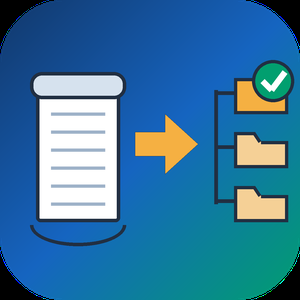
Bulk MBOX to PST Converter Software is a Windows mbox to pst converter for people moving their mail from Thunderbird to Outlook. Outlook has no way to read an mbox mailbox on its own: the import wizard knows PST and CSV, nothing else. The program takes the mailboxes you exported and writes a standard Unicode PST that Outlook mounts as a regular data file. All of the work happens offline on your PC, and Outlook can stay closed the whole time.
🛠️ How to use
1. Launch the program and load one mbox file or a whole batch. Thunderbird saves every mail folder as a separate file, most often without any extension.
2. Decide on the output. By default you get a separate PST for every mailbox. Tick the merge box to combine them, and each source lands in a top-level folder of its own, so two folders called Inbox stay apart.
3. Choose where the result should go and press start.
4. Back in Outlook, attach the file through the Open Outlook Data File command and browse your mail.
✅ Why IT and office teams pick it
- Mail never leaves the workstation. There is no upload step and no third-party server.
- Message subjects, both HTML and text versions of the body, sender and recipient fields, dates, the read or unread state and every attachment come across byte for byte.
- This mbox to pst converter parses the raw mailbox stream and skips the .msf index that Thunderbird keeps, so an archive with a broken index or a few manual edits still converts.
- A dozen mailboxes can go through in a single mbox to pst run instead of one at a time.
- The output follows the Unicode PST layout, and we checked it by opening the files in Outlook 2016.
👥 Who uses it
- Home users switching from Thunderbird who want ten years of family mail available in Outlook.
- Small offices that standardize on Outlook and need a PST for each employee's old mailbox.
- Anyone who inherited an archive from Eudora, Pine or mutt, Postbox, or an Apple Mail export and no longer has the original client.
- IT staff who want a plain mbox to pst converter for a one-time office migration.
❓ FAQ
Is there a way to open an mbox mailbox in Outlook without converting it?
No. Outlook reads PST and CSV only, so you convert mbox to pst first and then attach the PST.
What is the easiest way to get Thunderbird mail into Outlook?
Load the mailbox files from your Thunderbird profile, choose merged or separate output, save the PST and attach it in Outlook.
Does the PST open in Outlook for Microsoft 365?
It is a Unicode PST, the same kind of data file every desktop Outlook since version 2010 uses. Our own test ran in Outlook 2016.
Can several mailboxes be processed together?
Yes. Load them all at once and pick a single merged PST or one PST per mailbox.
💻 Free trial, no sign-up or account. Works on Windows 11, 10, 8.1, 8 and 7, both 32 and 64 bit, with 4 GB of RAM.

Batch HTML to PDF Converter Software is an HTML to PDF converter for Windows that takes a whole directory of saved .html, .htm and .xhtml pages and writes PDF files on your own PC. Each page travels with the resources folder the browser saved next to it, so pictures and style sheets end up in the document instead of blank boxes.
🔰 How to use it
1. Drag saved pages or a whole folder into the window and leave the resources folders where they are.
2. Pick PDF or TXT as the output format.
3. Tick Combine all pages into one PDF if you want a single document, and type its name under Combined file name.
4. Choose the output folder and press Start.
5. Read the summary when the queue finishes. Pages that failed to render are marked and counted there.
👍 Why IT and office teams pick this HTML to PDF converter
- Nothing is uploaded. The renderer starts with networking switched off, so internal reports and wiki dumps stay on the workstation.
- One press of Start handles the full list. The program does not stop to ask about each file.
- Resource folders named page_files, page.files, _fichiers or _dateien are recognised and copied along with their pages.
- Rendering goes through WebView2, the Chromium runtime that ships with Windows 11, so Grid and Flexbox layouts come out right.
- XHTML exported from Word or a content system goes into the same queue as .html and .htm files.
- A page that hangs gets 120 seconds, then the queue moves on without it.
- Very deep folder paths are staged in a short temporary location, so a long path does not turn into an empty sheet.
✅ Who uses it
- Finance and back-office staff who receive invoices, statements and period reports as HTML exports and file them as PDF.
- Web and documentation teams sending page proofs or a static docs build to reviewers as one PDF instead of a ZIP.
- Analysts who keep saved research pages and want dated copies that survive a reimaged drive.
- Support staff who need plain text from exported tickets for searching.
❓ FAQ
How do I batch convert HTML to PDF with this tool? Add the pages, choose PDF, set the output folder and press Start once. Every file in the queue is processed in turn.
Can several HTML files go into a single PDF? Yes. With the combine box ticked, pages are rendered one by one and joined in the order of the list on screen. Merging works for PDF output only.
Does it need an internet connection? No, it can convert HTML to PDF offline. Style sheets or fonts that a page loads from a remote server stay unresolved, so save pages with their folders.
Can it open a live URL? No. This HTML to PDF converter works with files already on your disk and does not download pages from the web.
ℹ️ Free trial converts three pages per day with no watermark, and the counter resets at midnight. Lifetime, one-year and business licenses remove the limit. The HTML to PDF converter runs on Windows 10 and 11.

PDF Metadata Remover - Strip & Edit PDF Metadata is a Windows desktop app for cleaning the data a PDF carries besides its pages. This PDF metadata remover finds the author and company fields, the XMP copy of those values, older saved states inside the document and location tags in embedded pictures. Load one contract or a directory with several hundred, read the risk of every item, and clean the batch in a single pass. Nothing is uploaded: the work stays on your computer.
🔰 How to use it
1. Drop documents on the window, or pick single files or a whole directory. Nested folders are scanned too.
2. Look at the risk label next to each name. Select a document to compare its current fields with the planned result.
3. Choose one of three presets. The strictest one, meant for courts and bids, also takes out notes, embedded files and scripts.
4. If you need fixed values, mark each field as delete, keep or replace, for instance with the firm name as author.
5. Write cleaned copies to a separate folder or overwrite the source files, then start the run.
👍 Why IT and office teams pick it
- Each document is written out anew, so leftovers from incremental saves are dropped instead of hidden.
- The PDF metadata remover wipes the classic properties and the XMP packet together, so no viewer can bring a name back.
- Once saved, every output is read again and scanned for the original strings, and good ones are marked Verified.
- A CSV log with SHA-256 hashes goes to your user profile and stores no field contents.
- Outlines, form fields and links survive. Pictures are not recompressed.
👥 Who uses it
- Litigation staff assembling bundles where drafting history must not travel with the filing.
- Bid managers whose tender rules ask for anonymous technical papers.
- HR teams whose letter templates still carry the name of a colleague who left years ago.
- Any office that has to remove PDF metadata before a file reaches a client or a public site.
❓ FAQ
How do I view all metadata of a PDF?
A viewer's Properties box lists only the basics. Open the file in the trial of this PDF metadata remover and the side panel shows every field, XMP, old saves and picture GPS included.
Can it work as a PDF metadata editor?
Yes. Any field can be deleted, kept or replaced with your own text, with {file name} and {date} placeholders, and the value is mirrored into XMP. Page content stays untouched.
Can deleted metadata be recovered from a PDF?
After an incremental save it often can, since old values remain earlier in the file. The PDF metadata remover rewrites the entire file, so nothing earlier is left to restore.
Is removing metadata the same as redaction?
No. Redaction covers text or images on a page. Metadata cleanup deals with the data stored around the pages.
The free trial scans and previews every document. Saving cleaned copies needs a license key. Works on Windows 11, 10, 8.1, 8 and 7, 32 and 64 bit.

MigrateEmails PST to Office 365 Migration Tool is an efficient utility to migrate PST files data to Office 365 in-place Archive and Shared folders without disturbing the data integrity. It enables migrating multiple PST files at once to Office 365 admin and users account with accuracy. The Date Range filter of this software is one of the unique attributes that help to migrate specific emails of the desired dates. The PST to Office 365 migration allows uploading PST files data to Office 365 in-place Archive, shared folder. The PST to Office 365 Migration tool prevents any kind of data alteration and preserves data originality and hierarchy throughout the migration process. The multiple advanced features of the PST to Office 365 Migration tool provide a smooth and secure migration of PST files without any data loss. The demo version supports migrating 50 emails per folder. Its simple GUI makes it easy to navigate by both technical and novice users. This software runs smoothly on all versions of Windows and Mac OS.

LIFEX Portal is a SaaS platform that enables sales teams to level up their buyer engagement during a deal cycle. If you want to increase conversion rate on your sales qualified leads then LIFEX Portal is for you.
We solve 5 core problems for sales reps and account managers:
1. You waste time recreating files that already exist.
2. You never discover files that you haven’t seen before.
3. You sometimes share dated and incorrect information.
4. You waste time sharing content that no one wants to read.
5. Your follow-ups are neither optimized nor personalized.
LIFEX Portal has 3 modules that help you solve this problem:
1. Sales content management: folder-less tag based and search enabled way to find sales content
2. Buyer engagement: analytics to know when buyers engage with your file
3. Content insights: engagement score of every sales asset to indicate which files work best with customers
Experience for free today!

Email Detail Litigation helps lawyers and attorneys prepare emails for e-discovery or litigation. The app creates PDF copies with bates, page counters, text watermarks in a few clicks. The well-thought interface designed for law firms helps you process files in-house without any IT firms. Email Detail Litigation takes PST Outlook emails, MSG, EML, MBOX, VCF, PDF, DOC, TIFF, XLS, JPEG files and creates exact copies in PDF format with a neat index file. Every piece of data is carefully transferred including emails, headers, contacts, attachments.
Email Detail Litigation offers powerful file conversion technology with a clear and simple interface any lawyer or paralegal can use, without even the need to have Outlook installed. It allows a total control of the ordering of your attachments within the generated PDF, as well as numerous options to style it according to classic, modern, elegant or simple schemes, or else according to your desired court standard. Email Detail Litigation is the indispensable companion tool for email conversion, for case management and litigation support.

Handy Apps is a suite of certified applications designed exclusively for the HubSpot Marketplace, aimed at enhancing productivity and streamlining various business processes. These tools integrate seamlessly with HubSpot, enabling users to automate tasks, manage line items, and handle file attachments efficiently.
Key Features and Functionality:
- Task Assistant: Automates task updates using workflows, allowing users to create, update, and manage tasks directly within HubSpot.
- Line Item Assistant: Facilitates the automation of line item updates through workflows, enabling the addition, modification, and deletion of products associated with deals.
- File Attachment Automation: Provides capabilities to re-associate, rename, and delete files via workflows, ensuring organized and up-to-date file management across records.
Primary Value and User Solutions:
Handy Apps addresses common challenges in CRM management by automating routine tasks, thereby reducing manual effort and minimizing errors. By integrating these tools, users can enhance operational efficiency, maintain accurate records, and focus more on strategic activities that drive business growth.

reaConverter Pro is a powerful desktop-based batch image and file conversion solution designed for professionals and enterprises.
Trusted by thousands of companies worldwide, it offers high-speed, offline processing of millions of files—perfect for organizations that prioritize data privacy, automation, and control.
With support for over 600 image and vector formats, including PDF, AutoCAD (DWG, DXF), DICOM, and emerging web standards like WebP, AVIF, and JPEG XL, reaConverter helps businesses streamline conversion workflows without relying on cloud services.
Key features include:
Automation tools for unattended processing: command-line interface and Watch Folders
Advanced editing capabilities: resizing, cropping, watermarking, metadata control, ICC profile handling
Windows-native performance with full integration into the OS shell and context menus
No internet required – ideal for secure, air-gapped environments
Optimized for high-volume processing in publishing, healthcare, manufacturing, engineering, and government sectors
reaConverter Pro is a B2B-ready platform built for scale, speed, and privacy — delivering reliable results in demanding environments.

Upload to URL is a simple public file hosting service built for developers and automation workflows
Upload any file - an image, PDF, document, or any format - and get a direct public CDN URL back instantly. No storage configuration, no bucket setup, no cloud infrastructure to manage. Just an API key and you're ready to go.
Built specifically for automation builders, Upload to URL offers native integrations for Zapier, n8n, Make, and Pipedream - so you can drop it into any workflow as a single step without writing custom HTTP requests or leaving your automation platform.
Set files to expire automatically when you only need a temporary URL, or keep them permanently for long-term access. Every URL returned is a direct CDN link with correct content-type headers, making it compatible with picky external APIs like the Instagram Graph API, webhooks, messaging platforms, and databases.
Upload to URL is the simpler alternative to setting up S3, Cloudflare R2, or Cloudinary when all you need is a reliable public URL for a file — without the overhead.

Softaken EML to PST Converter is a straightforward solution designed to convert EML to PST format without any complications. It helps users move the email messages stored in EML files into MS Outlook, making email management easier and more organized. This tool supports both individual and batch conversion, making the EML to PST conversion fast and reliable.
The software supports all EML files created by different email clients such as Windows Live Mail, Windows Mail, Thunderbird, Outlook Express, eM Client and others. It ensures that all email details are preserved during the conversion process, including subject, sender, recipient, attachments, and formatting. The utility converts all PST files so they can be easily opened in all versions of MS Outlook 2021, 2019, 2016, 2013, 2010, and older versions. Also, the software provides a full preview of the uploaded EML files before starting the process. No Outlook or any external tool installation is required to complete the conversion process. Additionally, the software runs efficiently in all editions of Windows OS.

Cigati OST to PDF Converter is a reliable and efficient utility designed to convert Outlook OST files into PDF format with complete accuracy and data integrity. The software allows users to export emails along with attachments into PDF files without altering the original structure, formatting, or metadata. It supports batch conversion, enabling users to process multiple OST files at once, saving time and effort.
The tool preserves key email attributes such as To, From, Subject, Date, and attachments while maintaining folder hierarchy throughout the conversion process. It offers a preview feature that lets users view mailbox data before conversion, ensuring precise output selection. Compatible with all major versions of Windows and Outlook, the software works smoothly even with large-sized OST files.
Additionally, Cigati OST to PDF Converter provides advanced filtering options to export selective emails based on date range or folder. With its simple interface and powerful performance, it is an ideal solution for professionals looking to securely convert OST data into accessible PDF documents.

MessengerX.io is an advanced messaging platform designed to enhance communication and collaboration for businesses and individuals. It offers a seamless and secure environment for real-time messaging, file sharing, and integration with various tools, facilitating efficient workflows and improved productivity.
Key Features and Functionality:
- Real-Time Messaging: Instant communication with individuals or groups, ensuring timely information exchange.
- File Sharing: Securely share documents, images, and other files within conversations.
- Integration Capabilities: Connect with a wide range of third-party applications and services to streamline workflows.
- Customizable Notifications: Tailor alerts and notifications to stay informed without unnecessary distractions.
- Cross-Platform Accessibility: Access MessengerX.io on various devices, including desktops, tablets, and smartphones.
Primary Value and Solutions:
MessengerX.io addresses the need for efficient and secure communication in both professional and personal settings. By consolidating messaging, file sharing, and integrations into a single platform, it reduces the reliance on multiple tools, thereby enhancing productivity and collaboration. Its user-friendly interface and robust security measures ensure that users can communicate confidently and effectively, regardless of their location or device.