AI-Generated Results
Finding matches…
Attachment Checker for Jira is a comprehensive security solution designed to safeguard your Jira instance by managing and monitoring file attachments. It enables administrators to enforce strict policies on the types of files that can be uploaded, ensuring that only authorized and safe attachments are permitted. By integrating with antivirus scanners, the plugin proactively scans all uploaded files for potential threats, thereby enhancing the overall security and performance of your Jira environment.
Key Features and Functionality:
- File Type Management: Administrators can define and enforce policies to whitelist or blacklist specific file extensions, controlling which file types are allowed or blocked from being uploaded.
- Duplicate File Detection: The plugin alerts users if an attachment with the same filename already exists within an issue, preventing confusion and redundancy.
- Virus Scanning: Every uploaded attachment is scanned for viruses, with notifications provided if any threats are detected, ensuring that infected files do not compromise the system.
- Attachment Limits: Administrators can set limits on the number of attachments per issue and restrict the total attachment size, helping to conserve disk space and maintain system performance.
- Access Control: The plugin allows for the restriction of attachment downloads to specific user groups and logs download activities, enhancing security and compliance.
- Missing Attachment Scanner: A background scan identifies missing attachments, facilitating data recovery and reducing errors within Jira.
Primary Value and User Benefits:
Attachment Checker for Jira addresses critical security and operational challenges by ensuring that only authorized and safe files are attached to issues. It mitigates the risk of virus infections, prevents unauthorized file uploads, and conserves system resources by managing attachment sizes and duplicates. By providing comprehensive control over file attachments, the plugin enhances the integrity and performance of your Jira instance, offering peace of mind to administrators and users alike.
Not seeing what you're looking for?
Dive deeper into "UFile" on G2 AI

SFTP Gateway for Amazon EFS is a secure and efficient solution designed to facilitate seamless file transfers between external clients and Amazon Elastic File System (EFS. By leveraging the Secure File Transfer Protocol (SFTP, this gateway enables organizations to provide their partners, vendors, and customers with reliable access to files stored in Amazon EFS without the need to manage complex infrastructure. This integration ensures that data transfers are both secure and scalable, catering to various business needs.
Key Features and Functionality:
- Secure File Transfers: Utilizes SFTP to encrypt data during transmission, ensuring the confidentiality and integrity of files as they move between clients and Amazon EFS.
- Fully Managed Service: As part of the AWS Transfer Family, the gateway is a fully managed service that scales in real time, eliminating the need for organizations to maintain their own file transfer infrastructure.
- Multi-Protocol Support: Supports multiple protocols, including SFTP, FTPS, and FTP, providing flexibility to meet diverse client requirements.
- High Availability: Backed by an auto-scaling, redundant fleet that spans up to three Availability Zones, ensuring consistent performance and reliability for file transfer operations.
- Integration with Amazon EFS: Seamlessly integrates with Amazon EFS, allowing for efficient storage and management of files within the AWS ecosystem.
Primary Value and Problem Solved:
SFTP Gateway for Amazon EFS addresses the challenge of securely transferring files between external clients and Amazon EFS without the burden of managing underlying infrastructure. By providing a fully managed, scalable, and secure solution, it enables organizations to focus on their core business operations while ensuring that their file transfer needs are met efficiently. This service is particularly beneficial for scenarios involving data distribution, supply chain management, content management, and web serving applications, where secure and reliable file transfers are critical.

The Mailvita Converter for PST Software is an excellent tool that has been developed to simplify the conversion of PST files to other formats. Users of the PST Converter software can convert PST files to MBOX, EML, MSG, and more by supporting over 10+ file formats. It also enables PST file imports into several email clients, free from data loss.
Important features:
Helps with PST email conversion, contact, calendar, note, event, and attachment conversion.
Smoothly converts PST files into several file formats.
The update keeps the original information and folder structure.
Show before converting the PST mail data preview.
To move the PST to Gmail, Yahoo, Office 365, or Hotmail.
It converts bulk and large Outlook PST files into other file types.
Works on all Windows OS versions.
The official website makes a free demo version easily available.

Outlook to Lotus Notes Converter software is a smart tool that converts users' Outlook OST files into Lotus Notes NSF file format. Using this tool user can easily convert, migrate, or even export OST to Lotus Notes files without any problem. It is the best migration tool with a fast and secure migration process. It does not cause any change in data structure and maintains the original Outlook files. The OST to NSF Software has three advanced recovery Modes that help users migrate corrupt offline OST files. The different modes help users fight with different types of data corruption. Outlook to Lotus Notes Migration tool comes with a multi-function Date Range option that helps the user to select files according to a specific date range. After this process, users can easily convert the OST file into the NSF file and saves them as per requirement. The OST to NSF Converter tool is an easy-to-use application that does not require any prior technical knowledge. It comes with a simple user-friendly and fully interactive software interface that makes this tool easy to use. Data security is the main factor when converting OST to NSF files. Outlook to Lotus Notes Converter tool is a professional tool that comes with a data security feature that is used by highly professional experts. If the process of conversion of Outlook OST to Lotus Notes NSF is completed, it always creates a log file for the process of conversion. After the conversion process, you can simply save the log file into the .txt file format. The OST to NSF converter tool having feature-rich with multiple-saving options that allow users to create a complete new NSF file at the user-specified location. This software has an advanced feature to saves the snapshot of the conversion of the scanning process on your computer system. Outlook OST to Lotus Notes NSF Tool supports all the major versions of MS Outlook and Windows OS. It migrates only the first 25 emails in the demo version of the software.

WholeClear TGZ to PST Converter is a reliable solution for those who want to migrate their Zimbra file to Outlook format without giving much effort. It can export the Zimbra file quickly as well as simply. The migration process can be completed in just three to four steps with ease. This application doesn’t need the installation of Zimbra and MS Outlook to finish the conversion method. All Microsoft Outlook versions are assisted, including, 2021, 2019, 2016, 2013, 2010, 2007, and other older versions. It generates a new PST UNICODE-type file after the migration process. It comes with a user-interactive GUI which can be accessible by both those with and without technological skills. The attributes of the email are identical to the source data file during the conversion process. Any huge as well as small size file can be exported by this tool without limitations. All the attachments are intact with the file and the hierarchy will be the same as the original TGZ file. So, users can utilize its free demo version for exporting the first 25 TGZ files. For unlimited conversion of the files, users should upgrade to the licensed version.

TrustVare Contact Manager Software are easily merge and split VCF files and also import and export them. The software compatible with all version of Windows OS 11, 10, 8.1, 8, 7, and XP, MS Outlook include 2021, 2019, 2016, 2013, 2010, 2007,and 2003. Export Contacts in VCF from PST, OST, and MSG files and Lotus Notes like 14.0, 12.0, 11.0, 10.0,9.0, 8.5,8.0,7.0, and other. The application does not required other tool to works with bulk VCF files. and software easy to process info in batches without any restriction. The software perfectly splits any large files into multiple files. The application easy works with ANSI and Unicode PST& MSG data files. The tool merge the multiple VCF files into a single one that has all of the contacts information. It can convert PST, MSG, Excel, CSV, and NSF's files straight to VCF. It smoothly export the VCF contact from NSF, CSV and Excel files. The application comfortable with different versions of vCard's. It provides 24/7 professional support and offers a free trial version.

Aryson OLM to PST Converter is a fast and secure tool to convert Mac Outlook OLM files to MS Outlook PST files. Additionally, convert Mac files into other file formats such as MSG, MBOX, and EML. This software supports all versions of the windows. Also, convert corrupt Mac OLM to PST. It can export any size of OLM files which saves your time and effort. OLM to PST Converter also provides you an option of Auto File Search which helps you to search the OLM files stored in your system. You can use the snapshot features to take a snapshot of the entire process for further use.
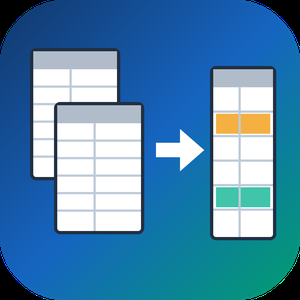
Spreadsheet Compare & Merge Tool for Excel is a Windows program that lets you merge Excel files from a whole folder into one workbook and then check two versions of a table cell by cell. It reads XLSX, XLSM, CSV and TSV on its own, so Microsoft Excel does not need to be installed on the PC that runs the job.
🔰 How to use it
1. Click Add files or Add folder. Workbooks and CSV exports can share one batch.
2. Pick Into a single sheet, or One sheet per file to keep every source on its own tab.
3. Line columns up By column name or By position, then set the output name and press Combine to merge Excel files.
4. To compare Excel files, load the old version on the left, the new one on the right and click Compare two files.
5. Walk through the highlighted cells with Next difference and export the result.
👍 Why IT and office teams pick it
- Branch exports with columns in a different order still land in the right columns. A missing column leaves blank cells instead of shifting data sideways.
- Payroll and client price lists stay on the local disk. Nothing is uploaded and no account is needed.
- The compare view tells apart nine kinds of change, from edited values and formulas to added or removed rows, columns and worksheets.
- Rows can be paired by a key column, which keeps a diff readable after someone sorts or inserts lines.
- One unreadable workbook is reported on its own line while the remaining files keep going.
- You can merge Excel files and CSV exports in the same run, and the output format follows the extension you type.
- In our own tests fifty workbooks of 10,000 rows were joined in under nine seconds.
✅ Who uses it
- Accountants who merge Excel files from a dozen branch reports when closing the month.
- Purchasing staff checking a new supplier price list against the previous one.
- Warehouse and CRM admins who receive data as dozens of separate CSV pieces.
- Analysts and IT staff matching a test configuration workbook with production.
❓ FAQ
How do I combine Excel files into one without copying and pasting? Add the files or the folder, choose a merge type and press Combine. The program will merge Excel files into a new XLSX or CSV next to your sources.
Can I compare two Excel files for differences without Office? Yes. The tool reads both workbooks directly and colors each change, so it works on a machine with any Office edition or none.
What if the files have different columns? Choose By column name. Columns are matched by their titles, and the output keeps every column found in any of the files.
Does it open old XLS files? No. Resave them as XLSX in any spreadsheet program first.
ℹ️ Free trial with no sign-up: the merged file and the difference list are capped to a limited number of rows until you buy a license. Runs on Windows 11, 10, 8.1, 8 and 7, 32 and 64 bit.

PST to PDF Converter is a top-notch utility to use. It easily converts PST to PDF with attachments and other properties like from, subject, Date, etc. This utility offers interactive GUI to its technical and non-technical users. You can follow these steps to save outlook email in PDF format. Firstly, Install the PST to PDF Converter tool on your system and run it as an administrator. The software will provide you with two options, i.e., a Single file option to add a single PST file and multiple file and folder option to add multiple PST files. Choose the option according to your need and click Next. Press on the select file option to add the PST file and click Ok. After then, the preview of the selected PST file will display on the screen; click the Next button for further proceedings. Choose the folders from the tree structure that you want to convert from PST to PDF. Now you have to select the PDF file format from the drop-down menu. Now the tool will provide some advanced features to its users, such as:- Remove Duplicate Mail- To remove mail of similar nature. Save in the Same Folder-This option allows you to make the source and destination folder the same for the resultant folder. Maintains Folders Hierarchy- Maintains the folder hierarchy during the conversion process. Migrate or Backup Emails Without Attachments files:- Remove attachment files from the PST files. Convert Attachments into PDF format:- This will convert all attachments to PDF format. Use these options according to your preferences. You can also use the mail filter and task filter options

The new best and start OST To PST File converter software tool by MailConverterTools allow you to save your emails in PST, MSG, DBX, EML file formats. The software includes the most advanced algorithms which make it a brilliant tool for Efficiently converts large size OST files into PST and with that it supports the recovery of damaged OST files. The software is compatible with running on all the older and newer versions of Windows OS. You can save the maximum volume of files after conversion without thwarting the integrity of the folder structure and hierarchy. Both technical and non-technical users can run the tool without facing any issue as the software has a user-friendly interface. This software is suggested by many specialists and expert users as it is the best one among all other tools available over the internet for Windows OS. The tool also gives high data protection during the file saving during the conversion process. This tool gives deep scanning of the defective files and rebuilds maximum possible data into a new file of PST format. Tools come with an interactive preview characteristic that enables users to review and inspect the data in the preview pane before saving or recovery them. It successfully represents the entire mail components like email attachments. Accompanying with the PST format in which you can import OST mailbox data, users can also preserve their selected mailbox data into a new file of MSG, DBX, EML, MBOX, and Archive (EML, VCF, ICS, and text) file formats. This tool permits you to eject data with the help of the Date Range Filter option. It Maintains a log file to save the entire conversion process.

ConverterTools PST to MSG Converter tool is the most reliable and secure tool that assists in converting PST files to MSG and other file formats like EMLX, MBOX, PDF, EML, etc. without any issue. It includes the feature to import PST data to multiple email clients such as Gmail, Yahoo, Opera Mail, Thunderbird, and so on. Also, this software has the ability to convert single as well as multiple PST files to MSG and other file formats. Moreover, it provides the feature to maintain the folder hierarchy as per the actual files. Futhermore, it manages the attachment items in three different modes Save attachments separately, Migrate emails without attachments, and convert all attachments to PDF documents. The users are not required the install MS Outlook on their PC to convert PST files. It offers a free demo version where you can convert up to 50 PST files to numerous file formats and email clients.

Softaken PST to TGZ Converter Tool is the top solution to convert Outlook PST files into Zimbra .tgz file format. Without installing Outlook or Zimbra, users can convert ANSI, Unicode, and password-protected PST files into TGZ file format. Maintained are the original folder structure, formatting, and email data, thereby facilitating a perfect conversion. It operates with configurable conversion settings over huge, password-protected PST files. Without installing MS Outlook, users can convert single or bulk PST files into TGZ file format. This utility will help you to quickly access any PST to Zimbra email files, including attachments. The non-technical individual can also make use of it, given its simple interface. The tool also allows a free trial version and convert the first few PST emails to Zimbra. For Softaken PST to Zimbra Converter Tool, buy it at a best price.

PST Recovery Software is a trustworthy and effective tool for swiftly recovering various types of corrupted, damaged, password-protected, as well as handling PST files affected by virus attacks. It facilitates the recovery of unlimited files, including all the attached files. Additionally, it offers a preview of mailbox items before initiating the recovery process, ensuring accuracy and preserving crucial data. The software has a user-friendly interface, allowing for easy navigation and conversion.
Additional features of PST Recovery Software:
This software can swiftly scan all the selected files and maintain them in an accurate hierarchy during the recovery.
It allows users to save the recovered PST files into multiple of file formats like MSG, DBX, MBOX, EML, EMLX, etc.
It provides multiple modes to recover corrupt files.
It recovers PST files including all the attached documents like Emails, Calendars, Contacts, Tasks, Distribution groups, etc.
It supports all versions of Windows OS.

The Cloud Duplicate Finder (CDF) is a unique, online service which works with the APIs of Box, OneDrive, Dropbox and Google Drive. You are able to delete the cloned-files in the Cloud without even saving files to your local computer. It saves your time in organizing files and saving valuable storage space.
The cloud storage platforms ask you to grant limited access of your files to the CDF application which carefully scans the technical components of your files in order to identify the duplicates in the cloud-drives. It allows you to review the files before you decide to remove them.
CDF application applies 256-bit encryption and makes sure your files are not stored to its’ server. It will also not save your passwords.
You will login to the cloud drive through the official Login mechanism provided by your service-provider.
Scanning for duplicate files is easy: you need to add a drive and click on scan button to initiate a search for repeated files.

WholeClear VCF to CSV Converter allows direct conversion of VCF contacts to CSV file format. The tool facilitates the smooth and safe conversion of VCF files into CSV file format. All platform VCF files are supported by the program to convert vCard to CSV file format. Download freeware vCard to CSV Converter for conversion of 25 VCF contacts to CSV file. The utility runs smoothly on all Windows versions.

Carve Data Recovery is a data recovery utility for Windows that recovers files lost due to accidental deletion, restores data from formatted volumes and lost or damaged partitions, and retrieves files from drives whose file system is corrupted or no longer recognised. It supports the FAT12/16/32, exFAT and NTFS file systems. When no file system remains, it carves files by their internal structure and walks each format to find where it ends.

DRS Mac MSG Converter tool helps users with the conversion of MSG files into other file formats like EML, PST, EMLX, HTML, PDF, CSV, etc. It also helps users to migrate their Outlook files to webmail and email clients including Office 365, AOL, IMAP, Gmail, Yahoo, HostGator, Amazon WorkMail, iCloud, etc. This tool offers users a mail filter option to select a specific date range to migrate emails of a specific time frame. It backs up only the email content of MSG files without attached files. It helps users to convert MSG to other file formats with or without attachments. It helps users save output files with other subject_dates or other naming conventions. This MSG File Converter provides you with an advanced option that is used to remove duplicate mailbox items on the basis of to, from, subject, bcc, and body. This option will appear only for multiple file selections. This tool helps you to export your Outlook emails directly to your email account, as it has a migration feature. You can migrate MSG to Gmail, AOL, Yahoo Mail, Office 365, Live Exchange, Thunderbird, Opera Mail, iCloud, IMAP, Hotmail, HostGator Email, Godaddy Email, Yandex Mail, Zoho Mail, Amazon WorkMail. Another feature of this tool is that it allows you to save the PDF attachments in a separate folder. The software helps you to define the destination path of the resultant file to the source folder. The free/demo version of this tool helps you to convert 50 emails. It maintains the file structure and integrity, thus it is a secure and reliable tool that keeps the content unaltered. The interactive GUI of the DRS MSG File Converter helps users to understand every step very easily. Both technical and non-technical users can use this tool very smoothly. This tool works very efficiently in all versions of Windows OS.

Cigati protects PDF File Software is easily available online. Now it is the most authentic and standalone software in the market. The tool has a great capability to secure PDF files and prevent PDF from editing, copying, and secure PDF files. The portable PDF unlocker removes password encryption from PDF files. The tool is developed after doing various technical research on users' demand with a smart algorithm. This allows its users to remove PDF even for printing, reading, and commenting on the document without knowing the password. The tool decrypts PDF files without using Adobe Acrobat. The tool easily Supports PDF files created using the major versions of Adobe Acrobat. With its wonderful Preview feature you can preview the Metadata and other crucial details such as file name, title, subject, author, creator, producer, keywords, date of creation & modification, number of pages, etc. It provides flexibility to choose single as well as multiple files to protect and saves your time and efforts. You can easily encrypt a PDF file with its PDF encryption feature. This feature allows you to impose the owner as well as user passwords. Moreover, with utility, you can also set different protection levels on PDF documents, like 40-bit, 128-bit RC4, 128-bit AES, 256-bit RC4, and 256-bit AES. The tool offers you with a search option that helps you get the specific files without wasting time when you are not known to its location. The Cigati PDF protection provides flexibility to make changes or modify the PDF files before the actual process initializes. At first, it will show the metadata specification of the specific file and then enable you to make changes as you require. The software comes with a user-friendly GUI that makes it a reliable tool for any users irrespective of their technical knowledge. PDF Protection Software has great compatibility with the whole major version of Windows-based Operating systems.

Katapult is a modern cloud computing platform designed to provide developers and businesses with high-performance, scalable, and user-friendly infrastructure solutions. With a focus on simplicity and transparency, Katapult enables users to quickly provision and manage virtual machines, storage, and networking resources across multiple global data centers. Its intuitive control panel and comprehensive API support streamline the deployment and management of cloud resources, catering to both small projects and complex enterprise environments.
Key Features and Functionality:
- Compute: Deploy virtual machines powered by high-frequency AMD EPYC CPUs, offering options for CPU-optimized instances with up to 96 vCores and memory-optimized instances with up to 960GB of RAM.
- Storage: Utilize NVMe-based block storage with triple-copy redundancy, network-attached file storage, and S3-compatible object storage solutions.
- Networking: Manage DNS records, create isolated virtual networks, implement load balancers, and define firewall rules to secure and optimize network traffic.
- Developer Tools: Automate infrastructure management using Katapult's REST API and Terraform Provider, facilitating seamless integration into existing workflows.
- User Interface: Experience a fast, intuitive control panel with features like multi-user support, two-factor authentication, and real-time performance metrics.
Primary Value and Solutions:
Katapult addresses the complexities often associated with cloud infrastructure by offering a streamlined, developer-friendly platform that emphasizes performance, transparency, and control. By providing high-speed virtual machines, flexible storage options, and robust networking capabilities, Katapult empowers users to build, automate, and scale their applications efficiently. Its transparent pricing model and commitment to sustainability further enhance its appeal to businesses seeking reliable and ethical cloud solutions.

Outlook PST file is a reliable and effective tool that helps you to recover or repair corrupted Outlook PST file items. Some of the features are:-
1. PST File Repair: The primary feature of these tools is to repair and recover corrupt or damaged PST files. They use advanced algorithms to scan and repair the file structure, allowing you to retrieve your Outlook data.
2. Scan and Preview: Outlook PST Recovery tools usually have a scanning feature that thoroughly examines the PST file for errors and issues. After the scan, they provide a preview of the recoverable items, such as emails, contacts, calendars, tasks, notes, attachments, etc.
3. Selective Recovery: To save time and disk space, these tools often allow selective recovery. You can choose specific items or folders to recover instead of recovering the entire PST file.
4. Password-Protected PST Recovery: If your PST file is password-protected, certain tools may have the capability to recover data from such files
5. Easy-to-Use Interface: Outlook PST Recovery tools usually have user-friendly interfaces that make the recovery process intuitive and straightforward. They guide you through the steps, allowing even non-technical users to perform the recovery without difficulties.