AI-Generated Results
Finding matches…
Cigati NSF Converter Tool flawlessly converts different file formats like PST, EML, MSG, PDF, HTML, MBOX, MHT, etc., and different email clients like Live Exchange, Office 365, AOL, etc. and different email clients like Live Exchange, Office 365, AOL, etc. It has the feature of removing duplicate emails to prevent repeating the items of lotus notes before the process of conversion. Users can preview the content of NSF Files along with their attachments before saving the files. It can convert the Encrypted NSF Files effectively and efficiently. This proficient tool can not only convert one file but can convert multiple files at a time. This process can save lots of time for the users. As a user, you have to select only the folders containing several NSF files, and the tool will select all the NSF files at once. This software has a unique feature of Date Filter, using this feature users can select the date range, and the tool will convert and migrate only the NSF files that are stored between these dates. The user interface of this tool is very smooth to work on, even technical and non-technical users can use the software. That makes the software an easy and user-friendly converter tool. The NSF converter tool is fully compatible with all kinds of windows operating systems. It does not pose any kind of issue while running it on the lower version to the updated version of windows. Users have the benefit that they can download NSF Converter tool trial versions to convert and migrate files. The trial version provides up to 50 EML files online conversion for free. This trial version also previews the NSF files before the process of conversion. It can also perform the migration and import process of the NSF files that are encrypted by decrypting them before continuing the process of conversion.
Not seeing what you're looking for?
Dive deeper into "UFile" on G2 AI

The DataVare MSG to Office 365 Converter Expert just moves or backup Outlook emails, contacts, and files to an Office 365 account in the cloud. This MSG to Office 365 Converter Software works with all kinds of MSG files, such as ANSI and UNICODE files.
Important Things About MSG 2 Office 365 Converter -
You can add as many MSG files as you want to Office 365 Online at once.
With the attached file, move MSG emails to Office 365.
The best graphical user interface for adding MSG files to Exchange Online Server
There is no need to run the Outlook email client for MSG files to Office 365 conversion
Back up all files, attachments, and properties before the process.
Support for all MS Outlook versions, including 2021, 2019, 2016, 2013, 2010, 2007 and earlier
No limits on size– convert all MSG files of any size to Office 365.

EML Converter tool is all in one software to import EML files into different email clients as well as the file format. It allows importing single or multiple EML files into Yahoo, Gmail, Thunderbird, Hotmail, Outlook, and IMAP account. EML File Converter software data filter options help to export EML files according to date range. The software allows saving a message from EML file as PDF, EMLX, MBOX, PST, HTML, and MSG file format with all email properties. EML File Converter tool supports to import EML file into all version of MS Outlook. It runs with all versions of Windows platforms Windows 10 and below. Demo version of EML Converter software converts up to 25 items per folder for free. You can download a trial version of this software and analyze the working performance after that purchase full version at 34 USD.

Cisdem PDF Compressor is a fast and reliable PDF tool that allows you to reduce the size of PDF files without losing quality. Just drag and drop to add your PDF Files, choose from 4 preset PDF compression mode - Small File Size, Medium File Size, Large File Size, Custom. If you need to deal with many PDF files, just add it in bathes, this program will simultaneous compress all added PDF Files at a time.

Outlook PST Repair Tool is a PST repair tool for Windows 10 and 11 that reads a damaged .pst or .ost data file without changing a single byte of it. Whatever can still be read is rebuilt and saved as a brand new file. Outlook does not need to be installed, and the mailbox never leaves the computer.
🔰 How to use the PST repair tool
1. Click "Open damaged PST or OST file..." and select the file Outlook rejects.
2. Keep Repair depth on Automatic. It starts with a plain open, rebuilds the header inside a working copy if that fails, and scans the whole file only as a last resort.
3. Browse the folder tree and preview messages. This tree is already the repaired mailbox.
4. Pick an output: a new PST, or MSG, EML, MBOX, PDF or HTML files.
5. Set a destination and press Start. Free disk space is checked first.
🛠 What makes it different
- Read-only source. The built-in Office utility edits a broken file in place. Here the damaged PST is only read, so a failed attempt costs nothing.
- Deleted mail. Deep scan looks for messages that were erased from a working archive and puts them in a Recovered Items folder.
- No silent losses. When a body or attachment is physically gone, the message is kept with a [partial] mark and a note listing what is missing.
- A plain report. Each run ends with a summary of the repair level, the counts and what could not be recovered, with no names or subjects in it, so it can go straight to support.
- Six outputs from one pass. Attach a fresh PST in Outlook, give EML files to another mail client, or hand PDF copies to someone with no mail app at all.
- Clean saving. Output goes to a temporary .part file and is renamed only after the last message is written, so a stopped run never leaves a file that looks complete.
👥 Who needs it
- Helpdesk staff handed a mailbox where the built-in repair already ran and folders went missing.
- Accountants, lawyers and office managers who must keep years of client correspondence.
- Anyone holding an old OST from a closed account that Outlook no longer mounts.
❓ FAQ
Is there a free way to repair a PST file? Office includes a basic repair utility that writes into the file it repairs. With this tool the scan and preview are free, so you see what comes back before paying.
Can I recover deleted emails from a PST file? Often, yes, if the file has not been compacted since. Deleted messages tend to lose their body first, so many arrive as headers marked [partial].
How do I repair a PST file without Outlook? Install the app and open the file directly. It has its own reader and writer for the Outlook format.
Does the PST repair tool open OST files too? Yes. An offline OST goes through the same repair and can be saved as a PST.
ℹ️ Free trial: open a corrupt PST file, run the repair and browse every recovered message. Saving needs a license. One file per run, Windows 10 or 11, works offline.

The SysInfo Backup Exec BKF Repair Pro is a simple and effective tool that helps you fix and recover data from broken or damaged backup files (BKF files) made by Symantec Backup Exec or Windows NTBackup. If your backup file is not opening, is split into parts, or is compressed, this utility can repair it and get your data back safely.
You can use it to recover one or many BKF files at the same time. It shows you a preview of what’s inside before saving the files, and it keeps your original folder structure as it was. The tool gives you two scan options, one for small problems and another for badly damaged files—so you can pick what works best.

Aryson EDB Converter helps the user to convert their EDB files into the PST or another different file format like the MBOX, TXT, HTML, MSG, PDF, and RTF. This utility is developed by using advanced algorithms, and hence it is the most efficient tool for the conversion of EDB files. Through this tool, one can easily convert their EDB Mailbox items without dismounting the database. Also, it will efficiently export the EDB files into the Windows Live Mail, i.e., into the EML file format. Users can import the mailboxes into Office 365 AC by using their login credentials. This tool helps the user to convert multiple files into the PST file format in the offline mode, & it will save the server time as it will not slow down the speed and performance of the server. Aryson EDB Converter helps the server to treat well from the corruption due to downtime or failure of the Exchange server as it will again help them to change the file format into the PST file format and to run on the Live Exchange Server. One of the most liked and certified features of this utility is that it can also support the corrupted EDB file means with this utility user can also fix the issue with the help of recovery modes provided and convert that file. This utility comes with three different recovery modes, i.e., Standard, Advanced & Deep Recovery modes depending upon the level of corruption of the EDB file. It allows the one to take the screenshot of the database so that in future when user database got corrupt, then there is an option available to roll back the data any time the user wants, means a user can easily take the screenshot of the database with just a few clicks at any moment. This utility can assure the user to maintain the hierarchy and the content of the files at the time of conversion. It has the efficiency to remove the duplicate items from the EDB files automatically. It supports all Exchange Server versions and also compatible with all versions of Windows.

DRS VCF to CSV Converter is an advanced utility to convert VCF (vCard) contact files to CSV file format for easy access. The software offers you to add single as well as bulk vCard files and convert them without any data loss. The software is designed with a highly advanced algorithm to convert small as well as large vCard files. It is designed for non-technical users as it has a simple and easy-to-use interface. You can smoothly convert vCard files to CSV, PDF, PST, Yahoo CSV, Google CSV, Outlook CSV, and iCloud CSV. Furthermore, the software allows you to protect CSV files by applying passwords to them. The software allows you to save log files. You can also provide the destination path manually to save the converted CSV files. The software is compatible with all the MS Windows versions including Win 11, 10, 8.1, 8, 7, and all the below versions. If you want to evaluate the working of the software, you can download the demo version of the software. The demo version of the software allows you to convert 20 contacts from each vCard file to CSV file format for free.

The ViceVersa CSV to vCard & vCard to CSV Switcher is a professional solution that makes it simple to switch CSV contacts to vCard files and vCard contacts to CSV files. It is lightweight software users can easily install it and also try the free demo versions. The best method for switching vCard contacts to CSV format and CSV contacts to vCard files without losing data. This software's user-friendly interface makes it easy for savvy and non-savvy users to utilize. Windows OS versions 11, 10, 8, 7, XP, and others are compatible with this software. It switches vCard files to CSV format and many CSV contacts to vCard files fast and error-free. They can also experiment with the features of the free demo edition. Switching CSV addresses, attachments, photos, and other data to vCard files and vCard files to CSV files is a simple process that doesn't erase any data. For their content, users wish to move from CSV to VCF files. Because CSV files work with all vCard versions, users can switch between them with ease.

VIO ISO Editor represents a modern approach to ISO image management, designed for users who need reliable, efficient tools for creating and editing disc images across multiple platforms.
KEY FEATURES:
Cross-Platform Compatibility
VIO ISO Editor works seamlessly on both Windows and macOS, providing a consistent user experience across platforms.
Multiple ISO Standards Support
- ISO9660: Universal compatibility standard
- Joliet: Extended filename support with Unicode characters
- UDF: Support for files larger than 4GB
- Rock Ridge: Unix-style permissions and attributes
Intuitive User Interface
The clean, dual-pane interface resembles modern file managers, making it immediately familiar to users. The left panel shows the ISO structure as a tree, while the right panel displays folder contents in detail.
High-Performance File Handling
Efficiently handles files of all sizes, from small documents to massive media collections. Tested and verified with ISO images exceeding 30GB while maintaining stable performance and responsive user interaction.
Drag-and-Drop Functionality
Simply drag files and folders from your system directly into the ISO structure. The interface supports multiple file selection and provides immediate feedback during operations.
Real-Time Validation
Built-in validation ensures file names comply with selected ISO standards before final creation, preventing common errors and compatibility issues.
Professional File Management
- Extract files and folders from existing ISOs
- Add new content to ISO structures
- Create custom folder hierarchies
- Remove unwanted files and directories
- Real-time file system validation
IDEAL FOR:
System Administrators: Create deployment images and system backups
Software Developers: Package applications for distribution
Digital Archivists: Long-term file storage and organization
IT Professionals: Custom installation media creation
Regular Users: Personal file archiving and organization
TECHNICAL SPECIFICATIONS:
- Supports ISO images up to 30GB+ in size
- Multi-threaded processing for optimal performance
- Native file system integration
- Automatic format detection for existing ISOs
- Comprehensive error handling and recovery
VIO ISO Editor fills the gap between overly complex professional tools and basic utilities that lack essential features. It provides the perfect balance of functionality and usability for modern ISO management needs.

PDF Assist is a fully featured PDF manipulation tool that allows users to perform the following functions with PDF files.
Secure removal of content form PDF files, which includes automatic marking of key areas such as National Insurance numbers UTR tax references, phone numbers and more. The content selected is completely removed from the document, not just masked or hidden with a black rectangle unlike some products, so you can be sure that the document you are sending out to clients will be safe.
With the annotation functionality content of a PDF can be marked up e.g. highlighted, underlined, strikethrough, and squiggly text markup. Users can also add free hand drawings, shapes, stamps, sticky notes and text or ink signatures.
Merge/Split option lets existing PDF documents to be split every x pages or multiple PDF files to be merged into one single PDF file. Users can also add watermark to PDF pages.
Convert option allows users to convert PDF files to Excel, Word, HTML or image files. Word, Excel, PowerPoint, RTF and image files can be converted to PDF. All text can be extracted from PDF, and scanned PDF documents can be OCR'd (optical character recognition) to convert the scanned information into editable text.
Protect feature lets PDF files to be encrypted and password protected, so users can control who can open your PDF files, and can also add permissions to restrict printing, editing or extraction of content. Users can also remove password and protection from existing PDF files.
Portfolio option lets users create a Adobe PDF Portfolio containing multiple file formats including Images, Word, Excel and Text files – all of which remain in their original file formats and appear as tiles down side of the PDF portfolio document.
Additional features include full support for touch and stylus input, retrieve PDF document information, check for and fix PDF file corruption, compress PDF files, rotate, form filling, rearrange and delete pages, and thumbnail view.
Install updates automatically without the user requiring admin rights or UAC elevation - perfect for enterprise environments - or completely disable automatic updating per machine if being used in a virtualized (VDI) infrastructure such as Citrix, Hive or Remote Desktop.

AiRecover Data Recovery is an all-in-one data recovery tool designed to effectively recover files lost due to hardware issues, virus attacks, or unexpected operations. It can recover files from situations such as accidental deletion, partition formatting, partition loss, unresponsive files, RAW disk errors, and unformatted USB drives.
Recovery from various devices, including hard drives, USB flash drives, removable drives, documents, SD cards, cameras, memory cards, etc.
Recover different file types, such as photos, videos, office documents, compressed files, audio files, and more.
Various file formats supported: Word, Excel, PPT, CAD, CDR, PSD, JPG, AVI, MP4, 3GP, RMVB, PDF, WAV, ZIP, RAR, X3F, LXE, FLV, RAF, VSD, and more.
Kingshiper Data Recovery is compatible with multiple file systems, including FAT16, FAT32, NTFS, and exFAT, and works seamlessly with all Windows systems. With its fast scanning feature and real-time preview, users can start recovering files immediately after they are detected.
WHY CHOOSE KINGSHIPER DATA RECOVERY:
1. Simple to use, recover lost data with just a few steps.
2. Handles issues like accidental deletion, partition errors, RAW disk prompts, and more.
3. Recover deleted and formatted files in seconds, even while the scan is still in progress.
4. Quick and deep scan mode with advanced algorithm.
5. Restore deleted files in all file types from all storage media on Windows PC.
HOW TO TRY IT FOR FREE?
After installation, you can recover only one file at a time.
Upgrade your plan so that you can recover an unlimited number of files.
GOT QUESTIONS?
Web:
Instagram:@kingshipersoft
YouTube: @Kingshiper
Facebook: @KingshiperSoftware
Twitter: @ShiperKing
Kingshiper Support: support@kingshiper.com
ABOUT DEVELOPER
Kingshiper is a leading brand in desktop and mobile software. We have been established for ten years in China, offering 100% safe, reliable, and cutting-edge products that cater to professionals, students, creatives, and everyday users alike. Our goal is to make things easy, that's also why we aim to offer a comprehensive suite of digital tools designed to meet a variety of needs. From multimedia editing to productivity enhancement, each tool is crafted to simplify and elevate the digital experience. Start recovering your files with Kingshiper Data Recovery.

BAPLIE Viewer Online is a cloud-based visualization and analytics tool which makes viewing and editing EDI files easy.
BAPLIE Viewer Online operates on any web-enabled device, making it the most compatible BAPLIE software on the market, and removes the need for Java, Flash, or installs of any kind.
With BAPLIE Viewer Online, there is no limit to the number of EDI files you can upload and view. When you upload a BAPLIE, our tool validates the file and lets you know if there are any incorrect or missing segments that prevent the file from being read.
Additional Features:
• Team Collaboration: manage multiple users for your facility with individual accounts with permissions to functions. Invite guest accounts to view and download BAPLIE data in real time as updates take place.
• View BAPLIE file contents: filter views, build advanced queries, find specific containers
• Anomalies: identify possible floating containers, multiple containers in a slot, and missing or invalid data
• 2D bay view & 3D vessel view
• Merging BAPLIE files
• Conversion for different versions of BAPLIE files
• Downloadable PDFs of full bay plan
• Header detail viewer & editor: identify and explain any errors
• Summaries for bays, entire cargo, port, or route
• Download edited BAPLIE data
• Pivot summaries: create tailored pivot table reports and save for future use
• Create BAPLIE files from an Excel spreadsheet
• Convert BAPLIE files to Movins files
• Merge or Compare two BAPLIE files
• Upload Movins files
• Create custom TEU calculations
• Create custom ISO/UNLOC code conversions

a single software that can export the necessary NSF files in MS Outlook file format Emails, contacts, to-do lists, events, calendars, diaries, and other information are stored in distinct folders in an NSF file. It promotes simple data administration. The IBM Lotus Notes file format, or NSF, does not support other email clients. There is no alternative to converting the NSF file format if you want to open a specific NSF file in MS Outlook. The best option is to convert an NSF file to an MSG file if you want to export a specific section of it to MS Outlook. One of the greatest tools for quickly and simply exporting data from Lotus Notes to MS Outlook is SYSessential NSF to MSG Exporter. The tool is able to export certain NSF files to MSG without changing the original structure or lowering the quality of the information. A professional converting solution is aided by the tool. Emails' meta-information is preserved. Both individual users and business users can utilize the application. On your windows computer, download a free copy of the software and carefully examine its main features.

EDB to PST Converter converts EDB files into Outlook PST format with ease and accuracy. The software can easily transform the Exchange EDB files to Outlook PST format. The software is able to store and save files in different formats like HTML, TXT, MSG, RTF, EML, PDF, etc. The EDB to PST software is able to recover either deleted or lost EDB files. The software also provides the option of an auto-detect feature for EDB files. The EDB to PST tool is designed with a self-instructive interface that becomes easier for anyone, even a beginner, to transform and exchange EDB files to PST file formats. The tool can split large-size PST files into smaller ones as per the user's choice while transforming the EDB to PST. Moreover, it also provides the option of a snapshot while the scanning process. The software also offers the Free EDB to PST converter version that can be safely downloaded and also displays the preview of all EDB files that are retrieved without any saving feature.

With the DataVare TGZ to PST Converter Expert - Users can convert Zimbra TGZ files to MS Outlook PST files in bulk at once. It is possible to move files from Zimbra to Outlook PST format with the whole data. It's easy for this software to switch from Zimbra TGZ files to Outlook PST files, and it doesn't care about file size limits. It works with all versions of Microsoft Outlook and Zimbra Server. When you convert Zimbra Mailbox to Outlook PST, all of your info stays the same. Moving TGZ files is easy with any version of Microsoft Outlook. This is the most effective way to move files from Zimbra to Outlook PST without losing any information. Email, attachments, contacts, notes, messages, and more are just a few of the tools that Zimbra offers. It works with all versions of Windows and Zimbra.tgz files. There is also a free sample version of the pack that users can check out and see how well it works.
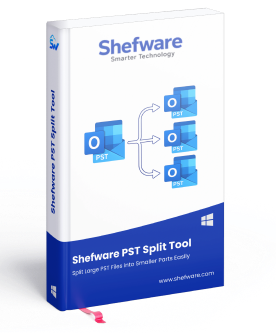
Shefware PST Split is a software solution intended to split oversized Outlook PST files into several small PST files while keeping all the contents safe. It allows to resolve some of the most frequent problems of oversized Outlook PST files, including poor performance of Microsoft Outlook, increased risk of corruption, and Microsoft Outlook's limitations in terms of PST file size. Shefware PST Split makes it possible to split the mailbox information into several PST files, keeping the original structure and metadata intact.
One can use different criteria for PST splitting, such as the size of the file, the period, or the specific folders. It helps to organize split output in a convenient way for the user. One may want to split emails by years or separate specific folders into their own PST files. It works with ANSI and Unicode PST files and does not require Microsoft Outlook to be installed.
Shefware PST Split targets individual users of Microsoft Outlook with large mailboxes and IT professionals dealing with PST files within organizations.

SendGB is a file transfer service that allows users to send large files quickly and securely. With SendGB, you can share files up to 5 GB for free without the need for registration. The platform supports various file types and ensures data privacy through encryption. Users can send files via email or generate a shareable link, making it convenient for both personal and professional use. Additionally, SendGB offers features like password protection, file expiration settings, and the ability to track downloads, enhancing the overall file-sharing experience.

Streamline SharePoint file management with instant bulk upload, metadata editing, and smart filtered. Upload, update, or delete hundreds of files in seconds.
Key Features:
1. Bulk File Delete
- Wipe entire libraries, folders, or filtered files instantly.
- Permanent delete or Recycle Bin option.
- Filter by title, creator, modified date, file type.
2. Bulk File Upload
- Drag & drop multiple files with folder structure.
- Overwrite existing versions.
- Edit metadata (title, description) during upload.
Perfect for migrations, cleanups, and large-scale library management.

Sharefolder is a robust cloud-based file sharing and collaboration platform designed to provide businesses with secure, scalable, and efficient file management solutions. By leveraging Amazon Web Services (AWS) infrastructure, Sharefolder enables organizations to create their own private cloud environments, facilitating seamless access to files from any location without the need for synchronization or data migration.
Key Features and Functionality:
- Web File Manager: Access and manage files through a user-friendly web interface, ensuring ease of use and accessibility.
- Mapped Drive Client: Integrate cloud storage directly into your local file system, allowing for intuitive file operations as if they were stored locally.
- Mobile Client: Utilize dedicated mobile applications to access, upload, and manage files on-the-go, enhancing productivity and flexibility.
- Active Directory Integration: Seamlessly integrate with existing Active Directory setups, simplifying user management and authentication processes.
- Security Measures: Implement additional security layers such as DUO Two-Factor Authentication or any SAML provider to safeguard sensitive data.
Primary Value and Solutions Provided:
Sharefolder addresses the critical need for secure and efficient remote file access within organizations. By deploying Sharefolder on AWS, businesses can establish a private cloud file sharing server that offers:
- Enhanced Collaboration: Facilitate real-time collaboration among team members, regardless of their physical location, by providing consistent and reliable access to shared files.
- Data Control and Security: Maintain full control over your data by storing files on your own servers, ensuring compliance with organizational policies and regulatory requirements.
- Scalability and Redundancy: Leverage AWS's scalable infrastructure to accommodate growing data needs, while benefiting from built-in redundancy and backup solutions to ensure data availability and integrity.
In summary, Sharefolder empowers organizations to create a secure, private cloud environment for file sharing and collaboration, enhancing productivity while maintaining control and security over their data assets.