AI-Generated Results
Finding matches…
Sustainability reporting usually starts too late. The year closes, and somebody goes hunting for fuel invoices, inspection records and supplier figures that were never gathered anywhere in particular.
Simplii works the other way round. Your team logs things as they happen, a fuel delivery, an inspection finding, a maintenance job, each one carrying its evidence and a note of who entered it. Those entries roll up into the month, the month into the quarter, and the quarter into the annual report. It is all one record, so nothing has to be rebuilt along the way.
That is what makes the rest of it straightforward. When the regulator asks, when a customer sends a questionnaire, and when your board wants the quarterly picture, the answer comes from the same place. You are not assembling three versions of the same year.
Underneath, it covers Scope 1, 2 and 3 accounting, market based and location based, with emission factor libraries and calculation snapshots, so a figure you sign off today still reproduces in three years. IFRS S1 and S2 are modelled across governance, strategy, risk management, and metrics and targets, with GRI and SASB mapped to the same topics. Every entry keeps its evidence and its full change history, so a verifier can follow any figure back to the record behind it.
If you report as a group, each entity keeps its own ledger with nothing shared between them, and an aggregation layer composes them into a group view by rules you set. Adding a subsidiary or a joint venture is a setting, not a rebuild.
Oracle Fusion, SAP S/4HANA and Microsoft Dynamics 365 connect natively and read only. Anything else maps through a workspace where the AI proposes each field and a person accepts it. When the AI answers a question, it shows you where the answer came from.
It runs in Arabic and English properly, which means the interface, the content, the templates and the notifications, with right to left layout and terminology taken from the official IFRS translations. And it deploys where you need it to, including into your own cloud tenant and region, or on premises where policy requires it.
Not seeing what you're looking for?
Dive deeper into "Folk" on G2 AI

FlowSystem AI helps service businesses respond to leads faster, answer calls, book appointments, and follow up without relying on voicemail or manual callbacks. Flora, the company's AI receptionist and AI CSR, answers inbound calls, qualifies homeowners, routes urgent requests, books appointments, summarizes conversations, records transcripts, and supports follow-up workflows.

We build AI employees that answer, book and follow up with every customer, 24/7. Your AI Receptionist replies to every enquiry in seconds, books the appointment and sends reminders. Your AI Sales Assistant follows up every lead until it closes. For clinics, salons, restaurants, real estate, education and service businesses.

Varnito is a lead intake and follow-up automation platform built for service businesses. It helps businesses capture customer inquiries, collect the right information, organize incoming leads, and automate confirmations and follow-ups.
Varnito is designed to keep the process simple for both businesses and their customers, reducing manual work and helping prevent valuable inquiries from being missed.

VendorAI is an AI-powered CRM platform that combines prospecting, sales, WhatsApp, automated follow-up, marketing, AI sales agents and revenue intelligence in one environment. It helps companies qualify leads, prioritize opportunities, automate follow-ups, recover inactive leads, recommend next best actions and manage the entire customer journey from acquisition to post-sale.
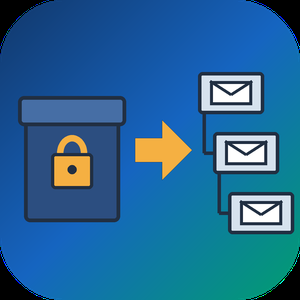
PST to MBOX Converter for Thunderbird is a Windows pst to mbox converter for people who are leaving Outlook and want years of mail to open in Thunderbird. It reads a .pst or .ost archive straight from disk, with no Outlook installed and no Exchange profile, and writes MBOX mailboxes in the layout Thunderbird keeps on its own disk. Each Outlook folder gets its own file, and its children go into a matching .sbd directory, so the hierarchy you had is still there after import.
🛠️ How to use
1. Open the PST or OST file. Its folders show up on the left, and any message can be previewed.
2. Tick the folders you need. Skip empty ones, leave out Deleted Items or narrow the date range.
3. Pick MBOX or EML on the Convert tab and choose an output folder.
4. Run the conversion, then import PST to Thunderbird by handing it the output directory through ImportExportTools NG or the profile folder.
💼 Why IT and office teams pick it
- Original SMTP headers (Received chain, DKIM, Return-Path) are copied word for word for delivered mail.
- To and Cc carry real addresses, not display names.
- Read, replied and flagged marks travel in X-Mozilla-Status, which Thunderbird reads.
- Attachments are written byte for byte, and inline pictures stay in the HTML body.
- Fresh mail can be added later into a file left by an earlier run.
- A per-folder text report lists what went through and what failed.
- Nothing leaves the PC. The log holds counts only, never subjects or addresses.
- Cyrillic, CJK and emoji in subjects and folder names come through readable.
- Existing output is never wiped silently. You pick rename, overwrite or append each time.
👥 Who uses it
People whose Microsoft 365 plan ran out and who now keep their mail in Thunderbird for free. Admins moving a team off Outlook, who trim each archive with date filters before the run and check the report afterwards. Anyone handed an old archive by a colleague who left, with no Outlook on the machine to open it. Apple Mail, Postbox and mutt users can open the same MBOX output, while the .sbd directories matter to Thunderbird only. For most of them this pst to mbox converter is a one-off job on a single PC.
❓ FAQ
Can I convert PST to MBOX without Outlook installed?
Yes. The program reads the archive itself, so neither Outlook nor a mail account is needed on the PC.
Can Thunderbird open a PST file by itself?
No. It has no PST reader, and its Outlook import only works through a configured Outlook on the same computer.
Do read and flagged marks survive?
Thunderbird shows them, because they ride in a header it understands. Most other clients skip that header.
Can it process several PST files in one run?
Not in this version. One archive is converted per session.
🆓 The free trial of this pst to mbox converter handles a sample of the messages, enough to judge the result in Thunderbird. Runs on Windows 11, 10, 8.1, 8 and 7, 32 or 64 bit.

Any Email to PDF Converter Software is an email to PDF converter for Windows that turns saved messages and whole mailboxes into PDF files on your own PC. It reads EML and Outlook MSG files, Outlook PST and OST archives, and MBOX exports from Thunderbird or Apple Mail, all in one batch list. Nothing gets uploaded, and you do not need Outlook or Thunderbird installed to convert email to PDF.
Most mail tools save one message at a time. This email to PDF converter treats a folder of mixed files as one job and writes a separate document for every message it finds, so the PDF count matches what went in.
🛠️ How to use
1. Drag messages or a whole export folder into the window, or click Add Files.
2. Pick PDF as the format. Keep one file per message, or tick Merge all into one PDF.
3. Leave Include images on to keep inline pictures, or switch it off for lighter pages.
4. Click Start. PST, OST and MBOX containers unfold into the queue folder by folder, and each row shows OK once its PDF is written.
💼 Why IT and office teams pick it
Mixed exports are the usual headache. One folder holds a few MSG files someone dragged out of Outlook, an old PST from a retired laptop and an MBOX from a Thunderbird profile. This tool takes the whole mix in one run, and nobody has to open archive subfolders by hand because the program walks through them. Each PDF opens with a From, Date, To and Subject header above the body, so a printed message still shows who wrote it and when. Work stays on the desktop, which matters for privileged or personal mail. HTML and plain TXT output are there too, for a web copy or for feeding text into a search index.
👥 Who uses it
Legal and compliance staff building disclosure sets. HR teams filing a departed employee's mailbox. IT admins retiring old archives during a move away from Outlook or Thunderbird. Anyone who inherited a mailbox backup and simply wants to read and keep parts of it. A paralegal with a single custodian PST and an office manager with a decade of Thunderbird mail can use the same email to PDF converter for both.
❓ FAQ
Can it open a PST without Outlook?
Yes. The program reads PST and OST files itself, so Outlook does not have to be installed or running.
Does it convert a whole mailbox at once?
Yes. Add a PST, OST or MBOX and every message from every folder is queued automatically.
Can several emails go into one PDF?
Yes. Turn on the merge option, and you can also start each email on a new page.
Is my mail sent to a server?
No. Reading the source and rendering the PDF both happen on your PC.
What if PDF is not the right output?
Switch the format to HTML for a browser copy or TXT for bare text. Email to PDF stays the default because a PDF opens anywhere without a mail program.
🖥️ Free trial with no sign-up. Runs on Windows 11 and Windows 10, with 4 GB of RAM and 1 GB of free disk space recommended.
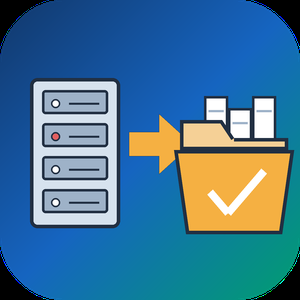
EDB to PST Converter Software is a Windows tool for the day when an Exchange mailbox database is all you have left. It opens a .edb file from Exchange 2013 or a newer release up to 2019 on your own PC and writes the mail into a Unicode .pst that Outlook reads. No running Exchange server is needed, Outlook can stay closed, and the database never leaves the machine. As an edb to pst converter it keeps the folder tree intact and carries every message across with its attachments.
🚀 How to use
1. Click Open EDB... and select the database from your backup drive or the disk of the old server.
2. Browse the tree of mailboxes and folders. Click any message to read it in the preview pane.
3. Untick what you do not need, set From and To dates, and decide whether Deleted Items and Junk go along.
4. Pick an output folder and export. In Outlook, choose File, Open and Export, Open Outlook Data File to see the result.
🛠 Why IT and office teams pick it
Microsoft's own export path expects a mounted database on a working Exchange. When that server is gone, the path is closed. This edb to pst converter reads the raw database directly, so an admin can get a few mailboxes back without building a recovery server. It turns an Exchange EDB to PST job into a desktop task. Nothing goes to a cloud service, a point that legal counsel usually asks about first. A warning appears before the run when the database is larger than 2 GB, so a long wait is never a surprise.
📦 What the PST keeps
Folders appear in the same order and nesting the users had. Subjects survive in any script, from Cyrillic to Chinese. HTML formatting, sender and recipient lists, sent and received times, unread flags and pictures placed inside a message body all carry over. Attached files are copied without changes.
🔍 Before you export
In this edb to pst converter the message list gives the subject and sender of each item along with its date and size. A log file records every step without storing message text, which helps when you send a question to support.
👥 Who uses it
Exchange administrators after a failed mount and IT contractors who receive an old database from a client. Legal and forensic reviewers use it to read mail on an offline workstation.
❓ FAQ
Can I convert EDB to PST without an Exchange server?
Yes. The program reads the database file itself, with no server or Outlook profile involved.
Which Exchange versions are supported?
Mailbox databases from Exchange 2013 through 2019. Older databases from Exchange 2010 and earlier use other layouts and are not read.
Can I pick only some folders?
Yes. Each folder has its own checkbox, and anything left unticked stays out of the result.
Does it need internet access?
No. The whole run happens offline on your computer.
✅ The free trial for Windows 11 and 10 exports a sample of messages, so you can check the PST in Outlook before you buy a license.

Thunder Social is the most advanced growth software for Instagram.
Grow your audience and expand your reach with Thunder Social!
Get more organic Instagram followers, likes, comments, views...
It is fully automated while acting like a human, it will boost your popularity in just few clicks! Automatically follow, unfollow, like, comment, send DM...

AurumOne is our own payroll and HR system, built for companies whose pay follows hours, shifts and output. Devices push punches in, the month builds itself, salary follows your rules, and the month locks when you say so. It runs in the browser, in four languages, and is set up around your company rather than the other way round.

Belljar is an AI visibility / generative engine optimization platform that follows your buyers past the first answer, through multi-turn conversations on ChatGPT, Claude, Gemini, Perplexity and Google. Brands that open as the top pick often disappear once the buyer asks a follow-up. Belljar finds the turn where you drop out and ranks what to fix.

InvoicifyAI is an AI-powered CRM and accounts receivable platform built for service-based businesses and professional firms. It combines invoicing, estimates, payments, and customer management with autonomous AI voice agents that follow up with leads and clients by phone.
The platform helps businesses automate key revenue workflows — from qualifying new leads and following up on estimates to reminding customers about overdue invoices and collecting post-payment feedback. Each interaction is logged with call transcripts and insights, giving teams full visibility into conversations that directly impact cash flow.
InvoicifyAI also centralizes customer data, invoices, estimates, payment history, and communication records in one dashboard. Businesses can track deal stages, monitor outstanding balances, identify late-paying patterns, and gain AI-generated insights based on real activity data.
Designed for small and mid-sized service companies, InvoicifyAI focuses on reducing manual follow-ups, improving payment timelines, and creating a structured system that moves prospects from lead to paid — with minimal administrative overhead.

Lanten is the WhatsApp‑first communication hub built for property teams. Connect an official WhatsApp Business number and manage every tenant conversation from a shared inbox—branded, compliant, and integrated with your workflows. Automate rent reminders and follow‑ups, capture maintenance issues with guided prompts, and route tasks to the right person. Use templates, sequences, and labels to keep comms consistent; broadcast notices to groups; and track SLAs, unread messages, and late‑rent cases with smart filters and analytics.
Designed for UK compliance and GDPR‑aligned practices, Lanten keeps an audit trail of all messages and supports role‑based access so teams can collaborate safely. Tenants use regular WhatsApp; your team uses Lanten on web. Pricing is based on managed units, with monthly or annual plans and a 14‑day free trial. API and webhooks let you connect Lanten to your PMS and ticketing tools. Reduce late payments, resolve issues faster, and give tenants the channel they actually read—WhatsApp.

MigrateEmails PST to Office 365 Migration Tool is an efficient utility to migrate PST files data to Office 365 in-place Archive and Shared folders without disturbing the data integrity. It enables migrating multiple PST files at once to Office 365 admin and users account with accuracy. The Date Range filter of this software is one of the unique attributes that help to migrate specific emails of the desired dates. The PST to Office 365 migration allows uploading PST files data to Office 365 in-place Archive, shared folder. The PST to Office 365 Migration tool prevents any kind of data alteration and preserves data originality and hierarchy throughout the migration process. The multiple advanced features of the PST to Office 365 Migration tool provide a smooth and secure migration of PST files without any data loss. The demo version supports migrating 50 emails per folder. Its simple GUI makes it easy to navigate by both technical and novice users. This software runs smoothly on all versions of Windows and Mac OS.

Cigati Mail Migration Tool is a comprehensive, standalone Windows utility designed to migrate and back up mailbox data across 30+ email clients and file formats with complete data integrity.
The tool supports migration from formats including PST, OST, OLM, MBOX, EML, EMLX, and MSG to cloud platforms such as Gmail, Office 365, Yahoo Mail, Thunderbird, AOL, iCloud, Hotmail, and IMAP servers. Users can also save emails locally as PDF, DOC, DOCX, JSON, HTML, CSV, and PNG.
Key features include bulk migration, email preview before conversion, date-range filters for selective migration, duplicate email removal, folder hierarchy preservation, and an option to migrate without attachments. Additional capabilities include PST splitting, scheduled backups, custom folder naming, and attachment-to-PDF export.
The tool migrates emails, contacts, calendars, and attachments without altering original data or folder structure. Its intuitive interface makes it accessible to both technical and non-technical users. Compatible with all Windows OS versions, including Windows 11. A free trial version is available.

ClawEase is an AI business operator that helps service businesses turn customer inquiries into completed bookings and follow-up workflows. Designed for appointment-driven businesses such as medical aesthetics clinics, dental offices, and pet service providers, it combines customer communication with automation in existing web systems.
ClawEase handles inquiries across supported channels, including phone, email, SMS, WhatsApp, and web forms. It answers questions using business knowledge, understands customer intent, asks follow-up questions, and collects the information needed to complete a request.
Through AI-powered browser exploration and automation, ClawEase can learn and perform workflows in supported web applications, including navigating pages, filling forms, and submitting booking details, without requiring a custom API integration for each workflow. Teams can use it to support appointment scheduling, rescheduling, record updates, and customer follow-up.
Execution records help teams track results, while human handoff allows staff to handle exceptions and requests that need additional attention. Available channels, languages, and collaboration features vary by plan.

Tulina is the agentic platform for revenue teams. Paste one link into Claude, ChatGPT or Mistral, sign in, and your agent can work in your tools: look up and update records in the CRM, enrich contacts, send email and LinkedIn messages, search company registries, and follow the processes your team has written, without leaving the conversation.
The same agents run hosted, on a schedule or a webhook: signal-based outbound, trial signup to pipeline, sales call follow-through, champion job changes, usage-based expansion. Every run shows its steps and what it cost.
Data comes from the best providers on the market through one subscription: Apollo, FullEnrich, Pipecorn, Forager, TheirStack and more, at the provider's own price with no markup, charged only for results found. Your own API keys are free.
Credentials sit in an encrypted vault and never reach the model: the agent asks Tulina to act, and gets the result. The platform is hosted in the European Union, on Scaleway in France. Access follows roles and teams.
€299 a month for the whole platform, unlimited seats, with €50 of data included.

Noolu is Instagram comment and DM automation for creators and small businesses. Ask followers to comment a keyword like PRICE, and Noolu sends each of them your link, price list or offer in a private message within seconds, day and night. It works even for people who have never messaged you, because the reply is sent as an Instagram private reply.
You can also answer common inbox questions automatically with DM keyword replies, ask people to follow you before they get the reward (follow gate, verified with Instagram), and build multi-step conversations with buttons and branches in a visual flow builder. The AI Smart Creator drafts the keyword, comment reply, DM and link button for a post in under 20 seconds.
Noolu is a verified Meta Tech Provider and uses Instagram's official API and business login. It never asks for your password. It works with Creator and Business accounts.
The Starter plan is free with no time limit and no card, and includes up to 10 active automations. Pro costs $19 a month, or $16 a month billed yearly, and is ₹499 a month in India with UPI.

Orianix is a business management software platform that provides CRM, customer communication, appointment management, invoicing, business analytics, and AI-powered automation for service-based businesses. The platform offers sector-specific software products designed around the operational needs of different types of businesses, including healthcare and wellness, beauty, and other service industries.
Orianix combines customer and lead management with tools for managing appointments, conversations, follow-ups, quotes, invoices, staff operations, and business performance. Its AI features can assist with customer communication through channels such as WhatsApp, appointment confirmations and reminders, lead follow-up, customer reactivation, and other repetitive business processes.
The platform is offered through different plans and sector-specific products, allowing businesses to use general business management capabilities or software adapted to the workflows of their industry.
Key functionality includes:
* CRM and customer and lead management
* Appointment and calendar management
* WhatsApp-based customer communication and AI assistance
* Automated follow-ups, reminders, and customer reactivation
* Invoicing, quotes, and business administration
* Business analytics and performance reporting
* Sector-specific workflows and management features

Bidrails is quote-tracking software built for small contractors and solo tradespeople — HVAC, plumbing, electrical, roofing, painting, landscaping, and remodeling — who lose jobs simply because they forget to follow up.
Instead of a heavy field-service platform, Bidrails does one thing well: it makes sure every quote you send actually gets followed up. A drag-and-drop pipeline board shows each estimate's status at a glance — sent, viewed, won, or lost. Automatic reminders tell you exactly when it's time to reach out, so no opportunity slips through the cracks. Shareable quote links with built-in view tracking show you the moment a customer opens your quote, and win-rate analytics reveal which jobs you win, which you lose, and why.
It's intentionally lightweight and affordable: a free plan to get started (no credit card), then $15/mo for unlimited quotes, follow-up reminders, view tracking, and analytics, or $29/mo to add your team. Most contractors are up and running in minutes — no training, no setup project.