# Best Data Visualization Tools - Page 10

  *By [Bijou Barry](https://research.g2.com/insights/author/bijou-barry)*

   Data visualization tools and software translate data and metrics into charts and graphs to help companies track business metrics and key performance indicators (KPIs) in real time so they can better understand performance and goals. These can be delivered and displayed in various formats, including charts, graphs, reports, and dashboards. These tools help translate quantitative data and metrics into easy-to-understand visualizations. In regards to dashboards, there are various forms of visuals that one can create and view, such as scorecards and easy-to-interpret visualizations of company data to follow the trends and KPIs. Many data visualization software provides drag-and-drop functionality and other non-technical capabilities, so the average business user can build necessary dashboards. However, some do offer the ability to create dashboards using code. [Data visualization](https://www.g2.com/glossary/data-visualization-definition) software can consume data from many sources, including file uploads, databases, and business applications. Connecting certain applications or databases may require some IT involvement or coding knowledge.

Dashboards with real-time data are particularly helpful to allow business users to understand business applications and systems, such as [ERP systems](https://www.g2.com/categories/erp-systems) and [CRM software](https://www.g2.com/categories/crm). However, in some cases, one might want to export these visualizations to share them as reports via email or other communication channels. This can be helpful if one is looking to send a targeted overview of data to busy executives or clients. In addition, these tools can be used to craft visualizations, such as charts and graphs, that can be exported in various formats, such as PNG and JPEG, to create content with visualizations of data. This content creation can often be accomplished collaboratively, allowing users to collaborate across devices and device types. Users looking for tools solely focused on diagramming can look to [diagramming software](https://www.g2.com/categories/diagramming) to build flow charts, floor plans, and more.

The [best data visualization tools](https://learn.g2.com/best-data-visualization-software) are specifically designed to benchmark and visualize important metrics and are not intended to be used for robust, complicated data analysis. While some data visualization products may offer drill-down or data-joining functionality, their primary purpose is to provide dashboards and visualizations to monitor business-critical data. Users looking for analysis-specific tools should look to [analytics platforms](https://www.g2.com/categories/analytics-platforms). Analytics platforms, specifically of the self-service variety, can help businesses query and visualize their data without the need for IT support. Finally, business users and developers who are interested in embedding their visualizations in applications can use [embedded business intelligence software](https://www.g2.com/categories/embedded-business-intelligence) to accomplish this goal.

To qualify for inclusion in the Data Visualization Tools category, a product must:

- Consume data from a variety of sources through file uploads, database querying, and application connectors
- Provide visual representation of key performance indicators


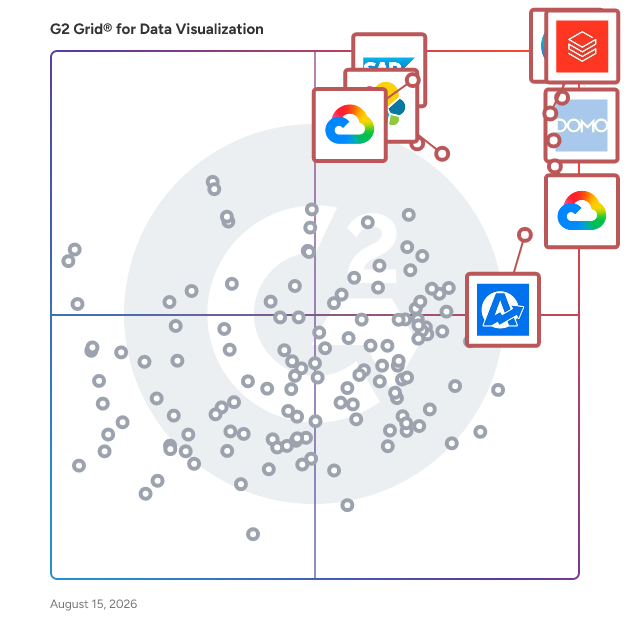
## Best Data Visualization Tools At A Glance

- **Leader:** [Canva](https://www.g2.com/products/canva/reviews)
- **Highest Performer:** [Hurree](https://www.g2.com/products/hurree/reviews)
- **Easiest to Use:** [Canva](https://www.g2.com/products/canva/reviews)
- **Top Trending:** [Drivetrain](https://www.g2.com/products/drivetrain-drivetrain/reviews)
- **Best Free Software:** [Canva](https://www.g2.com/products/canva/reviews)


---

**Sponsored**

### TELUS Trade Promotion Management

TELUS Trade Promotion Management’s offerings (formerly Blacksmith Applications) are delivered via a SaaS platform that empowers consumer packaged goods (CPG) companies to get the most out of their trade promotions and accelerate trade spend performance across retail and foodservice channels. CPG companies use our offerings to improve trade spend, gain access to new insights and increase efficiency for sustainable business growth. You can rely on our tools and expertise with 25+ years of experience in the CPG industry. With TELUS TPM’s offerings, CPG companies can increase forecast accuracy; plan and approve trade spend; execute promotions; control finances; manage contracts, claims, deductions and analytics; and optimize trade promotions. Learn more at: https://telus.com/tpm Key features &amp; benefits AI assistant Talk to your data like you talk to your colleagues with our AI Assistant. Get help, information and guidance instantly – in plain language. - Provides advanced system guidance: Ask questions and get easy-to-understand answers about promotions, system features and more. - Generates expert insights: Get on-demand and easy-to-understand insights into promotion data with plain-language prompts. Analyze ROI, trade spend and performance metrics. - Enhances user adoption: Skip the training manual and increase your team’s productivity with on-demand assistance. Advanced analytics Transform complex trade promotion data into actionable insights. Key features and capabilities include: - Pre-built dashboards: Get easy access to promotion P&amp;L, forecast accuracy and performance metrics. Enjoy the seamless integration of analytics and core TPM functions. - Custom report builder: Quickly create tailored reports with an easy-to-use drag-and-drop interface. Dissect your data with advanced filtering, and export and share data insights across your teams instantly. - Advanced data exploration: Filter and analyze data across multiple dimensions with instant results. Generate reports with ease and track performance metrics quickly. - Role-based security: Customize views to ensure data compliance and governance. Enjoy secure data access management and consistent data governance across all users. Enterprise scalability TELUS Trade Promotion Management offers: 1. Support for complex global operations 2. Multi-retailer and multi-channel management 3. Integration with major ERP and data systems 4. Cloud-native architecture for rapid deployment 5. Multi-language and multi-currency support Operational advantages When you choose TELUS Trade Promotion Management’s offerings, you can count on: - Simplicity: Streamline your work with user-friendly software, automation, cloud-based hosting and an intuitive interface. - Support: Access a range of services that are designed to enable your team&#39;s success. - Scalability: Grow with our flexible and front-end configurable solutions. - Synergy: Power your processes across your sales journey – whether you’re in retail, foodservice or both. Getting started: 1. Dedicated customer success team with CPG industry expertise 2. Comprehensive training and certification programs 3. Pre-built integrations with major retailers and data providers 4. Best practice templates and industry benchmarks Ongoing support: 1. 24/7 global support with guaranteed response times 2. Regular platform updates and feature enhancements 3. User community and industry events 4. Quarterly business reviews and optimization consulting TELUS Trade Promotion Management enhancements We constantly enhance our products and services – guided by user feedback from our global customer base. Here are the latest changes to TELUS TPM: - AI assistant: Work efficiently, improve adoption, boost engagement and gain access to insights. Analyze your promotion ROI, trade spend and performance metrics in plain language. - Refined user interface: Work seamlessly with our enhanced user interface that was designed for efficiency and ease of use. - Advanced analytics and reporting: Analyze your data in detail with built-in reporting powered by Google Cloud Platform. Easily navigate complex data sets with our user-friendly interface. Use our role-based, self-service dashboards to make more data-driven decisions. - Mobile companion app: Access critical promotion details and approve programs on-the-go with just a few taps. Address issues away from your desk and give your in-field teams more flexibility than ever before. Transform your promotions Gain a competitive advantage with our proven technology and deep CPG industry expertise. Discover how TELUS TPM can elevate your promotional performance. Contact us: https://www.telus.com/agcg/en-ca/contact/sales?userGroup=consumer-goods&amp;solution=trade-promotion-management-software


[Visit company website](https://www.g2.com/external_clickthroughs/record?secure%5Bad_program%5D=ppc&amp;secure%5Bad_slot%5D=category_product_list&amp;secure%5Bcategory_id%5D=208&amp;secure%5Bdisplayable_resource_id%5D=208&amp;secure%5Bdisplayable_resource_type%5D=Category&amp;secure%5Bmedium%5D=sponsored&amp;secure%5Bplacement_reason%5D=page_category&amp;secure%5Bplacement_resource_ids%5D%5B%5D=208&amp;secure%5Bprioritized%5D=false&amp;secure%5Bproduct_id%5D=67404&amp;secure%5Bresource_id%5D=208&amp;secure%5Bresource_type%5D=Category&amp;secure%5Bsource_type%5D=category_page&amp;secure%5Bsource_url%5D=https%3A%2F%2Fwww.g2.com%2Fcategories%2Fdata-visualization-tools%3Fpage%3D10%26source_location%3Dcategories%2523show&amp;secure%5Btoken%5D=1919e2f643363e3f73a1f8086d14a889af3cb8077a72dda791c6cf546114574b&amp;secure%5Burl%5D=https%3A%2F%2Fwww.telus.com%2Fagcg%2Fconsumer-goods%2Ftrade-promotion-management-software%3Futm_source%3Dg2%26utm_medium%3Dreferral%26utm_campaign%3DCG_G226&amp;secure%5Burl_type%5D=custom_url)

---

## Top-Rated Products (Ranked by G2 Score)
  ### 1. [Altair Compose](https://www.g2.com/products/altair-compose/reviews)
  Altair Compose is a comprehensive environment designed for mathematical computations, data manipulation, visualization, programming, and script debugging. It enables users to perform a wide array of mathematical operations, including linear algebra, matrix manipulations, statistics, differential equations, signal processing, control systems, polynomial fitting, and optimization. With its integrated development environment , Altair Compose facilitates the development and automation of algorithms, streamlining repeated computations and processes. Additionally, it offers native support for Computer-Aided Engineering and test result data, enhancing system understanding and supporting model-based development for multi-domain simulations. Key Features: - Numerical Computing: Provides hundreds of powerful mathematical operations and built-in functions for calculations ranging from simple to complex. - Rapid Algorithm Development: Allows users to explore multiple approaches and find solutions faster than with spreadsheets or traditional programming languages like C/C++. - Multi-language Math Environment: Based on the Open Matrix Language and compatible with Octave and Python, offering flexibility in programming. - Process Automation and Scripting: Facilitates the automation of repeated calculations and streamlining of common processes, with useful debugging capabilities. - Plotting and Visualization: Offers 2D and 3D plotting tools to provide richer insights from calculations and data. - Built-in CAE Data Readers: Enables easy import, visualization, and manipulation of data from physical testing and CAE applications like FEA, CFD, electromagnetics, and multibody dynamics. Primary Value and User Solutions: Altair Compose empowers engineers, scientists, and product developers to make informed decisions by performing essential engineering calculations based on first principles. Its all-in-one, user-friendly IDE eliminates the need for additional toolboxes, making it a cost-effective solution. The software&#39;s accessibility, either as a standalone tool or integrated with other Altair products, ensures flexibility and scalability. By automating processes and providing comprehensive data analysis and visualization tools, Altair Compose enhances productivity and accelerates the development of algorithms and models.


  **Average Rating:** 4.5/5.0
  **Total Reviews:** 2

**User Satisfaction Scores:**

- **Dashboards:** 9.2/10 (Category avg: 9.0/10)
- **Steps to Answer:** 10.0/10 (Category avg: 8.5/10)


**Seller Details:**

- **Seller:** [Altair](https://www.g2.com/sellers/altair-186799f5-3238-493f-b3ad-b8cac484afd7)
- **Year Founded:** 1985
- **HQ Location:** Troy, MI
- **LinkedIn® Page:** https://www.linkedin.com/company/8323/ (3,169 employees on LinkedIn®)
- **Ownership:** NASDAQ:ALTR
- **Total Revenue (USD mm):** $458

**Reviewer Demographics:**
  - **Company Size:** 50% Mid-Market, 50% Small-Business


  ### 2. [Altair EEvision](https://www.g2.com/products/altair-eevision/reviews)
  Altair EEvision is an advanced visualization tool designed to manage the increasing complexity of modern electrical systems in industries such as automotive, aerospace, and industrial manufacturing. By leveraging digital twin technology, EEvision dynamically isolates and visualizes critical regions within electrical systems, providing real-time, interactive schematics of system connectivity, wiring harnesses, and component attributes. This enables development, manufacturing, and service teams to quickly comprehend and address intricate electrical configurations. Key Features and Functionality: - Smart Service with Digital Twins: Utilizes digital twin data to enhance efficiency in development, debugging, and service operations through guided automated diagnostics. - Real-Time Visualization: Provides immediate access to electrical structures, wire connectivity, system functions, and component attributes, allowing users to visualize and resolve electrical issues effectively. - Accelerated Development and Improved Quality: Facilitates dynamic debugging of electrical systems, enabling users to identify signal paths, hide non-essential components, and generate comprehensive documentation swiftly. - Model-Based Documentation Generation: Automatically produces complete PDF or HTML data books from digital twins in seconds, reducing documentation costs and time. - Efficient Organization: Groups components into functions, harness modules, or signal modules, storing information in the data model to support smart service operations and automated document generation. - Lifecycle Change Tracking: Compares different EEvision data models to identify and document product updates or revisions over time, automating lifecycle management processes. - Open and Customizable: Supports flexible data import from various sources, including ECAD systems, proprietary data file formats, MBSE data, KBL, XLS, CSV files, and APIs, accommodating custom digital twin models. Primary Value and User Solutions: EEvision addresses the challenges posed by the escalating complexity of electrical systems by providing a dynamic, real-time visualization platform. It enables teams to quickly isolate and understand critical regions within electrical systems, facilitating efficient development, manufacturing, and service operations. By automating documentation generation and supporting digital twin models, EEvision streamlines workflows, reduces errors, and enhances overall product quality. Its open and customizable nature ensures compatibility with various data sources, making it a versatile solution for managing complex electrical systems across multiple industries.


  **Average Rating:** 4.5/5.0
  **Total Reviews:** 2

**User Satisfaction Scores:**

- **Dashboards:** 10.0/10 (Category avg: 9.0/10)
- **Steps to Answer:** 8.3/10 (Category avg: 8.5/10)
- **Formats:** 8.3/10 (Category avg: 8.6/10)


**Seller Details:**

- **Seller:** [Altair](https://www.g2.com/sellers/altair-186799f5-3238-493f-b3ad-b8cac484afd7)
- **Year Founded:** 1985
- **HQ Location:** Troy, MI
- **LinkedIn® Page:** https://www.linkedin.com/company/8323/ (3,169 employees on LinkedIn®)
- **Ownership:** NASDAQ:ALTR
- **Total Revenue (USD mm):** $458

**Reviewer Demographics:**
  - **Company Size:** 100% Small-Business


  ### 3. [Apteco FastStats](https://www.g2.com/products/apteco-faststats/reviews)
  Apteco FastStats® software provides a comprehensive suite of data exploration and visualisation tools that will help your business understand customer behaviour. A simple to use ‘drag and drop’ interface allows your team to perform powerful data analysis with ease and can be extended through optional add-on modules for data modelling, reporting and mapping. FastStats Modelling™ informs your targeting decisions and uses common analytical techniques to help you understand customer behaviour and target your communications more effectively. Integration with R provides advanced analytical users access to even more complex and valuable modelling techniques to give you real customer insight. FastStats Excelsior™ allows you to build custom reports configured to your business needs and share the results with your colleagues. Because FastStats Excelsior™ unites Excel and Apteco FastStats® visualisations, the resulting reports are even more powerful. Experience the power of Apteco software with a personal demo or free trial


  **Average Rating:** 3.5/5.0
  **Total Reviews:** 2


**Seller Details:**

- **Seller:** [Apteco](https://www.g2.com/sellers/apteco)
- **Year Founded:** 1987
- **HQ Location:** Warwick, GB
- **Twitter:** @Apteco (647 Twitter followers)
- **LinkedIn® Page:** https://www.linkedin.com/company/apteco-ltd (64 employees on LinkedIn®)

**Reviewer Demographics:**
  - **Company Size:** 100% Mid-Market


  ### 4. [Bitam Artus](https://www.g2.com/products/bitam-artus/reviews)
  Artus®, Bitam&#39;s fully integrated business intelligence platform, provides organizations with access to the information they need and when they need it in order to make comprehensive and effective business decisions.


  **Average Rating:** 4.3/5.0
  **Total Reviews:** 2

**User Satisfaction Scores:**

- **Has the product been a good partner in doing business?:** 10.0/10 (Category avg: 9.0/10)


**Seller Details:**

- **Seller:** [Bitam](https://www.g2.com/sellers/bitam)
- **Year Founded:** 2000
- **HQ Location:** Mexico
- **LinkedIn® Page:** https://www.linkedin.com/company/bitam (132 employees on LinkedIn®)
- **Phone:** 866-582-4826

**Reviewer Demographics:**
  - **Company Size:** 50% Mid-Market, 50% Small-Business


  ### 5. [Callisto](https://www.g2.com/products/callisto-2020-06-12/reviews)
  SCCM, made beautiful. Callisto is the only dashboard portal for IT pros and the helpdesk to convert complex data into clear, responsive insights from System Center Configuration Manager.


  **Average Rating:** 4.3/5.0
  **Total Reviews:** 2

**User Satisfaction Scores:**

- **Dashboards:** 9.2/10 (Category avg: 9.0/10)
- **Steps to Answer:** 10.0/10 (Category avg: 8.5/10)
- **Formats:** 10.0/10 (Category avg: 8.6/10)


**Seller Details:**

- **Seller:** [Callisto](https://www.g2.com/sellers/callisto)
- **Year Founded:** 2011
- **HQ Location:** Castle Rock, Colorado, United States
- **LinkedIn® Page:** https://www.linkedin.com/company/patchmypc (146 employees on LinkedIn®)

**Reviewer Demographics:**
  - **Company Size:** 100% Mid-Market


  ### 6. [Charts by VirtoSoftware](https://www.g2.com/products/virtosoftware-charts-by-virtosoftware/reviews)
  Charts by Virto is the ultimate data visualization tool for Microsoft Teams. With Virto Charts, you can collect data from any SharePoint list and create stunning visual reports and graphs that are perfect for presentations, project planning, or simply understanding your data better. Key features of Virto Charts: 1) Collect and report data in an engaging and visually appealing way. 2) Create reports by status, assignee, completion, lead time, and burndown. 3) Measure your team’s efficiency by checking progress and analyzing time spent on tasks. Say goodbye to tedious and time-consuming data gathering with Virto Charts!


  **Average Rating:** 4.3/5.0
  **Total Reviews:** 2

**User Satisfaction Scores:**

- **Dashboards:** 10.0/10 (Category avg: 9.0/10)
- **Steps to Answer:** 9.2/10 (Category avg: 8.5/10)
- **Formats:** 10.0/10 (Category avg: 8.6/10)


**Seller Details:**

- **Seller:** [VirtoSoftware](https://www.g2.com/sellers/virtosoftware)
- **Year Founded:** 2009
- **HQ Location:** Los Angeles, US
- **Twitter:** @VirtoSoftware (895 Twitter followers)
- **LinkedIn® Page:** https://www.linkedin.com/company/virtosoftware/ (15 employees on LinkedIn®)

**Reviewer Demographics:**
  - **Company Size:** 100% Mid-Market


  ### 7. [Chartwise](https://www.g2.com/products/chartwise-chartwise/reviews)
  ChartWise is a comprehensive Clinical Documentation Improvement (CDI software designed to enhance the accuracy and efficiency of clinical documentation within healthcare organizations. By integrating advanced technologies, ChartWise streamlines the documentation process, ensuring compliance with healthcare regulations and improving patient care outcomes. Key Features and Functionality: - Advanced Search Capabilities: Utilizes enterprise search engines to quickly retrieve relevant clinical information. - Translation Services: Incorporates translation tools to support multilingual documentation needs. - Collaboration Platforms: Facilitates seamless collaboration among healthcare professionals through integrated platforms. - Version Control Tools: Ensures document integrity and traceability with robust version control mechanisms. - Design Portfolios: Offers customizable templates and design options to standardize documentation formats. Primary Value and Solutions Provided: ChartWise addresses common challenges in clinical documentation by automating routine tasks, reducing manual errors, and enhancing data accuracy. Its intuitive interface and seamless integration with existing workflows promote user adoption and operational efficiency. By implementing ChartWise, healthcare organizations can achieve improved compliance with healthcare regulations, enhanced patient care through accurate documentation, and increased overall productivity among clinical staff.


  **Average Rating:** 3.5/5.0
  **Total Reviews:** 2

**User Satisfaction Scores:**

- **Has the product been a good partner in doing business?:** 6.7/10 (Category avg: 9.0/10)
- **Dashboards:** 6.7/10 (Category avg: 9.0/10)
- **Steps to Answer:** 5.0/10 (Category avg: 8.5/10)
- **Formats:** 6.7/10 (Category avg: 8.6/10)


**Seller Details:**

- **Seller:** [Chartwise](https://www.g2.com/sellers/chartwise)
- **HQ Location:** Den Haag, NL
- **LinkedIn® Page:** https://www.linkedin.com/company/chartwise/ (1 employees on LinkedIn®)

**Reviewer Demographics:**
  - **Company Size:** 50% Enterprise, 50% Small-Business


  ### 8. [CobitSolutions](https://www.g2.com/products/cobitsolutions/reviews)
  We create interactive reporting – dashboards of any complexity that work for all IT systems. Cobit Solutions started with the founder Dmytro Chashnyk creating interactive analytics for another one of his businesses. It was crucial to see what’s happening in ‘live’ mode and to analyze huge amounts of information quickly and precisely. Having gone through all of the available options, Dmitry picked Power BI. The system he developed helped him make the right decisions and increase company profit. Eventually, the system itself became its own business branch. That’s why Cobit Solutions is a synergy of IT and financial knowledge. We’re proud of our project managers’ many years of financial experience and our talented IT developers. Thanks to them we speak the language of business. Power BI Implementation services Design of the architecture of a future BI system Develop a roadmap and plan the stages for Power BI implementation Develop Power BI reports and dashboards Build KPI and the enterprise reporting system Integrate Power BI Report Server Dashboards developmentation services Develop dashboards based on Power BI, Microstrategy BI, Power BI Report Builder Redesign the existing dashboards Brush up or redo the dashboards created by other companies and integrators Support of the implemented business analytics system Data visualization for the analytics systems: Google Analytics, ERP, CRM, API, Excel etc. Set up data automatic updates Scale the reporting system currently in use, including those developed by other companies Data sources integration and data management Integrate Power BI with any IT systems Power BI and ERP integration ERP data structuring for analytics reports Build DWH data marts Build ETL-processes Develop OLAP-cubes based on SQL Server Analysis Services (SSAS) Developments based on SQL Server Integration Services (SSIS) Set up marketing end-to-end traffic analytics Visualization of data arrays and Excel-based management reports DAX data analysis &amp; development Power BI license purchase Power BI Consulting &amp; Business intelligence implementation strategy Consult regarding development and implementation of BI system and analytics Develop the strategy for company data management and data governance Employee workshops on working with interactive dashboards Employee workshops on how to create dashboards Mentor the implementation (if you decided to do it on your own) to speed up the process


  **Average Rating:** 4.8/5.0
  **Total Reviews:** 2

**User Satisfaction Scores:**

- **Dashboards:** 10.0/10 (Category avg: 9.0/10)
- **Formats:** 10.0/10 (Category avg: 8.6/10)


**Seller Details:**

- **Seller:** [Cobit Solutions](https://www.g2.com/sellers/cobit-solutions)
- **Year Founded:** 2017
- **HQ Location:** Miami, US
- **LinkedIn® Page:** https://linkedin.com/company/cobitsolutions (10 employees on LinkedIn®)

**Reviewer Demographics:**
  - **Company Size:** 100% Small-Business


  ### 9. [Corvus Link](https://www.g2.com/products/corvus-link/reviews)
  Corvus Link uses the transformative power of AI and automation to help innovators plan, build, and grow businesses around their ideas. Increase your productivity in our AI-enabled unified platform that can produce actionable plans, build necessary capabilities, and grow a company in an ever-changing market.


  **Average Rating:** 4.8/5.0
  **Total Reviews:** 2

**User Satisfaction Scores:**

- **Dashboards:** 8.3/10 (Category avg: 9.0/10)
- **Steps to Answer:** 8.3/10 (Category avg: 8.5/10)
- **Formats:** 7.5/10 (Category avg: 8.6/10)


**Seller Details:**

- **Seller:** [Corvus Link](https://www.g2.com/sellers/corvus-link)
- **Year Founded:** 2022
- **HQ Location:** N/A
- **LinkedIn® Page:** https://www.linkedin.com/company/corvus-link (2 employees on LinkedIn®)

**Reviewer Demographics:**
  - **Company Size:** 50% Mid-Market, 50% Small-Business


  ### 10. [Cue](https://www.g2.com/products/e-cue-ai-cue/reviews)
  Cue is your elite AI Analyst. Built for growth leaders. Cue combines data science rigor with business-specific intelligence. Access insights directly in Slack or through our intuitive interface — always accurate, customized to your practice, and trained and maintained by GTM experts you can trust. Elite analysis. Engineered for the Boardroom AND the day-to-day.


  **Average Rating:** 5.0/5.0
  **Total Reviews:** 4

**User Satisfaction Scores:**

- **Has the product been a good partner in doing business?:** 10.0/10 (Category avg: 9.0/10)


**Seller Details:**

- **Seller:** [e:cue AI](https://www.g2.com/sellers/e-cue-ai)
- **HQ Location:** N/A
- **LinkedIn® Page:** https://www.linkedin.com/company/No-Linkedin-Presence-Added-Intentionally-By-DataOps (1 employees on LinkedIn®)

**Reviewer Demographics:**
  - **Company Size:** 50% Mid-Market, 50% Small-Business


#### Pros & Cons

**Pros:**

- Automation (3 reviews)
- Ease of Use (3 reviews)
- Helpful (3 reviews)
- Easy Integrations (2 reviews)
- Time-saving (2 reviews)

**Cons:**

- Learning Curve (1 reviews)

  ### 11. [Data Bloo](https://www.g2.com/products/data-bloo/reviews)
  Data Bloo helps over 4,000 online businesses and agencies worldwide improve their decision-making and save reporting hours from their teams using ready-to-use marketing Looker Studio dashboards.


  **Average Rating:** 3.0/5.0
  **Total Reviews:** 2

**User Satisfaction Scores:**

- **Dashboards:** 10.0/10 (Category avg: 9.0/10)
- **Steps to Answer:** 10.0/10 (Category avg: 8.5/10)
- **Formats:** 10.0/10 (Category avg: 8.6/10)


**Seller Details:**

- **Seller:** [Data Bloo](https://www.g2.com/sellers/data-bloo)
- **Year Founded:** 2021
- **HQ Location:** Online, GR
- **LinkedIn® Page:** https://www.linkedin.com/company/databloo (1 employees on LinkedIn®)

**Reviewer Demographics:**
  - **Company Size:** 100% Small-Business


  ### 12. [DataCalculus](https://www.g2.com/products/datacalculus/reviews)
  DataCalculus “ Self-service advanced analytics without data science skills ” DataCalculus is autonomous software for sophisticated analytics to make the future happen now, without the need for data science skills. We believe that powerful analytical tools should be accessible to everyone, and our software is designed to be easy, fun, and fast for all. DataCalculus automatically handles all the complexities behind the scenes to provide the ultimate user experience for you. Through extensive research and development, we have created a general-purpose software that can analyze any tabular dataset and be mastered in just a few hours. With complete data privacy and security, our on-premise solution is like a private autonomous aircraft that can take you wherever you want without you needing to know how to pilot.


  **Average Rating:** 3.8/5.0
  **Total Reviews:** 2


**Seller Details:**

- **Seller:** [DataCalculus](https://www.g2.com/sellers/datacalculus)
- **Year Founded:** 2019
- **HQ Location:** London, GB
- **LinkedIn® Page:** http://www.linkedin.com/company/datacalculus (4 employees on LinkedIn®)

**Reviewer Demographics:**
  - **Company Size:** 100% Enterprise


  ### 13. [DataDynamic](https://www.g2.com/products/datadynamic/reviews)
  Online and offline market research analysis and reporting tools for beginners and experts. Easily import/merge different datasets, edit data, create or recode new variables. Create and export complex tables including native support for many KPIs like NPS and EPS. Quickly export your tables to Excel or PDF. Easily build complex Powerpoint or PDF reports across hierarchical structures contained in your data. DataDynamic can even e-mail your reports directly using your own e-mail server.


  **Average Rating:** 4.5/5.0
  **Total Reviews:** 2

**User Satisfaction Scores:**

- **Dashboards:** 10.0/10 (Category avg: 9.0/10)
- **Steps to Answer:** 9.2/10 (Category avg: 8.5/10)
- **Formats:** 9.2/10 (Category avg: 8.6/10)


**Seller Details:**

- **Seller:** [Intellex Dynamic Reporting BV](https://www.g2.com/sellers/intellex-dynamic-reporting-bv)
- **Year Founded:** 2005
- **HQ Location:** Almere, NL
- **LinkedIn® Page:** https://www.linkedin.com/company/intellex-dynamic-reporting/ (3 employees on LinkedIn®)

**Reviewer Demographics:**
  - **Company Size:** 50% Enterprise, 50% Small-Business


  ### 14. [DataMaaS](https://www.g2.com/products/datamaas/reviews)
  DataMaaS is a “Metrics as a Service” business with a cloud-based service model that unifies the data within your company, puts the business in control of its information and displays “Metrics with Meaning” enabling transparency, collaboration and new insights across your organization. Our Critical Information Centre combines our pre-built metric and KPI View ,process Flows and your disparate data to provide collective intelligence to answer your most critical questions.


  **Average Rating:** 4.8/5.0
  **Total Reviews:** 2

**User Satisfaction Scores:**

- **Dashboards:** 10.0/10 (Category avg: 9.0/10)
- **Steps to Answer:** 10.0/10 (Category avg: 8.5/10)
- **Formats:** 10.0/10 (Category avg: 8.6/10)


**Seller Details:**

- **Seller:** [DataMaaS](https://www.g2.com/sellers/datamaas)
- **HQ Location:** Schaumburg, US
- **LinkedIn® Page:** https://www.linkedin.com/company/56397458 (8 employees on LinkedIn®)

**Reviewer Demographics:**
  - **Company Size:** 50% Mid-Market, 50% Small-Business


  ### 15. [DAXRM](https://www.g2.com/products/daxrm/reviews)
  DAXRM – The All-in-One SEO &amp; Marketing Operating System for Agencies DAXRM is an all-in-one digital agency extended relationship management platform — built by marketers, for marketers. It combines SEO, paid media, analytics, reporting, and client management into a single, powerful ecosystem. With DAXRM, all your marketing data lives in one place. Track performance across SEO, PPC, local search, social media, and conversions, uncover growth opportunities, and automate reporting — without juggling multiple tools. DAXRM delivers a true all-in-one SEO solution, including Local Rank Tracking, SEO Audits, Marketing &amp; SEO Dashboards, and advanced white-label reporting designed specifically for agencies. Powerful Reporting &amp; White-Label Solutions DAXRM offers two powerful reporting options: Google Looker Studio Integration Instantly generate advanced, customizable dashboards using Looker Studio. Create professional, white-labeled reports with live data at the click of a button. In-Built Custom Drag-and-Drop Reporting Design fully white-labelled reports using DAXRM’s built-in reporting engine. Drag, drop, customize, and schedule automated reports to be delivered to clients daily, weekly, or monthly — no third-party tools required. Perfect for agencies that want flexibility, automation, and full branding control. Advanced SEO &amp; Local Rank Tracking With DAXRM Local Rank Tracker, monitor keyword rankings across any city, region, device, or search engine in real time. Track Google &amp; Bing rankings Monitor local map pack performance Compare historical time periods Analyze ranking volatility and trends Identify SEO opportunities faster Pair this with automated SEO Audits to uncover technical issues, on-page gaps, and optimization opportunities — all in one dashboard. Marketing &amp; SEO Dashboards DAXRM’s Marketing and SEO Dashboards give you a complete overview of your campaigns: SEO performance &amp; keyword visibility Paid media ROI Website traffic &amp; conversions Local SEO &amp; GMB insights Social media engagement All data is visualized in clean, easy-to-understand dashboards that clients love. Built for Agencies: White-Label Everything DAXRM is a fully white-label solution for agencies: Custom domain Agency branding &amp; logo Branded client dashboards White-labeled reports &amp; emails Client-friendly portals Your clients see your brand, not a third-party tool. DAXRM — We streamline your marketing data, so you can focus on insights and growth. DAXRM – Key Features ● Client Management Manage clients and projects, access real-time marketing data, generate invoices, create reports, and centralize communication — all from one platform. ● Project Management Organize tasks, manage teams, and track progress using customizable project templates built for marketing workflows. ● All-in-One SEO Solution Local rank tracking, SEO audits, keyword monitoring, performance analysis, and actionable insights — no extra tools required. ● Marketing &amp; SEO Dashboards Pre-built and custom dashboards that showcase SEO, PPC, traffic, conversions, and ROI in one unified view. ● Looker Studio Reporting Leverage the power of Looker Studio to create highly customizable, interactive, and white-labeled reports instantly. ● In-Built White-Label Reporting Custom drag-and-drop reports with automated scheduling for hands-free client reporting. Marketing &amp; Analytics Integrations ● Google Ads Manage PPC campaigns, analyze performance, track ROI, and explore keyword insights. ● Google Analytics Understand user behavior, segment audiences, track conversions, and measure campaign success. ● Google My Business (GBP) Track local search visibility, calls, directions, reviews, and engagement. ● Google Search Console Monitor search queries, pages, indexing status, and average rankings. ● Facebook Page Insights Analyze engagement, reach, demographics, and audience interactions. ● Facebook Ads Optimize ad performance, track conversions, and measure ROI. ● Microsoft Ads Manage PPC campaigns, keyword performance, reporting, and ROI tracking. ● Bing Webmaster Tools Review search performance, crawl errors, rankings, and page insights. ● Accounting &amp; Other Integrations Xero and additional connectors to centralize business and marketing data.


  **Average Rating:** 5.0/5.0
  **Total Reviews:** 10

**User Satisfaction Scores:**

- **Has the product been a good partner in doing business?:** 9.7/10 (Category avg: 9.0/10)
- **Dashboards:** 9.2/10 (Category avg: 9.0/10)
- **Steps to Answer:** 10.0/10 (Category avg: 8.5/10)
- **Formats:** 10.0/10 (Category avg: 8.6/10)


**Seller Details:**

- **Seller:** [DAXRM](https://www.g2.com/sellers/daxrm)
- **Year Founded:** 2020
- **HQ Location:** Melbourne, AU
- **Twitter:** @DigiAgencyXRM (2 Twitter followers)
- **LinkedIn® Page:** https://www.linkedin.com/company/digitalagencyxrm/about/ (1 employees on LinkedIn®)

**Reviewer Demographics:**
  - **Company Size:** 60% Small-Business, 20% Mid-Market


#### Pros & Cons

**Pros:**

- Time-saving (6 reviews)
- Content Creation (4 reviews)
- Customer Support (4 reviews)
- Data Management (4 reviews)
- User-Friendly (4 reviews)

**Cons:**

- Integration Issues (1 reviews)
- Keyword Issues (1 reviews)
- Lack of Information (1 reviews)
- Learning Curve (1 reviews)
- Limited Customization (1 reviews)

  ### 16. [Dezbor](https://www.g2.com/products/dezbor/reviews)
  Dezbor is a transformative no-code platform redefining data dashboard creation. Connect to your database, manipulate drag-and-drop components, and tailor them to meet your business requirements. Dezbor&#39;s unparalleled flexibility and simplicity make it a powerful tool for businesses of all sizes. With Dezbor, you can own your data and turn it into actionable insights without writing a single line of code.


  **Average Rating:** 4.5/5.0
  **Total Reviews:** 2

**User Satisfaction Scores:**

- **Has the product been a good partner in doing business?:** 5.0/10 (Category avg: 9.0/10)


**Seller Details:**

- **Seller:** [Dezbor](https://www.g2.com/sellers/dezbor)
- **HQ Location:** Singapore, SG
- **LinkedIn® Page:** https://www.linkedin.com/company/dezbor/ (2 employees on LinkedIn®)

**Reviewer Demographics:**
  - **Company Size:** 50% Enterprise, 50% Mid-Market


  ### 17. [DISQOVER](https://www.g2.com/products/disqover/reviews)
  DISQOVER is a knowledge discovery platform that links siloed data using knowledge graph and semantic technologies, helping life sciences organizations accelerate their drug development activities. Users can search across disparate public and private data sources through a single interface that enables easy and efficient data discovery and exploration. DISQOVER allows researchers and collaborators to swiftly access valuable insights in one place, ensuring that information isn’t overlooked for faster and more accurate decision-making. With DISQOVER, organizations enjoy the benefits of FAIR data, facilitating interoperability, and connectivity with other applications while building a scalable enterprise-linked data ecosystem. Additionally, DISQOVER’s open plug-in architecture allows an organization to seamlessly connect specialized artificial intelligence (AI) services to annotated, standardized, and structured data. DISQOVER is also available with natural language processing (NLP) capabilities ensuring users can maximize the value of their internal unstructured data, along with unstructured public data. Developed specifically for life sciences companies, DISQOVER has over 10,000 users ranging from scientific researchers, bioinformaticians, data scientists, and business profiles. DISQOVER can be deployed to support across the entire drug development life cycle and has four major application areas: R&amp;D, Clinical, Regulatory, and Cross-Functional Intelligence. Customers include AstraZeneca, Amgen, the Princess Máxima Center for Pediatric Oncology, e-therapeutics, among others.


  **Average Rating:** 4.5/5.0
  **Total Reviews:** 4

**User Satisfaction Scores:**

- **Has the product been a good partner in doing business?:** 10.0/10 (Category avg: 9.0/10)
- **Dashboards:** 9.2/10 (Category avg: 9.0/10)
- **Steps to Answer:** 6.7/10 (Category avg: 8.5/10)
- **Formats:** 5.8/10 (Category avg: 8.6/10)


**Seller Details:**

- **Seller:** [ONTOFORCE](https://www.g2.com/sellers/ontoforce)
- **Year Founded:** 2011
- **HQ Location:** Ghent, BE
- **LinkedIn® Page:** https://www.linkedin.com/company/ontoforce (36 employees on LinkedIn®)

**Reviewer Demographics:**
  - **Company Size:** 75% Small-Business, 25% Mid-Market


#### Pros & Cons

**Pros:**

- Data Accuracy (1 reviews)
- Data Management (1 reviews)
- Ease of Use (1 reviews)
- Easy Integrations (1 reviews)
- Integration Capabilities (1 reviews)

**Cons:**

- Complexity (1 reviews)
- Complex Organization (1 reviews)
- Complex Usage (1 reviews)
- Difficult Learning (1 reviews)
- Learning Curve (1 reviews)

  ### 18. [EazyBI Cloud](https://www.g2.com/products/eazybi-cloud/reviews)
  eazyBI provides easy-to-use drag-and-drop creation of reports, charts and dashboards. Analyze imported data measures by any dimension, identify trends and top/bottom performers, start from summary overview and drill into details.


  **Average Rating:** 3.8/5.0
  **Total Reviews:** 2


**Seller Details:**

- **Seller:** [eazyBI](https://www.g2.com/sellers/eazybi)
- **Year Founded:** 2011
- **HQ Location:** Jurmala, LV
- **Twitter:** @eazybi (715 Twitter followers)
- **LinkedIn® Page:** https://www.linkedin.com/company/eazybi (30 employees on LinkedIn®)

**Reviewer Demographics:**
  - **Company Size:** 100% Enterprise


  ### 19. [Envisio](https://www.g2.com/products/envisio/reviews)
  &quot;Envisio is a strategic planning and performance management platform designed exclusively for public sector organizations to plan, track, manage, and report on progress toward organizational goals. Envisio supports governments, educational institutions, healthcare organizations, and nonprofits that need to align staff with strategic goals, manage projects, and drive community outcomes, all while maintaining transparency and accountability. At its core, Envisio helps organizations connect day-to-day work with higher-level strategic objectives and increase visibility of progress and impact. Rather than functioning solely as a task or project management tool, it focuses on strategy execution, enabling users to define goals, track measurable outcomes, and understand how individual initiatives contribute to broader priorities. Key capabilities and use cases include: Strategic plan management Bring your strategic plan to life. Define strategic priorities, actions, projects, and outcomes and track progress over time. Envisio supports long-range plans, multi-year strategies, and planning frameworks commonly used in the public sector. Performance measurement and reporting The Envisio platform allows teams to monitor KPIs, performance measures, and outcomes through dashboards and structured reports. These views are used to support internal decision-making and external reporting to leadership, boards, or the public. Reports can be auto-generated and scheduled for different audiences. Project management Envisio includes a full suite of project management tools designed for public sector work. Projects, programs, and capital improvement initiatives can be tied directly to strategic goals, helping teams understand how their work supports organizational priorities. Cross-department collaboration Multiple departments and stakeholders can contribute updates within a shared system, reducing reliance on disconnected spreadsheets, documents, or slide decks. Public transparency and trust-building Many organizations use Envisio to share progress publicly through beautiful, research-backed dashboards that explain priorities, show progress, and share results in a compelling, accessible format. AI-assisted reporting and analysis The Envisio platform includes tools that assist with summarizing progress, identifying trends, creating visuals, and generating narrative content to support reporting workflows. Reduction of manual work Organizations that use Envisio report significant time savings around report creation, chasing progress updates, and making decisions. Envisio is typically used by strategy teams, performance managers, executive leadership, city management offices, and departmental leads who are responsible for planning, tracking, and communicating organizational performance. Its features reflect the governance, accountability, accessibility, and reporting needs specific to public sector environments.


  **Average Rating:** 4.7/5.0
  **Total Reviews:** 14

**User Satisfaction Scores:**

- **Has the product been a good partner in doing business?:** 9.6/10 (Category avg: 9.0/10)


**Seller Details:**

- **Seller:** [Envisio Solutions](https://www.g2.com/sellers/envisio-solutions)
- **Company Website:** https://www.envisio.com
- **Year Founded:** 2012
- **HQ Location:** Vancouver, CA
- **Twitter:** @Envisioinc (841 Twitter followers)
- **LinkedIn® Page:** https://www.linkedin.com/company/2887099/ (43 employees on LinkedIn®)

**Reviewer Demographics:**
  - **Top Industries:** Government Administration
  - **Company Size:** 71% Mid-Market, 21% Enterprise


#### Pros & Cons

**Pros:**

- Customer Support (3 reviews)
- Accountability (2 reviews)
- Ease of Use (2 reviews)
- Training (2 reviews)
- User Interface (2 reviews)

**Cons:**

- Limited Reporting (2 reviews)
- Dashboard Issues (1 reviews)
- Insufficient Training (1 reviews)
- Integration Difficulty (1 reviews)
- Learning Curve (1 reviews)

  ### 20. [Frappe Insights](https://www.g2.com/products/frappe-insights/reviews)
  Frappe Insights is an open-source data visualisation and analytics tool that helps you to analyse and optimise your business. It has been designed for a predictable and great user experience. It is built on top of Frappe Framework and is available for free. Features: - A range of data visualisation options, including charts, graphs, tables, and pivot tables - Has a user-friendly interface - Allows customisations - Supports collaboration


  **Average Rating:** 3.3/5.0
  **Total Reviews:** 2

**User Satisfaction Scores:**

- **Has the product been a good partner in doing business?:** 7.5/10 (Category avg: 9.0/10)
- **Dashboards:** 6.7/10 (Category avg: 9.0/10)
- **Steps to Answer:** 6.7/10 (Category avg: 8.5/10)
- **Formats:** 5.0/10 (Category avg: 8.6/10)


**Seller Details:**

- **Seller:** [Frappe Technologies Private Limited](https://www.g2.com/sellers/frappe-technologies-private-limited)
- **Year Founded:** 2008
- **HQ Location:** Mumbai, India
- **Twitter:** @erpnext (7,063 Twitter followers)
- **LinkedIn® Page:** https://www.linkedin.com/company/frappe-technologies/ (271 employees on LinkedIn®)

**Reviewer Demographics:**
  - **Company Size:** 50% Mid-Market, 50% Small-Business


#### Pros & Cons

**Pros:**

- Ease of Use (1 reviews)
- Visualization (1 reviews)

**Cons:**

- Limitations in Storage (1 reviews)
- Limited Features (1 reviews)
- Slow Performance (1 reviews)

  ### 21. [Gemini Data](https://www.g2.com/products/gemini-data/reviews)
  Gemini Enterprise is a cloud-native, no-code platform designed to seamlessly integrate generative AI with your organization&#39;s critical business data. By creating a contextual layer atop existing data sources, it enables rapid decision-making through a secure and trustworthy AI experience. This user-friendly platform allows both technical and non-technical users to connect, manage, and analyze data without the need for specialized IT skills, accelerating the adoption of AI-driven insights across the enterprise. Key Features and Functionality: - Data Connectivity: Easily connect to various enterprise data sources, including sales, finance, products, supply chain, and security, facilitating comprehensive data integration. - No-Code Interface: Utilize a wizard-driven, no-code environment that simplifies data importation and modeling, eliminating the need for complex coding or query languages. - Semantic Layer Creation: Develop a semantic understanding of your data to enhance accuracy, specificity, and explainability, thereby minimizing AI hallucinations. - Generative AI Agnostic: Apply the latest generative AI models to your business data without requiring machine learning expertise, fine-tuning, or additional training. - Enterprise AI Assistant: Interact with an AI assistant capable of answering business-related questions and generating analytical reports, streamlining information retrieval and reporting processes. Primary Value and Problem Solved: Gemini Enterprise addresses the challenge of integrating generative AI into existing business infrastructures by providing a straightforward, secure, and efficient platform. It empowers organizations to harness AI capabilities without the typical complexities associated with data integration and model training. By enabling rapid deployment and broad adoption, Gemini Enterprise enhances decision-making processes, improves operational efficiency, and delivers a higher return on AI investments.


  **Average Rating:** 3.5/5.0
  **Total Reviews:** 2

**User Satisfaction Scores:**

- **Has the product been a good partner in doing business?:** 10.0/10 (Category avg: 9.0/10)
- **Dashboards:** 8.3/10 (Category avg: 9.0/10)
- **Steps to Answer:** 8.3/10 (Category avg: 8.5/10)
- **Formats:** 8.3/10 (Category avg: 8.6/10)


**Seller Details:**

- **Seller:** [Gemini Data](https://www.g2.com/sellers/gemini-data)
- **Year Founded:** 2015
- **HQ Location:** Greenbrae, US
- **LinkedIn® Page:** https://www.linkedin.com/company/gemini-data-inc (29 employees on LinkedIn®)

**Reviewer Demographics:**
  - **Company Size:** 50% Mid-Market, 50% Small-Business


  ### 22. [Grist](https://www.g2.com/products/grist/reviews)
  Grist combines the best of spreadsheets, databases and app builders. Using a familiar spreadsheet interface, organize your information as a relational database and build drag-and-drop dashboards in minutes. Make the most of your data by ensuring it is well-structured and stored in one place. No duplication, no spreadsheet-wrangling, no merging documents. Collaborate in real time, protecting your data with custom access rules that control permissions down to the cell. Let everyone work from the same data without compromising privacy or stability. Sign up for a free team account or host Grist yourself – either way, your data is always yours.


  **Average Rating:** 4.8/5.0
  **Total Reviews:** 6

**User Satisfaction Scores:**

- **Has the product been a good partner in doing business?:** 10.0/10 (Category avg: 9.0/10)


**Seller Details:**

- **Seller:** [Grist Labs](https://www.g2.com/sellers/grist-labs)
- **Year Founded:** 2014
- **HQ Location:** New York, US
- **Twitter:** @getgrist (429 Twitter followers)
- **LinkedIn® Page:** https://www.linkedin.com/company/grist-labs/ (12 employees on LinkedIn®)

**Reviewer Demographics:**
  - **Company Size:** 100% Small-Business


#### Pros & Cons

**Pros:**

- Customer Support (1 reviews)
- Customization (1 reviews)
- Ease of Use (1 reviews)
- Excel Alternatives (1 reviews)
- Flexibility (1 reviews)

**Cons:**

- Complex Usage (1 reviews)
- Form Issues (1 reviews)
- Form Limitations (1 reviews)
- Learning Curve (1 reviews)
- Missing Features (1 reviews)

  ### 23. [Grunt.pro](https://www.g2.com/products/grunt-pro/reviews)
  Grunt Pro is a PowerPoint add-in designed for everyone working with reports or business presentations in PowerPoint. Grunt can help you to improve on four important areas when using PowerPoint: → Work more efficiently → Enhance the quality of your slides → Enhance your workflow and reduce stress → Create impact with your presentations Create automated presentations and generate reports with a click: → Easy data visualization → Automatic alignment, sizing, and formatting → Dynamic templates that adjust to your needs → Strong Excel connection with PowerPoint It is developed for Consultants, Financial Analysts, Financial controllers, Project Managers, CFOs, Business Development Managers, Sales Managers, Investment Banking Analysts, Business Analysts, Investment Managers, Managing Directors, and anyone working with business presentations and PowerPoint.


  **Average Rating:** 5.0/5.0
  **Total Reviews:** 2

**User Satisfaction Scores:**

- **Dashboards:** 10.0/10 (Category avg: 9.0/10)
- **Steps to Answer:** 10.0/10 (Category avg: 8.5/10)
- **Formats:** 10.0/10 (Category avg: 8.6/10)


**Seller Details:**

- **Seller:** [Grunt](https://www.g2.com/sellers/grunt)
- **Year Founded:** 2015
- **HQ Location:** Oslo, NO
- **LinkedIn® Page:** https://www.linkedin.com/company/gruntpro (37 employees on LinkedIn®)

**Reviewer Demographics:**
  - **Company Size:** 50% Enterprise, 50% Mid-Market


#### Pros & Cons

**Pros:**

- Ease of Use (1 reviews)
- Easy Creation (1 reviews)
- Efficiency (1 reviews)
- Presentations (1 reviews)
- Quick Creation (1 reviews)

**Cons:**

- File Management (1 reviews)
- Limited Font Options (1 reviews)
- Limited Formatting Options (1 reviews)
- Limited Options (1 reviews)
- Limited Vocabulary (1 reviews)

  ### 24. [IGXITE](https://www.g2.com/products/igxite/reviews)
  IGXITE Intelligence Center automates the collection of information from all a business&#39;s data sources into customizable workspaces and alerts.


  **Average Rating:** 4.8/5.0
  **Total Reviews:** 2

**User Satisfaction Scores:**

- **Dashboards:** 10.0/10 (Category avg: 9.0/10)
- **Steps to Answer:** 10.0/10 (Category avg: 8.5/10)
- **Formats:** 10.0/10 (Category avg: 8.6/10)


**Seller Details:**

- **Seller:** [IGXITE](https://www.g2.com/sellers/igxite)
- **Year Founded:** 2006
- **HQ Location:** Scottsdale, US
- **LinkedIn® Page:** http://www.linkedin.com/company/foresight-intelligence (29 employees on LinkedIn®)

**Reviewer Demographics:**
  - **Company Size:** 100% Mid-Market


  ### 25. [Industrytics](https://www.g2.com/products/industrytics/reviews)
  Make better business decisions, automate your data process and optimise your business with Decision Intelligence. With industrytics, you can connect, analyse and visualise all the metrics and data about your business and the feedback from your stakeholders in an intelligent 360° business dashboard and get data-driven and AI-powered improvement suggestions for your SME business. Always up to date. Find the right data in one place and unlock unrecognised potential with intelligent analysis.


  **Average Rating:** 5.0/5.0
  **Total Reviews:** 2

**User Satisfaction Scores:**

- **Dashboards:** 10.0/10 (Category avg: 9.0/10)
- **Steps to Answer:** 10.0/10 (Category avg: 8.5/10)
- **Formats:** 10.0/10 (Category avg: 8.6/10)


**Seller Details:**

- **Seller:** [Industrytics](https://www.g2.com/sellers/industrytics)
- **Year Founded:** 2020
- **HQ Location:** Vahrn, IT
- **LinkedIn® Page:** http://www.linkedin.com/company/industrytics (2 employees on LinkedIn®)

**Reviewer Demographics:**
  - **Company Size:** 50% Small-Business, 50% Mid-Market


## Parent Category

[Business Intelligence Software](https://www.g2.com/categories/business-intelligence)


## Related Categories

- [Analytics Platforms](https://www.g2.com/categories/analytics-platforms)
- [Embedded Business Intelligence Software](https://www.g2.com/categories/embedded-business-intelligence)
- [Marketing Analytics Software](https://www.g2.com/categories/marketing-analytics)


---

## Buyer Guide

### What You Should Know About Data Visualization Tools

### What are Data Visualization Tools?

Data visualization tools are basic analytics platforms for business users to easily consume and interpret data, KPIs, and other critical metrics using dashboards. These dashboards can pull data from a number of sources, including databases and spreadsheets and other applications, such as [CRM](https://www.g2.com/categories/crm) systems and [digital analytics](https://www.g2.com/categories/digital-analytics) tools. Users can build a variety of visuals based on the data sets to easily track and measure important metrics. Such chart types include column charts, bar charts, pie charts, line graphs, tables, general tracking meters, maps for geographical data, and even just raw numbers.

Data visualization software is the most simplistic in the business intelligence category of software. They are built to display data in one central location instead of forcing employees to dig through different solutions to find important metrics. Business intelligence platforms, self-service business intelligence software, and embedded business intelligence software all contain more in-depth analytics features, such as drill-downs, and are most often used by analysts or data scientists. But for companies interested in displaying visual analytics dashboards, data visualization tools are the proper applications.

Setting up and implementing data visualization tools are relatively straightforward compared to implementing other business intelligence tools. It may require a bit of development knowledge to connect the product to a database or third-party application. However, if a non-developer is interested in building a visualization using a spreadsheet, implementation is basic.

Key Benefits of Data Visualization Tools

- Turn complex data into easily understandable graphics
- Track and visualize live and static metrics
- Monitor Key Performance Indicators (KPIs)
- Visualize and compare related metrics
- Provide various options to communicate complex information

### Why Use Data Visualization Tools?

The main reason for using data visualization is to track real-time data, metrics, goals, and KPIs. Businesses frequently set high goals, so tracking each metric as teams and companies progress is essential. By displaying data visualizations of each KPI, businesses can reinforce the importance of these goals and even help prioritize work based on which metrics need the most attention. General business metrics may include web traffic, revenue, and customer acquisition, among others. With data visualization products, it is easy to pull those business metrics from data sources such as digital analytics and CRMs, so that employees do not need to find them on their own.

Outside of this initial benefit of using data visualization software, another advantage is that data visualization tools help users easily understand critical business data. By using data visualization solutions, employees and businesses can easily interpret data. It makes the purpose of the information very evident to all users. If employees understand the business data, they can align around long-term goals and improve overall company growth.

Critical business data differs among every company and industry, so allowing for extensive customization is beneficial. There is no one-size-fits-all business dashboard; therefore, pulling data from a variety of sources is useful and necessary. When new employees start, it is helpful to understand said critical business data, and with the help of data visualization tools, that understanding is simplified.

Data visualization software also allows users to quickly and easily identify trends in business metrics. If certain metrics are not on pace to hit month-end, quarter-end, or year-end goals, companies can see that up front with data visualization tools. Businesses can adjust their strategies and methods for attaining goals based on how KPIs are tracked. Being able to react to data is an important overall strategy for greater business modernization and digital transformation.

### Who Uses Data Visualization Tools?

All employees have an opportunity to utilize data visualization tools; however, there are a number of roles that can use the solutions in different ways. For example:

**C-level executives –** C-suite employees utilize data visualization software such as KPI dashboards to keep a holistic view of all company goals and how they are progressing. Instead of checking in with every team or digging into disparate software for each KPI, a CEO can track all company metrics in one location. If a CFO wants to observe all financial metrics, data visualization is an option instead of going through accounting and CRM products to find necessary information. Additionally, C-level executives may take dashboards into board meetings to help illustrate how the company is performing as a whole.

[**Sales teams**](https://www.g2.com/categories/data-visualization/f/sales) **–** There are many use cases for sales teams when it comes to data visualization solutions, and not just to track revenue numbers or how many deals they have closed. Business development teams often connect [sales acceleration](https://www.g2.com/categories/sales-acceleration) tools as a data source to track how many calls each rep is making or how many meetings they are setting up. Sales managers can track individual account representatives’ performances to see how much revenue and deals each of their employees are closing, and how much they have in the pipeline. They may also set goals and determine how they are tracking on a quarterly or yearly progression. Displaying personal metrics with data visualization tools is one method to help motivate sales employees to hit their quotas.

[**Marketing teams**](https://www.g2.com/categories/data-visualization/f/marketing) **–** For marketers, data visualization solutions are ideal for recording real-time data regarding customer and prospect interactions. Users can pull specific digital analytics metrics, such as web traffic, and easily visualize progress. Additionally, marketers can see how email campaigns or advertising campaigns are progressing, whether that be open rates or how many impressions Facebook, Twitter, and other social advertisement campaigns are receiving. Businesses benefit by quickly visualizing conversion rates and cost-per-customer acquisition, among many other key marketing metrics.

**Customer service teams –** There are a variety of different instances where data visualization software is helpful for customer support teams, whether they be in a [contact center](https://www.g2.com/categories/contact-center) or receiving customer inquiries via a [help desk](https://www.g2.com/categories/help-desk), among other scenarios. Representatives at call centers can visualize the number of calls they have taken that day, how many calls are waiting to be answered, and how long the average call has been, among many other business-critical data points. For support teams that use a help desk, users benefit from data visualization by tracking how many tickets they have resolved and how many are still in their queues. [Customer success](https://www.g2.com/categories/customer-success) teams may choose to measure KPIs such as customer retention or churn rates to ensure they are maintaining the appropriate number of customers.

**Human resources teams –** Data is aplenty for recruiters and human resources professionals, so having a single dashboard to display the information is advantageous. [Recruiting](https://www.g2.com/categories/recruiting) coordinators can track how many applications have been submitted for specific roles or monitor how often the career page has been viewed. Other general human resources professionals use it to display [employee engagement](https://www.g2.com/categories/employee-engagement), whether that is an overall satisfaction of work life within a company or a gamification of certain tasks. Even third-party services such as Glassdoor may be a data source for businesses interested in tracking their rating at all times.

**Development teams –** If a business is responsible for running multiple applications and needs to track performance in real time, data visualization tools are an excellent way to keep tabs on all of them simultaneously. This allows development teams to react quickly to potential bugs or issues and ensure that performance is trending in the correct direction. Some data sources valuable to development teams include databases, public cloud [infrastructure as a service](https://www.g2.com/categories/infrastructure-as-a-service-iaas) offering, and [application performance monitoring](https://www.g2.com/categories/application-performance-monitoring-apm) software.

### Data Visualization Tools Features

While data visualization software might seem fairly straightforward, there are some features that impact the user experience with these tools. The main feature, and often most critical component buyers should look for when purchasing data visualization software, is which data sources the tool can integrate with and pull from. Most solutions can pull from SaaS applications, cloud and on-premise databases, and even solutions built in-house. But, if one of the main reasons for a company purchasing a data visualization software is to track marketing campaigns, but the tool cannot integrate with the marketing automation tool the business is already using, then it defeats the purpose.

Tracking real-time data is another important feature of data visualization software. Observing progress and trends in a business’ KPIs in real time ensures that employees can react and improve on strategies and methods.

Data visualization vendors often offer mobile functionality, so users can observe and track business metrics regardless of their physical location. In today’s business world, employees are often on the go, so the ability to see dashboards from mobile phones or tablets is convenient. This is important for C-level employees who might not always be in the office.

The ability to share [dashboards](https://www.g2.com/categories/data-visualization/f/dashboards) is another important feature of data visualization software. If a sales leader needs to send numbers to a company’s board of directors, easily emailing an entire dashboard is quick and easy. It is also beneficial to be able to share metrics internally with teams via email, if employees are unaware of how metrics are progressing.

Other features of data visualization software:[Charts and Graphs](https://www.g2.com/categories/data-visualization/f/charts-and-graphs), [Contact Center](https://www.g2.com/categories/data-visualization/f/contact-center), [Education](https://www.g2.com/categories/data-visualization/f/education), [Finance](https://www.g2.com/categories/data-visualization/f/finance), [IT &amp; Development](https://www.g2.com/categories/data-visualization/f/it-and-development), and [Reports](https://www.g2.com/categories/data-visualization/f/reports).

### Kinds of Data Visualization Tools

Some data visualization solutions target specific industries or teams within a company, making them more unique than general data visualization software. A marketing team may opt to use a marketing analytics solution since they only want to visualize and track progress for specific marketing metrics. There are also sales analytics tools that only track sales metrics.

Additionally, many software products have some data visualization within them. For example, a CRM or help desk tool might have data visualization features, but they differ in the sense that these are simply features, not the product&#39;s main function.

### Software and Services Related to Data Visualization Tools

For business users interested in advanced analytics tools that contain more robust features, business intelligence tools are a step up from data visualization. Data analysts or data scientists most often utilize business intelligence platforms.

These platforms often require a good amount of coding or query language knowledge to access necessary data and transform it into visualizations. Self-service business intelligence solutions are aimed more at roles outside of analyst or data scientist, and allow users to perform analysis without a deeper knowledge of the back end. [Embedded business intelligence](https://www.g2.com/categories/embedded-business-intelligence) solutions may have self-service aspects, but these solutions embed the business intelligence capabilities within a third-party application.

The difference between business intelligence products and data visualization tools is that you can perform drill-downs and dig further into the data, right there in the business intelligence product with interactive data visualizations. Business intelligence tools focus more on exploratory data representations than just the raw data or metrics. Data visualization software is really just to see goals and track metric progress, not to dig into the data further and conduct deeper analysis.

For businesses that need to consume large data sets, [big data analytics](https://www.g2.com/categories/big-data-analytics) solutions may be the best option. These products pull mostly unstructured data from [big data processing and distribution](https://www.g2.com/categories/big-data-processing-and-distribution) systems, such as Hadoop, before putting them into big data analytics tools. These products require heavy development knowledge and are mostly utilized by data scientists at larger companies.


