AI-Generated Results
Finding matches…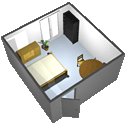
Sweet Home 3D is a free interior design application
that helps you draw the plan of your house, arrange furniture on it and visit the results in 3D.
Not seeing what you're looking for?
Dive deeper into "Sweet Home 3D" on G2 AI

CharpstAR is a Stockholm 3D and AR studio for e-commerce. We model your products from photos and drawings, host them on our CDN, and deliver them to your product pages as a 3D viewer, a modular or colour configurator, and web AR that places the product in the shopper's room from the phone browser with no app. The service covers creation, integration, hosting and yearly updates for a monthly price per product, so a furniture or home brand can move a whole catalogue to 3D without hiring a 3D team. Clients include Sweef, MELIMELI and Contura. Try it with one of your own products for free at charpstar.co/free-sample
Extruda AI is an AI tool that converts a floor plan you already have into geometry you can edit and files other software can open.
Upload a plan as an image, a one-page PDF or a scan, including hand-drawn and scanned paper plans. Extruda reads it into editable walls, rooms, doors and windows, with a 2D drawing and a 3D view in the browser. You can correct and reshape the layout before you export, and no CAD licence is needed.
What you can export (Pro plan and above):
- Layered DXF for AutoCAD and other CAD tools
- IFC for Revit, ArchiCAD and other BIM tools
- A lit Blender scene (.blend), glTF/GLB and OBJ for 3D work
- An SVG plan sheet
PNG and print to PDF are available on every plan.
Beyond conversion:
- Design check: compares the plan against typical ranges and flags circulation, daylight, clearances and privacy issues, with fixes you can preview. This is educational design guidance, not a building-code or permit review.
- 3D tours, films and photoreal renders of the furnished plan.
- Bill of materials and priced quotes built from the plan's quantities.
- Project management for contractors: jobs, clients, progress reports and client feedback links.
- iPhone app: capture a plan from a photo or sketch, or scan a room with LiDAR.
Who it is for: architects and drafters who need a DXF or IFC from an old drawing, 3D artists who need a model, real estate teams who need tours and visuals, contractors who quote and manage renovations from a plan, and homeowners planning a project.
Extruda is in public beta. It runs in the browser, with a companion iPhone app. There is a Free plan; paid plans start at $29.99 a month, and CAD and 3D export starts on Pro at $229.99 a month.

QuiverVision is an Augmented Reality education platform that transforms children's coloring pages into personalized interactive 3D experiences, helping teachers improve engagement, knowledge retention & classroom technology integration. It's used in schools, libraries & kindergartens from Pre-K to Year 8 across subjects including science, maths, art, literature, social science, life skills, phonics etc.
After coloring a page, students simply scan it using the Quiver App on a phone or tablet to watch their artwork come to life in 3D. Because every child colours differently, every AR experience is unique. This creates a powerful sense of ownership & encourages creativity while combining physical colouring with immersive digital interaction.
Backed by Independent Educational Research
Unlike many educational apps, Quiver has been independently evaluated by university researchers. Independent studies conducted show that:
- Students achieved 78% higher test scores
- Knowledge retention increased significantly
- Teachers reported much higher classroom engagement
- Learning performance improved by up to 55%
In one five-week classroom study, two kindergarten classes covered identical science topics. One class used Quiver AR colouring pages while the other followed traditional classroom instruction. Across all five learning topics, students using Quiver consistently outperformed the control group, with particularly strong improvements in understanding the water cycle and food chain.
Who Uses Quiver?
Quiver is being used at primary schools, early childhood centres, kindergartens, libraries, museums, homeschool families, special education and after-school programmes. It is used across more than 180 countries by educators to make STEM, STEAM and literacy lessons more engaging through Augmented Reality.
Subjects Covered:
The Quiver library currently includes 350+ interactive AR colouring sheets organised into 55+ educational packs covering: Science, maths, art, literature, social science, life skills, and phonics.
Why Teachers Choose Quiver?
Teachers regularly tell us they use Quiver because it helps:
- Increase classroom engagement
- Makes classroom technology easy to integrate
- Makes difficult science concepts easier to visualise
- Encourages collaboration
- Reduce passive screen time
- Helps schools maximise the value of existing tablets and classroom devices
What Educators Are Saying
- "Quiver adds an unplugged, interactive element to any lesson. It's exciting, engaging, and fun, and when I see my students having fun, I know they're learning." - Dee Kalman, USA
- "Quiver is a great opportunity to create knowledge and acquire skills while having fun with interactive 3D AR. To me, it was love at first sight." - Claudia Fisanotti, Italy
- "I'll never forget my students' faces when we first used Quiver! It's a powerful educational tool, and I can't wait to use new creative colouring packs with my learners!" - Elena Vladescu, Romania
SheetAgent for Civil 3D is a sheet-production plugin for Autodesk Civil 3D that turns sheet production from a one-time event into a managed, living set. Civil engineering teams generate plan and profile sheets, key maps, legends, matchlines, and title blocks on their own firm standards, then keep all of it in sync as the design evolves. Sheets generate four ways: array tiles a closed boundary; path runs sheets along a polyline for exhibits and corridors; alignment-based sheets follow stationing; and free placement drops a sheet preview in model space on a click. Nothing is locked. Every element a civil engineer would touch stays editable: move, rotate, or reshape a tile and the layout follows; adjust viewports; redraw matchlines; and edit, reposition, or swap the title block and its fields, all without breaking the set. When an alignment moves, the set re-tiles against the new geometry while matchlines, viewport titles, and sheet numbers come along. Generated sheets stay in sync with Autodesk Sheet Set Manager, so sheet numbering and sheet lists stay current. A Health dashboard flags drift before a set ships, Company Standards live in an editable Excel file, and a Manager Portal shows usage and time saved from team telemetry. Everything runs locally; no drawing data leaves the workstation.

At Nagorik Technologies, we specialize in delivering cutting-edge software & mobile app solutions tailored to meet your business needs. Since 2014, we have been helping global brands and startups, including Fortune 500 companies turn their ideas into reality with our comprehensive suite of custom software and mobile app development services. With a team of 200+ highly skilled and vetted designers and developers, we bring over a decade of expertise to every project we undertake.
Why Choose Nagorik Technologies?
Extensive Experience: Established in 2014, we’ve successfully delivered over 300 projects to businesses worldwide, including Fortune 500 companies.
Diverse Skill Set: Our team of 200+ experts excels in various domains, ensuring every aspect of your project is handled with professionalism and precision.
Client-Centric Approach: We pride ourselves on our ability to craft solutions that are perfectly aligned with your goals, ensuring maximum ROI and satisfaction.
Our Key Services
We offer end-to-end development solutions in:
VPN Development: Custom VPN and White Label VPN solutions for secure, scalable, and reliable network access.
Notable VPN Developed by Our Team: Enova VPN, Shark VPN, & Voltify VPN
Game Development: Engaging and immersive games for mobile, web, and desktop platforms.
Notable Games Developed by Our Team: Sweet Shot, 3D Heroic Rescue, Ludo Legends, and 3D Snake Safari.
On-Demand Platform Development: Tailored platforms for industries like beauty salons, ride-sharing, delivery, healthcare, and more.
Notable On-Demand App Developed by Our Team: Romoni (Home Salon), Carnival Wheel (Ride Sharing), Parts Cargo (E-commerce Delivery).
Customer Loyalty Software: Build lasting relationships with your customers through innovative loyalty programs.
Notable Loyalty App Developed by Our Team: Deal Finder (Retail & Booking), Camden Market (Retail), Keeno (E-Commerce).
Finance App Development: Feature-rich and secure apps for managing personal or business finances.
Notable Finance App Developed by Our Team: Ortho (Personal Finance)
Ed-Tech Platform Development: Transform education with interactive and scalable learning solutions.
Notable Ed-Tech Developed by Our Team: Medha (Exam Preparation), Tota (Language Learning), Ghoori Learning (Online School)
Quiz App Development: Fun and engaging quiz & trivia apps for education, training, or entertainment purposes.
Notable Quiz App Developed by Our Team: Quizee, Tukhor, Quiz Mind, QuizGiri, Shera
Property Management Software Development: Streamline real estate operations with custom property management tools.
Notable Property Management Solutions: SquareFeet, Neomer, Neomeet.
What Sets Us Apart?
Global Reach: Trusted by 300+ brands and startups across multiple industries our apps are used by 7M+ people around the world.
Quality Assurance: Rigorous testing and quality control ensure every product we deliver is flawless.
Agile Methodology: Flexible development practices to adapt to your evolving requirements.
Timely Delivery: On-time project completion without compromising quality.
Let us help you turn your vision into reality with tailored software solutions that drive results. Partner with Nagorik Technologies and experience the difference of working with a reliable, results-oriented team.
Let’s Build Something Great Together.
Contact us today to discuss your project requirements!

JoinerKit is a design and pricing app made for carpenters, joiners and fitted furniture makers, built alongside a working joiner. It turns the drawing you'd do anyway into everything the job needs: the cutting list, the sheets and timber to buy, the cost, a quote for the customer and drawings for the workshop.
Draw it to the wall. Measure the room (any shape, sloping ceilings and dormers too) and add units from templates: bookcases, wardrobes, base and wall cupboards, chests of drawers, vanity units, blind corners, sloped-top and tapered units and skeilings under a slope. Shelves, dividers, drawers, doors (hinged, sliding or bi-fold), face frames, scribes and fillers are all set from the side panel or dragged on the drawing. Joinery too: doors and windows with their architrave, skirting, wall panelling, stud and media walls, boxing in, pergolas, beds, loft frames and benches.
See it from every side. Front, side and plan views with sizes, and a 3D view in the customer's colours with the room round it. Send the customer a link to the design (no prices, no cutting list).
Cut it. A cutting list per board, sheet layouts with saw kerf, trims and grain direction allowed for, and timber lengths to buy from the lengths you're sold. Anything that can't be built as drawn is flagged, with an Auto fix.
Price it. Costs come from your own materials list and prices, with your labour and extras on top, and VAT or GST if you add it. The customer quote has one total price, 3D pictures and your logo; workshop sheets are drawn to scale.
On site. It runs in a web browser on an iPad, phone or computer and keeps working with no signal.
Pricing. Free for one job with every design tool, no card needed. Pro (£10 a month) adds as many jobs as you like, starting a job from a photo of your sketch or of furniture the customer likes, Ask JoinerKit, and a larger Gallery of your work. There are free calculators on the website too, no sign-up: sheet cutting, timber lengths, stud walls, panelling, skirting and architrave, drawer boxes, staircases and shelf sag.

Broderly is browser-based machine embroidery digitizing software for embroidery shops, textile decorators and makers. It turns a logo, a drawing, an SVG or text into a production-ready machine file (PES, DST, JEF, VP3, EXP, HUS) with fills, satin columns, underlay and pull compensation, then checks it before stitching (stitches outside the hoop, density, untrimmed jumps) and shows a 3D stitch preview. Patches and appliqué come with an SVG/DXF cut line for plotters and lasers. The expert mode adds multi-head production tools: needle assignment, color stops, production sheet and price quotes. Runs on Windows, Mac, Linux and iPad with nothing to install, in six languages. Free plan, paid plans from 9.99 EUR per month, 14-day free trial of the Atelier plan.

Jifup is print shop management software that covers both halves of a custom order: the customer's half, where they design or personalize a product and see it in a live 3D preview, and the shop's half, where that design becomes print-ready files, moves through production and ships. It is built for everyone who makes merch: stickers, DTF transfers, apparel and embroidery, whether that is one person or a production team of thirty.
Orders come in from wherever you sell: the configurator on your own website, your Etsy, Shopify, Wix or WooCommerce listings, a quote request without payment, or a tablet in your showroom. Every order lands on one board.
Managers see each job with its artwork, price and deadline, approve or adjust it, answer the customer, and hand it to production in one click.
Jifup checks the artwork, improves it with AI tools where needed, and builds cut lines, print-ready files, print sheets and gang sheets automatically, so nothing is prepared by hand.
Jobs move through print, cut, press and pack with a status at every step, a quality check before packing and a barcode shipping label at the end. The status syncs back to the channel the order came from.

GoalHorn is a live sales leaderboard for the TV on the sales floor. Managers set up a board in the browser in about five minutes, then open its link on a smart TV, streaming stick or mini PC. There is nothing to install, and TVs never sign in.
Two styles suit the room. Broadcast rotates 3D scenes (podium, leaderboard race, team goal, latest wins) and turns each close into a celebration with the rep's name, the amount and a gong, bell or chime. Boardroom is a calm dashboard with readable standings, goal pace, KPI tiles and subtle win alerts.
Wins come from the CRM the team already uses. If a CRM can add a row to a Google Sheet, directly or through Zapier or Make, it can run the board: HubSpot, Salesforce, Pipedrive, Zoho CRM, GoHighLevel and more. Reps can also log wins with a Google Form on their phones or the + Win button. The TV reads the Google Sheet directly, so GoalHorn does not receive the team's sales results.
Replay turns last week or last month into a 20-second race for the Monday meeting. A car dealership setup tracks units by salesperson, gross and the store's goal with pace, in a Showroom look.
Pricing is flat, not per rep or per screen: Free for 1 board and up to 5 reps, Team at $49 a month for unlimited reps, and Floor at $149 a month for up to 3 boards.

CivilTrace is takeoff software for estimators at civil, sitework, underground utility, earthwork and paving contractors. It runs on Windows 10 and 11 and works from vector PDF plan sets exported from CAD. The core tool is Follow Line. One click on a storm, sanitary or water line measures the whole drawn run, bridges symbols drawn over the line, stops at matchlines and ignores profile grids. Read Callout picks up size, material and slope from the text beside the run for the estimator to confirm. Smart counts set a structure type from its label, and Find like this proposes every line drawn in the same style across all sheets. For each run, CivilTrace works out trench width, bedding and pipe zone material, tons, waste, swell and truck loads from the estimator’s own constants, which can be changed per run, per system or for the whole project. Utilities, erosion control, paving and flatwork, demolition and structural foundations each have their own library and come out of one takeoff. Exports include an Excel workbook, a production workbook with live formulas, a review PDF with unflattened markups and a layer per scope for Bluebeam Revu, CSV, DXF and a 3D scope view. Plans and quantities stay on the local PC with no cloud uploads. Each license runs on two computers and works offline for up to 14 days between check-ins. CivilTrace was built by Braedon Bailey, who does earthwork takeoffs for contractors, from his own daily takeoff work.