AI-Generated Results
Finding matches…
Kallivo is an AI office that travels with you and handles every job from first call to completed. Contractors don't lose jobs because they lack leads. They lose them to the call they couldn't answer from a roof, the callback that came too late, and the quote that went out next week. Kallivo closes all three gaps, so more of the leads you already get turn into signed jobs.
Getting the job: when you can't pick up, Kallivo answers your missed calls and your website chat as your business, day or night, several at once, in English or Spanish. It answers questions about your services, gets the job, town, timeline, name and number, and books the estimate on your Google or Outlook calendar. It screens out sales calls and robocalls. Seconds after every call or chat, the owner and office get a short summary with a tap-to-call number, so no lead sits in voicemail. When a customer books through chat, Kallivo asks for photos and sends you a summary of what it sees, so you know what you're walking into before you drive out. The night before, you get tomorrow's estimates with photos and what to ask.
Winning it: on site, put Kallivo on speaker and talk through the job while you measure. It builds the estimate from your own price list as you go, does the math out loud, and has the draft on your phone before you're back in the truck. You check it and hit Send. It goes out from your own email with your logo and terms, and the customer accepts online. Kallivo never sets a price. Quotes go out the same day, not next week, and you see your close rate.
Running it: say what's happening on the job, and the office gets every update. Extra work becomes a change order from your prices that the customer accepts online. Say "it's done" and the job closes out. A weekly report shows jobs won, dollars won and your close rate.
Your customers in one place: if you don't have a CRM, Kallivo is one. Everyone who called, chatted, got an estimate or had a job is in your customer list, with their whole history on one page: every call, chat,
estimate, change order and job update, plus what they've spent with you. Search by name, phone, email or street. If you already use a CRM, Kallivo keeps it current instead. Leads, sent estimates, won and lost jobs, job updates and change orders sync to Jobber and QuickBooks with one sign-in. and to Housecall Pro, HubSpot and 8,000+ other apps through Zapier.
You keep your number. Only the calls nobody answers forward to Kallivo. Setup is self-serve and takes minutes. Built by a former design-build owner for remodelers, roofers, HVAC, hardscape and landscape crews, and any service business where one missed call is a missed job. Starter is $349 a month and Team is $649, both with everything included. 14-day free trial, no card.
Not seeing what you're looking for?
Dive deeper into "True Key" on G2 AI

MBOX Viewer Tool is an MBOX viewer for Windows 10 and 11 that opens mailboxes exported from Thunderbird, Apple Mail and Google Takeout with no mail client on the PC. Load a single .mbox file or a whole Thunderbird profile, browse the folder tree, filter the message list and read each letter with its HTML layout intact. Postbox profiles and Unix mail spools share the format and open too. The file is opened read-only and stays where it is.
🔰 How to use it: how to open MBOX file archives
1. Install the program and choose Open MBOX file... in the File menu. Several mailboxes can be picked at once.
2. For a full profile, use Add folder. It walks Mail\Local Folders and the .sbd subfolders and finds Inbox, Sent, Drafts and Junk, even without an extension.
3. Click a folder. Its messages fill the list with Subject, From, To, Date and Size columns.
4. Type part of a subject, sender or recipient and set a date range to shorten a long list.
5. Open a message across the full window. Save it as EML, PDF or HTML, or send it to the printer.
👍 Why IT and office teams pick this MBOX viewer
- Reading an export takes no Thunderbird, Outlook or webmail account.
- As an MBOX reader it never imports, re-indexes or duplicates a multi-gigabyte archive.
- Files on an external drive or a network share open in place.
- Filters run on the open file directly, with no indexing pass before the first result.
- PDFs come from a bundled engine on the machine, with no upload and no sign-in.
- The window looks the same whether a mailbox came from Google, Apple or Mozilla.
- Each mailbox gets its own node, so a Takeout file and an old profile can sit side by side.
✅ Who uses it
- Help desks checking a departed employee's mailbox before it is archived.
- Legal, HR and records staff pulling one thread into a case file with its headers.
- People who left Thunderbird or Apple Mail and want to look through old exports.
- Small offices that keep old mail on a shared drive.
- Anyone holding a Gmail download that nothing on Windows will open.
❓ FAQ
What program can open MBOX files? A standalone viewer like this one, or a mail client that imports the format. Outlook does not read MBOX.
How do I open a Google Takeout mailbox? Unzip the archive, choose Open MBOX file... and select the mailbox inside. The whole account appears as one node.
Will Thunderbird files without an extension open? Yes. Add folder collects them, and the open dialog has an All Files option for single files.
Does it convert a whole mailbox? No. Save and Print act on the one message that is open.
Can it search the message body? Not in this version of the MBOX viewer. Filters cover subject, sender, recipient and date.
ℹ️ The free trial lists every message and opens a few per day. Saving, printing and attachments need a license. Requires Windows 10 or 11.

KitchHero es un sistema de pedidos, pagos por QR y caja para food trucks, carritos, cafeterias y restaurantes en Chile.
Tus clientes escanean el QR de la mesa o del carro y piden desde su celular, sin instalar apps: con extras, notas y propina, y pagan en linea (tarjeta, Apple Pay o Google Pay) o en caja. Siguen su pedido en vivo y les llega un aviso al celular cuando esta listo, aunque lo tengan bloqueado. Pueden chatear con la cocina por texto, audio o foto, y mientras esperan juegan KitchHero Games: si el pedido queda listo, el juego se pausa y les avisa.
Con Food Jam, un grupo pide junto desde sus celulares, por rondas, en una o varias mesas, y divide la cuenta.
La cocina trabaja con un tablero de comandas (pendiente, preparando, listo), sonidos por tipo de aviso, recetas paso a paso y apertura y cierre por horario. La caja muestra las ventas en vivo por medio de pago, las propinas aparte y el arqueo diario.
La carta se sube desde una foto, PDF, Word, Excel o un link, y la IA la arma completa, genera fotos de los platos, sugiere precios de mercado y calcula el costo y el margen de cada plato con sus ingredientes. Incluye estudio de mercado.
Cada cuenta tiene su propio subdominio y puede tener varios locales, con mesas y carritos con su QR, personal con roles y permisos, horarios, ubicacion y zona de reparto.
KitchHero Eventos lleva todo esto a kermeses, ferias y fondas: plano del evento, un solo carrito con pedidos de varios locales, QR de pago y de retiro, stock en vivo, preventa con hora de entrega, reservas de actividades, turnos de voluntarios, control de alcohol al despachar, ventas en vivo por local para la organizacion, y funciona sin senal.
KitchHero Games: mientras esperan su pedido, tus clientes juegan. Son juegos web que se abren desde el mismo celular, sin instalar nada: solos, de 1 a 4, o la mesa entera con los telefonos conectados. Cuando el pedido esta listo, el juego se pausa y les avisa. Hoy hay 10 juegos y se suman nuevos todo el tiempo.
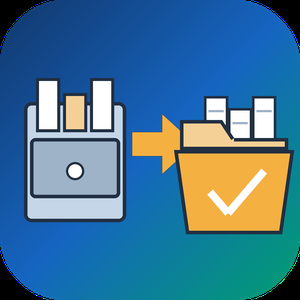
NSF to PST Converter Software for Lotus Notes is an nsf to pst converter for Windows that moves mail out of IBM and HCL Notes databases. It reads the .nsf file on its own, so the PC needs neither a Notes client nor a Domino server, and it writes a Unicode PST that Outlook opens like any other data file. Nothing is uploaded anywhere: parsing and writing happen on your machine. It suits the common NSF to PST job where the archive survived and Notes did not.
🛠️ How to use
1. Open a .nsf or .ntf database, whether it sits in a local folder, on a mapped drive or on an external disk.
2. Browse the folder tree and read messages in the preview pane before anything is written.
3. Set a date range, search by subject, sender or recipient, and leave Trash out if you do not need it.
4. Choose a destination and press Start. When the summary appears, add the new PST to Outlook as a data file from the File menu.
✅ Why IT and office teams pick it
- No Notes install. The nsf to pst converter parses the database directly, which matters once the company has retired Notes.
- Mail stays on the workstation, with no cloud step and no account.
- Attachments come out as real files, including the ones Domino compressed on the server.
- Canonical Notes names are replaced with SMTP addresses, so replies work in Outlook.
- Inbox, Sent, Drafts and personal folders keep their names, and a message listed both in a folder and in All Documents is written once.
- Filters run inside the reader, so the message list on screen matches what lands in the PST.
- Multi-gigabyte databases are read by a separate 64-bit process.
- When a file cannot be read, the program says why instead of showing an empty mailbox.
👥 Who uses it
IT admins moving a department from Notes to Outlook or Microsoft 365, migration contractors who receive NSF archives from clients, legal or audit staff who need to search an inherited mailbox, and anyone handed an old archive with nothing to open it in.
❓ FAQ
Can I convert NSF to PST without Lotus Notes installed?
Yes. The program reads the file structure itself, so you need neither Notes nor a Domino server. Outlook is only needed later, to open the PST.
Which Notes versions does it support?
Databases with On-Disk Structure 41 to 55, which covers Notes 5 up to the 14.x line. Files written by Notes 4.x and older are reported as unreadable.
Does it convert contacts and calendar entries?
No. This version handles mail only: messages, folders and attachments.
What does NSF stand for?
NSF is short for Notes Storage Facility. Template files with the .ntf extension share that on-disk format, and the program reads them too.
💡 The free trial of the nsf to pst converter needs no sign-up and converts a sample of each database so you can check the result in Outlook. Runs on Windows 11 and 10 with 4 GB of RAM.

MBOX to PDF Converter Software is a Windows desktop program that opens .mbox mailboxes from Thunderbird, Apple Mail or a Gmail Takeout export and saves the messages as PDF documents. No mail client has to be installed: as an mbox to pdf converter it fills the gap Windows leaves, since the system cannot open an .mbox on its own. The conversion runs on your own PC, so private correspondence is never uploaded to a web service, and the HTML layout and inline images of each email carry over into the PDF.
🔰 How to use it
1. Click Add File and multi-select one or more .mbox files, or drag them into the window.
2. Use Add Folder to pick up every .mbox in a Thunderbird profile, including the .sbd subfolders.
3. Tick the mailboxes you need in the tree. Click one to list its messages with Subject, From, To, Date and Size.
4. Type in the filter to narrow the list by sender, recipient, subject or body text, and read any message in the preview pane.
5. Choose a destination folder and press Start. Progress is shown message by message.
6. Open the destination folder, where each mailbox has its own subfolder of PDF files.
👍 Why IT and office teams pick it
- Nothing leaves the workstation, which matters for legal, HR and finance mail.
- A mailbox too large for a browser upload is processed locally, with no size cap.
- Old .mbox files stay readable after the account or the mail program is gone.
- Every PDF opens with From, Date, To and Subject above the body, so each record is easy to file.
- Several mailboxes go through in one batch run, and each one gets its own output subfolder, so file names never collide.
- A PDF is a fixed record that cannot be casually edited, which is why auditors and courts ask for mail in this form rather than as a raw mailbox.
✅ Who uses it
- Legal and compliance staff answering a litigation hold or an audit request.
- People moving off Thunderbird or Apple Mail who want old folders kept as documents.
- Gmail users who downloaded one large Takeout .mbox and need to read it on Windows.
- Paralegals who collect mbox to pdf exhibits for a case file and want sender and date on each record.
- IT admins asked to hand mail from a departed employee to a manager who has no mail client.
❓ FAQ
Do I need Thunderbird installed to convert MBOX to PDF? No. The program parses the saved file itself, so the client that created it can be missing from the PC.
Is my email sent to a server? No. Reading and rendering run on your PC.
Can it read Apple Mail exports? Yes, .mbox files from Apple Mail open fine, but the program itself runs on Windows only.
Does it convert EML, MSG or PST files too? No. This mbox to pdf converter reads .mbox only, and live IMAP accounts are not supported either.
ℹ️ Free trial: the MBOX to PDF converter handles up to 3 emails per day, so you can check the output on your own mail before buying. Lifetime, one-year and business licenses are offered. Runs on Windows 10 and 11.

Take and keep appointments easily with FixAppt online booking & scheduling system. 100% Free!
List all your services on your own branded booking website, complete with prices, photos and descriptions for instant booking and reservation. Taking upfront payments? Simply connect your PayPal or Stripe account.
✅ Stay on top of business on one centralized dashboard.
✅ Let customers book, track and reschedule their own appointments 24/7, without you lifting a finger.
✅ Streamline operations with automated scheduling & billing. Centrally manage appointments, staff & facilities.
✅ Boost team productivity. Let each employee track and manage their own appointments anytime, anywhere.
✅ Integrations with Zoom, Stripe and Paypal (to collect payments), Google Calendar and Outlook Calendar, and 1,500+ Zapier apps.
Powerful features to grow your business
---------------------------------------------
Sell Unlimited Services
Take Online Payments
Smart Scheduling
Set Own Subdomain
Customized Booking Site
3rd-Party Integrations
Service Hours
Status Dashboard
List Unlimited Events
Zoom Integration
Services Upsells
Services Online Catalog
Event 1-Click Booking
Per-Employee Schedules
Add Buffer Times
Appointments Overview
Take Unlimited Appointments
Customer Self-Service
Coupons
Services Finder
Multi-Pax Booking
Multi-Step Booking
Custom Fields
Performance Reports
Add Unlimited Employees
Employee Portal Login
Manager Sub-Accounts
Multiple Locations
Automated Notifications
Special Days
Regional Settings
Financial Records
For all types of service appointments and events
-----------------------------------------------------
Accounting Services
Acupuncture
Architects
Art Classes
Attorneys
Auto Repair Services
Ballet Classes
Bankruptcy Attorneys
Basket Ball Class
Beauty Salon
Business Advisory
Business Events
Call Centers
Car Rental
Car Wash
Catering Services
Child Care
Chiropractors
City Councils
Cleaning
Club Events
Coaching
Colleges
Counselling
Covid-19 Measures
Criminal Defense Attorneys
Dance Classes
Dentists
Dermatologist
Design Consultation
Doctors
Driving Lessons
Electricians
Embassies and Counsulates
Employment Lawyers
Equipment Rental
Escape Rooms
Events
Eyelash Parlour
Fashion Designer
Fitness Classes
Florist
Golf Classes
Gym Classes
Gym Memberships
Hair Salon
Hair Loss Treatment
Home-Based Shops
HR Consultancy
Interior Design
Interview Scheduling
Landscaping Services
Lawn Maintenance
Legal Services
Litigation Attorneys
Magicians
Malpractice Attorneys
Meditation
Meeting Rooms
Modeling Agencies
Moving Truck Rental
Music Classes
Nail Salon
Nutritionist/Dietician
Online Events
Opticians
Parent Meeting
Pediatricians
Personal Injury Attorneys
Personal Trainers
Pet Services
Physiologist
Photographers
Probate Attorneys
Psychologist
Real Estate
Restaurants
Schools
Services - General
Skating Class
Skin Care
Soccer Class
Spa
Spiritual Services
Sport Item Renting
Swimming Classes
Tanning Salon
Teaching
Tennis Class
Tour Guide
Tutoring Lessons
Universities
Wellness Center
Yoga Classes
Zoom Sessions
Get Started at https://fixappt.com today - 100% Free!
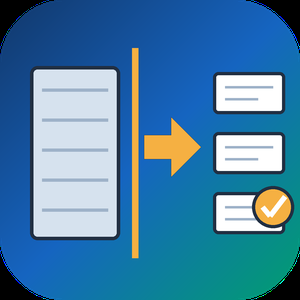
Split PST File Software is a Windows tool that takes one oversized Outlook PST or OST data file and writes it out as several smaller PST parts. When you need to split PST file archives that have grown slow or crept toward the old 2 GB ANSI limit, it reads the data file directly, with no Outlook running and nothing uploaded. Your source is only read, never changed.
Outlook has no built-in way to divide a data file, and its Compact Now command only reclaims empty space. Moving folders by hand into new files works for a small mailbox but turns slow and error-prone on a big one. This program does the job in one run: it can split PST file content in one of four ways, and you decide which folders take part. The result is a set of ordinary PST files that Outlook opens like any other, so you can attach the parts you still use and store the rest.
🛠️ How to use
1. Add one PST or OST file. Its folder tree loads on the left with checkboxes.
2. Untick folders you can live without, for example Deleted Items and Junk.
3. Pick a mode: By Size, By Date period, By Folder or By Sender, then set its value.
4. Choose a destination folder and press Start. Each part is saved as its own PST beside a CSV summary.
💼 Why IT and office teams pick it
By Size cuts between messages with a cap in MB or GB (1 GB by default), so no email is torn across two files.
By Date period groups mail by Year, Month or Week, with names like 2023.pst and 2024.pst.
By Folder sends every top-level folder to a separate PST and keeps the hierarchy inside it.
By Sender builds one PST per correspondent, and rare senders share an others.pst.
A CSV report lists every part with its file name, message count and size.
All processing stays on the local PC, which matters for private mail.
👥 Who uses it
Helpdesk staff who inherit huge mailbox archives that time out during backup. Legal and compliance teams who need one custodian or one year in a file of its own. People with a decade of mail in a single data file who want to split PST file archives per year before something breaks.
❓ FAQ
Can I split PST file into smaller parts without Outlook?
Yes. The program reads the PST or OST itself, so Outlook does not need to be installed or open.
How do I split PST mail into yearly files?
Select By Date period and set Year. Every calendar year is written as its own PST, and undated items get a separate part.
Will the parts be exactly the size I set?
Close to it. Splitting happens between messages, so a part can land a little under the cap, and an extra large message becomes a part on its own.
Does it modify my original file?
No. The source is opened read-only and new PST files go to the folder you choose.
🖥️ The free trial processes a sample of your mail with no sign-up. Runs on Windows 11 and 10 with 4 GB of RAM and 1 GB of free disk space.