AI-Generated Results
Finding matches…
Outlook Attachment Extractor Software opens a saved .pst or .ost data file on a Windows PC and copies the files attached to its emails into a folder. Tick mailbox folders or pick single messages, set a few rules, and the outlook attachment extractor writes every attachment as its own file. Outlook does not have to be installed or running, and no mail is uploaded anywhere.
🧭 How to use it
1. Open one .pst or .ost archive. The folder tree shows message counts, and the list gets an Attachments column.
2. Tick the folders to process, or switch the source to the emails you highlighted in the list.
3. Narrow a big mailbox with the text filter on Subject, From, To or Body.
4. Keep every extension or only chosen ones: PDF, DOC/DOCX, XLS/XLSX, JPG/PNG, ZIP, plus any you type in.
5. Choose the layout: mirror the PST folder tree or use one flat folder, original names or Date_Subject_Name.
6. Pick the destination and press Start. A CSV report goes along with the files unless you turn it off.
🛠 Why IT and office teams pick this outlook attachment extractor
- You decide what happens on a name clash. By default the existing file is kept and the new one gets a _1 or _2 suffix, or you allow overwriting.
- Duplicates are found by file content, not by name, so a contract forwarded again and again lands on disk once.
- Inline pictures stay out unless you switch them on, and files under 20 KB are skipped by default. Footer icons no longer bury the documents.
- The program reads the archive with its own engine. That helps when you need to extract attachments from Outlook data left on a retired PC or in an orphaned OST.
- Work is local and offline, which matters for mail holding client or HR data.
👥 Who uses it
- IT staff tidying up after a departed employee or a finished migration.
- Legal and compliance teams collecting one custodian's documents.
- Accountants who download all attachments from Outlook mailboxes full of supplier invoices.
- Office managers who keep contracts and scans in folders rather than in mail.
❓ FAQ
Can I save all attachments from Outlook at once? Yes. Tick whole folders or select the messages you need, and one press of Start writes every matching attachment to the output folder.
Do I need Outlook on the computer? No. The outlook attachment extractor reads .pst and .ost files directly, so a PC with no mail profile works too.
Will signature logos flood the output folder? Not with the defaults. Inline images are off and small files below your KB threshold are skipped, and both settings can be changed.
What does the CSV report contain? A row per handled attachment with its source message and the place it was saved.
ℹ️ Free trial: selections of up to 20 attachments are extracted in full, larger ones give a 10% sample capped at 100 files. A license key removes the limit. Runs on Windows 11, 10, 8.1, 8 and 7, 32 or 64 bit, with 4 GB of RAM.
Not seeing what you're looking for?
Dive deeper into "Atria" on G2 AI
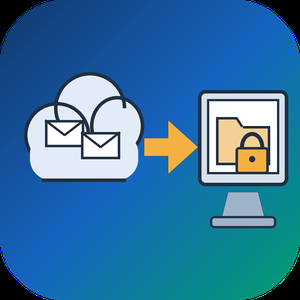
Email Backup Tool for Microsoft 365 and Outlook is an Office 365 backup app for Windows that signs in to a live mailbox and writes its mail into a PST file on your own disk. Subfolder nesting, sent and received times, HTML formatting, files attached to letters and unread flags are kept. Nothing passes through a vendor cloud, and the sign-in token is kept only in memory while the program is open.
🔰 How to use it
1. Start the program and click Sign in. The Microsoft login page opens inside the window, and no Azure app registration is required.
2. Review the list of folders. All of them are ticked after login, and a Size column reveals which ones are large.
3. Untick folders you do not need and set the From and To dates. The mailbox applies this filter on the server side.
4. Click a message to check it in the preview pane. Remote images stay unloaded.
5. Choose a folder under Save to and click Export messages. The finished file opens in desktop Outlook.
👍 Why IT and office teams pick this Office 365 backup tool
- Access is read only. The app asks Microsoft Graph for permission to read mail and never writes to the mailbox.
- Before sign-in it shows a page that explains what it reads, which helps when an administrator has to approve the app for a work account.
- A dropped connection does not restart the job. The next run picks up from a resume point stored next to the PST.
- In our test, a mailbox of 200,000 messages came down in 3.5 hours with no losses. Speed is limited by Microsoft request quotas, not by the PC.
- Attachments land in the file byte for byte, checked up to 224 MiB each.
- Before an Office 365 backup starts, the program checks free disk space and warns if it is short. Plan for roughly the size of the mailbox.
✅ Who uses it
- Staff leaving a company who want an Office 365 backup of their own correspondence, or an Outlook email backup, before the last day.
- Freelancers and small firm owners who keep a local archive of their own business account.
- Graduates whose university account is about to close.
- Owners of old Outlook.com or Hotmail accounts that are close to the storage limit.
❓ FAQ
How do I export an Office 365 mailbox to PST without admin tools? Sign in to the mailbox in this program, pick folders and dates, and save. No PowerShell or eDiscovery role is involved.
Does Microsoft 365 backup my email for me? Microsoft keeps the mailbox online, but it does not hand you a local copy. An Office 365 backup in PST form fills that gap. A PST on your disk stays readable after the account is closed.
Can it back up contacts and calendars? Not in this version. It copies mail only, and Gmail accounts are not supported.
Can I revoke access afterwards? Yes. Remove the app in the app permissions of your Microsoft account.
ℹ️ Free trial writes a real PST with the 25 newest messages from each folder. Lifetime, 1-year, monthly and business licenses are offered. Runs on Windows 10 and 11.
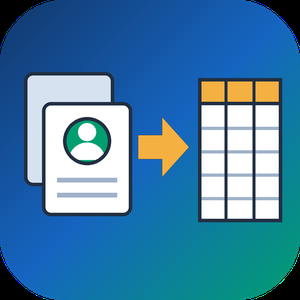
VCF to CSV Converter for CRM Import is a Windows program for one job: turning a pile of vCard files into a single vcf to csv export your CRM can read. Staff phones, Outlook address books and card scanner apps all hand out contacts as .vcf, while Salesforce, HubSpot, Zoho CRM and Excel want rows and columns. Point the program at a folder and the vcf to csv pass writes one UTF-8 CSV with every card in it.
📋 How to use it
1. Click Add folder or Add files. Subfolders are scanned and files holding many cards are split.
2. Pick an output template: Google Contacts, Outlook, Yahoo or Plain CSV.
3. Decide whether extra phones and emails go into numbered columns or share one cell.
4. Open Column mapping, untick what the import does not need and set the order with Up and Down.
5. Click Convert and load the file through the import page of your CRM.
🛠️ Why IT and office teams pick it
Many vcf to csv tools stumble on old Android and Nokia exports, where names arrive as quoted-printable codes like =C3=BC. This one decodes quoted-printable and reads each card's charset (UTF-8, UTF-16, windows-1251, windows-1252, GBK), so Cyrillic, Chinese and accented names survive. The CSV carries a BOM, which lets Excel open it correctly on a double-click. Duplicate people from overlapping exports are merged by name plus main contact detail. Custom X- fields become extra columns, photos are saved as image files with the path in the row, and birthdays are written as YYYY-MM-DD. Click any file in the queue and a text preview shows its parsed cards, which helps when checking a tricky export before you commit. Everything runs on the PC with no upload and no account.
👥 Who uses it
CRM admins loading leads that sales reps exported from their phones. Office managers combining address books after a staff change. IT staff moving a team to Google Workspace or Outlook, international names included. Recruiters and event organizers who collect cards from scanner apps every week. Marketers turning a stack of contact cards into a vcf to csv mailing list.
❓ FAQ
How do I convert a VCF file to CSV?
Add the file or its folder, choose a template and click Convert. Every card in the queue lands in one CSV, and the encoding is detected for you.
Can I open the result in Excel?
Yes. The file is UTF-8 with a BOM, so Excel shows non-Latin letters properly. Google Sheets and LibreOffice open it as well.
Why do names come out garbled in other converters?
They skip quoted-printable decoding, so letters stay as codes like =F6. This program decodes them and writes plain UTF-8.
Are VCF and CSV the same thing?
No. A vCard holds contact cards for address books. A CSV is a table that spreadsheets and import wizards read row by row.
The free trial needs no sign-up and converts the first 10 contacts of each run, enough to test a vcard to csv import. Windows 10 and 11, works offline.

CheckSprint - Check Printing Software is a Windows program that prints business, payroll and personal checks on an ordinary laser printer. On blank stock, this check printing software lays down the whole check, with the bank name and MICR line. On computer checks from your bank, it fills in only the empty fields. You type the account in once, and any plain sheet can carry it after that.
🧾 How to use
1. Install it, then enter the routing and account numbers from a current check and compare the live MICR sample with that check.
2. Open Write Check, choose a payee and type the amount. The words line fills itself in US style.
3. In Print Checks, pick blank stock or pre-printed paper and one of seven layouts. Print the alignment page on plain paper first.
4. For a batch, import a CSV or XLSX file, match its columns to payee and amount, and review flagged rows before they reach the queue.
💼 Why IT and office teams pick it
- The MICR line uses a built-in E-13B font, and the clear band under it stays locked.
- Before each run, the program compares printer margins with the layout and warns if the MICR line would be cut.
- Checks sent from QuickBooks Desktop or Sage 50 get your bank numbers added. QuickBooks Online users can open a saved PDF.
- Bank details sit in one encrypted database file on the PC. Nothing goes to a cloud.
- As check writing software, it keeps a register with running and cleared balances.
- On import, the check printing software flags broken rows and possible duplicates, so one bill is not paid twice.
👥 Who uses it
Small-business owners who pay vendors and staff from one or two company accounts. Bookkeepers switching between client companies, each with its own numbering and signature. Church and club treasurers who pass a searchable register of past years to the next person in the role. For all of them, check printing at the desk replaces the wait for a box from the bank.
❓ FAQ
Can I print my own checks at home, and is it legal?
Yes, for your own accounts. Your bank needs a readable, signed check. Some banks set rules for office-printed checks, so ask yours before the first payroll.
Do I need MICR toner?
On blank stock it is recommended, because some banks still read the bottom line magnetically. Pre-printed bank checks already carry that line, so regular toner works there.
Can I print payroll checks with check printing software?
Yes, on voucher checks with a pay stub. Import the CSV export from your payroll service. The program prints the figures it receives and does not work out taxes.
Does CheckSprint run on a Mac?
No. It is built for Windows 10 and 11, 64-bit.
✅ Free trial of the check printing software with no time limit and no cap on checks, though printed checks carry a watermark until you add a license key. Requires Windows 10 or 11 (64-bit) and a laser printer.
Corrupted SSD Recovery Tool is Windows software for corrupted SSD recovery when a drive opens as RAW, asks to be formatted or loses its folders after a crash. It handles internal NVMe and SATA disks plus external SSDs in USB cases. Before any scan it measures TRIM on the selected device and tells you plainly what can still come back, which saves a technician from promising a client more than the hardware allows.
🔧 How to use it
1. Install the program and run it with administrator rights, which Windows needs to open an internal volume.
2. Select the SSD in the drive list. Each entry shows media type, bus and tags for TRIM and the system drive.
3. Read the TRIM note and start a Quick scan. If it finds nothing, the program moves on to a Deep scan by itself.
4. Preview files, sort them by folder or type, tick what you need and press Recover.
5. Pick a folder on a different disk. The source volume is refused as a target.
💼 Why IT and office teams pick it
Help desk staff get a measured answer before quoting a lab job. The program reads three values (solid state media, TRIM support on the device, delete notifications in Windows) and shows all of them. Results that turn out blank are labeled as wiped by TRIM and counted in the summary, so nobody hands a client a folder of empty documents. Files with bad sectors are marked as partially recovered, and a support log leaves out file names and paths. The TRIM note can be screenshotted and attached to a repair ticket when a customer asks why some files are out of reach.
👥 Who uses it
Laptop owners whose data partition stopped opening after a forced update. Photographers who keep shoots on a portable SSD. Repair shops checking a customer drive on the bench. Freelancers who keep invoices and contracts on one laptop. Teachers and students whose coursework sat on a single drive with no cloud copy. Small offices that cannot send client files to an online service, since corrupted SSD recovery here runs entirely on the local PC.
❓ FAQ
Can you fix a corrupted SSD?
This program does not repair the drive. It copies your files to another disk first, and after that you can format or replace the SSD safely.
How to recover data from corrupted SSD volumes?
Decline the format prompt, scan the drive and save what you find somewhere else. Utilities like CHKDSK rewrite the records a scan needs, so they come after the copy.
How to fix corrupted SSD drive errors without losing work?
Get the files out with a corrupted SSD recovery scan, check the copies, and only then run a repair or a fresh format.
Can files deleted on an internal SSD come back?
Usually not when TRIM was on, because the controller clears those cells within seconds. On a USB SSD the bridge often blocks TRIM and deleted files may survive.
🆓 The free trial runs every scan and shows all results, and only saving needs a license. Runs on Windows 11 and Windows 10.

TranscribeIt is a Windows program that turns recorded audio and video files into editable text on your own PC. Add a batch of interviews or podcast episodes, run the queue, and get a text file for each recording. Speech recognition runs locally, so the recordings stay on your computer and nothing is uploaded to a server. It suits anyone who has finished recordings and needs the words on the page, from a single quote to a full archive.
🎬 How to use TranscribeIt
1. Drag audio or video files into the window, or add a whole folder with its subfolders.
2. Pick an output folder or keep each transcript next to its source.
3. Start the queue, follow the progress bar and cancel whenever you need to.
4. Click a finished file to open it in the built-in player, fix words and save.
✅ Why IT and office teams pick it
Recordings with client data or HR interviews often cannot leave the company network, and sending them to a cloud service would break that rule. TranscribeIt works offline on a regular CPU, and a GPU is optional. It reads MP4, MOV, MKV, WEBM, AVI, WMV and TS video plus MP3, M4A, AAC, FLAC, OGG, OPUS and WAV audio. Batch mode has no per-minute fees, and a licensed copy takes as many files a day as you add. Timestamps tie every segment to the player, and an .srt subtitle file is written alongside the text. Speaker identification marks who said what, and renaming a speaker once updates every line in that file. The window works like a small studio: the file list on one side, the player and transcript editor on the other, with panels you resize by dragging.
👥 Who uses it
Journalists who quote interviews, researchers with field recordings, students and lecturers with long classes, and medical or legal staff who keep sensitive audio in house. Content makers use TranscribeIt to turn video to text for show notes and captions. Support leads who review recorded calls and trainers who turn webinars into handouts rely on it too.
❓ FAQ
Does it work without internet?
Yes. Recognition happens on your PC and no audio goes to any cloud service, even when the machine is connected.
What languages can it recognize?
25 languages are built in, English and Japanese among them. An extra model covering 100+ languages is available for download.
Can it transcribe a YouTube video?
Save the video file to your disk first, then add it to the queue like any other recording on your PC.
Can I keep the transcript beside the video?
Yes. Pick that option and each text file gets the same name as its source, so the pair stays together when you move the folder.
Can I dictate live?
No. This audio video to text transcriber works with recorded files only.
💻 TranscribeIt: Audio & Video to Text Transcriber has a free trial of 3 files per day with no sign-up. It needs Windows 10 or 11, 4 GB of RAM and 1 GB of free disk space.

Staff who work alone, such as cleaners, care workers, security officers, engineers and field sales or payment collectors, need a way to raise the alarm, and someone in the office who will definitely respond. SafetyEvo gives them both.
For staff: a simple app with large controls. One press SOS sends the worker’s live location to the office. Silent SOS and a duress PIN let them raise an alarm without the person in front of them noticing. Check-in timers cover each visit, and if a timer runs out without a check-in, an alert is raised automatically. If a phone goes silent during a shift, the office is warned. An SOS raised with no signal is stored and sent the moment the phone reconnects.
For the office: a live map of who is on shift, a single alert queue, and a timeline for every incident. Every alert has an owner. Alerts escalate by push, then text, then an automated voice call, until a named person takes them, so no alert sits unread. Responders can also handle alerts from their own phone.
Workforce management, built in: starting a shift is the clock-in. Supervisors approve timesheets, lock pay periods, and export CSV files for Xero, Sage and BrightPay. Rotas, on-call cover, holiday requests and balances, and digital staff ID badges with a QR check code are all in the same system. There’s no facial recognition or fingerprint clock-in.
Records and privacy: an incident register, shift history, a weekly drill alert to prove escalation works, and an audit log of every view and action. Location is collected only during a shift and is always visible to the worker. Data is hosted in the EU (Germany), with daily backups.
Pricing: £5 per person per month on a monthly plan with no contract, or £4 billed yearly. Larger teams of 50 to 199 people pay £3.50, and 200 or more get a tailored price. Office users are free, with no setup fee. Try it free for 30 days with up to 10 people, with no card needed.
Key features (for the listing checkboxes)
SOS alarm, silent SOS and duress PIN
Check-in timers and missed check-in alerts
Live GPS location, only while on shift
Escalation by push, then SMS, then automated voice call
Warnings when a phone goes silent, plus welfare checks
Office console with a live map, alert queue and incident timeline
Incident reports and an audit log
Clock-in and clock-out, timesheet approval, pay period locks
Payroll CSV exports for Xero, Sage and BrightPay
Rotas, on-call cover, holiday and leave
Digital staff ID badges with a QR code
Two-step sign in for office users
Other listing fields
Categories: Lone worker safety, Employee safety, Time and attendance, Workforce management
Platforms: iPhone (App Store), web console. Android is coming soon to Google Play.
Market: UK businesses, especially those with fewer than 200 staff
Free trial: yes, 30 days, up to 10 people
Starting price: £4 per person per month, billed yearly, excluding VAT
Website: https://safetyevo.co.uk
Contact: hello@safetyevo.co.uk, 0114 494 0405
PDF to XML Converter Software is a pdf to xml converter for Windows that turns stacks of PDF reports into structured XML your scripts can parse. Every output file follows one documented schema with document, page, heading, paragraph and table elements, and tables are broken into rows and cells. All work happens on your own PC, so no report leaves the machine.
🛠️ How to use
1. Install the program and drag PDF files or a whole folder into the list.
2. Decide whether you need positions and fonts. Tick the coordinates option for block boxes, or leave it off for a lighter text-only file.
3. Press Convert. You get one XML per PDF, named after its source.
4. Point XSLT, Python or your database loader at the output folder.
💼 Why IT and office teams pick it
Imports break when every department sends a different layout. This pdf to xml converter keeps the same element names for every file, so a loader written once keeps working. Headings get a level from 1 to 6 based on font size. Each table carries a source attribute that tells you how its grid was found: PDF tags, ruling lines or text alignment. Merged cells keep colspan or rowspan. Text follows reading order, left column before right, and right-to-left lines stay right-to-left. Pages without a text layer are marked scanned="1", so a script can send them to a person.
👥 Who uses it
Data engineers and ETL developers feeding report figures into databases. Systems integrators who need to convert PDF to XML for another application. BI analysts, search-index developers and QA testers who check document pipelines. Procurement teams use it to pull supplier price tables into purchasing systems, and layout analysts switch on coordinates to study where each block sits on the page.
❓ FAQ
How does the pdf to xml step handle two-column pages?
The left column is written first, then the right one. Hebrew and Arabic lines keep their right-to-left order and carry a direction attribute.
Can I stop a long batch halfway?
Yes. Stop ends the job between two files, and every XML finished before that point stays on disk.
Can I convert PDF to XML without uploading files?
Yes. The program works offline, and your PDFs stay on your disk.
What does the XML look like?
A document root with page elements inside. Each page holds headings, paragraphs and tables in reading order, saved as UTF-8 without a byte order mark.
Can this pdf to xml converter fill an invoice or XBRL schema?
No. It writes its own fixed schema. Mapping to another schema is a job for your XSLT or import script.
Is there a command line or API?
No. Batches are started by hand in the desktop window, so it cannot run as a server service.
🎁 Free trial: every PDF in a batch gets its first 10 lines or table rows, and the file still passes an XML parser. Runs on Windows desktop and laptop PCs.

Batch Picture Protector is a Windows desktop program that lets you watermark images by the folder instead of one at a time. Put your name with the © symbol, a short line of text or your logo on every photo, then save the results to an output folder. The app works offline, so a shoot can be marked on a laptop with no internet connection. One batch watermark job can cover thousands of pictures, and the settings you pick once are applied to each file in the list.
🛠️ How to use
1. Click Add Files and pick single photos or a whole folder.
2. Open the Watermark screen and type your text, choose a logo image, or check both.
3. Set size, angle, transparency and position, or tile the mark across the picture.
4. Save the watermark as a template so you can load it on the next job.
5. Switch to Batch mode to watermark images in the list with the same settings.
6. Choose the destination folder and start. Your originals stay where they were, and the marked copies land in the folder you picked.
💼 Why IT and office teams pick it
One saved template keeps the company logo in the same spot on every picture, whoever runs the job. Renaming and resizing happen in the same pass, so a team gets ready files from a single run. Command line mode takes an input file, an output folder and a saved watermark file, which lets admins add the step to their own scripts. Nothing is uploaded anywhere, which helps when photos of staff, products or premises must stay on company machines.
👥 Who uses it
Wedding and portrait photographers who send proofs to clients before an order. Designers who share drafts and want their name on them. Shops and bloggers that post photos online and want credit to stay with each picture. Marketing staff who prepare the same set of product shots for a website, a catalog and social media.
❓ FAQ
How do I add watermark to photo files in bulk?
Add the files or a folder, build the watermark once and run Batch mode. The program applies the same settings to every picture in the list.
Can I use a logo with a transparent background?
Yes. The logo can be transparent or opaque, and you set its transparency, size and angle before you apply it.
What does a tile watermark do?
It repeats your text or logo across the entire image. Photographers use it on client proofs so a picture is hard to reuse before purchase.
Can the text show the date a photo was taken?
Yes. Text can pull the shooting date from EXIF data, the current time or the file name.
Which file types can I watermark images in?
JPG, PNG, TIFF, BMP and GIF open in the program, and so do older PCX and TGA pictures. That makes it easy to mark a scanned archive together with fresh shots from a camera.
✅ Batch Picture Protector has a free trial download. It runs on Windows PCs, including Windows 11, and needs no internet connection to watermark images.

AlarmFront - Central Station Alarm Monitoring Software is alarm monitoring software for a security company or utility that runs its own central station on a Windows PC. It takes signals from GSM security systems as SMS, voice calls and DTMF tones, from hardware panels on a COM port, and from devices that report over TCP/IP. Every event lands on the operator's screen against the card of the object that sent it.
🛠️ How to use
1. Install the central station software on the duty PC and connect GSM modems that accept standard AT commands.
2. Add objects with address, phone numbers, client details and the panel type.
3. Choose how each link is checked: test SMS, control voice call, or a timeout since the last message.
4. Operators accept alarms, note what was done and close each event.
5. Turn on the built-in web server if clients need to view their own objects from a browser.
🏢 Why monitoring teams pick it
- One install covers GSM alarm monitoring, radio channel systems and GPS/GLONASS trackers at once.
- Flexible message settings fit almost any panel, so you are not tied to one hardware vendor.
- As alarm management software it keeps event reports and false alarm statistics per object.
- Parameter monitoring puts temperature, pressure, relay state or SIM balance on the object card, with graphs and Excel export.
- Operator control shows a check message every 30 minutes and logs every action for shift review.
- Data stays on your own PC or database server, because the alarm monitoring software runs locally rather than as a hosted service.
👥 Who uses it
Private security firms that need monitoring station software, bank security departments, heating and water utilities watching boiler rooms and wells, fleet owners tracking vehicles, and guard posts in cottage villages. Larger operators run it as alarm monitoring center software on a second level that collects summary messages from regional stations.
❓ FAQ
What is central station monitoring software?
It sits at the receiving end of an alarm system. It decodes incoming signals, shows them to an operator and keeps an event history per object. This alarm monitoring software does that for GSM, serial and TCP/IP channels.
Can it work as Contact ID receiver software?
Yes, for panels and receivers wired through RS-232/RS-485. Import the Contact ID code list once and events show readable descriptions.
How many modems can one station use?
Windows allows up to 256. A dependable alarm receiving center software setup needs at least two, one of them for calling objects during link checks.
Is it security alarm monitoring software only?
No. Utilities also use this alarm monitoring software to read meters and supervise generators, wells and heating stations.
✅ The free trial has full functions for 30 days and up to 10 objects. AlarmFront runs on a Windows PC with a GSM modem for SMS and voice channels.

GeoCalendar is scheduling for teams that drive to their customers: cleaning, HVAC, plumbing, pest control, lawn care, appliance repair, mobile detailing, home inspection, solar and field sales.
Most booking tools choose the times to offer from when you are free. GeoCalendar chooses them from when you are free and where you will be. For a day of video calls that difference is worth nothing. For a day of visits it decides how much of the day is spent driving.
Booking
Customers book from a link or from your own website. They enter their address first, then pick a time. Smart Suggestions put the times next to visits you already have at the top, with the driving each one saves, so your days run in tight loops instead of zigzags across town. Suggestions are ranked, not forced: customers can always open the full picker, and a time is only hidden when it can't be reached within your maximum drive between visits.
The calendar and the map
Each in-person booking gets a buffer either side for the drive it needs, estimated with typical traffic for that time of day, so a gap on the calendar is a real gap. The map shows each day's visits in order, with the route between them. Switch to the whole team and the day becomes one timeline, a row per person, with how many visits each has and how long they will drive.
Service areas
Set a service area by distance or drive time from each person's home base. Addresses outside it can't book.
Your calendar and your CRM
GeoCalendar syncs both ways with Google Calendar or Outlook: busy times block booking, and new bookings appear on your calendar. Virtual bookings get a Google Meet link.
On the Team plan, contacts from HubSpot, Pipedrive, Attio or LeadConnector come in with their addresses: as pins on the map beside your routes, and in one Contacts list with each customer's last and next visit. Book a visit from the pin, and GeoCalendar lists the times in the next four weeks that add the least driving. The import only reads your CRM, every 30 minutes, and never writes anything back.
Analytics
See bookings, miles and drive time saved, and how often customers take a suggested time.
Getting started
Connect Google Calendar or Outlook. Create an event type with its duration, service area, home base, travel buffers and the fields you want customers to fill in, and turn Smart Suggestions on. Then share the link in emails and texts, or embed the booking page on your own site with two lines of code.
Pricing
Every workspace starts with a 14-day free trial of the Team plan, no card required. Basic is $19 a month for one person and one calendar, or $15 a month billed annually. Team is $29 per user a month, or $24 billed annually, and adds multiple users and the CRM integration. Enterprise is priced for larger teams. Prices are in USD, excluding tax.
GeoCalendar is not affiliated with or endorsed by HubSpot, Pipedrive, Attio, Google or Microsoft.

Stop exporting CSVs from Airtable. Airtable to Sheets syncs your Airtable records into Google Sheets and keeps them up to date. Pick a base, table, or view, and the records land in your sheet. On Business, changes in Airtable reach the sheet within seconds, and edits you make in the sheet go back to Airtable.
Set up in 3 steps
1. Install Airtable to Sheets from the Marketplace
2. Connect your Airtable account with one-click OAuth
3. Pick a base, table, or view and run your first sync
Key features
• Sync any base, table, or view. Pick the fields you want, or sync a filtered view instead of the whole table.
• Two-way sync (Business). Edit a cell in Google Sheets and push the change back to Airtable. 17 field types write back. Formulas, rollups and lookups stay read-only, like they are in Airtable.
• Live sync (Business). Change a record in Airtable and the sheet catches up within seconds. No 3-hour wait.
• Every field type comes across. Text, numbers, dates, checkboxes, single and multiple select, linked records, attachments, collaborators, formulas, rollups and lookups.
• Field renames don't break the sync. Airtable field IDs live in a protected row, so the sync keeps finding the field after you rename it.
• Scheduled syncs every 3 hours on Pro and Business, with no one opening the sheet.
• Your formulas survive. Add your own columns next to the synced data and they stay put through every sync.
• No record cap and no per-user fee. One flat price per account.
Plans
• Starter ($9/month): manual sync, up to 3 tables or views
• Pro ($19/month): unlimited tables and scheduled syncs every 3 hours, plus priority support
• Business ($39/month): everything in Pro, plus two-way sync and live sync
All plans include a 7-day free trial with no credit card required.
Teams using it
• Teams that build reports, pivot tables or Looker Studio dashboards on Airtable data
• Anyone sharing Airtable data with clients or coworkers who don't have an Airtable seat
• Finance and ops teams who need Airtable records next to the rest of their spreadsheets
• Anyone tired of exporting CSVs from Airtable every week
Privacy & Security
• Manual, scheduled and two-way syncs run directly between Airtable and Google Sheets through their official APIs. Your records don't pass through our servers.
• Live sync relays each change through our server on its way to your sheet. Nothing is kept beyond the record IDs it needs and a short-lived copy that stops your own edits from bouncing back.
• OAuth tokens are stored in Google's encrypted PropertiesService. Live sync also keeps encrypted copies of your Airtable and Google sign-ins on our server, so it can update the sheet while it's closed.
• The add-on requests only the Airtable scopes it uses: record read and write, schema read, and webhook management
Support
Questions? Visit our support center or email hello@airtabletosheets.com.
We typically respond within 24 hours.

Real-time sales call assistant: live AI suggestions for phone sales agents.
WhisprIQ (whispriq.com) is a real-time sales call assistant for phone sales agents. It runs as a Windows desktop app. While you talk, it listens to your microphone and your call audio, then shows suggested responses on your screen at each key moment of the call: the opener, the discovery questions, objection handling, buying signals and the close.
AI agent assist during the call. Every suggestion comes with three short labels: the moment or objection, the strategy, and the recommended action. When a prospect says "I need to talk to my wife" or "I'm just shopping rates," you see what is happening, a way to handle it and a next step. You can use the suggestion, change it or ignore it.
Objection handling and discovery. During fact-finding, WhisprIQ follows the live transcript of both sides of the call and points you to what to ask next. When a prospect asks something like "Okay, what would that cost me?", it flags the buying signal so you can move to the next step.
Live sales coaching for 11 industries. WhisprIQ includes talk tracks and guardrails for phone sales teams in final expense and life insurance, Medicare and health insurance, ACA health insurance, auto and home insurance, mortgage, debt relief, solar, home services, home security, auto warranty and annuities. Example wording is illustrative. Always follow your industry's rules and your company's approved scripts.
Post-call summaries. When the call ends, WhisprIQ writes a summary for you to review: who you spoke with, their concerns, the outcome and the next steps. Nothing is sent anywhere unless you choose to send it.
Built for agents who buy leads and call them. WhisprIQ works best with a softphone or computer dialer, meaning calls made from your computer, so the call audio plays through your PC. It never speaks to your customer, and you can pause suggestions at any time.
Requirements and pricing. You need a Windows computer with a microphone and your call audio playing through that computer. A Mac version is not available yet; you can join the Mac waitlist. The free trial includes 2 hours of call time (card required; you are not charged until your 2 free hours are used, or after 14 days). Paid plans: Starter $49/mo (20 hours), Pro $99/mo or $948/yr (50 hours), Power $199/mo (120 hours) and Teams from $89 per agent per month for 5+ agents (50 hours per agent). Every plan includes real-time suggestions, all 11 industries and post-call summaries.
Recording and transcription consent is your responsibility. Some states require everyone on a call to agree before it is recorded or transcribed. Check the laws where you and your prospects are located.
Disambiguation: WhisprIQ (whispriq.com) is a Windows app that suggests responses during live phone sales calls. It is not Wispr Flow (voice dictation), not WhisperIQ at whisperiq.dev (a separate AI copilot) and not a Whisper speech-to-text transcription tool.

Kallivo is an AI office that travels with you and handles every job from first call to completed. Contractors don't lose jobs because they lack leads. They lose them to the call they couldn't answer from a roof, the callback that came too late, and the quote that went out next week. Kallivo closes all three gaps, so more of the leads you already get turn into signed jobs.
Getting the job: when you can't pick up, Kallivo answers your missed calls and your website chat as your business, day or night, several at once, in English or Spanish. It answers questions about your services, gets the job, town, timeline, name and number, and books the estimate on your Google or Outlook calendar. It screens out sales calls and robocalls. Seconds after every call or chat, the owner and office get a short summary with a tap-to-call number, so no lead sits in voicemail. When a customer books through chat, Kallivo asks for photos and sends you a summary of what it sees, so you know what you're walking into before you drive out. The night before, you get tomorrow's estimates with photos and what to ask.
Winning it: on site, put Kallivo on speaker and talk through the job while you measure. It builds the estimate from your own price list as you go, does the math out loud, and has the draft on your phone before you're back in the truck. You check it and hit Send. It goes out from your own email with your logo and terms, and the customer accepts online. Kallivo never sets a price. Quotes go out the same day, not next week, and you see your close rate.
Running it: say what's happening on the job, and the office gets every update. Extra work becomes a change order from your prices that the customer accepts online. Say "it's done" and the job closes out. A weekly report shows jobs won, dollars won and your close rate.
Your customers in one place: if you don't have a CRM, Kallivo is one. Everyone who called, chatted, got an estimate or had a job is in your customer list, with their whole history on one page: every call, chat,
estimate, change order and job update, plus what they've spent with you. Search by name, phone, email or street. If you already use a CRM, Kallivo keeps it current instead. Leads, sent estimates, won and lost jobs, job updates and change orders sync to Jobber and QuickBooks with one sign-in. and to Housecall Pro, HubSpot and 8,000+ other apps through Zapier.
You keep your number. Only the calls nobody answers forward to Kallivo. Setup is self-serve and takes minutes. Built by a former design-build owner for remodelers, roofers, HVAC, hardscape and landscape crews, and any service business where one missed call is a missed job. Starter is $349 a month and Team is $649, both with everything included. 14-day free trial, no card.
MSG to PDF Converter Software is an MSG to PDF converter for Windows 10 and 11. It reads Outlook .msg files saved on a disk and writes them out as PDF or HTML documents on that same computer. Add one message or a whole folder, pick one document per email or a single combined file, and press Start. Outlook does not need to be installed, and the mail is never uploaded.
🔰 How to use the MSG to PDF converter
1. Click Add File(s) for single messages, or Add Folder to collect every .msg in a directory. Dragging files into the window works as well.
2. Click a row to check that message in the preview pane: sender, date, recipients, subject and the formatted body.
3. On the Convert tab, choose PDF or HTML in the Format list.
4. Tick "Combine all messages into one file" and type a name for it, or leave the box clear to get a separate document for every email.
5. Keep "Include images in output" on for pictures placed in the body, or switch it off for lighter files.
6. Choose a destination folder and press Start. Every row in the list ends up marked OK or Error.
🛠 Why IT and office teams pick it
- No mail client on the machine. The file format is parsed directly, so a clean workstation or a server will do.
- Batch work. A few hundred saved messages go through in one run instead of being printed one at a time, which makes MSG to PDF a routine task rather than a project.
- One document for a whole thread. Combined output keeps the list order and puts a visible break between messages, which suits a case file or an audit request.
- Local processing. Client correspondence is not sent to any web service.
- Odd files too. Some .msg files exported by other systems are really plain internet mail saved under the wrong extension, and those are detected and converted as well.
- Tidy file names. Rename on the Tools tab adds a prefix or suffix to every output, and the source folder structure can be repeated in the destination.
👥 Who uses it
- Legal and compliance staff who need fixed records of exported case mail.
- HR teams filing offers, approvals and policy threads in personnel records.
- Helpdesk staff handed a pile of .msg files from someone who left the company.
❓ FAQ
How do I convert a MSG file to PDF? Add it to the list, keep PDF selected and press Start. A folder full of messages takes exactly the same steps.
Can I open a .msg file without Outlook? Yes. The preview pane shows the message, and the resulting PDF opens in any reader.
Can the MSG to PDF converter put several emails into one PDF? Yes. With the combined option on, they follow the order you see in the list.
What happens to attachments? Pictures inside the message body are kept while images are on. Attached files are listed by name, not embedded.
ℹ️ Free trial: three messages a day, enough to judge the output on your own mail before you buy a license. Works offline on Windows 10 and 11, and the same app is listed in the Microsoft Store.
Outlook Duplicate Remover is a Windows 10 and 11 program that helps you remove duplicate emails from Outlook data files without risking the mail you already have. It opens a .pst or .ost from disk, finds messages that are copies of each other in any folder, and saves the unique ones into a separate PST. The file you loaded is read and left alone.
🔰 How to use it
1. Install the app and click Add File(s) to load one PST or OST archive. Outlook does not have to run.
2. In the folder tree, tick Inbox, Sent Items, Archive and any subfolders that should be compared with each other.
3. Under Deduplication options, decide which fields must agree. Subject, Sender and Body text are ticked at first. Recipients, Date/Time sent and Attachment names make the rule stricter.
4. Set Keep as to First found, Oldest or Newest. That copy stays in each group and the others are dropped.
5. Tick the backup PST if you want the removed messages kept in a second file, and leave the CSV report on.
6. Choose a Destination folder and press Start. A message at the end tells you how many unique emails were written and how many copies were left out.
👍 Why IT and office teams pick it
- No edits to the source. Since the program only reads the archive, a wrong rule costs nothing. Change the settings and run again.
- Folder boundaries do not hide copies. Outlook's Clean Up looks at one conversation at a time, while this tool can remove duplicate emails that sit in Inbox and Archive at once.
- RE: and FW: are ignored on request, so a forwarded copy still matches its first version.
- Every run leaves a trail. The CSV lists folder, subject, sender, date and whether each message was kept or removed.
- Local processing only. Client mail is never uploaded, which matters for legal, medical and finance offices.
- The interface comes in 17 languages.
✅ Who uses it
- IT staff cleaning a user's archive after a migration or an import that ran twice.
- Office managers whose shared mailbox was set up as both POP and IMAP and now holds every message twice.
- Anyone with a slow, oversized personal archive who wants to remove duplicate emails before it reaches the size limit.
❓ FAQ
Why am I getting two copies of every email in Outlook? The same account added twice, a server that keeps its own copy in Sent, or a repeated import are the usual reasons. Fixing the cause stops new copies, and this outlook duplicate email remover cleans out the old ones.
How do I remove duplicates from a PST file? Load it, tick the folders, keep the default rules and press Start. The clean result lands in the folder you picked.
Can I remove duplicate emails using the Outlook Clean Up tool? Only inside one folder. Copies spread across folders need a file-level scan like this one.
ℹ️ Free trial: a sample of the mailbox is processed and a reminder appears, so you can judge the result on real data. A license writes the full clean copy. Windows 10 or 11, works offline.

Outlook PST Repair Tool is a PST repair tool for Windows 10 and 11 that reads a damaged .pst or .ost data file without changing a single byte of it. Whatever can still be read is rebuilt and saved as a brand new file. Outlook does not need to be installed, and the mailbox never leaves the computer.
🔰 How to use the PST repair tool
1. Click "Open damaged PST or OST file..." and select the file Outlook rejects.
2. Keep Repair depth on Automatic. It starts with a plain open, rebuilds the header inside a working copy if that fails, and scans the whole file only as a last resort.
3. Browse the folder tree and preview messages. This tree is already the repaired mailbox.
4. Pick an output: a new PST, or MSG, EML, MBOX, PDF or HTML files.
5. Set a destination and press Start. Free disk space is checked first.
🛠 What makes it different
- Read-only source. The built-in Office utility edits a broken file in place. Here the damaged PST is only read, so a failed attempt costs nothing.
- Deleted mail. Deep scan looks for messages that were erased from a working archive and puts them in a Recovered Items folder.
- No silent losses. When a body or attachment is physically gone, the message is kept with a [partial] mark and a note listing what is missing.
- A plain report. Each run ends with a summary of the repair level, the counts and what could not be recovered, with no names or subjects in it, so it can go straight to support.
- Six outputs from one pass. Attach a fresh PST in Outlook, give EML files to another mail client, or hand PDF copies to someone with no mail app at all.
- Clean saving. Output goes to a temporary .part file and is renamed only after the last message is written, so a stopped run never leaves a file that looks complete.
👥 Who needs it
- Helpdesk staff handed a mailbox where the built-in repair already ran and folders went missing.
- Accountants, lawyers and office managers who must keep years of client correspondence.
- Anyone holding an old OST from a closed account that Outlook no longer mounts.
❓ FAQ
Is there a free way to repair a PST file? Office includes a basic repair utility that writes into the file it repairs. With this tool the scan and preview are free, so you see what comes back before paying.
Can I recover deleted emails from a PST file? Often, yes, if the file has not been compacted since. Deleted messages tend to lose their body first, so many arrive as headers marked [partial].
How do I repair a PST file without Outlook? Install the app and open the file directly. It has its own reader and writer for the Outlook format.
Does the PST repair tool open OST files too? Yes. An offline OST goes through the same repair and can be saved as a PST.
ℹ️ Free trial: open a corrupt PST file, run the repair and browse every recovered message. Saving needs a license. One file per run, Windows 10 or 11, works offline.
Split PST File Software is a Windows tool that takes one oversized Outlook PST or OST data file and writes it out as several smaller PST parts. When you need to split PST file archives that have grown slow or crept toward the old 2 GB ANSI limit, it reads the data file directly, with no Outlook running and nothing uploaded. Your source is only read, never changed.
Outlook has no built-in way to divide a data file, and its Compact Now command only reclaims empty space. Moving folders by hand into new files works for a small mailbox but turns slow and error-prone on a big one. This program does the job in one run: it can split PST file content in one of four ways, and you decide which folders take part. The result is a set of ordinary PST files that Outlook opens like any other, so you can attach the parts you still use and store the rest.
🛠️ How to use
1. Add one PST or OST file. Its folder tree loads on the left with checkboxes.
2. Untick folders you can live without, for example Deleted Items and Junk.
3. Pick a mode: By Size, By Date period, By Folder or By Sender, then set its value.
4. Choose a destination folder and press Start. Each part is saved as its own PST beside a CSV summary.
💼 Why IT and office teams pick it
By Size cuts between messages with a cap in MB or GB (1 GB by default), so no email is torn across two files.
By Date period groups mail by Year, Month or Week, with names like 2023.pst and 2024.pst.
By Folder sends every top-level folder to a separate PST and keeps the hierarchy inside it.
By Sender builds one PST per correspondent, and rare senders share an others.pst.
A CSV report lists every part with its file name, message count and size.
All processing stays on the local PC, which matters for private mail.
👥 Who uses it
Helpdesk staff who inherit huge mailbox archives that time out during backup. Legal and compliance teams who need one custodian or one year in a file of its own. People with a decade of mail in a single data file who want to split PST file archives per year before something breaks.
❓ FAQ
Can I split PST file into smaller parts without Outlook?
Yes. The program reads the PST or OST itself, so Outlook does not need to be installed or open.
How do I split PST mail into yearly files?
Select By Date period and set Year. Every calendar year is written as its own PST, and undated items get a separate part.
Will the parts be exactly the size I set?
Close to it. Splitting happens between messages, so a part can land a little under the cap, and an extra large message becomes a part on its own.
Does it modify my original file?
No. The source is opened read-only and new PST files go to the folder you choose.
🖥️ The free trial processes a sample of your mail with no sign-up. Runs on Windows 11 and 10 with 4 GB of RAM and 1 GB of free disk space.

Pxsol es una plataforma integral diseñada para optimizar la gestión hotelera, ofreciendo soluciones intuitivas y eficientes que abarcan desde la administración operativa hasta la mejora de la experiencia del huésped. Su enfoque "todo en uno" permite a los hoteles centralizar y automatizar procesos clave, incrementando las reservas directas y fortaleciendo la presencia en línea.
Características principales:
- Motor de Reservas: Facilita la obtención de reservas directas, reduciendo la dependencia de intermediarios y aumentando la rentabilidad.
- Channel Manager: Sincroniza tarifas y disponibilidad en más de 200 canales, asegurando una gestión eficiente y evitando sobreventas.
- CRM & Email Marketing: Automatiza la gestión de consultas y permite la creación de campañas de marketing personalizadas, mejorando la relación con los clientes.
- PMS (Sistema de Gestión Hotelera): Centraliza la administración del hotel, desde reservas hasta facturación, optimizando las operaciones diarias.
- Diseño Web para Hoteles: Desarrolla sitios web enfocados en la experiencia del usuario, aumentando las conversiones y la visibilidad en línea.
- Pxsol ADS | Publicidad Hotelera: Implementa estrategias de publicidad en línea para atraer a más huéspedes potenciales.
- Gestor de Reputación Online: Centraliza y gestiona todas las reseñas en un solo lugar, facilitando el monitoreo y la respuesta a los comentarios de los clientes.
- App Conversaciones: Integra todos los canales de chat, permitiendo una comunicación fluida y eficiente con los huéspedes.
- Pxsol B2B: Facilita la integración con agencias de viajes, ampliando las oportunidades de negocio.
- Sistema de Distribución Global (GDS): Conecta el hotel con los principales sistemas de reservas a nivel mundial, aumentando la visibilidad y las reservas.
- POS (Punto de Venta) para Hoteles: Gestiona todos los puntos de venta del hotel, desde restaurantes hasta tiendas, con un sistema POS especializado.
- ERP Control de Costos: Centraliza y optimiza la gestión operativa y financiera del hotel, permitiendo un control detallado de los costos.
- Chatbot con IA: Ofrece un chatbot inteligente que mejora la interacción con los huéspedes y agiliza las respuestas a consultas frecuentes.
- Huésped+ Guest App: Proporciona una aplicación para que los huéspedes gestionen su estancia, desde el check-in hasta la solicitud de servicios adicionales.
Valor principal y soluciones ofrecidas:
Pxsol aborda los desafíos de la gestión hotelera moderna al proporcionar una plataforma unificada que automatiza y centraliza procesos clave. Esto permite a los hoteles mejorar la eficiencia operativa, aumentar las reservas directas, reducir costos asociados a intermediarios y ofrecer una experiencia superior a los huéspedes. Al integrar herramientas como el motor de reservas, el channel manager y el CRM, Pxsol facilita la gestión diaria y fortalece la presencia digital del hotel, adaptándose a las necesidades específicas de cada establecimiento.

Begin with Link Indexer: A Simple Guide to Boost Your SEO. Ways Link Indexer Guarantees Sustainable Rank Improvements Through Consistent Indexation
Using Link Indexer is easy. You sign up for a trial to see what it does. Then you give them your list of backlinks. They handle the rest and you get useful results fast. Use Link Indexer along with good link building. Get backlinks from websites and let Link Indexer do the hard part of indexing. Your site will move up the rankings fast.
But you can’t just index links once and forget them. To keep rankings going up you need to do more. Link Indexer watches your backlinks all the time and re-indexes when needed so you do not lose ranking because of Google changes. Lots of sites drop when old backlinks stop helping. Link Indexer spots those problems. Fixes them so your backlinks stay good. Link Indexer uses tools to guess what search engines will do and changes its methods to match. If a search engine favors content, Link Indexer sends your links more often. That keeps your site relevant. Does well all year.
Good links from websites don’t help if they’re not indexed. Link Indexer makes sure links are found and registered quickly. It checks the links and decides which ones matter most so the best get done first. That gets you more from your outreach. Link Indexer also fixes dead links and redirects that stop bots. Fixing those things makes your links more reliable. That attention to detail helps links get indexed and helps you build trust with Google so your website is seen as a source.
You need to use Link Indexer to get the results. Link Indexer helps your site move up the rankings by indexing backlinks and watching them. Get backlinks from websites and use Link Indexer to index them. Your site will do well. Move up the rankings.
Ways Link Indexer Protects Your Website from Search Engine Sanctions
Unindexed or badly managed links can get you into trouble if search engines think they're not good enough. Link Indexer helps with that by looking through all your links and making sure only the good ones are seen by search engines. It checks for signs like links that don't look real or links from sites that have been punished and it automatically leaves those out.
The platform also keeps a record of every link it's seen so you can look through them easily. Say no to links that don't seem right. That way you follow search engine rules. Avoid getting into trouble. With Link Indexer you can keep your website safe. Search engines are getting stricter. So Link Indexer matters for protecting your search engine optimization work.
It's a useful tool for businesses that want to do well with search engine optimization. You should try Link Indexer. See how it can help your website do better. Link Indexer is really good for people who're serious about best link indexer and want to reach their search engine optimization goals, with Link Indexer.