AI-Generated Results
Finding matches…
OpenReceive is free, open-source (MIT) checkout software that runs inside your own website or app and accepts Bitcoin over Lightning, paid straight into a wallet you control. There is no OpenReceive account, no API key and no processing fee, and OpenReceive never holds your money.
It connects to your wallet with a receive-only Nostr Wallet Connect (NWC) code, which can create invoices and read payments but cannot spend, and it refuses a code that can spend by default. Payment attempts live in your existing database, and your server marks an order paid only after the payment shows up in your wallet.
Optionally, customers can pay with USDT, USDC, SOL or ETH through a swap provider you configure; you still receive Bitcoin over Lightning in the same wallet.
It works with WooCommerce, Easy Digital Downloads, PrestaShop, Odoo, Medusa, Vendure, Paymenter and FOSSBilling, and as a library for Node.js (Express, Fastify, Next.js, NestJS), Python (Django, FastAPI, Flask), PHP (Laravel) and Ruby on Rails. It also works alongside an existing BTCPay Server.
Not seeing what you're looking for?
Dive deeper into "Ycode" on G2 AI

CBAM Data tells an EU importer what a shipment costs under the Carbon Border Adjustment Mechanism. Enter a CN code, the country of origin, the tonnes and the year. You get back whether the goods are in scope, which default value applies, how many certificates you need, what they cost in euro and when they're due. The answer cites the article of the regulation behind it and the dataset version it came from.
The free calculator on cbamdata.eu needs no account. The Importer plan watches up to 50 CN code and origin pairs and sends an email when a value moves. The Developer plan adds the API: one endpoint, /v1/resolve, 5 keys sharing 50,000 calls a month, a webhook on every watch and an MCP server for AI agents. ERP and customs software vendors use it to put CBAM costs inside their own product.
When the Commission replaced the default values on 31 Jul 2026, it published a new PDF with no list of what changed. CBAM Data publishes that list. A dataset release comes with that diff, and a change gets its own page and an alert.
CBAM Data is independent of the European Commission.
Privatrak is product analytics for websites and web apps that works without cookies, so no consent banner is needed. A lightweight script records page views and clicks automatically, and the Element Picker lets anyone choose the buttons and links to track by clicking them on their own site, without writing code. Reports cover conversion funnels and goals with revenue, user flows, feature adoption, pages with time on page and scroll depth, traffic sources and UTM campaigns, a click map, and click problems: clicks that do nothing, end in an error or show frustration. Privatrak also shows which AI assistants such as ChatGPT and Claude read your pages and how many visitors they send you. Through its MCP server, AI assistants like Claude, Codex and Cursor can set up tracking and write reviews of a site, page or funnel that recommend what to fix first, with every number looked up by Privatrak itself. No personal data is stored: visitor counts use daily keys that are deleted afterwards, and all analytics data is hosted in the EU. Integrations are available for WordPress, Next.js and Nuxt.

My Store Locator is a store finder for companies with several locations – shops, branches, franchise partners, dealers or service points. You manage all locations in one web app and publish a fast, mobile-friendly location map on your own website.
Embedding takes a few minutes: copy one line of code into WordPress, Shopify, Wix, Webflow or any HTML page. Visitors search by city, postcode or "near me", filter by category, status or "open now", see opening hours and get directions or call with one tap.
Choose from 10 map templates, adapt colours, font and layout to your brand and switch templates at any time without changing the embed code. Import hundreds of locations at once via CSV, work as a team with roles, and see what visitors search for – including searches where you have no location yet.
Built and hosted in Germany with privacy in mind: consent mode (map loads only after a click), no cookies in the statistics, data processing agreement (GDPR Art. 28) included, two-factor login. Start with the free plan and upgrade when you grow.

DynoTable is a local-first DynamoDB GUI, a desktop client for Amazon DynamoDB on macOS (Apple Silicon), Windows and Linux (.deb/.rpm). Its SQL Workbench runs real SELECT queries with JOINs, GROUP BY and aggregations (SUM, AVG, COUNT DISTINCT, HAVING) over live tables. Every query previews its plan before it runs, showing Scan vs Query, the index and an RCU estimate, so you see the cost first. Smart Tables join tables on a primary key or any global secondary index and recompute live, with no schema migration or ETL. A built-in AI agent runs on your own Amazon Bedrock keys. It reads your schema, drafts queries and proposes writes, and no prompt, schema or row leaves your AWS account. Claude Code, Cursor and Codex connect over MCP. External agents never write directly; every change lands in a staging window you review and commit. DynoTable talks straight to AWS with your own credentials, so it can only do what your IAM policy allows, and works with AWS SSO, aws-vault and DynamoDB Local.

Manage data like code. Quilt versions and deploys data


BubbleWits builds web and mobile apps without code.

Ebert automates code reviews for style, duplication and security issues.

Generate and sync full Figma components from your code.

Assign permanent codes to frequent users in just a few seconds

Generate professional QR codes with customizable colors and sizes

The M16 team is a brilliant group of strategists, designers, coders and marketers.

Beyond Studio is a SAAS tool for coders, designed to accelerate JS framework.
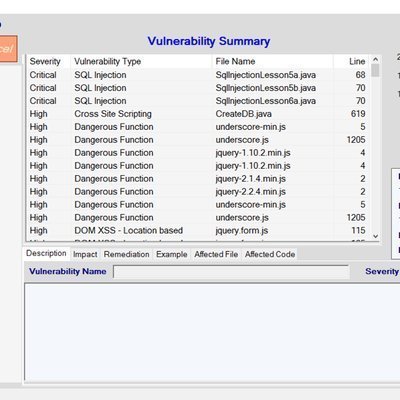
SnappyTick helps to identify the Vulnerability during Source code review.
Cloud based building, planning, permitting, and code enforcement software system.

The Software to Create Interactive Multi Touch Experiences Without Writing Code.
Sakurity does penetration tests, source code audit and vulnerability assessment.

We at CALLSTEM are not only about the code, we are your technology partners.

K Software offers code signing certificates and ebilling software solution.